Headphone Battery Life Explained (2026 Guide)

Your headphones died halfway through the flight. The box said 30 hours. You got 19. So is the pair faulty — or is the number on the box doing something sneaky?
It isn't the battery that's broken. It's the number. Makers test in a quiet lab at half volume, with noise cancelling off, playing the same track on repeat. Your day looks nothing like that.
This guide explains what headphone battery life really means, how long good headphones last, why yours falls short, and the habits that stretch a battery for years.
The short version: Headphone battery life is the hours a pair plays on one full charge — but the box number is a lab result, not a promise. Knock 20–30% off it for real use with noise cancelling on and the volume up. Over-ears with 30 hours of ANC-on runtime cover almost anyone; earbuds live or die by their charging case. And the battery itself fades after 2–3 years, faster if you keep it hot and full.
What Does Headphone Battery Life Actually Mean?
Headphone battery life is the number of hours your headphones play on one full charge. It is measured in the maker's lab, usually at half volume with noise cancelling off, so real life is shorter — often by a fifth or more.
Headphone battery life is the hours your headphones play on one charge, and the box number comes from lab tests at about half volume. According to RTINGS, lab tests often match or beat the claim — Sony's WH-1000XM6 measured 32 hours against a 30-hour rating. The gap between box and day comes from volume, ANC, and codec.
Headphone battery life also includes the charging case for earbuds, and that total is the number most people actually live with. According to SoundGuys, earbuds left outside their case drain about 5–6% of charge per hour just sitting there. Put them back in the case and the drain stops.
Three numbers hide inside one phrase. Learn them and the spec sheet stops lying to you.
First, per-charge hours: how long the headphones play before they die. For earbuds, that is the buds alone — the case adds more. Second, total hours: buds plus case recharges, the number that decides how often you hunt for a cable. Third, the conditions: ANC on or off, which codec, what volume. A 50-hour headline measured with ANC off is a different pair from a 50-hour headline measured with ANC on.
Or maybe I should say it this way: the box number is a lab result, not a promise. Your commute, your volume, and your noise cancelling setting are the real test.
How Long Do Wireless Headphones Last on One Charge?
Over-ear headphones run 25–60 hours with noise cancelling on. Earbuds manage 5–10 hours per charge, plus 20–40 hours from the case.
How long wireless headphones last depends on the type: over-ear pairs run 25–60 hours with ANC on, while earbuds manage 5–10 hours per charge plus 20–40 hours from the case. According to Tom's Guide, 30 hours is the sweet spot — every pair they tested lasted an 18-hour flight. More than that is nice, not needed.
Use the table as a rough map, not gospel. Makers test differently, so two pairs with the same headline can behave very differently on your head.
| Type | Per charge (ANC on) | Total with case | In real use |
|---|---|---|---|
| Over-ear, premium | 25–40 hours | — | About 18–28 hours |
| Over-ear, mid-range | 20–35 hours | — | About 15–25 hours |
| True wireless earbuds | 5–10 hours | 20–40 hours | 5–8 hours per charge, 16–24 from the case |
| Neckband earphones | 8–20 hours | — | Closer to the low end with ANC on |
The claims are not all hot air. Independent labs check them, and the results are often close — sometimes better than the box.
| Model | Maker's rating (ANC on) | Lab-measured (ANC on) | Verdict |
|---|---|---|---|
| Sony WH-1000XM6 | 30 hours | About 32 hours (RTINGS) | Beats its claim |
| Sennheiser Momentum 4 Wireless | 60 hours | 56 hours 21 min (SoundGuys) | Close to claim |
| Soundcore Space Q45 | 50 hours* | 27–28 hours (RTINGS) | *50 hours is ANC-off — the trap |
| Apple AirPods Pro 3 | 8 hours | 9 hours (RTINGS, at 85 dB) | Beats its claim |
The Space Q45 row is the one to remember. Its 50-hour headline is real — with ANC switched off. Switch ANC on and RTINGS measured 27–28 hours. Same pair, two numbers, and only one of them is the one you will live with.
Other lab standouts: RTINGS measured about 60.5 hours with ANC on for the JBL Live 780NC — the longest ANC-on result in its 2026 comparisons — and 68 hours for the Razer Opus X. The Anker Soundcore Life Q20 (2024) measured 49 hours with ANC on.
Lab numbers beat the box sometimes. The box still lies by omission.
What Is a Good Battery Life for Headphones?
Thirty hours with ANC on is plenty for over-ears. For earbuds, 6+ hours per charge and 24+ hours with the case.
Over-ear headphones vs earbuds: over-ears are better suited for long listening days because their bigger batteries run 30–60 hours. Earbuds work better when you want something pocket-sized and don't mind charging the case. The key difference is the case — earbuds borrow extra hours from it.
Look — if your commute is two hours a day, here's what actually works: buy for the ANC-on number, not the headline. A 30-hour ANC-on pair gives you a full work week of commuting with charge to spare. A 60-hour pair buys you bragging rights and fewer cables, not a better week.
Match the number to your day:
- Daily commute (1–2 hours): 20 hours ANC-on is enough. You charge once a week.
- Work-from-home calls: 25–30 hours ANC-on, because calls drain faster than music. A pair that dies mid-meeting is worse than a pair with less sound quality.
- Long-haul flights: 30 hours ANC-on covers the longest flights with margin. Tom's Guide tested pairs against an 18-hour JFK–Singapore flight and every one made it.
- Gym and running: earbuds with 6+ hours per charge and a case that holds 24+ hours. You charge the case, not the buds.
- Forgetful charger: 40+ hours ANC-on, or a pair with fast charging — 5 minutes for a few hours of playback covers most forgetfulness.
Chasing 60 hours when 30 covers your week is spec-chasing, not sense. That is the opinion plenty of people will push back on — but the extra hours sit in a battery you never drain, while the money could have bought better sound or a better fit.
Thirty hours. That is the line.
Why Doesn't Mine Last as Long as the Box Says?
Because the box number comes from a lab: about 50% volume, ANC off, a basic codec, no calls, no wind, room temperature.
Here's the thing: your day breaks every one of those conditions. You listen louder than half volume. You leave ANC on. You take calls. You walk through cold air. Each one takes a slice, and the slices add up to that missing 20–30%.
Makers are not all equally open about the conditions. Apple prints its test setup in the fine print — 50% volume, preproduction units. Sony lists separate ANC-on and ANC-off numbers, which is honest. Some brands print one big number and bury the "ANC off" part in a footnote. When a pair quotes only one number, assume it is the friendly one.
Age plays a part too. A two-year-old pair holds less charge than it did new — lithium-ion cells lose capacity with every charge cycle, so the gap between box and day grows over time. The battery section later in this guide covers that in full.
Short version: the box tells the truth about a lab. You don't live in one.
Does Noise Cancelling Drain the Battery?
Yes. ANC costs about 20–30% of your runtime on most pairs, because the microphones and the chip that flips the noise need power the whole time you listen.
The numbers make it plain. Sony's WH-1000XM6 runs 30 hours with ANC on and 40 with it off. The Galaxy Buds3 Pro manages 6 hours per charge with ANC on and 7 with it off — and 26 hours total from the case with ANC on. Beats Studio Buds+ drop from 36 hours total to 24 when ANC switches on. ANC costs a third of the headline on that pair.
I've seen conflicting data — one older guide claims ANC cuts battery life by about half, while Sony, Bose and Samsung's own specs all land at 20–30%. My read is the 50% figure comes from older, less efficient chips, and modern pairs are closer to a fifth or a quarter. Treat the half as history, not a rule.
Our ANC explainer covers how the anti-noise trick works. The battery version is simple: ANC is always listening, always processing, always spending power. Switch it off on a quiet walk and you get those hours back.
One press. A few hours back.
What Drains Headphone Battery Fastest?
ANC first, then volume, then your codec — with calls, standby, and cold weather taking smaller slices.
Here is the order, worst first:
- Noise cancelling. About 20–30% of runtime on most pairs. The biggest single drain.
- Volume. Max volume can cut runtime by 25–30%. Makers test at about 50% volume — if you listen loud, expect the box number to shrink.
- High-quality codecs. LDAC and aptX Adaptive cost a few minutes per hour against basic SBC. Sony's XM6 drops from 30 hours to 26 on LDAC; the WF-1000XM5 falls from 8 hours to 5. The newer LC3 codec draws up to 30% less power than SBC at the same quality, per SoundGuys.
- Calls. Calls drain faster than music — the microphones, voice processing and beamforming all run at once. A work day full of calls is the hardest day for your battery.
- Standby and multipoint. Headphones left on stay connected and keep draining. Earbuds left outside the case lose about 5–6% per hour doing nothing. AirPods Max has no off switch at all — only the Smart Case forces ultralow-power mode after 18 hours. Our multipoint guide explains the two-device trade-off.
- Cold weather. Cold shrinks lithium capacity for a while — the hours come back when the pair warms up, so it is a temporary loss, not damage.
- Extras. Spatial audio, heavy EQ, and always-listening voice assistants each add a small drain of their own.
Two of these are free to fix. Turn ANC off when the room is quiet, and turn the volume down a notch. The rest need a settings change or a habit change — the next section covers both.
ANC and volume. Fix those two first.
How Can I Make My Headphones Last Longer?
Turn ANC off when you don't need it, keep the volume near 60%, and charge between 20% and 80% instead of always topping up to full.
To make your headphones last longer, follow these steps: 1. Turn off ANC when you don't need it. 2. Keep the volume near 60%. 3. Switch from LDAC to SBC or AAC. 4. Charge between 20% and 80%. 5. Power off, or put earbuds back in the case.
- Turn ANC off when you don't need it. On a quiet walk or at home, the seal alone is enough — and you win back 20–30% of your runtime.
- Keep the volume near 60%. Loud listening costs hours and hearing. Sixty percent is the sweet spot for both.
- Drop to a lighter codec when battery matters. Switch from LDAC to SBC or AAC in the app for long days. You lose a little detail; you gain real hours.
- Charge between 20% and 80%. Lithium cells age fastest at the extremes. Topping up from 40% to 80% beats running the pair to empty and charging to full every time.
- Power off — or put the buds back in the case. A pair left on drains in standby. Earbuds outside the case lose about 5–6% an hour. The case is not storage, it is the charger.
- Keep them cool and dry. Heat is the battery's worst enemy. Don't leave headphones on a car dashboard or a sunny windowsill, and don't charge them in a hot room.
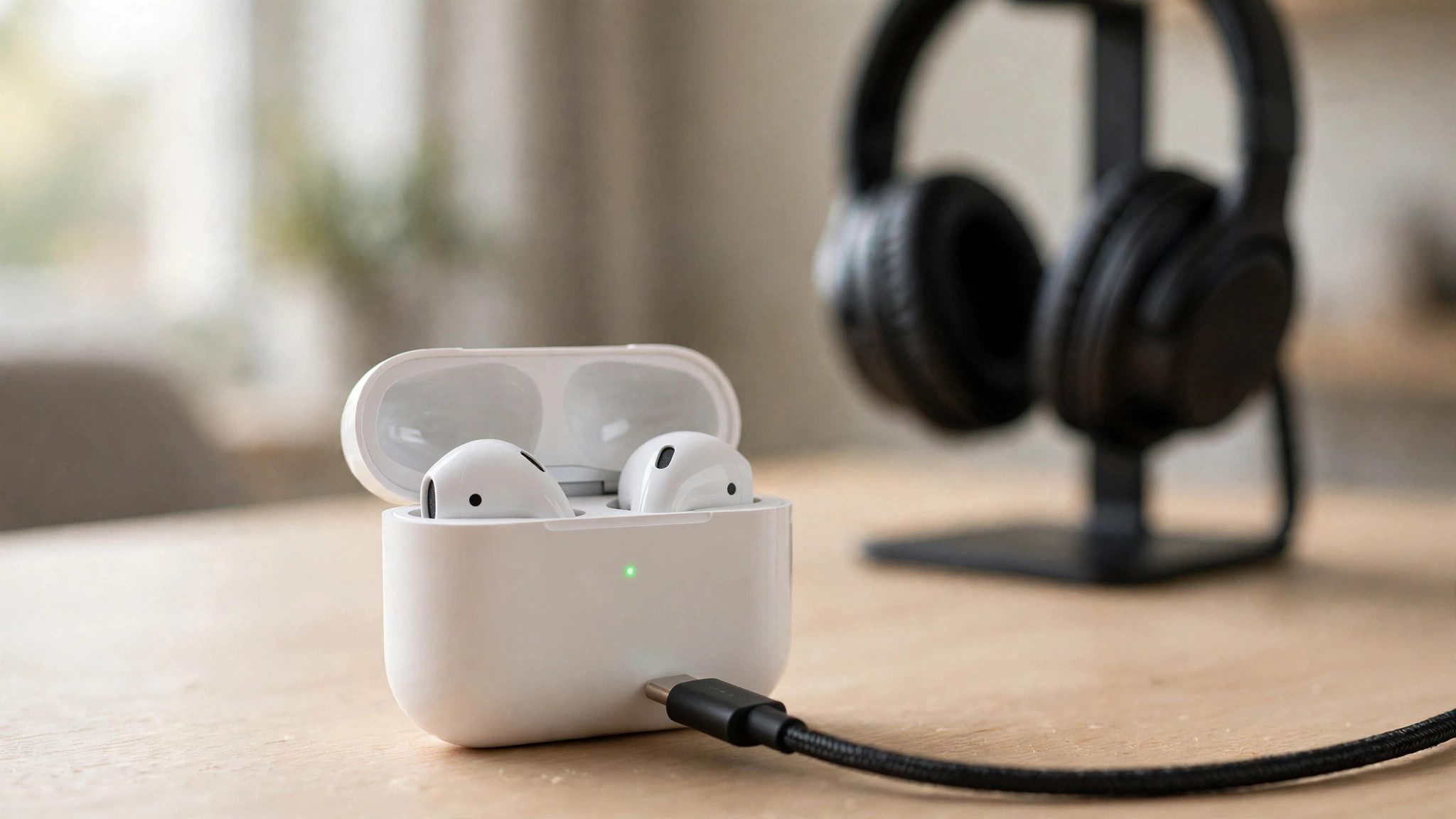
Quick note: fast charging is handy — 5 minutes buys 1–2 hours on most pairs, and up to 8 hours on the Soundcore Space One Pro — but it makes heat, and heat ages the cell. Use it when you need it, not as a daily habit.
Store a pair you won't use for a while at about 60% charge, and top it up every 4–5 months. A battery left flat for a year may never wake up again.
Small habits. Years of extra life.
How Do I Check My Headphone Battery Level?
On iPhone, use the Batteries widget or Settings > Bluetooth. On Android, check Settings > Connected devices. Windows and Mac show it in their Bluetooth settings too.
The exact spot depends on your device:
- iPhone or iPad: long-press the Home Screen, tap +, and add the Batteries widget. Or go to Settings > Bluetooth and tap the ⓘ next to your headphones. AirPods show a pop-up when you open the case nearby, and warn you at 20%, 10% and 5%.
- Android: go to Settings > Connected devices > Bluetooth — the percentage sits under the device name. Some phones show it on the Bluetooth quick-settings tile instead.
- Windows 10 or 11: Settings > Bluetooth & devices shows the percentage next to the paired device.
- Mac: enable Bluetooth in the menu bar under System Settings > Control Center, then hover over the device name.
- Everywhere else: the maker's app — Sony Headphones Connect, Bose Music, and the rest — shows the level, as do the voice prompt and the case LED. On AirPods, green means charged and amber means less than one full charge left.
If no number shows up at all, the pair may need a firmware update or a fresh pairing. Our reset guide walks through that fix.
Check before you leave. Not on the train.
Do Headphone Batteries Wear Out Over Time?
Yes. A lithium-ion cell keeps about 80% of its capacity after 300–500 full charges, and most people notice shorter runtimes after 2–3 years of daily use.
Heavy daily use can show the decline in 18 months to 2 years. Light use stretches it past 5 years. Earbuds age faster than over-ears — their tiny 40–80 mAh cells get charged hard and sit at 100% in a warm case, so heavy users notice the loss in 18–24 months.
Heat is the real killer. Battery University data, cited by SoundGuys, shows a cell kept at 25–40°C keeps 85–96% of its capacity after a year. Charge that same cell to 100% at 40°C and it drops to 65% after a year. At 60°C it hits that mark in 3 months. Every 0.1V lower charge voltage roughly doubles cycle life — which is why the 20–80% charging habit in the last section matters.
How do you know the battery is dying? Three signs: runtime drops below about 60% of the original spec, the percentage jumps around instead of falling smoothly, and one earbud drains much faster than the other. If all three show up, the cell is done — not the software.
Overnight charging is the one people argue about. Modern circuits stop overcharging, so leaving a pair plugged in overnight won't cook it — but sitting at 100% in a warm room still ages the cell faster. Both sides are right. Unplug in the morning when you can.
Two to three years. Then the clock starts ticking.
Can the Battery Be Replaced — or Is It Time for a New Pair?
Usually not, and almost never in earbuds. The batteries are glued or soldered in, so the maker is the only safe route — and the repair often costs more than half the price of a new pair.
Earbuds are the worst case. Every AirPods generation scored 0/10 for repairability from iFixit for ten years; the newest AirPods score 2/10, with the earbud batteries removable but the case battery still sealed. Apple replaces batteries free under AppleCare+ if capacity drops below 80% — the standard warranty doesn't cover normal wear.
Over-ears give you a better shot. Some can be opened and serviced by the maker, and a few are built for it: the SteelSeries Arctis Nova Pro Wireless uses hot-swappable batteries — two cells, about 30 hours each, so you swap instead of waiting. The Fender Mix has a replaceable battery too.
Here's my take, and plenty of people will disagree: a pair of earbuds with a dead battery is done. Over-ears are worth fixing; earbuds aren't. The repair costs more than the buds are worth, the case battery is dying too, and a new pair buys you a fresh battery, fresh tips, and a warranty.
Before you bin them, try the cheap fixes: a reset, a firmware update, and a clean of the charging contacts. Our reset guide and cleaning guide cover both. If the runtime is still under 60% of spec after that, the cell has had it.
Fix the over-ears. Replace the earbuds.
Frequently Asked Questions
What's a good battery life for wireless headphones?
For over-ears, 30 hours with ANC on is plenty — it covers a week of commutes. For earbuds, look for 6+ hours per charge and 24+ hours with the case.
Why does my headphone battery drain so fast?
Usually ANC, high volume, or a codec like LDAC. Turn ANC off, drop the volume to 60%, and check for an app update — a worn battery is the other suspect after two years.
How long do headphone batteries last before they wear out?
About 2–3 years of daily use before you notice shorter runtimes. The cell keeps roughly 80% of its capacity after 300–500 full charges, then fades faster.
Can I replace the battery in my wireless headphones?
Rarely, and almost never in earbuds — the batteries are glued or soldered in. Over-ears can sometimes be serviced by the maker; hot-swappable models like the SteelSeries Arctis Nova Pro Wireless are the exception.
Is it bad to leave my headphones charging overnight?
Not dangerous — modern circuits stop overcharging. But sitting at 100% in a warm room still ages the cell faster, so unplug them in the morning if you can.
Does listening at high volume drain the battery faster?
Yes — max volume can cut runtime by 25–30%. Makers test at about half volume, so the box number assumes you listen quieter than you probably do.
Why does one earbud drain faster than the other?
One bud usually handles the Bluetooth link and the microphone, so it works harder. A big gap — say 20% or more — can also mean that bud's battery is wearing out first.