How to Reset Bluetooth Headphones (2026 Guide)

Your headphones worked fine yesterday. Today they won't pair, they connect with no sound, or only one side plays. You already tried turning Bluetooth off and on. You restarted your phone. Nothing changed.
A reset is the next step — and it fixes more than most people expect. It wipes the confused pairing memory inside the headphones and starts clean. This guide shows you the 5-step method that works on most pairs, then the exact button combo for Sony, Bose, JBL, AirPods, Galaxy Buds, Beats and Soundcore.
Resetting Bluetooth headphones means wiping the saved pairing list and settings on the headphones themselves, so they forget every device and return to how they arrived. It is different from forgetting them on your phone, which only clears one side of the link.
The short version: charge the headphones, forget them on your phone, then hold the reset button combo until the light flashes — and pair them again like new. The whole job takes about five minutes, and it fixes most pairing glitches. The brand sections below give you the exact buttons for your pair.
What Does Resetting Bluetooth Headphones Actually Do?
Resetting wipes the headphones' saved memory — every paired device, plus EQ and button settings on some models — and returns them to how they left the factory. The headphones forget your phone, and your phone's saved entry becomes useless, so you pair again from scratch.
Resetting Bluetooth headphones clears the stored pairing records inside the headphones and restores the factory settings. According to Sony's help guide, initializing a pair like the WH-1000XM5 deletes all pairing information and resets the volume settings, so you must delete the old entry on your phone and pair the headphones again before use.
A reset fixes connection faults that live in the headphones' memory, like a stale pairing or earbuds that lost sync with each other. According to Apple's support pages, resetting AirPods clears their pairing from every device signed into the same Apple account, which is why the fix works when toggling Bluetooth does not.
A reset does not fix dead batteries, broken drivers, or water damage, and it cannot repair a button that no longer clicks. Those are hardware faults, and no button combo will bring them back. If the reset changes nothing on two devices, the headphones are the problem, not the settings.
Memory wiped. Fresh start.
Which Reset Do I Need — Restart, Reset, or Factory Reset?
Try them in order: restart first, then forget-and-re-pair, then a factory reset. A restart just switches the headphones off and on and keeps your settings. A factory reset wipes the pairings and settings and starts over. Most glitches die at the restart stage — move on only if the restart changed nothing.
A restart vs a factory reset: a restart switches the headphones off and on and keeps every setting, which fixes a frozen chip. A factory reset wipes pairings, EQ and button settings back to day one. The key difference is memory — a restart keeps it, a factory reset erases it.
| Method | What it does | What it keeps | Use it when |
|---|---|---|---|
| Restart | Switches the headphones off and on | Everything | Headphones frozen, light stuck, won't turn off properly |
| Forget and re-pair | Removes the saved link from your phone only | Headphone settings stay | Headphones keep connecting to the wrong device, or the old entry is stale |
| Factory reset | Wipes pairings and settings on the headphones | Nothing — pair again from scratch | Nothing else worked, one side is dead, earbuds lost sync |
Sony splits the words in a confusing way. On Sony headphones, "reset" means a reboot — plug in the USB cable and press Power + NC/AMB together — while "initialize" means the full factory reset. Other brands use "reset" for the factory wipe. Check which word your manual uses before you hold any buttons.
Start small. Wipe last.
How Do I Reset Bluetooth Headphones in 5 Steps?
Charge them, forget them on your phone, turn them off, hold the reset combo until the light flashes, then pair again. That sequence works on most over-ear headphones and many earbuds — the brand sections below only change which buttons you hold in step 4.
To reset Bluetooth headphones, follow these steps: 1. Charge the headphones for 10 minutes. 2. Forget them in your phone's Bluetooth settings. 3. Turn the headphones off. 4. Hold the reset button combo until the light flashes. 5. Pair them again like new.
- Charge for 10 minutes. A low battery stops some models resetting at all, and a reset that dies halfway leaves the headphones in a worse state than before.
- Forget the headphones on your phone — and on every other device. On iPhone, go to Settings → Bluetooth, tap the info button next to the headphones, and choose Forget This Device. On Android, open the saved device and choose Forget. On Windows 11, open Settings → Bluetooth & devices → Devices, click the three dots, and choose Remove device. On a Mac, open System Settings → Bluetooth and choose Forget.
- Turn the headphones off. Unplug any charging cable too — unless your model says otherwise. Sony's plain reset is the one exception, and it needs the cable in.
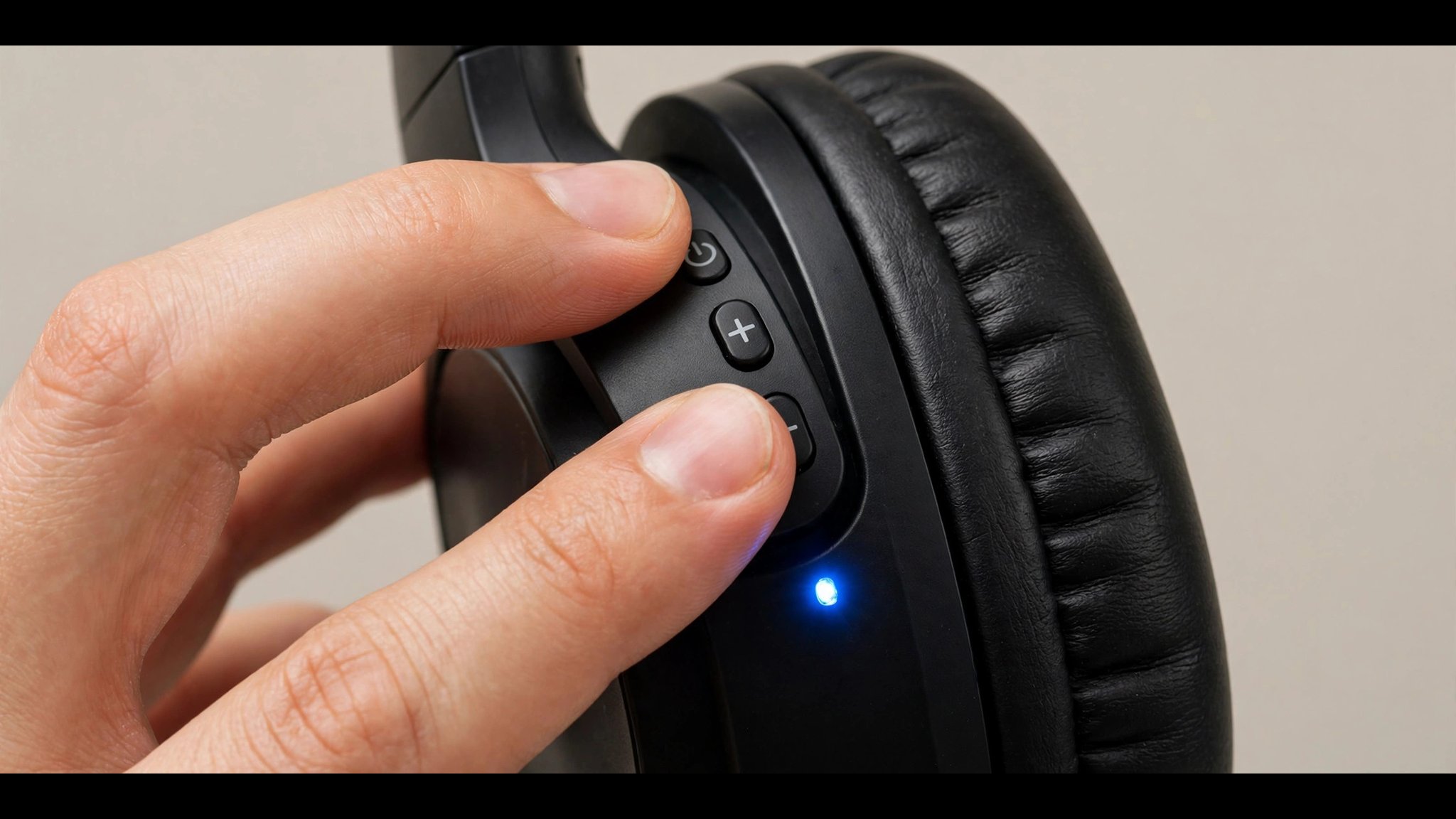
- Hold the reset combo until the light flashes. On most over-ears that means power plus a volume button; on most earbuds it means the case button. Watch for the cue — a flashing light, a colour change, or a voice prompt. Count slowly. Letting go early is the top reason a reset "doesn't work".
- Pair again like new. Put the headphones in pairing mode and pick them in your phone's Bluetooth settings. If you skipped the pairing guide, our pairing guide walks through iPhone, Android, Windows 11, Mac and TV step by step.
Look — if you're holding dead headphones right now, here's what actually works: turn Bluetooth off on every other device you own first. An old laptop in the next room can grab the headphones the moment they reset, and you'll think the reset failed.
Or maybe I should say it this way: the reset is only half the job. The other half is making sure nothing else claims the headphones before your phone does.
They're not broken, they're just confused — and you don't need a new pair yet.
How Do I Reset Sony Headphones?
Sony draws a line between a reset and an initialize. A reset reboots the headphones and keeps your pairings; initializing wipes everything. For the WH-1000XM5 and XM4, hold Power + NC/AMB for 7 seconds, unplugged, until the blue light flashes 4 times.
To initialize the WH-1000XM5 or WH-1000XM4 (full factory reset):
- Turn the headphones off and unplug the USB cable.
- Hold the Power button and the NC/AMB button together for about 7 seconds.
- Let go when the blue light flashes 4 times. The headphones are back to factory settings.
- Delete the old entry on your phone, then pair again.
For a plain reset (reboot, keeps pairings): plug in the USB-C cable, then press the Power and NC/AMB buttons together while it is connected. The headphones restart and keep every saved device.
Quick note: the same Power + NC/AMB hold works on the WH-1000XM3 and most recent Sony over-ears — on older models the button is called the custom button. For Sony earbuds like the WF-1000XM5, the surest path is the app: Sony Headphones Connect → System → Initialize. The case-button method varies by model, so check your model's help guide.
How Do I Reset Bose Headphones?
On the QuietComfort 45, hold the Power/Bluetooth switch to the right and the Action button together for 30 seconds, until the light blinks red and then slowly blue. On the QuietComfort Ultra, hold the Bluetooth and multifunction buttons for about 15 seconds until the light blinks white twice.
- QuietComfort 45: slide and hold the Power/Bluetooth switch to the right while pressing and holding the Action button for a full 30 seconds. The light blinks red, then slowly blinks blue when it is done. Thirty seconds feels like forever. Keep holding.
- QuietComfort Ultra: hold the Bluetooth button and the multifunction button together for about 15 seconds, until the status light blinks white twice, then release.
- QuietComfort Ultra (2nd Gen): the full reset lives in the Bose app. For a quick restart instead, hold the Power/Bluetooth button while plugging in the USB cable, wait for the light to blink twice, then release after two seconds.
I've seen conflicting data — some guides say the QC45 reset takes 10 seconds, others say 30. My read is the longer hold is the safe bet: the light has to change colour before the reset counts, and letting go early is the most common reason it seems to fail.
How Do I Reset JBL Headphones?
Turn the headphones on, then hold Volume + and Volume − together for more than 5 seconds. The light blinks in two colours, the headphones power-cycle, and the reset is done.
That combo covers most JBL over-ear and on-ear headphones — the Tune, Live and Club series all use it. JBL earbuds vary by model, so check JBL's reset guide for your pair before holding any buttons.
One press. Two buttons. Done.
How Do I Reset AirPods and Galaxy Buds?
AirPods reset from the case, not from a button on the buds. Galaxy Buds reset from the Samsung Wearable app or by holding both touchpads. Both take under a minute once you know the gesture.
AirPods (with a setup button — AirPods 1, 2, 3 and Pro 1, 2):
- Put both AirPods in the case and close the lid. Wait 30 seconds.
- Open the lid, then hold the round setup button on the back of the case.
- Let go when the status light flashes amber and then white. The AirPods are reset — pair them again.
AirPods 4 and AirPods Pro 3: these have no setup button. With the buds in the case and the lid open, double-tap the front of the case three times. The light flashes amber and then white.
Samsung Galaxy Buds: open the Galaxy Wearable app, go to Earbuds settings, and choose Reset. Or wear both buds and hold both touchpads for about 7 seconds until you hear a beep.
Here's the thing: earbuds reset through the case or the app, never through an earcup combo — if you're hunting for a button on the bud itself, you're looking in the wrong place.
What About Beats, Soundcore and Other Brands?
Most other brands use a long hold of the power button plus a volume button. The exact pair changes by model, so the table below gives you the combos the makers themselves publish.
| Brand / model | Buttons to hold | How long | What you see |
|---|---|---|---|
| Beats Studio3 | Power + Volume Down | 10 seconds | Light flashes, headphones restart |
| Beats Studio Pro | Power button alone | 10 seconds | Light flashes, headphones restart |
| Soundcore (most over-ears) | Power + Volume Up | About 5 seconds | Red light flashes 3 times |
| Sennheiser / Skullcandy | Power, or Power + Volume | 10–15 seconds | Light flashes or voice prompt — check your model's quick-start card |
If your brand isn't listed, the manual's troubleshooting page has the combo. Search "[your model] factory reset" on the maker's support site rather than trusting a random forum post — a wrong combo held for 15 seconds does nothing, and you'll think the headphones are dead.
Why Won't My Bluetooth Headphones Reset?
Almost always one of four things: the battery is too low, you let go too early, you held the wrong buttons, or the headphones are still linked to another device. Work through the table in order.
| What happens | Most likely cause | Fix |
|---|---|---|
| Nothing happens when you hold the buttons | Battery too low | Charge for 15 minutes first — some models refuse to reset below a charge threshold |
| Light flashes, but nothing changes | Wrong button combo for your model | Check the exact combo in the brand sections above — close doesn't count |
| Reset works, then the old problem returns | Another device grabbed them first | Turn Bluetooth off on every other device, forget the entry everywhere, then reset again |
| Buttons feel stuck or don't click | Damaged or dirty button | Don't force it — contact the maker; a reset can't fix hardware |
| Headphones are hot, swollen or wet | Battery or water damage | Stop. Don't charge or reset them — contact the maker |
Here's an opinion that might get pushback: a factory reset should be your first move, not your last resort. Most people burn twenty minutes toggling Bluetooth and restarting their phone when a sixty-second reset would have fixed it. The settings you lose take two minutes to rebuild.
What If the Reset Doesn't Fix It?
Then the fault probably isn't in the pairing memory. Update the firmware, test the headphones on a second device, and let that test decide whether you're fixing software or claiming a warranty.
- Update the firmware. Companion apps from Sony, Bose, JBL and Jabra push firmware updates to the headphones. A firmware bug can break pairing while the speakers keep working, and the update fixes it. Check the app before you buy anything.
- Test on a second device. Try pairing to a different phone or laptop. If it works there, the fault is in the first device's Bluetooth, not the headphones. If it fails on two devices, the headphones are the problem.
- Check the warranty, not the shop. Headphones that fail on two devices after a reset are a warranty claim, and most makers cover pairing faults in the first year. Keep the receipt and the serial number handy.
- Know when to stop. A battery that won't hold a charge, a driver that stays dead after a reset, or damage from a drop or a swim — none of those are settings problems. A reset can't fix them, and a second reset won't either.
Settings fixed. Hardware next.
Frequently Asked Questions
What's the fastest way to reset Bluetooth headphones?
Charge them, forget them on your phone, hold the reset combo until the light flashes, then pair again. Most pairs take about five minutes.
Will resetting my headphones delete everything?
A factory reset wipes pairings and custom settings like EQ and button maps. A plain restart keeps them. Check which one your manual means before you hold any buttons.
How do I reset Bluetooth headphones without a button?
Use the case or the app. Earbuds reset from the charging case or the maker's app — AirPods use the case button, Galaxy Buds use the Wearable app.
Why won't my Bluetooth headphones reset?
Usually low battery, the wrong button combo, or letting go too early. Charge them, check the exact combo for your model, and hold until the light changes.
Do I need to forget the headphones on my phone too?
Yes. A reset only clears the headphones' side. Delete the old entry in Bluetooth settings, or the phone will keep offering the stale link.
How do I reset my AirPods?
Put them in the case, close the lid for 30 seconds, open it, then hold the setup button until the light flashes amber and then white. AirPods 4 and Pro 3 have no button — double-tap the front of the case three times instead.
Should I reset my headphones or just restart them?
Restart first — it keeps your settings and fixes a frozen chip. Reset only when the restart changed nothing, or when one side is dead and the earbuds lost sync.