Can You Use Bluetooth Headphones on a Plane? (2026 Guide)

You're at the gate, headphones in, playlist ready — then the announcement comes: phones to airplane mode. You pause. Does that kill your headphones too?
It doesn't. Not any more. This guide gives you the straight answer, the two taps that fix airplane mode, and the one gadget that unlocks the seatback screen.
The short version: yes, you can use Bluetooth headphones on a plane. Switch your phone to airplane mode, tap Bluetooth back on, and your headphones work as normal. The seatback screen is the only catch — most planes still need a cable or a small Bluetooth transmitter.
Can You Use Bluetooth Headphones on a Plane?
Can you use Bluetooth headphones on a plane refers to whether wireless headphones are allowed and work during a flight. The short answer is yes — the FAA has allowed Bluetooth devices since 2013, and most airlines permit them once your phone is in airplane mode with Bluetooth switched back on.
Using Bluetooth headphones on a plane is allowed on most flights. According to the FAA, Bluetooth devices have been approved for use on planes since 2013, and most major airlines now allow them once your phone is in airplane mode. The only real limits are the takeoff and landing rules, which still differ from one airline to the next.
Bluetooth headphones work on a plane because they use short-range, low-power radio signals. According to What Hi-Fi, modern aircraft systems are shielded from passenger electronics, so the signal poses no real risk to the plane. That is why airlines relaxed the rules over the past decade instead of tightening them.
Yes. Full stop.
The FAA approved Bluetooth devices on planes back in 2013, and Europe's EASA permits short-range Bluetooth in flight too. Bluetooth runs on low-power 2.4 GHz radio, far from the frequencies aircraft systems use, and decades of real flights have shown no interference worth worrying about. So the rule today is simple: keep your phone in airplane mode, keep Bluetooth on, and listen away.
Does Airplane Mode Turn Off Bluetooth?
Airplane mode kills your cellular signal and usually Wi-Fi — but Bluetooth is a separate switch, and you can turn it straight back on.
Airplane mode and Bluetooth work together on a plane once you know the trick. Switching on airplane mode kills your cellular signal and usually Wi-Fi, but Bluetooth can be switched straight back on with one tap. Your headphones then pair exactly as they do on the ground.
Here's the thing: older phones killed Bluetooth along with everything else, and plenty of people still expect that. Modern iPhones and Android phones remember your Bluetooth choice instead. On an iPhone, airplane mode leaves Bluetooth alone if it was on — or you tap it back on in Control Center. On Android, swipe down and tap the Bluetooth icon. One tap, and you're done.
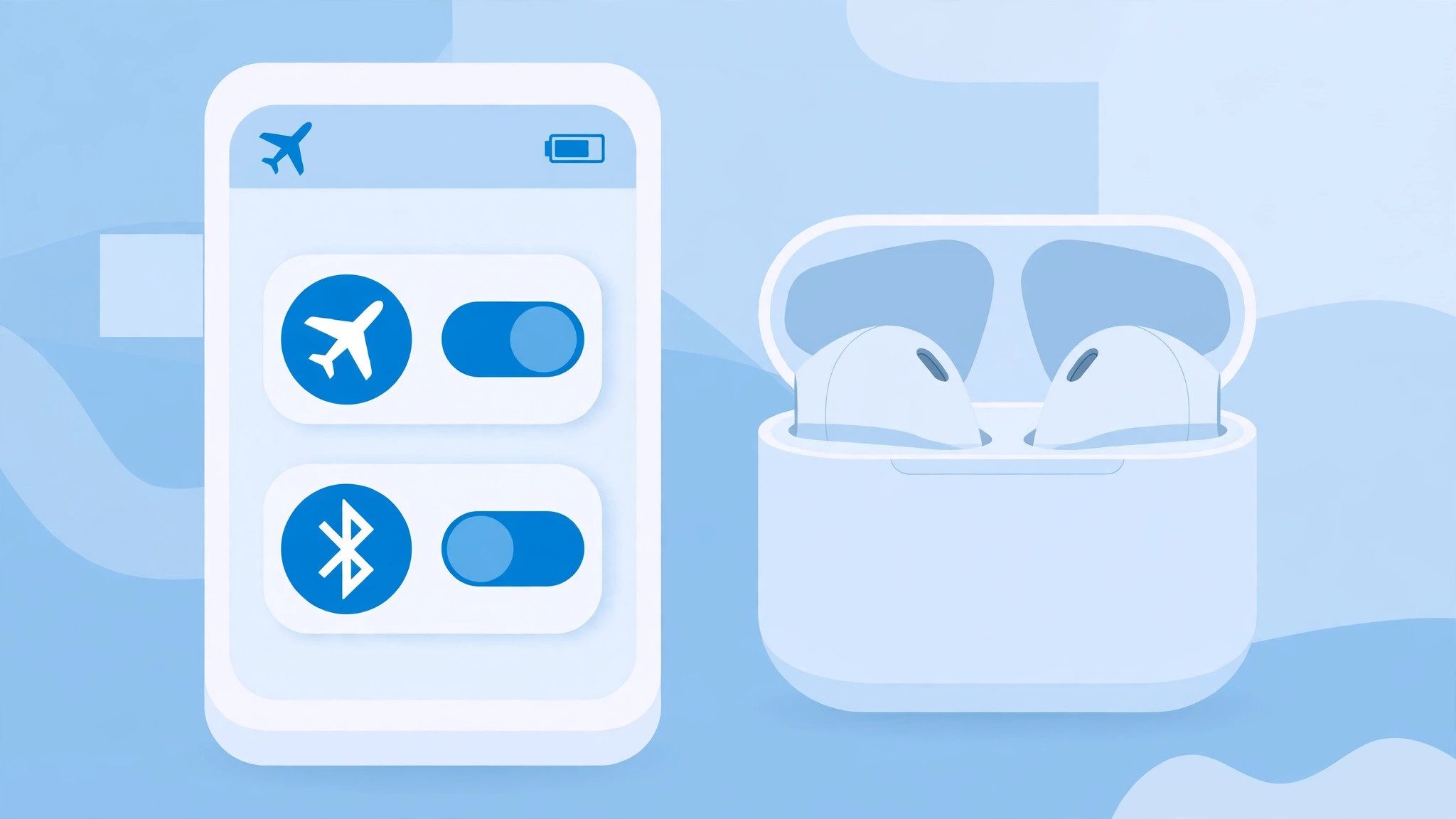
Do this before you board, not after takeoff. Set airplane mode at the gate, tap Bluetooth back on, and check your headphones connect while the plane is still at the stand. Sorting it out on the ground beats fumbling with settings in a dark cabin.
How Do I Use Bluetooth Headphones on a Plane?
Charge up, download your shows, switch on airplane mode, tap Bluetooth back on, and pair. Five steps, two minutes.
To use Bluetooth headphones on a plane, follow these steps: 1. Charge your headphones and download your shows before you leave. 2. Switch your phone to airplane mode at the gate. 3. Turn Bluetooth back on with one tap. 4. Pair your headphones as normal. 5. Pack a cable or a Bluetooth transmitter if you want the seatback screen.
- Charge everything the night before. Headphones, earbud case, phone, tablet. A full case matters more than a full phone — your ears run out of battery first.
- Download your shows and music. Netflix, Spotify, Apple Music, Audible and most video apps let you save content offline. In-flight Wi-Fi is slow, pricey, and drops out over the ocean.
- Switch on airplane mode at the gate. Do it when the crew asks, or a few minutes before boarding. Then tap Bluetooth back on right away.
- Pair your headphones as normal. They connect the same way they do at home. If they don't show up, put them back in pairing mode and try again.
- Pack the seatback fix. A short 3.5mm cable or a Bluetooth transmitter goes in the carry-on pocket, not the overhead bin. You want it within reach when the movie starts.
Or maybe I should say it this way: the pairing is the easy part — the prep is what saves the flight. A dead case or an empty download queue is what actually ruins the listening, not the rules.
Downloaded content beats streaming every time up there. Even on planes with Wi-Fi, the connection crawls when 200 people share it, and video eats it alive.
Can I Use Bluetooth Headphones During Takeoff and Landing?
At cruise, yes — always. At takeoff and landing, it depends on your airline, and the crew's word wins.
I've seen conflicting data — some sources say Delta and American allow Bluetooth right through takeoff, while others say those two airlines restrict it during takeoff and landing. My read is that the rules have loosened since the older pages were last updated, and the crew's word on your exact flight wins over any article, including this one.
Here is what the airline-by-airline picture looks like, based on published airline policies:
| Airline | Bluetooth during the flight | At takeoff & landing |
|---|---|---|
| Alaska Airlines | Allowed | Allowed throughout |
| Allegiant | Allowed | Off during takeoff & landing |
| American Airlines | Allowed | Off during takeoff & landing |
| Delta | Allowed | Off during takeoff & landing |
| JetBlue | Allowed | Allowed throughout |
| Southwest | Allowed | Off during takeoff & landing |
| Spirit | Allowed | Allowed throughout |
| United | Allowed | Allowed throughout |
| Air Canada | Allowed | Allowed above 10,000 feet |
The reason is safety, not signal. Takeoff and landing are the two moments when the crew needs your full attention — safety briefings, announcements, and any sudden instruction. A pair of noise-cancelling headphones blocks all of that.
Look — if you're worried about missing a safety announcement, here's what actually works: switch on transparency mode, or pop one earbud out for takeoff and landing. You hear the crew, you keep your music, and nobody has to tap your shoulder.
Don't argue with the crew — you won't win, and it isn't worth trying. If they ask you to take the headphones off, take them off.
Can I Connect My Bluetooth Headphones to the Seatback Screen?
Usually not directly. Most seatback screens only have a 3.5mm jack, so your wireless headphones need a bridge.
Wired cable vs Bluetooth transmitter vs native seatback Bluetooth: a cable is better suited for reliability because it needs no battery or pairing. A transmitter works better when you want to stay wireless on an older plane. The key difference is that native seatback Bluetooth needs nothing extra, but only a few newer planes have it.
Most seatback entertainment systems were built years before wireless headphones went mainstream, and they still speak the language of the wired era: a 3.5mm headphone jack on the armrest or the screen. Your Bluetooth headphones can't talk to that jack on their own — the screen has no Bluetooth radio to pair with.
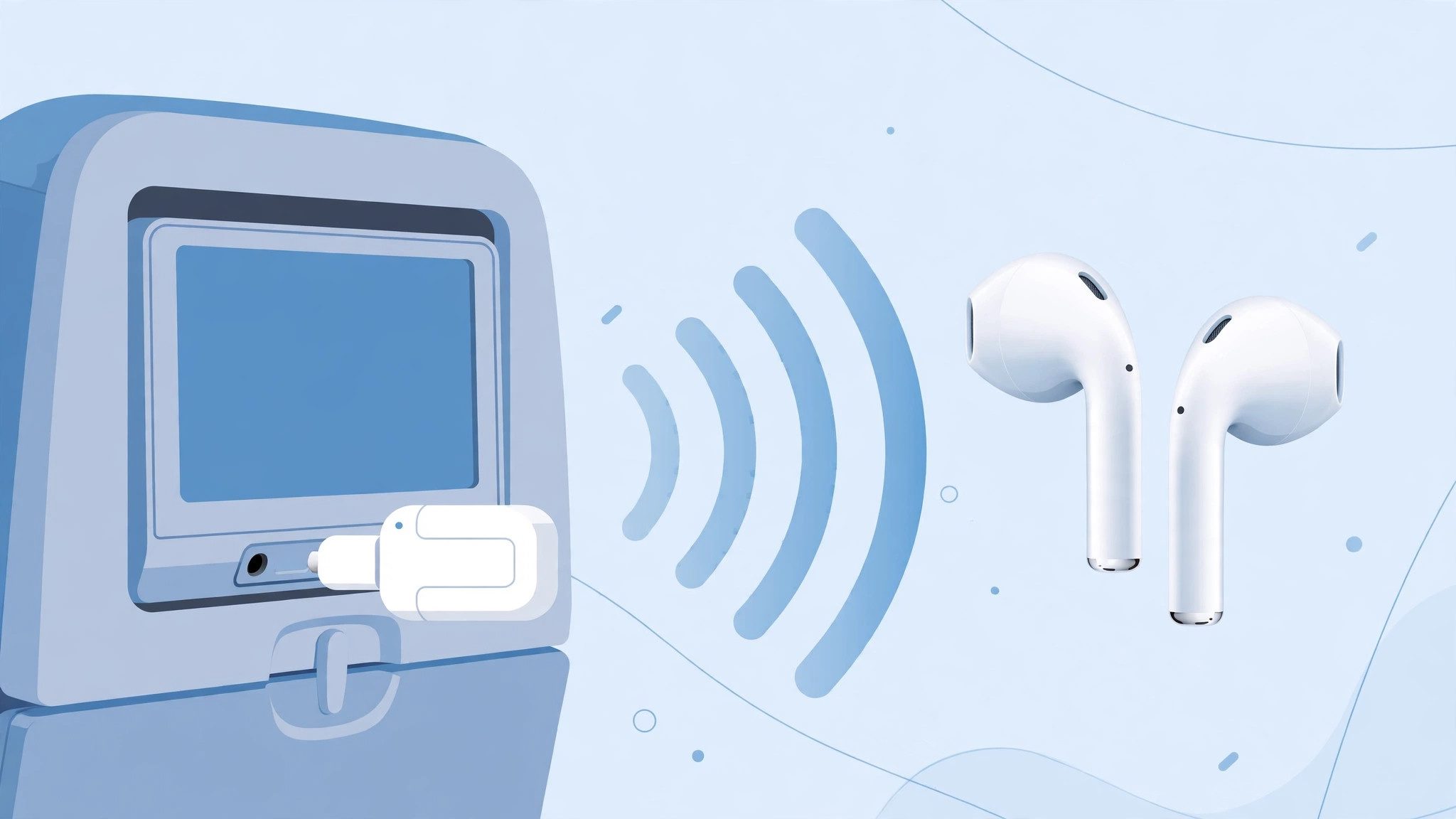
A Bluetooth transmitter fixes it. The little gadget plugs into the seatback jack and broadcasts the sound to your headphones, just like your phone does. The Twelve South AirFly is the best-known one — it pairs with two pairs of headphones at once, so two people can watch the same film. If you fly more than a couple of times a year, it earns its place in your carry-on. See our best Bluetooth transmitter for headphones guide for the full rundown.
Some older planes use a dual-prong jack instead of the standard single 3.5mm one — a leftover from the days when airlines rented headsets. A transmitter with a dual-prong adapter covers both, and the cheap airline earphones in the seat pocket fit either jack as a backup.
A few newer planes skip the problem entirely. United was the first major US airline to add Bluetooth to its seatback screens, starting with some Boeing 737s in 2021, and Delta and Emirates have followed on some aircraft. If your plane has it, the screen's settings menu will show a Bluetooth option — pair like you would with a phone. Check your aircraft type before you fly, because most planes still don't have it.
No transmitter? No problem. The cable your headphones came with plugs straight into the jack, and most wireless headphones still play wired with the battery off. Pack it.
Can I Use AirPods on a Plane?
Yes — AirPods work on a plane exactly like any other Bluetooth headphones, with one Apple-only perk.
AirPods connect over Bluetooth, so the same rules apply: airplane mode on, Bluetooth back on, pair as normal. The iPhone remembers your Bluetooth setting, so you usually only tap it once. AirPods Pro add two things that matter at 35,000 feet — strong noise cancelling for the engine drone, and transparency mode so you can hear the crew without taking them out.
The Apple-only perk is automatic switching. AirPods jump between your iPhone, iPad and Mac on their own when a call or video starts, as long as everything is signed into the same iCloud account. That switching works in the air too, since it runs over Bluetooth and Wi-Fi between your own devices — no cell signal needed. Pair them to a Windows laptop and the magic stops; they act like ordinary single-device earbuds.
One catch: AirPods can't connect to the seatback screen directly, any more than other wireless earbuds can. Same fix — a Bluetooth transmitter, or the cable trick. See how to pair Bluetooth headphones if yours won't show up in the list.
What Should I Pack for a Flight With Bluetooth Headphones?
Headphones, charged. A cable. A transmitter if you want movies. Downloads. That kit covers every plane you'll board.
Packing for a flight is a small job, and getting it right takes five minutes the night before. Here is the kit that covers every plane:
- Headphones, fully charged, plus the case. Earbuds run 6–8 hours per charge with noise cancelling on, and the case adds another 20–30 hours. Over-ear headphones run 30–60 hours. Charge the night before — don't count on the plane's USB port.
- A 3.5mm cable. It weighs nothing, needs no battery, and plugs into every seatback screen ever made. The one in your headphone box works fine.
- A Bluetooth transmitter. Worth it if you fly a few times a year and want the seatback movies without a wire. The Twelve South AirFly is the one most travellers buy first — it pairs with two headphones at once.
- Downloaded shows, music and podcasts. Fill the phone before you leave. A long flight eats through a playlist faster than you think.
- A USB-C charging cable. Some planes have USB ports — Alaska, American, Delta, JetBlue and United are the best bets — but the port by your seat might be dead. The cable still charges from a power bank.
- Spare ear tips. One lost tip mid-flight is a quiet flight. A spare pair lives in the case lid.
Downloaded shows on your own phone beat the seatback screen every time — better sound, no adapter, no queue for the remote, and you pick the film. That is an opinion, and plenty of people love the seatback library, but on a long flight your own downloads win on every count that matters.
Small bag. Big difference.
What If My Bluetooth Headphones Won't Connect on the Plane?
Nine times out of ten it's the Bluetooth toggle, a dead battery, or headphones still linked to another device.
Work through the list in order — the fix is usually the first item:
- Bluetooth is still off. Airplane mode switched it off and you never tapped it back on. Check the Bluetooth icon in Control Center or the quick settings shade.
- Your headphones are linked to something else. They grabbed your laptop or your partner's phone instead. Turn Bluetooth off on the other device, then pair again.
- The battery died. Noise cancelling drains the case faster than you expect. Plug the cable in — most headphones play wired with the battery flat.
- They need a reset. Hold the power or pairing button for 10 seconds, then pair fresh. See how to reset Bluetooth headphones for your model.
- Too many devices nearby. A full cabin means 200 phones shouting Bluetooth at once. Move your phone closer to your headphones and try again.
Still stuck? The cable saves the flight. Plug in, watch the film, and sort the pairing out on the ground.
Frequently Asked Questions
Can I use AirPods on a plane?
Yes. Put your iPhone in airplane mode, tap Bluetooth back on, and your AirPods pair as normal. They work with your own device, not the seatback screen — that needs a transmitter.
How do I turn Bluetooth back on in airplane mode?
iPhone: open Control Center and tap the Bluetooth icon. Android: swipe down and tap Bluetooth. One tap each — the setting stays on for the rest of the flight.
Should I bring a Bluetooth transmitter for my flight?
Yes if you plan to watch the seatback screen and hate wires. It plugs into the 3.5mm jack and sends the sound to your headphones. Skip it if you only watch your own phone.
Why does my airline ask me to remove my headphones at takeoff?
So you can hear safety briefings and crew instructions. It is a safety rule, not a Bluetooth ban — transparency mode or one earbud out solves it.
When should I charge my headphones before a flight?
The night before, fully — case and buds. A 13-hour flight beats most earbud batteries, so top up from the case between films.
Can kids use Bluetooth headphones on a plane?
Yes, and volume-limited kids' headphones are the smart pick. They cap sound at 85 dB, which protects young ears on long flights.
Do Bluetooth headphones work on international flights too?
Yes. The FAA and EASA both permit short-range Bluetooth in flight. Rules on takeoff and landing vary by airline, so check your carrier before you fly.