How to Improve Bluetooth Headphone Sound Quality (2026)

Your favourite song sounded full and rich last week. Today it sounds flat, thin, or muffled — and you changed nothing.
You already turned the volume up and restarted your phone. Neither helped, because volume was never the problem.
Improving Bluetooth headphone sound quality means fixing the fit, the settings and the audio source so more of the music reaches your ears intact. A tight ear-tip seal, a small EQ tweak and a better codec can each lift the sound — and the right fix depends on what sounds wrong.
The short version: clean the mesh, get a tight seal, then set your streaming app to its highest quality and make one small EQ change. If the sound is still wrong after that, the cause is the codec or the Bluetooth profile, and the ladder below finds it.
Why Do My Bluetooth Headphones Sound Bad?
Bluetooth headphones sound bad when the fit leaks bass, the wrong Bluetooth profile is active, or the source audio is heavily compressed. The usual culprits are a loose ear-tip seal, a clogged speaker mesh, hands-free mode during a call, or a streaming app set to low quality.
Bluetooth headphones sound bad when the fit leaks bass, the wrong Bluetooth profile is active, or the source audio is heavily compressed. According to Android Central, a tight ear-tip seal matters most for earbuds, since bass escapes through even a small gap. A clogged speaker mesh can dull the treble the same way.
Bluetooth headphones sound muffled when earwax blocks the speaker mesh, when a call switches them into hands-free mode, or when a sound effect reshapes the audio. According to HeadphonesAddict, a dirty mesh and a poor seal are the two most common physical causes, and both take minutes to check.
| What you hear | Most likely cause | Check first |
|---|---|---|
| Thin sound, no bass | Poor ear-tip seal or worn pads | Try a bigger tip or foam tips; press pads flat |
| Muffled or dull sound | Clogged speaker mesh or a changed EQ | Clean the mesh; reset the EQ to flat |
| Tinny, telephone-like sound | Hands-free mode during a call | End the call; pick the Stereo output |
| Flat sound on one app only | That app's quality or normalisation setting | Set the app to its highest quality |
| Sound cuts out or crackles | Weak signal, distance, or interference | Move closer; switch off Wi-Fi calling nearby |
| One side duller than the other | One mesh blocked or balance shifted | Clean the dull side; centre the balance |
Match your symptom to the row above before you change anything. The fix for a muffled pair is different from the fix for a tinny one, and changing settings at random hides the real cause.
Diagnose first. Tweak second.
How Can I Improve My Bluetooth Headphone Sound Quality in 7 Steps?
Work in this order — easiest first. Most dull-sounding pairs improve by step 4, and you should only think about new headphones after the whole ladder has failed.
Most Bluetooth headphones sound better after three fixes: a snug ear-tip seal, the streaming app set to its highest quality, and one small EQ change at a time. The codec only matters once those three are right — a better codec cannot rescue a leaking seal or a low-bitrate stream.
To improve Bluetooth headphone sound quality, follow these steps: 1. Clean the speaker mesh and fit the right ear tips. 2. Turn off extra sound effects. 3. Make one small EQ change at a time. 4. Set your streaming app to its highest quality. 5. Switch to the best codec your phone and headphones share.
- Clean the speaker mesh and ear tips. Brush the mesh on each earbud with a dry soft brush, mesh-down so debris falls out. Wipe over-ear pads with a dry cloth. Earwax and lint build up so slowly you never notice the sound fading until one side is clearly behind the other. Our cleaning guide shows the safe method for earbuds and over-ears.
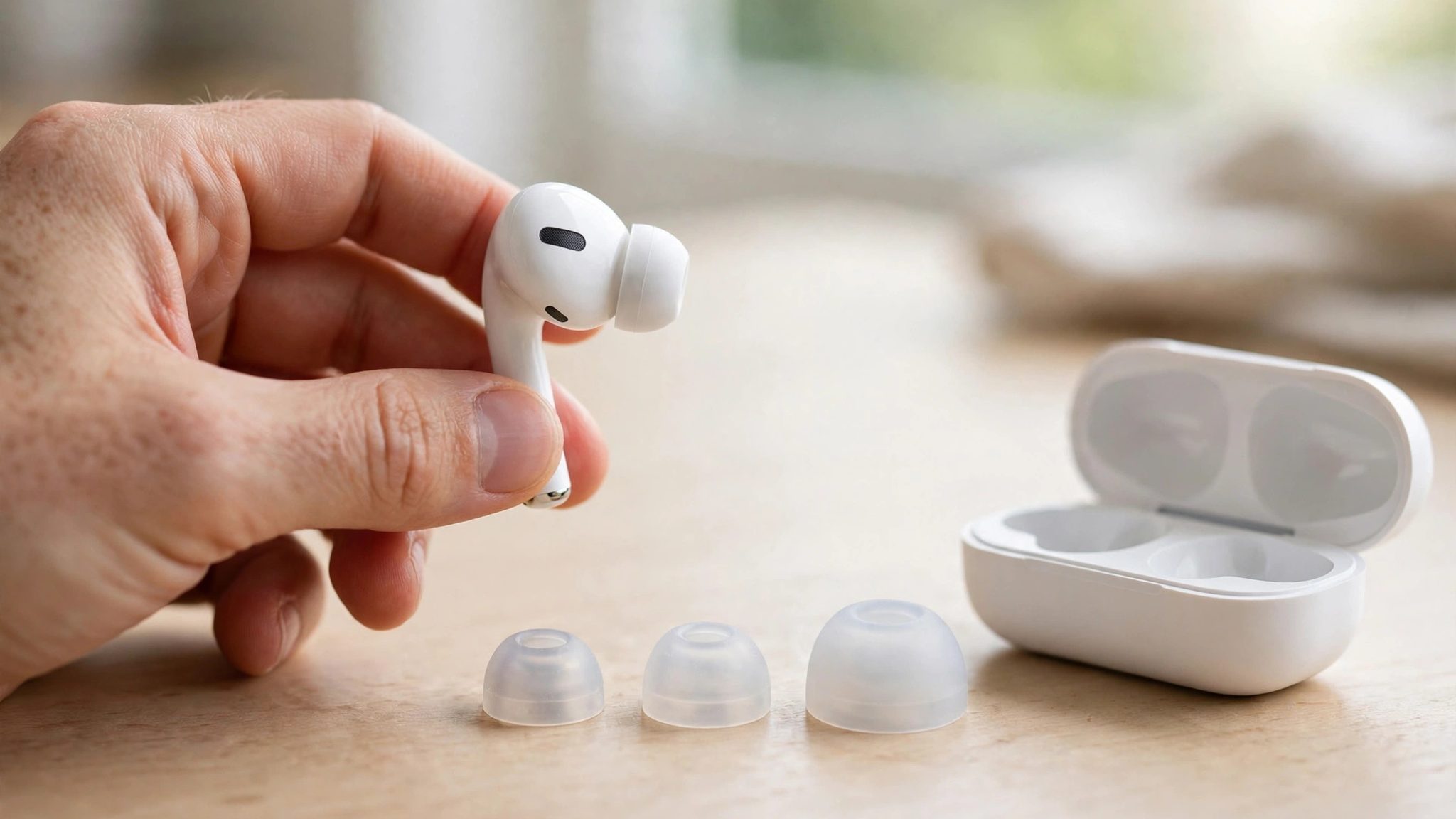
- Get the seal right. Try a bigger ear tip, or swap silicone tips for memory foam — foam expands to close the ear canal, and a closed canal keeps the bass in. For over-ears, press the pads flat against your head and check that glasses arms are not breaking the seal. A bad seal is the single biggest sound thief on earbuds.
- Turn off extra sound effects. Virtual surround, bass boost and auto-EQ modes all reshape the sound, and most of them make music worse — surround is built for films, not songs. Switch them off in the headphone app and in your phone's sound settings, then listen again with a clean slate.
- Make one small EQ change. Open the EQ in your headphone app or music app and move one band a little — a small bass lift if the sound is thin, a small treble lift if it is dull. Compare with a familiar track at the same volume. Big boosts add distortion and hide the real problem.
- Set the streaming app to its highest quality. In Spotify, set Audio Quality to Very High; in Apple Music, switch on Lossless. A low-bitrate stream caps the sound before Bluetooth even gets involved, and no codec can add back detail the app never sent.
- Switch to the best shared codec. On Android, Developer Options lets you pick the Bluetooth codec — LDAC or aptX if your headphones support them. On iPhone there is nothing to pick: iPhones use AAC, and that is the best option on Apple hardware. The codec section below has the full table.
- Update the firmware and re-pair. Open the maker's companion app and install any firmware update — makers sometimes fix tuning and codec bugs that way. Then forget the headphones in Bluetooth settings and pair again as a new device, which clears the glitches a restart alone misses.
Look — if you're on a noisy train right now and you've already tried the volume, don't touch the EQ yet. Clean the mesh, push the tips in until the seal feels snug, and check the streaming quality. That takes five minutes and it fixes most dull pairs on the spot.
Or maybe I should say it this way: the seal is the sound. Everything else is fine-tuning.
Here's an opinion that might get pushback: check the fit before you touch a single setting. Most guides lead with codecs, but a loose ear tip costs more sound than any codec swap — and no EQ preset can put back bass that leaked out of your ear.
Seal first. Settings second.
How Do I Use EQ to Make My Headphones Sound Better?
EQ works best as a small correction, not a rescue. One or two gentle moves fix a dull or sharp pair; big boosts just add distortion and make the loud parts clip.
Start with the EQ in your headphone maker's app — Sony, Bose, JBL, Soundcore and most others include one, and it applies across every app on your phone. If your headphones have no app, use the EQ inside your music app instead: Spotify has one under Settings → Playback → Equalizer, and Apple Music has presets under Settings → Apps → Music → EQ.
Tune with a track you know well, at the volume you normally listen at. Move one band a little, listen to the same passage, then move it back if it sounds worse. Low bands (60–250 Hz) control the bass weight; mid bands (1–4 kHz) control voices; high bands (8–16 kHz) control the sparkle and air. Cut before you boost — lowering a band that is too strong sounds cleaner than raising everything around it.
Here's the thing: if two EQ layers are on at once — the headphone app and the music player — they stack, and the sound gets muddy fast. Pick one layer and switch the other off. The same goes for hearing personalisation: iPhone's Headphone Accommodations (Settings → Accessibility → Audio & Visual) plays samples and tunes the sound to your ears, which helps if one ear hears less clearly than the other — but run it with the EQ flat, or the two corrections fight each other.
Save the preset once you like it. A good EQ setting is one you forget about — if you keep tweaking it every song, the headphones are not the problem, or the seal still is not right.
Small moves. Familiar music. Same volume.
Which Bluetooth Codec Sounds Best?
LDAC and aptX Adaptive carry the most detail, but only when both your phone and your headphones support them. On iPhone, AAC is the best option — and a good seal matters more than any codec label.
A codec is the translator between your phone and your headphones: it squeezes the music down so it fits through Bluetooth, then rebuilds it at the other end. Better codecs squeeze less, so more detail survives — but the phone and the headphones must both speak the same codec, or they fall back to the basic one.
| Codec | Top data rate | Best for |
|---|---|---|
| SBC | ~345 kbps | Every Bluetooth device — the fallback when nothing else matches |
| AAC | ~320 kbps | iPhone and iPad — Apple's best Bluetooth option |
| aptX | ~352 kbps | Android phones with Qualcomm chips; a small step up from SBC |
| aptX HD | ~576 kbps | Android listeners who want near-CD detail on supported pairs |
| aptX Adaptive | ~420 kbps | Android — adjusts the rate to keep the link stable |
| LDAC | ~990 kbps | Android hi-res listening on Sony and other LDAC pairs |
| LHDC | ~900 kbps | Hi-res on supported Android phones and headphones |
SBC vs LDAC: LDAC carries far more detail than SBC because it moves more data per second, so it sounds better on good headphones with well-recorded music. SBC works better when the signal is weak or the headphones don't support LDAC. The key difference is the data rate — and both devices must support LDAC for it to matter.
To switch codecs on Android, connect the headphones, open Settings, tap Build number seven times to unlock Developer Options, then open Bluetooth audio codec and pick LDAC or aptX. If the sound gets worse or the connection drops, switch back — a codec the headphones do not support helps nobody. Some Android phones also show an HD Audio toggle in the Bluetooth device settings, which picks the best shared codec for you. Our aptX headphones roundup lists pairs that make the most of the better codecs.
I've seen conflicting data — some testers say LDAC is a clear step up from AAC, others say most listeners can't tell them apart in a blind test. My read is that the seal and the recording matter more than the codec label: a well-sealed pair on AAC beats a loose pair on LDAC, and a low-bitrate stream sounds the same on every codec.
Both ends must support the codec. One side alone changes nothing.
Does My Streaming App Limit the Sound Quality?
Yes — and it is the most overlooked cause of flat Bluetooth sound. A low-bitrate stream caps the quality before Bluetooth even gets involved, so check the app before you blame the headphones.
Open your app's audio quality setting and pick the highest option: Spotify calls it Very High under Settings → Playback → Audio Quality, and it also has a "Normalise volume" switch there — turn that off, because it lowers loud tracks to match quiet ones and flattens the dynamics. Apple Music offers Lossless under Settings → Apps → Music → Audio Quality; Amazon Music, Tidal, Qobuz and Deezer offer lossless tiers too. Android Central notes that Spotify and YouTube Music still don't offer a hi-res tier, so their top setting is the ceiling on those apps.
Downloaded tracks sound better than streamed ones on a weak connection, because the app drops the bitrate when the signal is poor. If the sound improves on Wi-Fi and worsens on the train, the stream is the cause, not the headphones. Download your favourite playlists before you travel.
Podcasts and audiobooks will always sound thinner than music — they are recorded and compressed for speech, not for detail. If only podcasts sound bad, the headphones are fine.
The app sets the ceiling. Bluetooth can only pass on what it is given.
Why Do My Headphones Sound Terrible During Calls?
Classic Bluetooth cannot play high-quality stereo music and use the microphone at the same time. The moment a call or meeting app grabs the mic, the headphones drop into hands-free mode — mono, narrow, and tinny.
Bluetooth headphones use one profile for music (A2DP, stereo) and another for calls (HFP, hands-free). The call profile carries your voice back to the other person, and to do both jobs at once it drops the music to a low-bandwidth mono stream. That is why a song can sound fine, then turn flat and boxy the second a Teams or Zoom call starts — and why it snaps back to full quality the moment you hang up.
On Windows, open Settings → System → Sound and check the output device. If it says "Headset (Hands-Free AG Audio)", switch it to "Headphones (Stereo)". Close Discord, Teams, Zoom and any browser tab using the microphone, then reconnect. If the music still sounds narrow, the meeting app is still holding the mic — quit it fully, don't just minimise it.
The honest long-term fix is a separate microphone: a USB mic or a laptop mic lets the headphones stay in stereo while you talk. Newer hardware is starting to remove the trade-off — Windows 11 version 24H2 and newer supports Bluetooth LE Audio, which keeps stereo sound while the mic is live, but it needs compatible headphones, drivers and hardware (Microsoft lists build 26100.4484 or newer). Our multipoint guide explains how the two-device juggling works, and our audio delay guide covers the lag side of the same problem.
Stereo for music. Hands-free for calls. Never the other way round.
When Should I Replace My Headphones Instead of Fixing Them?
Replace them when the ladder fails on every device, or when the hardware itself is worn out. A driver that rattles at normal volume, a side that stays dead after a reset, or a battery that dies in under an hour will not be fixed by any setting.
Run the full ladder first — clean, seal, EQ, streaming quality, codec, firmware — and test the pair on a second phone or laptop. If the sound is bad everywhere, the fault is in the headphones. If it is bad on one device only, the fault is in that device's settings, and new headphones would sound just as bad.
Check the simple wear first: crumbling ear pads change the seal and the sound, and replacement pads cost far less than a new pair — our ear pads guide matches them to the exact model. A battery that fades fast is a different story: most earbuds have sealed batteries, and a pair that dies in an hour is usually done — our battery life guide shows what normal looks like and when a swap makes sense.
When an upgrade is the honest answer, buy for the seal and the codec support, not the brand name. Our true wireless earbuds roundup and noise cancelling earbuds roundup both list pairs that sound good out of the box, and our hearing loss guide covers the safe-volume side of the bargain. Keep the volume under 85 dB for long sessions — the 60/60 rule (60% volume, no more than 60 minutes at a stretch) is a rough guide that keeps most listening inside the safe zone.
Fix first. Replace only when the hardware is done.
Frequently Asked Questions
What's the fastest way to improve my Bluetooth headphone sound quality?
Clean the mesh, push the tips in for a tight seal, and set your streaming app to its highest quality. Those three take five minutes and fix most dull-sounding pairs.
Why do my Bluetooth headphones sound muffled?
Earwax on the speaker mesh, a loose ear-tip seal, or hands-free mode during a call. Clean the mesh, reseat the tips, and end the call to check.
Which Bluetooth codec is best for sound quality?
LDAC or aptX Adaptive, if both your phone and headphones support them. On iPhone, AAC is the best option — iPhones don't support LDAC or aptX.
Does EQ really make Bluetooth headphones sound better?
Yes, in small doses. One or two gentle changes to bass or treble can fix a dull or sharp pair, but big boosts add distortion.
Why do my headphones sound bad only on my laptop?
Your laptop may have switched them to hands-free mode for calls. Pick the Stereo output in sound settings and the full sound comes back.
Can a firmware update improve headphone sound quality?
Sometimes. Makers fix tuning and codec bugs in updates, so check the companion app. A bad seal or a low-quality stream won't be fixed by firmware, though.
Should I buy new headphones if mine sound bad?
Not yet. Work the fix ladder first — most dull pairs recover with a seal, a cleaning and one setting change. Replace them only if the driver rattles or one side stays dead.