How to Choose Bluetooth Headphones (2026 Guide)

Your old pair died, got lost, or started cutting out mid-song. Now every product page shouts about drivers, codecs and Bluetooth versions, and none of it tells you which pair to buy.
Here's the thing: most buying guides start with sound specs. That is backwards. The pair you keep is the pair that fits your head, suits your phone, and still has charge at 6pm.
This guide walks the choice in that order — shape, phone, battery, then sound — in plain words, with the traps named as we go.
The short version: pick the shape for your main use first, check that your phone shares a codec with the headphones, set a battery floor with noise cancelling on, and test the fit for thirty minutes inside the return window. Sound quality comes last, because a great-sounding pair that pinches your ears ends up in a drawer.
How Do You Choose Bluetooth Headphones?
How to choose Bluetooth headphones means matching the shape, fit and battery to your main use, then checking your phone shares a codec with the pair. Sound specs come last, because comfort decides whether you wear them.
Choosing Bluetooth headphones starts with your main use, not with a spec sheet. According to the Bluetooth SIG, a version badge alone does not confirm features like LE Audio or multipoint. So judge each pair by named features — codec, battery, fit — rather than by the number printed on the box.
The best Bluetooth headphones for beginners are the ones matched to one main job. A commuter needs noise cancelling and all-day battery, while a gym user needs a secure fit and sweat resistance. Naming that job first cuts a list of fifty models down to five in minutes.
Fit beats specs. Every time.
To choose Bluetooth headphones, follow these steps: 1. Name your main use: commute, calls, gym, travel or desk. 2. Pick the shape that fits that use. 3. Check your phone supports the same codec. 4. Set a battery floor with noise cancelling on. 5. Test the fit inside the return window.
Look — if you're replacing a pair that hurt your ears, here's what actually works: buy from a shop with a real return window, and wear the new pair for a full half hour before you decide. Five minutes in a shop tells you almost nothing about hour two.
Earbuds, On-Ear or Over-Ear: Which Shape Fits You?
Shape is the biggest choice you will make. Earbuds win on size, over-ear pairs win on comfort and battery, and on-ear pairs sit between them. Pick by where you listen most.
Earbuds versus over-ear headphones is really a portability trade. According to RTINGS lab testing, flagship over-ear models run near 30 hours per charge, while earbuds give you a few hours per charge plus refills from the case. Pick earbuds for pockets, and over-ear pairs for long seated listening.
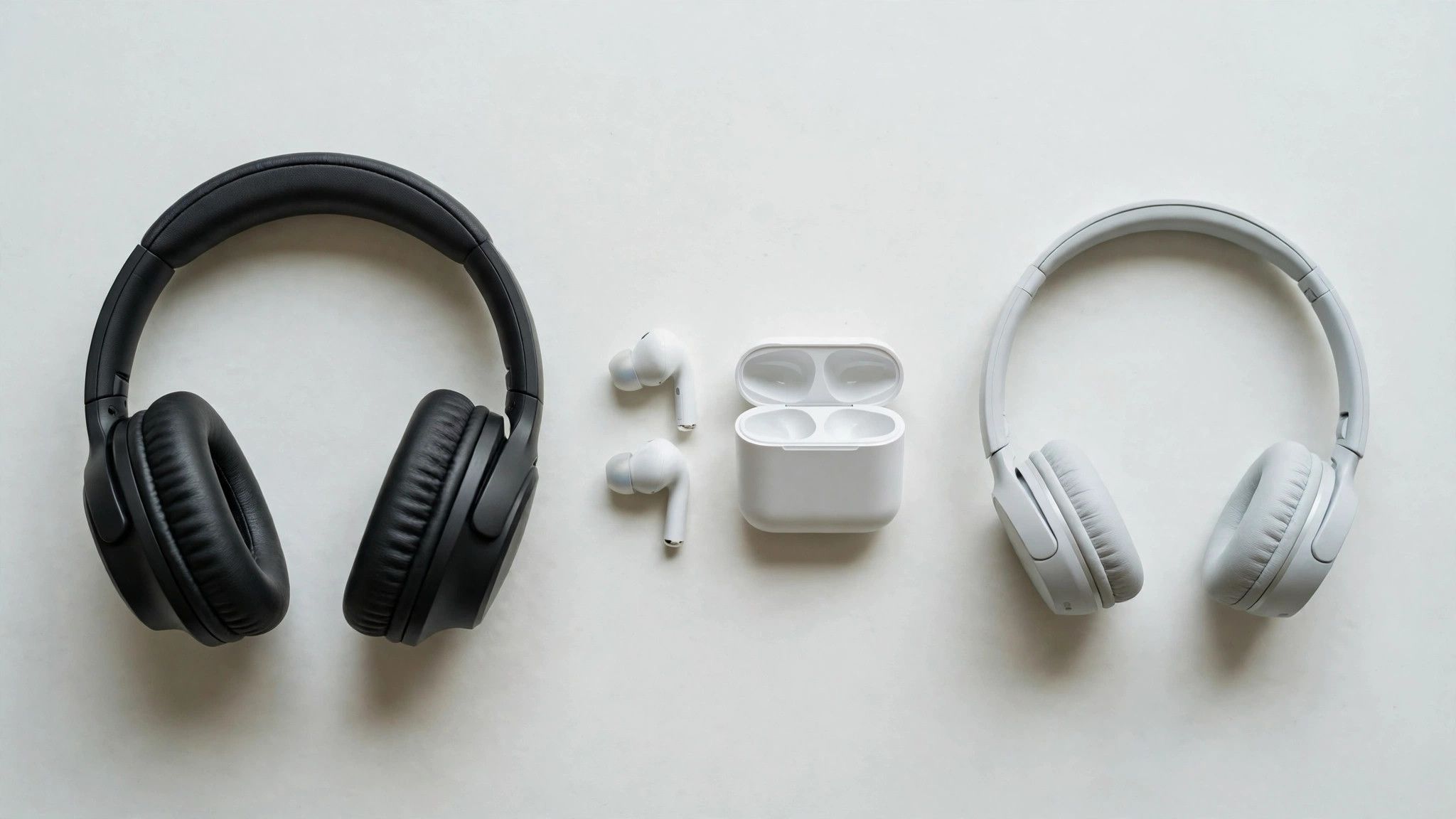
| Shape | Best for | Watch out for |
|---|---|---|
| True wireless earbuds | Pockets, gym, short trips | Fit depends on ear-tip seal; easy to lose |
| On-ear headphones | Light carry, office, hearing the room | Press on the ear; weaker noise blocking |
| Over-ear headphones | Long listening, flights, strong noise cancelling | Big in a bag; warm ears in summer |
| Open-ear earbuds | Running near traffic, all-day awareness | Sound leaks; bass is thinner |
Earbuds vs over-ear headphones: earbuds are better suited for movement because they vanish into a pocket and stay put with the right tips. Over-ear headphones work better when you sit for hours, since big cushions spread the pressure. The key difference is where the weight rests.
Glasses change the maths. Thick frames break the seal of over-ear cushions, which weakens both bass and noise cancelling. Our on-ear vs over-ear guide goes deeper on the comfort side, and the headphones for glasses guide names the cushion shapes that cope best.
Small ears need care too. Earbuds with several tip sizes, or hooks that hold them in place, save a lot of returns. Start with our true wireless earbuds picks if pockets win, or the open-ear picks if sealed buds bother you.
Does Your Phone Change Which Headphones You Should Buy?
Yes. A codec only works when your phone and your headphones both support it. iPhones send AAC, while many Android phones can send aptX or LDAC. Match the pair to the phone you own.
A codec is the packer that squeezes sound for the wireless trip. If the two ends share no fancy codec, they fall back to SBC, the plain one every device speaks. SBC sounds fine for most ears, but you paid for the fancy name, so check first. Or maybe I should say it this way: buy the codec your phone can actually send.
- iPhone: look for AAC. aptX and LDAC badges do nothing on an iPhone, because the phone never sends them.
- Android: aptX Adaptive suits video and games, LDAC suits music detail. Our aptX headphones guide and low latency codec guide explain the trade in plain words.
- Two devices: multipoint keeps a laptop and phone connected at once. Our multipoint guide covers which pairs switch cleanly.
- Newer phones: LE Audio with the LC3 codec is arriving on recent models. It needs support at both ends, so treat it as a bonus, not a reason to pay more today.
Codec match first. Badge last.
Do You Need Noise Cancelling?
Noise cancelling earns its price on trains, planes and busy offices. In a quiet room it adds cost and drains battery for little gain. Buy it for steady noise, skip it for silence.
Active noise cancelling, or ANC, uses microphones to hear the room and cancel steady sounds like engine rumble. It works less well on sudden sounds, like a door slam or a nearby voice. A good ear-tip seal or thick cushion blocks a fair amount on its own — that is passive blocking, and it costs no battery.
Transparency mode is the flip side: the microphones pipe the room back in, so you can hear traffic or a platform call. If you walk or cycle near roads, that mode matters more than stronger cancelling. Our ANC explainer covers the terms, and the noise cancelling earbuds picks show what the money buys.
Quick note: strong ANC can feel like pressure in your ears on some pairs. Test it on a real train ride inside the return window, not just in a quiet shop.
How Much Battery Life Do You Need?
Over-ear pairs should clear 25 hours with noise cancelling on. Earbuds should give at least 5 hours per charge, with case refills on top. Always read the noise-cancelling-on number.
Headphone battery claims hide two numbers. The big one is often measured with noise cancelling off, at half volume. The smaller one, with cancelling on, is the number your week will feel. Earbuds add a second split: hours per charge, then total hours with the case.
I've seen conflicting data — makers rate pairs at gentle volume with cancelling off, while lab tests at real listening levels land lower. My read is simple: trust the cancelling-on figure, then knock off a little for cold days and loud tracks.
Fast charging saves forgetful people. Ten minutes in the case or on the cable can buy hours of play on many pairs. Our battery life guide decodes the claims model by model.
What Should You Check for Calls, the Gym and TV?
Calls need a good microphone, the gym needs sweat resistance and a firm fit, and TV needs low delay. Each job has one make-or-break feature. Check that feature before you check sound.
- Calls: a headset that sounds rich for music can still send thin, muffled voice. Look for several microphones and wind handling, or a boom arm for open offices. Start with our wireless headset for work picks.
- Gym: look for an IPX4 rating or higher, which means sweat and light rain are fine. Fit matters more than the rating, though — a bud that falls out mid-set is useless. See our sport earbuds picks.
- TV and games: delay is the enemy. A low latency codec or a game mode keeps lips and sound together. Our TV listening guide covers the setup.
- Travel: folding cups, a hard case and a cable option for seatback screens beat fancy sound tweaks.
One job. One must-have feature.
How Much Should You Spend?
Most people should buy in the middle tier. Budget pairs cut battery, microphones and build first. Flagships add stronger noise cancelling and finer sound, which many ears barely notice.
Cheap pairs are not all bad. They suit spare pairs, kids, and anyone who loses earbuds often. Just expect shorter battery life, weaker call quality, and hinges that feel fragile. Our earbuds under $20 picks show how far the bottom tier stretches.
Here is my honest take, and you may push back: for most listeners, a solid mid-priced pair with a great fit beats a flagship with a pinch. Fit and battery shape every single day of use. The last slice of sound detail shapes only quiet, focused listening.
Spend the saving on the boring wins: a longer return window, spare ear tips, and a case you will actually carry.
Which Specs Can You Ignore?
Ignore driver size, frequency range and the Bluetooth version number as quality scores. None of them predicts how a pair sounds or fits. Judge named features and real reviews instead.
- Driver size: a bigger driver does not promise better sound. Tuning — how the maker shapes bass, voice and treble — matters far more.
- Frequency range: wide numbers look impressive and say little. Your ears hear a narrow band, and makers measure this spec in ways that flatter the box.
- Bluetooth version: a 5.3 or 5.4 badge does not promise LE Audio, multipoint or a fast codec. Read the feature list, not the badge. Our Bluetooth 5.3 earbuds guide separates badge from benefit.
- Impedance and sensitivity: these matter for wired studio gear. For Bluetooth pairs, the built-in amp does the work, so you can skip both.
What should you read instead? Reviews that name fit problems, battery test results, and call samples. Those three predict your first month far better than any spec line.
How Do You Test a Pair Before the Return Window Closes?
Wear the pair for thirty minutes, make a call, ride your usual route, and drain the battery once. Four real tests beat an hour of spec reading. Return anything that fails one.

To test a new pair, follow these steps: 1. Wear them for thirty minutes with glasses on. 2. Make one call from a noisy street. 3. Ride your usual route with noise cancelling on. 4. Play music at your normal volume for an hour. 5. Check the battery drop against the claim.
Pairing should take under a minute. If the first pair-up fights you, our pairing guide walks the fixes. A pair that pairs badly on day one rarely gets easier.
Comfort problems grow, they don't shrink. A slight pinch at minute ten is a headache at hour two. Trust the thirty-minute test over the five-minute shop demo, every time.
Frequently Asked Questions
What's the first thing I should decide?
Decide the shape first: earbuds, on-ear or over-ear. Shape sets comfort, battery size and noise blocking. Sound specs matter less if the pair hurts after twenty minutes.
How much should I spend on Bluetooth headphones?
Most people get the best value in the middle tier. Cheap pairs cut battery and microphones first. Flagships mainly add stronger noise cancelling and finer sound.
Does the Bluetooth version matter?
Not much on its own. A version badge does not promise LE Audio, multipoint or a fast codec. Check the named features instead of the number.
Should I buy noise cancelling headphones?
Buy noise cancelling if you ride trains, fly often or work near steady noise. Skip it for quiet rooms, and spend the saving on fit and battery.
Which codec should I look for?
iPhone owners should look for AAC. Android owners can use aptX or LDAC where the phone supports them. A codec only works when both ends share it.
How do I know the fit will work for me?
Wear the pair for thirty minutes with your glasses on, if you wear them. Check clamping force, ear pressure and heat. Use the return window if anything pinches.
When should I choose earbuds over headphones?
Choose earbuds for pockets, workouts and short trips. Choose over-ear headphones for long listening, stronger noise cancelling and longer battery life between charges.