How Long Do Bluetooth Headphones Last? (2026 Guide)

Your pair used to get through the whole workday. Now it dies by lunch. You charge it overnight, you reset it, you clean the contacts — and it still quits early. So is it dying, or is it just old?
It's probably dying. Slowly.
This guide gives you the honest numbers: how many years a pair should last, what wears out first, and how to tell a fixable glitch from a worn-out battery. Our headphone battery life guide covers hours per charge in depth. This one covers years.
The short version: Plan on 3–5 years from over-ear Bluetooth headphones and 2–3 years from true wireless earbuds with daily use. The battery gives up first in most pairs. Heat and hard charging shorten that life. Cool storage and gentle charging stretch it.
How Long Do Bluetooth Headphones Last in Years?
Most over-ear Bluetooth headphones last 3–5 years of daily use. True wireless earbuds last 2–3 years. The battery, not the speaker, sets the limit.
How long bluetooth headphones last refers to the years a pair stays useful before battery fade or wear makes it impractical. It is not the hours-per-charge number on the box.
How long bluetooth headphones last depends on the battery inside them. Lithium-ion cells keep about 80% of their charge after 300–500 full charges. According to SoundGuys, heavy earbud use reaches that point in about two to three years. Over-ears charge less often, so they last longer.
Bluetooth headphone lifespan also depends on how you treat the pair. According to a Headphones Addict poll of 323 owners, headphones that died within five years averaged just 2.7 years. Pairs that survived past six years often kept going for a decade or more. Care made the split.
Think of it as two clocks. One clock counts charge cycles. The other counts calendar time, heat, sweat and drops. Whichever clock runs out first ends the pair. Daily users hit the cycle clock first. Light users hit the calendar clock.
| Type | Typical lifespan | What ends it |
|---|---|---|
| Over-ear Bluetooth headphones | 3–5 years daily use | Battery fade, worn ear pads, hinge wear |
| On-ear Bluetooth headphones | 3–4 years daily use | Battery fade, pad and headband wear |
| True wireless earbuds | 2–3 years heavy use, 3–4 light use | Tiny batteries, case wear, lost buds |
| Neckband earphones | 2–4 years | Battery fade, cable and button wear |
| Wired headphones (for contrast) | 10+ years with new pads and cables | Cable breaks, pad wear — no battery to fade |
Price helps, but less than people hope. A cheap pair often dies in 6–12 months from weak hinges and thin plastic. A mid-range pair usually gives 1–3 years. A premium pair gives 3–5 years or more. The battery chemistry is much the same at every price.
Here's the thing: paying double does not double the years. It buys better sound, better noise cancelling and stronger hinges. The battery still fades on roughly the same clock.
Or maybe I should say it this way: buy premium for sound. Buy care for years.
How Long Do They Last on One Charge?
Over-ears run 25–60 hours per charge with noise cancelling on. Earbuds run 5–10 hours, plus 20–40 hours from the case.
Hours per charge and years of life are linked. A pair with short runtime needs charging more often. More charging means more cycles each year. More cycles mean faster fade. That is why earbuds, charged daily, age faster than over-ears charged weekly.
Over-ear headphones vs earbuds: over-ears are better suited for long life because their bigger batteries need fewer charge cycles each year. Earbuds work better when you want pocket size and accept a shorter life. The key difference is battery size — small cells cycle harder.
Noise cancelling, loud volume and high-quality codecs like LDAC all drain the battery faster today. They also add cycles over the year. Our battery life guide breaks down those drains with lab numbers. The short rule here: anything that shortens today's charge shortens the pair's life too.
Two numbers. Don't mix them up.
What Wears Out First?
The battery wears out first in most Bluetooth headphones. Ear pads, hinges and charging contacts follow. Speakers rarely die first.
I've seen conflicting data — some guides claim quality wireless headphones should last 10 years, while battery data points to 3–5 years for daily use. My read is both can be true: the drivers and hinges may survive a decade, but the sealed battery rarely does. The pair ends when the battery does.
Here is the usual order:
- Battery. Capacity falls a little with every full charge. After 300–500 cycles the cell holds about 80% of its first-day charge. Heat speeds this up. So does charging to 100% and leaving it there.
- Ear pads and tips. Foam and fake leather crack and flake in 1–3 years. Sweat makes it faster. Replaceable pads save over-ears. Our ear pads replacement guide shows how.
- Hinges and headband. Folding hinges loosen. Headband padding splits. Drops and tight bags do most of this damage.
- Charging contacts and case. Dirty or worn contacts stop earbuds charging. A tired case battery strands good buds. Cleaning fixes dirt. Wear needs repair.
- Electronics and software. Bluetooth chips fail rarely. Firmware support ends sooner. An old pair may still play music but lose app features and call quality.
Earbuds pack all five risks into something the size of a grape. That is why their life runs shorter. Look — if you use earbuds for calls, workouts and flights every day, here's what actually works: plan on replacing them in year three, and treat year four as a bonus.
The speaker almost never dies first. The battery does.
How Do You Know Yours Is Dying?
Runtime below about 60% of the original spec, a jumping battery percentage, and one earbud dying far earlier than the other.
Test before you blame the battery. Play the same track at the same volume from a full charge and time it. If runtime halved and charging finishes faster than it used to, capacity is gone. If charging time looks normal, check volume, codec and noise cancelling first.
- Shorter runtime every month. The clearest sign. A slow slide means cell fade, not a glitch.
- Percentage jumps. 80% to 20% in minutes means the gauge no longer trusts the cell.
- One bud dies early. A gap of 20% or more, again and again, means that bud's cell is fading first.
- Charging fails often. Clean the contacts first. Our cleaning guide covers it. Still failing means worn contacts or a tired case.
- Crackle, dropouts, weak volume. Try a reset and a firmware update. Our reset guide walks through it. Faults that survive both point to hardware.
Quick note: a swollen case, a hot earbud or a bent shell is not wear. Stop using the pair. A damaged lithium cell is a safety risk, not a repair project.
Clean first. Reset second. Blame the battery third.
How Can You Make Them Last Longer?
Keep them cool, charge between 20% and 80%, clean the contacts, and store them in a case. Those four habits add real years.
To make bluetooth headphones last longer, follow these steps: 1. Charge between 20% and 80%. 2. Keep them cool and dry. 3. Clean contacts and pads monthly. 4. Store them in a hard case. 5. Update the firmware.
- Charge in the middle. Top up from 40% to 80% when you can. Full 0–100% swings stress the cell most. Many apps offer a charge limit — turn it on.
- Keep them cool. Heat is the fastest battery killer. Never leave headphones in a hot car. Charge above about 35°C and capacity loss speeds up for good.
- Store at half charge. Putting a pair away for months? Leave it near 60% and top it up every few months. A battery left flat for a year may never wake.
- Clean monthly. Wipe sweat off pads and buds after workouts. Brush wax off the mesh. Clean contacts charge better and corrode slower.
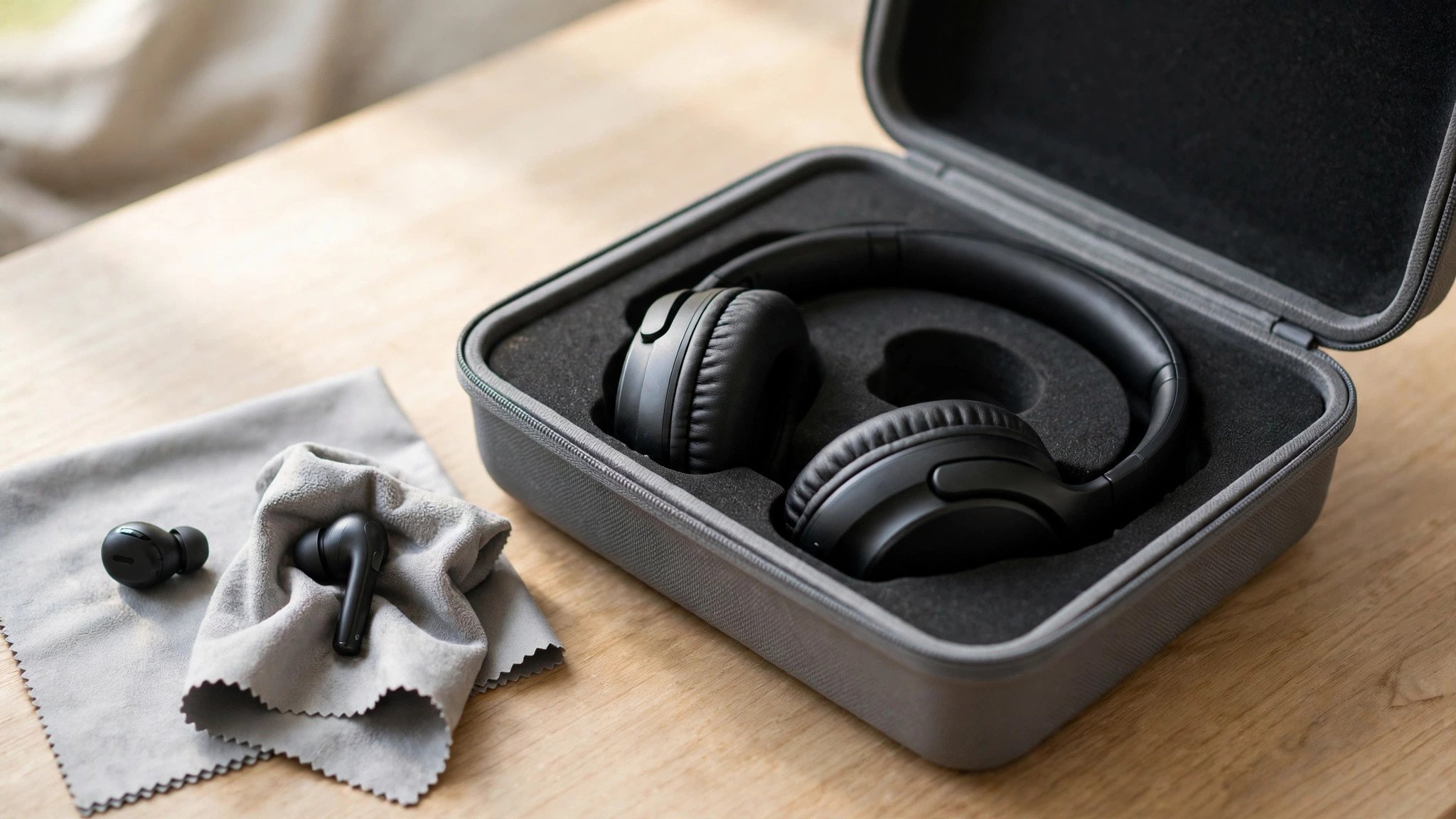
- Use the case. A hard case stops hinge strain and crushed buds. Earbuds belong in their case — it protects them and charges them at once.
- Update firmware. Makers fix power-drain bugs in updates. A five-minute update can win back hours.
Fast charging helps in a pinch. It also makes heat. Use it when you need it, not as the daily habit. Overnight charging won't overcharge a modern pair, but sitting full in a warm room still ages the cell. Unplug in the morning when you can.
Small habits. Extra years.
Should You Repair Them or Replace Them?
Repair over-ears with worn pads or a serviceable battery. Replace earbuds with a faded battery — repair usually costs more than the buds are worth.
Start with the free fixes: clean, reset, update, test on another phone. Our connection fix guide covers pairing faults that mimic death. If runtime stays under 60% of spec after that, the cell has had it.
Over-ears give you options. New pads cost little and revive comfort. Some makers swap batteries for a flat fee. A few models use swappable cells, so you replace the battery, not the pair. Ask the maker before you bin a good pair.
Earbuds give you almost none. The cells are glued in. Repair quotes often approach the price of a new set, and the case battery is ageing too. My take, and plenty of owners will push back: dead-battery earbuds are done. Put the money into a fresh pair with a fresh warranty.
Check warranty first either way. Many brands replace the whole unit for battery faults in year one. Apple covers AirPods batteries below 80% capacity under AppleCare. Read your cover before you pay anyone.
Fix the pads. Replace the buds.
Frequently Asked Questions
How long should Bluetooth headphones last?
Plan on 3–5 years for over-ears and 2–3 years for earbuds with daily use. Light use and cool storage stretch both.
Why do my headphones die faster than they used to?
The battery has faded. Lithium cells hold about 80% of their charge after 300–500 full charges, then slide faster.
How do I know if my headphone battery is worn out?
Runtime under 60% of the original spec, jumping percentages, or one bud dying much earlier. Test at fixed volume first.
Do expensive headphones last longer?
A bit. Better hinges and pads help, but the battery fades on a similar clock at every price.
Can I replace the battery in Bluetooth headphones?
Rarely in earbuds — the cells are glued in. Some over-ears can be serviced by the maker. Check warranty first.
What's the best way to store headphones I rarely use?
Charge to about 60%, store cool and dry in a case, and top up every few months. Never leave them flat.
When should I replace my Bluetooth headphones?
When runtime no longer covers your day after cleaning and a reset, or repair costs near a new pair's price.