Best RAM for Gaming in 2026: 6 DDR5-6000 Picks

The best RAM for gaming in 2026 is a 32GB DDR5-6000 CL30 kit — two 16GB sticks, not one — and that answer has not changed all year. What has changed is the price. Tom's Hardware's "Best RAM for Gaming 2026" page, last updated in August, still claims DDR5-6000 CL30 kits are "available starting at $97.97" and prices our top pick at $117.99. Neither figure has been true for months. As of 12 November 2026, the desktop DDR5 median is $18.41 per gigabyte — up 31.6% in 90 days — and the six kits in this guide listed at $600 to $950 at major US retailers the same day.
So this guide does two jobs at once. It ranks the six DDR5 kits worth buying right now, every one of them at the DDR5-6000 CL30 sweet spot (with one DDR5-6400 CL32 pick for Intel), with the exact part number to order and the traps each name hides. And it answers the question every other roundup dodges: should you buy RAM now, or wait for prices to drop? The short version is in the section below — buy if your build is blocked or your 16GB is stuttering, wait if the upgrade is cosmetic — and the data behind it is laid out in full. Prices below are the prices we found on 12 November 2026, with the retailer named; treat them as a snapshot, not a quote, and check the live listing before you buy.
Quick Comparison
| Product | Key Specs | ||
|---|---|---|---|
| #1 | G.SKILL Trident Z5 Neo RGBBest Overall | 32GB DDR5-6000 CL30 · 30-38-38-96 · $866.99 at Newegg (12 Nov) | Check Price |
| #2 | G.SKILL Flare X5Best for AMD Builds | 32GB DDR5-6000 CL30 · 30-36-36-96 (current rev) · $837.99 at Newegg (12 Nov) | Check Price |
| #3 | Corsair VengeanceBest All-Rounder | 32GB DDR5-6000 CL30 · white Z30W · $683.99 at Best Buy (12 Nov) | Check Price |
| #4 | Kingston FURY BeastBest for First-Time Builders | 32GB DDR5-6000 CL30 · 30-36-36 · $950.88 at Newegg (12 Nov) | Check Price |
| #5 | TEAMGROUP T-Create ExpertBest Value Alternative | 32GB DDR5-6000 CL30 · white · $609.99 at B&H (12 Nov) | Check Price |
| #6 | G.SKILL Ripjaws S5Best for Intel | 32GB DDR5-6400 CL32 · 32-39-39-102 · $609.99 at Newegg (12 Nov) | Check Price |
Every kit here is a matched 2×16GB pair — never a single 32GB stick. Prices are the listings we found on 12 November 2026 and move daily; the retailer is named on each card so you can see where the figure came from. The same kit can cost hundreds more at one seller than another right now, so the price on the card is a starting point, not the price you will pay.
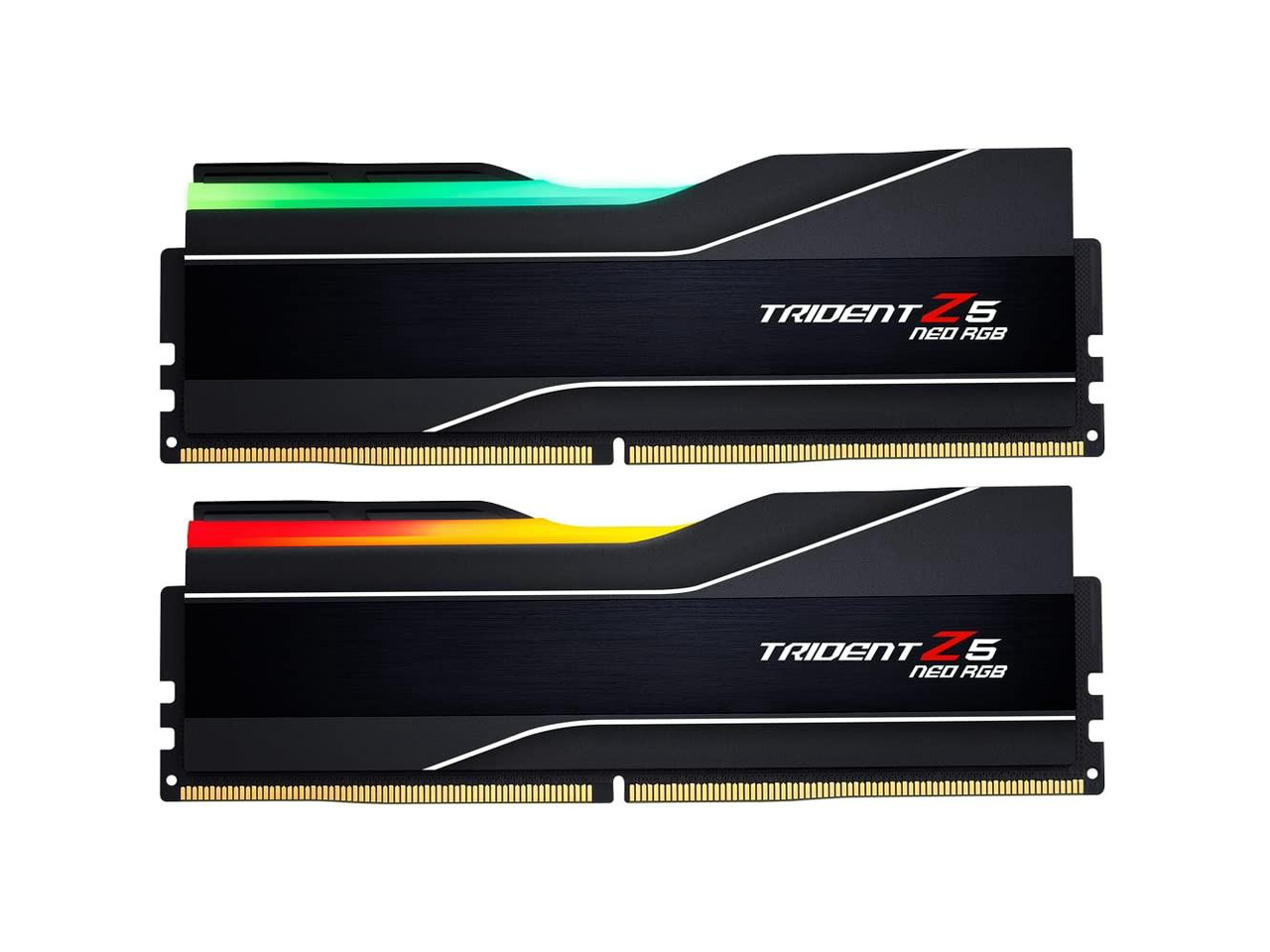
G.SKILL Trident Z5 Neo RGB
Best OverallBuy if: you want the kit every major roundup agrees on — DDR5-6000 CL30 with both EXPO and XMP, so it works on AMD and Intel without a second thought
Don't buy if: you need a low-profile kit for a big air cooler, or the $866.99 November price is more than your build can absorb — the T-Create Expert below is the same spec for less
Buy the Trident Z5 Neo RGB in 32GB (2×16GB), part number F5-6000J3038F16GX2-TZ5NR: DDR5-6000, CL30-38-38-96, 1.35V, AMD EXPO and Intel XMP 3.0. It is Tom's Hardware's best-performance 32GB DDR5 kit and the top pick in the specialist roundups too, for a simple reason: it is the sweet-spot spec with no compromises — tight CL30 timings, both profiles, and the RGB top most builders want anyway. It listed at $866.99 at Newegg on 12 November 2026. That is the price to beat in your head, not the $117.99 Tom's Hardware printed when it tested the kit — that figure is from before the surge, and no US retailer is near it now.
Watch the part number, because "Trident Z5 Neo RGB" is a family, not a kit. The 64GB versions of the same name carry different timings — 30-36-36-96 at 1.40V for one 2×32GB white kit, 30-40-40-96 for another — so order the 32GB F5-6000J3038F16GX2-TZ5NR specifically, and do not pay the 64GB price for a 32GB kit by mistake. The honest drawback is the height: the RGB light bar makes this a tall kit, so check clearance against a big tower air cooler before ordering — the Flare X5 below is the low-profile answer to the same spec.
Pros
- The consensus pick — DDR5-6000 CL30 with both EXPO and XMP profiles
- Tom's Hardware's best-performance 32GB DDR5 kit
- SK Hynix M-die ICs leave headroom for tweaking
- Lifetime warranty
Cons
- $866.99 at Newegg on 12 Nov — the surge hit this kit hardest
- Tall RGB heat spreader can clash with big air coolers
- 64GB same-name variants carry different timings — check the part number
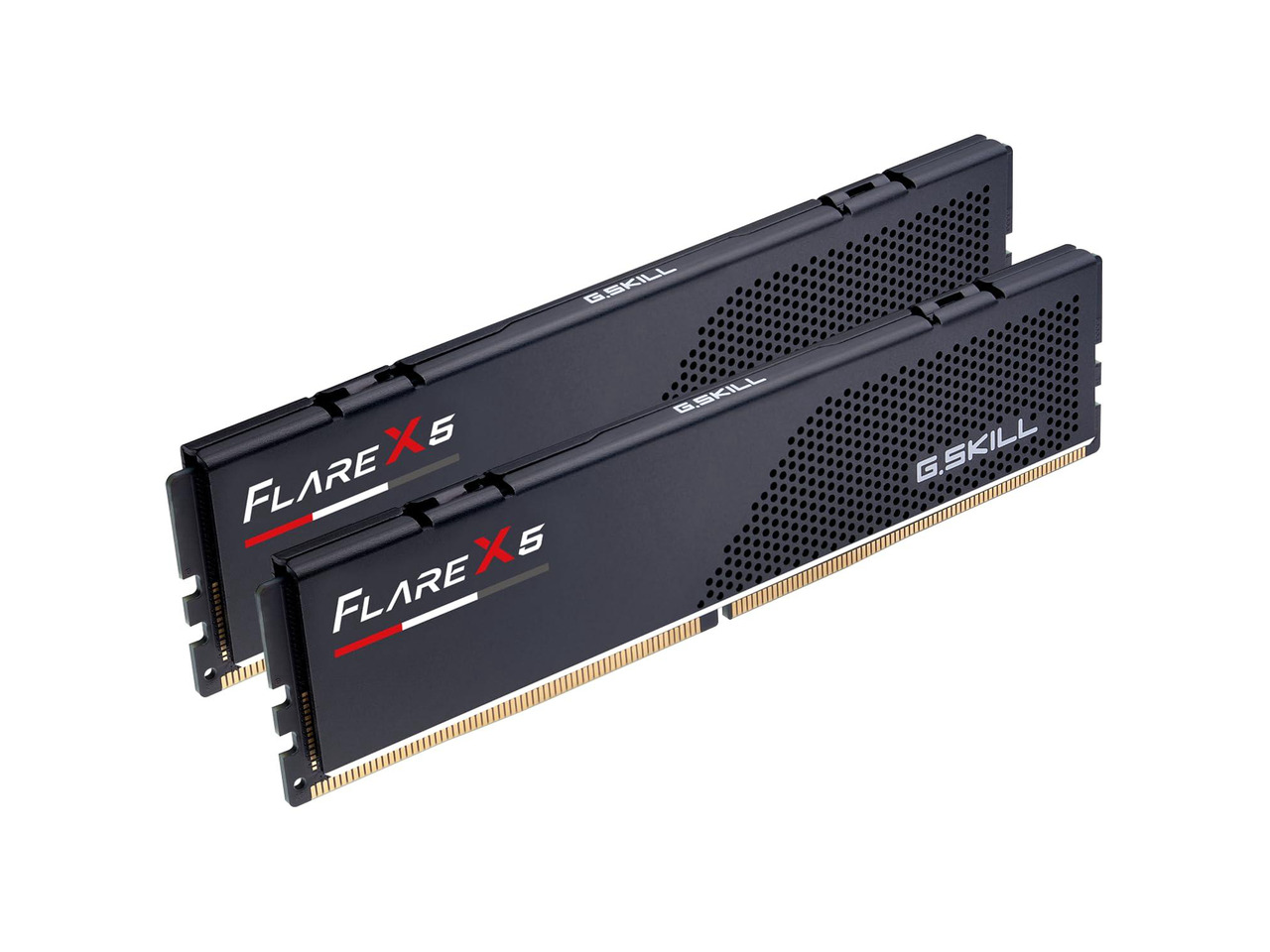
G.SKILL Flare X5
Best for AMD BuildsBuy if: you are building on AMD AM5 and want the cheapest way into the DDR5-6000 CL30 sweet spot, with a 33mm low-profile kit that clears any air cooler
Don't buy if: you are on Intel — the current CL30 revision is listed for AMD EXPO, and you should check the listing carries XMP before ordering it for an Intel board
Buy the Flare X5 in 32GB (2×16GB), current part number F5-6000J3036F16GX2-FX5: DDR5-6000, CL30-36-36-96, 1.35V, AMD EXPO, 33mm low-profile, no RGB. This is the revision trap in miniature: G.Skill quietly revised the CL30 kit from 30-38-38-96 (part F5-6000J3038F16GX2-FX5) to the tighter 30-36-36-96, and the two revisions sell side by side under the same name. The current revision was $484.99–$533.49 at Amazon before selling out; the older revision listed at $837.99 at Newegg on 12 November. Same name, same box, different timings, different price — check the part number on the listing, and buy the 3036 if you can find it in stock.
The Flare X5 is the default AMD recommendation for a reason: it hits the sweet spot, it is the cheapest CL30 kit when in stock, and its 33mm height clears even large tower air coolers that the Trident Z5 Neo RGB cannot. The trade is the missing RGB and the profile question — the current CL30 listing names AMD EXPO, while the older revision carried Intel XMP 3.0 as well, so Intel buyers should confirm XMP on the listing rather than assume it. And do not confuse it with the CL28 Flare X5 (F5-6000J2836G16GX2-FX5, 28-36-36-96 at 1.40V) or the CL36 one (F5-6000J3636F16GX2-FX5) — same name, different kits, covered in the "worth knowing" section below.
Pros
- The cheapest CL30 kit when in stock — $484.99–$533.49 at Amazon before selling out
- 33mm low-profile — clears big air coolers
- Tighter 30-36-36-96 timings on the current revision
- The default AMD AM5 recommendation across the specialist roundups
Cons
- Current revision sells out fast; the older revision costs far more at Newegg
- Current CL30 listing names AMD EXPO — Intel buyers must check for XMP
- No RGB — plain black heat spreaders
- Three CL grades share the Flare X5 name — check the part number
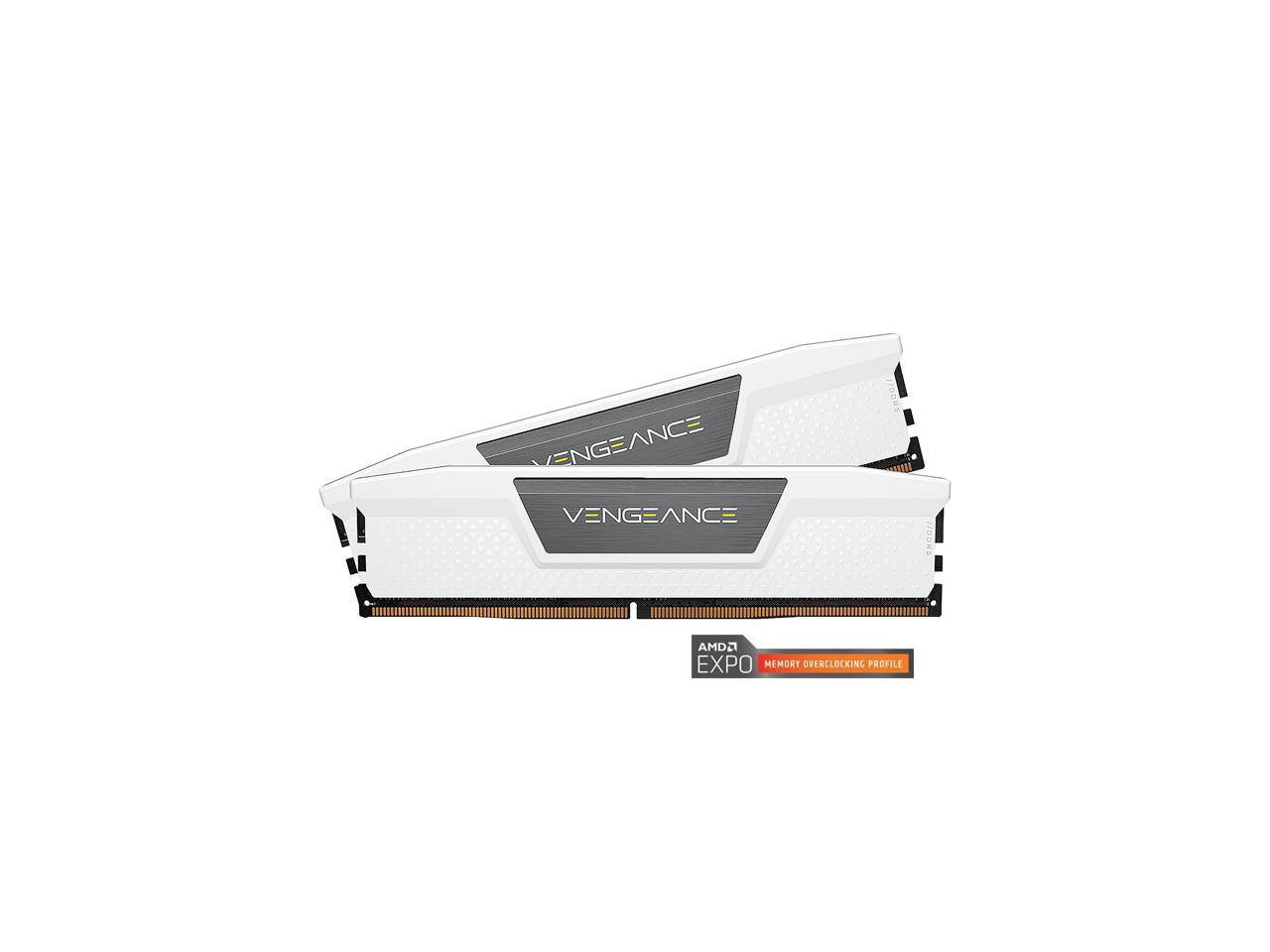
Corsair Vengeance
Best All-RounderBuy if: you want one kit that works on AMD and Intel without thinking about profiles, from the brand with the widest motherboard QVL coverage
Don't buy if: you want RGB — this is the plain Vengeance kit, and the RGB version is a different, pricier model
Buy the Vengeance DDR5-6000 CL30 32GB (2×16GB), part number CMK32GX5M2B6000Z30 — the white version, CMK32GX5M2B6000Z30W, is the one pictured. It carries both AMD EXPO and Intel XMP 3.0, which is the whole point of this pick: one kit, either platform, no profile anxiety. It listed at $683.99 at Best Buy on 12 November 2026 (was $699), making it one of the cheaper CL30 kits actually in stock that day.
Two things to know before ordering. First, the timings are disputed: Newegg's listing for this part number says 30-36-36-76 at 1.40V, while an independent review of the same part number measured 30-38-38-76 at 1.35V. Either way it is CL30 at 6000 MT/s, and the difference between those two timing sets is a couple of frames at most in CPU-bound games — but the disagreement itself is a warning to check the listing, not the roundup. Second, the standard Z30 is grey; the white Z30W is the same kit in a different colour, and the RGB Vengeance is a separate line — do not pay the RGB price for this plain kit, and do not confuse it with the CL36 Vengeance (CMK32GX5M2E6000C36), which is the cheaper, slower sibling.
Pros
- Both AMD EXPO and Intel XMP 3.0 — the true all-rounder
- $683.99 at Best Buy on 12 Nov — among the cheapest CL30 kits in stock
- Low-profile design clears most air coolers
- Corsair's QVL coverage is the widest of any brand here
Cons
- Timings conflict across sources (30-36-36-76 vs 30-38-38-76) — check the listing
- No RGB on this model — the RGB version costs more
- CL36 Vengeance shares the name and is the slower, cheaper kit
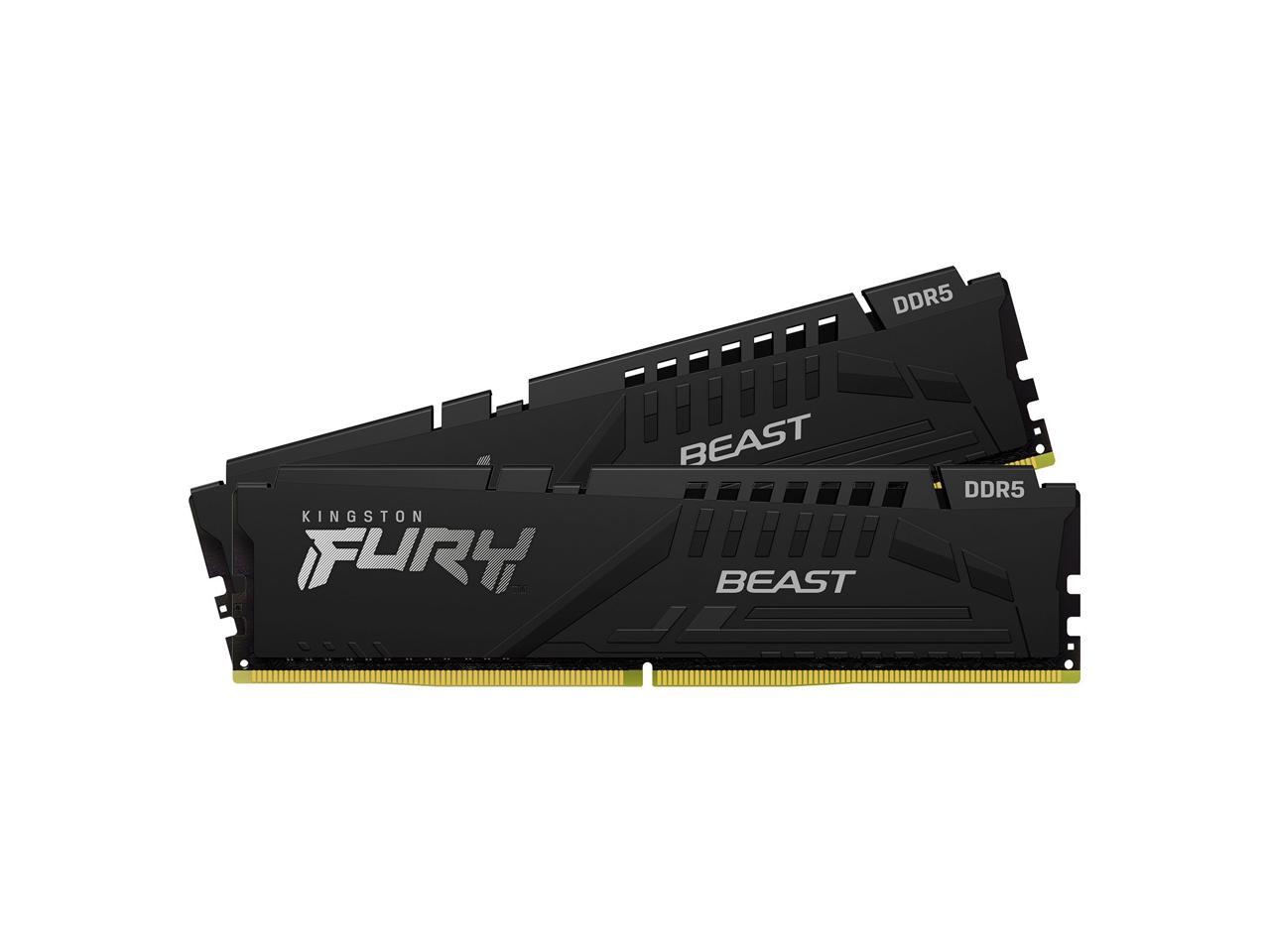
Kingston FURY Beast
Best for First-Time BuildersBuy if: this is your first build and you want the most forgiving kit — Plug N Play fallback, wide compatibility, and Kingston's support if anything goes wrong
Don't buy if: you are shopping on price alone — at $950.88 at Newegg on 12 Nov it was the most expensive kit in this guide, and the same spec costs far less elsewhere
Buy the FURY Beast DDR5-6000 CL30 32GB kit, part number KF560C30BBEK2-32: DDR5-6000, CL30-36-36, XMP 3.0 and AMD EXPO, 34.9mm height. The "K2" in the part number is the whole purchase: it means a matched kit of two 16GB sticks. The lookalike single module, KF560C30BBE-32 — no "K2" — is one 32GB stick, and buying it by mistake costs you dual-channel performance (see the mixing section below). Kingston lists the voltage at 1.35V; Newegg's listing says 1.40V — another small retailer discrepancy to be aware of, not a reason to avoid the kit.
The honest problem with this pick is the price. It listed at $950.88 at Newegg on 12 November 2026, while another US retailer listed the same kit at $797.70 the same day — and the T-Create Expert below is the same 32GB DDR5-6000 CL30 spec for $609.99. That spread is the story of this market: the kit you buy matters less than the seller you buy it from. What you are paying Kingston for is the forgiving setup — Plug N Play boots the kit at 4800 MT/s if the XMP/EXPO profile fails, so a first-time builder never faces a no-POST scare — plus a lifetime warranty and a support line that actually answers. If that is worth $150–$340 over the cheaper kits to you, buy it; if not, buy the T-Create Expert and keep the difference.
Pros
- Plug N Play fallback — boots at 4800 MT/s even if the profile fails
- Both XMP 3.0 and AMD EXPO
- 34.9mm low-profile — clears big air coolers
- Lifetime warranty and responsive support
Cons
- $950.88 at Newegg on 12 Nov — the most expensive kit here, for the same spec
- Same kit was $797.70 at another retailer the same day — shop around
- Single-module lookalike (KF560C30BBE-32, no "K2") is an easy mis-buy
- Voltage listed as 1.35V by Kingston, 1.40V by Newegg
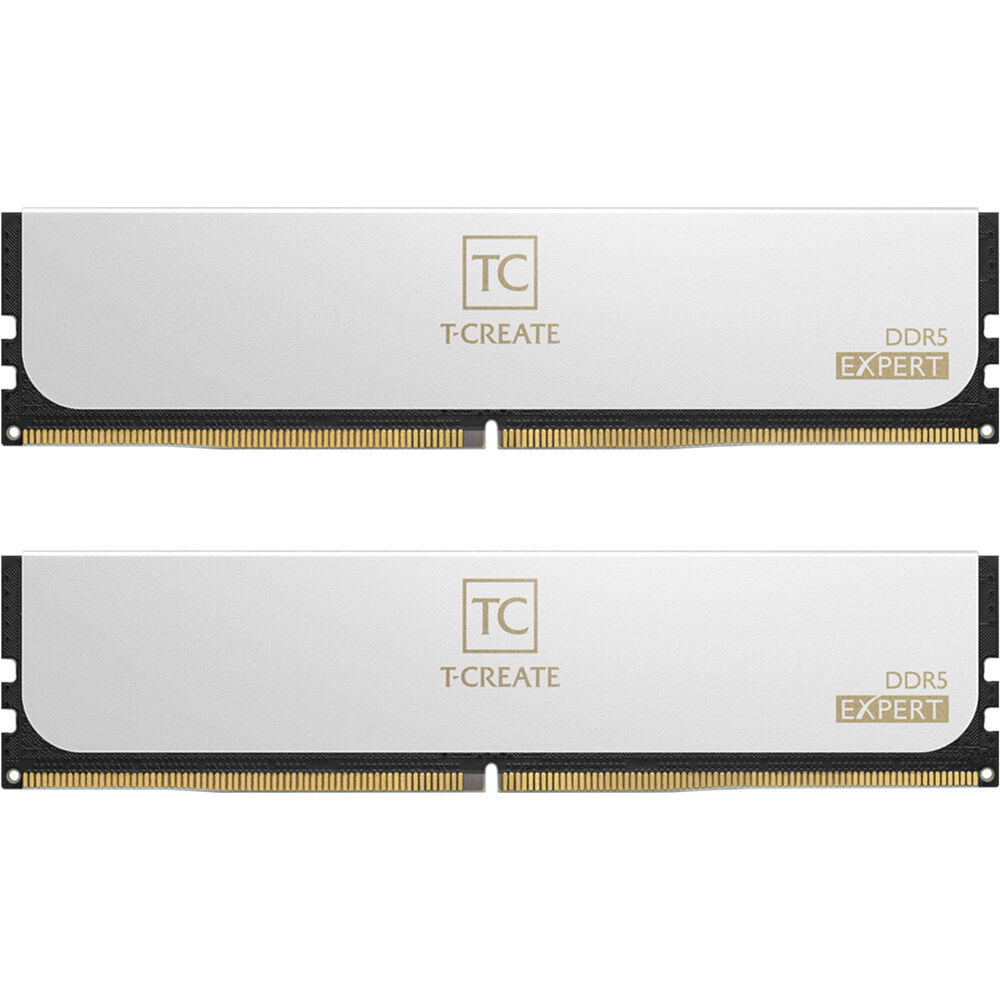
TEAMGROUP T-Create Expert
Best Value AlternativeBuy if: you want the DDR5-6000 CL30 sweet spot at the lowest in-stock price we found on 12 November — $609.99 at B&H — and you do not mind a white kit
Don't buy if: you want RGB, or you need the brand recognition of G.Skill and Corsair for resale value
Buy the T-Create Expert DDR5-6000 CL30 32GB (2×16GB), white part number CTCWD532G6000HC30DC01 — the black version, CTCED532G6000HC30DC01, is the same kit: DDR5-6000, CL30-36-36-76, 1.35V, XMP 3.0 and AMD EXPO, 32mm height, lifetime warranty. It listed at $609.99 at B&H on 12 November 2026 (was $640.99), the joint-cheapest CL30 kit in this guide alongside the Ripjaws S5 below — and unlike the Flare X5's cheaper Amazon price, it was actually in stock.
TEAMGROUP is the value brand in this roundup, and the trade is honest: you get the same sweet-spot spec and a lifetime warranty, but a smaller QVL footprint than Corsair and less resale recognition than G.Skill. Check your motherboard's memory support list before ordering — the kit is widely compatible, but in a market where returns cost time and restocking fees, the QVL check is worth the two minutes. The white heat spreader is the one pictured; the black version is the same kit and the same price at most sellers, so buy whichever matches your build.
Pros
- $609.99 at B&H on 12 Nov — joint-cheapest CL30 kit here, and in stock
- Same 30-36-36-76 spec as kits costing $150–$350 more
- Both XMP 3.0 and AMD EXPO
- 32mm low-profile, lifetime warranty
Cons
- Smaller QVL footprint than Corsair — check your motherboard list first
- No RGB
- Less resale recognition than G.Skill or Corsair
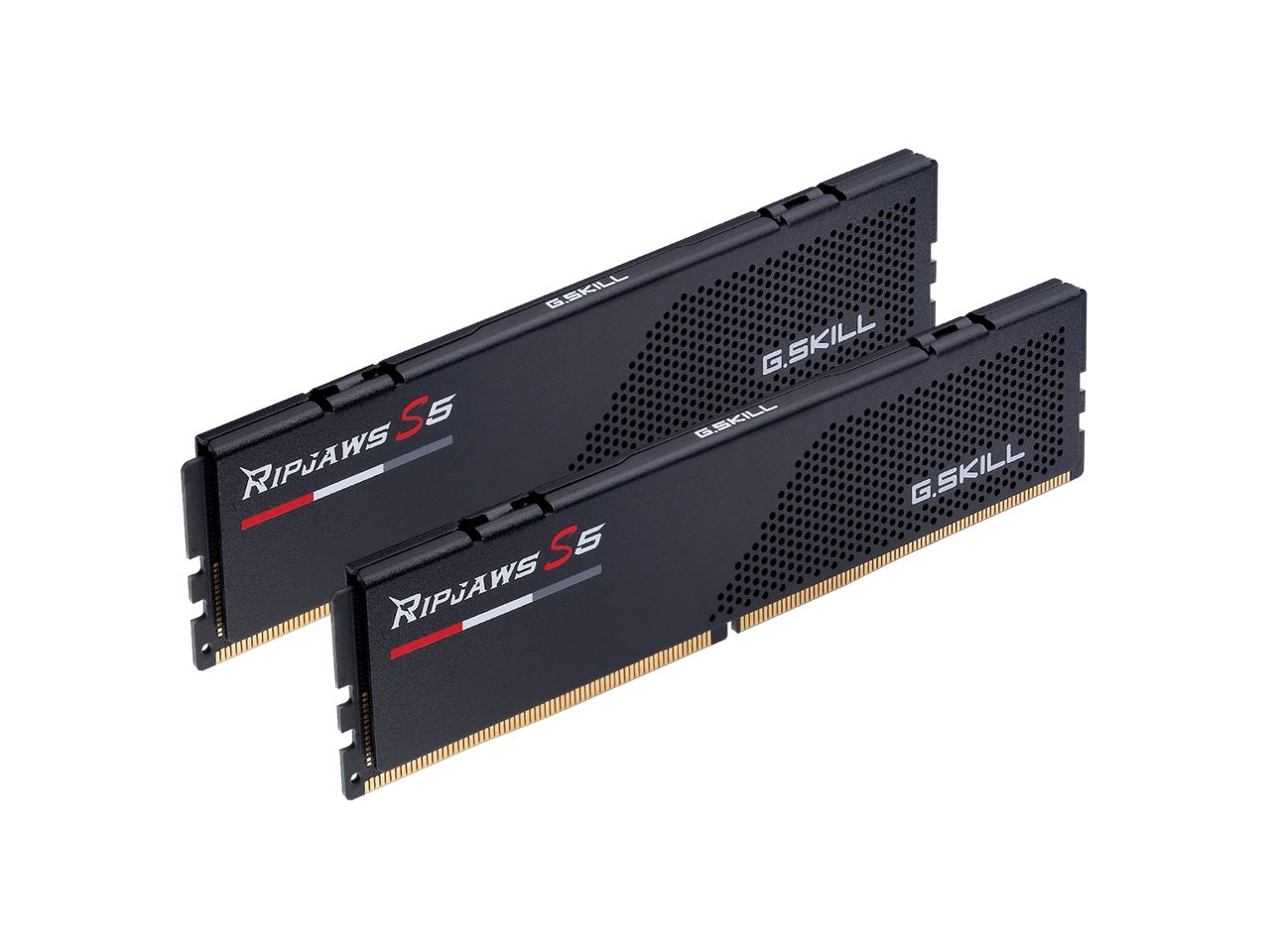
G.SKILL Ripjaws S5
Best for IntelBuy if: you are building on Intel Core Ultra and want the fastest kit that still makes sense — DDR5-6400 CL32, the practical ceiling before the gains flatten
Don't buy if: you are on AMD AM5 — the 6400 speed forces the memory controller onto a 2:1 divider there, and the DDR5-6000 CL30 kits above are faster in practice
Buy the Ripjaws S5 DDR5-6400 CL32 32GB (2×16GB), part number F5-6400J3239G16GX2-RS5K: DDR5-6400, CL32-39-39-102, 1.40V, Intel XMP 3.0, 33mm low-profile. Intel's Core Ultra memory controller has no Infinity Fabric to keep in step, so it scales a little further than AMD's — DDR5-6400 CL32 running 1:1 with the integrated memory controller is the practical gaming ceiling, and this is the kit that sits on it. It listed at $609.99 at Newegg on 12 November 2026 (was $619.99), joint-cheapest in this guide.
The important caveat is the platform split. This is an Intel XMP kit — G.Skill lists it for Intel platforms, and it carries no AMD EXPO profile. On an AM5 board it will run, but at DDR5-6400 the AMD memory controller drops to a 2:1 divider and hands back the gain, so an AMD builder buying this kit is paying more for less. The 33mm low-profile design is the same advantage as the Flare X5: it clears any air cooler. And do not confuse it with the Ripjaws S5 DDR5-6000 CL30 variant (F5-6000J3040F16GA2-RS5W) — same family, different speed, different part number.
Pros
- DDR5-6400 CL32 — the practical Intel gaming ceiling
- $609.99 at Newegg on 12 Nov — joint-cheapest kit here
- 33mm low-profile — clears big air coolers
- SK Hynix ICs, lifetime warranty
Cons
- Intel XMP only — no AMD EXPO profile
- Wasted on AM5: the 2:1 divider erases the speed advantage
- 1.40V — higher than the 1.35V CL30 kits
How Much RAM Do I Need for Gaming in 2026?
32GB is the standard for a new gaming build in 2026; 16GB is the floor, and 64GB is for creators, not gamers. A 32GB kit — two 16GB sticks — handles every current title with room for Discord, a browser, and background apps open at the same time. That is the capacity every kit in this guide ships at, and it is the capacity the specialist roundups recommend for a new build.
16GB still runs most games, but it is already tight. The most demanding 2026 titles plus a browser and Discord can push a 16GB system into paging — stutters that look like a GPU problem but are really the system swapping to disk. If you are buying RAM today, 16GB saves money now and costs you an upgrade later; the price difference between 16GB and 32GB kits is small next to the cost of buying twice. 64GB, meanwhile, buys you nothing in games — no current title uses it, and the extra capacity only earns its keep for video editing, 3D work, or running local AI models. If you stream and edit, 64GB is a reasonable buy; if you only game, spend the difference on the GPU instead. Our guide to the most important parts of a gaming PC ranks capacity against the rest of the build.
Does RAM Speed Actually Matter for Gaming?
Yes — up to the sweet spot, and then almost not at all. On AMD AM5, DDR5-6000 CL30 is the sweet spot for one mechanical reason: at 6000 MT/s the memory controller runs 1:1 with Infinity Fabric, with both the controller clock and the memory clock at 3000 MHz. Push past roughly 6400 MT/s and the controller drops to a 2:1 divider, running at half the memory rate — the extra bandwidth is real, but the added latency hands most of it back. That is why a DDR5-7200 or DDR5-8000 kit returns roughly 95% of what a 6000 CL30 kit does in games on AM5, for far more money and a real stability risk.
The latency number matters less than the speed. CL30 means the first word of data arrives after 30 clock cycles; the difference between CL30 and CL36 at the same speed is typically 1–3 FPS in CPU-bound games and nothing at all when the GPU is the bottleneck. Intel is the exception to the ceiling: Core Ultra 200S and 300S boards have no Infinity Fabric to keep in step, so they scale a little further, and DDR5-6400 CL32 is the practical gaming ceiling there — which is why the Ripjaws S5 above is the Intel pick. The one case where faster RAM earns its keep on AMD is a non-X3D chip at 1080p high refresh, where the 1% lows respond to latency rather than clock. And RAM speed matters far more without a dedicated GPU: integrated graphics and handhelds borrow system memory as video memory, so a faster kit is a real upgrade there. If you are pairing the RAM with a new GPU, our power supply guide covers the wattage the rest of the build needs.
Should I Buy RAM Now or Wait for Prices to Drop?
Buy if your build is blocked or your 16GB is stuttering; wait if the upgrade is cosmetic. That is the framework the price trackers converge on, and the data behind it is stark. RamRadar's tracked desktop DDR5 median was $18.41 per gigabyte on 12 November 2026 — up 14.8% in 30 days and 31.6% in 90 days. The cheapest 32GB DDR5 kit was roughly $72–$86 in 2024; it was about $375 in June 2026, $459 in late October, and over $550 by early November. A 3 November snapshot put 32GB DDR5-6000 kits at $429–$600; nine days later the same class listed at $600–$950 at major US retailers.
The cause is not desktop demand. AI accelerators use high-bandwidth memory, which consumes far more fab capacity per gigabyte than ordinary DDR5, and the same handful of manufacturers make both — capacity redirected to HBM is capacity not producing consumer DIMMs. No forecaster sees meaningful relief before late 2027, and Intel's CEO has said not to expect real relief until 2028. The dips that do appear are restock ripples — the largest weekly dip in the tracking data is about 2.5% — not the start of a downtrend. So the decision is simple: if you are building a PC and have no RAM, or your 16GB kit is already stuttering in the games you play, buy the cheapest in-stock kit from this guide now and stop watching the price. If you already have 32GB of DDR5 and the upgrade is cosmetic, wait — you are not missing anything. And if you are building the whole PC, our build guide walks through the rest of the parts.
Why Is My RAM Running at 4800MHz Instead of 6000?
Because every DDR5 kit boots at its JEDEC baseline speed until you enable its EXPO or XMP profile in BIOS — and that profile ships disabled. A DDR5-6000 kit runs at DDR5-4800 out of the box, which is a 15–25% performance loss most buyers never notice, because the box says 6000 and the system reports 4800 only if you look. The fix takes two minutes: restart, enter BIOS (usually Delete or F2 during boot), find the memory profile setting — called EXPO on AMD boards, XMP on Intel boards, sometimes under "AI Overclock Tuner" or "DRAM settings" — enable the profile, save, and reboot. Then check Task Manager's Performance tab or CPU-Z: it should read 6000 MT/s.
If the system fails to boot after enabling the profile, the board could not train the timings — update the BIOS first (memory compatibility improves with almost every BIOS release), then check your motherboard's QVL list for the exact kit, and try the profile again. If it still fails, the kit may need manual timings or a different slot configuration: DDR5 belongs in slots A2 and B2 on a four-slot board, the second and fourth slots from the CPU. And if you bought a single 32GB stick instead of a 2×16GB kit, enable the profile anyway — but read the next section first, because the single stick is costing you more than the speed.
Can I Mix RAM Kits?
Do not mix RAM kits — buy the matched kit you need, in one purchase. XMP and EXPO profiles are validated per matched kit, and mixing two kits — even the same brand, same speed, same timings — can fail to train, drop to the JEDEC baseline, or refuse to boot. The two kits were binned and tested as separate pairs, and the board has to find timings that work for all four sticks at once. This is the trap that catches upgraders most often: buying a second 16GB kit to turn 16GB into 32GB, then finding the system will not hold 6000 MT/s with four sticks installed.
The same rule applies to single sticks. One 32GB stick instead of two 16GB sticks runs in single-channel mode, and that costs roughly 8–15% of average FPS and up to 15–20% of the 1% lows — the stutters, not just the average. Always buy a matched 2×16GB kit, never two singles and never one 32GB stick. And never mix DDR4 and DDR5: they are physically different modules with different notches, they do not fit in each other's slots, and no board takes both. If you are upgrading from 16GB to 32GB, sell the old kit and buy a new matched 32GB kit — do not add a second kit beside it. Random crashes after a RAM change are usually a seating or compatibility problem; our PC crashing guide walks through the diagnosis.
Is Crucial RAM Still Available?
No new Crucial RAM is being made — any kit on sale now is leftover stock. Micron announced on 3 December 2025 that it was exiting the Crucial consumer business to redirect memory supply to AI data-centre customers, and said shipments would run through the end of its fiscal second quarter, February 2026. As of November 2026, no new Crucial models exist, no buyer has revived the brand, and Micron has said nothing to reverse the exit. Warranty service and support continue for products already sold, with no stated end date — but a warranty is not a supply chain, and replacement stock for a failed kit is not guaranteed.
This matters because the roundups have not caught up: Newegg's DDR5 buying guide still lists the Crucial Pro Overclocking DDR5-6400 CL38 as its pick for Intel speed builds, and other pages still recommend Crucial kits as current buys. Do not buy a Crucial kit as a current pick in November 2026. If you already own one, it will keep working — the exit changes what you can buy next, not what you own. And if you see a Crucial kit at a suspiciously low price, remember the used-RAM rule below: leftover stock with an uncertain warranty is worth less than a live brand's kit at the same price.
Buying Guide: What Actually Matters
After capacity and speed, the four things worth your attention are compatibility, the part number, the stick count, and the seller — in that order. Compatibility first: DDR5 only fits DDR5 boards. AM5 and Intel LGA 1700/1851 take DDR5; older AMD AM4 and Intel LGA 1200 boards take DDR4, and the modules are physically different. Check your motherboard's QVL — its memory support list — for the exact kit before ordering; in a shortage, a return costs time and sometimes a restocking fee. Height second: the Trident Z5 Neo RGB is tall, the Flare X5, Ripjaws S5, and T-Create Expert are 32–33mm low-profile kits that clear big tower air coolers — measure against your cooler, or check our PC case guide for clearance notes.
The part number is the purchase, not the name. "Flare X5" is three CL grades, "Vengeance" is two profile families, "FURY Beast" has a single-stick twin — every pick in this guide names its part number for exactly that reason, and you should copy it into the listing's search box before you buy. The stick count is the rule from the section above: a matched 2×16GB kit, never one 32GB stick, never two kits bought separately. And the seller is the price: the same Kingston kit listed at $950.88 at Newegg and $797.70 at another US retailer on the same day, and the Flare X5's current revision was $484.99 at Amazon while the older revision was $837.99 at Newegg. In this market, checking two sellers is worth more than checking two kits. Finally, do not buy used RAM in the shortage: used DDR5 sells within 5% of retail with no warranty and real DOA risk — the saving is not worth it.
Three More Kits Worth Knowing
G.SKILL Flare X5 DDR5-6000 CL28 — the high-refresh 1080p pick. Part number F5-6000J2836G16GX2-FX5: DDR5-6000, CL28-36-36-96 at 1.40V, AMD EXPO. On a non-X3D Ryzen chip at 1080p high refresh, where the 1% lows respond to latency rather than clock, the tighter CL28 earns its keep over the CL30 kits above. Everywhere else — 1440p, 4K, or any X3D chip — it is not worth the premium. Do not confuse it with the CL30 or CL36 Flare X5 kits; same name, different part number.
G.SKILL Trident Z5 Neo RGB 64GB (2×32GB) — the creator's kit. The same family as our top pick, in two 32GB sticks, for streamers and editors who actually use the capacity. It is not a gaming upgrade — no game needs it — but if you edit video on the same machine you game on, it is the honest way to get 64GB without dropping to four sticks. Check the timings on the listing: the 64GB variants carry different timings from the 32GB kit, so order by part number.
The DDR4 holdout — do not platform-swap for RAM alone. If you already own a DDR4 system, DDR4-3600 CL16 against DDR5-6000 CL30 is only about 3–8% of FPS on a dedicated GPU — Tom's Hardware's July 2026 re-test put DDR4 11–14% slower on Intel LGA1700 at 1080p with an RTX 5090, and less at 1440p and 4K. A new motherboard, CPU, and RAM for that gain is a bad trade. Keep the DDR4 system, spend the money on the GPU, and buy DDR5 when you build your next PC.
Frequently Asked Questions
What is the best RAM for gaming in 2026?
The G.SKILL Trident Z5 Neo RGB DDR5-6000 CL30 32GB kit is the best RAM for most gamers — 30-38-38-96 timings at 1.35V with both AMD EXPO and Intel XMP 3.0, so it works on either platform. It listed at $866.99 at Newegg on 12 November 2026. If that price is too high, the TEAMGROUP T-Create Expert in white is the same 32GB DDR5-6000 CL30 spec for $609.99 at B&H the same day, and Intel builders should take the G.SKILL Ripjaws S5 DDR5-6400 CL32 instead.
How much RAM do I need for gaming in 2026?
32GB is the standard for a new gaming build in 2026 — a matched 2×16GB DDR5 kit. It handles every current title with room for Discord, a browser, and background apps. 16GB still runs most games but is already tight in the most demanding titles, and 64GB buys nothing in games — it only earns its keep for video editing, 3D work, or running local AI models.
Is 16GB of RAM enough for gaming in 2026?
Borderline. 16GB in dual-channel runs most games, but the most demanding 2026 titles plus a browser and Discord can push it into paging, which shows up as stutters that look like a GPU problem. If you are buying RAM today, buy 32GB — the price difference is small next to the cost of buying twice. If you already own 16GB and your games run fine, there is no urgency to upgrade.
Is DDR5-6000 or DDR5-6400 better for gaming?
DDR5-6000 CL30 is better on AMD AM5, and DDR5-6400 CL32 is better on Intel Core Ultra. On AM5, 6000 MT/s is the point where the memory controller still runs 1:1 with Infinity Fabric; past roughly 6400 MT/s it drops to a 2:1 divider and hands the gain back, so a DDR5-7200 or 8000 kit buys almost nothing. On Intel there is no Infinity Fabric to keep in step, so the controller scales a little further and 6400 CL32 is the practical ceiling.
Should I buy RAM now or wait for prices to drop?
Buy if your build is blocked or your 16GB is stuttering; wait if the upgrade is cosmetic. Desktop DDR5 was $18.41 per gigabyte on 12 November 2026, up 31.6% in 90 days, and no forecaster sees meaningful relief before late 2027. The dips that appear are restock ripples of about 2.5% at most, not a downtrend — so waiting only makes sense if you already have 32GB of DDR5 and do not need more.
Why is RAM so expensive in 2026?
AI data centres are consuming the memory industry's output. Accelerators use high-bandwidth memory, which takes far more fab capacity per gigabyte than ordinary DDR5, and the same handful of manufacturers make both — so capacity redirected to HBM is capacity not producing consumer DIMMs. Desktop demand has not changed much; the supply has. Adding DRAM capacity means building fabs, which takes years, so elevated pricing is the realistic planning assumption.
Is Crucial RAM still available?
No new Crucial RAM is being made. Micron announced on 3 December 2025 that it was exiting the Crucial consumer business to redirect supply to AI data-centre customers, with shipments running through February 2026. Any Crucial kit on sale now is leftover stock, and no new models exist. Warranty support continues for products already sold, but do not buy a Crucial kit as a current pick — the roundups that still recommend one have not caught up.