Best Gaming Laptops in 2026: 6 Picks for Every Budget & GPU

Buying a gaming laptop in 2026 is harder than it looks, and the spec sheet is the reason why. The same GPU name can mean two very different laptops: an RTX 5070 Ti at 140W in one chassis and the same chip at 110W in another, an RTX 5080 at 175W in a desktop replacement and a slower one in a thin shell. This guide ranks six current laptops by what actually decides performance — GPU wattage, VRAM, and the display — with the year and CPU named on every pick, because a "Blade 16" or a "Zephyrus G14" is now two different laptops under one name.
Prices below are the makers' list prices as checked on 11 November 2026, not deals — and they are moving. The memory shortage that Tom's Guide and Engadget both flagged this month has pushed street prices up across the range: the Nitro V 16 AI sold for $629–$799 earlier in 2026 and now starts around $989, and the 2026 Zephyrus G14 costs $3,200 for the same GPU the 2025 model launched at $2,499 with. Check the price before buying, and never pay list without checking the maker's own store first — Lenovo in particular runs coupon sales that cut over $1,000 off the laptops in this guide.
One thing to settle first: buy the GPU wattage, not the GPU badge. The table below is the whole guide in one view — if you read nothing else, read it.
Quick Comparison
| Product | Key Specs | ||
|---|---|---|---|
| #1 | Lenovo Legion Pro 5i Gen 10Best Overall | RTX 5070 Ti 12GB · 140W TGP · 16″ OLED 240Hz · $2,199 list | Check Price |
| #2 | Acer Nitro V 16 AIBest Budget | RTX 5050 8GB · 95W TGP · 16″ 1200p 180Hz · $899 list | Check Price |
| #3 | Lenovo Legion Pro 7i Gen 10Best High-End | RTX 5080 16GB · 175W TGP · 16″ OLED 240Hz · $3,599.99 list | Check Price |
| #4 | Razer Blade 16 (2026)Best Premium Thin-and-Light | RTX 5090 24GB · 165W TGP · 16″ OLED 240Hz · $4,899.99 | Check Price |
| #5 | ASUS ROG Zephyrus G14 (2025)Best 14-Inch Portable | RTX 5070 Ti 12GB · 110W TGP · 14″ OLED 120Hz · $2,499.99 | Check Price |
| #6 | Alienware 16 Area-51Best Desktop Replacement | RTX 5080 16GB · 175W TGP · 16″ OLED 240Hz · from $3,899.99 | Check Price |
Prices below are the makers' list prices as of 11 November 2026, not deals. All six cards carry a real exact-match product photo. Five of the six picks have OLED displays; only the budget Nitro is IPS.
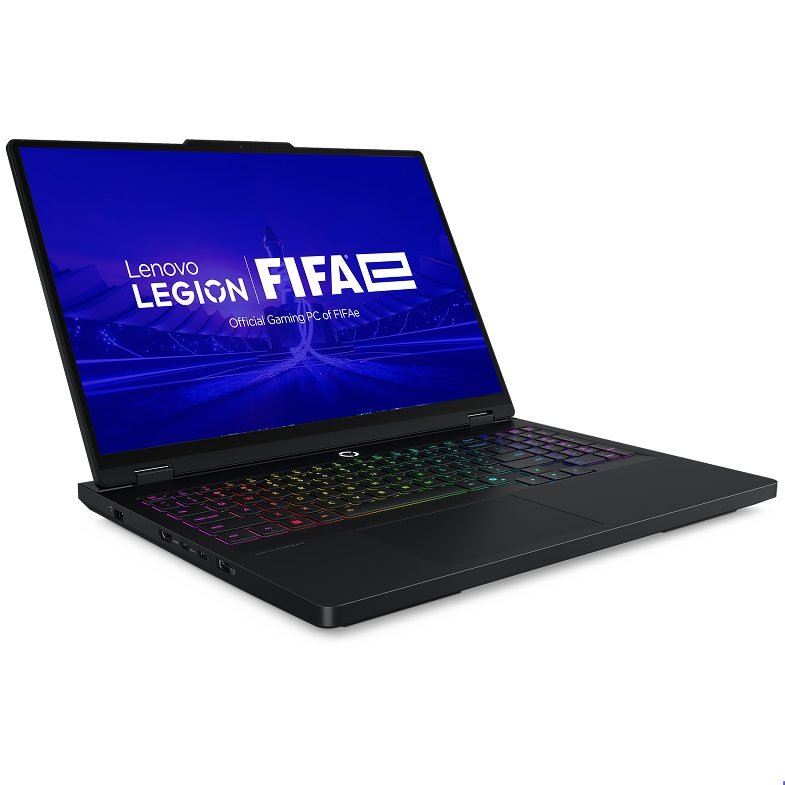
Lenovo Legion Pro 5i Gen 10
Best OverallBuy if: you want the most frames per dollar in 2026 — a full-power 5070 Ti with an OLED screen
Don't buy if: you need the lightest laptop possible, or you want 16GB of VRAM for 4K and creative work
The Pro 5i is the value king of this guide, and the reason is one number: 140W. Lenovo runs the RTX 5070 Ti at its full 115W base plus 25W of Dynamic Boost, which is the highest power limit you can buy on a 5070 Ti laptop outside Razer's Blade 16 chassis — and the Blade 16 costs more than twice as much. That wattage is what closes the gap to the desktop version of the chip, and it is why this $2,199 laptop embarrasses thinner 5070 Ti machines that cost more.
The rest of the package is just as strong for the money. The recommended config pairs an Intel Core Ultra 9 275HX with 32GB of DDR5 and a 1TB SSD behind a 16-inch 2560×1600 OLED at 240Hz — the same panel class as laptops costing $1,000 more. And unlike the thin premium picks below, the RAM and storage are user-upgradeable, so the 32GB you buy today is not the 32GB you are stuck with in three years.
Two traps to know. First, Lenovo's own store price swings wildly with coupons: the Ultra 7/16GB version sold for $1,819.99 on 7 November 2026 against a $3,020 list, so never pay the headline price without checking the current offer. Second, third-party Amazon listings for the OLED build have sat around $3,000 — well above Lenovo's own price — so treat the Amazon link as a stock check and buy from Lenovo direct where you can.
Pros
- Full 140W RTX 5070 Ti — the highest power limit on a 5070 Ti laptop outside the Blade 16
- 16-inch 2560×1600 OLED at 240Hz in the recommended config
- 32GB of DDR5 and a 1TB SSD; RAM and storage are user-upgradeable
- Lenovo coupon sales have cut the line to $1,819.99 for the Ultra 7 version
Cons
- Still trails the 175W RTX 5080 at 1440p with ray tracing
- Some cheaper configs ship a 165Hz OLED — check the panel before buying
- Third-party Amazon listings have sat well above Lenovo's own price
- Battery life is short under load, like every laptop in this guide
List price $2,199 for the Ultra 9/32GB/1TB OLED config — Lenovo's own store has sold the Ultra 7 version for $1,819.99; check the price before buying, as prices change.
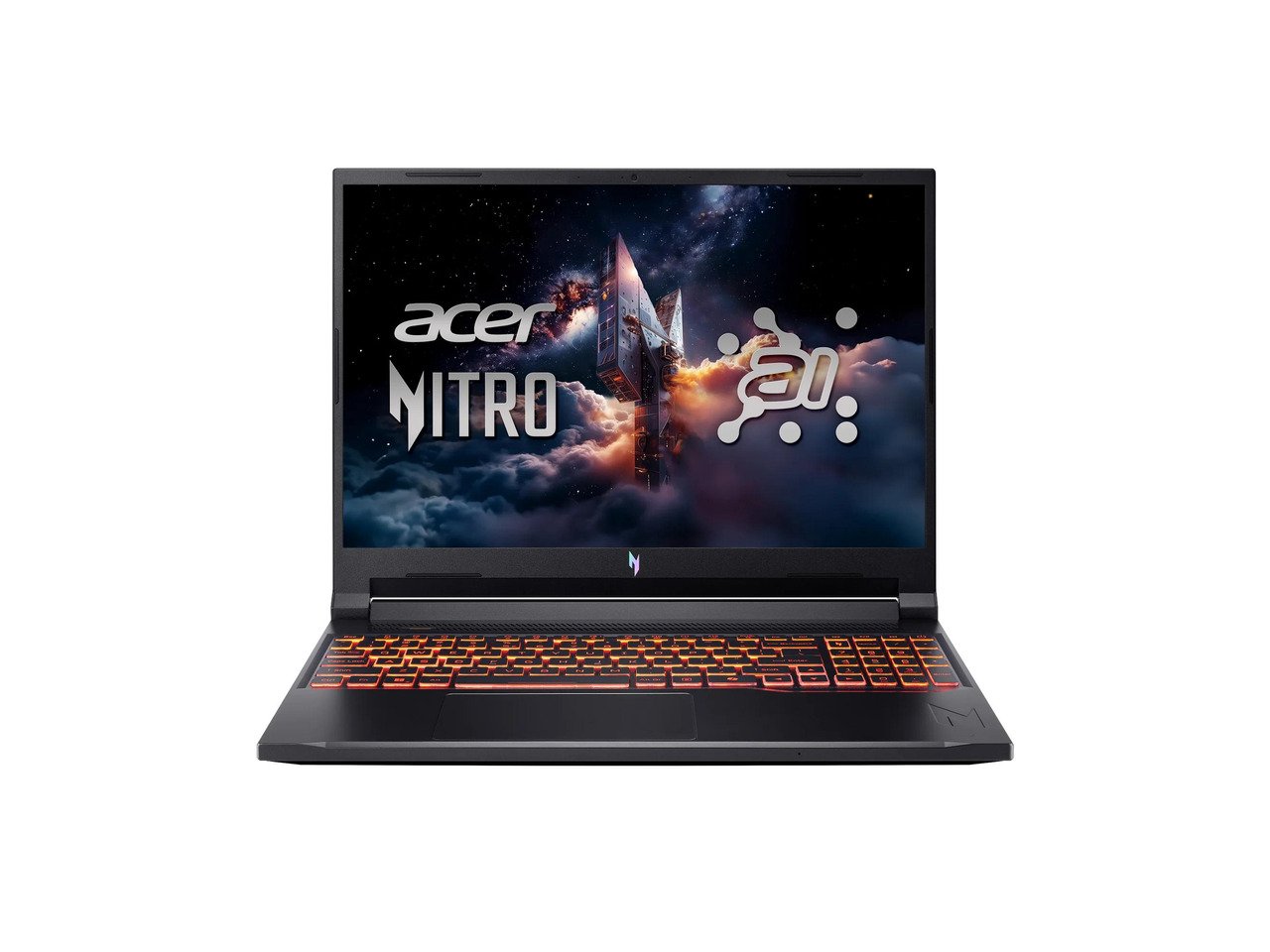
Acer Nitro V 16 AI
Best BudgetBuy if: your budget is under $1,000 and you want a real RTX 50-series laptop, not a last-generation clearance deal
Don't buy if: you play at 1440p — the 8GB of VRAM makes this a 1080p laptop
The Nitro V 16 AI is the cheapest honest way into RTX 50-series gaming, and Acer did not cut the GPU to hit the price. Notebookcheck measured the RTX 5050 at 95W including Dynamic Boost — the full-power version of the chip — so this $899 laptop runs the same GPU silicon properly, where cheaper machines throttle it. The 16-inch 1920×1200 display runs at 180Hz, which is fast enough for competitive shooters, and PCWorld measured 8–12 hours of battery life — the longest in this guide.
The compromises are where you would expect them at this price. The AMD Ryzen 5 240 is the weakest CPU in this guide — PCWorld calls it "among the least capable in AMD's line-up" — and 16GB of RAM with a 512GB SSD is small for 2026. Check the 32GB listings before buying: Notebookcheck found the 32GB config for $989 on Amazon, which is the better buy if the price gap is small.
One warning about the price itself. This laptop sold for $629–$799 earlier in 2026, and the memory shortage has pushed it up — PCWorld's live price tracker now shows $1,168.99 and up at some retailers. The $899 list price is still the anchor, but if you see it above $1,000, you are paying the shortage, not the laptop.
Pros
- Cheapest real RTX 50-series laptop in this guide at $899 list
- Full-power 95W RTX 5050 — Acer did not throttle the GPU to hit the price
- 8–12 hours of battery life in PCWorld's testing — the longest here
- 180Hz display at this price; 32GB configs exist for about $989
Cons
- Ryzen 5 240 is the weakest CPU in this guide
- 16GB of RAM and a 512GB SSD are small for 2026 — check the 32GB listings
- 8GB of VRAM makes this a 1080p laptop, not a 1440p one
- Street prices have climbed well above the $629–$799 it sold for earlier in 2026
List price $899 — street prices now start around $989; check the price before buying, as prices change.
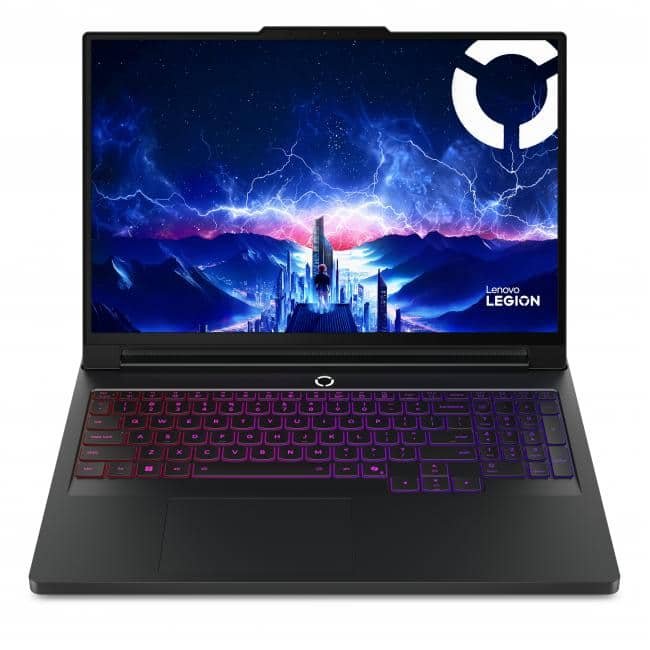
Lenovo Legion Pro 7i Gen 10
Best High-EndBuy if: you want the fastest laptop most people should buy — a full 175W RTX 5080 with a 240Hz OLED
Don't buy if: $3,599.99 list is more than you want to spend — the Pro 5i above gives you most of the performance for $1,400 less
The Pro 7i is the high-end pick because it is the cheapest way to get the full 175W RTX 5080, and the 5080 at full power is a serious card. Windows Central measured it only 4% behind an RTX 5090 laptop in 3DMark Time Spy — close enough that the 5090 config, at $3,999 list, is poor value unless you specifically need its 24GB of VRAM. The reviewed config pairs an Intel Core Ultra 9 275HX with 32GB of DDR5 and a 2TB SSD behind a 16-inch OLED at 240Hz, 500 nits, and full DCI-P3.
Like the Pro 5i, the RAM and storage are user-upgradeable, and like the Pro 5i, the price you actually pay depends on when you buy. The $3,599.99 list is the anchor, but Lenovo's coupon sales have cut the same 5080 config to $2,369.99 this week — a $1,200 swing on the same laptop. Never pay list without checking the current offer, and never assume the price you saw last week is the price today.
The honest limit is the battery. Notebookcheck notes the Ultra 9 275HX "takes a toll on its battery life", and this is a laptop that lives on its charger. That is true of every 175W machine, but it is worth saying plainly: the Pro 7i is a portable desktop, not an all-day unplugged laptop.
Pros
- Full 175W RTX 5080 — only 4% behind an RTX 5090 laptop in 3DMark Time Spy (Windows Central)
- 16-inch OLED at 240Hz, 500 nits, full DCI-P3 colour
- 32GB of DDR5 and a 2TB SSD; RAM and storage user-upgradeable
- Lenovo coupon sales have cut this config to $2,369.99 this week
Cons
- $3,599.99 list is $1,400 more than the Pro 5i for a modest frame-rate gain
- The RTX 5090 config is poor value — Windows Central says stop at the 5080
- The Ultra 9 275HX takes a toll on battery life
- Lenovo's price swings by over $1,000 with coupons, so never pay list without checking
List price $3,599.99 for the 5080/32GB/2TB OLED config — Lenovo coupon sales have cut it to $2,369.99 this week; check the price before buying, as prices change.
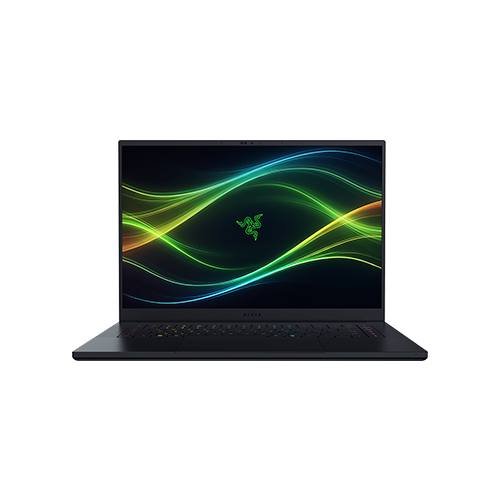
Razer Blade 16 (2026)
Best Premium Thin-and-LightBuy if: you want the thinnest RTX 5090 laptop ever made and you are willing to pay for it
Don't buy if: value matters — the 5080 version saves roughly $900, and the Legion Pro 7i is faster per dollar
The 2026 Blade 16 is the most polished gaming laptop in this guide, and the thinnest RTX 5090 laptop Razer has ever made at 14.9mm. TechRadar scored it 4.5 out of 5, with 5 out of 5 for design and performance, and Tom's Guide measured about 13 hours of productivity battery life — remarkable for a 5090 machine. The top config pairs an Intel Core Ultra 9 386H with 32GB of LPDDR5X-9600 memory, a 2TB SSD, and a 16-inch 2560×1600 OLED at 240Hz.
Name the year and the CPU with this laptop, every time. The 2026 model is the Intel machine (Core Ultra 9 386H, model codes starting RZ09-0581); the 2025 model is the AMD machine (Ryzen AI 9 HX 370, codes starting RZ09-0528). Reviewers disagree on which is faster in games, so never assume the 2026 model wins — the 2026 battery life is the clear win, not the frame rate.
The wattage needs a note of its own. Razer rates the 5090 at 165W TGP; TechRadar's review quotes 175W, and Notebookcheck measured a 160W peak. The honest reading is that the thin chassis caps the card below the 175W desktop-replacement figure — which is the price of the thinness, and why the Pro 7i beats it on frames per dollar. The other price is upgradeability: the RAM is soldered, so buy the memory you will need in three years, because you cannot add it later. There is also no Ethernet port.
Pros
- Thinnest RTX 5090 laptop at 14.9mm, with a 240Hz OLED
- TechRadar 4.5/5 — 5/5 for design and performance
- About 13 hours of productivity battery life in Tom's Guide's testing
- The RTX 5080 version saves roughly $900 over the 5090
Cons
- RAM is soldered and not upgradeable — buy the memory you will need in three years
- No Ethernet port
- $4,899.99 is poor value per frame — TechRadar gave it 3/5 for value
- Stock has been tight, with units on pre-order in some regions
List price $4,899.99 for the RTX 5090/32GB/2TB config — the line starts at $3,499.99 with a 5070 Ti; check the price before buying, as prices change.
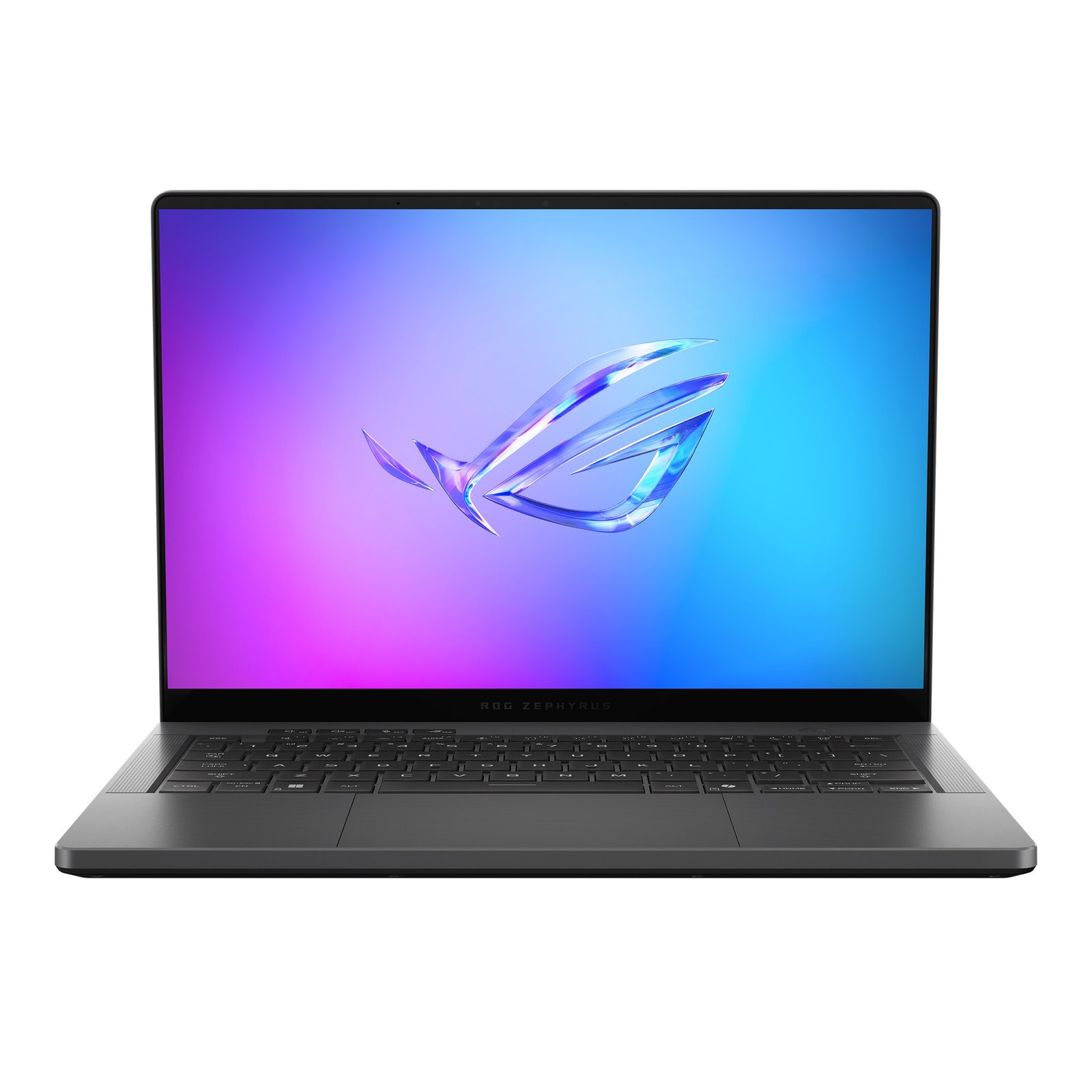
ASUS ROG Zephyrus G14 (2025)
Best 14-Inch PortableBuy if: you want the best 14-inch gaming laptop — light enough to carry daily, with a gorgeous OLED
Don't buy if: you want the fastest 5070 Ti — the Legion Pro 5i runs the same chip 30W hotter for less money
The 2025 Zephyrus G14 is Tom's Guide's top gaming laptop overall, and it is easy to see why: a 14-inch 2880×1800 OLED in a 3.5 lb aluminium chassis, with an AMD Ryzen AI 9 HX 370 and an RTX 5070 Ti, 32GB of RAM and a 1TB SSD. It is the only laptop in this guide you will genuinely carry every day, and the OLED makes it a creator crossover too — photo and video work look superb on it.
The year trap is the whole story with this laptop. The 2025 model is the AMD machine (GA403, Ryzen AI 9 HX 370) and it launched at $2,499 with the 5070 Ti and 32GB — and the ASUS store still lists it in stock at $2,499.99. The 2026 model is the Intel machine (GU405, Core Ultra 9 386H) and it now starts at $3,200 for the same GPU, with the 32GB version at $3,600 from ASUS. Same name, same GPU, $700 more — never pay a 2026 price for the 2025 model, and never quote the 2026 price against the 2025 pick.
The honest trade-off is power. The G14's 5070 Ti runs at 110W maximum — 85W plus 25W of Dynamic Boost — which is the weakest 5070 Ti in this guide, 30W behind the Legion Pro 5i. You pay for the 14-inch chassis in frames, not just in dollars. The RAM is also soldered, so the 32GB you buy is the 32GB you keep, and Tom's Guide measured 5–6 hours of typical-use battery life — fine for a flight, not a full workday away from an outlet.
Pros
- Tom's Guide's top gaming laptop overall — the best 14-inch you can buy
- 3.5 lb with a 2880×1800 OLED — the most portable laptop here
- 32GB of RAM included, which the 2026 model charges far more for
- The 2025 model is the value buy now that the 2026 Intel version starts at $3,200
Cons
- The 5070 Ti runs at 110W — the weakest 5070 Ti in this guide, 30W behind the Legion Pro 5i
- RAM is soldered, so 32GB is what you get forever
- 5–6 hours of typical-use battery life in Tom's Guide's testing
- The 2026 Intel G14 costs $3,200 for the same GPU — never pay a 2026 price for the 2025 model
List price $2,499.99 at the ASUS store (in stock) — Best Buy lists the same config at $2,649.99; check the price before buying, as prices change.
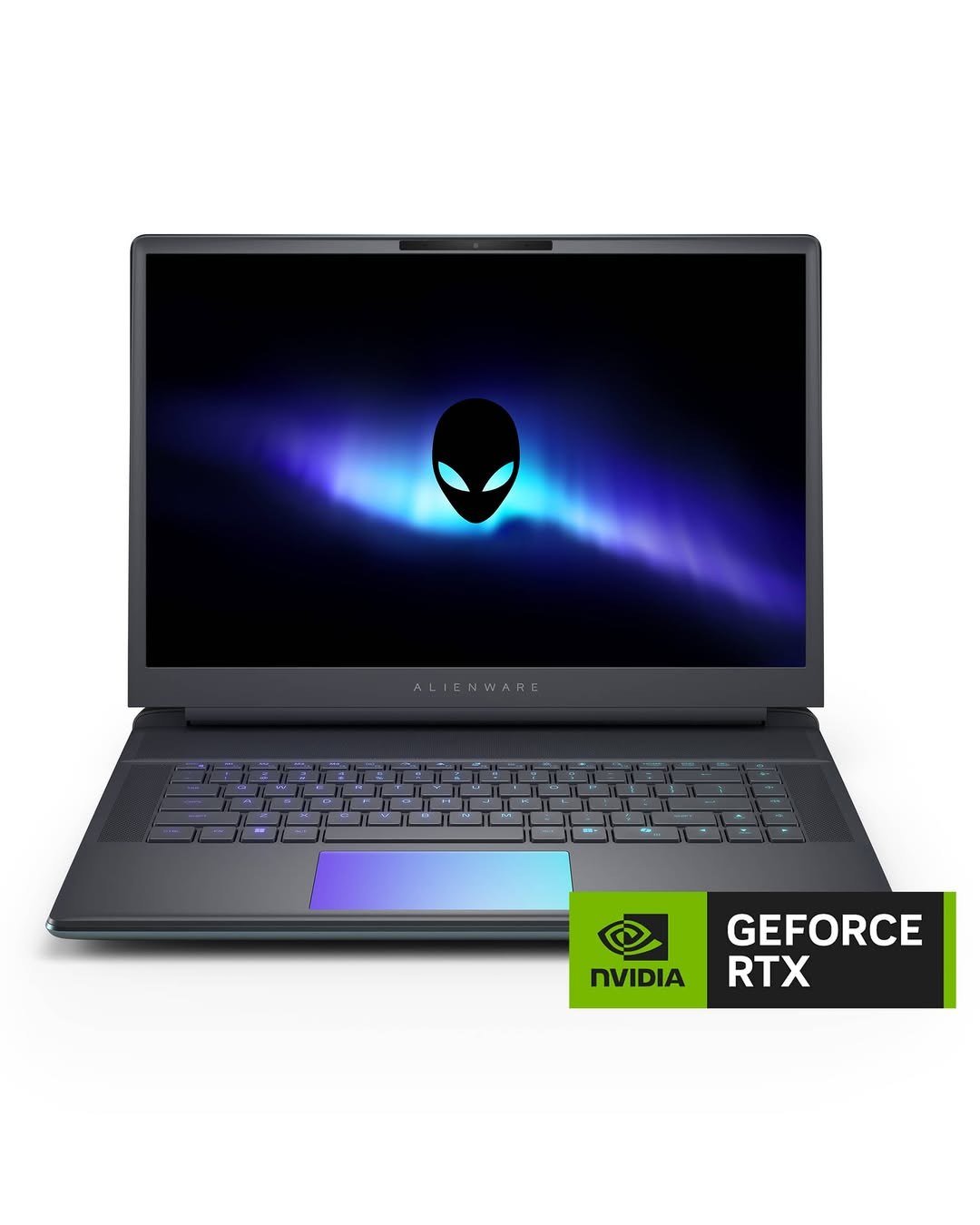
Alienware 16 Area-51
Best Desktop ReplacementBuy if: you want a desktop replacement that never moves — maximum sustained performance, no compromises for thinness
Don't buy if: you carry your laptop anywhere — at 7.49 lb this is a desktop that happens to fold
The Area-51 is the desktop replacement in this guide, and Alienware built it like one. The RTX 5080 runs at the full 175W including Dynamic Boost, Dell quotes 280W of total system power, and the chassis has four fans to sustain it — no thin-and-light thermal compromise. PCWorld made it their high-end pick, and the 16-inch 2560×1600 OLED at 240Hz is the same panel class as the Legion Pro 7i. Storage and memory have a clear upgrade path, and the new Area-51 design adds Thunderbolt 5 and a windowed base.
Name the tier with this laptop, every time. Alienware is three laptops, not one: the 16 Aurora is the entry model (up to RTX 5070), the 16X Aurora is the mid-tier (up to RTX 5070 Ti, OLED option), and the 16 Area-51 is the flagship (up to RTX 5090). Never print Area-51 specs or prices against an Aurora — and the old m16 and x16 lines are a retired naming scheme, not current models.
The honest limits are weight and availability. At 7.49 lb this is a desktop that happens to fold, and battery life is a few hours at best — keep the charger in the bag. And the reviewed RTX 5080 config, with the Core Ultra 9 290HX Plus at $4,299.99, was sold out at Dell at our 11 November check, against a build-your-own starting price of $3,899.99. If it is out of stock, the Legion Pro 7i above is the same GPU at full power for less money.
Pros
- Full 175W RTX 5080 in a chassis built to sustain it — four fans, 280W total system power
- 16-inch OLED at 240Hz; PCWorld's high-end pick
- Clear upgrade path for storage and memory
- Thunderbolt 5 and the new Area-51 design with a windowed base
Cons
- 7.49 lb — a desktop that happens to fold, not a laptop you carry daily
- The reviewed 5080 config was sold out at Dell at our 11 Nov check
- From $3,899.99 buys the base build, not the 5080 config
- Battery life is a few hours at best — keep the charger in the bag
Build-your-own from $3,899.99 at Dell — the RTX 5080/290HX Plus config is $4,299.99 and was sold out at our 11 Nov check; check the price before buying, as prices change.
What Is TGP, and Why Does It Matter More Than the GPU Name?
TGP — Total Graphics Power — is the wattage the laptop lets its graphics chip use, and it matters more than the GPU name on the box. The same RTX 5070 Ti can run at 110W in a thin 14-inch laptop or 140W in a thicker one, and the 140W version is meaningfully faster in the same game at the same settings. A high-power 5070 Ti can even beat a low-power 5080, and a 100W RTX 5050 has been measured beating a 55W 5060. The badge tells you the chip; the wattage tells you the performance.
| Laptop | GPU | Max TGP (incl. Dynamic Boost) | VRAM |
|---|---|---|---|
| Acer Nitro V 16 AI | RTX 5050 | 95W | 8GB GDDR7 |
| Lenovo Legion Pro 5i Gen 10 | RTX 5070 Ti | 140W | 12GB GDDR7 |
| ASUS ROG Zephyrus G14 (2025) | RTX 5070 Ti | 110W | 12GB GDDR7 |
| Lenovo Legion Pro 7i Gen 10 | RTX 5080 | 175W | 16GB GDDR7 |
| Alienware 16 Area-51 | RTX 5080 | 175W | 16GB GDDR7 |
| Razer Blade 16 (2026) | RTX 5090 | 165W | 24GB GDDR7 |
The pattern is the whole lesson: the 140W 5070 Ti in the Legion Pro 5i is the value sweet spot, the 175W 5080s are the high-end standard, and the thin laptops pay for their thinness in watts — the G14's 110W 5070 Ti and the Blade 16's 165W 5090 both run below the thick-chassis maximum for their chips. None of the top-10 roundups we checked prints TGP per pick. Check it before you buy any gaming laptop: it is usually in the manufacturer's spec sheet under "TGP" or "maximum graphics power", and if a listing does not state it, treat the GPU name as a promise, not a fact.
One more thing the spec sheet hides: DLSS 4 Multi Frame Generation. Every laptop in this guide supports it, and it can double or triple the frame rate a review quotes — but those are generated frames, not rendered ones. Never compare a frame-gen FPS number against a native-rendered FPS number across laptops; ask for the native figure, and treat frame-gen as a bonus on top of it.
Is 8GB of VRAM Enough for Gaming in 2026?
At 1080p, yes. At 1440p with high textures, it is tight — and at 4K, it is not enough. VRAM is the memory on the graphics card that holds textures, and when a game needs more than the card has, it stutters while it swaps data in and out. The rule for 2026 is simple, and it is the reason the GPU tiers in this guide are priced the way they are.
| Resolution | Minimum VRAM | Why |
|---|---|---|
| 1080p | 8GB | Fine for high settings in current games — the RTX 5050's 8GB is enough here |
| 1440p | 12GB | High textures and ray tracing push past 8GB — the 5070 Ti's 12GB is the buy-it-for-years floor |
| 4K / heavy creative work | 16GB | 4K textures and AI workloads need the headroom — the 5080's 16GB, or the 5090's 24GB |
This is why the 5070 Ti is the value sweet spot in this guide and the 5080 is the high-end one: the jump from 8GB to 12GB buys you 1440p longevity, and the jump to 16GB buys you 4K and creative headroom. And never compare a laptop GPU against a desktop card of the same name — a laptop RTX 5080 is not a desktop RTX 5080, in VRAM, wattage, or performance.
Is the RTX 5070 Ti or the RTX 5080 Better in a Laptop?
The RTX 5080 is the faster card — more VRAM (16GB against 12GB) and more cores — but the gap is smaller than the price gap suggests, and it shrinks further when the 5070 Ti runs at full power. The 140W 5070 Ti in the Legion Pro 5i is the fastest 5070 Ti you can buy outside the Blade 16, while a thin 5080 in a chassis that cannot cool it will not hold its boost clocks. The 5080 earns its money at 1440p with ray tracing on, at 4K, and in creative work that uses the extra VRAM — not in ordinary 1080p or 1440p gaming, where the 5070 Ti is already fast enough.
Our advice: buy the 5070 Ti at $2,199 unless you play at 4K, do heavy video or AI work, or want the longest useful life from the laptop. Buy the 5080 if any of those apply — and buy it at full power (175W, like the Pro 7i and the Area-51 here), not in a thin chassis that throttles it. The 5090, for its part, is a poor value for gaming alone: Windows Central's advice on the Pro 7i is to stop at the 5080, and the Blade 16's 5080 version saves roughly $900 over the 5090 for a small frame-rate difference.
How Much RAM Do I Need in a Gaming Laptop?
16GB is the minimum in 2026, and 32GB is the ideal. Every source we checked agrees: 16GB is enough to play current games, but 32GB is what you want if you keep browser tabs open while gaming, stream, or do any creative work — and it is what protects the laptop against the next two years of games asking for more. The Nitro V 16 AI is the only pick here that ships with 16GB in its base config, and it is the one place we would spend extra: the 32GB config is about $989 on Amazon against the $899 list for the 16GB version.
The memory shortage makes this a real cost in November 2026, not a theoretical one. The 2026 Zephyrus G14 costs $3,200 with 16GB and $3,600 with 32GB from ASUS — $400 for the memory alone — and prices across the range have risen through the year. If the laptop you buy has soldered RAM, like the Blade 16 and the G14, you are buying the memory you will have in three years. Buy 32GB there. If it has upgradeable RAM, like both Legions, 16GB is a defensible starting point because you can add more later.
OLED or IPS — Which Display Should You Choose?
Five of the six laptops in this guide have OLED displays, and for gaming that is the right call: perfect blacks, instant pixel response, and far better HDR than any IPS panel at the same price. The Nitro V 16 AI is the only IPS pick here, and its 1920×1200 180Hz panel is perfectly good — just not in the same league for contrast and colour.
IPS still has two honest advantages. It is brighter in a sunlit room, and there is no burn-in to think about — OLED panels can retain a faint image if the same static desktop sits on screen for very long stretches, every day, for years. Modern OLED laptops have pixel-shift and other mitigations, and for a gaming machine that shows moving images most of the time, it is much less of a worry than it was. But if your laptop will sit on a static work desktop for 12 hours a day, IPS is the safer long-term bet. For everyone else, buy the OLED.
Can You Upgrade a Gaming Laptop Later?
Sometimes — and it depends on the model, not the brand. The two Legions in this guide have user-upgradeable RAM (SO-DIMM slots) and storage, and the Alienware 16 Area-51 has a clear upgrade path for both. The Razer Blade 16 and the Zephyrus G14 do not: their RAM is soldered to the motherboard, so the memory you buy is the memory you keep. Storage is usually replaceable even on the thin laptops, but check the service manual for your exact model before assuming anything.
The rule is simple: if you are buying a thin premium laptop with soldered RAM, buy 32GB now. If you are buying a Legion or an Area-51, 16GB is a defensible starting point because you can add more later. And whatever you buy, the GPU and the display are never upgradeable — choose those as if they are permanent, because they are.
What About Under $1,000?
The Nitro V 16 AI above is the pick under $1,000, at $899 list — but street prices have risen with the memory shortage, so check the price before assuming it is still under a thousand. If your budget is tighter, under $800, the field is different again: cheaper GPUs, older generations, and clearance deals that need careful checking. Our gaming laptops under $800 guide covers that tier in depth, including the same Nitro V 16 AI at the top of its range. And if you are shopping for a deal rather than a list price, our gaming laptop deals guide tracks the current offers — just remember that a deal on a low-wattage GPU is not a deal at all.
Buying Guide: What Actually Matters
Buy the wattage, not the badge. Check the TGP for the exact config you are buying. A 140W 5070 Ti beats a 110W one, and a high-power 5070 Ti can beat a low-power 5080.
Match VRAM to your resolution. 8GB for 1080p, 12GB for 1440p, 16GB for 4K and creative work. The 5070 Ti is the value sweet spot; the 5080 is the high-end one.
Name the year and the CPU. Blade 16 2025 is AMD, 2026 is Intel. Zephyrus G14 2025 is AMD (GA403), 2026 is Intel (GU405). Legion Gen 10 is the RTX 50-series generation; Gen 9 is RTX 40-series. Alienware Aurora, 16X Aurora, and Area-51 are three different tiers. Never buy on the name alone.
Buy 32GB of RAM if it is soldered. The Blade 16 and the G14 cannot be upgraded later. On the Legions and the Area-51, 16GB is a defensible start because you can add more.
Count the weight and the battery honestly. A 7.49 lb desktop replacement is not a laptop you carry daily, and no gaming laptop in this guide lasts a workday unplugged. The Nitro's 8–12 hours is the exception, and even that is productivity use, not gaming.
Check the price on the maker's own store. Prices are moving fast in the memory shortage, and Lenovo's coupon sales alone swing over $1,000. The list price is the anchor, not the price you pay — but never pay above list without knowing why.
Separate native FPS from frame-gen FPS. DLSS 4 Multi Frame Generation is on every laptop here, and it inflates the numbers reviews quote. Ask for the native figure first.
Frequently Asked Questions
What is the best gaming laptop to buy in 2026?
The Lenovo Legion Pro 5i Gen 10 is our top pick: a full 140W RTX 5070 Ti with 12GB of VRAM, a 16-inch 2560×1600 OLED at 240Hz, and 32GB of RAM for $2,199 list — and Lenovo's own store has sold it for $1,819.99. It is the best balance of performance, display, and price in this guide. If you want the thinnest premium laptop, buy the Razer Blade 16 (2026); if your budget is under $1,000, buy the Acer Nitro V 16 AI.
What is the best gaming laptop under $1,000?
The Acer Nitro V 16 AI, at $899 list. It pairs a full-power 95W RTX 5050 with a 16-inch 180Hz display and 8–12 hours of battery life in PCWorld's testing. Street prices have risen with the memory shortage — about $989 for the 32GB config on Amazon — so check the price before buying. For budgets under $800, see our dedicated gaming laptops under $800 guide.
Is 8GB of VRAM enough for gaming in 2026?
At 1080p, yes — 8GB is enough for high settings in current games, which is why the RTX 5050 in the Nitro V 16 AI works. At 1440p with high textures it is tight, and at 4K it is not enough. 12GB is the buy-it-for-years floor for 1440p, which is why the RTX 5070 Ti is the value sweet spot, and 16GB is the right choice for 4K and heavy creative work.
Is the RTX 5070 Ti or the RTX 5080 better in a laptop?
The RTX 5080 is the faster card — more VRAM (16GB against 12GB) and more cores — but the gap is smaller than the price gap suggests, and it shrinks further when the 5070 Ti runs at its full 140W. Buy the 5070 Ti at $2,199 unless you play at 4K, do heavy video or AI work, or want the longest useful life. Buy the 5080 at full power (175W) if any of those apply — and skip the 5090 for gaming alone, since the 5080 version saves roughly $900 for a small frame-rate difference.
How long does a gaming laptop battery last?
It depends on what you are doing. Expect under two hours of actual gaming unplugged — Tom's Guide measured that on the Blade 16 — while productivity battery life ranges from 5–6 hours on the Zephyrus G14 to about 13 hours on the Blade 16, and PCWorld measured 8–12 hours on the Nitro V 16 AI. No gaming laptop in this guide lasts a workday unplugged, and the 175W machines last the least. Treat a gaming laptop as a portable desktop: the battery gets you through a meeting, not a day.
Can a gaming laptop replace a desktop?
For most people, yes — with two caveats. A laptop GPU is never as fast as the desktop card of the same name, because it runs at a fraction of the wattage, and you cannot upgrade the GPU or the display later. But a 140W 5070 Ti or a 175W 5080 laptop plays current games at 1440p with high settings, drives an external monitor, and does it from a desk, a sofa, or a hotel room. If you never move it, a desktop is still better value per frame; if you move it at all, the laptop wins.
Can you upgrade a gaming laptop later?
Sometimes, and it depends on the model. The two Legions in this guide and the Alienware 16 Area-51 have user-upgradeable RAM and storage. The Razer Blade 16 and the Zephyrus G14 do not — their RAM is soldered to the motherboard, so the memory you buy is the memory you keep. Storage is usually replaceable even on the thin laptops, but check the service manual for your exact model. The GPU and the display are never upgradeable on any laptop here.