Best Power Supply for Gaming PC in 2026: 6 ATX 3.1 Picks

Most PSU guides start with a wattage number. This one starts with the graphics card, because that is what decides the power supply. The top 10 results for "best power supply for gaming pc" are all roundups, and most of them have the same weaknesses: two are stale February 2026 pages, and one of those still recommends ATX 3.0 for RTX 50-series cards — factually outdated. One prices everything in euros, which is no help to a US buyer. None of them covers the September 2026 PNY incident, where an RTX 5090 died idle with both ends of its native 12V-2x6 cable melted. And none of them gives you a worked wattage formula and a per-GPU table in the same place.
So this guide does the arithmetic first. Every pick below is a current ATX 3.1 unit with a native 12V-2x6 cable, verified against the maker's own spec page and independent lab reviews — Hardware Busters, KitGuru, Tom's Hardware, Vortez and eTeknix, named where they are quoted. Every same-name revision trap is named on the card it belongs to, because in 2026 the same model name is routinely sold in an ATX 3.0 version and an ATX 3.1 version at the same time. And every price printed here was checked on 11 Nov 2026 against a real US listing — if a price was not verified, it is not printed.
Prices below were checked on 11 Nov 2026 (Corsair store, Best Buy, Newegg) and move by retailer and week — check the live price before buying. Where a figure is given for efficiency, noise or ripple, the source is named with it: manufacturer claim, or independent lab test. No prices are printed for the be quiet! Pure Power 13 M 850W because no US price was verified at draft time.
Quick Comparison
| Product | Wattage / ATX / Efficiency / 12V-2x6 Cable | Price | ||
|---|---|---|---|---|
| #1 | Corsair RM850x (2024)Best Overall | 850W / ATX 3.1 / Cybenetics Gold / 600W native | $139.99* | Check Price |
| #2 | Montech Century II 850WBest Value | 850W / ATX 3.1 / Cybenetics Platinum / 450W native | $89.99* | Check Price |
| #3 | be quiet! Pure Power 13 M 850WBest Quiet | 850W / ATX 3.1 / 80+ Gold, up to 94.4% / 600W native | Check price | Check Price |
| #4 | Seasonic Focus GX-850 ATX 3.1Best Compact | 850W / ATX 3.1 / Cybenetics Platinum / 600W native | $159.99* | Check Price |
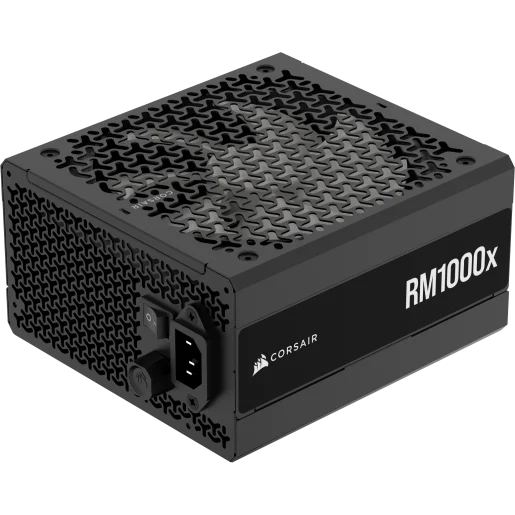
| #5 | Corsair RM1000x (2024)Best 1000W | 1000W / ATX 3.1 / Cybenetics Gold† / 600W native | $169.99* | Check Price |
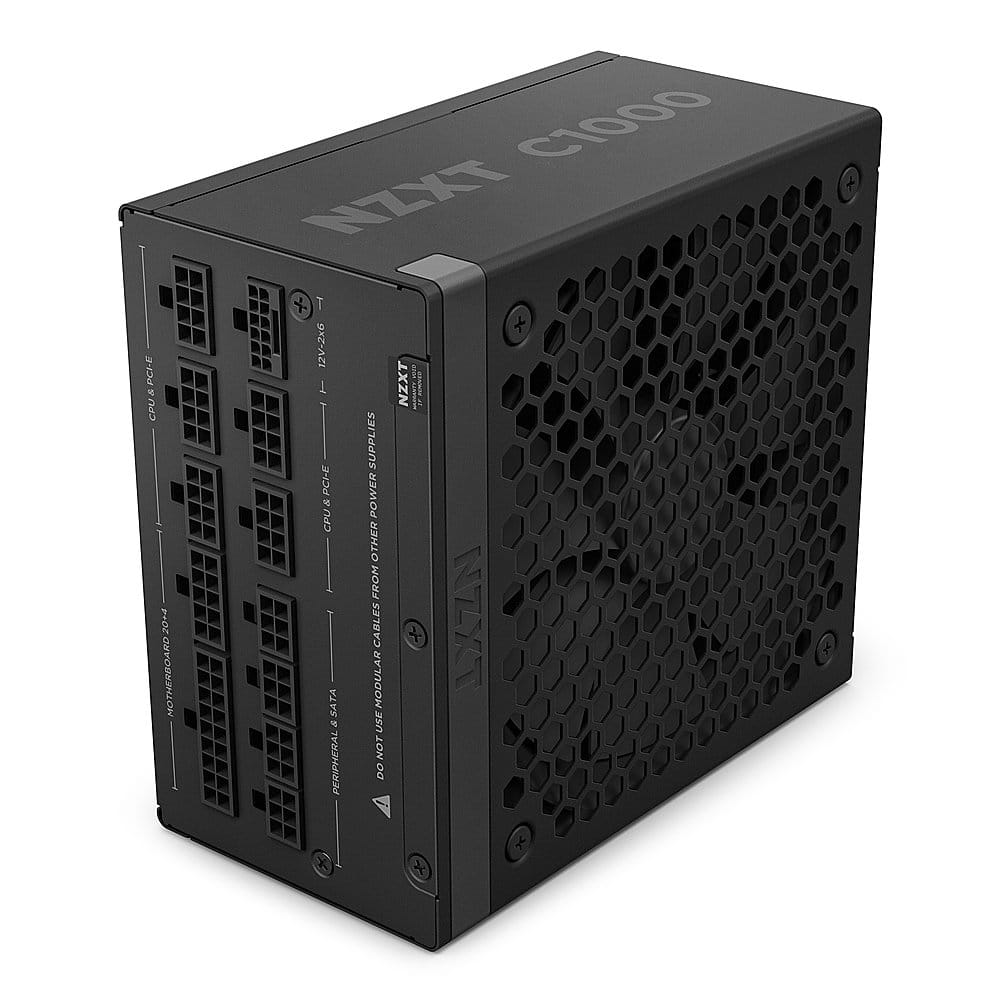
| #6 | NZXT C1000 Gold ATX 3.1Best 1000W Alternative | 1000W / ATX 3.1 / 80+ Gold / 600W native | $174.05* | Check Price |
* Checked 11 Nov 2026 against a real US listing (Corsair store for the two Corsairs, Best Buy for the Montech and NZXT, Newegg for the Seasonic). † Hardware Busters measured the RM1000x at Platinum-level efficiency; Corsair rates it Cybenetics Gold — see the card for the full story. All six are fully modular, single 12V rail, 10-year warranty.
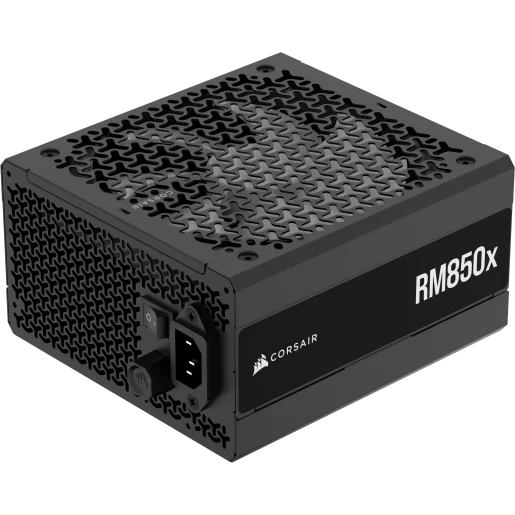
Corsair RM850x (2024)
Best OverallBuy if: you want the safest default 850W pick for an RTX 5070 Ti or 5080 build, with a quiet fan and a 10-year warranty
Don't buy if: you are building around an RTX 5090 — buy the 1000W RM1000x instead — or your case only fits a 140mm-deep PSU
The RM850x (2024) wins because nothing about it is a compromise at this wattage. It is the September 2024 refresh of Corsair's best-selling PSU: 850W continuous, ATX 3.1 and PCIe 5.1, a native 600W 12V-2x6 cable, fully modular Type-4 connectors, 100% Japanese 105°C capacitors, and a 140mm fluid-dynamic-bearing fan with a zero-RPM mode and a manual fan-speed knob. Hardware Busters' full review found tight voltage regulation, good ripple suppression and silent operation — a Cybenetics A noise rating — and TweakTown's review reached the same verdict. The single 12V rail delivers 70.8A, which is the whole 850W on one rail, so there is no rail-balancing to think about.
The trap is the name. The pre-2024 RM850x is still sold, and it is a different unit: ATX 2.52, 80 Plus Gold, no native 12V-2x6 cable. Buy by the SKU — CP-9020270-NA (or CP-9020270-WW) — and check "ATX 3.1" is printed on the listing. One more honest note: the list price is contested — Hardware Busters lists the MSRP at $150, TweakTown at $169.99 — so do not treat either as settled. Corsair's own store had it at $139.99 on 11 Nov 2026, which is the figure in the table above.
Pros
- Native 600W 12V-2x6 cable — the full rating, not a 450W compromise
- Cybenetics A noise rating; zero-RPM mode below low load
- 10-year warranty; 100% Japanese 105°C capacitors
- Lab-verified by Hardware Busters and TweakTown, not just a spec sheet
Cons
- 160mm deep — check case fit against 140mm rivals
- Pre-2024 RM850x shares the name without ATX 3.1 — verify CP-9020270
- List price is contested ($150 vs $169.99) — buy on the checked street price
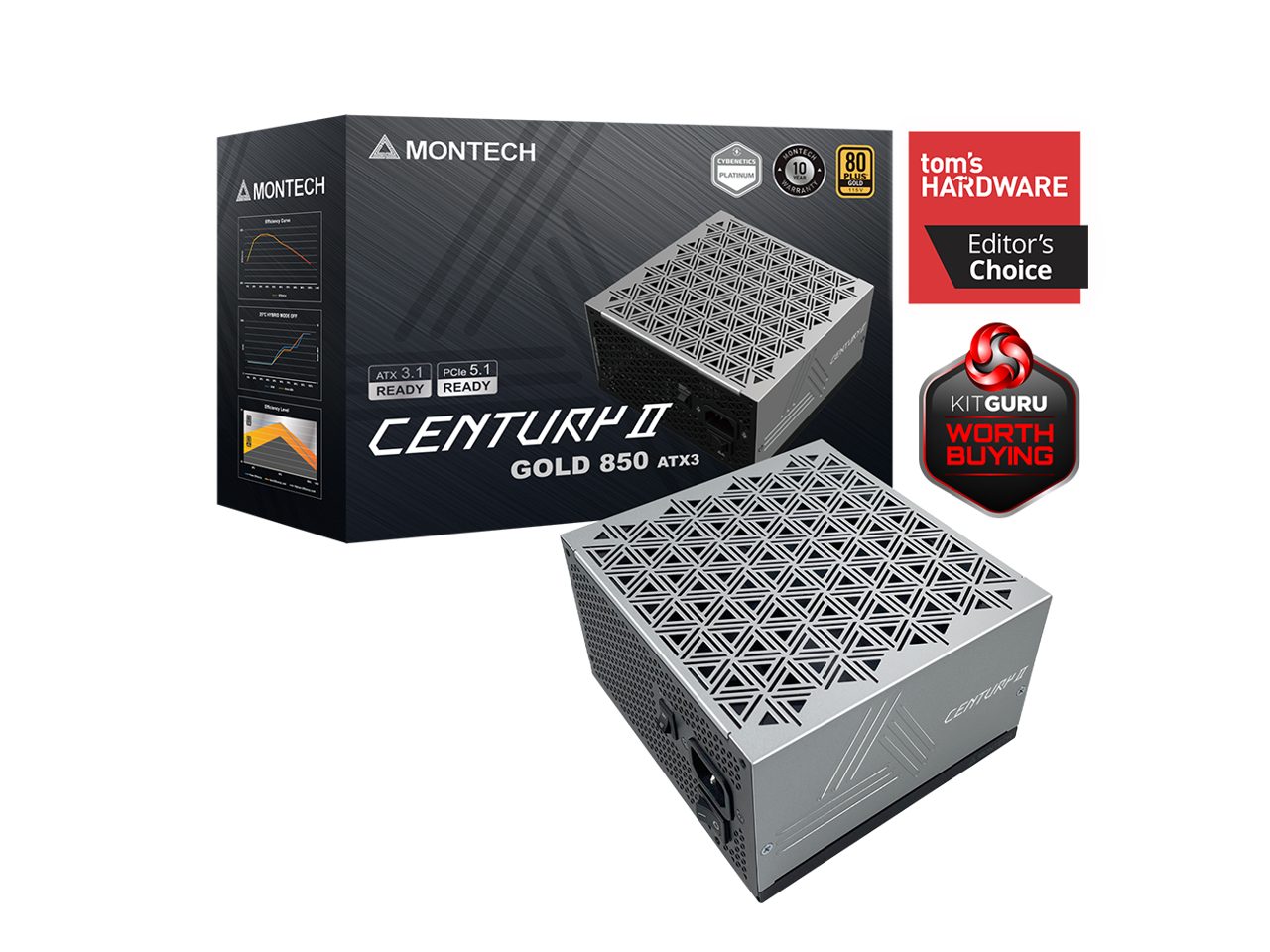
Montech Century II 850W
Best ValueBuy if: you want the cheapest genuinely good ATX 3.1 unit — about $90 — for an RTX 5070 or 5070 Ti build
Don't buy if: you are building around an RTX 5090, or you want a 600W-rated 12V-2x6 cable
The Century II is the value pick that survives scrutiny. Tom's Hardware called it excellent value after testing, and its efficiency is the headline: 80 Plus Gold on the badge, but Cybenetics Platinum in the lab — it beats its own label. It is fully modular, ATX 3.1 and PCIe 5.1 ready, with a native 12V-2x6 cable and a 10-year warranty, all for $89.99 at Best Buy on 11 Nov 2026 — roughly $50 less than the Corsair it sits next to in this roundup. For a mid-range RTX 50-series build, that is the best price-to-quality ratio in this guide.
The honest limitation is the cable. The Century II's native 12V-2x6 cable is rated 450W, not 600W like the Corsair, Seasonic, be quiet! and NZXT picks here. That is fine for an RTX 5070 Ti (300W) and even a 5080 (360W), but it is the wrong cable for a 5090 (575W) — which is why this unit is the value pick and not the flagship pick. Several competing roundups gloss over cable ratings entirely; this one does not, because the rating is printed on the cable and it matters. Buy it for the build it fits, not for the build you might upgrade to.
Pros
- Cybenetics Platinum efficiency at an 80 Plus Gold price — about $90
- ATX 3.1 / PCIe 5.1, fully modular, native 12V-2x6 cable
- 10-year warranty; Tom's Hardware "excellent value" verdict
Cons
- 12V-2x6 cable rated 450W, not 600W — not a 5090 power supply
- Less established brand than Corsair or Seasonic in the US
- Quieter rivals exist at higher prices — the be quiet! is the quiet pick
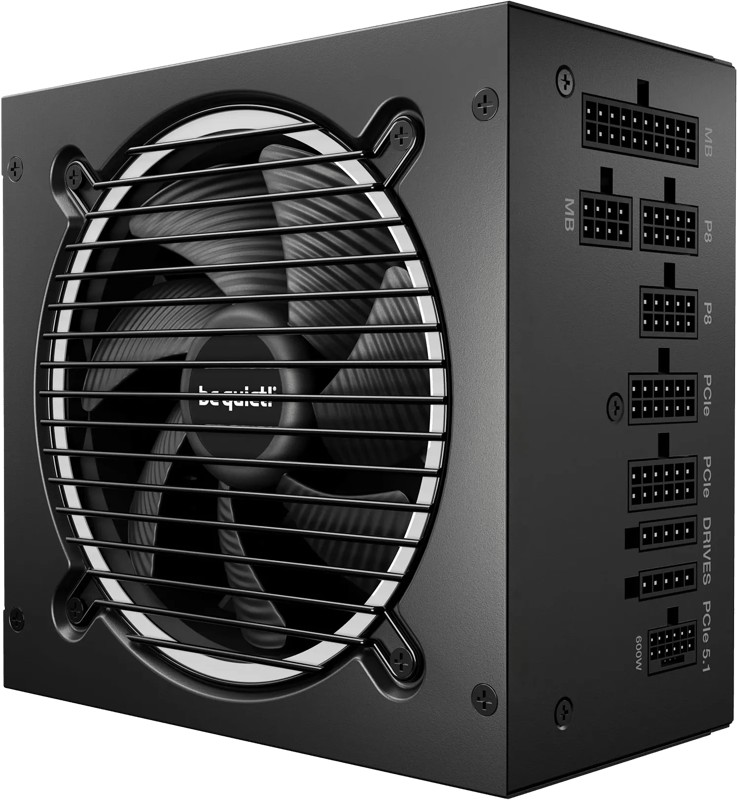
be quiet! Pure Power 13 M 850W
Best QuietBuy if: you play on speakers or stream with an open mic, and you want the quietest 850W unit here
Don't buy if: your case is tight on PSU depth — this unit is 160mm long — or you need a US price before buying
The Pure Power 13 M is the quiet pick, and the quietness is measured rather than claimed. Hardware Busters' testing found very low noise across the load range, with a 120mm semi-passive fan that stops entirely at low load. It is an 850W ATX 3.1 unit (peak 900W) with 80 Plus Gold efficiency up to 94.4%, a native 600W 12V-2x6 cable plus four PCIe 6+2 connectors, fully modular cabling, a single 70.9A 12V rail, and a 10-year warranty. It is the pick for the player who games on speakers — the fan is the feature.
Two honest notes. First, Hardware Busters also flagged two things to know about: a 3.3V over-current protection threshold set lower than ideal, and no fan-failure protection — neither is a deal-breaker at this price, but neither is hidden here either. Second, it is 160mm deep, longer than the 140mm Seasonic, so check your case's PSU clearance before buying. And do not confuse it with the Pure Power 12, the older line it replaced. No US price is printed for this card because none was verified at draft time — the maker's RRP is €139.90, and UK listings sat around £110 in November 2026.
Pros
- Quietest measured 850W unit here — semi-passive 120mm fan, 0 RPM at low load
- Up to 94.4% efficiency; native 600W 12V-2x6 cable + 4× PCIe 6+2
- 10-year warranty; fully modular
Cons
- 160mm deep — longer than the 140mm Seasonic; check case fit
- Hardware Busters flagged the 3.3V OCP threshold and missing fan-failure protection
- No verified US price at draft time — check the live price
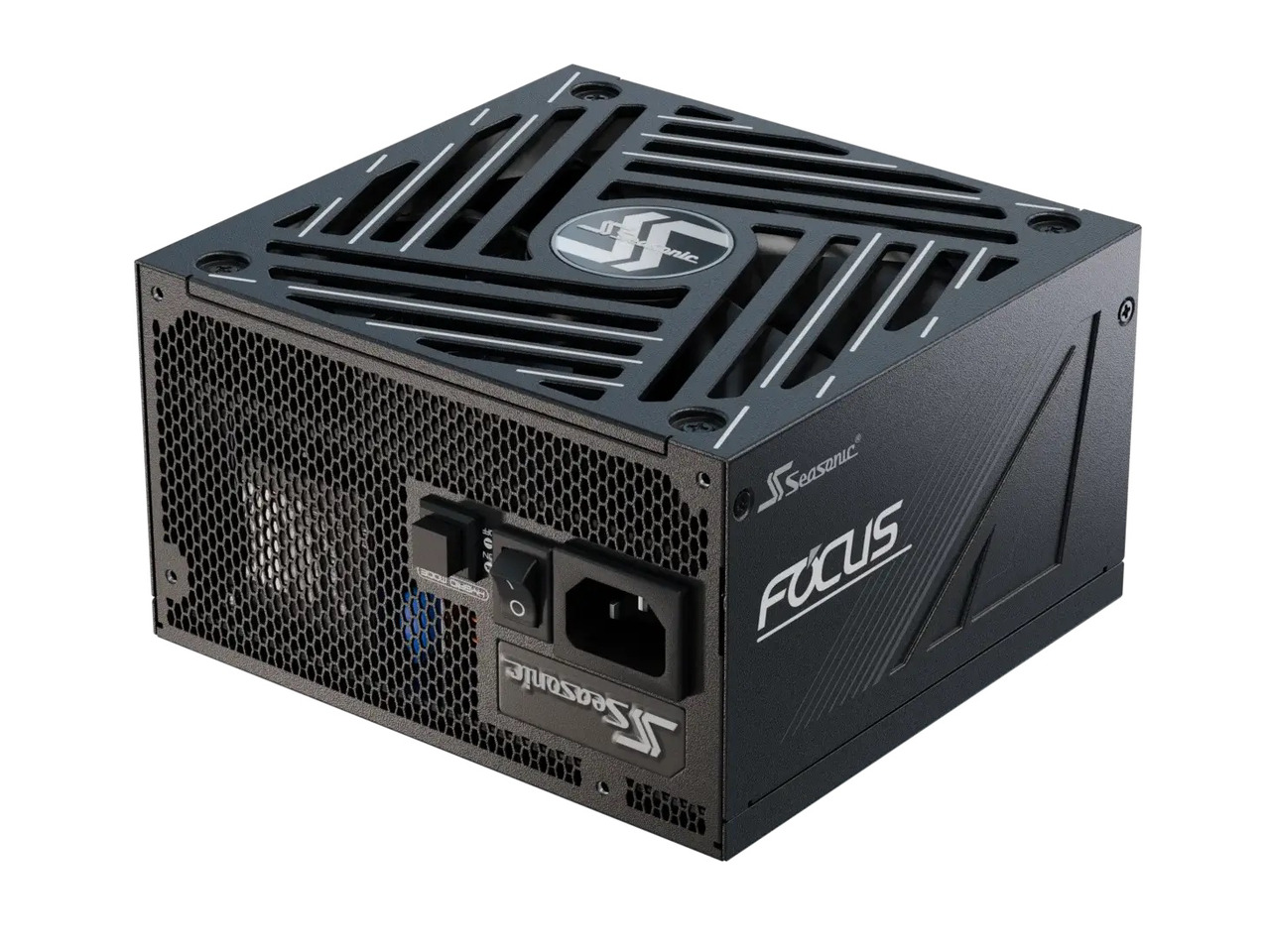
Seasonic Focus GX-850 ATX 3.1
Best CompactBuy if: your case is tight on PSU depth, or you want Seasonic's build quality in a compact 140mm chassis
Don't buy if: you want the cheapest 850W unit — the Montech is about $70 less — or you need a 12-year warranty
The Focus GX-850 (V4) is the compact pick: 140mm deep against 160mm for the Corsair and be quiet! units, which matters in smaller cases and in any build where the PSU shroud is tight. It is an 850W ATX 3.1 / PCIe 5.1 unit with a native 600W 12V-2x6 cable, fully modular, a 135mm fluid-dynamic-bearing fan with digital hybrid control, a single 70A 12V rail, and a 10-year warranty. Its efficiency tells the same story as the Montech's: 80 Plus Gold on the badge, Cybenetics Platinum in the lab, with a Cybenetics A- noise rating. It was $159.99 at Newegg on 11 Nov 2026, and B&H listed it at the same price.
The trap is the label. Seasonic sells this range as "FOCUS GX ATX 3", and older ATX 3.0 Focus and VERTEX listings with near-identical names still circulate — verify V4 and ATX 3.1 on the box before you buy. Seasonic confirmed in January 2025 that the current Focus GX range meets ATX 3.1 and ships 12V-2x6 cables, but the listing is what you are buying, not the press release. Also know the hierarchy: the Focus GX is the step below Seasonic's VERTEX line, which carries a 12-year warranty and the premium tier — do not present the Focus as Seasonic's flagship.
Pros
- 140mm depth — the most compact 850W pick here
- Cybenetics Platinum efficiency with an 80 Plus Gold badge
- 135mm FDB fan with hybrid control; Cybenetics A- noise
- Seasonic build quality; 10-year warranty
Cons
- About $70 more than the Montech for the same wattage
- "FOCUS GX ATX 3" labelling invites confusion with older ATX 3.0 stock
- 10-year warranty, not the VERTEX line's 12 years
Corsair RM1000x (2024)
Best 1000WBuy if: you are building around an RTX 5080 or 5090 and want the 1000W floor with the quietest fan in its class
Don't buy if: your GPU is a 5070 Ti or below — 1000W buys you nothing but a higher bill
The RM1000x (2024) is the 850W top pick scaled up: the same September 2024 ATX 3.1 platform, the same native 600W 12V-2x6 cable, the same 140mm fan with zero-RPM mode and a manual speed knob, the same fully modular Type-4 connectors and 100% Japanese 105°C capacitors — at 1000W continuous on a single 83.3A 12V rail, with a 10-year warranty. Hardware Busters' review measured noise below 20 dBA up to 640W, and KitGuru measured about 23mV ripple at full load with 92.1% efficiency at 500W. It was $169.99 on Corsair's own store on 11 Nov 2026, against a $209.99 list price.
One efficiency number needs stating honestly, because two sources disagree. Corsair rates the unit Cybenetics Gold; Hardware Busters measured Platinum-level efficiency and notes Corsair downgraded the rating to Gold, and an Amazon reviewer in August 2026 reported the box rating had recently been updated from Gold to Platinum. This guide prints both: Cybenetics Gold per Corsair, Platinum measured by Hardware Busters. The trap is the same as its smaller sibling: the pre-2024 RM1000x is still sold — verify 2024, SKU CP-9020271-NA and ATX 3.1. And the SHIFT variant, with side-mounted connectors, is a different model at a different price — do not mix its price with this one.
Pros
- Below 20 dBA up to 640W in Hardware Busters' test — the quietest 1000W unit here
- Native 600W 12V-2x6 cable; 83.3A single 12V rail
- 10-year warranty; same proven 2024 platform as the 850W top pick
Cons
- Overkill below an RTX 5080 — 1000W buys nothing for a 5070 Ti build
- Efficiency rating is contested (Gold per Corsair, Platinum measured)
- Pre-2024 RM1000x shares the name — verify CP-9020271 / ATX 3.1
NZXT C1000 Gold ATX 3.1
Best 1000W AlternativeBuy if: you want a 1000W ATX 3.1 unit with a clear US SKU and lab-verified ripple suppression, at a similar price to the RM1000x
Don't buy if: your GPU is a 5070 Ti or below — same as the RM1000x, 1000W is wasted here
The C1000 Gold ATX 3.1 is the alternative to the RM1000x for buyers who want a second, equally verified 1000W option — and the one with the clearest US SKU in this roundup: PA-0G2BB-US. It is a 1000W ATX 3.1 / PCIe 5.1 unit with a native 600W 12V-2x6 cable, fully modular, a 135mm fluid-dynamic-bearing fan with a zero-fan mode, a single 83.3A 12V rail, and a 10-year warranty. eTeknix's review found tight voltage regulation and outstanding ripple suppression, and it was $174.05 at Best Buy on 11 Nov 2026 against a $179.99 list price.
The trap, again, is the name. The original NZXT C1000 Gold was an ATX12V v2.4 unit with no 12V-2x6 cable, and it shares the name — verify "ATX 3.1" and the PA-0G2BB part number on the listing. NZXT has also launched a C1000 Platinum refresh in 2026 (MSRP $179.99) and a C1200 Platinum ($199.99): do not confuse their prices or specs with this Gold unit. If the RM1000x is out of stock at your retailer, this is the buy — not a compromise, a second verified option at the same wattage.
Pros
- Outstanding ripple suppression in eTeknix's test; tight regulation
- Clear US SKU (PA-0G2BB-US) — the easiest 1000W unit to buy correctly
- Native 600W 12V-2x6 cable; zero-fan mode; 10-year warranty
Cons
- Original C1000 Gold (ATX12V v2.4) shares the name — verify ATX 3.1 + PA-0G2BB
- New C1000 Platinum refresh has a near-identical name at a similar price
- About $4 more than the RM1000x at the checked prices
How Much Wattage Do You Actually Need?
Do the arithmetic, then buy the GPU maker's number unless the math says otherwise. Add your CPU's TDP and your graphics card's TGP, add about 100W for the motherboard, RAM, drives, cooler and fans, then multiply by 1.3 and round up to the nearest real PSU size. A Ryzen 7 9700X (105W) with an RTX 5070 Ti (300W) comes out at (105 + 300 + 100) × 1.3 ≈ 657W — round up to 750W. The same card with a 16-core Ryzen 9 9950X (200W+) lands at (200 + 300 + 100) × 1.3 ≈ 780W — round up to 850W. The CPU is what moves the answer.
NVIDIA publishes a simpler version of the same math, and it is the number to buy if you do not want to calculate. Its "required system power" figures assume a Ryzen 9 9950X test system, so they already include headroom and a high-end CPU — with a mainstream CPU, the real requirement is lower, but the NVIDIA number is never wrong to buy:
| Graphics card | Card power (TGP) | NVIDIA recommended PSU | Sensible buy |
|---|---|---|---|
| RTX 5060 | 145W | 550W | 550–650W |
| RTX 5060 Ti | 180W | 600W | 650W |
| RTX 5070 | 250W | 650W | 650W (750W with a 16-core CPU) |
| RTX 5070 Ti | 300W | 750W | 750W (850W with a 16-core CPU or an overclocked card) |
| RTX 5080 | 360W | 850W | 850W (750W ATX 3.1 with a Ryzen 7 class CPU) |
| RTX 5090 | 575W | 1000W | 1000W minimum — see the 1200W debate below |
| RX 9070 / 9070 XT | ~220W / 304W | 700W / 750W (AMD) | 650W / 750W |
Two things the wattage number alone does not tell you. First, transient spikes: a modern GPU can briefly draw far more than its rated TGP — TechPowerUp measured an RTX 5090 hitting 901W in under a millisecond — and ATX 3.1 exists largely to handle those spikes (units above 450W must survive 200% excursions for 100 microseconds). That is why an older 750W unit can trip its over-current protection on a card a new 750W ATX 3.1 unit runs fine. Second, a bigger PSU does not make the PC faster and does not draw more power than the parts need — it just costs more and runs at a less efficient point of its curve at low load. Buy the size for your card, not the biggest box on the shelf.
Is 1000W Enough for an RTX 5090 — or Do You Need 1200W?
1000W works. 1200W is the comfortable buy. NVIDIA's official recommendation for the RTX 5090 is 1000W, and that is a real number, not padding — it assumes a Ryzen 9 9950X system. But the 5090 is the one card where the itemised math lands above the official figure: 575W TGP plus a 200W-plus CPU plus about 100W of everything else is already ~875W before headroom, and the transient spikes measured by TechPowerUp (901W in under a millisecond) mean the unit spends its life closer to its limit than any other card in this guide.
That is why Corsair, Seasonic and ASUS all recommend 1200W for a 5090 build, and why several system integrators ship 5090 machines with 1200W units. The honest position is both: a quality 1000W ATX 3.1 unit with a native 600W 12V-2x6 cable — the RM1000x or the NZXT C1000 — runs a 5090 fine with a mainstream CPU. With a high-end CPU, an overclocked card, or any plan to upgrade again in a few years, buy 1200W. And never pair a 5090 with an 850W unit: the 901W spike alone can trip its protection under load.
What Is ATX 3.1, and Do I Need It?
For any new RTX 50-series build, yes. ATX 3.1 is Intel's current power-supply standard, and it does two things that matter for gaming. First, it replaces the 12VHPWR connector with the revised 12V-2x6 connector — same 16-pin shape, but with recessed sense pins so the cable cannot sit partially seated and arc. Second, it tightens the transient requirements: a unit above 450W must handle power excursions of 200% of its rating for 100 microseconds, which is what stops the random reboots that older units suffer when a modern GPU spikes. PCIe 5.1 is the matching specification on the power-supply side.
An older ATX 2.x unit can still power a current card — usually through a 12VHPWR adapter, and usually with the GPU maker's wattage number as a minimum — but that is a compromise, not a saving. You give up the transient handling the standard was written for, and you add an adapter in the exact place the melting reports concentrate. Every pick in this guide is ATX 3.1 with a native 12V-2x6 cable in the box, and that is the standard to buy in November 2026.
Is the 12V-2x6 Connector Safe?
Safer than 12VHPWR — but the melting reports have not stopped. The 12V-2x6 revision fixed the failure the first connector was known for: the recessed sense pins mean a partially seated cable cannot power the card the way 12VHPWR could, and the connector is rated 600W continuous with a recommended contact temperature below 80°C. That is a genuine improvement, and it is why every current GPU ships with it.
But in September 2026 a PNY RTX 5090 died while idle with both ends of its 12V-2x6 cable melted — using the native cable supplied with an ASRock PG-1600G power supply, not a third-party adapter — and PNY denied the warranty claim the same day, saying only the PNY-branded cable in the GPU box was covered. PNY's published warranty terms do not contain that cable restriction, and an earlier PNY support reply had told a customer they could use a PSU-supplied cable. PNY had issued no clarifying public statement as of late September 2026. And in October 2026, QuasarZone measured 91.7°C on a 12V-2x6 connector during sustained 4K path-traced gaming at 647W board power — above the 80°C recommended contact temperature. Treat that as a single-outlet measurement, not a settled finding, but it is not nothing.
The practical rules have not changed: seat the connector until it clicks, do not bend the cable hard at the plug, keep the cable that came in the GPU box, and check the connector after installation. No power supply prevents melting — not even Corsair's 2026 ThermalProtect refresh (the RM850e and RM1000e, with a temperature-sensing 12V-2x6 cable that shuts the GPU down before the connector can melt; the RM850e was $139.99 at Corsair's store on 11 Nov 2026). That cable is a mitigation, not a guarantee, and it is the reason the ThermalProtect refresh is worth a mention even though it is not one of the six picks.
Is 80 Plus Gold Worth It Over Bronze?
Yes — and Platinum is worth it for the hardware, not the electricity. The 80 Plus badge measures how much wall power a unit turns into usable DC power instead of waste heat: Bronze is 82–85% efficient at typical load, Gold 87–90%, Platinum higher still. On a gaming PC, moving from Bronze to Gold saves roughly $5–8 a year in electricity; moving from Gold to Platinum saves about $7 a year. The electricity alone never pays for the upgrade.
Buy Gold because it is the sweet spot: every pick in this guide is Gold or better, and Gold units at this wattage come with the better capacitors, quieter fans and longer warranties that actually matter. Buy Platinum when it comes with better components — the Montech Century II is Cybenetics Platinum at a Gold price, which is why it is the value pick — not because the power bill will notice. And know that 80 Plus and Cybenetics are different schemes that measure differently: the Seasonic Focus GX-850 wears an 80 Plus Gold badge and a Cybenetics Platinum rating, and the RM1000x is Cybenetics Gold per Corsair but measured Platinum-level by Hardware Busters. Compare units within one scheme, not across them.
Can I Reuse My Old PSU With a New Graphics Card?
Only if it passes three checks — wattage, connectors, and age. First, the wattage: check the new card against the table above, and remember that an undersized PSU does not fail politely — it runs fine on the desktop and reboots the instant a game loads, because the transient spike trips the over-current protection. Second, the connectors: if the new card needs a 12V-2x6 cable, an older unit without one needs an adapter, and that adapter sits in exactly the place the melting reports concentrate. Third, the age: quality power supplies last 7–10 years, and capacity degrades as capacitors age. Replace the unit if it is over seven years old, has no 80 Plus rating, or lacks the connectors the new card needs.
One hard rule, whatever the age: never reuse modular cables from a different power supply. Modular cable pinouts are not standardised — the same connector shape carries different voltages on different units — and the wrong cable can destroy components. Keep the cables that came with the unit you are actually installing.
Buying Guide: What Actually Matters
After wattage, the four things worth your attention are the connector, the cable rating, the noise, and the size — in that order. The connector decides whether the unit belongs in a 2026 build at all: ATX 3.1 with a native 12V-2x6 cable in the box, not a listing that says "ATX 3.1" and ships a converter. The cable rating decides which GPU it can feed: 600W-rated cables (Corsair, Seasonic, be quiet!, NZXT) cover the whole RTX 50-series range; 450W-rated cables (Montech, and the MSI MAG A750GL PCIE5 II) are fine for a 5070 Ti but not a 5090 — and the rating is printed on the cable, so check it. Noise decides whether you hear the unit: a zero-RPM mode at low load and a Cybenetics noise rating are worth more than any dB figure on a box. Size decides whether it fits: 160mm units (both Corsairs, the be quiet!) need more clearance than the 140mm Seasonic, and the difference matters in compact cases.
Three things not to overpay for: wattage above your GPU's tier (a 1000W unit buys nothing for a 5070 Ti build), a Platinum badge bought for electricity savings (about $7 a year over Gold), and RGB lighting on a component that sits behind a PSU shroud. And one thing to check before the box arrives: the warranty. Ten years is the norm for the picks in this guide; seven years (the RM850e) and twelve years (Seasonic VERTEX and PRIME) are the outliers — treat warranty length as a quality signal, not a performance spec.
Revision Traps: Check the SKU Before You Buy
The same model name is sold in an ATX 3.0 version and an ATX 3.1 version at the same time — and the listing will not always say which one you are buying. Four checks, in order, before you click buy. First, "ATX 3.1" printed on the box or the listing — not "ATX 3.0", not "ATX 3.1 ready" on a unit that ships a 12VHPWR adapter. Second, "native 12V-2x6" in the connector spec, with the cable rating: 600W or 450W. Third, the exact SKU: RM850x CP-9020270, RM1000x CP-9020271, Seasonic Focus GX-850 V4, NZXT C1000 PA-0G2BB-US. Fourth, the warranty years: 10 years on all six picks here.
The traps, named once: the pre-2024 Corsair RM850x and RM1000x (ATX 2.52, no native 12V-2x6); the Seasonic Focus GX and VERTEX ranges, where ATX 3.0 and 3.1 listings share near-identical names; the original NZXT C1000 Gold (ATX12V v2.4, no 12V-2x6) against the ATX 3.1 C1000; the MSI MAG A750GL/A850GL family, where the original is ATX 3.0 and the ATX 3.1 successor is the GLS; and the FSP Hydro Ti Pro, where ATX 3.0 stock and the newer GEN5 revision share listings. If the listing cannot confirm the SKU and the ATX version, buy from a listing that can.
Frequently Asked Questions
What is the best power supply for gaming PC in 2026?
The Corsair RM850x (2024) is the best power supply for most gaming PCs in 2026 — an 850W ATX 3.1 unit with a native 600W 12V-2x6 cable, Cybenetics Gold efficiency, a quiet 140mm fan with a zero-RPM mode, and a 10-year warranty. If you are building around an RTX 5080 or 5090, step up to the 1000W Corsair RM1000x (2024); if you want the cheapest good unit, the Montech Century II 850W costs about $90.
How much wattage do I need for a gaming PC?
Add your CPU's TDP and your graphics card's TGP, add about 100W for the motherboard, drives and fans, then multiply by 1.3 and round up to the nearest real PSU size. NVIDIA's own figures are simpler: 550W for an RTX 5060, 650W for a 5070, 750W for a 5070 Ti, 850W for a 5080 and 1000W for a 5090 — and those already assume a high-end CPU, so they are safe numbers to buy.
Is 750W enough for an RTX 5070 Ti?
Yes, for a reference card with a mainstream CPU — NVIDIA's own recommendation is 750W. Buy 850W instead if your card is factory-overclocked, you run a 16-core CPU, or you plan to upgrade the GPU within a few years. Whatever you buy, make it an ATX 3.1 unit with a native 12V-2x6 cable.
Is 1000W enough for an RTX 5090?
Yes — 1000W is NVIDIA's official recommendation and it works. But it is the floor, not the comfortable buy: TechPowerUp measured an RTX 5090 briefly drawing 901W in under a millisecond, and Corsair, Seasonic and ASUS all recommend 1200W for a 5090 build. With a high-end CPU or an overclocked card, buy 1200W; with a mainstream CPU, 1000W is fine.
Is the 12V-2x6 connector safe?
Safer than the 12VHPWR connector it replaced, but not proven safe: the recessed sense pins stop the partial-seating failure that caused most 12VHPWR meltdowns, yet a PNY RTX 5090 died idle in September 2026 with both ends of its native 12V-2x6 cable melted. Seat the connector until it clicks, do not bend the cable hard at the plug, and check it after installation.
Is 80 Plus Gold or Platinum better for a gaming PC?
Gold is the sweet spot. Moving from Bronze to Gold saves roughly $5–8 a year on a gaming PC's electricity; Platinum over Gold saves about $7 a year. Buy Platinum for the better components, quieter fan and longer warranty that usually come with it — not for the electricity savings.
Can I reuse my old PSU with a new graphics card?
Only if it passes three checks: enough wattage for the new card, a native 12V-2x6 cable if the card needs one, and under about seven years old. An undersized or ageing PSU is one of the most common causes of random shutdowns after a GPU upgrade — the PC runs fine on the desktop and reboots the instant a game loads. And never reuse modular cables from a different PSU: the pinouts are not standardised, and the wrong cable can destroy components.