Best PC Cases for Gaming in 2026: 6 Picks

Most case guides start with looks. This one starts with fit — because the question that actually decides a case purchase is not "does it look good" but "will my graphics card fit, will it stay cool, and what else do I have to buy?" The top 10 results for "best PC case for gaming" answer none of that properly. The #1 result still crowns the Corsair 4000D as "premium" — a 2020 case — and another still lists the Fractal Define R5, a case from 2019, as a current pick. None of them gives a clearance table with GPU length, cooler height, radiator size and included fans together for every pick.
None of them warns that the GPU clearance on the box shrinks when you fit a front radiator.
So this guide is built on the measurements: every pick named with the exact GPU length, CPU cooler height, largest radiator and fan count it ships with, so you can check your parts against the table and buy once. Every pick is a current-generation model, and every predecessor trap — the Lancool 216, the old 4000D, the Meshify 3 XL, the $399 Noctua Edition — is named on the card it belongs to. If you are still choosing the parts that go inside, our build-a-gaming-PC guide covers the full parts list, and our most important parts guide explains why the GPU deserves the money first and the case second.
Prices below are the makers' list prices, not deals — street prices move by colour and retailer, so check the live price before buying. Where a street price was recently much lower, the card says so with the date.
Quick Comparison
| Product | Fit: GPU / Cooler / Radiator / Fans | ||
|---|---|---|---|
| #1 | Lian Li LANCOOL 217Best Overall | 380mm / 180mm / 360mm / 5 fans · $119.99 list | Check Price |
| #2 | Fractal Design Meshify 3Best Airflow | 349mm / 173mm / 360mm / 3 fans · $139.99 list | Check Price |
| #3 | NZXT H6 Flow RGBBest Showcase | 365mm / 163mm / 360mm / 3 fans · $134.99 list | Check Price |
| #4 | Corsair FRAME 4000D RS ARGBBest Modular | 430mm / 170mm / 2× 360mm / 3 fans · $119.99 list | Check Price |
| #5 | Montech AIR 903 MAXBest Budget Pick | 400mm / 180mm / 360mm / 4 fans · $79.99 list | Check Price |
| #6 | Antec FLUX ProBest Full Tower | 455mm / 190mm / 420mm / 6 fans · $179.90 list | Check Price |
All six are current-generation models with the edition named on the card. GPU clearance is the published maximum with front fans installed — fit a front radiator and the usable length shrinks, which is why the GPU fit section exists. Fan counts are the fans in the box, not the fans you can add.
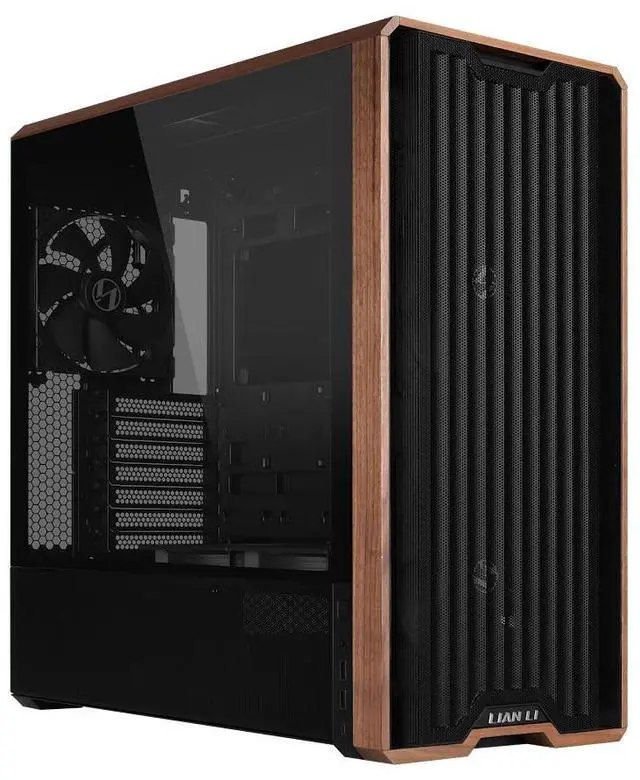
Lian Li LANCOOL 217
Best OverallBuy if: you want the best out-of-box cooling for the money — five fans included, including two feeding the GPU directly
Don't buy if: your GPU is longer than 380mm, or you want an all-glass showcase look
The 217 wins on the fan package. Five fans ship in the box: two 170mm front intakes, two 120mm reverse-blade fans above the PSU shroud aimed straight at the GPU, and one 140mm rear exhaust — the only pick here that cools the graphics card from below as well as from the front. Add back-connect motherboard support (ASUS BTF / MSI Project Zero style), a walnut or birch wood accent front, 380mm of GPU clearance, 180mm of CPU cooler height and a 360mm top radiator mount, and it is the most complete $119.99 case in this roundup. TechRepublic's best-overall pick, and PC Gamer's verdict was blunt: "rife with an insane amount of features… you won't regret it."
The trap is the name. The LANCOOL 217 INF launched 6 November 2025 at $124.99 (black) / $129.99 (white) — same chassis, infinity-mirror front panel, and 170mm proprietary front fans that are hard to replace if they fail outside warranty. Never pay INF money for the standard 217, and never print INF specs against it. The older Lancool 216 (~$100, two 160mm front fans) and the smaller Lancool 207 (~$80) are still sold and cheaper — the 207 is actually MaxMyBuild's thermal-balance leader — but neither matches the 217's fan package or back-connect support.
Pros
- 5 fans in the box — the best out-of-box cooling here, with GPU-feeding bottom intakes
- Back-connect motherboard support at $119.99
- 380mm GPU clearance, 180mm cooler height, 360mm top radiator
- Wood-accent front looks premium without the glass-front thermal penalty
Cons
- 380mm GPU limit excludes the very longest RTX 5090 cards
- 170mm front fans are an unusual size if you ever replace them
- No panoramic glass — a showcase build wants the H6 Flow instead
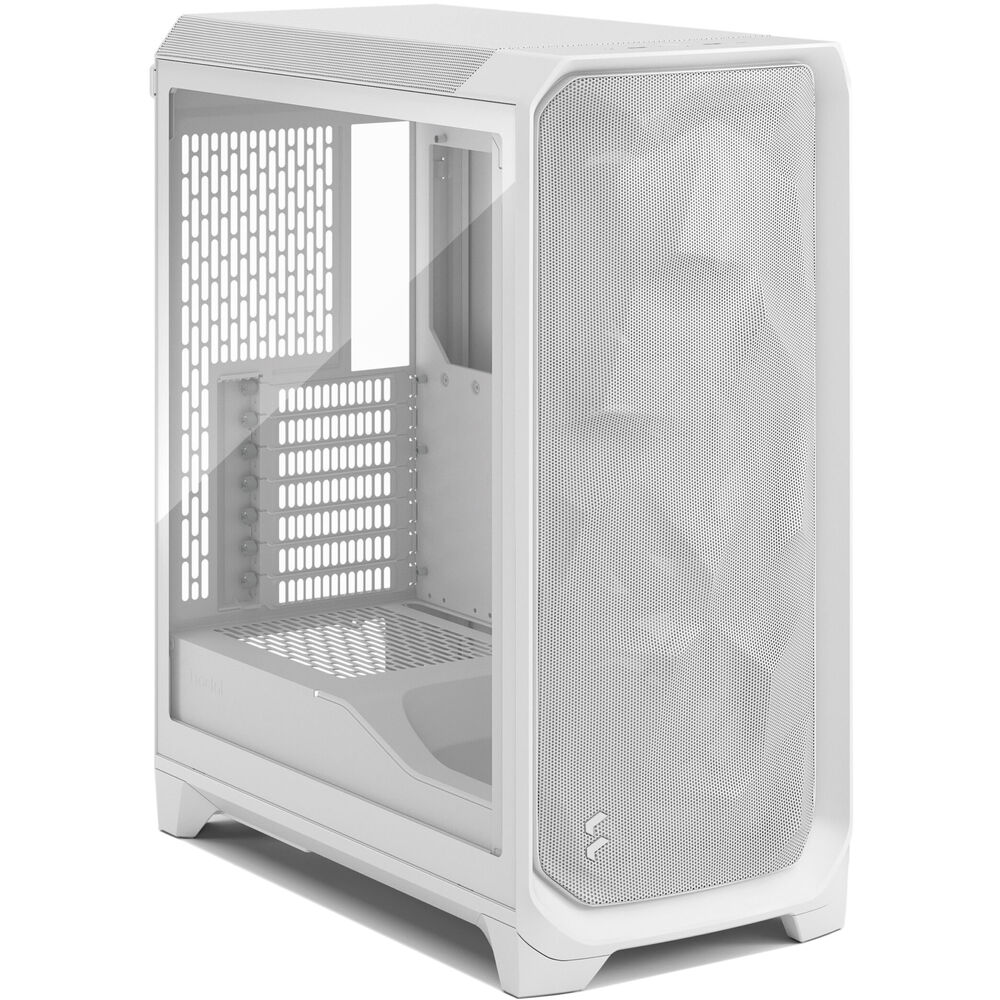
Fractal Design Meshify 3
Best AirflowBuy if: you want the best-tested airflow in a mid tower and your GPU is under 349mm
Don't buy if: you own one of the longest RTX 5090 cards, or you need back-connect motherboard support
The Meshify 3 is the airflow champion on measured data, not marketing. GamersNexus (May 2025) called it "the new chart leader": 40°C average over ambient on an all-core load, against 48°C for the Meshify 2 Compact and 54°C for the Meshify C. Three 140mm Momentum fans ship on every edition, the mesh front is the real thing — not a glass panel with side vents — and the $139.99 base price covers the Solid or tempered-glass editions. Front I/O includes a 20Gbps USB-C port, and the case takes a 280/360mm radiator up front or 240/280mm on top.
Two honest limits. First, GPU clearance is 349mm — the tightest in this roundup — and some RTX 5090 cards run to ~360mm, so measure your card before you buy; the Meshify 3 XL (from $169.99, GPU up to 512mm) is the fix, not a different pick. Second, there is no back-connect motherboard support, unlike the Lancool 217 and the FRAME 4000D. And do not pay the Ambience Pro RGB premium ($219.99) for thermals: the four editions differ only in lighting and the fan hub, not cooling.
Pros
- GamersNexus chart leader — best measured airflow here
- 3× 140mm fans included on every edition
- 20Gbps USB-C front I/O
- Clean, understated design that suits any room
Cons
- 349mm GPU clearance — the tightest here, excludes the longest 5090s
- No back-connect motherboard support
- Ambience Pro RGB costs $80 more for lighting, not cooling
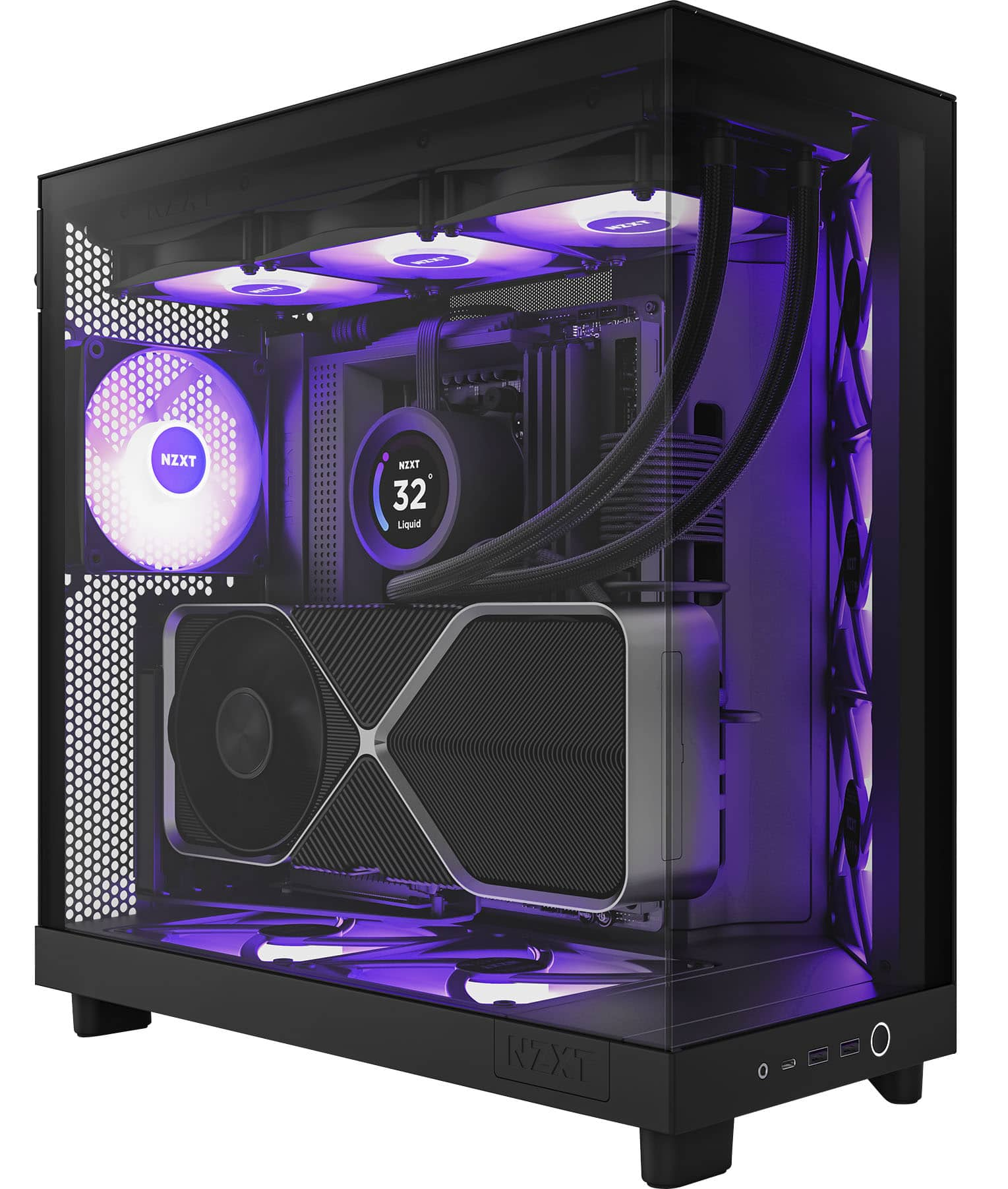
NZXT H6 Flow RGB
Best ShowcaseBuy if: you want the cleanest-looking build in this price band — panoramic glass, hidden PSU, no visible cables
Don't buy if: you cool with a tall air tower (163mm limit), or you need back-connect motherboard support
The H6 Flow RGB is the showcase pick: a compact dual-chamber layout that hides the PSU and cables behind the motherboard tray, wraparound panoramic tempered glass, and three 120mm RGB fans pre-installed at an angle so the hardware is the display. GamingPCGuru's best-overall pick, and owner feedback is strong on triple-fan GPUs — RTX 4080 and RX 7900 XT class cards fit comfortably inside the 365mm GPU limit. At 435 × 287 × 415mm it is also the most compact case here, so it suits a desk where a full tower would not.
Name the model exactly, because NZXT sells four lookalikes. The H6 Flow Compact is the 2025 smaller variant, the H7 Flow is larger with 420mm radiator support ($129.99, TechRepublic's liquid-cooling pick), and the H5 Flow is the smaller, older one. The non-RGB H6 Flow is the same chassis for less money — the RGB premium buys the three lit fans, nothing else. And the 163mm CPU cooler height is the lowest in this roundup: the Noctua NH-D15 is 165mm and does not fit, so this is an AIO or compact-air-cooler case.
Pros
- Dual-chamber layout — the cleanest-looking build here
- Panoramic glass with 3 RGB fans included
- Compact footprint that still fits triple-fan GPUs
- 360mm top radiator support
Cons
- 163mm cooler height — tall air towers like the NH-D15 do not fit
- No back-connect motherboard support
- Currently out of stock on NZXT direct — check retailers
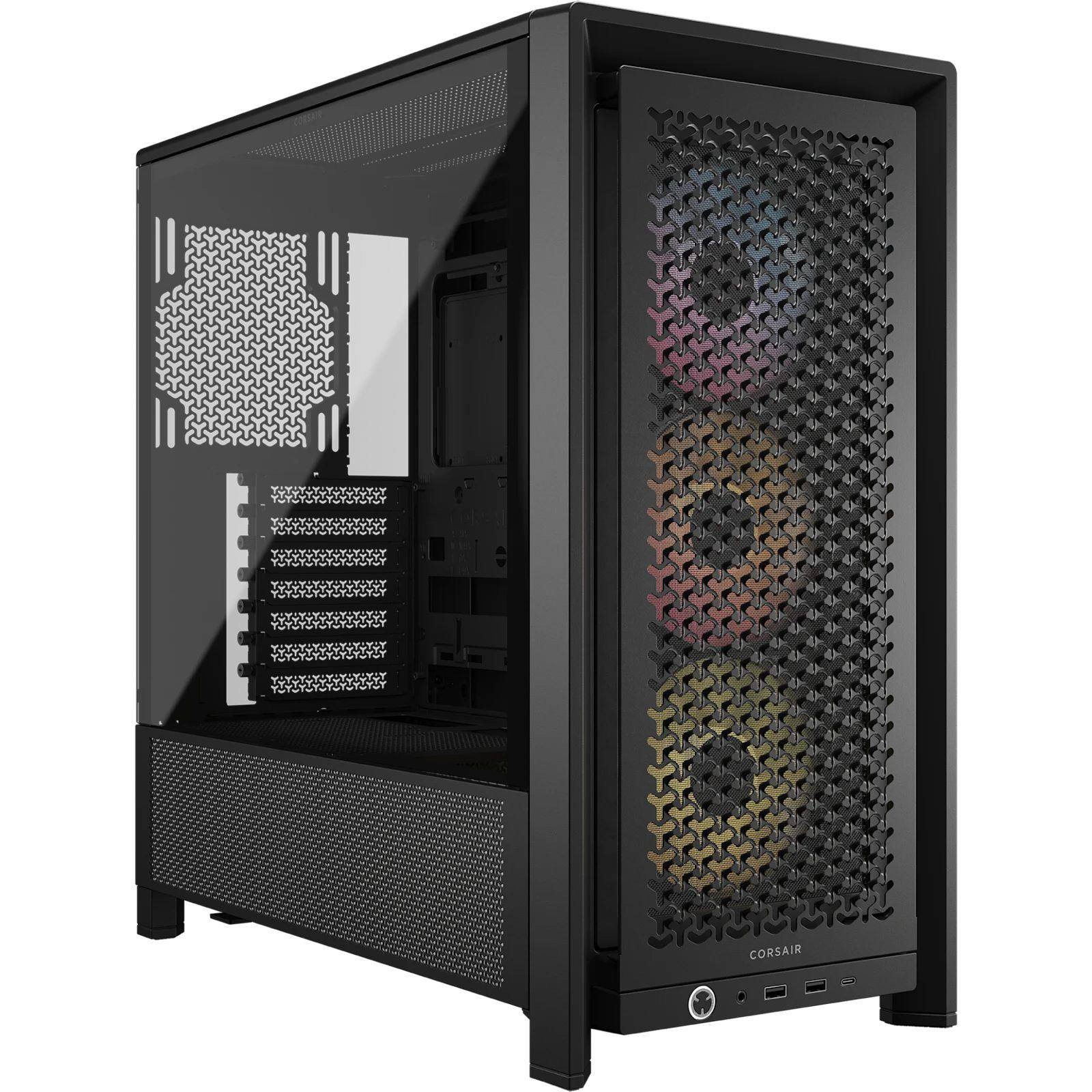
Corsair FRAME 4000D RS ARGB
Best ModularBuy if: you want a case that adapts to your next build — swappable tray, rails, and dual 360mm radiator support
Don't buy if: you want the lightest case (it is ~10kg), or you need 420mm AIO support
The FRAME 4000D RS ARGB is the only fully modular case here, and that is the whole point of it. The motherboard tray, front I/O and PSU shroud swap out; fans and radiators slide on InfiniRail mounts instead of fixed screw holes; two 360mm radiators fit at once (front + top + side all take 360mm); and reverse-connector motherboards from ASUS BTF, MSI Project Zero and Gigabyte Stealth are fully supported. GPU clearance is 430mm with the front fans installed — Corsair's own figure — plus a GPU anti-sag arm in the box and three RS120 ARGB PWM fans pre-installed. TechRepublic's best-modular pick.
Two things to get right. First, this is not the old 4000D Airflow (2020, fixed layout, two AirGuide fans) that still tops stale roundups — the FRAME is a different case with a different layout, and old-4000D specs do not apply. Second, the street price moves fast: the white model hit $75 on Amazon on 6 November 2026 (How-To Geek, an all-time low, expired by 8 November) and $94.99 the same day — against a $119.99 list. If the discount is live when you buy, this is the value story of the whole roundup; if not, it is still fairly priced at list.
The non-ARGB FRAME 4000D RS is a separate, cheaper variant with fewer fans — name the ARGB package explicitly.
Pros
- Fully modular — tray, shroud and I/O swap for the next build
- 430mm GPU clearance with front fans installed, anti-sag arm included
- Dual 360mm radiators simultaneously; reverse-connector boards supported
- 3× RS120 ARGB fans included; street price has dipped to $75
Cons
- ~10kg — the heaviest mid tower here
- 420mm AIOs are not supported
- Street price swings $75–$125 by colour and week — check live
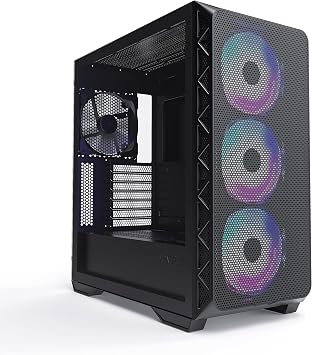
Montech AIR 903 MAX
Best Budget PickBuy if: you are building on a budget and want the most cooling per dollar in this guide
Don't buy if: you want a 2-year-plus warranty, or a premium-feeling build
The AIR 903 MAX is the budget pick because of what ships in the box: four 140mm fans — three HP140 ARGB up front and one HP140 PWM at the rear — for $79.99. No other case here includes that much cooling for the money, and 140mm fans move more air at lower RPMs than the 120mm fans most budget cases ship with. The 51% ventilated metal mesh front is genuinely open, GPU clearance is 400mm (Montech, Newegg and Conrad all agree — ignore the 435mm figure one aggregator prints), CPU cooler height is 180mm, and a 360mm radiator fits front and top. TechRepublic's best-budget pick, and it fits RTX 4090-class cards that cost more than ten of these cases.
The name matters: MAX means the four-fan package. The AIR 903 Base ships with fewer fans for less money, and Montech's XR and King 95 are different lines entirely — always buy the MAX by name. The honest trade is the warranty: one year, against two years at Corsair and Fractal and six at Antec. For a budget build that money goes to the GPU anyway — our gaming PC under $1000 guide is built on exactly that logic.
Pros
- 4× 140mm fans in the box — best fan-per-dollar here
- 400mm GPU clearance, 180mm cooler height, 360mm radiator front and top
- Genuinely open 51% mesh front
- Supports RTX 4090-class cards at $79.99
Cons
- 1-year warranty — short next to Corsair, Fractal and Antec
- Budget build quality and cable management, not premium
- Must buy the MAX by name — the Base ships with fewer fans
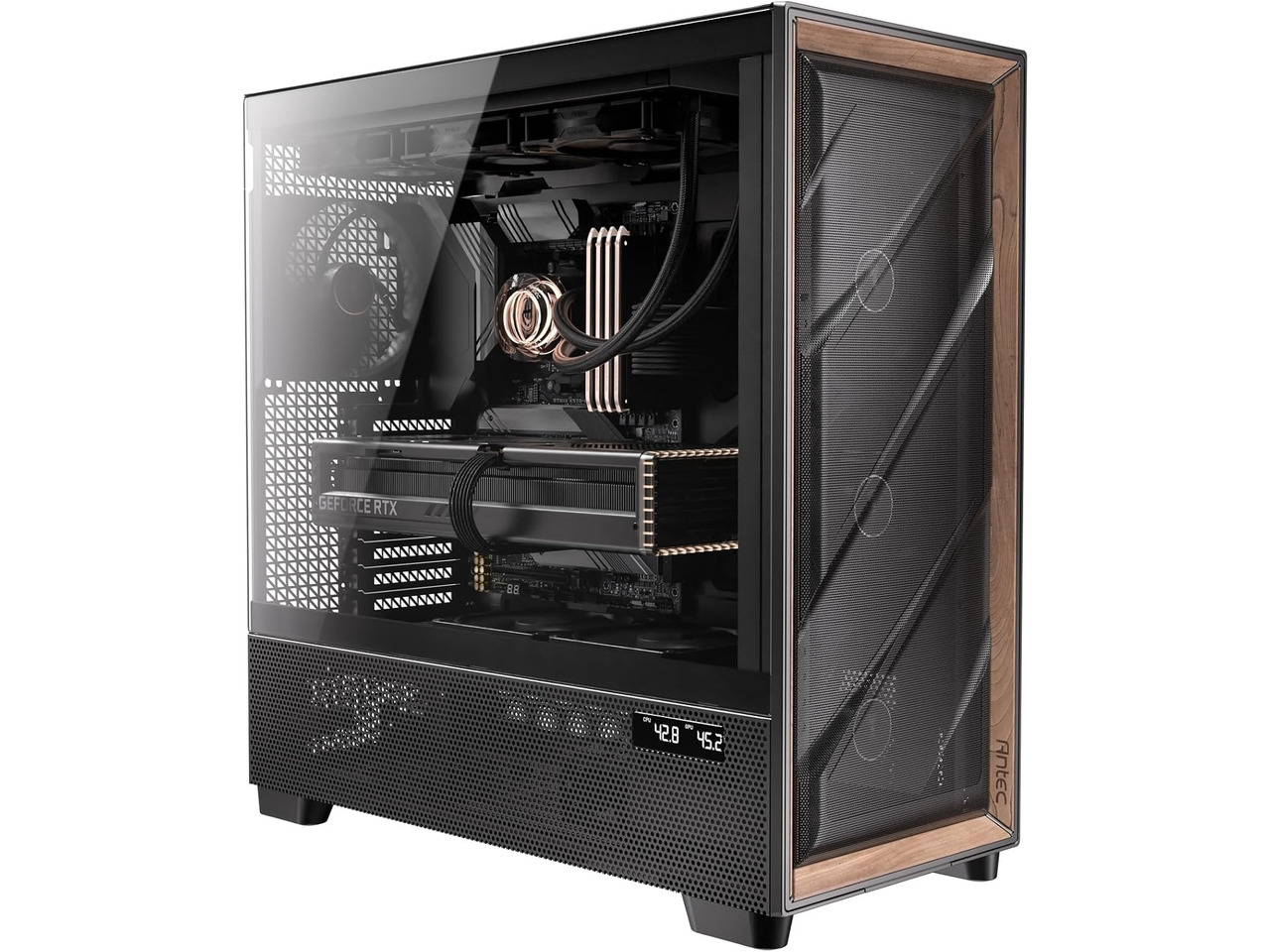
Antec FLUX Pro
Best Full TowerBuy if: you want maximum cooling out of the box — six fans, the longest GPU clearance here, and 420mm radiator headroom
Don't buy if: the case has to sit on your desk — at 545mm tall and ~14kg this is a floor case
The FLUX Pro is the full tower for people who actually need one: six PWM fans in the box (three 140mm front, two 120mm reverse-blade above the PSU shroud feeding the GPU, one 140mm rear), 455mm of GPU clearance — the longest here — 190mm of CPU cooler height, 420mm radiator support front and top, and a 6-year warranty. GamersNexus called it "already one of the best-performing cases we've ever tested" with the stock fans, and the walnut (black) or birch (white) wood front with a built-in temperature display gives it a look nothing else in this price band has. List price is $179.90 — reduced from the $219.99 launch price — and the black model was $149.99 on Amazon in late October 2026.
Do not confuse it with the Flux Pro Noctua Edition (March 2026, $399.90): same chassis, six Noctua G2 fans, a fan hub and brown styling. It is a $400 premium variant, not this pick — never print $399 against the standard Flux Pro. And be honest about the size: 530 × 245 × 545mm and roughly 14kg with fans makes this a floor case, not a desk case. If it has to live on a desk, buy the Lancool 217 instead — and check your gaming desk can take the weight and the footprint either way.
Pros
- 6 fans in the box — maximum cooling with nothing extra to buy
- 455mm GPU clearance and 190mm cooler height — the roomiest here
- 420mm radiator support; 6-year warranty
- Wood front + temperature display looks genuinely premium
Cons
- 545mm tall, ~14kg — a floor case, not a desk case
- The $399.90 Noctua Edition is a different, much dearer SKU
- More case than a single-GPU gaming build needs — see the size section
How Many Fans Does a Gaming PC Need?
Three fans cover most gaming builds — two front intake, one rear exhaust — and a fourth or fifth is worth 2–5°C; past six you are buying noise. That is the consensus across the guides and the testing: going from three fans to five is worth roughly 6°C, but going from five to nine buys only about 2°C more while adding around 45% more noise. Placement matters more than count — a front top exhaust can actually steal fresh air from the CPU cooler before it reaches it, a finding GamersNexus demonstrated on the HAVN BF 360.
Check the included-fan count on the card before you compare prices. The Lancool 217 ships five, the FLUX Pro six, the AIR 903 MAX four — those cases are ready out of the box. A case that ships with two fans and costs $20 less is not cheaper once you buy the missing three. And if your PC is loud, the case is often the reason: a choked case makes the fans spin faster for the same temperatures, which is why our loud-PC guide starts with airflow before it touches fan curves.
Is a Mesh Front Better Than Glass for Cooling?
Yes — a mesh front typically runs 2–8°C cooler on the GPU and CPU than a glass front at the same price, and in benchmark data the gap can reach 8–15°C on GPU temperatures. Air moves through mesh; a solid glass front forces it through narrow side vents, so the case runs hotter and the fans have to spin faster for the same temperatures. Glass trades thermals for looks — which is a fair trade if you know you are making it, and a bad one if you did not realise you were.
The standard 2026 compromise is a mesh front with a glass side: you get the airflow and the view. Five of the six cases in this guide are built that way. The exception proves the rule — the H6 Flow RGB is a glass showcase case, and it compensates with a dual-chamber layout and three angled RGB fans. One maintenance note: mesh lets more dust in, so clean the front and bottom filters monthly — a clogged filter quietly erases the mesh advantage.
What Size PC Case Should I Buy?
A mid tower, for almost every gaming PC. A mid tower fits an ATX board, nearly any graphics card and a 360mm radiator — every pick in this guide except the FLUX Pro is one. Mini-ITX and micro-ATX cases only make sense when you are saving space on purpose, and they make building harder and cooling worse. A full tower is for an E-ATX board, a custom water loop, or a lot of drives — not for a single-GPU gaming build.
| Size | Typical height | GPU length | Cooler height | Radiator | Buy it if… |
|---|---|---|---|---|---|
| Mini-ITX | ~300–400mm | ~300mm | ~130mm | 240mm | Space is the whole point |
| Micro-ATX | ~400–450mm | ~330mm | ~160mm | 240–280mm | Compact build, modest GPU |
| Mid tower | 465–505mm | 355–430mm | 170–180mm | Up to 360mm | Almost every gaming PC |
| Full tower | 530mm+ | 450mm+ | 190mm | Up to 420mm | E-ATX, custom loop, many drives |
Do not buy a full tower "for airflow" — a well-designed mid tower beats a badly ventilated full tower every time, because airflow is about the path the air takes, not the volume of the box. And remember the desk: the FLUX Pro is 545mm tall and belongs on the floor, while the H6 Flow RGB at 415mm tall fits under most desks.
Does a PC Case Affect FPS?
Only through throttling — a choked case lets the GPU hit 85°C and drop its boost clocks, which is where the frames go. One tested example: a Warzone setup running 144 FPS in a ventilated case fell to around 90 FPS when the same hardware was starved of air. The case does not add frames; it protects the frames your GPU already makes by holding its boost clocks under load.
That is also why a case upgrade is the wrong fix for low FPS in most situations. If your frames are low in a ventilated case, the bottleneck is the GPU or CPU, not the box — our FPS guide walks through the 5-minute bottleneck test that tells you which one. But if your GPU is throttling — clocks dropping, fans screaming, stutter appearing after ten minutes of play — the case is the first suspect, and our stuttering guide covers the same check from the symptom side.
Will My Graphics Card Fit in My Case?
Measure the card's length against the case's maximum GPU length — and re-check with a front radiator fitted, because the published clearance usually assumes there is not one. The number on the box is measured with the front fans in place; add a front-mounted radiator and its fans and the usable length shrinks by 50–60mm. That is the mistake that turns a finished build into a return label.
Three rules: (1) check length and thickness — a 3.5-slot card can foul the side panel or the PSU shroud even when the length fits; (2) check the power-cable clearance — a 12VHPWR connector needs room to bend without kinking; (3) if your card is one of the longest RTX 5090s (~360mm), skip the Meshify 3 (349mm) and buy the Lancool 217 (380mm), the FRAME 4000D RS ARGB (430mm) or the FLUX Pro (455mm) instead. The comparison table at the top of this guide has every pick's clearance in one place — use it before you buy.
Buying Guide: What Actually Matters
After size, the four things worth your attention are clearance, included fans, front-panel material, and radiator support — in that order. Clearance decides whether your parts fit at all: GPU length first, then CPU cooler height, then PSU length. Included fans decide the true cost: a case with no fans is not really that price. Front-panel material decides temperatures: mesh beats glass by 2–8°C. Radiator support decides your cooling future: a 360mm mount keeps the AIO option open.
Three things not to overpay for: RGB lighting on a case you will never look inside (the non-RGB H6 Flow is the same chassis for less), a full tower for a single-GPU build, and a premium edition that only changes the lighting — the Meshify 3 Ambience Pro costs $80 more than the base for the same cooling. Check the return policy before the spec sheet: case quality is hard to judge from photos, and a week of real building is the only review that counts. And check the edition before you buy — the Lancool 217 INF, the Meshify 3 XL, the FRAME 4000X RS and the Flux Pro Noctua Edition all look near-identical to their cheaper siblings and are not the same case.
Cases to Skip in 2026
Corsair 4000D Airflow (2020) — superseded, not bad. It was a great case in 2020, and it still tops stale roundups as a "premium" pick. The FRAME 4000D RS ARGB is its successor in the same price band with a modular layout, back-connect support and a 430mm GPU limit — buy that instead, and never print old-4000D specs against the FRAME name.
Fractal Design Define R5 — a 2019 case still crowned by one top-10 result. Solid front, sound-dampened, built for a different era of quiet computing. Modern GPUs need the airflow the Meshify 3 gives them; the Define R5 belongs in a museum, not a 2026 gaming build.
Lian Li PC-O11 Dynamic — "6 years running" per one ranking page, and it shows. A landmark case that launched the panoramic-glass trend, but the H6 Flow RGB does the same job with better out-of-box cooling and a lower price in 2026. Buy the current generation, not the landmark.
Any case with zero fans in the box at a budget price. The headline price is not the price. A $70 case with no fans plus $30 of fans is a $100 case that cools worse than the $79.99 AIR 903 MAX, which ships four 140mm fans. Compare the true cost every time.
Frequently Asked Questions
What is the best PC case for gaming in 2026?
The Lian Li LANCOOL 217 is the best PC case for most gaming builds in 2026 — five fans in the box, including two 120mm fans feeding the GPU directly, back-connect motherboard support, and a $119.99 list price. If pure airflow is the priority, the Fractal Design Meshify 3 is GamersNexus's current chart leader; on a budget, the Montech AIR 903 MAX ships four 140mm fans for $79.99.
Do more fans mean better cooling?
Up to a point. Going from three fans to five is worth roughly 6°C in typical testing, but adding a sixth through ninth fan buys only about 2°C more while adding around 45% more noise. Three fans — two front intake, one rear exhaust — covers most builds; add a fourth or fifth only if your GPU runs hot.
Is tempered glass bad for airflow?
As a front panel, yes: a solid glass front forces air through narrow side vents, so the case runs hotter and the fans spin faster for the same temperatures. As a side panel it is fine — the standard 2026 compromise is a mesh front with a glass side, which is how most of the cases in this guide are built.
Do mesh cases get dusty faster?
Yes, a little — an open mesh front lets more dust in than a solid panel. The trade is roughly 10°C better temperatures for a monthly filter clean: pull the front and bottom filters, rinse or brush them, and put them back. Skip the cleaning and the mesh advantage slowly disappears as the filters clog.
Can I put a 360mm AIO in a mid tower?
Yes — every mid tower in this guide fits a 360mm radiator somewhere, but check the exact mount before you buy: the Lancool 217 takes 360mm on top, the Meshify 3 takes it on the front (or 240/280mm on top), and the H6 Flow RGB takes it on top. A front-mounted radiator also eats into GPU clearance, so measure both.
Is a bigger case better for cooling?
Not directly. A bigger case fits more and larger fans, but a well-designed mid tower beats a badly ventilated full tower every time — airflow is about the path the air takes, not the volume of the box. Buy a full tower only if you need the space: an E-ATX board, a custom loop, or a lot of drives.
Do I need a case with preinstalled fans?
Not strictly, but budget for them: a case that ships with no fans is not really that price. A $80 case plus $30 of fans is a $110 case. Every pick in this guide states its included-fan count on the card, so compare the true cost, not the headline price.