Best Motherboards for Gaming PC in 2026: 6 Picks

November 2026 is a strange month to buy a motherboard. The boards themselves are settled — B850 is the obvious default for AMD, B860 for Intel, and the flagship chipsets are for ports, not performance — but the memory that goes into them has tripled in price in a year, and the guides ranking the boards have not caught up. The biggest name in the field still crowns boards by chipset prestige, the small sites repeat the same four picks, and nobody in the top 10 gives you a straight answer on whether your old DDR4 is suddenly worth keeping. This guide is current as of 16 November 2026: every pick is buyable in the US today, every price was verified this week, and every naming trap is named.
One thing this guide will not do is pretend we lab-tested these boards ourselves. Every load-bearing claim below is attributed to the outlet that measured it — Tom's Hardware, TechSpot, WCCFTech — or to the maker's own spec page, and where sources disagree or a claim is unverified, the disagreement is printed, not hidden.
Quick Comparison
| Product | Key Specs | ||
|---|---|---|---|
| #1 | MSI MAG B850 Tomahawk MAX WiFi IITop Pick · Best Overall | B850 · AM5 · ATX · 14+2+1 power · 4× M.2 · Wi-Fi 7 · 5GbE · $229.99 | Check Price |
| #2 | MSI B850 Gaming Plus WiFiBest Budget | B850 · AM5 · ATX · 12+2+1 60A · 3× M.2 (1 Gen5) · Wi-Fi 7 · 2.5GbE · $179.99 | Check Price |
| #3 | ASUS ROG Strix X870E-E Gaming WiFiBest High-End AMD | X870E · AM5 · ATX · 18+2+2 · 5× M.2 (3 Gen5) · dual USB4 · Wi-Fi 7 · $449.99 | Check Price |
| #4 | MSI MAG Z890 Tomahawk WiFiBest Intel | Z890 · LGA1851 · ATX · 18+1+1 · 4× M.2 · dual Thunderbolt 4 · Wi-Fi 7 · $259.99 | Check Price |
| #5 | ASUS ROG Strix B850-I Gaming WiFiBest Mini-ITX | B850 · AM5 · Mini-ITX · 10+2+1 70A · 2× M.2 · Wi-Fi 7 · 2.5GbE · $299.99 | Check Price |
| #6 | ASUS TUF Gaming B850M-Plus WiFi7Best Micro-ATX | B850 · AM5 · mATX · 14+2+1 80A · 3× M.2 · Wi-Fi 7 · 2.5GbE · $229.99 | Check Price |
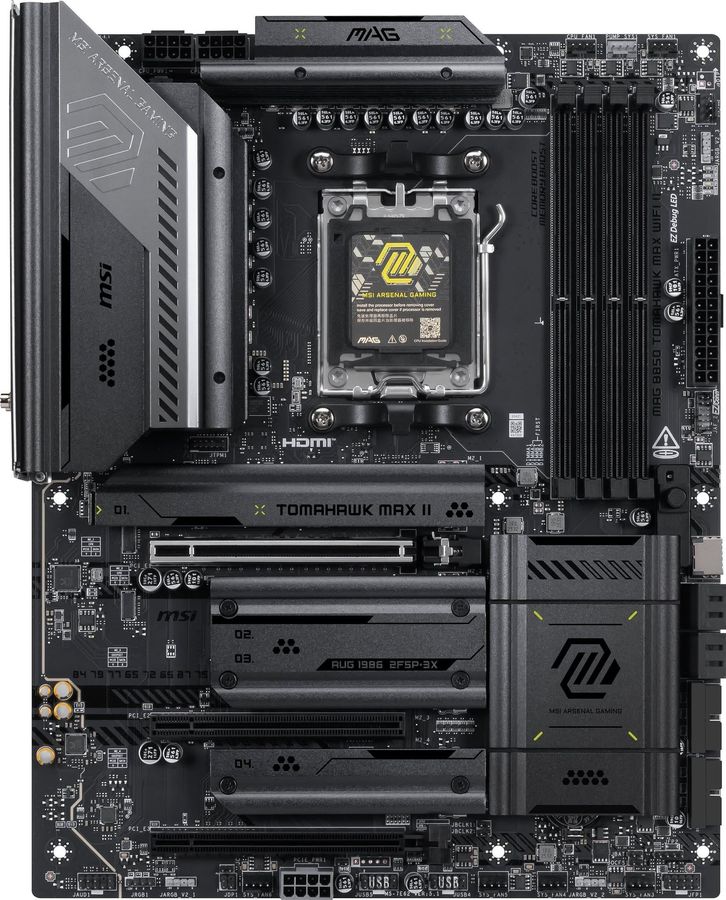
MSI MAG B850 Tomahawk MAX WiFi II
Top Pick · Best OverallBuy if: you want the board every 2026 roundup converges on — the default AM5 pick for any Ryzen gaming build
Don't buy if: you need USB4 (this board does not have it) or you are building Mini-ITX — this is a full-size ATX board
The Tomahawk MAX WiFi II is the consensus pick of the 2026 field for a reason: Tom's Hardware names the Tomahawk family its favourite B850 board after its own testing, and the II is the current refresh of that board — an OC Engine chip, a 64MB BIOS, and a fourth M.2 slot added to the original MAX, for $20 more. The 14+2+1 Duet Rail power system feeds any Ryzen made today, including a 16-core 9950X3D, without breaking a sweat; the four M.2 slots (two of them Gen5) cover a gaming library for years; and Wi-Fi 7 plus 5GbE means the networking is done. It also has the BIOS Flashback button, so a Ryzen 9000 chip boots on day one with no older CPU needed.
The honest caveats are small. It costs $229.99 against the original MAX WiFi's $209.99, and the OC Engine and extra M.2 slot are the only differences most buyers will ever notice — if the original MAX is in stock at $209.99, it is the same board for most practical purposes. And this is a B850 board, so there is no USB4: if you live on 40Gbps external drives, the X870E pick below is the answer. Neither caveat changes the verdict: for most AMD gaming builds in 2026, this is the board.
Pros
- Tom's Hardware's favourite B850 board after its own lab testing
- 14+2+1 Duet Rail power delivery — feeds any Ryzen, including the 9950X3D
- 4× M.2 slots (2× Gen5), Wi-Fi 7, 5GbE, BIOS Flashback button
- OC Engine chip and 64MB BIOS over the original MAX
Cons
- $20 more than the original MAX WiFi for upgrades most buyers will not use
- No USB4 — X870 is the step up for 40Gbps ports
- ATX only — no smaller version of this board
List price $229.99 (Tom's Hardware, Nov 2026); WCCFTech's February 2026 review priced it at ~$239. The original MAX WiFi is $209.99 if you find it in stock. Check the price before buying, as prices change — and confirm the listing says "MAX WiFi II", not "MAX WiFi".
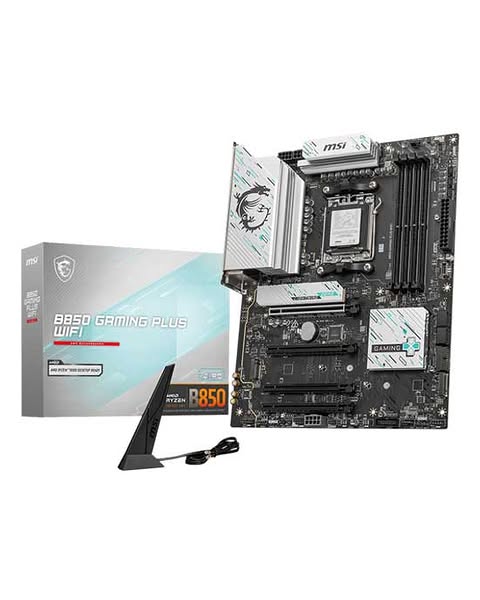
MSI B850 Gaming Plus WiFi
Best BudgetBuy if: you want the cheapest honest way onto AM5 — a board that still fits a 9800X3D
Don't buy if: you want more than one Gen5 drive, or 5GbE networking — the Tomahawk above adds both
The Gaming Plus WiFi is the floor that still counts: a full-size B850 board with a PCIe 5.0 graphics slot, a Gen5 M.2 slot, Wi-Fi 7 and a 12+2+1 power design with 60A stages — enough for a Ryzen 7 9800X3D at stock and with PBO enabled. At $179.99 on MSI's own store (down from $209.99), it is $50 less than the Tomahawk, and the gaming performance is identical: same socket, same CPUs, same frames. The three M.2 slots cover an OS drive, a games drive and one more, and the BIOS Flashback button is there too.
The trade-offs are where the $50 went. Only one of the three M.2 slots is Gen5 — the other two are Gen4, and the third runs at half speed (x2). The LAN is 2.5GbE, not the Tomahawk's 5GbE. And the name is a trap: MSI sells this board, a "MAX" version with 5GbE and two Gen5 slots, and a rear-connector "PZ" version — all under near-identical listings. Buy the plain B850 Gaming Plus WiFi, part number as listed, and check the listing before paying.
Pros
- $179.99 — the cheapest board in this guide that still fits a 9800X3D
- 12+2+1 power design with 60A stages, PCIe 5.0 graphics slot, Gen5 M.2, Wi-Fi 7
- Same gaming FPS as boards costing twice as much
- BIOS Flashback button included
Cons
- Only one Gen5 M.2 slot; the third M.2 slot is Gen4 x2 (half speed)
- 2.5GbE LAN, not 5GbE
- Near-identical MAX and PZ variants — easy to buy the wrong one
List price $179.99 at the MSI US store (was $209.99, checked 16 Nov 2026). Check the price before buying, as prices change — and confirm the listing is the plain Gaming Plus WiFi, not the MAX or PZ version.
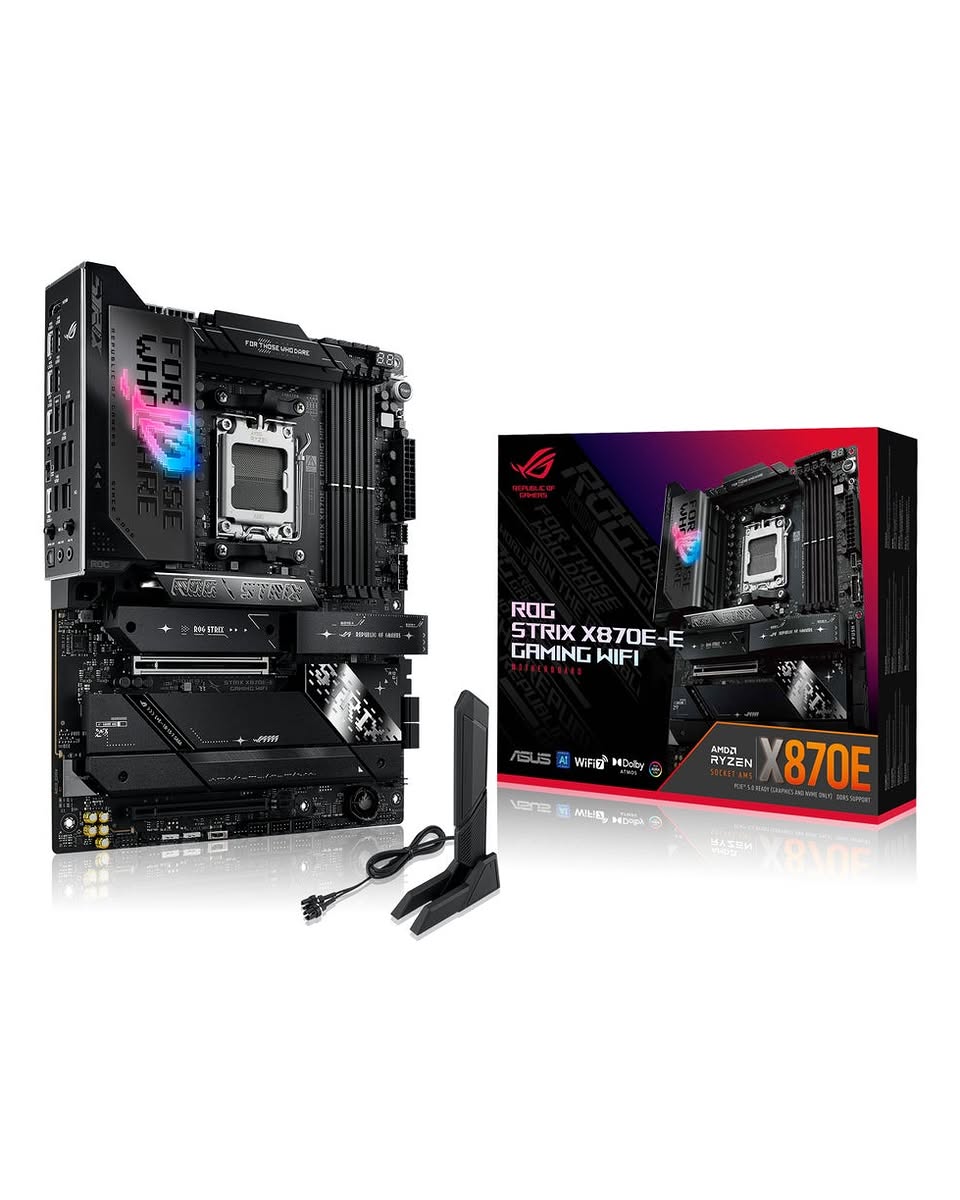
ASUS ROG Strix X870E-E Gaming WiFi
Best High-End AMDBuy if: you run several Gen5 drives, a capture card and a 16-core CPU at once — the board for heavy I/O builds
Don't buy if: you just want frames — it games exactly as fast as the $229.99 Tomahawk above
The Strix X870E-E is the board for the build where the motherboard is the bottleneck — and that build is rarer than the price suggests. The 18+2+2 power stages feed a 9950X3D without a thought, the five M.2 slots (three of them Gen5) swallow a multi-drive library, dual USB4 ports handle 40Gbps externals, and ASUS's Dynamic OC Switcher plus AI Overclocking give overclockers something to tune. It is the board every high-end AM5 roundup converges on, and at $449.99 list it is the cheapest honest way into X870E with this feature set.
Say the quiet part out loud: it buys zero extra FPS over pick #1. The same Ryzen 7 9800X3D scores the same on this board and on the Tomahawk — the extra $220 is slots, ports and power headroom. The street price softens the blow (around $352 on Amazon and $373 at Best Buy in mid-November), but it is still a $350+ board. And mind the name: ASUS also sells an X870E-E Gaming WiFi7 NEO at $599.99 — a different, pricier board — and the X870E-A NEO at $679.99. Buy the plain X870E-E, and check the listing.
Pros
- 18+2+2 power stages — the strongest VRM in this guide
- 5× M.2 slots (3× Gen5), dual USB4, Wi-Fi 7, Dynamic OC Switcher
- Street price around $352–$373, well under the $449.99 list
- The board for multi-drive, capture and 16-core builds
Cons
- Zero extra FPS over the $229.99 Tomahawk — the premium is ports, not performance
- Still 2.5GbE at this price — no 10GbE
- NEO variants at $599.99+ share the name — easy to overpay
List price $449.99 at the ASUS Store (checked 16 Nov 2026); Amazon around $351.99 and Best Buy $373.49 the same week. Check the price before buying, as prices change — and confirm the listing is the plain X870E-E, not the NEO.
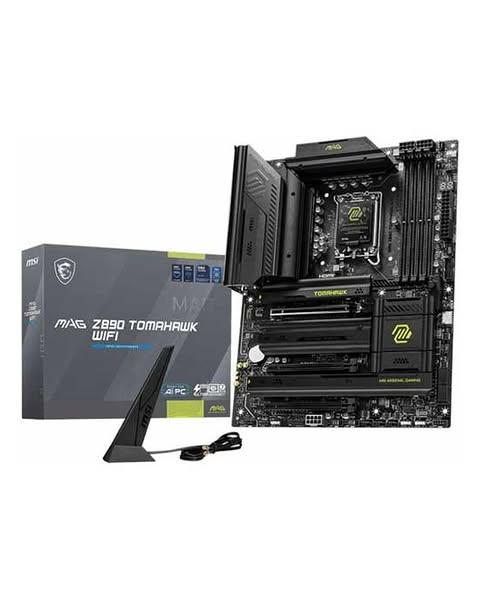
MSI MAG Z890 Tomahawk WiFi
Best IntelBuy if: you are building on Intel's Core Ultra platform and you want to overclock — Z890 is the only chipset that allows it
Don't buy if: you will not overclock — the B860 Tomahawk covers the same build for less, and Ryzen X3D still leads in gaming benchmarks
The Z890 Tomahawk WiFi is the Intel default for overclockers: an 18+1+1 power design, four M.2 slots, two Thunderbolt 4 ports, Wi-Fi 7 with 320MHz channels, and 5GbE — the full Z890 feature set at $259.99. It is the board for a Core Ultra 7 265K or Ultra 9 285K build where the CPU gets pushed, and it is the one Tom's Hardware's Intel shortlist keeps returning to. The BIOS supports the Arrow Lake Refresh chips (Core Ultra 200S Plus) out of the box, and the Flash BIOS button is there for updates.
Two honest warnings. First, the WiFi II refresh is $30 cheaper at $229.99 — but it is a different board: it drops the second Thunderbolt 4 port and the 320MHz Wi-Fi 7 channels, and TweakTown's review notes it still sells at launch price while Z890 production winds down. Second, Intel has not confirmed a successor on LGA 1851, so buy this board expecting to keep the CPU — the upgrade path is the socket's, not the board's. And for pure gaming, Ryzen X3D still leads the benchmarks: buy Intel here for the platform, not to chase the fastest gaming CPU.
Pros
- The only Intel chipset with CPU overclocking — Z890, at a mid-range price
- 18+1+1 power design, 4× M.2, dual Thunderbolt 4, Wi-Fi 7 (320MHz), 5GbE
- Supports Arrow Lake Refresh (Core Ultra 200S Plus) out of the box
- BIOS Flashback button included
Cons
- $30 more than the WiFi II refresh — which drops a Thunderbolt port and 320MHz Wi-Fi
- No confirmed successor on LGA 1851 — buy it expecting to keep the CPU
- Ryzen X3D still leads in gaming benchmarks — Intel is the platform choice, not the FPS choice
List price $259.99 (B&H, checked 16 Nov 2026); the WiFi II refresh is $229.99. Check the price before buying, as prices change — and confirm the listing is the original Tomahawk WiFi, not the II.
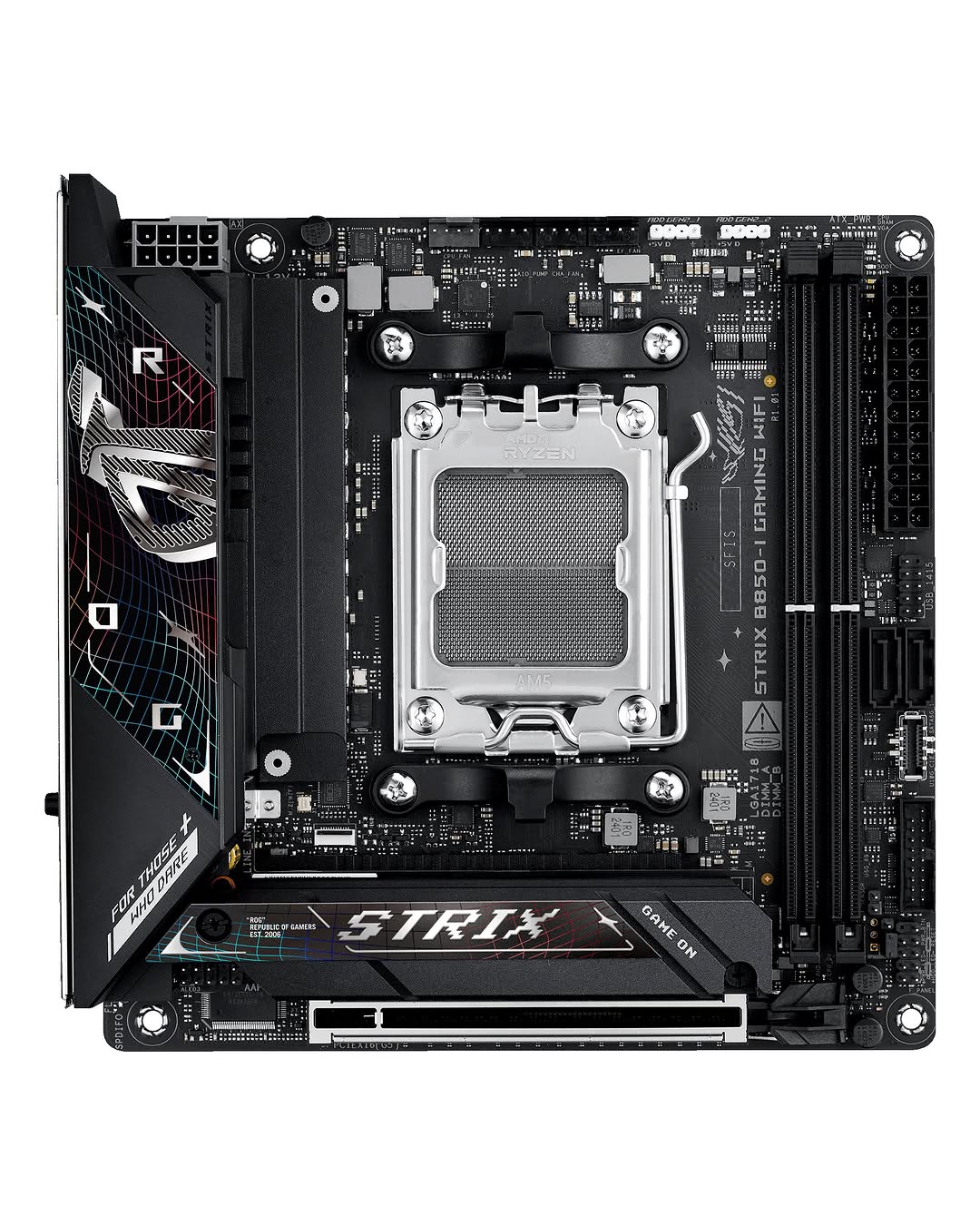
ASUS ROG Strix B850-I Gaming WiFi
Best Mini-ITXBuy if: the whole PC is being built around Mini-ITX — a small-form-factor build where every millimetre counts
Don't buy if: you have an ATX or mATX case — the Tomahawk above is $70 cheaper and gives you four M.2 slots instead of two
The Strix B850-I is the small-form-factor pick every 2026 roundup names, and the spec sheet explains why: a 10+2+1 power design with 70A stages that feeds a 9800X3D without complaint, a PCIe 5.0 x16 slot, two M.2 slots, Wi-Fi 7 and 2.5GbE — the full B850 feature set in a 170×170mm board. It is the board for a living-room PC, a LAN-party rig, or a desk where a full tower does not fit, and at $299.99 on Amazon it is the cheapest honest way into a current-generation Mini-ITX gaming build.
The Mini-ITX compromises are real and they are the whole story of this form factor. Two DIMM slots only — every RAM upgrade means replacing sticks, not adding them, and in November 2026 RAM is the expensive part. Two M.2 slots only, against four on the Tomahawk. And the $70 premium over the full-size Tomahawk buys you smallness, not speed: the same CPU games exactly as fast on either board. Budget the SFF case and the cooling care too — a Mini-ITX build runs hotter, and the board cannot fix a case with no airflow.
Pros
- 10+2+1 power design with 70A stages — feeds a 9800X3D in a 170mm board
- PCIe 5.0 x16, 2× M.2, Wi-Fi 7 — the full B850 feature set, miniaturised
- The small-form-factor pick every 2026 roundup names
Cons
- Two DIMM slots only — RAM upgrades mean replacing, not adding
- Two M.2 slots against four on the Tomahawk
- $299.99 — a $70 premium over the full-size Tomahawk for smallness, not speed
Amazon $299.99 (checked 15 Nov 2026); B&H $324.99. Check the price before buying, as prices change.
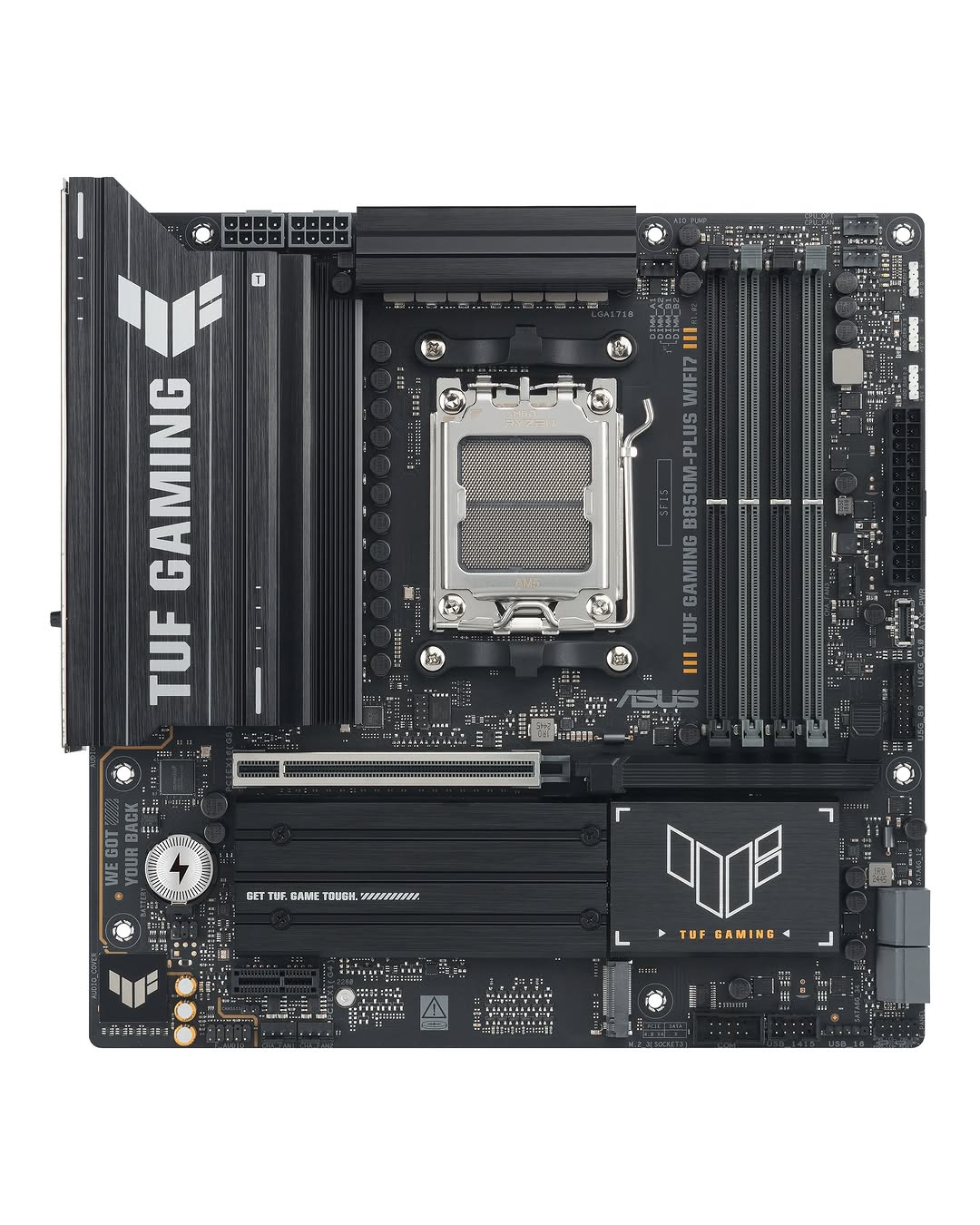
ASUS TUF Gaming B850M-Plus WiFi7
Best Micro-ATXBuy if: you want the full B850 feature set in a smaller, cheaper board — the mATX default
Don't buy if: you need four M.2 slots or a second full-length PCIe slot — mATX trades expansion for size
The TUF B850M-Plus WiFi7 is the micro-ATX default, and it is the quiet value pick of this guide: a 14+2+1 power design with 80A stages — the same power class as the Tomahawk — three M.2 slots, Wi-Fi 7, 2.5GbE and a BIOS Flashback button, in a board that fits cases the full-size ATX boards cannot. At $229.99 on the ASUS Store it costs the same as the Tomahawk while giving up one M.2 slot and the 5GbE port, and it gains the smaller footprint. For a compact build that does not need four drives, it is the better buy.
The mATX trade-offs are the size of the board. Fewer expansion slots than ATX — one full-length GPU slot and limited room for add-in cards — and three M.2 slots against the Tomahawk's four. The white W variant costs $30 more ($259.99) for the colour alone, so buy the black board unless the white build is the point. And the name is a trap of its own: ASUS also sells a B850M-Plus (no WiFi7 suffix) and a plain B850-Plus ATX — check the exact model before paying.
Pros
- 14+2+1 power design with 80A stages — Tomahawk-class power in mATX
- Full B850 feature set: 3× M.2, Wi-Fi 7, BIOS Flashback
- Fits smaller cases the ATX boards cannot
Cons
- Fewer expansion slots than ATX — one full-length GPU slot, limited add-in room
- Three M.2 slots against four on the Tomahawk; 2.5GbE, not 5GbE
- The white W variant is $30 more for the colour alone
List price $229.99 at the ASUS Store (checked 16 Nov 2026); the white W variant is $259.99. Check the price before buying, as prices change.
Does a Motherboard Affect Gaming Performance?
No — not in the way the price tags suggest. A motherboard does not add frames: the same CPU and GPU score the same on a $180 B850 board and a $450 X870E board, because the board sets the platform, not the speed. Tom's Hardware tested this directly in July 2026, running flagship CPUs on budget and high-end boards and measuring VRM temperatures, and found that mainstream boards do not throttle even the top chips.
What a motherboard actually decides is narrower and more important than the marketing suggests: which CPU you are allowed to install, how many drives and cards you can add later, and whether the board is still useful in three years. The expensive board buys you slots, ports and power headroom — more M.2 drives, USB4, a VRM that stays cool under a 16-core chip. It does not buy you a faster processor, and it does not buy you frames. The one exception is the floor: a cheap A620 or B840-class board with thin VRM cooling can throttle a 16-core chip under sustained load. Every board in this guide is above that floor.
AMD or Intel — Which Platform Should You Buy in 2026?
For most gaming builds in 2026, AMD — and the reason is the CPU, not the board. The Ryzen 7 9800X3D is the fastest gaming CPU on the market, it costs less than Intel's flagship, and it runs on a $180 B850 board. Intel's Core Ultra chips win in productivity workloads, but for pure gaming the X3D cache is the deciding factor, and no motherboard closes that gap.
| Platform | Socket / Chipsets | Buy It If | Watch Out For |
|---|---|---|---|
| AMD AM5 | AM5 · B850 / X870 / X870E · DDR5 only | You want the fastest gaming CPU (9800X3D) and the longest upgrade path — AMD has committed to AM5 through at least 2027 | DDR5 only — your old DDR4 does not fit, and DDR5 is expensive right now (see below) |
| Intel LGA1851 | LGA1851 · B860 / Z890 · DDR5 only | You want Intel — productivity, Quick Sync, or a specific Intel feature — and you will overclock (Z890) or not (B860) | No successor confirmed on LGA1851 — buy it expecting to keep the CPU; Ryzen X3D still leads in gaming |
| AMD AM4 (reuse) | AM4 · B550 · DDR4 only | You already own DDR4 and a Ryzen 5000 chip, or a 5700X3D is your budget route | No new CPUs are coming for AM4 — it is a reuse path, not a new-build default |
| Intel LGA1700 (reuse) | LGA1700 · Z790 / B760 · DDR4 or DDR5 per board | You already own DDR4, or you find a discounted 13th/14th-gen CPU | DDR4 and DDR5 boards look identical and are not interchangeable — the memory type is per-board |
The reuse rows deserve a second look in November 2026, because the memory market has inverted the usual advice. A year ago, AM4 was the budget path for people who could not afford DDR5; today, DDR5 is so expensive that reusing DDR4 you already own is a rational decision even for a mid-range build. The DDR4 section below runs the numbers.
Is B850 Good Enough for Gaming, or Do I Need X870?
B850 is good enough — for the overwhelming majority of gaming builds. Every AM5 board, from the $179.99 Gaming Plus to the $449.99 Strix X870E-E, supports precisely the same range of Ryzen 9000, 8000 and 7000 processors. The price difference buys you M.2 slots, USB ports and power-delivery headroom. It does not buy you a faster processor, and it does not buy you frames.
| Chipset | What Changes | Buy It If |
|---|---|---|
| B840 | Entry tier; PCIe 5.0 GPU optional, no CPU overclocking on some boards | Budget only — not a gaming default |
| B850 | PCIe 5.0 GPU on most boards, Gen5 M.2 required, memory overclocking, USB4 optional | Most gaming builds — the sweet spot |
| X870 | Essentially B850 with mandatory USB4 | You need 40Gbps USB4 ports |
| X870E | Two chipset dies; most lanes and USB; multiple Gen5 M.2 slots | Several Gen5 drives, capture cards, 10GbE — heavy I/O builds |
| B860 (Intel) | PCIe 5.0 GPU + Gen5 M.2 from the CPU, memory overclocking, no CPU overclocking | Intel gaming builds that will not overclock |
| Z890 (Intel) | The only Intel chipset with CPU overclocking; most lanes, Thunderbolt 4 on many boards | Intel overclockers and maximum-connectivity builds |
The honest version: B850 covers the overwhelming majority of gaming builds, and the money you save is better spent on the graphics card, which is the component that actually decides how the game looks and runs. Step up to X870 only if you want USB4 ports, and to X870E only if you need the extra PCIe lanes for several Gen5 drives or add-in cards.
Which Motherboard Matches Your CPU?
Match the board to your CPU's power draw and your drive count, not to the chipset badge. The table below is the whole buying decision for most readers.
| Your CPU | Buy This | Why |
|---|---|---|
| Ryzen 5 7600X / 9600X | MSI B850 Gaming Plus WiFi ($179.99) | 65–105W chips — the 12+2+1 power design is more than enough, and the $50 saving buys RAM |
| Ryzen 7 9800X3D | MSI MAG B850 Tomahawk MAX WiFi II ($229.99) | 120W, and the 3D V-Cache is the thermal bottleneck — any decent B850 feeds it; this one adds 4× M.2 and 5GbE |
| Ryzen 9 9900X / 9950X | MSI MAG B850 Tomahawk MAX WiFi II ($229.99) | 14+2+1 power stages handle 16 cores without throttling — no need for X870E |
| Ryzen 9 9950X3D + 3+ Gen5 drives | ASUS ROG Strix X870E-E Gaming WiFi ($449.99) | The one case where X870E earns its price: 18+2+2 power, 5× M.2 (3× Gen5), dual USB4 |
| Core Ultra 5 245K / 265K (no overclock) | MSI MAG B860 Tomahawk WiFi ($229.99) | B860 is the Intel default for non-overclockers — same build, less money than Z890 |
| Core Ultra 7 265K / 9 285K (overclocking) | MSI MAG Z890 Tomahawk WiFi ($259.99) | Z890 is the only Intel chipset with CPU overclocking; 18+1+1 power and dual Thunderbolt 4 |
| Any Ryzen, small-form-factor build | ASUS ROG Strix B850-I Gaming WiFi ($299.99) | The Mini-ITX pick — 10+2+1 power in a 170mm board |
| Any Ryzen, compact mATX build | ASUS TUF Gaming B850M-Plus WiFi7 ($229.99) | Tomahawk-class 14+2+1 power in a smaller board |
Two notes on the table. First, the 9800X3D sits in the middle of the range but behaves like a lighter chip: its 3D V-Cache is the thermal bottleneck, so a bigger board buys almost nothing on it (see the FAQ below). Second, the B860 Tomahawk is not a card in this guide — it is the honest Intel default for non-overclockers, and it belongs in the table so the Z890 pick is not oversold.
How Much Should I Spend on a Gaming Motherboard?
$180–$250 is the reasonable target for most gaming builds — that is the B850/B860 band, and it is where every pick in this guide except the X870E-E lives. Below $180 you start losing things that matter: the Gen5 M.2 slot, Wi-Fi 7, the BIOS Flashback button, and the VRM cooling that keeps a 9800X3D fed. Above $250 you are paying for ports and lanes, not performance.
Spend $400 or more only when the build genuinely needs it: several Gen5 drives at once, a capture card plus 10GbE, a 16-core CPU under sustained all-core load, or a dual-Thunderbolt setup. For everyone else, the $220 you do not spend on a flagship board is a better graphics card, or — in November 2026 — the RAM. A 32GB DDR5-6000 kit costs roughly $430–$475 right now, more than the motherboard itself. The board is no longer the expensive part of the build.
Can I Reuse My DDR4 RAM, or Do I Have to Buy DDR5?
If you already own DDR4, reusing it is a genuinely rational choice in November 2026 — and no top-10 roundup gives you this decision properly. Here are the numbers. A 32GB DDR5-6000 kit — the AM5 sweet spot — cost roughly $115 in mid-2025. By late October 2026 it was $430–$475, and the PCPartPicker average sat near $625 (ComputingForGeeks RAM tracker, 30 October 2026; Tom's Hardware RAM index via MakeUseOf, 22 October 2026). The cause is DRAM and HBM wafer capacity being reallocated to AI data-centre demand, and Micron exiting consumer memory; TrendForce forecasts another 10–15% rise in the fourth quarter of 2026, with no relief expected before late 2027. A 32GB DDR4-3200 kit averaged about $290 in the same period — also up, but roughly half the per-gigabyte cost of DDR5.
The rules are physical, not negotiable. AM5 takes DDR5 only and AM4 takes DDR4 only — the two are not interchangeable, and the notch keying differs. LGA 1700 is the one socket that spans both, but the memory type is per-board: a DDR4 LGA 1700 board cannot take DDR5 sticks, and a DDR5 board cannot take DDR4. So the decision is: if you own DDR4, a B550 board with a Ryzen 7 5700X3D, or a DDR4 LGA 1700 board with a discounted 13th/14th-gen CPU, is a legitimate gaming build in 2026 — not a compromise, a saving of $150–$300 against buying DDR5. If you are buying memory new, buy DDR5-6000 CL30 in a 2×16GB EXPO kit for AM5 (AMD's own sweet spot: 1:1 with the memory controller) or DDR5-6000–6400 for LGA 1851 — faster kits cost more for no measurable gaming gain.
The Lane-Sharing Trap: Check Before You Buy
Some boards quietly take lanes away from your graphics card when you populate the extra M.2 slots — and the spec sheet rarely says so in plain language. The rule is: the CPU gives the graphics slot 16 lanes and the first M.2 slot 4 lanes, and everything after that comes from the chipset, which shares its bandwidth. On some budget B650 and B760 boards, filling the second or third M.2 slot drops the graphics slot from x16 to x8. On some X870 boards, the second M.2 slot shares bandwidth with the USB4 ports. A graphics card on x8 loses little in most games today, but you did not pay for a x16 slot to run it at half width — and you will only discover it after the build is finished.
| Pick | M.2 Slots | Lane Notes |
|---|---|---|
| Tomahawk MAX WiFi II | 4× (2× Gen5) | Full x16 graphics slot with all four M.2 slots populated — the reason it is the top pick |
| B850 Gaming Plus WiFi | 3× (1× Gen5) | Third M.2 slot is Gen4 x2 (half speed) — use it for bulk storage, not your games drive |
| Strix X870E-E | 5× (3× Gen5) | Two chipset dies give it the most lanes — the only pick that runs 3× Gen5 drives plus USB4 without sharing |
| Z890 Tomahawk WiFi | 4× | Second Thunderbolt 4 port shares bandwidth with one M.2 slot on some configurations — check the manual |
| Strix B850-I | 2× | Two slots, no sharing to worry about — the Mini-ITX board is simple by design |
| TUF B850M-Plus WiFi7 | 3× | Full x16 graphics slot with all three M.2 slots populated |
The practical advice: check the lane map in the board's manual, not just the spec sheet, before you buy — and populate the M.2 slots in the order the manual numbers them, with the OS drive in slot one.
What Size Motherboard Do I Need?
The size decision is a case decision, not a performance decision. A Mini-ITX board games exactly as fast as an ATX board with the same CPU — the difference is how much you can plug into it.
| Size | What You Get | Buy It If |
|---|---|---|
| ATX | Most slots, easiest build, 4× M.2 typical, full-size cases | Most gaming builds — the default, and every pick except #5 and #6 |
| Micro-ATX | Best value, 2–3× M.2 typical, fits most cases | You want a smaller, cheaper build and do not need four drives or extra cards |
| Mini-ITX | 2 DIMM slots only, 2× M.2 typical, premium price, needs an SFF case | The whole PC is being built around small size — and you accept the RAM and drive limits |
One warning for Mini-ITX buyers: two DIMM slots means every RAM upgrade replaces sticks rather than adding them, and in November 2026 RAM is the most expensive part of the build. Buy the capacity you will need for the life of the board — 32GB now, not 16GB with a plan to add more later.
The Name Traps: Same Name, Different Board
Motherboards are the worst category in PC hardware for same-name confusion. A listing that says the right brand and the right number can still be the wrong board. These are the traps in this guide's own shortlist.
| The Name | What It Actually Hides |
|---|---|
| Tomahawk MAX | Three boards: the MAG B850 Tomahawk MAX WiFi ($209.99), the MAX WiFi II ($229.99, OC Engine + extra M.2) and the plain MAG B850 Tomahawk WiFi ($219) — plus the Z890 Tomahawk WiFi ($259.99) and its WiFi II refresh ($229.99, one fewer Thunderbolt port, 160MHz Wi-Fi). Always name the chipset, the MAX and the II. |
| B850 Gaming Plus | Three boards: the plain B850 Gaming Plus WiFi ($179.99, 2.5GbE, one Gen5 M.2), the MAG B850 Gaming Plus MAX WiFi ($257.38, 5GbE, two Gen5 M.2) and the rear-connector B850 Gaming Plus WiFi PZ ($249.99). Same family, different boards — buy by the exact name. |
| ROG Strix X870E-E | Two boards: the plain X870E-E Gaming WiFi ($449.99 list) and the X870E-E Gaming WiFi7 NEO ($599.99) — plus the X870E-A NEO at $679.99. The NEO is a different, pricier board; buy the plain -E unless you specifically want it. |
| TUF B850M-Plus | Two boards: the black B850M-Plus WiFi7 ($229.99) and the white B850M-Plus WiFi7 W ($259.99) — the same board in a different colour, $30 apart. There is also a B850M-Plus without the WiFi7 suffix and a plain B850-Plus ATX — check the exact model. |
| ROG Strix B850-I | One board, but do not confuse it with the Strix B850-G (ATX, $259.99) or the Strix B850-F (ATX, $259.99) — the "-I" is the Mini-ITX one, and the ATX boards are different sizes with different prices. |
Buying Guide: What Actually Matters
Socket first, always. The socket decides the CPU: AM5 for Ryzen 7000/8000/9000, LGA1851 for Core Ultra Series 2, AM4 and LGA1700 for reuse builds only. AMD and Intel boards never mix, and DDR4 and DDR5 never mix. Pick the CPU, then the socket, then the board — never the other way round.
Chipset second, for ports not performance. B850 for AMD and B860 for Intel cover most gaming builds; X870 adds USB4, X870E adds lanes, Z890 adds overclocking. Buy the chipset for the ports you will actually use.
Check the VRM, but do not worship the phase count. Phase count is not performance: a 12+2+1 design with 60A stages feeds a 9800X3D comfortably, and a 14+2+1 with 80A stages feeds a 9950X3D. What matters is heatsinked stages and a board that does not throttle under your CPU — Tom's Hardware's July 2026 testing found mainstream B850 boards do not throttle even flagship chips. Cheap A620/B840-class boards with thin VRM cooling are the ones to avoid for X3D and 16-core chips.
Count the M.2 slots you will actually fill. Two is the minimum, three or four is comfortable, five is flagship territory. And check the lane map in the manual — some boards drop the graphics slot to x8 when the extra slots are filled.
BIOS Flashback is non-negotiable above $180. A board that needs a newer BIOS for your CPU and has no flash button needs an older CPU just to boot. Every pick in this guide has one; check for it on any board you buy, and check the maker's CPU support list for the minimum BIOS version before ordering.
Check the memory QVL. The qualified-vendor list is the maker's tested RAM list for that exact board. In November 2026, with DDR5 kits changing revision silently, a kit that is not on the QVL can refuse to run at its rated speed. Buy RAM that is on the list, or buy a kit the maker has tested — and for AM5, buy DDR5-6000 CL30, the sweet spot AMD itself recommends.
Frequently Asked Questions
Does an expensive motherboard increase FPS?
No. A motherboard does not add frames: the same CPU and GPU score the same on a $180 B850 board and a $450 X870E board, because the board sets the platform, not the speed. Tom's Hardware's July 2026 testing ran flagship CPUs on budget and high-end boards and found mainstream boards do not throttle even the top chips. What the extra money buys is slots, ports and power headroom — more M.2 drives, USB4, a VRM that stays cool under a 16-core chip. If your games stutter, the board is the last place to look — check the GPU, the RAM, and the game itself.
What motherboard do I need for a Ryzen 7 9800X3D?
A B850 board with a decent heatsinked VRM — the MSI MAG B850 Tomahawk MAX WiFi II at $229.99 is the pick in this guide. The 9800X3D is a 120W chip, and its 3D V-Cache is the thermal bottleneck, not the board: any B850 with 12 or more power stages feeds it at stock and with PBO enabled. Do not buy an X870E for a 9800X3D expecting more frames — you will get the same FPS and a lighter wallet. The one thing to check is the BIOS: the board must support Ryzen 9000 out of the box or have a BIOS Flashback button, or it will not boot with the chip installed.
What is the best motherboard chipset for gaming in 2026?
B850 for AMD and B860 for Intel — for most gaming builds. B850 gives you a PCIe 5.0 graphics slot, a Gen5 M.2 slot, memory overclocking and the same gaming performance as X870E, for roughly $180–$230. X870 exists mainly to add mandatory USB4; X870E adds lanes for multiple Gen5 drives. Z890 is the only Intel chipset with CPU overclocking; B860 covers everyone who does not overclock. Buy the chipset for the ports you will actually use, not the badge.
How many M.2 slots do I need for gaming?
Two is the practical minimum: one drive for Windows and your current games, one for the drive you add in two years. Three or four is comfortable if you keep a large library installed — a single Call of Duty install can eat 150GB or more. Five or more is X870E/Z890-flagship territory and only matters if you run several Gen5 drives, a capture card and 10GbE at once. One warning: on some boards, populating the extra M.2 slots drops the graphics slot from x16 to x8 or disables USB4 — check the lane map in the manual before you buy, not after.
Do I need BIOS Flashback, and what happens if my board needs a BIOS update for my CPU?
Yes — treat BIOS Flashback (MSI) or Q-Flash Plus (Gigabyte) / BIOS FlashBack (ASUS) as a must-have on any board over about $180. It lets you update the BIOS from a USB stick with no CPU installed. Without it, a board that ships with an older BIOS will not boot with a newer CPU, and you need a compatible older CPU just to get into the BIOS — the classic first-builder trap. Every pick in this guide has a flash button; check for it on any board you buy, and check the maker's CPU support list for the minimum BIOS version before ordering.
Will a B650 motherboard work with a Ryzen 9000 CPU?
Yes, with a BIOS update — B650 is an AM5 chipset and supports Ryzen 7000, 8000 and 9000 chips, but early boards shipped before Ryzen 9000 existed and need a newer BIOS to boot one. If the board has BIOS Flashback, the update takes ten minutes from a USB stick; without it, you need a supported older CPU to boot and update. B650 is still a legitimate budget route in 2026, but B650 stock is thinning as B850 takes over, and a B850 board buys you a guaranteed Gen5 M.2 slot and Wi-Fi 7 for roughly the same money — check availability and price before choosing the older chipset.
Is LGA 1700 still worth buying in 2026, or is it dead?
It is not dead, but it is a reuse play, not a new-build default. LGA 1700 (12th–14th Gen) still makes sense in exactly two cases: you already own DDR4 memory — a 32GB DDR5-6000 kit costs roughly $430–$475 in November 2026, so a DDR4 board reuses what you have — or you find a discounted 13th/14th-gen CPU. The trap is that DDR4 and DDR5 LGA 1700 boards look identical and are not interchangeable: the memory type is per-board. For a fresh build with new RAM, LGA 1851 (B860/Z890) or AM5 (B850) is the better buy, with a longer upgrade path.