Best PC Case Fans in 2026: 6 Quiet Picks for Gaming

Your PC sounds like a hair dryer. Your graphics card runs hot. You turned the fans to full speed and it barely helped — it just got louder. That is the moment most people start shopping for case fans, and then the spec sheets make it worse: CFM, mmH2O, dB(A), PWM. This guide cuts through it. Six fans worth buying, what the numbers mean, and how many you actually need.
Best PC case fans refers to the fans that move air through your PC case: cool air in at the front, hot air out at the back. Good ones push plenty of air, stay quiet, and let your motherboard control their speed.
Below: the 6 best PC case fans you can buy in 2026 — from a budget three-pack to the quietest premium fans made. Every airflow, pressure and noise figure comes from the maker's own spec sheet, and prices were checked on 25 Nov 2026. Read the fan-count check first. It might save you money.
How Many Case Fans Do You Need for a Gaming PC?
Three or four. Two or three at the front pulling cool air in, one at the back pushing hot air out. That covers almost every gaming PC. More fans than that mostly buy noise.
How many case fans a gaming PC needs depends on heat, not case size. According to NZXT, most gaming PCs run well with three to four case fans: two or three intakes at the front and one or two exhausts at the rear or top, with five or six helping high-power parts.
Here's the thing: a fan does not cool anything by itself. It just moves air. Your CPU and graphics card dump heat into the air around them, and the case fans stop that hot air going round in circles. A clear path from front to back beats a case stuffed with fans pointing every way.
Look — if your PC has a hot graphics card and a solid glass front panel, here's what actually works: put strong fans at the front where the air gets in, keep the filters clean, and let the rear fan clear the heat out. Filling every mount in the case will not fix a blocked front.
Should You Buy 120mm or 140mm Case Fans?
Buy 140mm if your case fits them. A bigger fan moves more air at lower speed, so it runs quieter for the same cooling. Buy 120mm if your case or radiator only takes 120mm — that is still the most common size.
Whether 120mm or 140mm fans are better depends on your case mounts. According to Noctua, its 140mm NF-A14x25 G2 moves up to 91.58 CFM of air, far more than the 63.15 CFM of its 120mm NF-A12x25 G2, so the bigger fan can spin slower and stay quieter.
120mm vs 140mm case fans: 140mm is better suited for quiet builds because it moves more air at lower speeds. 120mm works better when your case or radiator only fits 120mm mounts. The key difference is airflow per fan, not quality.
Static pressure matters most where air meets resistance. According to NZXT, static pressure fans suit radiators, dense filters and mesh fronts, while airflow fans suit open mounts, and the pressure figure in mmH2O shows how well a fan pushes through that resistance instead of stalling.
In plain words: CFM is how much air a fan moves in open space. Static pressure is how hard it pushes when something blocks the way, like a radiator or a dust filter. Front intakes behind filters and fans on radiators want pressure. A plain rear exhaust wants airflow. The best fans in this guide do both jobs well.
Quick Comparison
| Product | Key Specs | ||
|---|---|---|---|
| #1 | Noctua NF-A12x25 G2 PWMBest Overall | 120mm · 63.15 CFM · 22.5 dB(A) · $34.95 | Check Price |
| #2 | ARCTIC P12 Pro PSTBest Value | 120mm · 77 CFM · 6.9 mmH2O · $13.99 | Check Price |
| #3 | be quiet! Silent Wings 4 120mm PWMQuietest at Full Speed | 120mm · 48.7 CFM · 18.9 dB(A) · $24.90 | Check Price |
| #4 | Noctua NF-A14x25 G2 PWMBest 140mm | 140mm · 91.58 CFM · 24.8 dB(A) · price varies | Check Price |
| #5 | Corsair RS120 ARGB Triple PackBest ARGB | 3× 120mm · 72.8 CFM · daisy-chain · $34.99 | Check Price |
| #6 | Thermalright TL-C12C-S X3Best Budget | 3× 120mm · 66.17 CFM · 25.6 dBA · $19.99 | Check Price |
Best PC Case Fan by Use
All six picks cool well, but they suit different builds and budgets. Match the fan to the job:
- Best overall: Noctua NF-A12x25 G2 PWM — strong, quiet and good everywhere, $34.95.
- Best value: ARCTIC P12 Pro PST — radiator-grade pressure for $13.99.
- Quietest at full speed: be quiet! Silent Wings 4 — 18.9 dB(A) flat out, $24.90.
- Best 140mm: Noctua NF-A14x25 G2 PWM — the most air per fan here.
- Best ARGB: Corsair RS120 ARGB Triple Pack — three lit fans, one cable run, $34.99.
- Best budget: Thermalright TL-C12C-S X3 — three ARGB fans for $19.99.
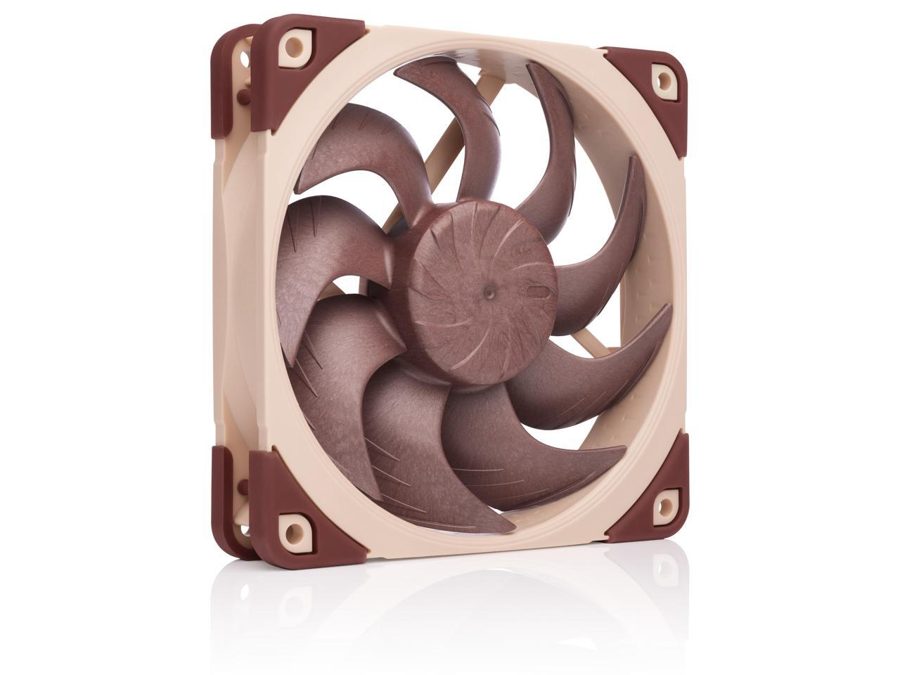
Noctua NF-A12x25 G2 PWM
Best OverallBuy if: you want one fan that is great at the front, on a radiator and at the back
Don't buy if: you need to fill six mounts on a small budget — the ARCTIC below costs far less per fan
The NF-A12x25 G2 is the fan to beat. Noctua rates it at 63.15 CFM of airflow with 3.14 mmH2O of static pressure, so it works in open case spots and still pushes through filters and radiator fins. At full speed it is rated 22.5 dB(A), and it can stop fully at 0% PWM, so your PC can sit silent at idle.
It costs $34.95, which is real money for one fan. Or maybe I should say it this way: you are paying for the fan you fit once and forget. The six-year warranty backs that up. The brown and beige colours will not suit every build, and there is no lighting. A black chromax.black version exists if the colours bother you.
Pros
- 63.15 CFM airflow with 3.14 mmH2O pressure — good for cases and radiators
- Only 22.5 dB(A) at full speed, and it can stop at idle
- Six-year warranty
- Fits standard 120mm mounts at 25mm thick
Cons
- $34.95 per fan adds up across a full case
- Brown and beige colours, no lighting
- Overkill for a plain rear exhaust spot
Full specifications
- 120 x 120 x 25mm, 4-pin PWM
- Speed: 0–1,800 RPM
- Airflow: 63.15 CFM; static pressure: 3.14 mmH2O
- Noise: 22.5 dB(A) at full speed
- SSO2 bearing, six-year warranty
Prices change frequently — click through to see today's price. Seen at $34.95 (checked 25 Nov 2026).
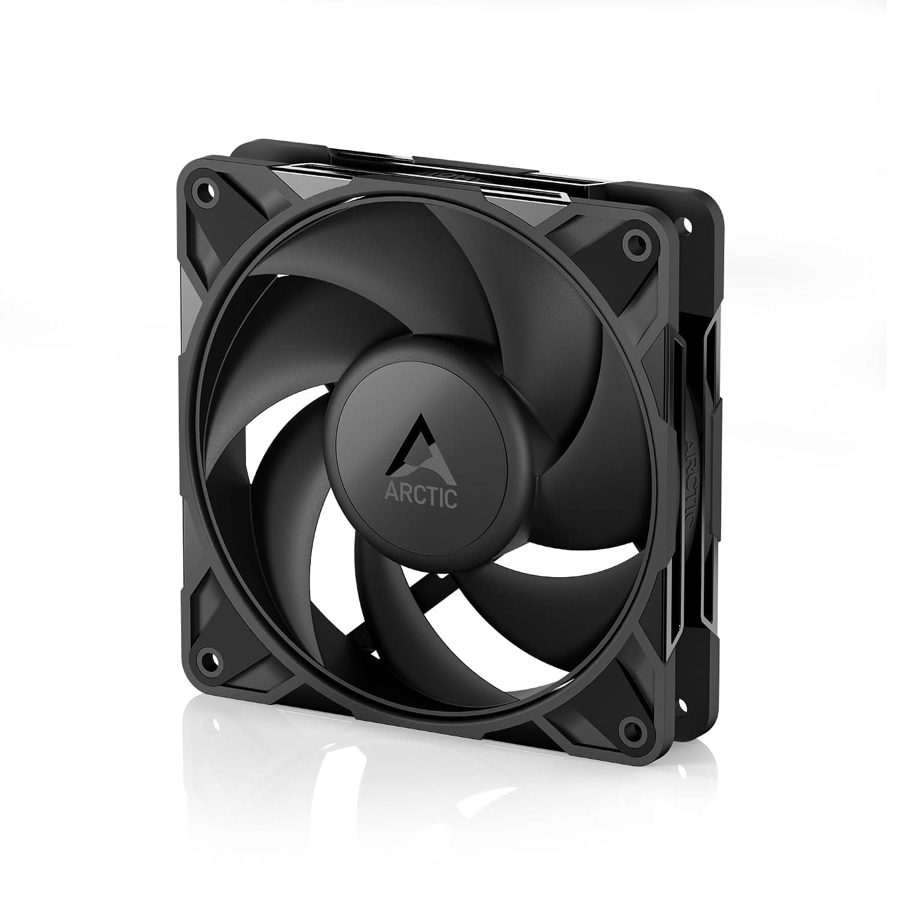
ARCTIC P12 Pro PST
Best ValueBuy if: you need strong fans for a radiator or a mesh front without spending much
Don't buy if: you want the quietest fan at full speed — this one gets loud near 3,000 RPM
The P12 Pro PST is the value pick because of one number: 6.9 mmH2O of static pressure. That is more than double the Noctua above, and it is the figure that matters on radiators and behind dense filters. ARCTIC also rates it at 77 CFM, so open case spots are covered too. The PST cable lets you chain fans together and run them from one motherboard header.
I've seen conflicting data on its noise — ARCTIC publishes no dB(A) figure for this fan, and third-party guesses vary a lot. My read is simple: judge it by speed. At low RPM it is calm; at 3,000 RPM any fan this size is loud. Set a sensible fan curve and it behaves. At $13.99, nothing else here comes close on pressure per dollar.
Pros
- 6.9 mmH2O static pressure — the strongest here for radiators
- 77 CFM airflow covers open case spots too
- PST daisy-chain cable runs several fans from one header
- $13.99, with a six-year warranty
Cons
- No official noise figure — loud near its 3,000 RPM top speed
- 600 RPM floor cannot idle as low as some rivals
- No lighting on this version
Full specifications
- 120 x 120 x 25mm, 4-pin PWM with PST daisy-chain
- Speed: 600–3,000 RPM, stops below 5% PWM
- Airflow: 77 CFM; static pressure: 6.9 mmH2O
- Fluid dynamic bearing, six-year warranty
Prices change frequently — click through to see today's price. Seen at $13.99 (checked 25 Nov 2026).
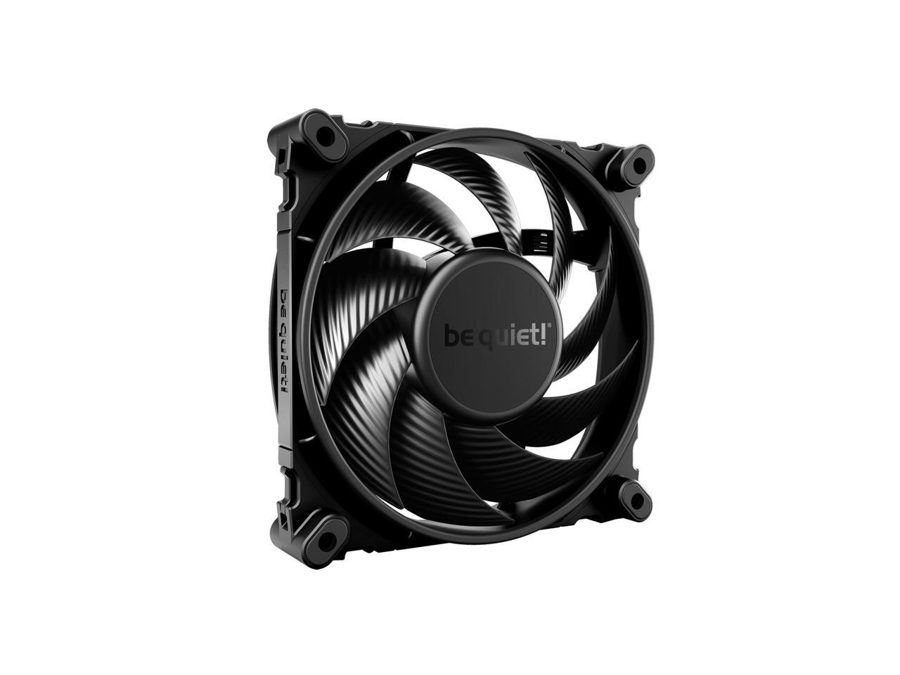
be quiet! Silent Wings 4 120mm PWM
Quietest at Full SpeedBuy if: your PC sits in a bedroom or office and silence matters most
Don't buy if: you need maximum airflow or radiator pressure — this fan trades both for quiet
The Silent Wings 4 is rated at just 18.9 dB(A) at its full 1,600 RPM. That is the lowest full-speed noise figure in this guide, and it is why this fan suits PCs that run all day near people. It still moves 48.7 CFM, which is plenty for case intake and exhaust duty in a normal gaming build.
The trade-off is pressure: 1.79 mmH2O is modest, so thick radiators are not its home. For case spots, though, it is hard to beat at $24.90. Quick note: be quiet! also sells a high-speed version that spins to 2,500 RPM and is much louder — check the name before you buy, because the two look alike.
Pros
- 18.9 dB(A) at full speed — quietest here flat out
- 48.7 CFM is plenty for normal case duty
- Fluid dynamic bearing rated up to 300,000 hours
- Stops fully in zero-RPM mode
Cons
- 1.79 mmH2O pressure is weak for thick radiators
- Less airflow than the Noctua and ARCTIC picks
- Easy to confuse with the louder high-speed version
Full specifications
- 120 x 120 x 25mm, 4-pin PWM
- Speed: up to 1,600 RPM
- Airflow: 48.7 CFM; static pressure: 1.79 mmH2O
- Noise: 18.9 dB(A) at full speed
- Fluid dynamic bearing, five-year warranty
Prices change frequently — click through to see today's price. Seen at $24.90 (checked 25 Nov 2026).
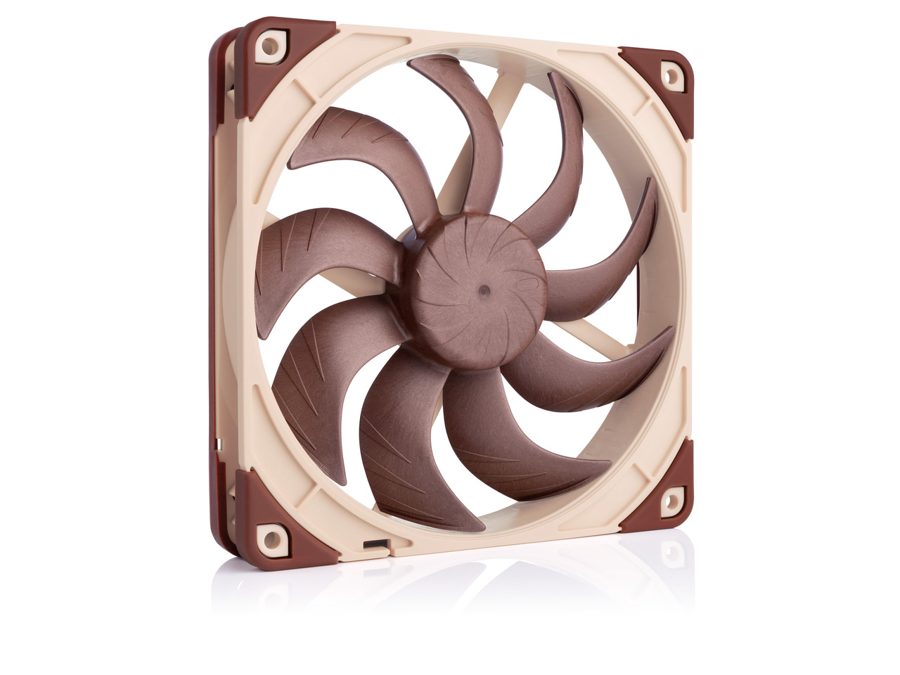
Noctua NF-A14x25 G2 PWM
Best 140mmBuy if: your case takes 140mm fans and you want the most air per fan
Don't buy if: your case only fits 120mm mounts, or the street price has drifted far above list
This is the 140mm version of our top pick, and it moves 91.58 CFM — the most air per fan in this guide. That means fewer fans can do the same work, or the same fans can spin slower and run quieter. Pressure is 2.56 mmH2O, so filtered front intakes and 140mm radiators are fine.
Pricing needs care. The list price is $39.90, but one Newegg listing showed $60.88 when we checked on 25 Nov 2026. That gap is why this card carries no fixed price: check the listing, and buy near list price, not at a marked-up marketplace figure. The fan itself is superb. The markup is not.
Pros
- 91.58 CFM — the most airflow per fan here
- 2.56 mmH2O pressure suits filters and radiators
- 24.8 dB(A) at full speed, stops at idle
- Six-year warranty
Cons
- Street prices vary — seen at $60.88 against a $39.90 list
- Only fits cases with 140mm mounts
- Brown and beige colours, no lighting
Full specifications
- 140 x 140 x 25mm, 4-pin PWM
- Speed: 0–1,500 RPM
- Airflow: 91.58 CFM; static pressure: 2.56 mmH2O
- Noise: 24.8 dB(A) at full speed
- SSO2 bearing, six-year warranty
Prices change frequently — click through to see today's price. List $39.90; listings vary (checked 25 Nov 2026).
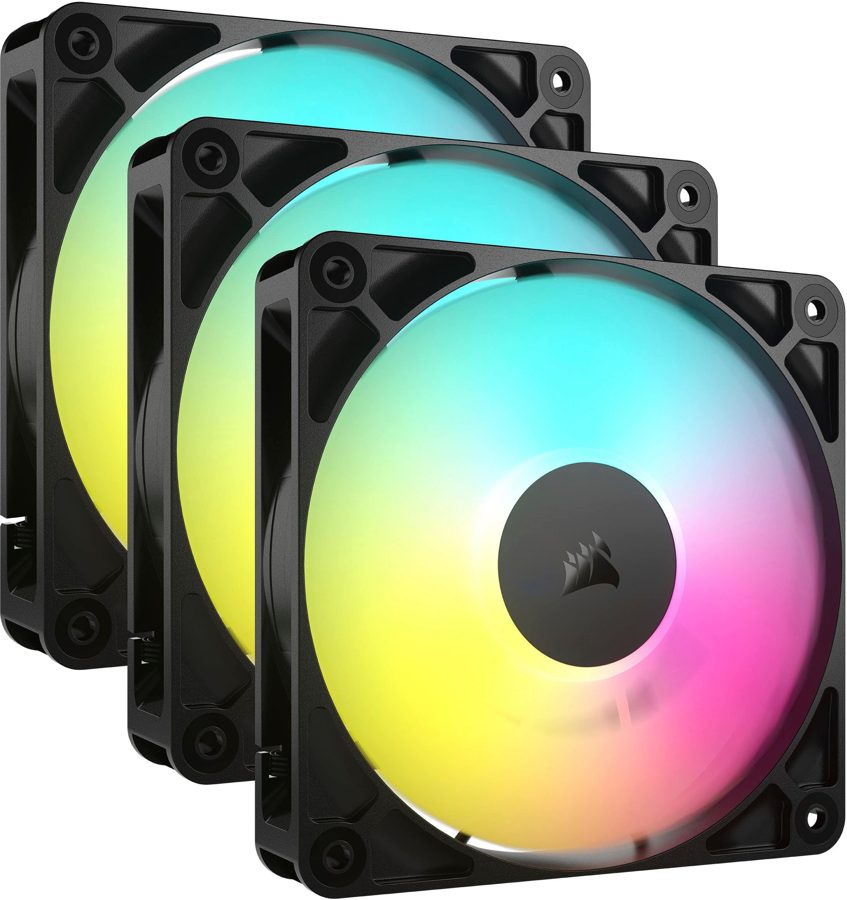
Corsair RS120 ARGB Triple Pack
Best ARGBBuy if: you want lit fans with tidy cables and no extra hub to buy
Don't buy if: your motherboard has no 5V ARGB header — the lighting needs one
The RS120 triple pack solves the cable mess that comes with lit fans. The three fans daisy-chain together, so one PWM header and one 5V ARGB header run the set. Corsair rates each fan at 72.8 CFM with 4.15 mmH2O of pressure, which is strong for a lit fan, and speeds run from 420 to 2,100 RPM.
At $34.99 for three, the price is fair for the wiring alone. Noise reaches 36 dBA at full speed, so set a curve instead of running them flat out. One trap: Corsair also sells an RS120-R reverse version for looks-first builds. It is a different fan with lower pressure — buy the standard RS120 ARGB unless you specifically want reverse blades.
Pros
- Daisy-chain wiring — three fans, one header each for power and light
- 72.8 CFM and 4.15 mmH2O per fan
- Lighting runs from the motherboard, no hub needed
- $34.99 for three fans
Cons
- 36 dBA at full speed — needs a fan curve
- Lighting needs a 5V ARGB motherboard header
- Reverse RS120-R version is easy to buy by mistake
Full specifications
- 3× 120 x 120 x 25mm, 4-pin PWM, daisy-chain
- Speed: 420–2,100 RPM
- Airflow: 72.8 CFM; static pressure: 4.15 mmH2O
- Noise: 10–36 dBA; 8 ARGB LEDs per fan
- Magnetic dome bearing, zero-RPM mode
Prices change frequently — click through to see today's price. Seen at $34.99 (checked 25 Nov 2026).
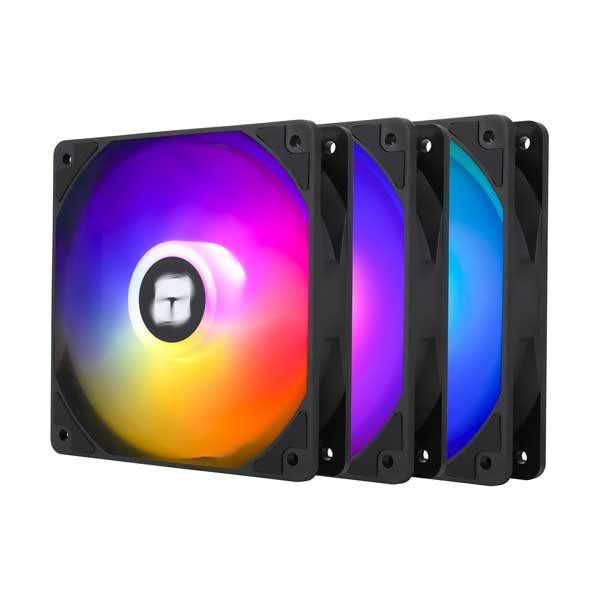
Thermalright TL-C12C-S X3
Best BudgetBuy if: you need three decent ARGB fans for the least money possible
Don't buy if: you need radiator pressure — 1.53 mmH2O is case-fan territory
Three ARGB fans for $19.99 is the whole pitch, and it holds up. Each TL-C12C-S moves 66.17 CFM at up to 1,550 RPM, with noise rated at 25.6 dBA. That airflow figure beats the Silent Wings 4 above. For front intakes and rear exhausts in a budget build, this pack does the job.
The limits are real, though. Pressure is only 1.53 mmH2O, so keep these off thick radiators. Build quality is fine, not premium. And prices wander: we saw $19.99 at one store while Amazon listings have shown $11.68–$12.98. Either way, it is the cheapest way here to light and cool a case.
Pros
- Three ARGB fans for $19.99
- 66.17 CFM per fan — strong airflow for the price
- 25.6 dBA rated noise with PWM control
- S-FDB bearing
Cons
- 1.53 mmH2O pressure — not for thick radiators
- Build quality is basic next to the premium picks
- Prices vary a lot between stores
Full specifications
- 3× 120 x 120 x 25mm, 4-pin PWM, 5V ARGB
- Speed: up to 1,550 RPM
- Airflow: 66.17 CFM; static pressure: 1.53 mmH2O
- Noise: 25.6 dBA; S-FDB bearing
Prices change frequently — click through to see today's price. Seen at $19.99 (checked 25 Nov 2026).
Why Is Your PC Still Hot With New Fans?
Usually one of three things: a fan blowing the wrong way, a blocked intake, or fans running at full speed for no reason. New fans cannot fix any of those. Check the basics first.
Every fan frame has an arrow showing which way air flows. A front fan fitted backwards fights its neighbours and cools nothing. Front and bottom fans should pull air in. Rear and top fans should push it out. Dust filters matter too: a clogged filter can starve a strong fan, and a glass front panel with thin side vents limits every fan behind it.
Then there is the fan curve. Most motherboards ship with a curve that ramps fans hard and early. That is noise you don't need. A calmer curve — fans slow until the CPU passes about 60°C — keeps most gaming PCs quiet and still cool. Our guide to why your gaming PC is so loud covers the noise side in depth, and the CPU cooler guide helps if the processor itself is the hot part.
One opinion you may push back on: past four or five fans, most builds gain almost nothing. I'd rather see the money spent on three good fans and a clean filter than on nine cheap ones. Measure first. Add fans only if the numbers say so.
How to Set Up Case Fans for Quiet Cooling
Fit them in the right direction, plug them into the right headers, then spend two minutes on the fan curve. That order matters. Fans first, curve last.
To set up case fans for quiet cooling, follow these steps: 1. Check which fan sizes your case fits. 2. Plan front fans as intake, rear as exhaust. 3. Mount each fan using the arrow on its frame. 4. Plug fans into 4-pin PWM headers. 5. Set a fan curve in the BIOS.
- Check your case manual for fan sizes and mounts — 120mm, 140mm, or both — before you order anything.
- Plan the airflow path: front and bottom fans pull cool air in, rear and top fans push warm air out.
- Mount each fan with the frame arrow pointing the way air should flow, then route cables so they stay clear of the blades.
- Plug fans into 4-pin PWM headers on the motherboard; use daisy-chain cables or a splitter if headers run short.
- Open the BIOS fan settings and set a curve: slow speeds at idle, rising only as temperatures climb, then check noise and temperatures in a game.
Still too warm? Look at the case itself. Our gaming PC case guide covers airflow-first cases, and the graphics card guide shows which cards dump the most heat into a case.
Frequently Asked Questions
What's the best PC case fan right now?
The Noctua NF-A12x25 G2 PWM. Strong airflow, real pressure for filters and radiators, and only 22.5 dB(A) at full speed.
How many case fans do I need for gaming?
Three or four: two or three front intakes and one rear exhaust. Five or six only helps high-power parts.
Should I buy 120mm or 140mm case fans?
Buy 140mm if your case fits them — more air at lower speed. Buy 120mm when mounts or radiators demand it.
Why are my case fans so loud?
They are likely running at full speed. Set a calmer fan curve in the BIOS so fans stay slow until temperatures rise.
What's the quietest case fan I can buy?
The be quiet! Silent Wings 4 120mm PWM, rated 18.9 dB(A) at full speed. It trades some airflow for that quiet.
Do I need static pressure fans for my case?
For radiators and filtered intakes, yes. For open exhaust spots, airflow fans are fine. Strong all-rounders do both.
How do I know which way a case fan blows?
Look for the arrow on the fan frame. It shows the airflow direction. Front fans blow in; rear fans blow out.
The Bottom Line
The Noctua NF-A12x25 G2 PWM is our top pick because it is strong, quiet and right for almost every mount in a gaming PC, at $34.95. The ARCTIC P12 Pro PST is the buy for radiators and tight budgets at $13.99, and the be quiet! Silent Wings 4 is the one for bedrooms and offices.
Count your mounts before you buy, check the arrows when you fit them, and set the fan curve last. Prices here were checked on 25 Nov 2026 and will move. If your case itself is the problem, start with our gaming PC case guide instead.