Best Laptop Cooling Stand for Desk (2026): 6 Picks

Your laptop's fan kicks in halfway through a video call. The palm rest is warm. The screen sits too low, so your neck aches by lunch. You tried a stack of books. It wobbled. You tried a gaming pad a friend swore by. It sounded like a hair dryer.
This guide is for desk work, not gaming. Six cooling stands picked for quiet rooms, eight-hour days and real desks — five with fans, one without. Every spec below comes from the maker's page or the exact listing, and no invented star ratings appear anywhere.
No prices are printed in this guide — cooling stand prices move by seller and week, and rival pages disagree by $20 on the same stand in the same week. Check the live price before buying. All fan counts, sizes and height figures are the makers' own claims, not test results.
Do Laptop Cooling Stands Actually Work?
Yes — a little, and only when the stand matches your laptop. A raised stand typically drops sustained temperatures by 2 to 8 degrees Celsius. A fan stand adds a bit more when its fans sit under your laptop's air intakes. Neither one fixes a clogged fan or a laptop that throttles under heavy rendering.
A laptop cooling stand for desk use is a raised platform that lifts your laptop off the desk and moves air under it — either with built-in fans or through open airflow. It raises the screen toward eye level and feeds cool air to the laptop's bottom vents.
Whether laptop cooling stands work comes down to where your laptop breathes. According to thedevline's 2026 testing guide, elevating the rear of a laptop by a few centimetres improves airflow into the bottom intake vents and typically drops sustained CPU and GPU temperatures by 2 to 8 degrees. That is the honest range for desk work — enough to quiet the fans, not enough to turn a thin laptop into a workstation.
Fan stands can do more, but the range is wide. According to ComputerGear's comparison, active cooling pads cut temperatures by 5 to 25 degrees, while a plain stand manages 3 to 8 degrees. That top number belongs to sealed, high-pressure designs on gaming laptops, not to a quiet three-fan pad under an office ultrabook.
I've seen conflicting data — some sources say a stand drops temperatures by 2 to 8 degrees, others say a fan pad can manage 5 to 25. My read is the low end is the honest one for desk work, because the big numbers come from gaming laptops under full load, and your laptop on a spreadsheet never gets that hot. Buy for the quiet and the height. Treat the extra degrees as a bonus.
Passive Stand or Fan Stand — Which One Fits Your Desk?
Pick by noise first, cooling second. If you take calls all day, a silent passive stand wins. If your laptop throttles during long renders or big compiles, a quiet fan stand earns its place. Most desk workers need the lift more than the fans.
Passive stand vs fan stand: a passive stand is better suited for quiet rooms and video calls because it has no motor, no hum and nothing to plug in. A fan stand works better when your laptop runs hot for hours at a time and its own fans are already loud. The key difference is what you hear — silence, or one more fan.
Here's the thing: a passive stand still cools. Lifting the laptop off the desk opens the bottom vents, and warm air rises away from the chassis on its own. Aluminium stands go one step further and pull a little heat out of the body by touch. A fan stand adds forced air on top of that — useful, but only when the fans point at the intakes. A fan blowing at a solid panel does nothing.
| Your desk day | Buy this type | Why |
|---|---|---|
| Calls all day, quiet room | Passive aluminium stand | Silent, no USB cable, no hum on the mic |
| Office work, laptop runs warm | Quiet 2–3 fan pad | A little forced air, still quiet enough for calls |
| Long renders, compiles, edits | 5–6 fan stand | More airflow across the whole base |
| Hot room, no air conditioning | Fan stand, fans on high | Every degree counts when the room is already warm |
| Shared desk, two people | Adjustable fan stand | Height changes with the person using it |
Or maybe I should say it this way: the fans are the least important part of a cooling stand for most desk work. Height and vent clearance do the real work, and a silent aluminium stand does both. Buy fans when your laptop has a real heat problem — throttling, shutdowns, a fan that never stops. For everyone else, quiet wins.
Quick Comparison
| Product | Fans / Fit | ||
|---|---|---|---|
| #1 | Kootek Laptop Cooling PadBest Overall | 5 fans, 6 heights / 12–17 in | Check Price |
| #2 | havit HV-F2056Best Slim & Quiet | 3 fans, 2 heights / 15.6–17 in | Check Price |
| #3 | TECKNET Laptop Cooling PadBest Slim Desk Stand | 3 fans, slim / 12–17 in | Check Price |
| #4 | LIANGSTAR Laptop Cooling PadBest Height Range | 6 fans, 7 heights / 12–17.3 in | Check Price |
| #5 | KYOLLY Ultra Slim Cooling PadBest Budget Slim | 2 big fans, 5 heights / 10–15.6 in | Check Price |
| #6 | OMOTON Foldable Aluminium StandBest Passive | No fans, silent / 10–16 in | Check Price |
Fan counts and sizes are the makers' own numbers. No prices are printed — check the live price before buying.
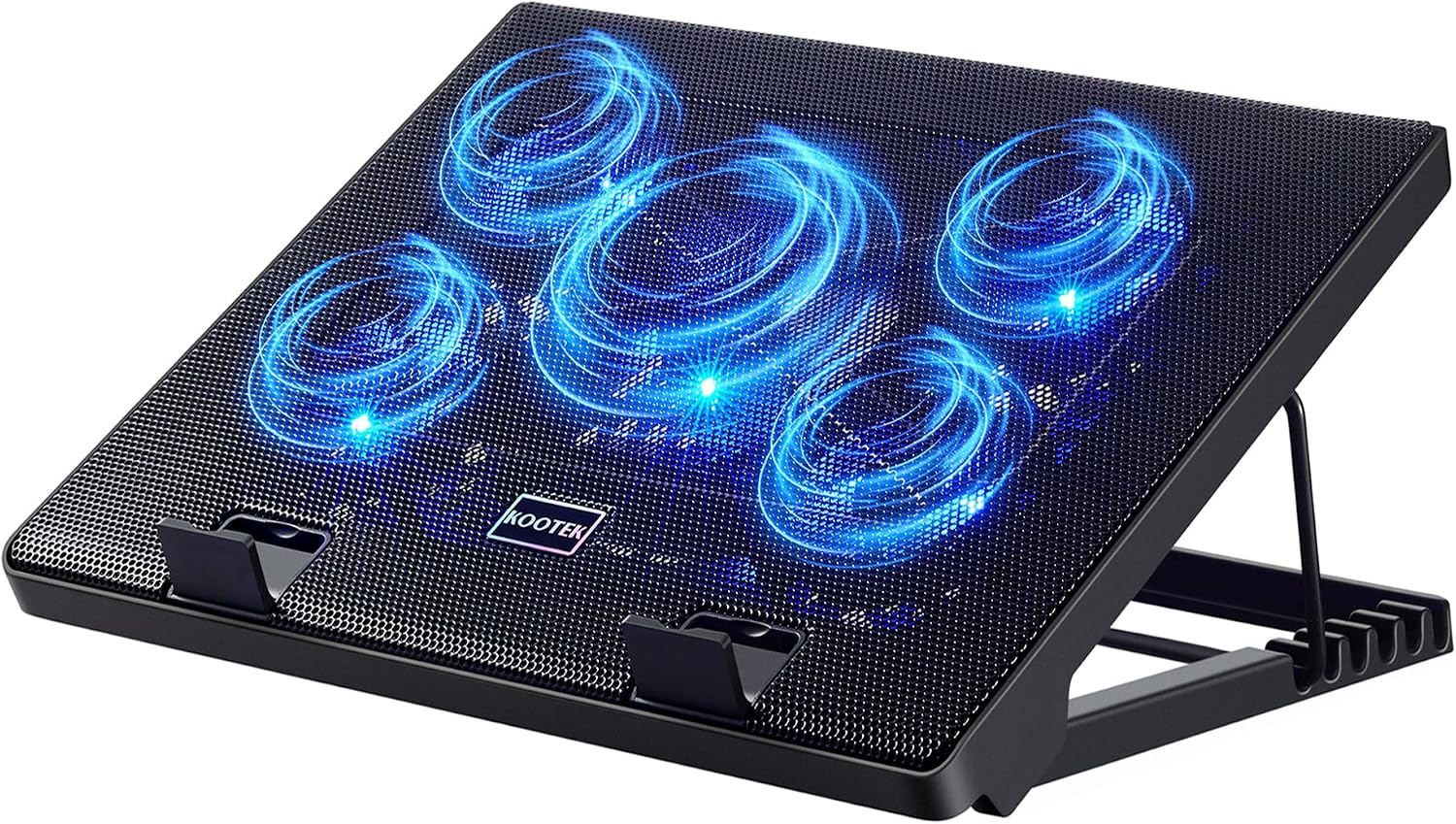
Kootek Laptop Cooling Pad
Best OverallBuy if: one laptop lives on your desk all day and you want fan control plus real height range
Don't buy if: you travel with it, or your laptop is smaller than 12 inches
The Kootek is the desk stand that does the most. Five fans — one big 4.72-inch centre fan and four smaller 2.76-inch fans — with two switches that run one fan, four fans, or all five together. Six height settings cover 12 to 17-inch laptops, a dual USB hub gives back the port the pad uses, and blue LEDs mark the fan ring. It is the only pick here where you can turn half the fans off on a quiet day.
That control is the reason it leads. On a normal workday, run the centre fan alone and the pad is barely there. On a long render, switch all five on and the whole base gets air. The trade is size: this is a desk fixture, not a travel pad, and the LED glow suits a home office more than a shared one. If you want one stand for one desk, this is it.
Pros
- Five fans with switchable groups — run one, four or all five
- Six height settings for a proper ergonomic angle
- Dual USB hub gives back the port it uses
- Fits 12 to 17-inch laptops
Cons
- Too bulky for a laptop bag
- Blue LEDs may not suit a shared office
- Five fans at full speed are audible on calls
- Needs a USB port for power
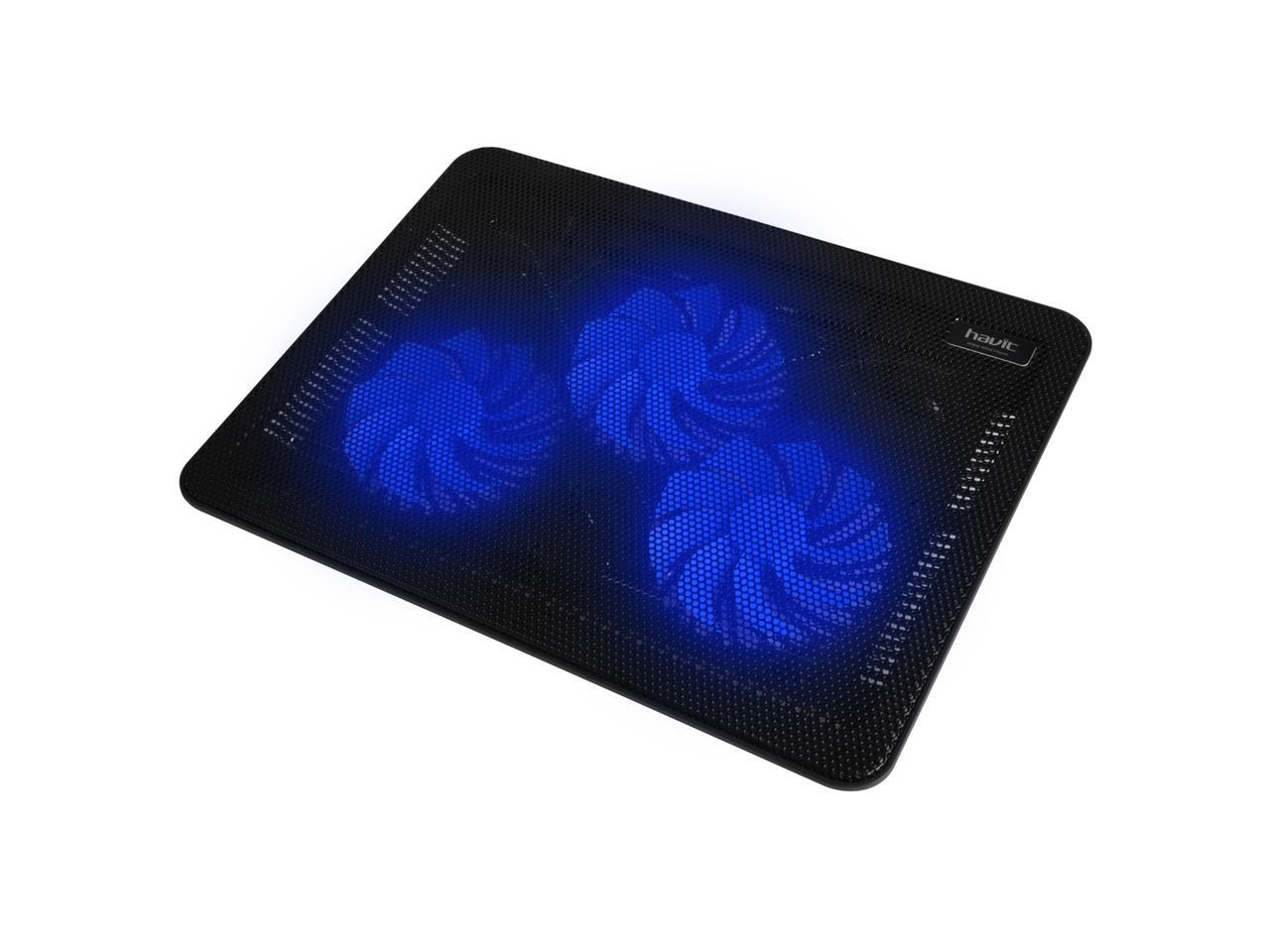
havit HV-F2056
Best Slim & QuietBuy if: you want the quietest fan stand here and your laptop is 15.6 to 17 inches
Don't buy if: your laptop is under 15.6 inches, or you need more than two height settings
The havit HV-F2056 is the proven one. Three ultra-quiet fans in a slim metal-mesh body, built for 15.6 to 17-inch laptops, with two height settings and an extra USB port. It has been the default budget cooling pad for years, and the reason is simple: it does the basic job — a little lift, a little air, almost no noise — and it keeps doing it.
Slim is the whole pitch. It slides into a laptop sleeve beside a 17-inch machine and takes up almost no desk when it stays home. Two height settings is the limit, though — if you need a tall ergonomic lift, the Kootek's six settings serve you better. And the 15.6-inch floor rules out smaller laptops outright. For a big laptop on a small desk, nothing here beats it for the money.
Pros
- Three quiet fans — the calmest fan stand here
- Slim body fits in a laptop bag
- Metal mesh top, extra USB port
- Proven over years of owner use
Cons
- Only two height settings
- 15.6-inch minimum rules out smaller laptops
- No fan speed control
- Three fans cover less of a wide base than five
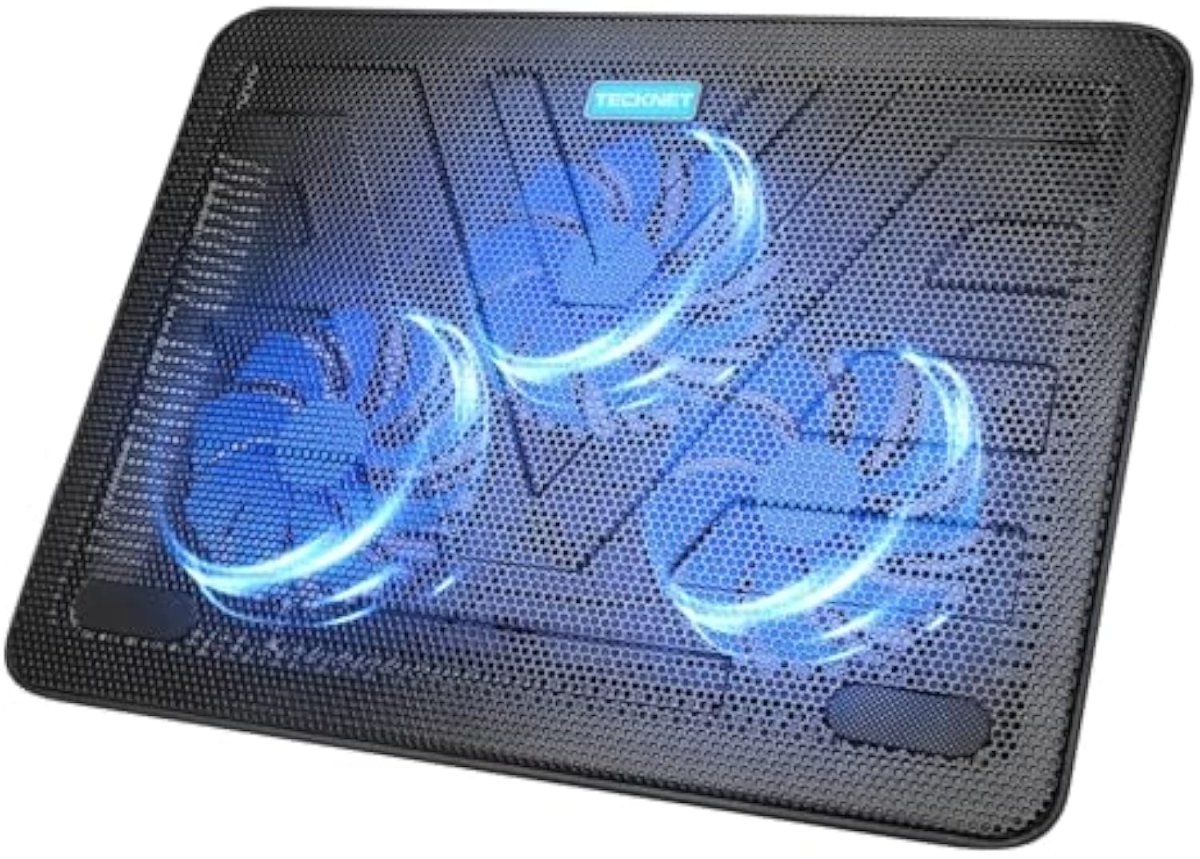
TECKNET Laptop Cooling Pad
Best Slim Desk StandBuy if: your desk is shallow and you want a slim raised stand with three quiet fans
Don't buy if: you need steep height adjustment, or you hate LED lighting
The TECKNET is the slim desk stand. Three blue LED fans under a slim metal-mesh top, built for 12 to 17-inch laptops, with dual USB ports so the pad doesn't eat your last free port. It raises the laptop just enough for air to move underneath, and its low profile suits desks where a tall stand would crowd the monitor.
Think of it as the havit's wider cousin: same three-fan idea, but it takes laptops from 12 inches up, so smaller machines fit too. The LED fans are the one thing to check before you buy — they glow blue whenever the pad runs, which some people love on a home desk and others switch off by unplugging. If your desk is deep enough for a taller stand, the Kootek gives you more height for similar money.
Pros
- Slim profile suits shallow desks
- Fits 12 to 17-inch laptops
- Dual USB ports
- Three quiet fans with a metal-mesh top
Cons
- Blue LEDs glow whenever it runs
- Less height range than the Kootek or LIANGSTAR
- No fan speed control
- Needs a USB port for power
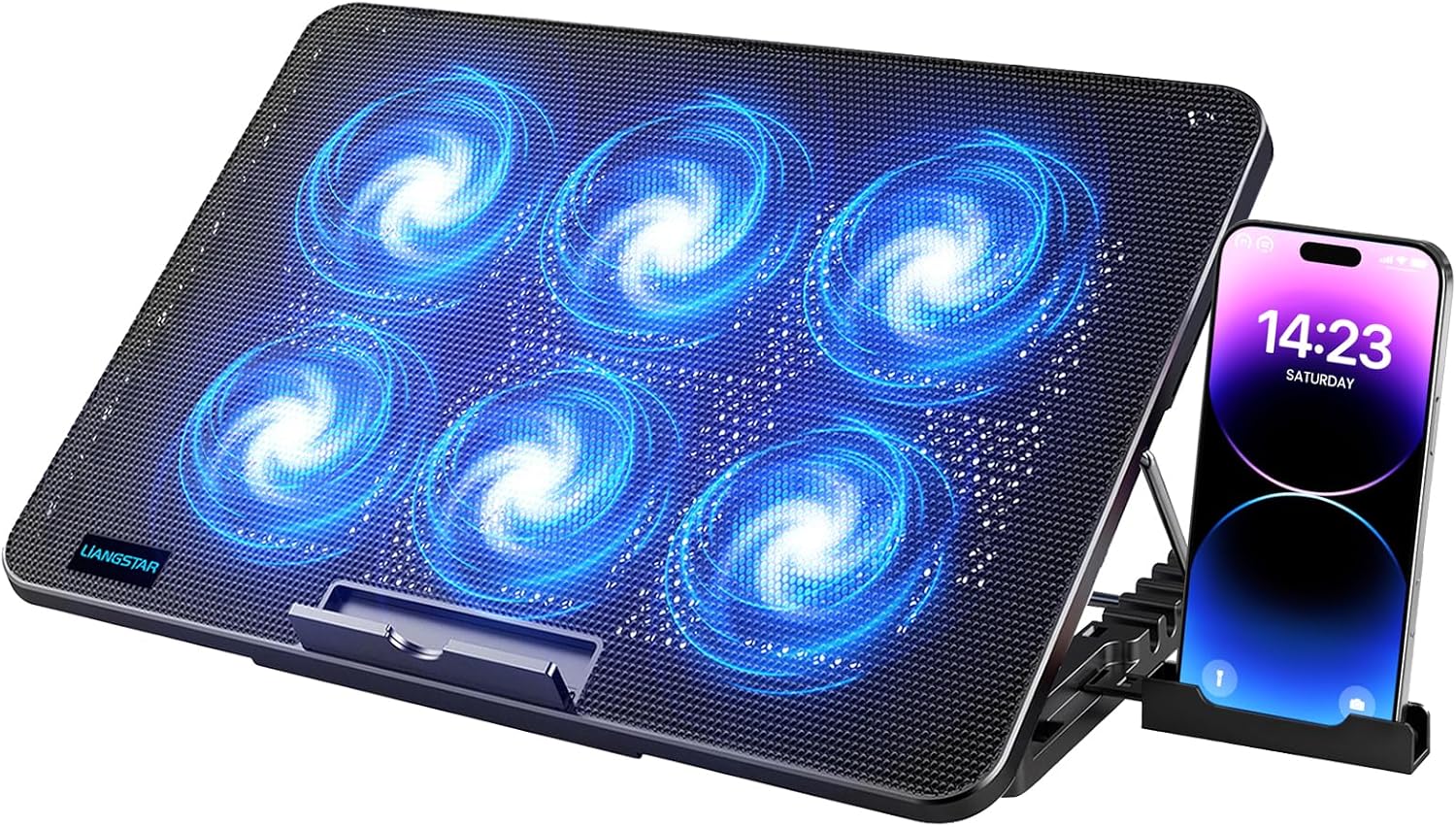
LIANGSTAR Laptop Cooling Pad
Best Height RangeBuy if: you share a desk or switch between sitting and standing and need seven height positions
Don't buy if: you want a slim travel pad, or your laptop is wider than 17.3 inches
The LIANGSTAR is the height king here. Six quiet fans with two independent switch controls, seven height positions, a phone holder, and two USB ports, rated for 12 to 17.3-inch laptops. No other pick here adjusts as far — at its tallest it lifts the screen close to eye level without a separate riser, which is what shared desks and sit-stand setups need.
Seven heights sounds like overkill until two people share one desk. One setting for the morning sitter, another for the afternoon stander, and the fans stay put while the angle changes. The trade is bulk: this is a fixed-desk stand, and the phone holder is a nice extra rather than a reason to buy. If one person uses one desk at one height, the Kootek does the same job with one less fan.
Pros
- Seven height positions — the most here
- Six fans with two switch controls
- Phone holder and two USB ports
- Fits up to 17.3-inch laptops
Cons
- Bulky — a fixed-desk stand, not a travel pad
- More fans means more noise at full speed
- Phone holder is small for big phones
- Needs a USB port for power
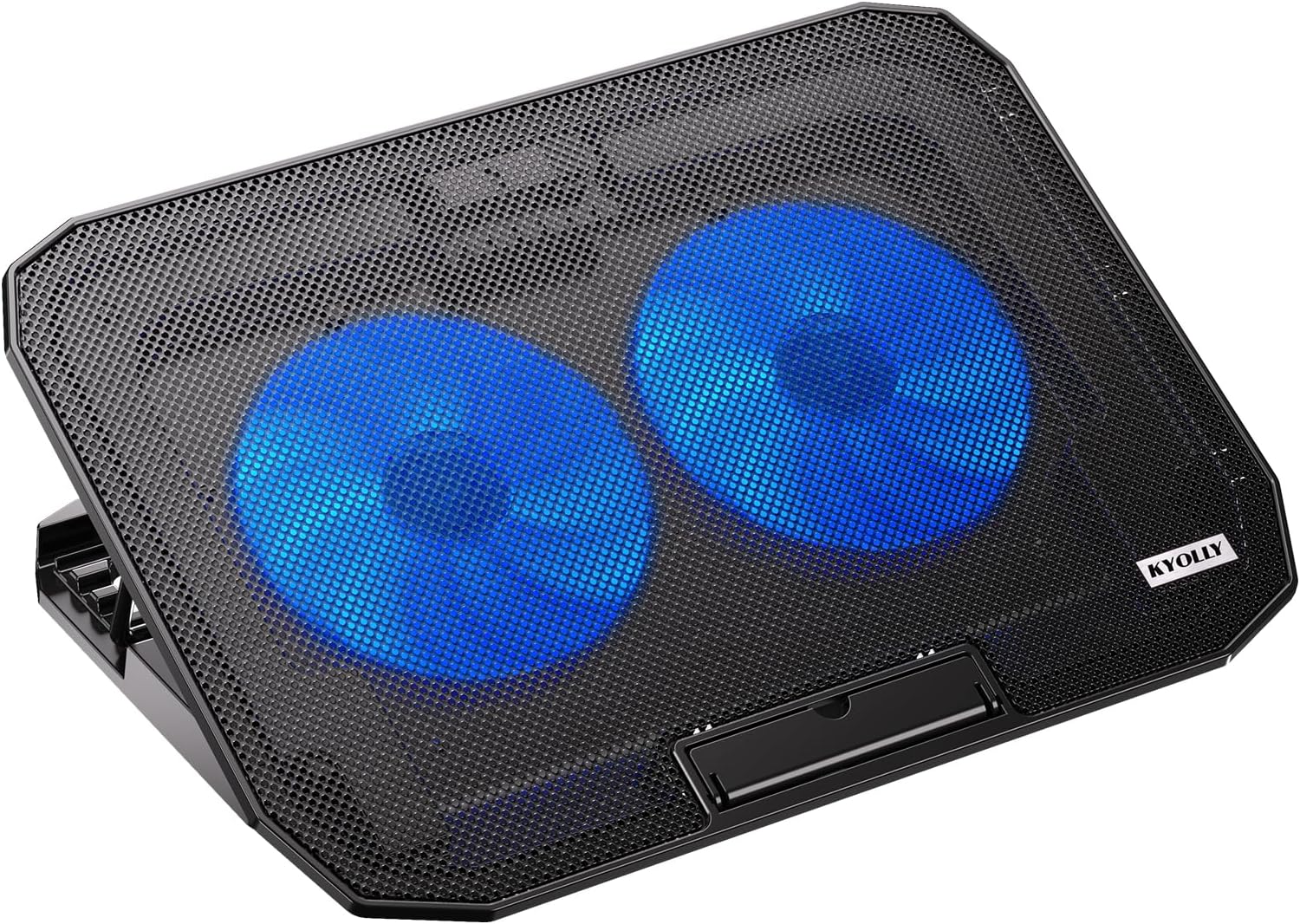
KYOLLY Ultra Slim Cooling Pad
Best Budget SlimBuy if: your laptop is 15.6 inches or smaller and you want the cheapest real cooling stand here
Don't buy if: your laptop is 17 inches, or you need six fans of coverage
The KYOLLY is the budget pick that still does the job. Two big quiet fans instead of four small ones, five height settings, a speed-control wheel, and two USB ports, built for 10 to 15.6-inch laptops. Two large fans cover the intake zone of a normal laptop better than a row of tiny ones, and the speed wheel lets you turn the noise down on calls.
The limit is size. A 17-inch laptop overhangs the frame, and two fans can't cover a wide gaming base. For a 14 or 15.6-inch office laptop, though, it is all you need: lift, air, a speed wheel, and a price well below the five- and six-fan stands. If your laptop fits, stop shopping here.
Pros
- Two big fans cover a normal laptop's intakes well
- Speed-control wheel for quiet calls
- Five height settings at a budget price
- Slim and light for a 15.6-inch laptop
Cons
- 15.6-inch cap rules out 17-inch laptops
- Two fans cover less of a wide base
- No LED or phone holder extras
- Needs a USB port for power
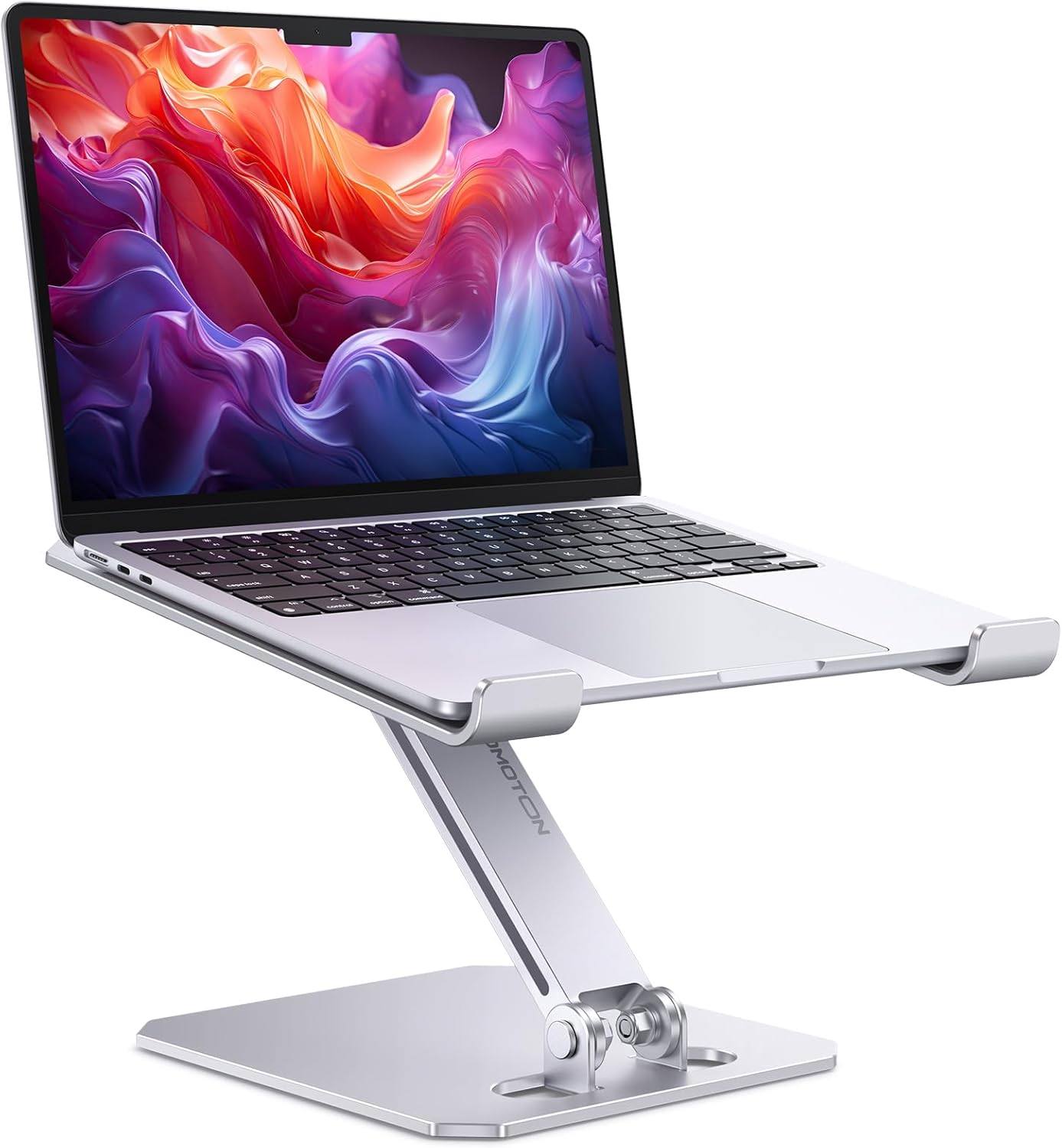
OMOTON Foldable Aluminium Stand
Best PassiveBuy if: you take calls all day and want cooling with zero noise, zero cables and zero fans
Don't buy if: your laptop throttles under heavy load, or you need fan-forced air
The OMOTON is the only pick here with no fans at all — and for many desk workers, it is the right one. A foldable aluminium stand with a heat-vent panel under the laptop, built for 10 to 16-inch notebooks. It lifts the machine into open air, the aluminium pulls a little heat from the chassis, and the vent cutouts keep the bottom intakes clear. No motor, no hum, no USB cable.
Quick note: a passive stand cools less than a fan pad under heavy load. It will not save a laptop that throttles during a render. What it does, it does every day without a sound: a cooler palm rest, a quieter internal fan, and a screen at a better height. It also folds flat for a bag, which no fan pad here does as well. If your work is documents, calls and browsing, buy this and skip the fans.
Pros
- Totally silent — no fans, no hum on calls
- Heat-vent panel keeps air under the laptop
- Folds flat for a bag
- Aluminium body pulls heat from the chassis
Cons
- No forced air — won't help a throttling laptop
- 16-inch cap rules out 17-inch laptops
- Fixed angles — less height range than the fan stands
- No USB hub or extras
Will It Fit Your Laptop?
Check three things, not one: screen size, depth, and where the vents sit. Screen size alone is a rough guide — a 17-inch gaming laptop can overhang a stand built for thin 15-inch machines even when its weight is fine.
Size first. The Kootek, TECKNET and LIANGSTAR take 12 to 17-inch laptops; the havit starts at 15.6 inches; the KYOLLY stops at 15.6; the OMOTON stops at 16. Measure your laptop's width and depth against the stand's frame, not just the screen size on the box. A laptop deeper than the pad hangs off the front, and the front lip ends up carrying weight it wasn't built for.
Vents second. Most laptops pull cool air in from underneath. Flip your laptop over and find the intake grilles — usually slots near the rear or centre of the base. Set the laptop on the stand and check the fans sit under those grilles. A fan blowing at a solid panel does nothing, and a stand that covers the grilles can make temperatures worse. This is the check the top-ranking pages skip, and it decides whether a cooling stand cools at all.
MacBooks are the easy case. A MacBook Air pulls air from the rear hinge, not the base, so a fan pad helps it less — but the lift still helps, and the OMOTON's open frame suits it well. Windows laptops vary far more. Find your vents before you buy.
How Loud Are Fan Stands on Video Calls?
Quiet enough on low, too loud on high. A three-fan pad on its lowest setting fades into the background of a call. A five- or six-fan stand at full speed will be heard by everyone on the meeting.
Look — if you're on calls all day, here's what actually works: a fan stand with a speed control, run on low during meetings and turned up between them. The KYOLLY's speed wheel exists for exactly this. The Kootek's fan switches do the same job — run one fan on calls, all five after.
Fan noise matters more than fan count. Three small fans at low speed are quieter than one big fan at full speed, and a pad with no speed control gives you no way to turn it down. If your room is shared or your mic is sensitive, the honest answer is the OMOTON: no fans, no noise, no problem. A cooling stand that ruins your calls is a bad buy at any price.
How to Set Up Your Cooling Stand in 4 Steps
Measure first, buy second, and the setup takes ten minutes. Get the vents lined up and the rest is just placing things.
To set up a laptop cooling stand, follow these steps: 1. Find your laptop's bottom air intakes. 2. Set the stand to a comfortable height. 3. Plug the fan cable into a USB port. 4. Place an external keyboard and mouse in front of it.
Step one is the vent check from the last section: flip the laptop, find the intake grilles, and note where they sit. Step two is height — stack books under the laptop until the top of the screen is at eye level, then match the stand to that number. Step three is power: one USB cable from the pad to the laptop, and the hub ports on the Kootek, TECKNET and LIANGSTAR give that port back. Step four is the keyboard and mouse on the desk in front, at elbow height. Sit down, join a call, and listen. If the fans are louder than your voice, turn them down.
Buying Guide: What Actually Matters
After the fit check, the four things worth your attention are vent alignment, noise, height range and build — in that order.
Vent alignment comes first because a stand that blows air at a solid panel is a paperweight with a motor. Noise comes second: a stand you mute on every call is a stand you stop using. Height range comes third — six or seven settings suit a shared desk, two settings suit one person who never changes it. Build comes last: metal mesh and aluminium last longer than thin plastic, and a stand that flexes under your laptop will drive you mad by lunch.
Here's my honest take: most people should buy the cheapest quiet stand in this guide and stop shopping. The extra fans of a $50 six-fan stand mostly go unused once you find the setting you like — and a silent aluminium stand never needs a second thought. Fan-stand fans will push back on that, and they're right if your laptop throttles. For one person at one desk doing office work, though, simple and quiet wins.
For a MacBook, any pick here works, but the OMOTON fits best — the rear-intake design means a fan pad adds little, while the lift and the open frame help. Windows laptops need the vent check more. Find the intakes, match the fans to them, and buy to that.
Stands to Skip in 2026
Gaming turbofan pads in a desk roundup. Sealed turbofan coolers like the ones in our gaming cooling pads guide move serious air — and make serious noise. They belong on a gaming desk with headphones, not on a work desk with a microphone.
Cooling pads with no stated fan count or size range. If the listing won't say how many fans it has or which laptops it fits, the maker doesn't want you to know. Every honest stand states both.
Lap mats posing as desk stands. Soft, padded mats built for a couch belong on a couch. On a desk they trap heat under the laptop and slide around when you type.
Single-product advertorials posing as roundups. A page that recommends one stand — usually the author's own — and calls it a comparison. One pick is a shop, not a guide.
Frequently Asked Questions
What's the best laptop cooling stand for a desk in 2026?
The Kootek Laptop Cooling Pad — five switchable fans, six height settings, and room for 12 to 17-inch laptops. If you want the quietest fan stand, get the havit HV-F2056 instead.
Do laptop cooling stands actually work?
Yes, modestly. A raised stand typically drops sustained temperatures by 2 to 8 degrees, and a fan stand adds a bit more when its fans sit under your laptop's air intakes. Neither fixes a clogged fan or heavy throttling.
Is a cooling stand or a laptop stand better for office work?
A cooling stand, if your laptop runs warm — it adds airflow to the lift. A plain stand wins if you take calls all day, because it is silent.
How loud are cooling stands on video calls?
Quiet on low, loud on high. A three-fan pad on its lowest setting fades into the background. A five- or six-fan stand at full speed will be heard on the call — run it on low during meetings.
Do cooling stands work on MacBooks?
Less than on Windows laptops. MacBook Air models pull air from the rear hinge, not the base, so a fan pad adds little — but the lift and open airflow still help, and a passive stand suits them well.
What size cooling stand do I need?
Match the stand's stated range to your laptop's real size. Most picks here fit 12 to 17 inches, but the havit starts at 15.6 and the KYOLLY stops at 15.6. Measure width and depth, not just the screen size.
Can a cooling stand damage my laptop?
No, when it fits. A stand that covers the bottom vents can raise temperatures — but a matched stand only helps, so check the vents stay clear.