Best Ergonomic Mouse for Small Hands in 2026: 6 Picks That Actually Fit

You buy an ergonomic mouse because your wrist aches by mid-afternoon. Then the mouse arrives, and it is built for a hand you don't have. The buttons sit a stretch away. Your palm claws the shell. Your wrist still hurts — now in a new way. That is the trap this guide fixes. Every mouse here is picked by fit first: length, width and weight checked against a hand under 17 cm, not by the word "ergonomic" on the box.
The top 10 results for "best ergonomic mouse for small hands" mostly list the same big vertical mice with "small hands" added to the title. One crowns the Logitech MX Vertical for small hands — Logitech itself sizes it for medium-to-large hands. Another prints Amazon star ratings from June as if they were current. A third recommends a 150 g vertical for hands it calls small. This guide does the opposite: it starts with a tape measure, names the mice that are too big, and ranks six that actually fit.
No prices are printed in this guide — mouse prices move by seller and week, so check the live price before buying. Battery-life figures are the makers' own claims, not test results, and where sources disagree — the M650's DPI, the Cobra's battery — the disagreement is stated on the card.
What Size Mouse Is Best for Small Hands?
Under 17 cm from wrist crease to middle fingertip is a small hand — and the mouse should be 100 to 120 mm long and under about 65 mm wide.
An ergonomic mouse for small hands is a mouse sized for a hand under about 17 cm from wrist crease to middle fingertip — short enough that the buttons fall under your fingers without a stretch, and narrow enough that your palm rests on the shell instead of clawing it.
The best mouse size for small hands starts with a tape measure. According to Logitech, small hands run under 17.5 cm from wrist crease to middle fingertip, while most other guides draw the line at 17 cm. A mouse 100 to 120 mm long and under 65 mm wide fits that hand without stretching for the buttons.
To measure your hand for a mouse, follow these steps: 1. Hold your hand flat, palm down, fingers together. 2. Measure from your wrist crease to the tip of your middle finger. 3. Measure across your knuckles for palm width. Under 17 cm long means small hands; 17 to 19 cm is medium.
Palm grip has a rule worth knowing: the mouse should be about 60 to 70% of your hand length. A 16 cm hand wants a mouse around 100 to 112 mm long.
Quick note: that rule fits palm grip. Claw and fingertip grips run shorter — the hand arches over the mouse instead of resting on it, so the shell can be smaller. Test any mouse in a shop this way: rest your hand on it. If your fingers curl past the front edge, it is too small. If you stretch to reach the buttons, it is too big. Your fingers should land on the buttons with the palm resting, not reaching.
I've seen conflicting data — some sources say small means under 17 cm, others say under 17.5 cm, and ProtoArc stretches "small to medium" all the way to 19 cm. My read is that 17 cm is the honest line for a small hand, and any mouse sold for "small to medium" needs its millimetres checked, not its label believed. This guide uses under 17 cm as small and 17 to 19 cm as medium, and every pick below states its length in millimetres so you can check it yourself.
Is a Vertical Mouse Good for Small Hands?
Yes — when the shell is actually sized for a small hand. A vertical mouse puts your forearm in a handshake position, so the wrist twists less. The catch is that most vertical mice are big, and a big vertical is worse than a flat mouse that fits.
A vertical mouse suits small hands when the shell is sized for them. According to ProtoArc, the EM11 NL is designed for hand lengths under 7.5 inches, about 19 cm — a wider band than most guides use. The 57-degree handshake angle keeps the forearm closer to neutral, so the wrist twists less during a long workday.
Vertical vs sculpted for small hands: a vertical mouse is better suited for wrist ache because the handshake angle keeps your forearm closer to neutral. A sculpted mouse works better when you switch between work and games, or you dislike relearning how to hold a mouse. The key difference is the angle: vertical changes your wrist position; sculpted changes only the shape.
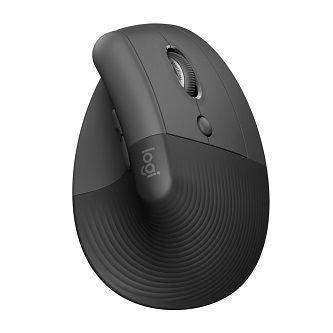
The Logitech Lift is good for small hands because Logitech sizes it for small to medium hands, at 108 mm long and 70 mm wide. Owners with hands around 15 to 17 cm say the buttons fall under their fingers without stretching, and it is the only pick here with a true left-handed version.
One honest warning. A vertical mouse feels strange for the first few days. One EM11 NL owner reported a sore hand and arm for the first two days before it settled. Give any vertical a full working week before you judge it — and if it still hurts after that week, the size is wrong, not the shape.
Which Grip Fits Small Hands Best?
Palm grip needs a tall, full shell; claw and fingertip grips suit short, low shells. With a small hand, the grip you use decides the mouse more than the brand does.
| Grip | Hand length | What to look for | Best picks here |
|---|---|---|---|
| Palm | Under 17 cm | Tall, full shell; palm rests fully; fingers reach the buttons without stretching | Logitech Lift, MX Anywhere 3S |
| Claw | Under 17 cm | Short, low shell; arched fingers; buttons under the fingertips | Razer Cobra HyperSpeed, PERIMICE-719 |
| Fingertip | Under 17 cm | Lightest and narrowest; only the fingertips touch the shell | Razer Cobra HyperSpeed |
Here's the thing: most small-hand buyers use a claw grip without knowing it — the hand arches because the shell is too big to palm. If that sounds like you, stop fighting it. Buy a short, low shell built for claw, like the Cobra or the PERIMICE-719, instead of a tall vertical you will palm badly. And if you game, grip matters twice: a palm grip on a low shell drags, and a claw grip on a tall shell cramps.
Quick Comparison
| Product | Size / Weight / Type | ||
|---|---|---|---|
| #1 | Logitech LiftBest Overall | 108×70×71 mm / 125 g / vertical | Check Price |
| #2 | ProtoArc EM11 NLBest Budget Vertical | 138×69×68 mm / ~112 g / vertical | Check Price |
| #3 | Perixx PERIMICE-719Best Mini Vertical | 104×66×57 mm / ~100 g / vertical | Check Price |
| #4 | Logitech MX Anywhere 3SBest Compact Sculpted | 100.5×65×34 mm / 99 g / sculpted | Check Price |
| #5 | Razer Cobra HyperSpeedBest for Gaming | 119.6×62.5×38 mm / 62 g / gaming | Check Price |
| #6 | Logitech Signature M650Best Budget Sculpted | 108×61×39 mm / 101 g / sculpted | Check Price |
Sizes are length × width × height in millimetres. Weights are the makers' figures. No prices are printed — check the live price before buying.
Logitech Lift
Best OverallBuy if: you want a vertical that actually fits small-to-medium hands, and you use a mouse all day for office work
Don't buy if: your hand is under 16 cm, or you want a gaming mouse
The Lift is the default small-hand vertical for a reason. Logitech sizes it for small to medium hands — 108 mm long, 70 mm wide, 71 mm tall, at a 57-degree handshake angle — and it is the only mouse here with a true left-handed version. The thumb rest is soft, the clicks are quiet, and the SmartWheel scrolls smoothly. Bluetooth and Logi Bolt cover up to three devices, and one AA battery is rated by Logitech for up to 24 months. One owner with a 6-inch hand called the size "just right for my smallish hand" — the kind of line that matters more than a spec sheet.
The limits are honest ones. At 125 g it is heavy for a "small" mouse, and very small hands — under 16 cm — may still find the shell big. It is not a gaming mouse: no low-latency mode, no high polling rate. Or maybe I should say it this way: the Lift is the best vertical for hands that are small, not just small-to-medium — if your hand is under 16 cm, try the PERIMICE-719 first.
Pros
- Sized for small-to-medium hands by Logitech
- Only pick with a true left-handed version
- Quiet clicks, SmartWheel, three-device switching
- AA battery rated up to 24 months (maker's claim)
Cons
- 125 g — heavy for a small mouse
- Not for gaming — no low-latency mode
- Very small hands may still find it big
ProtoArc EM11 NL
Best Budget VerticalBuy if: you want a rechargeable vertical with three-device switching, and your hand is 17–19 cm
Don't buy if: your hand is under 16 cm, or you use a Mac and need the side buttons
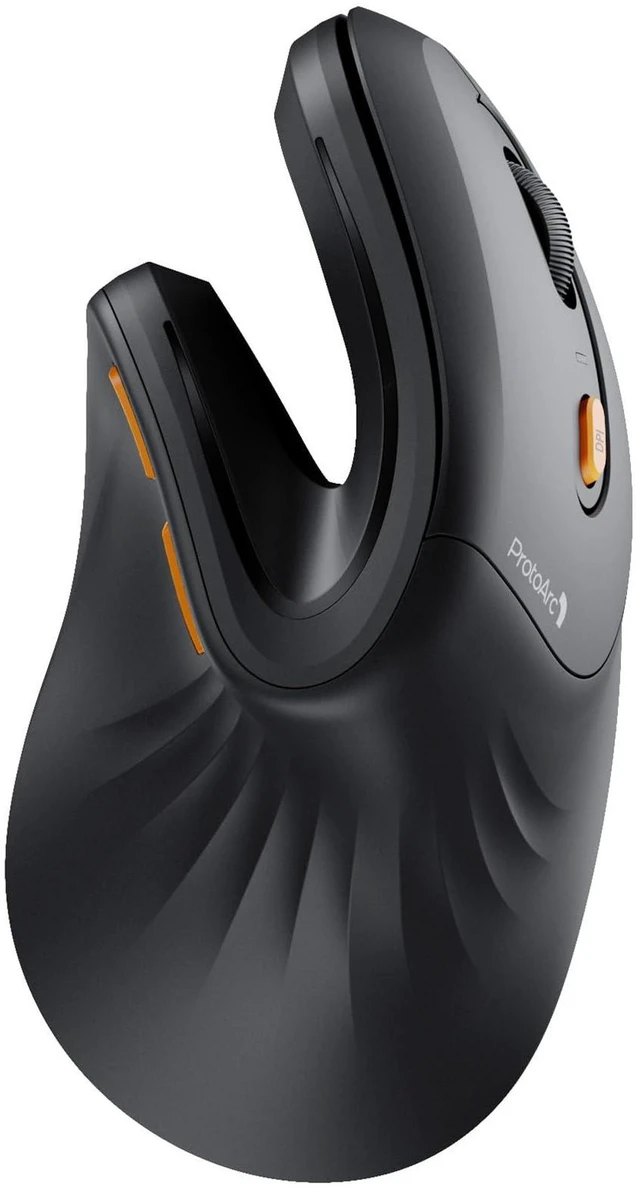
The EM11 NL is the budget vertical that names its hand range instead of hiding it: ProtoArc designs it for hand lengths under 7.5 inches (19.05 cm), with its manual narrowing that to under 17.5 cm or 17.5 to 19.05 cm. The 58-degree angle, 500 mAh rechargeable battery with USB-C, and Bluetooth plus 2.4 GHz for three devices make it the most flexible cheap vertical here. Quiet clicks, three DPI steps (1000/1600/2400).
Now the awkward part: at 138 mm long it is longer than the Lift, despite being sold as the small-hand pick. Do not call it the smallest vertical — it is not. Its case rests on the stated hand range, not its body length, so check your own hand against the 17.5 cm line before buying. Expect an adjustment period — one owner reported a sore hand and arm for the first two days. And on a Mac, the forward and back buttons need third-party software to work. No battery-life hours are published, so none are printed here.
Pros
- Rechargeable with USB-C — no batteries to buy
- Three-device switching (Bluetooth + 2.4 GHz)
- Explicit hand-length range from the maker
- Quiet clicks
Cons
- 138 mm long — longer than the Lift despite the small-hand pitch
- Adjustment period reported by owners
- Side buttons need extra software on macOS
- No published battery-life figure
Perixx PERIMICE-719
Best Mini VerticalBuy if: your hand is genuinely small and you want the cheapest vertical that still fits
Don't buy if: you need Bluetooth, or you use a Mac and need the side buttons
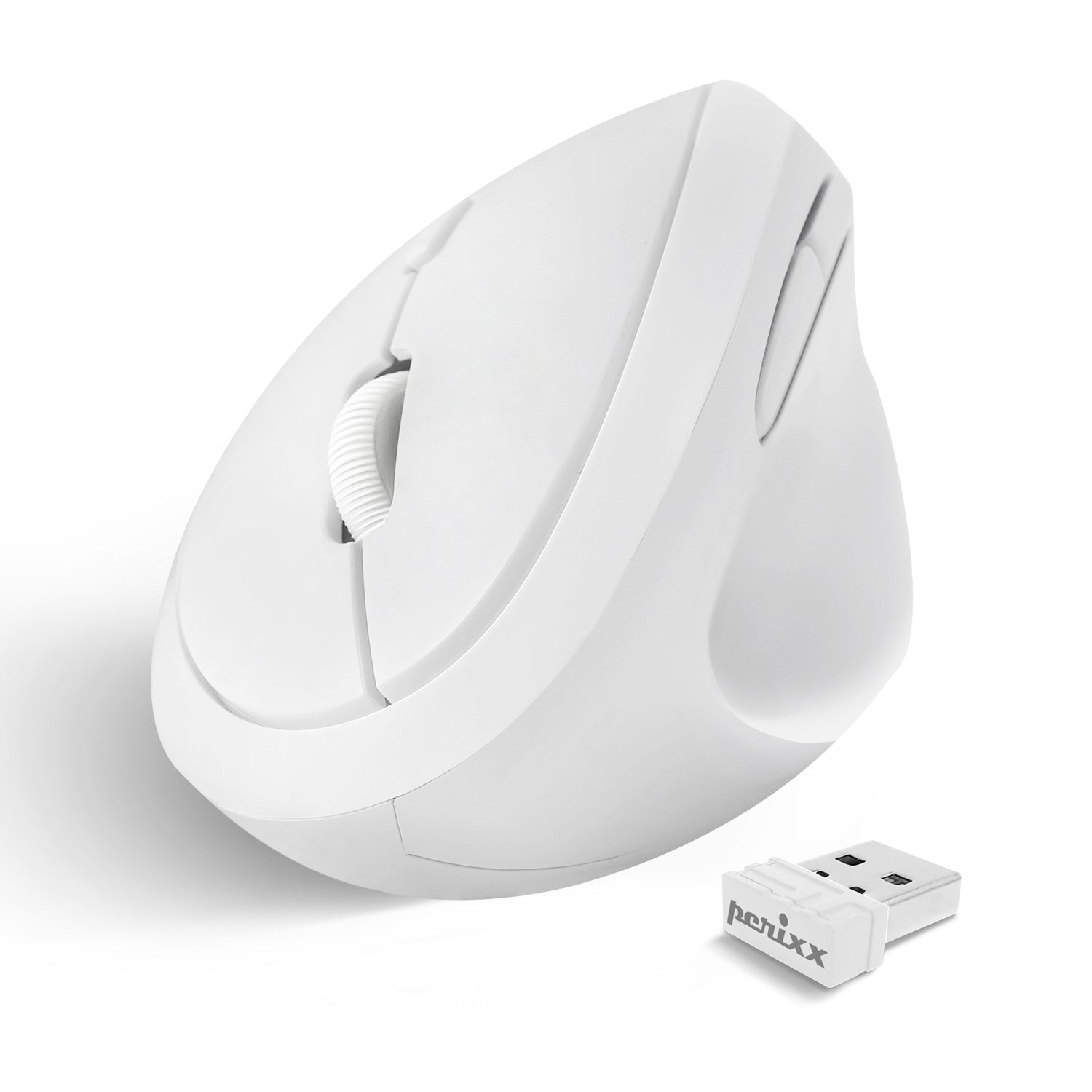
The PERIMICE-719 is the smallest mouse in this guide, and the one most honestly built for small hands. Perixx calls it "a small wireless ergonomic vertical mouse designed for small hands" — and the numbers back that up: 104 mm long, 66 mm wide, 57 mm tall, about 100 g. Three DPI steps (800/1200/1600), six buttons, silent clicks. It runs on two AAA batteries, which is the trade for the price.
Name the model carefully when you buy. The newer PERIMICE-719R, launched in March 2026, is a different mouse — 105 mm, 84 g, and DPI up to 3200. This card is the original 719 only; never mix the two sets of specs. The 719 is 2.4 GHz wireless only, with no Bluetooth, and its back and forward buttons are not supported on macOS. No battery-life claim was found, so none is printed.
Pros
- Smallest body here — 104 mm, about 100 g
- Explicit small-hand design from the maker
- Silent clicks
- Cheapest pick here
Cons
- 2.4 GHz only — no Bluetooth
- 2× AAA batteries not included
- Side buttons not supported on macOS
- Easy to confuse with the newer 719R
Logitech MX Anywhere 3S
Best Compact SculptedBuy if: you want the smallest, easiest mouse here and you don't want to relearn how to hold one
Don't buy if: you need a vertical angle for wrist pain, or you want a receiver in the box
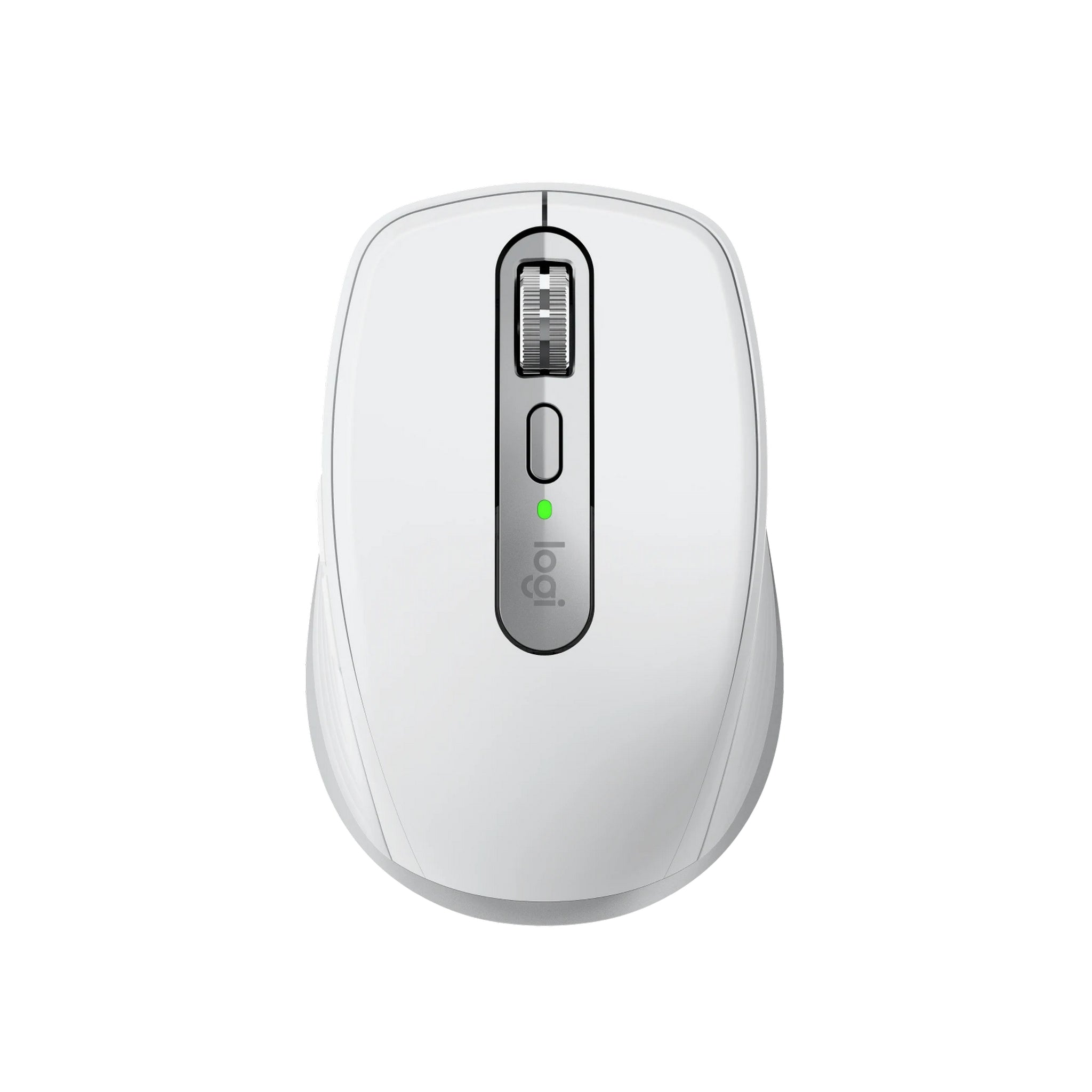
Here's my honest take: the best mouse in this guide for most small hands isn't a vertical at all — it's the MX Anywhere 3S. Vertical purists will disagree, and they have a point about forearm angle. But a mouse you actually use beats a vertical you leave in a drawer, and the 3S is the one small hands pick up without thinking. At 100.5 mm long and 99 g it is the shortest body here, with Logitech's Darkfield sensor (200–8,000 DPI), the MagSpeed scroll wheel, quiet clicks, and a USB-C rechargeable battery Logitech rates for up to 70 days.
Say it plainly, though: this is a horizontal mouse. It solves small-hand comfort, not forearm pronation — if your wrist pain comes from twisting, a vertical still wins. And the Logi Bolt receiver is not in the box, so out of the box it connects by Bluetooth only. Three devices, Logi Options+ and Flow for moving between computers.
Pros
- Shortest body here — 100.5 mm, 99 g
- Darkfield sensor works on glass
- MagSpeed wheel
- USB-C rechargeable
Cons
- Horizontal — does not fix forearm pronation
- Logi Bolt receiver not included
- No vertical angle for wrist pain
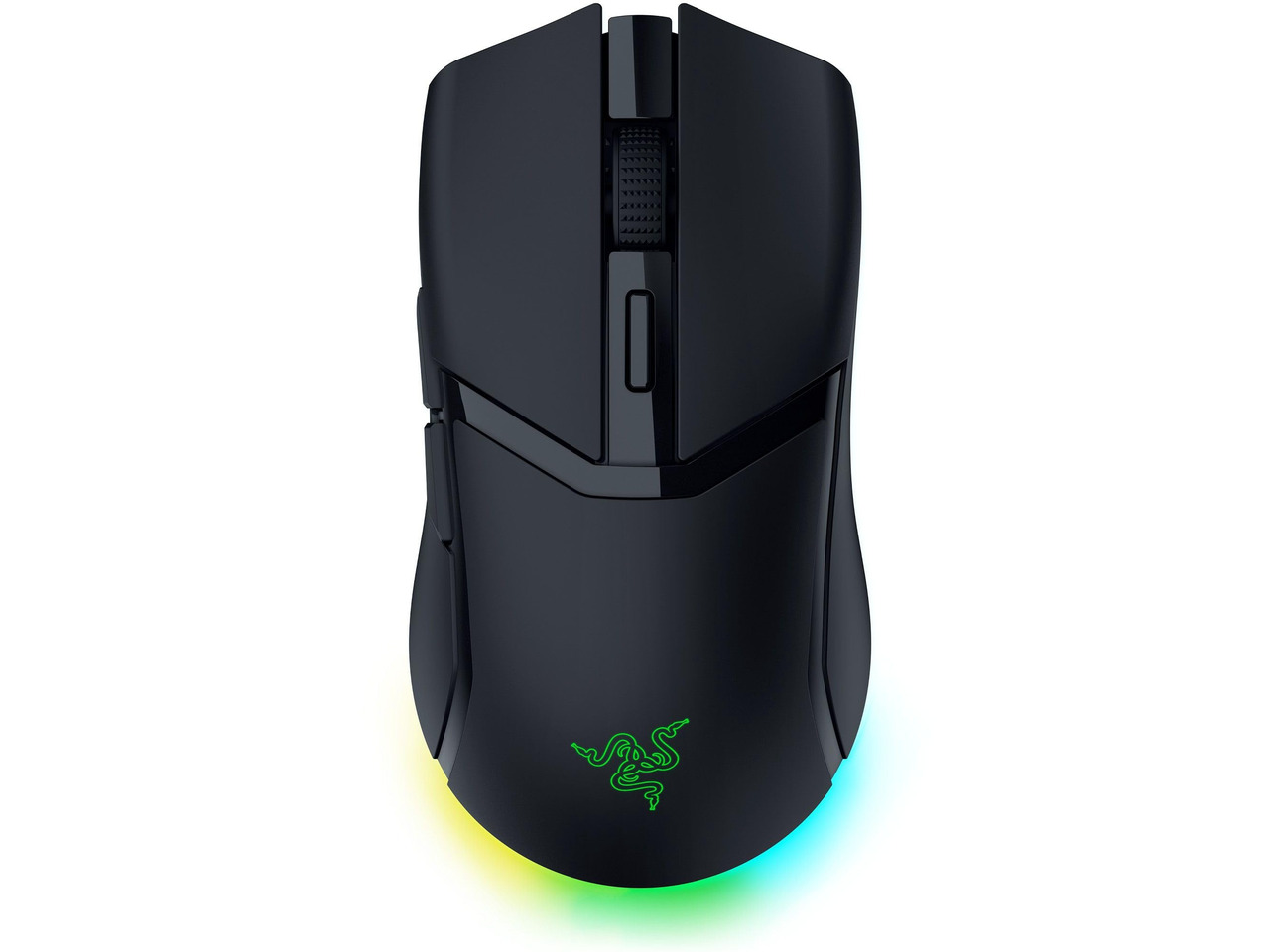
Razer Cobra HyperSpeed
Best for GamingBuy if: you have small hands, you game, and you want a light ergonomic shell with real wireless
Don't buy if: you palm-grip hard and need a tall hump, or you want silence
The Cobra HyperSpeed is the gaming pick, and the only one here built for small hands by a gaming brand. PCBuildHelper names it the small-hand gaming pick for hands under 17.5 cm: 119.6 mm long, 62.5 mm wide, just 62 g, with Razer's Focus X 26K sensor, 1,000 Hz polling, HyperSpeed 2.4 GHz plus Bluetooth 5.0 and wired USB-C, nine customisable controls and Gen-4 optical switches. It is a right-handed ergonomic shell — not a flat symmetrical slab.
Two numbers need splitting, because most roundups print only one. Razer rates the battery at up to 110 hours on HyperSpeed and up to 170 hours on Bluetooth — never read "170 hours" without the mode. And the 8,000 Hz polling needs the HyperPolling dongle, sold separately; out of the box it runs at 1,000 Hz. The hump is lower and shallower than the DeathAdder's, so strict palm-grip users may find less support than expected — claw and fingertip grips suit it best.
Pros
- Lightest here at 62 g
- Tri-mode wireless (2.4 GHz, Bluetooth, wired)
- Focus X 26K sensor
- Right-handed ergonomic hump
Cons
- Hump is shallow — palm-grip users may want more support
- 8,000 Hz needs a separate dongle
- Battery is 110 h on HyperSpeed, 170 h only on Bluetooth
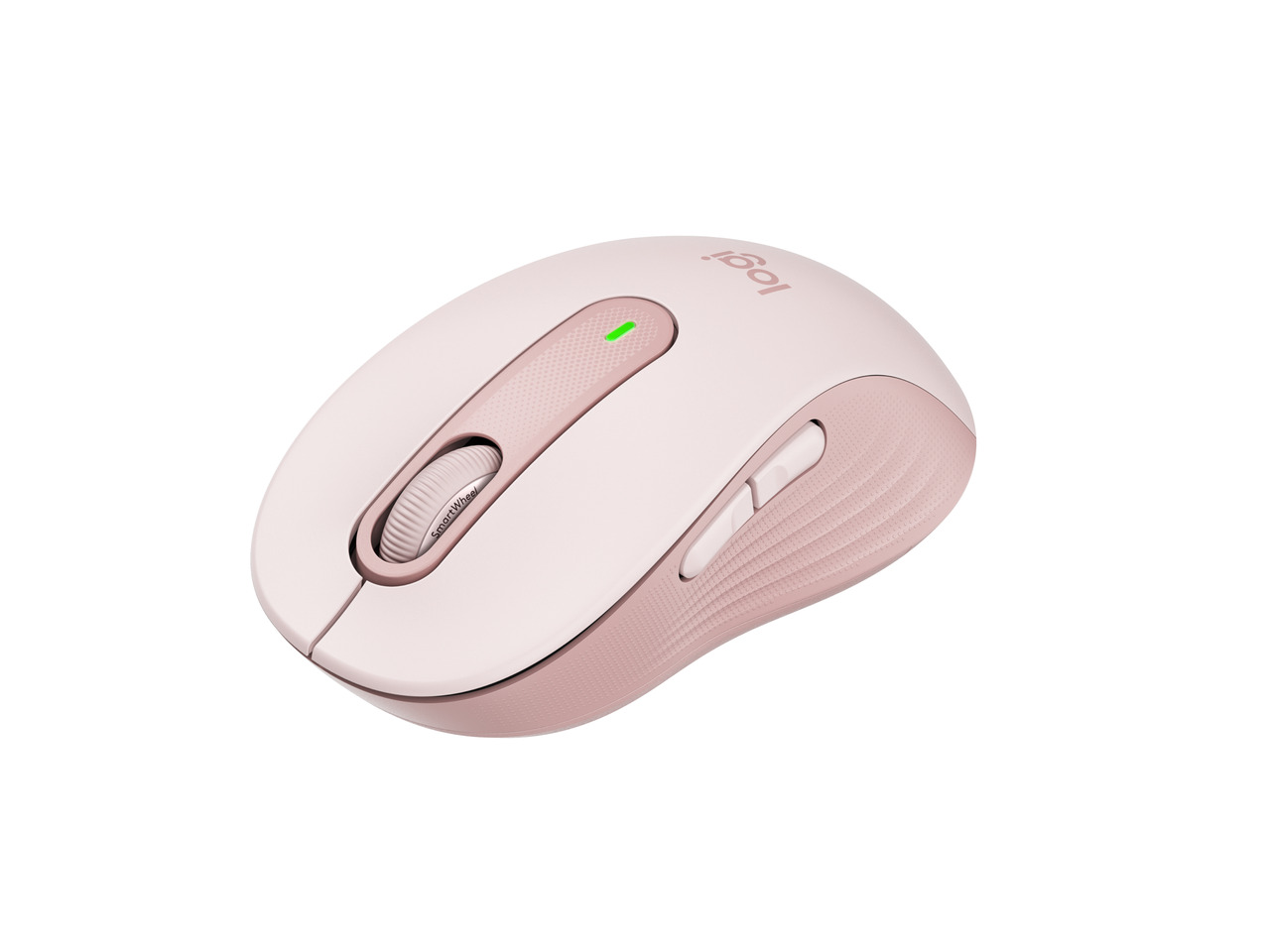
Logitech Signature M650
Best Budget SculptedBuy if: you want a quiet, comfortable everyday mouse for small-to-medium hands without paying for a vertical
Don't buy if: you need a left-handed mouse, or you need high DPI
The Signature M650 is the quiet budget pick for people who don't want a vertical. Logitech makes it in two sizes; the standard M650 is the one for small-to-medium hands — 108.2 mm long, 61 mm wide, 38.8 mm tall, 101.4 g, with a contoured shape, a soft thumb area, SilentTouch quiet clicks and the SmartWheel. Bluetooth and Logi Bolt cover the connection, and one AA battery is rated by Logitech for up to 24 months.
Two traps to check. First, the left-handed version exists only in the larger M650 L — if you are left-handed with small hands, this is not your mouse; the Lift Left is. Second, the DPI figures disagree: Logitech's spec sheet lists up to 4,000 DPI, while NotebookCheck and several retailers list 2,000 max. Either way it is an office mouse, not a gaming sensor — buy it for comfort, not for DPI.
Pros
- Quiet SilentTouch clicks
- Contoured shape with soft thumb area
- SmartWheel
- Long battery claim (maker's figure)
Cons
- Left-handed version only in the larger L size
- DPI figures conflict (4,000 per Logitech, 2,000 per retailers)
- Not a gaming mouse
Does a Vertical Mouse Help With Wrist Pain?
It can ease the strain — it is not a treatment. A vertical mouse holds the forearm closer to a handshake position, so the wrist twists less during a long day. That helps many people with aching wrists. It does not fix carpal tunnel, and it is not a medical device.
The honest limit: no mouse in this guide is a medical product, and no maker claim here is a clinical result. ProtoArc's "proven wrist relief" is marketing copy on a listing. If you have numbness, tingling or pain that does not fade after a few days away from the mouse, see a doctor — a mouse change is the wrong fix for a nerve problem. What a vertical does do, for the right hand size, is remove one source of strain: the twist. Pair it with a chair and desk height that lets your forearm rest flat, and with breaks — the mouse alone is half the fix.
How Do I Know If a Vertical Mouse Is the Wrong Size for My Hand?
Three signs: your fingers curl past the front edge, you stretch to reach the side buttons, or your wrist still aches after a week. Any one of them means the shell is wrong — not that vertical mice are wrong.
Look — if you've tried a big vertical mouse and it didn't help, it's not you — it's the fit. The MX Vertical is the usual suspect: a good mouse for a medium-to-large hand, sold to small hands by roundups that never checked the size. Give a new vertical a full working week — the first two days feel strange for almost everyone — then judge it. If it still hurts, measure your hand again and buy by the millimetres, not the marketing.
Are There Good Ergonomic Options for Left-Handed Users With Small Hands?
Yes, but the choice is thin: the Logitech Lift Left is the only true left-handed pick in this guide. Most "ambidextrous" mice are symmetrical slabs, and most left-handed versions only come in large sizes.
The Lift Left is the same 108 mm shell, mirrored, with the same 57-degree angle and quiet clicks. It is the one left-handed small-hand option with a real track record. The M650's left-handed version only comes in the larger L size, which defeats the point for a small hand. Symmetrical mice like the Pebble work for either hand but offer no palm support, so they are travel mice, not ergonomic ones. If you are left-handed and small-handed, buy the Lift Left — and check the listing says "Left", because the standard Lift is right-handed only.
Are Lightweight Mice Better for Small Hands?
Lighter is easier to move, but weight is not the whole story. A 62 g mouse moves with a flick of the fingers; a 125 g mouse needs the whole hand. For gaming, light wins. For eight hours of office work, shape and fit matter more than grams.
The lightest mouse here is the Cobra at 62 g, and it is also the gaming pick — that is no accident. Light mice suit claw and fingertip grips, where the fingers do the moving. But a light mouse with a bad shape still hurts, and a heavier mouse that fits — the Lift at 125 g — beats a light one that doesn't. Don't buy on weight alone. Buy on length first, width second, weight third.
Buying Guide: What Actually Matters
After size, the four things worth your attention are shape, connection, battery and buttons — in that order.
Shape decides whether the mouse fits your grip: vertical for wrist angle, sculpted for familiarity, tall for palm, short for claw. Connection decides how it joins your setup: Bluetooth and 2.4 GHz cover most desks, and three-device switching matters if you move between a laptop and a desktop — the Lift, EM11 NL, Anywhere 3S and M650 all switch between three devices. Battery decides how often you think about it: the Lift and M650 run on one AA for a maker's claim of up to 24 months, the Anywhere 3S and EM11 NL recharge over USB-C, the PERIMICE-719 runs on two AAAs. Buttons decide whether the side buttons fall under your thumb — check that before you buy, because a side button you can't reach is a button you paid for and never use.
Three things not to overpay for: DPI above 4,000 on an office mouse (you will never use it), RGB lighting on a mouse your hand covers, and a "gaming" label on a mouse with no low-latency wireless. Also worth a look if the six picks don't fit: the Logitech G305 Lightspeed (99.6 mm, 99 g, 250-hour AA battery — a strong gaming alternate, but symmetrical, not ergonomic-shaped) and the Razer Viper Mini (118 mm, 61 g — wired only, and cheap). If you are buying a mouse for games as well as work, our best wireless gaming mouse guide covers the gaming-first options.
Mice to Skip in 2026
Logitech MX Vertical — the single most common wrong buy for small hands. 120 mm long, 79 mm wide, 135 g — Logitech sizes it for medium-to-large hands, and every honest source flags it too big for small hands. It is a good mouse for the wrong hand.
Logitech MX Master 3S / 4 — flagship for big hands. 124.9 mm long, 84.3 mm wide, 141 g. It overhangs a small palm and the thumb buttons sit a stretch away. The Master 4 is the newer model — same trap.
Razer Pro Click V2 Vertical — short, but wide and heavy. 111 mm long, but 88 mm wide and 150 g. Reviewers say medium-to-large hands fit best. A good example of why length alone misleads — width and weight matter too.
Microsoft Sculpt — short, heavy, and old. 98.2 mm long but 155 g, fixed 1,000 DPI, a 2013 design. Short, heavy, and old stock. Fails on weight and sensor.
The pattern is the same every time: a good mouse, recommended to the wrong hands.
Frequently Asked Questions
What's the best ergonomic mouse for small hands in 2026?
The Logitech Lift — a vertical sized for small-to-medium hands, with a left-handed version. If you don't want a vertical, the MX Anywhere 3S is the shortest pick here.
How do I measure my hand for a mouse?
Hold your hand flat, palm down. Measure from your wrist crease to the tip of your middle finger. Under 17 cm means small hands; 17 to 19 cm is medium.
Is a vertical mouse good for small hands?
Yes, when the shell fits. A vertical mouse holds your forearm in a handshake position, so the wrist twists less — but a big vertical is worse than a flat mouse that fits.
Can a vertical mouse help with carpal tunnel symptoms?
It may ease strain by reducing wrist twist, but it is not a treatment. If you have numbness or tingling, see a doctor.
What size mouse should I get if my hand is under 17 cm?
Look for a mouse 100 to 120 mm long and under about 65 mm wide. Check the millimetres on the listing — don't trust the word "small".
Are there left-handed ergonomic mice for small hands?
The Logitech Lift Left is the only true left-handed pick here. The M650's left-handed version only comes in the larger L size.
Should small hands use a claw or fingertip grip?
Claw and fingertip suit short, low shells like the Cobra and PERIMICE-719. Palm grip needs a tall, full shell like the Lift.