Best Laptop Cooling Pads for Gaming in 2026: 6 Picks That Actually Drop Temps

Most cooling-pad guides start with the fan count. This one starts with the honest answer: a good pad buys a few degrees, and only if its fans line up with your laptop's intake vents. The top 10 results for "best laptop cooling pad for gaming" do not say that. One crowns a pad on the strength of Llano's "44°C drop in 90 seconds" claim and calls it verified — with no test protocol shown. Another prints prices of $26–$90 as if they were current, claims "10–20°C" drops from its own testing without naming a test laptop, and calls the Llano V12 a vacuum cooler — it is not; it is a sealed-chamber turbofan that pushes air into the intakes, and clip-on vacuum coolers are a different, riskier product. A third has no sealed-turbofan pick at all, so the whole high-performance class is missing.
So this guide is built on the measurements that actually exist. TechRadar's August 2026 test — one Acer Predator Helios 300 with an RTX 3080, a 15-minute 3DMark Steel Nomad run, temperatures read with a thermal camera — is the only independently measured dataset anyone cites, and it is quoted here with its limits stated. Notebookcheck's controlled test of the HAVIT HV-F2056 is the only named independent test behind any budget pick. Everything else is labelled as a manufacturer claim. Every pick is a current model, and every version trap — the GT500's two RPM listings, the V12's too-big-for-14-inch platform, the Razer's conflicting RPM figures — is named on the card it belongs to. If your laptop is still throttling after the free fixes, our gaming laptop overheating guide walks through them in order.
No prices are printed in this guide — cooling-pad prices move by seller and week, so check the live price before buying. Where a figure is given for a temperature or a noise level, the source is named with it: manufacturer claim, or independent test.
Quick Comparison
| Product | Size / Fan / Noise / Power | ||
|---|---|---|---|
| #1 | IETS GT500Best Overall | 13–17.3″ / 1 turbofan / 55 dB max / USB | Check Price |
| #2 | Llano V12Best Max Cooling | 15.6–19″ / 5.5″ turbofan / ≤70 dB / 36W adapter | Check Price |
| #3 | Razer Laptop Cooling PadBest Premium | 14–18″ / 140mm fan / 48 dB max / 36W adapter | Check Price |
| #4 | Thermaltake Massive 20 RGBBest for 17–19″ Rigs | Up to 19″ / 200mm fan / low-pitched / USB | Check Price |
| #5 | KLIM Ultimate RGBBest Quiet | 11–17.3″ / 200mm fan, 750 RPM / ~36 dB measured / USB | Check Price |
| #6 | HAVIT HV-F2056Best Budget | 15.6–17″ / 3× 110mm fans / ~40 dB / USB | Check Price |
Noise figures are manufacturer claims unless marked "measured" — TechRadar measured them at head height on one test laptop, so treat them as comparisons between pads, not as the level you will hear at your desk. Size ranges are platform fit, not a guarantee the fans line up with your laptop's vents — that is what the vent check is for.
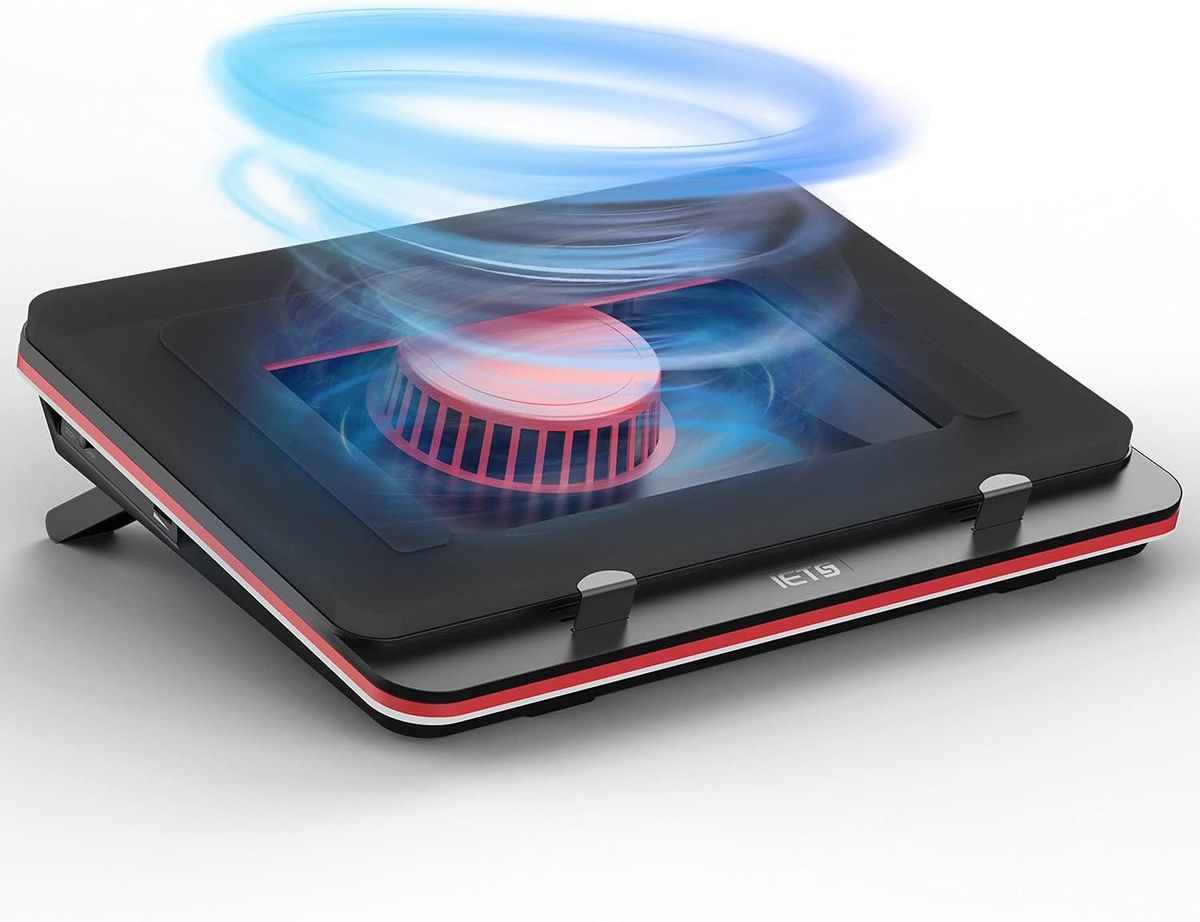
IETS GT500
Best OverallBuy if: you want the longest-proven sealed-turbofan pad and your laptop has bottom intake vents inside the foam seal
Don't buy if: your laptop is over 17.3 inches, has no bottom vents, or you need whisper-quiet operation
The GT500 wins on track record. It pioneered the sealed turbofan design that most of this roundup copies: one industrial turbofan under a foam seal that forces air into the laptop's bottom intakes instead of scattering it across the desk. The metal body, seven height levels, removable dust filter and bottom air intake are the package that has kept it at the top of owner recommendations for years, and it is the pick the most careful competitor in this SERP — gamingpcsi.com — also ranks first. Its 4200 RPM fan raises the noise floor to 55 dB at full speed by the manufacturer's own figure, which is above normal conversation level — run it below maximum and the noise drops sharply.
The trap is the listing. GT500 listings show both 4200 and 5000 RPM versions, with airflow figures that change between sellers, so do not treat one RPM number as canonical — buy the sealed-foam, metal-body GT500 by name, check the size range is 13–17.3 inches, and confirm the listing shows the foam seal and dust filter. Cheaper GT500B0 and GT300 variants are different, lower-powered pads that share the family name. And remember the mechanism: the seal only works if your laptop's intakes sit inside the foam perimeter — measure the vent layout against the pad before you buy, per the vent check.
Pros
- Sealed turbofan forces air into the intakes — the strongest design class here
- Metal body, foam seal and removable dust filter — built for daily use
- Seven height levels; USB-powered with a 3-port hub on most versions
- Longest owner track record of any sealed pad
Cons
- 55 dB at full speed — loud at maximum, and the fan is the whole point
- Listings show 4200 and 5000 RPM versions — buy by name, not by the RPM on the page
- 13–17.3 inches only — too small for 18–19-inch desktop replacements

Llano V12
Best Max CoolingBuy if: you run a high-TDP 15.6–19-inch gaming laptop, wear a headset, and want the hardest-cooling pad measured anywhere
Don't buy if: your laptop is 14 inches, you play on speakers, or you need to carry the pad anywhere
The V12 is the maximum-cooling pick, and the only one with an independent test result worth quoting. In TechRadar's August 2026 test, the Llano RGB held the test laptop's hottest point to 8°C of warming over 15 minutes of 3DMark Steel Nomad — the best result of the six pads tested, ahead of the V10 at 12°C and the KLIM Ultimate at 15.5°C. The mechanism is the same sealed-chamber idea as the GT500, scaled up: a 5.5-inch turbofan at 2800 RPM, a foam chamber, a 36W dedicated power adapter (not USB power, so the fan is not starved), a 3-port USB hub, a removable dust filter and three height settings.
Two honest corrections. First, Llano's "44°C drop in 90 seconds" is a manufacturer claim, not a measured result — no independent test has reproduced it, and two top-10 roundups repeat it as if it were verified. The TechRadar number is 8°C of warming on one laptop, which is a real result and a strong one. Second, the V12 is not a vacuum cooler, despite one roundup calling it one — it pushes air into the intakes; clip-on vacuum coolers that suck from the exhaust are a different product with different risks (see Pads to Skip). The price of the cooling is noise: TechRadar measured 71 dB at head height, the loudest pad in its test, and the V12 weighs 1.8 kg. It is also too big for a 14-inch laptop — the platform fits 15.6–19 inches, and the smaller Llano V10 is the right pick for smaller machines.
Pros
- Best measured result in TechRadar's test — 8°C hottest-point warming
- 36W dedicated adapter — the fan is never USB-starved
- 3-port USB hub, removable dust filter, RGB with memory function
- Sealed foam chamber, three height settings
Cons
- 71 dB measured — the loudest pad here; headset territory
- 1.8 kg — a desk pad, not a portable one
- Too big for 14-inch laptops — buy the V10 for smaller machines
- The "44°C in 90 seconds" claim is marketing, not a test result
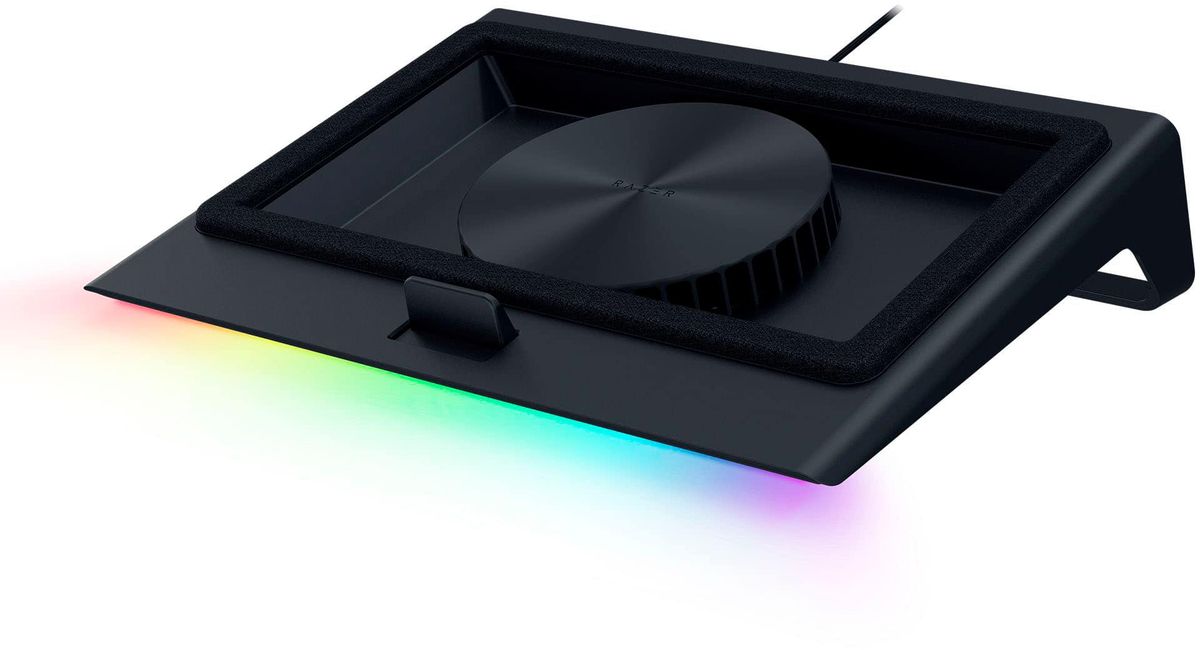
Razer Laptop Cooling Pad
Best PremiumBuy if: you want smart fan control, Chroma RGB and a sealed design — and you own a listed Razer Blade, where HyperBoost actually does something
Don't buy if: you want adjustable height, or you will not install Synapse to run it
The Razer pad is the premium sealed option, and the only one here with software-controlled cooling. A single 140mm fan in an airtight pressure chamber, three magnetic frames to fit different laptop footprints, Synapse 4 presets and custom fan curves, Chroma RGB, a 3-port USB-A hub and a dust filter — all running off a 36W adapter. Razer claims up to 18% better cooling, cited by Notebookcheck in its October 2026 update; GamesRadar's 2025 review found small measured gains, which is the honest shape of this product — it helps, by a little, with the best controls in the class.
Two traps to know before buying. First, HyperBoost — the feature that raises power limits — works only on listed Razer Blade models; on any other laptop the pad is a well-built sealed cooler, not a performance unlock. Second, the tilt is fixed at roughly 30 degrees with no height adjustment, and the smart features need Synapse installed. The fan speed itself is inconsistently listed: Razer's spec says up to 3000 RPM, while some retailers list 2550 RPM, so do not buy on the RPM number. The model code is RC21-02300100-R3UC — check it on the listing, because Razer also sells the Laptop Stand Chroma, which is a passive stand with no fan at all (see pad vs stand).
Pros
- Synapse 4 fan curves and presets — the smartest control here
- Airtight pressure chamber with three magnetic fit frames
- Chroma RGB, 3-port USB-A hub, dust filter
- 36W adapter — properly powered, not USB-starved
Cons
- Fixed ~30° tilt — no height adjustment
- HyperBoost works only on listed Razer Blade models
- Smart features need Synapse; fan speed listed inconsistently (2550 vs 3000 RPM)
- The priciest sealed pad here for gains measured as small
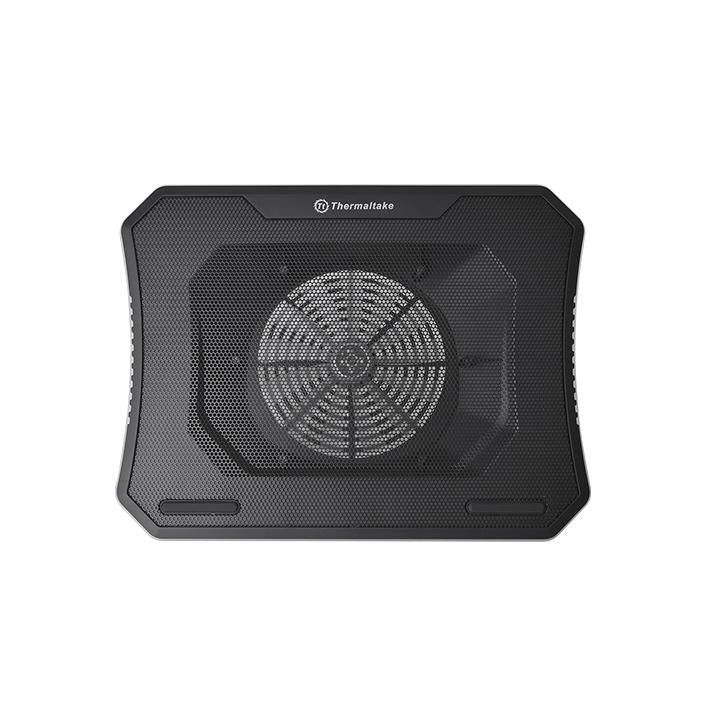
Thermaltake Massive 20 RGB
Best for 17–19″ RigsBuy if: you run a 17–19-inch desktop replacement that flexes thin pads, and you want a wide, rigid platform
Don't buy if: you want a sealed turbofan — this is an open design, so its fan must sit under your intakes
The Massive 20 RGB is the wide-platform pick. One 200mm fan in a reinforced steel-mesh deck that takes laptops up to 19 inches, with three height settings and RGB lighting. A 200mm fan moves a lot of air at low RPM, so it is low-pitched and quieter than small fast fans at the same airflow — and the rigid deck matters: heavy 17–18-inch desktop replacements flex thin plastic pads, which breaks the seal on a sealed pad and wobbles the laptop on an open one. This is the pick for the biggest machines, and the one every top-10 roundup agrees on for 17-inch rigs.
It is an open design, not a sealed one — the fan blows upward into the general underside of the laptop rather than forcing air through a sealed chamber, so positioning matters more: slide it until the 200mm fan sits directly under your laptop's main intake vents. One practical trap: the LEDs need 1.2A to light, so on an underpowered USB port you need to plug in both USB connectors. Thermaltake publishes no noise figure for this pad, so do not trust any dB number printed against it — the low-pitched character of a large slow fan is the honest claim.
Pros
- Wide rigid platform — fits up to 19-inch desktop replacements without flexing
- 200mm fan: lots of air at low RPM, low-pitched noise
- Steel-mesh deck, three height settings, RGB
Cons
- Open design — the fan must be positioned under the intakes, it does not seal
- LEDs need 1.2A — use both USB plugs on underpowered ports
- No manufacturer noise figure published — ignore dB numbers printed against it
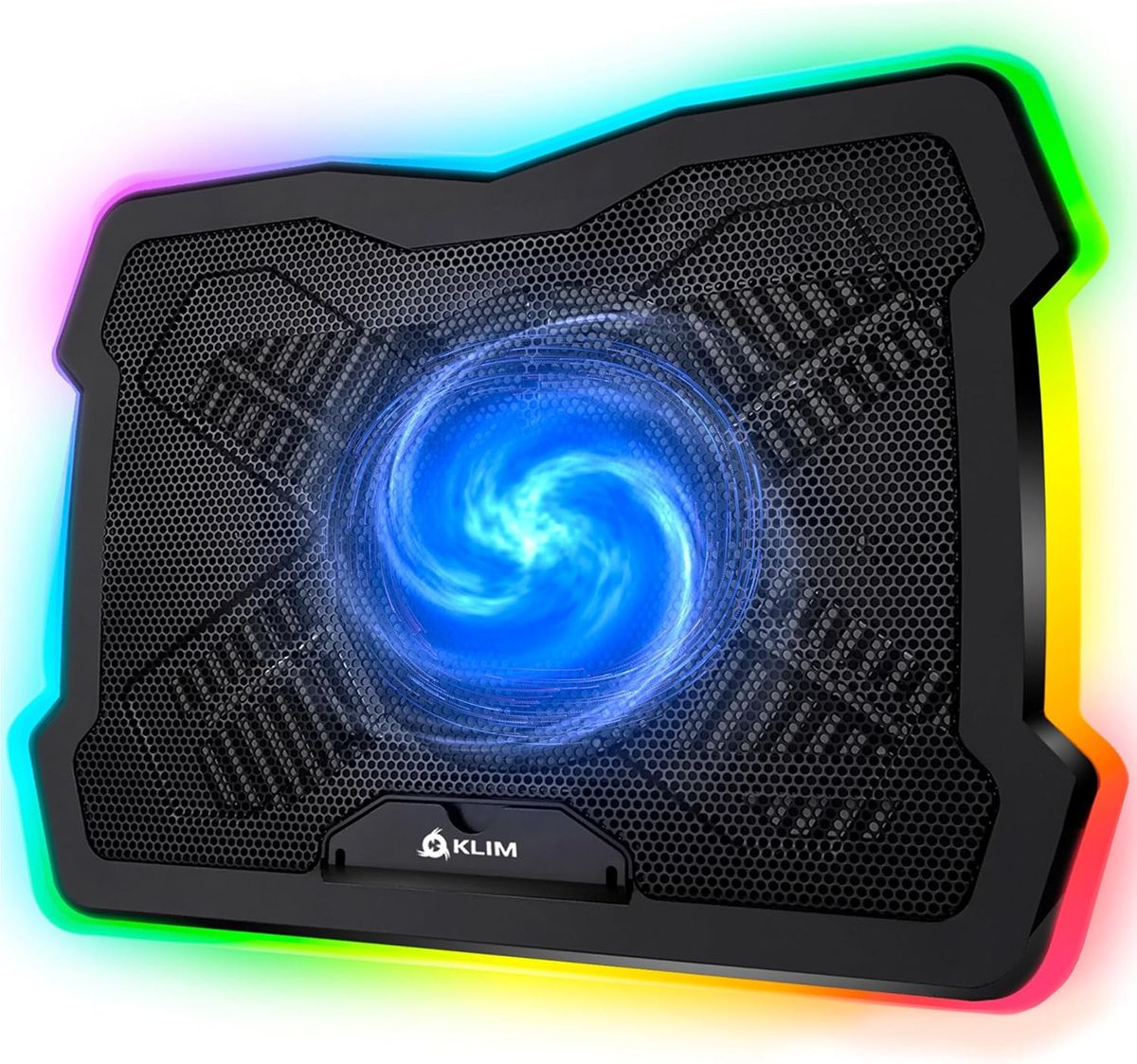
KLIM Ultimate RGB
Best QuietBuy if: you play on speakers or share a room, and a few degrees of cooling is enough
Don't buy if: your laptop is throttling hard — this is the gentlest cooler here, by design
The KLIM Ultimate RGB is the quiet pick, and the only one here whose quietness is measured rather than claimed. In TechRadar's August 2026 test it was the quietest pad at head height — about 36 dB pad-only, against 71 dB for the Llano RGB — while holding the test laptop's hottest point to 15.5°C of warming, the middle of the field. One 200mm fan at 750 RPM in a metal-grid deck, four inclination levels, an RGB rim, two USB ports, a 5-year warranty, and under a kilogram. It is the pad for the player who games on speakers, streams with an open mic, or shares a room — the cooling is modest, and the noise is too.
Check the name carefully: the real KLIM Ultimate is a single 200mm fan. One site describes a different "KLIM Ultimate" with five fans at 1200 RPM — that is a mislabelled or different product, and its specs do not apply to this pad. Do not print five-fan specs against it, and do not buy a five-fan listing expecting this pad. The trade is honest and stated on the card: this is the quietest measured pad here and the weakest cooler of the six — buy it for the noise, not for maximum temperatures.
Pros
- Quietest measured pad here — ~36 dB in TechRadar's test
- Single 200mm fan at 750 RPM — low-pitched, unobtrusive
- Metal grid deck, four inclination levels, 5-year warranty
- Light at 0.98 kg — easy to move or pack
Cons
- Weakest cooling of the six — 15.5°C warming in the same test where Llano managed 8°C
- One listing describes a different five-fan "Ultimate" — buy the single-fan model by name
- Needs two USB ports (fan + RGB)
HAVIT HV-F2056
Best BudgetBuy if: you want the cheapest pad with a real test behind it, and you carry your laptop between rooms
Don't buy if: your laptop is over 17 inches, or you need a sealed turbofan for a throttling high-TDP machine
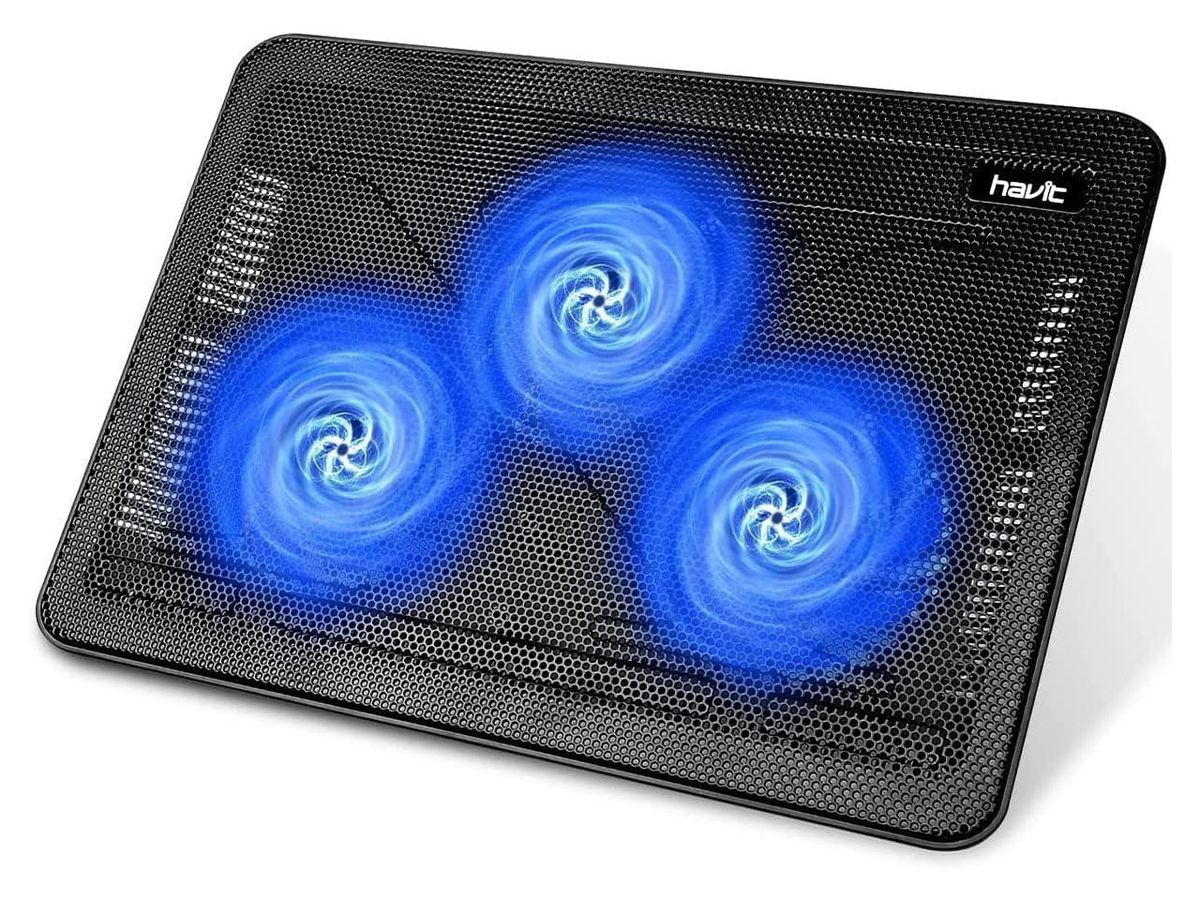
The HV-F2056 is the budget pick with the strongest evidence in its class. Three 110mm fans at 1100 RPM, 65 CFM, a slim metal-mesh body at 0.70 kg, two height settings and a USB passthrough — and, uniquely among budget pads, a named independent test: Notebookcheck measured a 12°C CPU and 6°C GPU drop on an MSI GP65 (i7-10750H + RTX 2070 Max-P) in a controlled test. That is the best-documented budget result in this roundup, and it is why this pad is here instead of the cheaper multi-fan pads that dominate the bottom of the top 10.
The limits are the usual budget ones. It fits 15.6–17-inch laptops — an 18-inch machine overhangs the platform. It is an open multi-fan design, so the three fans must sit under the intakes; on a laptop whose vents are at the rear edge, two of the three fans blow at solid chassis. And the ~40 dB figure is the manufacturer's — no independent noise measurement was found for this pad. None of that changes the verdict: for the money, it is the best-evidenced cheap pad you can buy.
Pros
- Best independent evidence in the budget class — 12°C CPU / 6°C GPU in Notebookcheck's test
- Slim and light at 0.70 kg — the portable pick here
- Three fans, metal mesh, USB passthrough
Cons
- 15.6–17 inches only — 18-inch laptops overhang
- Open multi-fan design — fans must line up with the intakes
- Noise figure is the manufacturer's; no independent measurement found
Do Laptop Cooling Pads Actually Work?
Yes — by a few degrees, and only after the free fixes. A cooling pad does not cool the laptop directly; the laptop cools itself, and a pad only changes the air reaching its intakes. It lifts the chassis so the vents are not breathing against a desk, and its fans push slightly cooler, slightly faster air at them. That is the whole mechanism, which is why a pad's fans matter less than its fit: a pad whose fans sit nowhere near your laptop's intakes is mostly an expensive stand.
The honest order is: clean the vents, lift the rear edge, cap the frame rate — then, if it still throttles after 20 minutes of play, a well-fitting pad is a reasonable buy. That is the same verdict our gaming laptop overheating guide gives, and this roundup does not contradict it. What a pad cannot do is fix a clogged heatsink, dried thermal paste, a dead internal fan, or a power limit: one owner on r/MSILaptops found their laptop ran cooler on a pad but scored lower, because the machine was power-limited and cooler did not mean faster. If your laptop is power-limited rather than thermally limited, a pad buys you lower temperatures and nothing else.
How Do I Know If a Cooling Pad Will Help My Laptop?
Check the vents first — a two-minute test decides whether any pad can help. Flip the laptop over and find the intake grilles on the bottom panel. Then hold a tissue near them while the laptop runs a game: if the tissue is pulled toward the grille, that vent is an intake and a pad can feed it; if it is pushed away, that vent is an exhaust and a pad must not cover it. Do this for every grille, because most gaming laptops mix intakes and exhausts across the bottom and the sides.
Three outcomes. If the bottom is mostly intakes, a pad helps — sealed pads most of all, because the foam ring pressurises the air into them. If the bottom is sealed — a MacBook, or a thin ultrabook that pulls air through the keyboard and hinge gaps — a pad has nothing to feed and is wasted money; buy a stand instead. If the intakes are on the sides or rear, an open pad can still help by lifting the chassis, but a sealed pad's foam ring will not line up and may cover an exhaust. One community report measured 11°C hotter after fitting a misaligned high-powered pad — the foam had sealed over an exhaust vent. Check before you buy, not after.
Sealed Turbofan vs Multi-Fan: Which Design Should I Buy?
Sealed turbofan if your laptop throttles hard; multi-fan or single large fan if you want quiet or portability — fan count is the worst way to choose. The three designs in this guide do different jobs. A sealed turbofan (GT500, V12, Razer) puts one fast fan inside a foam ring that presses against the laptop's underside, forcing air into the intakes at pressure. That is why the V12 measured best in TechRadar's test. An open multi-fan pad (HAVIT, TopMate C11) spreads several small fans across the deck and hopes they land under the vents — cheaper, lighter, and weaker where the vents do not line up. A single large fan (KLIM Ultimate, Massive 20 RGB) splits the difference: one 200mm fan moves a lot of air slowly and quietly, but without a seal it still depends on positioning.
Fan count and RPM are poor buying criteria. Six small fans at 2400 RPM can move less useful air than one sealed turbofan, and a 5000 RPM listing tells you nothing about whether the air reaches the heatsink. What matters is fan diameter, seal quality, power input and vent alignment — in that order. A sealed pad on USB power is starved; the V12 and Razer run on 36W adapters for exactly that reason. And a pad whose foam ring does not match your vent layout is worse than no pad at all.
How Loud Are Cooling Pads at Full Speed?
The strongest pads are also the loudest — 71 dB against 36 dB is the real trade-off in this guide. TechRadar measured noise at head height on the same test laptop: the Llano RGB hit 71 dB, the Llano V10 64.5 dB, the KLIM Ultimate about 36 dB and the KLIM Wind 36.2 dB. For scale, 70 dB is a loud conversation or a vacuum cleaner at a distance; 36 dB is a quiet room. The GT500's manufacturer figure is 55 dB at full speed, and the Razer's is 48 dB — both claims, not measurements, but the ranking holds: turbofans are loud, large slow fans are quiet.
Practically, this decides the pick. If you play on a headset, the V12's 71 dB never reaches you and the cooling is worth it. If you play on speakers, stream with an open microphone, or share a room, the KLIM Ultimate at ~36 dB is the only pad here you will forget is running — and you accept the weaker cooling that comes with it. Every pad here is quieter below maximum speed, so a turbofan run at half speed is a reasonable compromise — but a turbofan bought to run at half speed is a turbofan you overpaid for.
What Size Cooling Pad Do I Need?
Buy a pad rated to at least your laptop's screen size, then check the platform is wider than the laptop — sealed pads are size-sensitive, open pads are forgiving. A 15.6-inch laptop fits all six picks here. A 17-inch laptop fits all six too, but the Massive 20 RGB is the comfortable one — its platform runs to 19 inches and does not flex under a heavy machine. An 18–19-inch desktop replacement fits only the V12 and the Massive 20 RGB (and the IETS GT600 V2, covered below). A 14-inch laptop needs the smaller sealed pads: the GT500 fits 13–17.3 inches, and the V12 is too big — its smaller sibling, the Llano V10, is the 13–17.3-inch equivalent.
Screen size is only the first check. On a sealed pad, the foam ring must sit inside the laptop's footprint and around the intakes — a pad that is technically "big enough" but whose foam ring covers an exhaust vent will make things worse. On an open pad, the fans must sit under the intakes — a pad that is too wide leaves fans blowing at solid chassis. Measure the vent layout, then buy the size that puts the fans or the foam where the vents are.
Cooling Pad vs Laptop Stand: Which Is Better?
A stand is free cooling; a pad is a stand with fans — buy the pad only if the stand alone is not enough. Lifting the rear edge of a laptop so its bottom vents are not breathing against the desk is worth a few degrees on its own, and it costs nothing — a stack of books does it. A cooling pad adds fans on top of that lift, so it beats a stand only when its fans actually line up with your laptop's bottom intakes. If your laptop stops throttling on a stand, you do not need a pad.
Do not confuse the two products when shopping. Razer's Laptop Stand Chroma is a passive stand with RGB lighting and no fan — it lifts and lights, it does not cool. It is a fine stand and a useless cooling pad. The same confusion applies to most "cooling stands" in search results: if it has no fan, it is a stand, and its cooling contribution is the lift alone.
Can a Cooling Pad Damage My Laptop?
A well-fitting pad will not — but a misaligned one can make things worse, and clip-on vacuum coolers carry their own risk. The real risks are three. A sealed pad whose foam ring covers an exhaust vent traps hot air inside the laptop — one owner measured 11°C hotter with a misaligned pad than without it. High-airflow turbofans push more air and more dust into the heatsink, so a removable dust filter (GT500, V12, Razer all have one) matters for daily use, and the filter needs cleaning. And clip-on vacuum coolers that clamp onto the exhaust vent can stress the grille and the vent housing over time, and they only fit laptops whose exhausts are accessible from the rear or side.
None of these is a reason to avoid pads — they are reasons to check the vent layout first and to buy a pad with a dust filter if it will run every day. A pad does not void a warranty, does not overvolt anything, and does not push air the wrong way through the heatsink when it is fitted correctly. If the laptop gets hotter with the pad on, take the pad off and re-check the vent layout — the pad is fitted wrong, not broken.
Buying Guide: What Actually Matters
After size, the four things worth your attention are design, power, dust filtering and height adjustment — in that order. Design decides whether the air reaches the heatsink: sealed turbofan for a throttling machine, single large fan for quiet, multi-fan for budget and portability. Power decides whether the fan can do its job: sealed pads on USB power are starved, which is why the V12 and Razer ship with 36W adapters — if a sealed pad has no adapter, check the USB current before you buy. A dust filter matters if the pad runs daily, because turbofans push dust as well as air. Height adjustment matters for typing comfort: the GT500 has seven levels, the V12 three, the Razer none.
Three things not to overpay for: fan count (six small fans are not better than one sealed turbofan), RGB lighting on a pad that sits under a laptop you cannot see, and a vacuum clip-on cooler for a laptop whose exhausts are not accessible. Also worth a look if the six picks do not fit: the TopMate C11 (six fans, up to 2400 RPM, 11–17.3 inches, five heights — the best-value multi-fan pick, though listings disagree on the fan sizes), the IETS GT600 V2 (the GT500's bigger sibling for 14.1–19.3-inch laptops — buy the V2 by name; V1 has no RGB and B0 is a lower-powered version), and the Llano V10 (the V12's smaller sibling for 13–17.3-inch laptops; TechRadar's second-best measured result at 12°C warming). If you are buying a laptop as well as a pad, our gaming laptops under $800 guide and gaming laptop deals guide cover the machines first.
Pads to Skip in 2026
KLIM Wind — weakest in the only independent test. Four 120mm fans at 1200 RPM, 11–19 inches, 730 g, and a 5-year warranty make it look like the budget pick. In TechRadar's August 2026 test it held the test laptop's hottest point to 19.5°C of warming — the worst result of the six pads tested, against 8°C for the Llano RGB and 15.5°C for the KLIM Ultimate. It is cheap and quiet, but the HAVIT HV-F2056 is cheaper and has a real test behind it. Buy the HAVIT instead.
Twelve-fan RGB pads — fan count as a sales trick. Pads advertising 8, 9 or 12 fans are selling a number, not airflow. Twelve small fans at low RPM move less useful air than one sealed turbofan, they cannot be positioned under your vents individually, and their combined noise at full speed is rarely published. The fan-count trap is the oldest one in this category — this guide's comparison table has no fan-count column on purpose.
Clip-on vacuum coolers — the wrong tool for most laptops. Vacuum coolers clamp onto the exhaust vent and suck hot air out. They work on some machines, but they only fit laptops whose exhausts are accessible from the rear or side, they stress the exhaust grille over time, and they do nothing for the intakes — which is where a pad actually helps. A sealed turbofan does the same job better and fits more laptops. Skip the clip-on unless your laptop's exhaust layout leaves no other option.
Any pad for a sealed-bottom laptop. If your laptop has no bottom intake vents — a MacBook, or a thin ultrabook that breathes through the keyboard and hinge — no pad can help it, at any price. The pad's fans blow at a solid aluminium panel. Buy a stand, lift the rear edge, and spend the money on something that helps.
Frequently Asked Questions
What is the best laptop cooling pad for gaming in 2026?
The IETS GT500 is the best cooling pad for most gaming laptops in 2026 — a sealed turbofan design that forces air into the bottom intakes, with a metal body, foam seal and removable dust filter. If your laptop is a high-TDP 15.6–19 inch machine, the Llano V12 cools harder but is louder; if you need quiet, the KLIM Ultimate RGB is the quietest measured pad here.
Do laptop cooling pads actually work?
Yes, but by a few degrees, not the 20–30°C the boxes claim. A pad lifts the laptop so its intakes are not breathing against the desk and pushes cooler air at them. It helps most when the laptop is thermally limited — throttling after 20 minutes of play — and does nothing for a clogged heatsink, dried thermal paste or a dead internal fan.
How many degrees does a cooling pad drop?
A few. Open-fan pads typically buy 2–5°C in independent testing, while Notebookcheck measured a 12°C CPU and 6°C GPU drop from the HAVIT HV-F2056 on one MSI laptop. Claims of 20–44°C drops are marketing, not measurement — including Llano's '44°C in 90 seconds' claim, which no independent test has reproduced.
Is a cooling pad or a laptop stand better?
A stand is free cooling — lifting the rear edge alone is worth a few degrees and costs nothing. A cooling pad adds fans on top of that lift, so it beats a stand only when its fans actually line up with your laptop's bottom intakes. Buy the pad if your laptop still throttles on a stand; otherwise the stand is enough.
Can a cooling pad damage my laptop?
A well-fitting pad will not. The risks are a misaligned sealed pad covering an exhaust vent (one owner measured 11°C hotter with a misaligned pad than without it), extra dust pushed into the heatsink by high-airflow turbofans, and clip-on vacuum coolers stressing the exhaust grille. Check the vent layout first and use the pad's dust filter.
Do cooling pads work on MacBooks?
Barely. MacBooks and most thin ultrabooks have no bottom intake vents — they pull air through the keyboard and hinge gaps — so a pad's fans have nothing to feed. A stand still helps by lifting the chassis, but a cooling pad is mostly wasted money on a sealed-bottom laptop.
What size cooling pad do I need for a 17-inch gaming laptop?
Buy a pad rated to at least 17 inches, and check the platform is wider than your laptop — the Thermaltake Massive 20 RGB fits up to 19-inch machines and is the wide-platform pick here. Sealed pads are size-sensitive: the Llano V12 fits 15.6–19 inch laptops, so a 14-inch machine needs its smaller sibling, the Llano V10.