Best Dual Monitor Stand for Desk in 2026: 6 Picks That Hold Steady

Two monitors. Two factory stands. Zero desk space — and the screens still sit at different heights, so your neck picks a favourite by 3pm. Sound familiar? A dual monitor stand fixes all three problems at once: one base, one clamp, both screens floating at the same height, with room underneath for the things you actually use.
A dual monitor stand for desk use is a single mount that holds two screens on one base or clamp, so both monitors float above the desk at the same height. Most fit 13 to 32-inch screens, hold up to 33 pounds per arm, and use VESA plates.
This guide ranks six stands by what actually decides the fit — your monitors' weight without their stands, your desk's edge, and how often you move the screens. Our outbound links go to Amazon search for the exact model (Amazon-only link policy); no exact ASINs were supplied for this guide, so no exact /dp/ links are claimed. No prices are printed: stand prices move constantly and vary by configuration, so check the listing for today's price rather than trusting a number printed here. If one of your screens is an ultrawide, our ultrawide monitor arm guide ranks arms by heavy-panel weight instead.
Pick by Your Monitors, Not by Price
Start with your monitors' size and weight without their stands — not the price tag. This chooser is the whole guide in one table.
| Your setup | Buy first | Why it wins |
|---|---|---|
| Two 24-inch screens, under 15 lb each | VIVO STAND-V002 | Cheapest honest fit — one pole, two screens, nothing to sag |
| Two 27-inch screens, 9–19 lb each | HUANUO FlowLift HNDS6 | Each screen adjusts to its own height; dual clamp holds steady |
| Two 27-inch screens, buy it once | Ergotron LX Dual | 10-year warranty and the smoothest movement in this guide |
| Two 32-inch screens, or one screen to 40 inches | HUANUO HNDS7 | 26.4 lb per arm and the only pick rated past 32 inches |
| Glass desk, rental desk, or no clampable edge | WALI MF002 | Freestanding base — no clamp, no drilling, no edge needed |
| Heavy 32-inch or ultrawide panels, 20–33 lb each | MOUNTUP | 33 lb per arm — the strongest stand in this guide |
The best dual monitor stand for a desk is the one that matches your monitors' weight and your desk's edge, not the biggest screen-size headline. According to Display Ninja, the VIVO STAND-V002 is the best budget dual stand, holding 44 pounds across two screens. Weigh panels without their stands, then buy the stand whose per-arm range covers the heavier one.
A dual monitor stand that sags usually has the wrong tension for the monitors on it, not a broken spring. According to Ergotron, each monitor on the LX Dual Side-by-Side must weigh 7 to 20 pounds, and the two together must stay under 40 pounds. A screen below the minimum floats up; a screen above it droops down.
Look — if you're staring at two screens at different heights right now, here's what actually works: weigh the heavier one first, then buy the stand whose per-arm range covers it with room to spare.
If you've weighed both screens and you're still torn, don't overthink it — the HNDS6 covers nearly every two-27-inch desk.
Quick Comparison
| Product | Key Specs | ||
|---|---|---|---|
| #1 | VIVO STAND-V002 Dual Monitor Desk MountBest Budget Dual Stand | 22 lb per arm · 13–30" · Pole design, clamp or grommet | Check Price |
| #2 | HUANUO FlowLift HNDS6 Dual Monitor StandBest for Most Desks | 4.4–19.8 lb per arm · 13–32" · Dual C-clamp, gas spring | Check Price |
| #3 | Ergotron LX Dual Side-by-Side Monitor ArmBest Premium | 7–20 lb per monitor · Up to 27" · 10-year warranty | Check Price |
| #4 | HUANUO HNDS7 Dual Monitor StandBest for Large Screens | 26.4 lb per arm · 13–40" · USB ports in base | Check Price |
| #5 | WALI MF002 Dual Monitor StandBest Freestanding | 22 lb per arm · 13–27" · V-shaped base, no clamp needed | Check Price |
| #6 | MOUNTUP Dual Monitor MountBest Heavy-Duty | 6.6–33 lb per arm · Up to 42" · 23.6" extension | Check Price |
The best dual monitor stand for two 27-inch monitors is an arm rated 4.4 to 19.8 pounds per arm, such as the HUANUO FlowLift HNDS6, because 27-inch panels weigh 9 to 15 pounds without their stands. A pole stand such as the VIVO STAND-V002 fits too, but its screens share one height setting. Check weight first — size alone misleads.
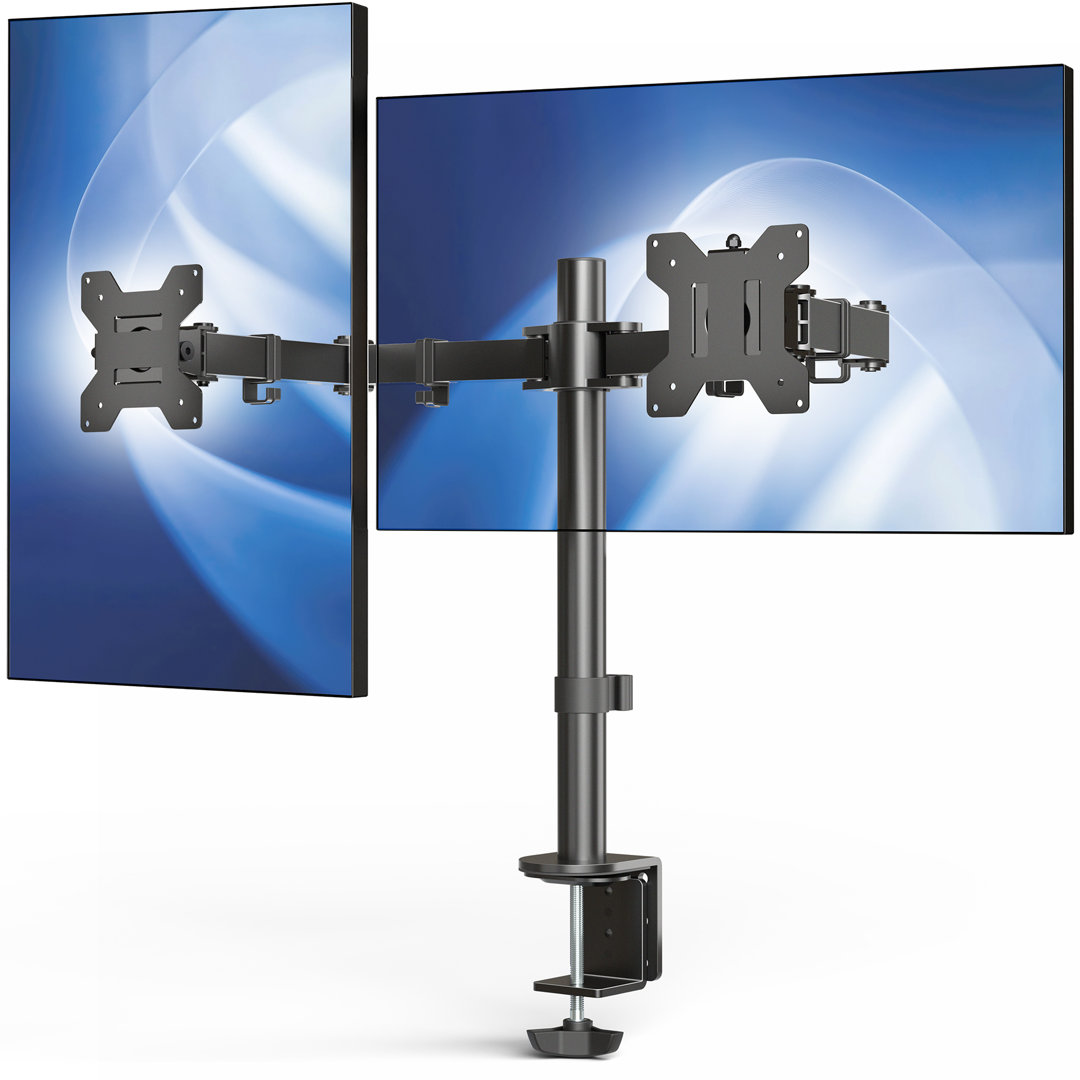
VIVO STAND-V002 Dual Monitor Desk Mount
Best Budget Dual StandBuy if: you have two 24–27-inch monitors under 22 lb each and want the cheapest honest stand
Don't buy if: your screens need different heights, or either one weighs over 22 lb
The cheapest honest way to hold two monitors, and the stand every other budget pick gets compared against. The V002 is a pole stand: two arms on one central post, rated for 13–30-inch screens at 22 lb per arm, with VESA 75×75 and 100×100 plates and a C-clamp or grommet mount in the box. There is no gas spring to wear out and nothing to sag over time — set the height once and it stays there.
I've seen conflicting data — Display Ninja caps the V002 at 27 inches, while VIVO's own listing says 30. My read is 27 inches is the honest cap for two wide panels side by side, since the pole's 29-inch bracket spread gets tight past that. And my honest take: most buyers should buy the cheapest stand that fits their monitors' weight and never touch it again. A pole stand you set once beats a gas-spring arm you adjust twice a year.
Pros
- Cheapest honest dual stand — far less than any gas-spring arm
- Fits two 27-inch screens at 22 lb per arm
- Clamp and grommet mounting included
- No gas spring means nothing to sag or wear out over time
Cons
- Both screens share one height setting — no independent adjustment
- 22 lb per-arm ceiling rules out heavy 32-inch panels
- Pole design needs desk depth behind the keyboard
Full specifications
- Screens 13–30 inches (listing; some guides list 27 inches); 22 lb per arm, 44 lb total
- VESA 75×75 / 100×100; C-clamp or grommet mounting
- Pole design with 29-inch maximum bracket spread
Prices change frequently — click through to see today's price.
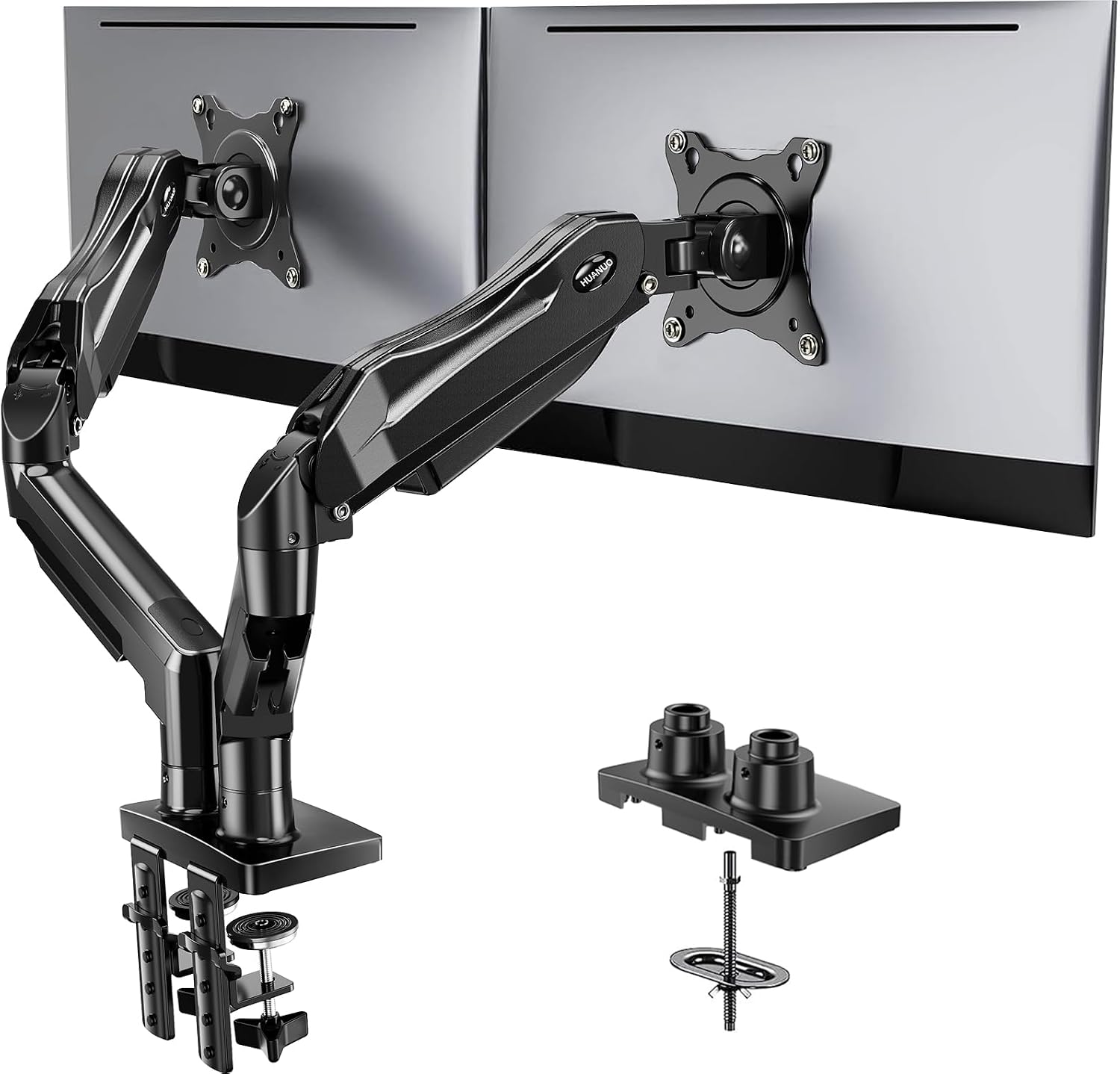
HUANUO FlowLift HNDS6 Dual Monitor Stand
Best for Most DesksBuy if: you have two 27-inch screens and want each one at its own height
Don't buy if: your desk is glass or hollow-core — the clamp needs a solid edge
The pick for most desks, and our top pick overall. The HNDS6 is a gas-spring dual stand for 13–32-inch screens at 4.4–19.8 lb per arm, with VESA 75×75 and 100×100 plates, a dual C-clamp base for desks 0.59–3.54 inches thick, and a grommet mount in the box. Each arm moves on its own gas spring, so a 24-inch screen and a 27-inch screen can sit level side by side — the pole stands in this guide cannot do that.
Here's the thing: the dual clamp is the feature that earns the HNDS6 its rank. Two clamping points spread the load across a wider stretch of desk edge, so two heavy screens wobble less when you type. A single-clamp arm concentrates the same weight on one point. The 15.75-inch lift clears tall monitor setups, and the 4.4 lb minimum is low enough for light panels that would float on a stiffer spring.
Pros
- Independent height per screen — mismatched pairs sit level
- Dual C-clamp spreads the load across two points on the desk edge
- Wide 4.4–19.8 lb band covers light and heavy 27-inch panels
- 15.75-inch lift clears tall desk setups
Cons
- Clamp needs a solid desk edge — glass and hollow-core tops are out
- 19.8 lb ceiling rules out heavy 32-inch panels
- Two gas springs means two tension screws to set
Full specifications
- Weight range 4.4–19.8 lb per arm; screens 13–32 inches
- VESA 75×75 / 100×100; dual C-clamp 0.59–3.54 inches or grommet
- Maximum lift 15.75 inches; full tilt, swivel and rotation
Prices change frequently — click through to see today's price.
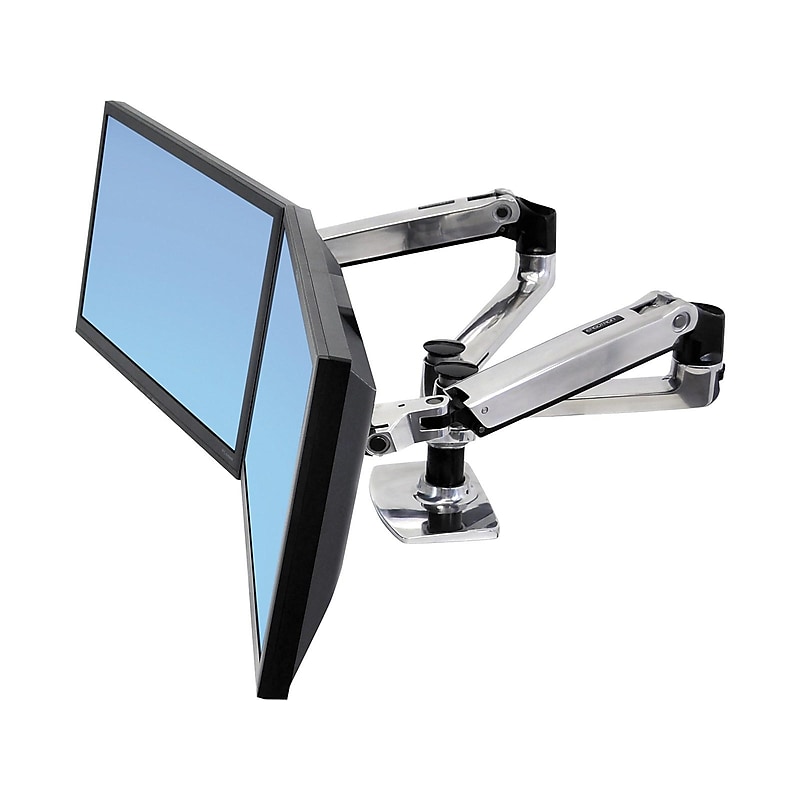
Ergotron LX Dual Side-by-Side Monitor Arm
Best PremiumBuy if: you have two 27-inch screens up to 20 lb each and want the arm to outlast the monitors
Don't buy if: either screen weighs over 20 lb, or is wider than 27 inches
The premium pick, and the arm other dual arms get compared against in reviews. The LX Dual Side-by-Side — part number 45-245-026 — holds two screens up to 27 inches at 7–20 lb per monitor, with a 40 lb combined maximum, 13 inches of lift and 25 inches of extension. According to Ergotron, the per-arm range is 7–20 lb: a screen below 7 lb floats up on its own, and a screen above 20 lb sags. The clamp fits desk edges up to 2.6 inches thick, and the arm carries a 10-year warranty — the longest in this guide.
Or maybe I should say it this way: buy the LX for the monitors you own today. If a 32-inch upgrade is coming, buy the HNDS7 instead — the LX's 27-inch cap is a size rating, not a suggestion, and a 32-inch panel at 14 lb fits the weight and still fails it, because the extra width multiplies the torque on the same joint. For two 27-inch screens that never change, nothing in this guide moves as smoothly or lasts as long.
Pros
- Smoothest movement in this guide — one-hand adjustment that stays put
- 10-year warranty — the longest here
- 25-inch reach pulls screens close or pushes them back
- Polished aluminum build that does not flex under load
Cons
- 20 lb per-arm ceiling rules out heavy panels
- 27-inch size cap rules out 32-inch screens even at low weights
- Premium price for a dual arm
Full specifications
- Weight range 7–20 lb per monitor, 40 lb combined maximum; screens up to 27 inches
- VESA 75×75 / 100×100; desk clamp up to 2.6 inches
- 13-inch lift, 25-inch extension; 10-year warranty
Prices change frequently — click through to see today's price.
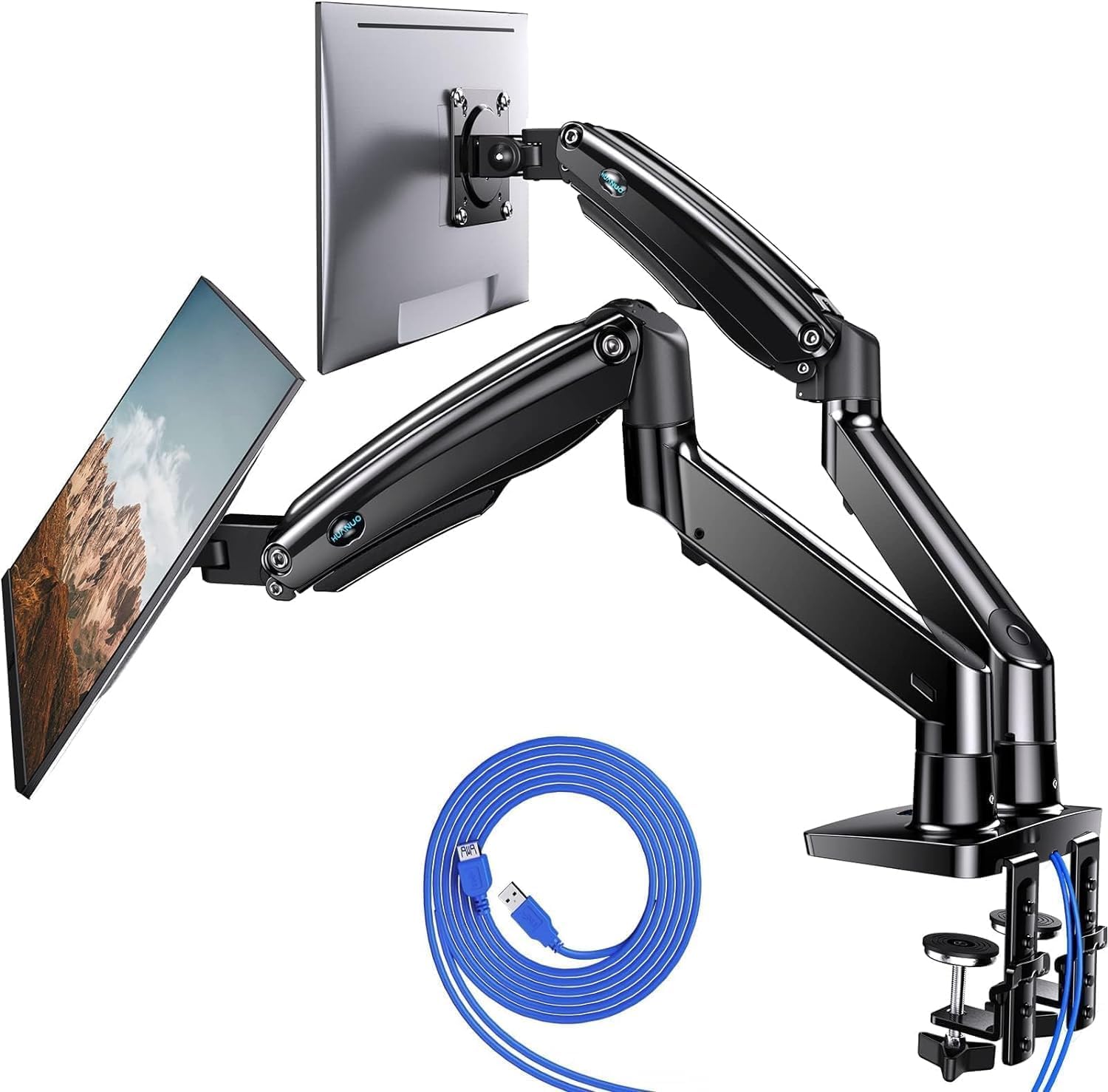
HUANUO HNDS7 Dual Monitor Stand
Best for Large ScreensBuy if: you have two 32-inch screens, or one screen up to 40 inches
Don't buy if: your desk is plastic or glass — this stand mounts to wooden desks only
The pick for big screens. The HNDS7 is a gas-spring dual stand for 13–40-inch screens at 26.4 lb per arm, with VESA 75×75 and 100×100 plates, USB ports built into the base, 21.1 inches of maximum height and 25.59 inches of reach. It is the only stand in this guide rated past 32 inches, and that matters more than the weight number: a 40-inch panel on a stand rated to 32 fails the size rating even when the weight fits, because width is leverage.
One honest flag: the desk rule is the real gate. The HNDS7 mounts to wooden desks only — plastic and glass tops are excluded, and the clamp needs a solid edge with clear space underneath. Measure the desk before you order, and check the depth too: 25.59 inches of reach needs a deep desk, or the arms will run out of room behind the screens.
Pros
- Only pick rated to 40 inches — the large-screen option here
- 26.4 lb per arm clears heavy 32-inch panels
- USB ports in the base keep a cable off the desk
- 25.59-inch reach suits deep desks
Cons
- Wooden desks only — plastic and glass tops excluded
- Big footprint needs a deep desk
- Heavier than the other HUANUO arms to install alone
Full specifications
- Weight capacity 26.4 lb per arm; screens 13–40 inches
- VESA 75×75 / 100×100; clamp or grommet, wooden desks only
- USB ports in base; maximum height 21.1 inches, reach 25.59 inches
Prices change frequently — click through to see today's price.
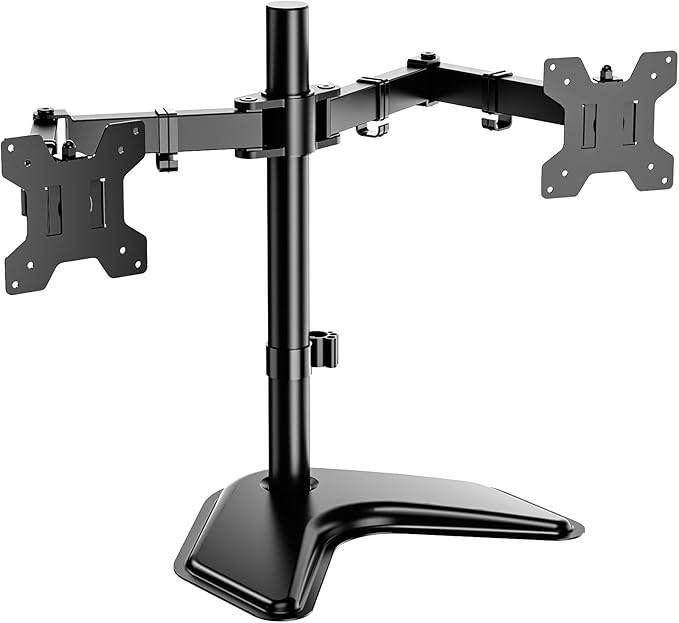
WALI MF002 Dual Monitor Stand
Best FreestandingBuy if: you have a glass desk, a rental desk, or a desk edge no clamp can grip
Don't buy if: either screen is over 27 inches or 22 lb
The pick for desks a clamp cannot touch. The MF002 is a freestanding dual stand: a heavy V-shaped base sits on the desktop, two arms rise from a central pole, and each holds a 13–27-inch screen up to 22 lb on a VESA 75×75 or 100×100 plate. No clamp, no drilling, no grommet hole — it works on glass, on thick tops, and on rental desks where the landlord would notice a clamp mark.
Quick note: freestanding is the only honest answer for a glass desk. A clamp concentrates the whole load on two small points, and tempered glass does not forgive that. The MF002's base spreads the same weight across the desktop instead. The trade is desk space: the base sits behind the keyboard, so a shallow desk loses room the clamp stands give back.
Pros
- Needs no clampable edge — glass, thick and rental desks all work
- Simple setup with no tools under the desk
- 22 lb per arm covers most 27-inch panels
Cons
- Base eats desk space behind the keyboard
- 27-inch cap rules out 32-inch screens
- No gas spring — height changes mean loosening the arm, not a fingertip push
Full specifications
- Weight capacity 22 lb per arm; screens 13–27 inches
- VESA 75×75 / 100×100; freestanding V-shaped base
- Full tilt, swivel and rotation
Prices change frequently — click through to see today's price.
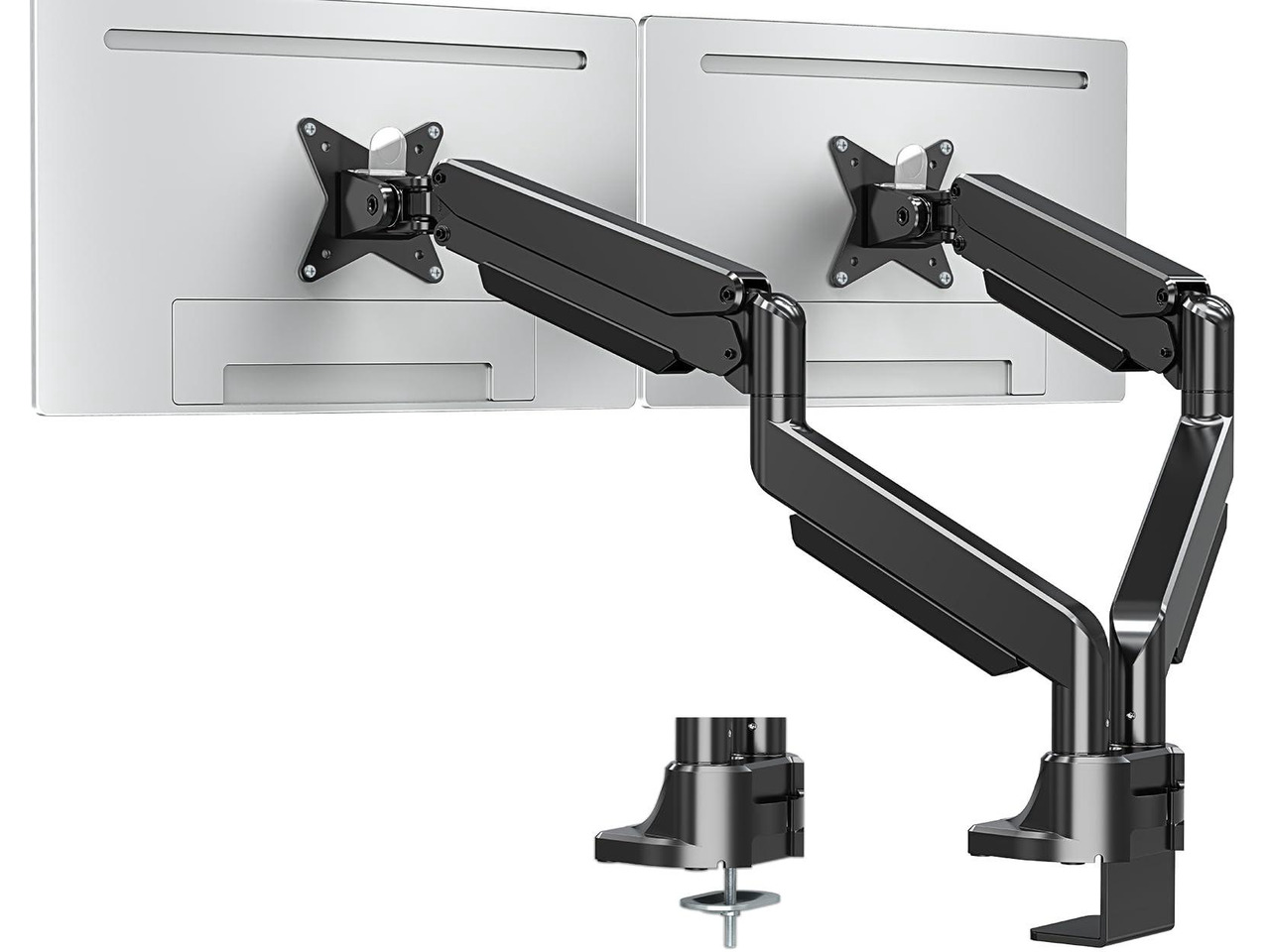
MOUNTUP Dual Monitor Mount
Best Heavy-DutyBuy if: your monitors are heavy 32-inch panels or ultrawide screens at 20–33 lb each
Don't buy if: your monitors are light — the 6.6 lb minimum means light screens float up
The heavyweight in this guide. The MOUNTUP dual mount holds 6.6–33 lb per arm on screens up to 42 inches, with 23.6 inches of extension and 22.4 inches of vertical travel. Its gas spring is rated for 20,000 cycles, and 33 lb per arm puts it in the same weight class as premium gas-spring arms without the premium price. Heavy 32-inch panels and ultrawide screens that break lesser dual stands sit comfortably inside its range.
The catch is the floor, not the ceiling. At a 6.6 lb minimum, a light portable-style monitor will drift upwards on its own — this stand is built for heavy screens and it shows. Buy it for the panels you own, not the ones you might buy next year: for two standard 24-inch screens it is oversized in every direction.
Pros
- 33 lb per arm — the strongest stand in this guide
- 23.6-inch extension and 22.4-inch vertical travel
- Handles ultrawide panels other dual stands cannot
- 20,000-cycle spring rating
Cons
- 6.6 lb minimum rules out light monitors
- Overkill — and oversized — for two standard 24-inch screens
- Newer brand with a shorter track record than Ergotron
Full specifications
- Weight range 6.6–33 lb per arm; screens up to 42 inches
- VESA 75×75 / 100×100; C-clamp or grommet mounting
- Extension 23.6 inches; vertical travel 22.4 inches
Prices change frequently — click through to see today's price.
What Size Dual Monitor Stand Do I Need?
Match three numbers: each monitor's weight without its stand, the stand's full per-arm weight range, and each monitor's VESA pattern. The weight that counts is the bare panel — the manufacturer's spec sheet lists it as "without stand" or "panel only". The shipping weight and the with-stand weight are both higher, and comparing those to a stand's rating will send you to a heavier stand than you need, or hide the fact that you are over the limit.
| Your screens | Typical weight without stand | Stand you need |
|---|---|---|
| Two 24-inch screens | 7–11 lb each | Any pick here — the VIVO V002 is the cheapest honest fit |
| Two 27-inch screens | 11–15 lb each | 20 lb arm minimum — HUANUO HNDS6 or Ergotron LX Dual |
| Two 32-inch screens | 15–20 lb each | 26 lb arm minimum — HUANUO HNDS7 or MOUNTUP |
| One ultrawide plus one standard screen | Mixed — check each one | Two single arms, or the HNDS7 / MOUNTUP if both screens fit |
Leave a margin. Buy a stand rated at least 20% above the heavier panel's bare weight — 30% if you run the arms at full extension, where leverage multiplies the load. A 15 lb panel wants an arm rated to at least 18 lb, which is why a 19.8 lb ceiling is tighter than it looks on paper.
Then check the VESA pattern. Most monitors use 75×75 mm or 100×100 mm, and every stand in this guide covers both. Larger panels sometimes use 200×100 mm — if yours does, only a heavy-duty arm with that pattern fits, and none of the six picks here covers it natively.
How Do I Mount Two Monitors on One Stand?
Mounting two monitors is a six-step job, and the order matters — the weight and desk checks come before any hardware touches the desk. Get a second pair of hands for the hanging step: two screens are wide, heavy and awkward alone.
To mount two monitors on one stand, follow these steps: 1. Weigh each monitor without its stand. 2. Check both VESA patterns. 3. Measure your desk thickness at the clamp point. 4. Fit the clamp or grommet mount. 5. Attach the VESA plates and hang both screens. 6. Set the gas-spring tension until each screen stays put.
- Weigh each monitor without its stand. Find "weight without stand" on the manufacturer's spec sheet — not the shipping weight and not the weight with the stand attached. The gap runs 2–4 lb per screen, enough to push a borderline pick over a stand's ceiling.
- Check both VESA patterns. Look at the back of each monitor for four screw holes in a square, or check the spec sheet. Most monitors use 100×100 mm; smaller ones use 75×75 mm.
- Measure your desk thickness at the clamp point. Measure exactly where the clamp will grip, and look underneath for a cable tray, support rail or beveled edge that could stop the clamp seating.
- Fit the clamp or grommet mount. Clamp to the desk edge, or thread the grommet mount through a cable hole. Tighten it fully before hanging any weight on the stand.
- Attach the VESA plates and hang both screens. Screw a VESA plate to the back of each monitor, then slide each one onto its arm and lock it in place.
- Set the gas-spring tension. Turn the tension screw a half-turn at a time, testing by moving each monitor up and down, until the screen stays exactly where you leave it. Hold the arm horizontal while adjusting, as the manuals instruct.
Clamp, Grommet or Freestanding — Which Mount Fits My Desk?
Start with your desk, not the stand: the mount type is decided by the desk's edge, its thickness and what sits underneath it. Most stands in this guide offer a clamp and a grommet mount in the box; only the WALI MF002 skips both for a freestanding base.
| Mount | How it fits | Desk it needs | Watch out for |
|---|---|---|---|
| C-clamp | Grips the desk edge with a screw | Solid wood or thick particleboard, typically 0.4–2.5 inches thick | Needs a flat edge and clear space underneath for the screw |
| Grommet | Threads through a cable hole in the desk | Any desk with a hole, typically 0.4–2.5 inches thick | The hole must sit where the stand needs to be |
| Freestanding | Heavy base sits on the desktop | Any flat top, including glass | Eats desk space behind the keyboard |
A C-clamp concentrates the whole load of the stand and both monitors onto two small contact points, and thin, hollow or glass desktops are the ones that fail. On a solid wood or thick particleboard top, a clamp is fine. On a hollow-core desk — honeycomb paper filling under a thin veneer, like IKEA's LINNMON and LAGKAPTEN tops, whose makers say they are unsuitable for screen stands — the clamp can crush the edge.
Before ordering, look underneath the desk too: a cable tray, support rail or beveled edge can stop the clamp seating even when the thickness looks right, and a clamp needs a flat edge for roughly the first inch. Anyway, measure twice — the clamp range is the number most buyers skip, and it is the number that sends the most stands back.
Can I Use a Dual Monitor Stand on a Glass Desk?
Yes — but only a freestanding stand. Never clamp a glass desk. Concentrated clamp pressure can crack or shatter tempered glass, and a reinforcement plate does not make glass an approved mounting surface. The WALI MF002 in this guide is the pick for a glass top: its V-shaped base spreads the weight across the desktop and needs no clamp at all.
That rule holds for grommet mounts too — drilling a glass top is not a DIY job, and a hole drilled wrong weakens the whole sheet. If the desk is glass and you already own a clamp stand, the honest fix is a different stand, not a different clamp.
One Dual Stand or Two Single Arms?
One dual stand when both screens run every session and each fits the per-arm limit; two single arms when the screens weigh very different amounts, or when you may move one later. Two separate arms tension for their own monitors, and you are not locked into one base's spacing — move one screen later without touching the other.
One dual stand vs two single arms: a dual stand is better suited for two matching screens that never move, because one base frees more desk space and costs less. Two single arms work better when the screens weigh very different amounts. The key difference is per-arm weight: each arm tensions for its own monitor.
Note the two dual forms before you buy: two independent arms on one base — each tensions for its own monitor — versus a single bar with two mounts, which is cheaper but shares one height setting across both screens. If one of your screens is a heavy ultrawide and the other is a light standard panel, our ultrawide monitor arm guide ranks single arms by the weight each one actually holds.
Why Does My Dual Monitor Stand Sag or Drift?
Because the gas-spring tension does not match your monitors' weight — and the fix is a half-turn of the tension screw, not a new stand. If the tension is too low for the monitor's weight, the arm sags downwards or is hard to lift. If it is too high, the monitor drifts upwards on its own or is hard to lower.
Every gas-spring arm has a tension screw, usually marked "+" and "−" and adjusted with the Allen key in the box: turn it a half-turn at a time, test by moving the monitor up and down, and stop when the screen stays exactly where you leave it. If no amount of adjustment holds the screen, your monitor is outside the arm's weight range — too heavy and it will always sag, too light and it will always float. That is a wrong-stand problem, not a broken-stand problem, and it is the most common reason a new stand gets returned. Note that the direction of "+" and "−" varies by brand: some manuals say clockwise increases tension, others say the opposite. Follow your stand's own manual, not a video for a different brand.
Frequently Asked Questions
What's the best dual monitor stand for two 27-inch monitors?
The HUANUO FlowLift HNDS6 for most people: 4.4–19.8 lb per arm, independent height, dual clamp. On a tight budget, the VIVO STAND-V002 holds two 27-inch screens for far less.
How do I know if a dual monitor stand can hold my monitors?
Weigh each monitor without its stand, then check the weight sits inside the stand's per-arm range — not just under its maximum. A gas-spring arm has a minimum too: a lighter screen floats up.
Can I use a dual monitor stand on a glass desk?
Not a clamp stand — concentrated pressure can crack tempered glass. Use a freestanding stand such as the WALI MF002, which rests on a V-shaped base and needs no clamp at all.
Should I get one dual stand or two single arms?
Two single arms when the screens weigh very different amounts or you may move one later. One dual stand when both screens run every session and each fits the per-arm limit.
Why does my dual monitor stand keep sagging?
The gas-spring tension doesn't match the monitor's weight. Turn the tension screw a half-turn at a time until the screen stays put. If no setting holds it, the monitor is outside the arm's weight range.
Do both monitors have to be the same size on a dual stand?
No — but each screen must sit inside the stand's size and weight range, and on a pole stand both screens share one height. Gas-spring arms adjust each screen's height separately, so mismatched pairs sit level.