7 Best Gaming Laptops Under $800 of 2026
Finding the best gaming laptop under $800 is about spending where it matters: the graphics card. In 2026, budget gaming laptops routinely ship with NVIDIA RTX 3050 and even RTX 4050 graphics, 144Hz displays, and 16GB of RAM — specs that were firmly mid-range a few years ago. This roundup covers laptops actually sold in the under-$800 class in 2026, chosen based on specifications and owner feedback. Laptop prices swing with sales, so check the current price on each listing before buying.
Our Top Gaming Laptop Picks Under $800 for 2026
- Lenovo LOQ 15 — Best overall value
- Acer Nitro V 15 — Best GPU headroom (RTX 4050/5050 options)
- ASUS TUF Gaming F15 — Most durable build
- HP Victus 15 — Best for tight budgets
- MSI Thin 15 — Slimmest, most portable design
- Lenovo LOQ Essential 15 — Cheapest way into PC gaming
- ASUS TUF Gaming A15 — Best Ryzen-powered option
Best Gaming Laptops Under $800: Full Reviews
Our Top Pick
Lenovo LOQ 15
Best Overall Value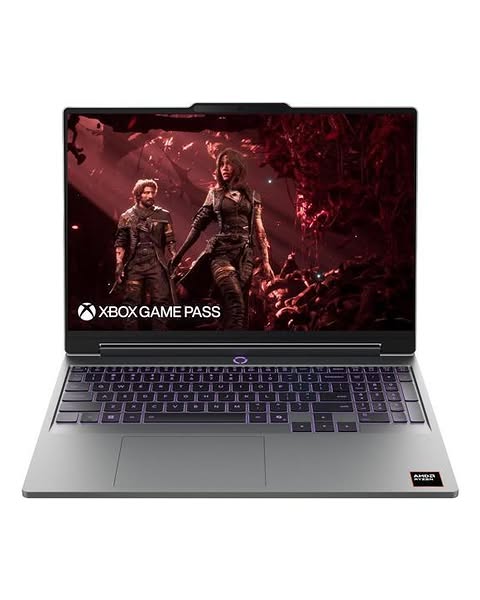
The Lenovo LOQ 15 is the budget gaming laptop to beat in 2026. RTX 3050 configurations regularly land in the under-$800 class, while RTX 4050 versions appear in higher trims — with DLSS, even the 3050 models play modern …
Check Price on AmazonQuick Comparison
| Product | Key Specs | ||
|---|---|---|---|
| #1 | Lenovo LOQ 15Best Overall Value | 15.6-inch FHD (1920 x 1080) IPS display, 144Hz refresh rate · Intel Core i5-13420H / 13450HX or AMD Ryzen CPU options · NVIDIA GeForce RTX 3050 or RTX 4050 laptop GPU | Check Price |
| #2 | Acer Nitro V 15Best GPU Headroom | 15.6-inch FHD IPS display, 144Hz or 165Hz · Intel Core i5-13420H or Core i7-13620H · NVIDIA GeForce RTX 4050 (6GB) or RTX 5050 (8GB) laptop GPU | Check Price |
| #3 | ASUS TUF Gaming F15Most Durable Build | 15.6-inch FHD IPS display, 144Hz · Intel Core i5-12450H / 12500H · NVIDIA GeForce RTX 3050 laptop GPU | Check Price |
| #4 | HP Victus 15Best for Tight Budgets | 15.6-inch FHD IPS display, 144Hz, anti-glare · Intel Core i5-13420H · NVIDIA GeForce RTX 3050A laptop GPU (4GB) | Check Price |
| #5 | MSI Thin 15Slimmest, Most Portable Design | 15.6-inch FHD IPS display, 144Hz · Intel Core i5-13420H or Core i7-13620H · NVIDIA GeForce RTX 4050 laptop GPU (6GB) | Check Price |
| #6 | Lenovo LOQ Essential 15Cheapest Way Into PC Gaming | 15.6-inch FHD IPS display, 144Hz, 100% sRGB · Intel Core i5-12450HX or AMD Ryzen 7 7735HS · NVIDIA GeForce RTX 3050 or RTX 4050 laptop GPU | Check Price |
| #7 | ASUS TUF Gaming A15Best Ryzen-Powered Option | 15.6-inch FHD IPS display, 144Hz (165Hz on some configs) · AMD Ryzen 7 7735HS · NVIDIA GeForce RTX 4050 laptop GPU | Check Price |
Lenovo LOQ 15
Best Overall ValueBuy if: you're after excellent price-to-performance ratio
Don't buy if: you can't live with all-plastic build and display brightness — average
The Lenovo LOQ 15 is the budget gaming laptop to beat in 2026. RTX 3050 configurations regularly land in the under-$800 class, while RTX 4050 versions appear in higher trims — with DLSS, even the 3050 models play modern AAA titles smoothly at 1080p. The design borrows heavily from Lenovo's pricier Legion line, with a comfortable keyboard and a solid selection of ports (HDMI 2.1, Ethernet, USB-C).
Based on specifications and owner feedback, the tradeoffs are familiar budget ones: an all-plastic chassis, a display with average brightness, and short battery life when gaming (under four hours in most reviews — keep the charger handy). The upgradeable RAM and SSD slots give it real staying power. If you want one safe default pick, this is it.
Pros
- Excellent price-to-performance ratio
- RTX 3050/4050 options with DLSS
- Legion-style design and keyboard
- upgradeable RAM and storage.
Cons
- All-plastic build
- display brightness is average
- battery life is short when gaming.
Full specifications
- 15.6-inch FHD (1920 x 1080) IPS display, 144Hz refresh rate
- Intel Core i5-13420H / 13450HX or AMD Ryzen CPU options
- NVIDIA GeForce RTX 3050 or RTX 4050 laptop GPU
- 8–16GB DDR5 RAM, 512GB PCIe Gen 4 SSD
- Upgradeable RAM and storage slots
Prices change frequently — click through to see today's price.
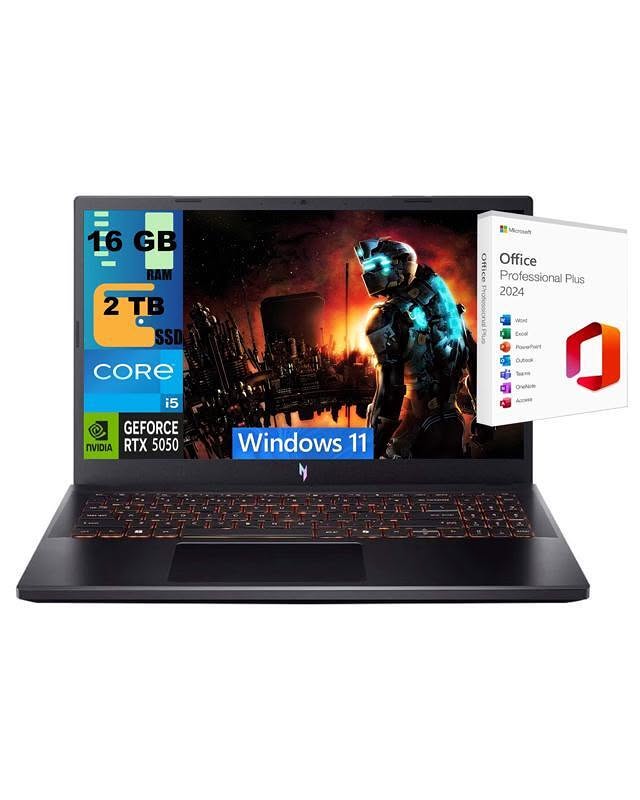
Acer Nitro V 15
Best GPU HeadroomBuy if: you're looking for RTX 4050/5050 options with 6–8GB VRAM and 144–165Hz display
Don't buy if: plastic build and fans get loud under load are dealbreakers for you
The Acer Nitro V 15 is the pick when you want the strongest GPU for the money. RTX 4050 and even newer RTX 5050 configurations sit in the upper budget band, delivering noticeably higher frame rates than RTX 3050 machines in demanding games — the RTX 5050's 8GB of VRAM is also more comfortable for high texture settings at 1080p.
Based on specifications and owner feedback, it's a straightforward, no-frills gaming machine: effective dual-fan cooling, a high-refresh screen, and easy spec-per-dollar value. Downsides: the chassis is plastic, the fans are audible under load, and the webcam and speakers are basic. Pair it with a good headset and an external screen from ourbest budget gaming monitorsroundup if you mostly play at a desk.
Pros
- RTX 4050/5050 options with 6–8GB VRAM
- 144–165Hz display
- 16GB DDR5 standard on most configs
- effective dual-fan cooling.
Cons
- Plastic build
- fans get loud under load
- basic webcam and speakers.
Full specifications
- 15.6-inch FHD IPS display, 144Hz or 165Hz
- Intel Core i5-13420H or Core i7-13620H
- NVIDIA GeForce RTX 4050 (6GB) or RTX 5050 (8GB) laptop GPU
- 16GB DDR5 RAM, 512GB–1TB SSD
- Dual-fan, dual-intake cooling
Prices change frequently — click through to see today's price.
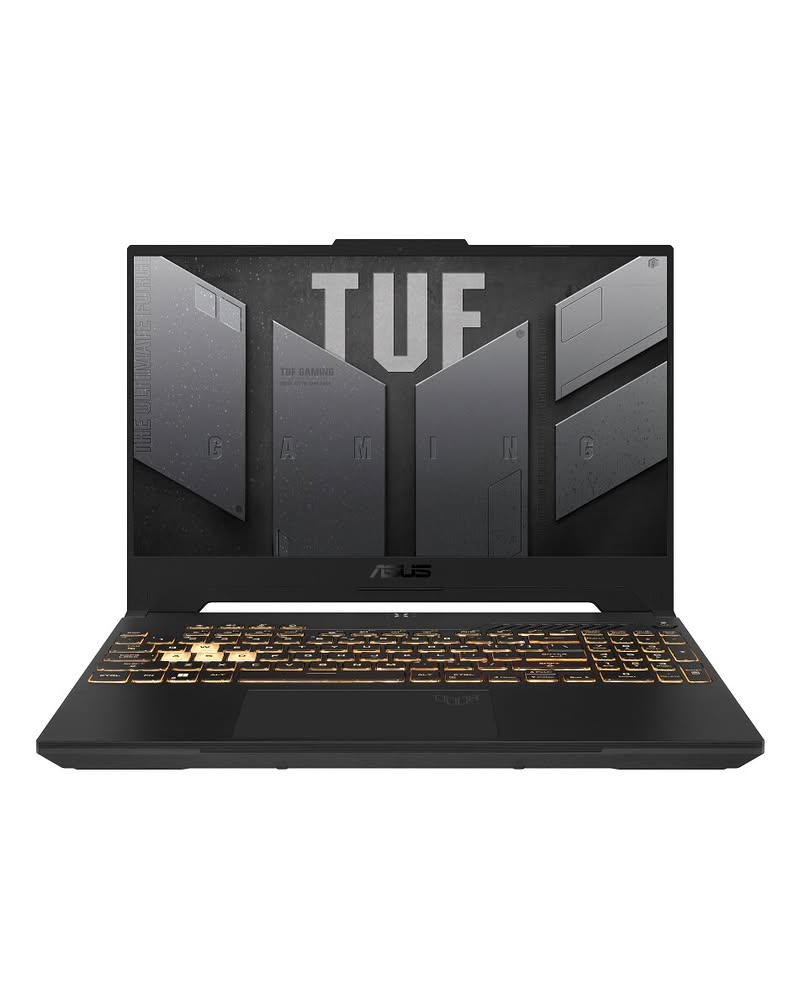
ASUS TUF Gaming F15
Most Durable BuildBuy if: you need military-grade build quality and anti-dust cooling
Don't buy if: you won't accept heavier than rivals
ASUS's TUF line is built around one idea: a budget laptop that survives student life. The F15 meets MIL-STD-810H standards for drops, vibration, and humidity, and its self-cleaning anti-dust cooling helps it run cooler over time. Spec-wise it's an RTX 3050 machine, which is plenty for esports titles and most AAA games at 1080p medium-high settings.
Based on specifications and owner feedback, RAM and storage are easy to upgrade, and the keyboard is one of the better ones at this price. The tradeoff is weight and a slightly older CPU generation than the newest budget rivals. If durability and low maintenance matter more than squeezing out the last 10% of frame rate, the TUF F15 is the sensible pick.
Pros
- Military-grade build quality
- anti-dust cooling
- easy RAM/SSD upgrades
- comfortable keyboard.
Cons
- Heavier than rivals
- RTX 3050 lags behind RTX 4050 models
- older-generation CPU options.
Full specifications
- 15.6-inch FHD IPS display, 144Hz
- Intel Core i5-12450H / 12500H
- NVIDIA GeForce RTX 3050 laptop GPU
- 16GB DDR4 RAM, 512GB SSD
- MIL-STD-810H military-grade durability
Prices change frequently — click through to see today's price.
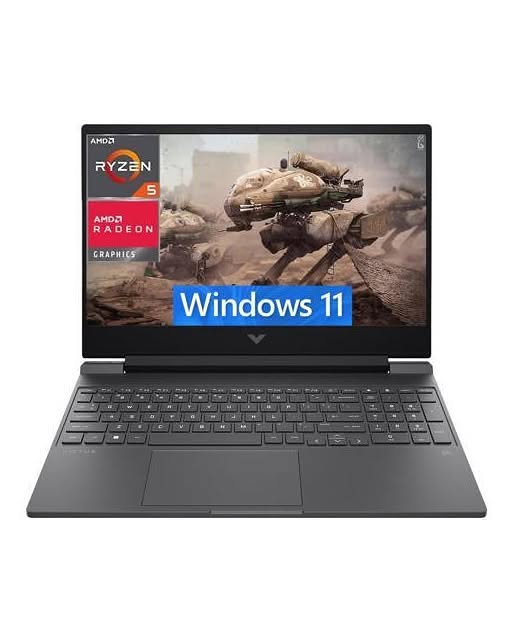
HP Victus 15
Best for Tight BudgetsBuy if: you prefer among the lowest prices for an RTX GPU + 144Hz combo and clean, low-key design
Don't buy if: you can't live with only 4GB VRAM and basic color coverage on the display
The HP Victus 15 is often the cheapest way into a genuine gaming laptop: configurations routinely sit in the under-$800 class with an RTX 3050-class GPU, 16GB of RAM, and a 144Hz panel. That's enough for smooth 1080p gaming in most titles, and the clean, understated design doesn't scream "gaming laptop" in a classroom or office.
Based on specifications and owner feedback, the honest caveats: the 4GB of VRAM is fine for 1080p today but limits future headroom for high texture packs, and the display's color coverage (~62.5% sRGB) is basic — fine for games, not ideal for color-sensitive creative work. For pure gaming value per dollar, though, it's hard to beat.
Pros
- Among the lowest prices for an RTX GPU + 144Hz combo
- clean, low-key design
- 16GB RAM standard
- upgradeable.
Cons
- Only 4GB VRAM
- basic color coverage on the display
- no RGB keyboard.
Full specifications
- 15.6-inch FHD IPS display, 144Hz, anti-glare
- Intel Core i5-13420H
- NVIDIA GeForce RTX 3050A laptop GPU (4GB)
- 16GB DDR4 RAM, 512GB SSD
- Wi-Fi 6, user-upgradeable RAM and storage
Prices change frequently — click through to see today's price.
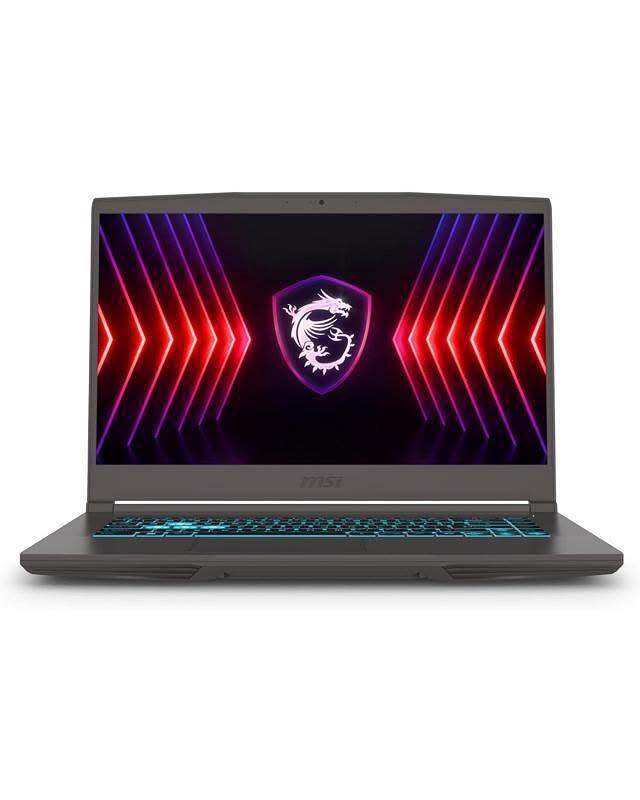
MSI Thin 15
Slimmest, Most Portable DesignBuy if: you want RTX 4050 with 6GB VRAM in the budget band and thin and understated design
Don't buy if: smallish battery and average speakers are dealbreakers for you
The MSI Thin 15 does exactly what the name says: it's one of the slimmest budget gaming laptops, with a plain, professional look that blends into any environment. The headline spec is the RTX 4050 with 6GB of VRAM — a meaningful step up from RTX 3050 machines for 1080p gaming, regularly available in the under-$800 class during sales.
Based on specifications and owner feedback, you get 16GB of RAM out of the box and solid 1080p performance. The slim chassis comes with tradeoffs: a modest 52.4Wh battery and speakers that reviewers call average. If you carry your laptop everywhere and don't want the bulky gamer aesthetic, this is the one.
Pros
- RTX 4050 with 6GB VRAM in the budget band
- thin and understated design
- 16GB RAM included
- 144Hz display.
Cons
- Smallish battery
- average speakers
- single-tone backlit keyboard.
Full specifications
- 15.6-inch FHD IPS display, 144Hz
- Intel Core i5-13420H or Core i7-13620H
- NVIDIA GeForce RTX 4050 laptop GPU (6GB)
- 16GB DDR4 RAM, 512GB SSD
- Slim, understated chassis design
Prices change frequently — click through to see today's price.
Lenovo LOQ Essential 15
Cheapest Way Into PC GamingBuy if: you're after the lowest entry price in the roundup and 144Hz display with 100% sRGB
Don't buy if: you won't accept base 8GB RAM configs should be upgraded and older CPU options
The LOQ Essential is Lenovo's entry-level gaming line, and it shows in the best way: base configurations are among the cheapest RTX-equipped laptops you can buy, sitting comfortably in the under-$800 class. The 144Hz display even carries 100% sRGB coverage, which is unusually good for the price and makes it double as a decent screen for school or light creative work.
Based on specifications and owner feedback, the smart buy is an RTX 3050 model with 16GB of RAM — avoid base 8GB configurations if you multitask while gaming, though both RAM slots are upgradeable later. You give up some of the regular LOQ's premium touches, but the core gaming experience is the same.
Pros
- Lowest entry price in the roundup
- 144Hz display with 100% sRGB
- RTX 3050/4050 options
- fully upgradeable RAM and SSD.
Cons
- Base 8GB RAM configs should be upgraded
- older CPU options
- simpler chassis than the regular LOQ.
Full specifications
- 15.6-inch FHD IPS display, 144Hz, 100% sRGB
- Intel Core i5-12450HX or AMD Ryzen 7 7735HS
- NVIDIA GeForce RTX 3050 or RTX 4050 laptop GPU
- 8–16GB DDR5 RAM, 512GB–1TB SSD
- Dual M.2 SSD and dual SODIMM slots (upgradeable)
Prices change frequently — click through to see today's price.
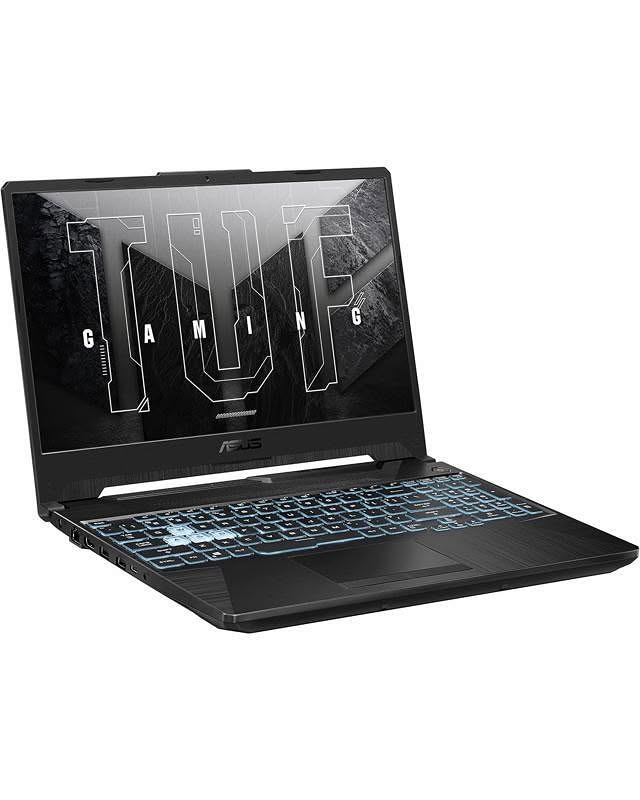
ASUS TUF Gaming A15
Best Ryzen-Powered OptionBuy if: you're looking for RTX 4050 + Ryzen efficiency
Don't buy if: you can't live with RTX 4050 configs usually sit at the top of the budget band
The TUF Gaming A15 pairs AMD's efficient Ryzen 7 7735HS with an RTX 4050 and the biggest battery in this roundup — a 90Wh unit that gives it noticeably better unplugged life than most gaming laptops. It keeps the TUF line's military-grade durability and anti-dust cooling, so it's another strong pick for buyers who carry their machine everywhere.
Based on specifications and owner feedback, the RTX 4050 configs typically sit at the top of the budget band (and occasionally dip into the under-$800 range on sale), making this the "stretch a little, get a lot" option. Performance per dollar is strong, and the Ryzen CPU sips power when you're not gaming.
Pros
- RTX 4050 + Ryzen efficiency
- 90Wh battery is class-leading
- MIL-STD-810H build
- 16GB DDR5.
Cons
- RTX 4050 configs usually sit at the top of the budget band
- bulkier than thin-and-light rivals.
Full specifications
- 15.6-inch FHD IPS display, 144Hz (165Hz on some configs)
- AMD Ryzen 7 7735HS
- NVIDIA GeForce RTX 4050 laptop GPU
- 16GB DDR5 RAM, 512GB–1TB SSD
- 90Wh battery, MIL-STD-810H durability
Prices change frequently — click through to see today's price.
Buying Guide: How to Choose a Gaming Laptop Under $800
Start With the GPU, Not the CPU
In gaming, the graphics card does the heavy lifting. At this price, target a dedicated RTX GPU: RTX 3050 models are the budget standard, while RTX 4050 machines (6GB VRAM) are meaningfully faster and better equipped for future games. Avoid integrated graphics entirely for gaming — it isn't close. If you mostly play at a fixed desk, also consider whether a budget gaming PC plus a monitor gives you more power per dollar.
16GB of RAM Is the Sweet Spot
8GB works for lighter titles, but 16GB is the practical minimum for modern games plus background apps (Discord, a browser, streaming software). The good news: nearly every laptop above ships with — or supports upgrading to — 16GB. Check whether the listing's RAM is one stick or two; single-stick configs are easy to expand, but dual-channel performs slightly better out of the box.
Don't Settle for Less Than 144Hz at 1080p
Every pick here pairs a 144Hz (or higher) Full HD IPS panel with its GPU, and that's exactly the standard to hold. High refresh rate makes the biggest visible difference in competitive games. 1440p screens are overkill at this price — your GPU will struggle to drive them, and the battery will drain faster.
Check Storage and Upgrade Paths
Modern games are huge — Call of Duty alone can eat 150GB+. 512GB fills fast, so prefer laptops with a second M.2 slot (like the LOQ models) so you can add storage cheaply later instead of overpaying for a 1TB config now.
Set Cooling and Battery Expectations
Budget gaming laptops get loud and warm under load — that's normal, and dual-fan designs like the Nitro V 15 handle it best. Battery life while gaming is universally short (typically 2–4 hours); these are "portable but plug-in" machines. A simple laptop cooling pad can help thermals and fan noise during long sessions.
Gaming Laptops Under ₹80,000 in India and £800 in the UK
Readers outside the US often search for the same budget in local currency. As a rough guide, $800 converts to around ₹72,000–₹80,000 in India and around £600–£800 in the UK, though local taxes, import costs, and availability shift real prices. The same class of laptop in this guide — an RTX 3050 or 4050 GPU, 16GB of RAM, and a 144Hz 1080p screen — is what to look for at those price points abroad. Note that this guide's prices and purchase links are US-based (Amazon.com); models and pricing vary by region.
Frequently Asked Questions
Can you really get a gaming laptop under $800 in 2026?
Yes. Models like the HP Victus 15, MSI Thin 15, and Lenovo LOQ Essential regularly sit in the under-$800 class with dedicated RTX graphics and 144Hz displays. RTX 4050 configurations cost more but frequently dip toward the budget band during sales — always check the current price.
Is an RTX 3050 enough for gaming in 2026?
For 1080p gaming, yes — especially with DLSS enabled, which boosts frame rates in supported titles. You'll play most modern games at medium to high settings. The RTX 4050's extra performance and 6GB of VRAM give more headroom for demanding games and high texture settings, so it's worth the stretch if your budget allows.
Is 8GB of RAM enough for a gaming laptop?
It's workable for lighter games, but 16GB is the safer choice for modern titles and multitasking. Prioritize 16GB configs, or buy an 8GB model only if it has a free RAM slot for a cheap later upgrade.
Should I get a dedicated or integrated graphics card?
Dedicated, always, for gaming. Integrated graphics share memory with the CPU and can't keep up with modern games. Every laptop in this roundup has a dedicated NVIDIA GPU.
Can I upgrade a gaming laptop later?
Partially. On most budget gaming laptops you can upgrade RAM and add or replace the SSD — the Lenovo LOQ models are particularly friendly here. The CPU and GPU are soldered and can't be upgraded, so buy the strongest GPU you can afford now.
Do I need a cooling pad for a gaming laptop?
Not required, but helpful. A cooling pad improves airflow under the chassis, which can lower temperatures and reduce fan noise during long sessions. Good built-in cooling (dual fans, anti-dust designs) matters more than any accessory.
What are the best gaming laptops under 800 dollars?
The strongest picks under $800 in 2026 are the Lenovo LOQ 15 for all-round value, the Acer Nitro V 15 for maximum GPU power, and the ASUS TUF Gaming F15 for build quality. All three offer dedicated RTX graphics and 144Hz screens — the two specs that matter most at this budget.
Which MSI gaming laptop under 800 is best?
The MSI Thin 15 is the standout MSI option under $800. It pairs a dedicated RTX GPU with a slim chassis that's lighter than most budget gaming laptops, though its cooling runs warmer than the bulkier TUF series under sustained load.
Is there a good Razer laptop under 800?
Razer's Blade laptops rarely drop under $800, even on sale — the brand sits in the premium tier. If you want Razer's style at this budget, the closest alternatives are the Lenovo LOQ 15 or HP Victus 15, which offer similar performance for hundreds less.
Can I get an ultrabook under 800 that can game?
True ultrabooks (thin, light, long battery) with dedicated gaming GPUs are rare under $800. The closest compromise is the MSI Thin 15 — slimmer than typical gaming laptops while keeping an RTX GPU. For casual games only, a Ryzen 7 or Intel Core Ultra laptop with strong integrated graphics can work, but it won't match a dedicated GPU.
Is an i7 gaming laptop under 800 worth it?
An Intel Core i7 under $800 is nice to have but shouldn't be the priority — at this budget, the GPU affects gaming performance far more than the CPU. An i5 or Ryzen 5 paired with an RTX 4050 will outperform an i7 paired with an RTX 3050 in most games. Choose the better GPU first.
What is the best 800 dollar gaming laptop overall?
For most buyers, the Lenovo LOQ 15 is the best $800 gaming laptop: RTX graphics, a 144Hz display, upgradeable RAM and storage, and solid cooling. If raw GPU power matters most, step to the Acer Nitro V 15 with its RTX 4050/5050 options.
Conclusion
The Lenovo LOQ 15 is the best all-round gaming laptop under $800 for most buyers — RTX graphics, a 144Hz screen, and upgradeable parts at a hard-to-beat price. If you want maximum GPU power, the Acer Nitro V 15 brings RTX 4050/5050 options to the budget band; the ASUS TUF F15 and TUF A15 are the durable, long-battery choices; the HP Victus 15 and LOQ Essential 15 are the cheapest legitimate ways in; and the MSI Thin 15 is for buyers who want slim and understated.
Whichever you choose, remember the golden rule of budget gaming laptops: buy the strongest dedicated GPU your budget allows, check the current price (sales move fast), and keep the charger in your bag.