Best Portable Monitors for Gaming in 2026: 6 Picks for Handhelds, Laptops & Consoles

Portable monitors are the one accessory that serves every gaming device you own — a Steam Deck, a laptop, a PS5, a Switch 2 dock — but the guides at the top of Google still rank them as one list, as if the same monitor were right for all four. It is not. A handheld, a laptop and a console each hand the panel a different signal down the same cable, and the refresh rate printed on the box is the panel's ceiling, not what your device will actually show.
This guide sorts the field by what you plug in, then decodes the traps that cost buyers their money: the PS5 USB-C port that carries no video, the Switch 2 dock that only speaks HDMI, the 180Hz panel that drops to 144Hz over HDMI, and the same-name models that are not the same monitor. Every price below was verified on 14 November 2026.
Quick Comparison
| Product | Key Specs | ||
|---|---|---|---|
| #1 | Arzopa Z3FCBest Overall | 16.1" · 2560×1440 · 180Hz USB-C / 144Hz HDMI · $139.99 | Check Price |
| #2 | ASUS ROG Strix XG17AHPEBest Premium / Battery | 17.3" · 1080p · 240Hz · Built-in battery · ~$449 | Check Price |
| #3 | Arzopa Z1FCBest Budget | 16.1" · 1080p · 144Hz · No adaptive sync · $109.99 | Check Price |
| #4 | ViewSonic VX1755Best Known Brand | 17.2" · 1080p · 144Hz · FreeSync Premium · $299.99 list | Check Price |
| #5 | UPERFECT Umax 24Best Big Screen | 24.5" · 2560×1440 · 165Hz USB-C / 144Hz HDMI · $319.99–$439.99 | Check Price |
| #6 | NexiGo NG17FGQ-SFastest Refresh | 17.3" · 1080p · 300Hz USB-C / 240Hz HDMI · $469 direct | Check Price |
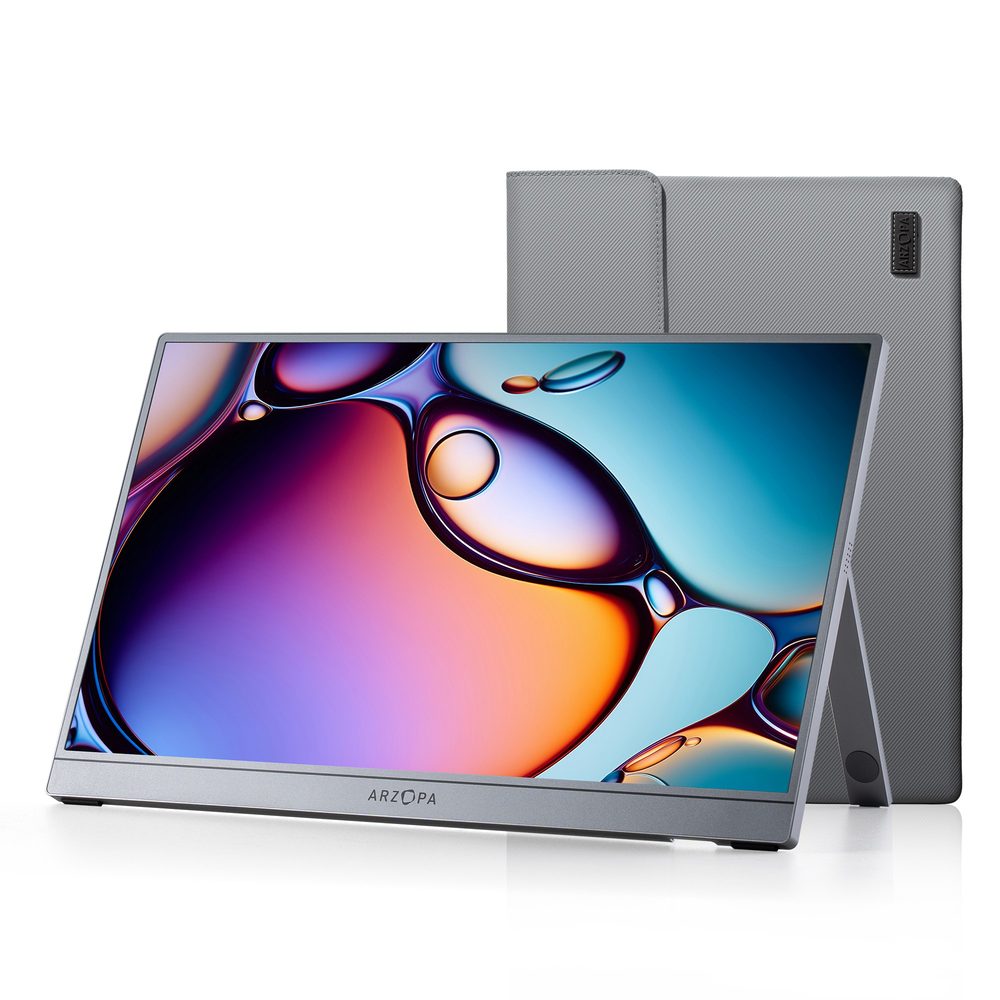
Arzopa Z3FC
Best OverallBuy if: you want the sharpest portable gaming screen for the least money, and you play on a laptop or handheld over USB-C
Don't buy if: you only play on console — over HDMI it drops to 144Hz, and the Z1FC is cheaper for the same console experience
The Z3FC is the portable monitor to buy for most gamers: a 16.1-inch 2560×1440 IPS panel running at 180Hz over USB-C, with a built-in kickstand and a street price of $139.99 on Amazon. It is the only pick here that pairs a sharper-than-1080p resolution with a high refresh rate at a three-figure price — ServeTheHome called it one of the cheapest QHD portable monitors on the market, and Tom's Hardware and PCWorld have both covered it.
The headline number comes with a cable condition, and it is the first trap in this guide: 180Hz only works over USB-C. Over mini-HDMI it drops to 144Hz, so a console or an older laptop never sees the full refresh rate. That still leaves a 1440p 144Hz panel for $139.99, which is the deal — just buy it for what it is over your connection, not for the number on the box.
The honest limits: there is no built-in battery, so it needs USB-C power from the laptop or a wall adapter, and the brightness claims conflict — Arzopa lists 400 nits in some listings while Notebookcheck's launch piece says 300 — so do not buy it for outdoor brightness. Ignore the list price too: the $239.99 anchor is a number nobody pays, and some listings show anchors as high as $359.99. At $139.99 it is the value pick; over $200, wait.
Pros
- 2560×1440 at 180Hz for $139.99 — the sharpest screen per dollar here
- Works with everything: USB-C for handhelds and laptops, mini-HDMI for PS5, Xbox and Switch 2 dock
- Built-in kickstand and protective case in the box
- Light at around 780g — genuinely portable, not just portable-shaped
Cons
- 180Hz only over USB-C — over HDMI it drops to 144Hz
- No built-in battery — needs USB-C power or a wall adapter
- Brightness claims conflict (300 vs 400 nits) — don't buy it for outdoor use
- List-price anchors run $199.99–$359.99 — only buy it near $139.99
Street price $139.99 on Amazon on 14 November 2026 (list $239.99). Check the price before buying, as prices change.
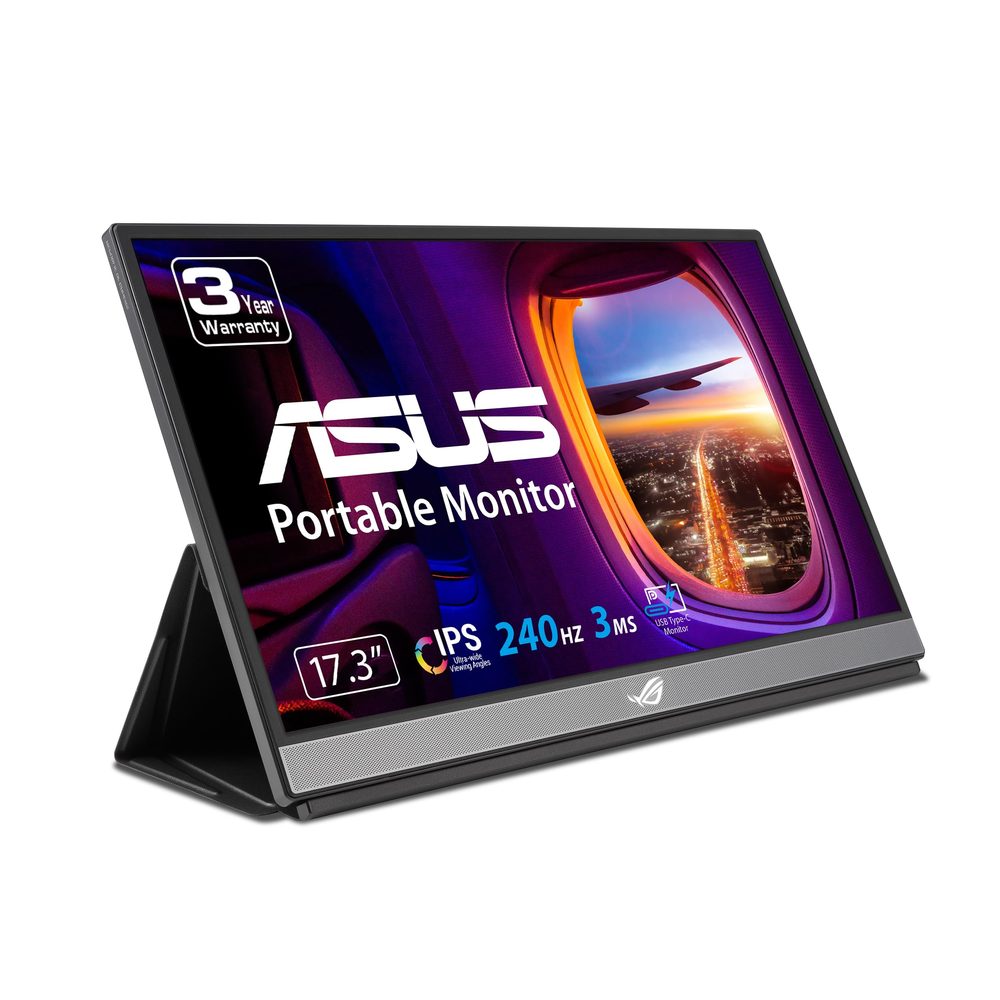
ASUS ROG Strix XG17AHPE
Best Premium / BatteryBuy if: you want the only portable monitor here with a built-in battery, and 240Hz for a gaming laptop
Don't buy if: you only play on console or handheld — 240Hz is a laptop-only benefit, and the Z3FC is a third of the price
The XG17AHPE is the portable monitor you buy when you want the best experience and are willing to pay for it: a 17.3-inch 1080p IPS panel at 240Hz with Adaptive-Sync, a 3ms response time, and a built-in battery — the only pick in this guide that works with no power cable at all. It comes with a Smart Case, a tripod and a carrying bag in the box, and a 3-year warranty behind it.
The battery is the real reason to pay the premium. ASUS claims up to 2 hours at 240Hz; RTINGS measured around 3 hours in its own test conditions — different tests, different numbers, so treat both as "a couple of hours" rather than a promise. Either way, it is the only monitor here you can use on a plane tray table or a park bench with no wall socket and no power bank in sight.
The honest costs: at around $449 on Amazon it is roughly three times the Z3FC, and availability is thinning — ASUS's own eShop lists it at $469 and out of stock, and B&H no longer lists it. The 240Hz is also for PC only: consoles cap at 120Hz and handhelds render far below it, so the speed is wasted unless a gaming laptop is doing the driving. And watch the name: the XG17AHP (no E) is a different, older bundle, and the XG16AHPE is the smaller 15.6-inch sibling — neither is this monitor.
Pros
- Built-in battery — the only pick here that works with no power cable
- 240Hz with Adaptive-Sync — the fastest panel a gaming laptop can actually use
- Smart Case, tripod and carrying bag in the box; 3-year warranty
- USB-C plus micro-HDMI — takes a laptop, a handheld, or a console
Cons
- Around $449 — roughly three times the Z3FC for the same screen size
- Availability is thinning: ASUS eShop out of stock at $469, B&H no longer lists it
- 240Hz is a laptop-only benefit — consoles cap at 120Hz, handhelds far below
- 1080p at 17.3 inches is less sharp than the Z3FC's 1440p at 16.1 inches
Around $449 on Amazon on 14 November 2026 (ASUS eShop $469, out of stock). Check the price before buying, as prices change.
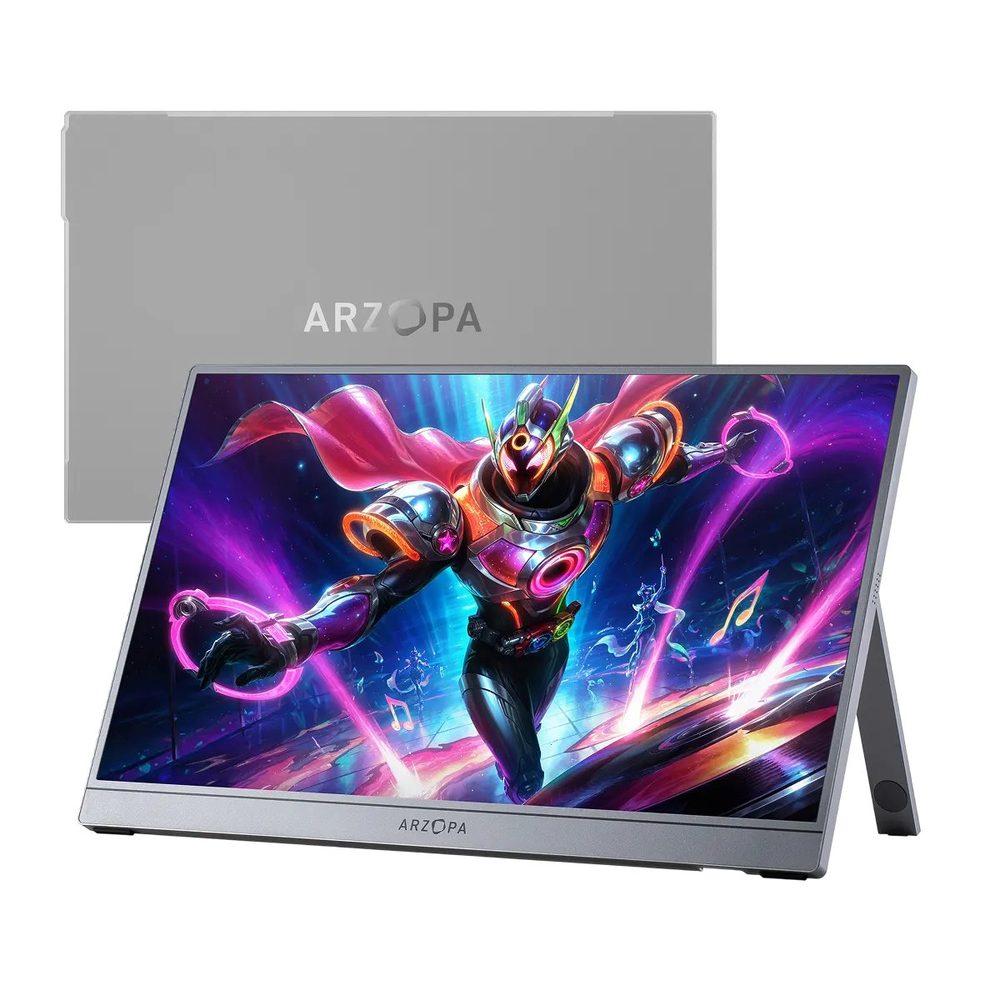
Arzopa Z1FC
Best BudgetBuy if: you want a 144Hz portable screen for around $110 and you play on a laptop, handheld or console
Don't buy if: screen tearing bothers you — this is the only pick here with no adaptive sync at all
The Z1FC is the budget pick that makes the category make sense: the same 16.1-inch size as the Z3FC, at 1080p and 144Hz, for $109.99 on Amazon in the grey finish. PCWorld calls it the best budget portable monitor, and the lab numbers back the panel up — PCMag measured 337 nits, beating the 300-nit claim, and 98% sRGB against the 106% claimed. It is a good screen for a hundred dollars.
The catch is printed on this card for a reason: there is no FreeSync, no G-Sync, no adaptive sync of any kind. When the frame rate and the refresh rate drift apart, the screen can tear — and in fast games you will see it. Every other pick in this guide has adaptive sync. If you play competitive shooters, that alone is worth the $30 step up to the Z3FC.
Two more honest notes. Reviewers found the Z1FC better for work than for the gaming it is marketed for, which is fair — 1080p at 144Hz with no sync is a solid second screen that happens to game well, not a purpose-built gaming panel. And the price depends on the colour: the grey finish is $109.99, the black one is $129.98, so name the variant with the price and do not pay the black price for the grey monitor.
Pros
- $109.99 — the cheapest 144Hz portable monitor from a known brand here
- PCMag lab-measured 337 nits and 98% sRGB — the panel beats its own spec sheet
- Same 16.1-inch size and kickstand as the Z3FC — genuinely portable
- USB-C plus mini-HDMI — works with handhelds, laptops, PS5, Xbox and Switch 2 dock
Cons
- No adaptive sync at all — screen tearing is possible in games
- 1080p, not 1440p — noticeably less sharp than the Z3FC at the same size
- Reviewers rate it better for work than for gaming
- Grey is $109.99, black is $129.98 — the price depends on the colour
Street price $109.99 on Amazon (grey) on 14 November 2026; black is $129.98. Check the price before buying, as prices change.
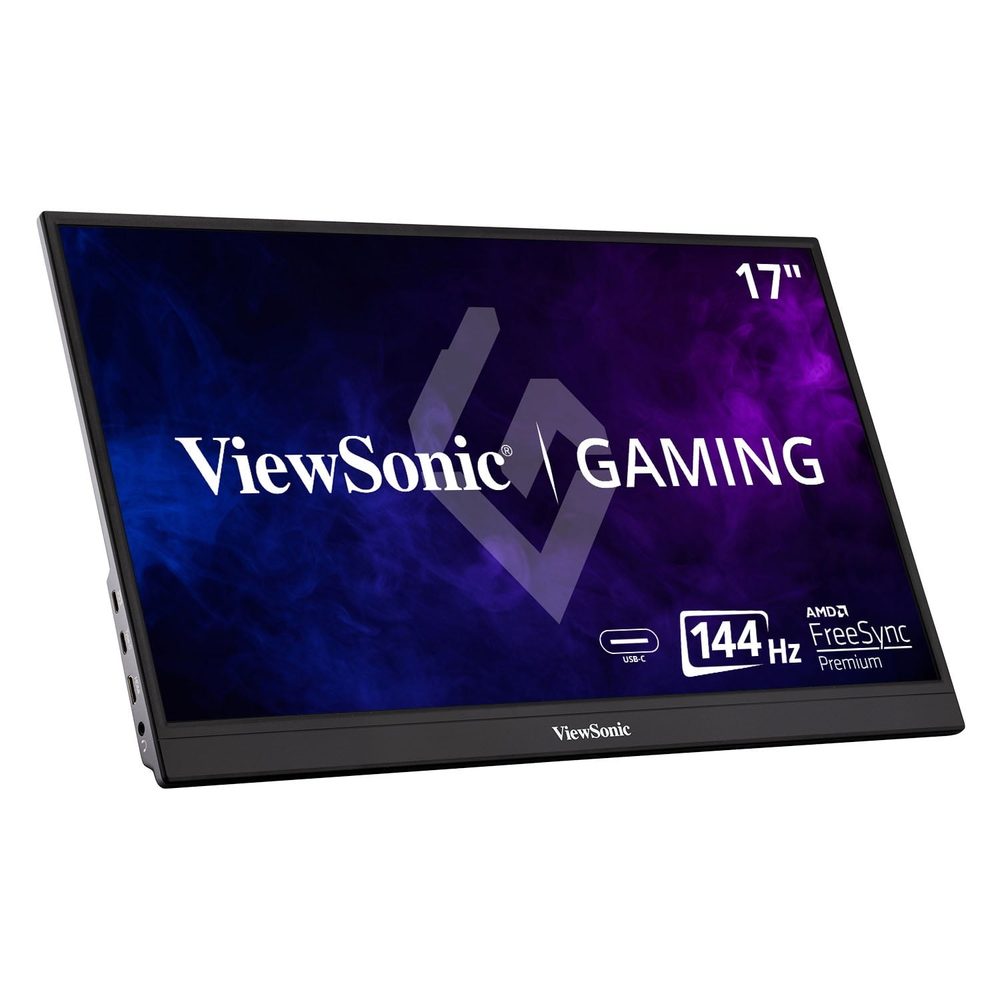
ViewSonic VX1755
Best Known BrandBuy if: you want a 17-inch 144Hz portable monitor from a monitor brand with a longer track record, and you value the warranty behind it
Don't buy if: you want the best screen per dollar — the Z3FC is sharper and $160 cheaper
The VX1755 is the safe-brand pick: a 17.2-inch 1080p IPS panel at 144Hz with AMD FreeSync Premium, a 4ms response time, two-way 60W USB-C power, mini-HDMI, and a built-in stand with a magnetic cover. It launched in late 2021, which makes it the oldest monitor in this guide — and also the only one from a company whose main business is monitors, with the support and warranty network that comes with it.
The price is the honest part of this card. The VX1755 lists at $299.99 and typically sells for around $250 on Amazon. If you see $149.99 attached to this name, stop — that figure belongs to a VX1754 Renewed listing, the near-identical sibling, and one roundup's own Amazon embed mixes the two up under the VX1755 heading. The $149.99 monitor is not this monitor.
Age is the trade-off. A 2021 panel is not the newest, and at 1080p on a 17.2-inch screen it is less sharp than the Z3FC. But nothing about it is broken: FreeSync Premium works, the 60W two-way USB-C power is practical, and the magnetic cover doubles as the stand. Buy it for the brand and the peace of mind, not for the spec sheet.
Pros
- FreeSync Premium — the Z1FC's tearing problem does not apply here
- Big-brand support and warranty behind a 17-inch 144Hz panel
- Two-way 60W USB-C power — the monitor can charge a laptop, or be charged by one
- Built-in stand with a magnetic protective cover in the box
Cons
- 2021 model — the oldest panel in this guide, and it shows on sharpness
- $299.99 list is $160 more than the sharper Z3FC — the brand costs money
- The $149.99 figure floating around is the VX1754 Renewed, not this monitor
- 1080p at 17.2 inches — the least sharp screen here after the Z1FC
List price $299.99; street around $250 on Amazon on 14 November 2026. Check the price before buying, as prices change.
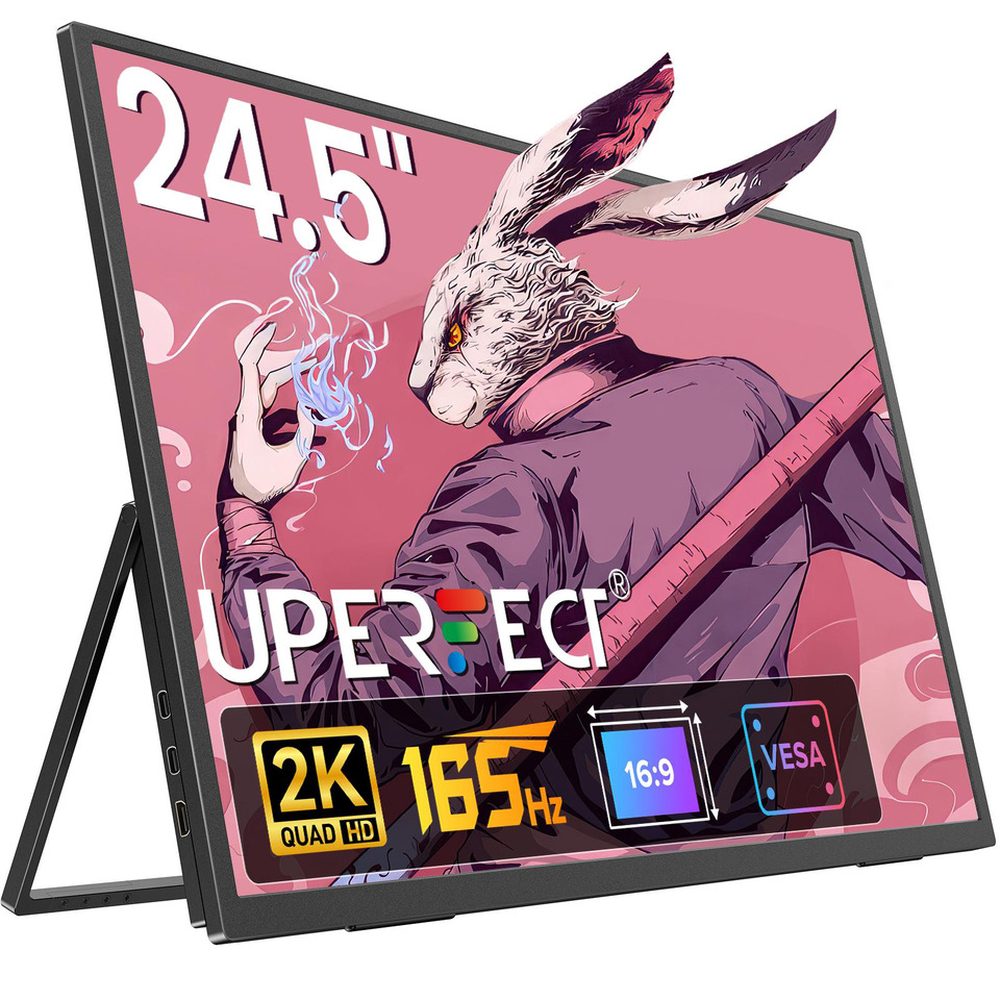
UPERFECT Umax 24
Best Big ScreenBuy if: you want a desktop-sized 24.5-inch screen you can still carry — a second monitor for a laptop that doubles as a gaming display
Don't buy if: you travel light — at 24.5 inches it barely fits a backpack, and the 10ms response is slow for ranked play
The Umax 24 is the biggest portable monitor in this guide, and it knows it: a 24.5-inch 2560×1440 IPS panel at 165Hz over USB-C, with 100% sRGB, a 180° adjustable stand, VESA mounting, and FreeSync. TechPowerUp measured 320 nits, and TechRadar, GamesRadar and TechPowerUp have all reviewed it hands-on. For a laptop that lives on a desk but sometimes travels, it is a full desktop monitor that happens to fold away.
The price depends on where you buy it, and the spread is wide: $319.99 at Newegg, in stock, against $439.99 direct from UPERFECT for the same non-touch model. The touch version — the ZX245CQ — is $489.99, so check the listing before you pay. And do not confuse it with the other UPERFECT 24.5-inch monitor at Best Buy for $399.99: that one is a different, newer 240Hz model with a 0.1ms response and 500 nits, not this one.
The honest limits: a 10ms response time is slow for a gaming pick — fine for single-player and story games, a handicap in ranked shooters where the Z3FC and the NexiGo are far quicker. And at 24.5 inches, "portable" is doing a lot of work: it fits in a large bag, not a small one. Frame it as desktop-class portable, not travel-light.
Pros
- 24.5-inch 1440p — the largest screen here, and the only one that feels like a desktop monitor
- 165Hz over USB-C with FreeSync, and a 180° adjustable stand plus VESA mount
- 100% sRGB and a measured 320 nits — a genuinely good panel, reviewed hands-on by three outlets
- $319.99 at Newegg is strong value for a screen this size
Cons
- 10ms response time — slow for ranked play; single-player is its real home
- $120 price spread: $319.99 at Newegg vs $439.99 direct from UPERFECT
- At 24.5 inches it barely fits a backpack — desktop-class portable, not travel-light
- Touch version costs $50 more, and the Best Buy 240Hz UPERFECT is a different monitor
$319.99 at Newegg vs $439.99 direct from UPERFECT (non-touch) on 14 November 2026. Check the price before buying, as prices change.
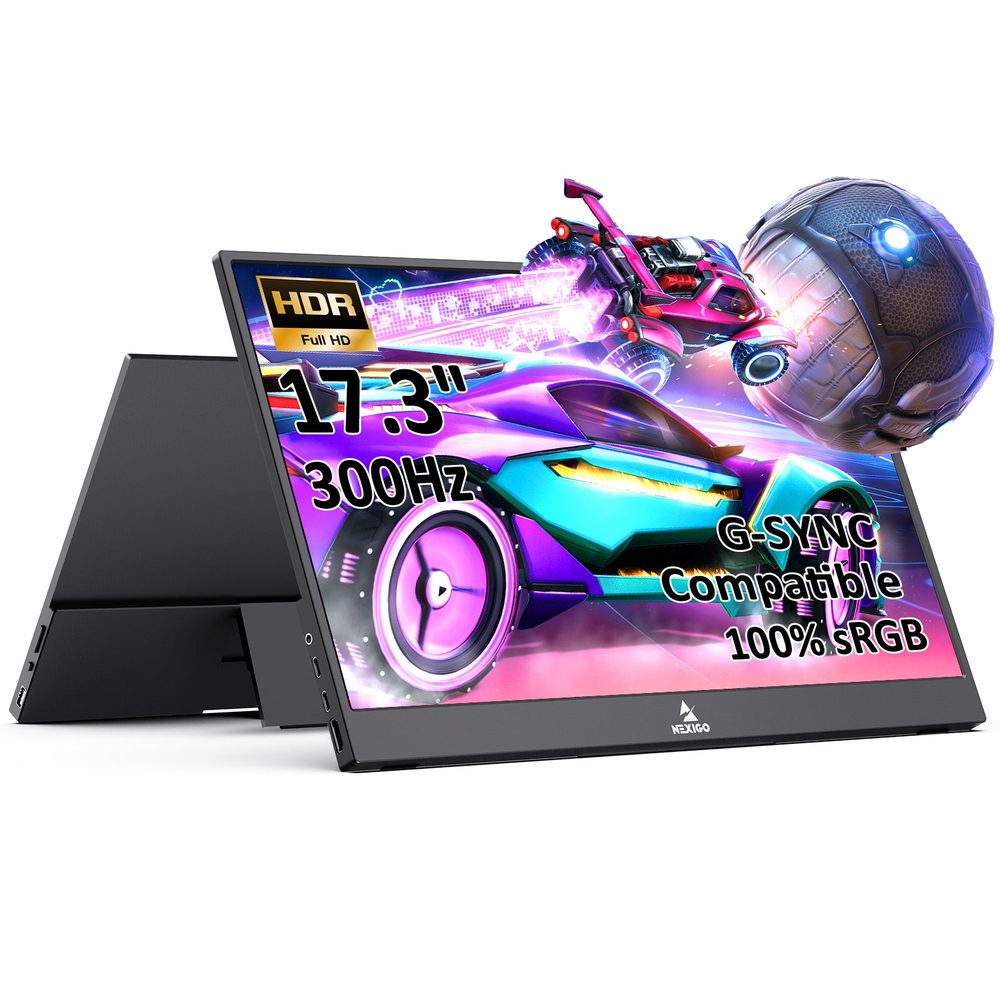
NexiGo NG17FGQ-S
Fastest RefreshBuy if: you carry a gaming laptop to LAN events and want the highest refresh ceiling any portable monitor offers
Don't buy if: you play on a handheld or console — neither can feed 300Hz, and Amazon was out of stock on 14 November
The NG17FGQ-S is the fastest portable monitor ever made: a 17.3-inch 1080p IPS panel at 300Hz over USB-C, with a 1ms response time, FreeSync and G-Sync Compatible certification, built-in speakers, a remote control, and an aluminium chassis. Tom's Hardware measured 372 nits peak against the 300-nit rating. It is the first portable display marketed at 300Hz, and nothing else in this guide comes close.
Two conditions come with that number. First, 300Hz needs a full-bandwidth USB-C or Thunderbolt output — over HDMI the same panel drops to 240Hz — and it needs external power for the full refresh, on top of the video cable. Second, you need a source that can render anywhere near 300 frames per second, which rules out every handheld on the market and every console. This is a laptop-only pick, and the guide says so plainly.
And the availability warning is printed on this card for a reason: Amazon had no offer for the NG17FGQ-S when checked on 14 November 2026 — out of stock, no listing to buy from. NexiGo's own store lists it at $469, and street prices have ranged from $250 to $449 when it has been in stock. Check before buying, and do not pay a scalper price for it — the XG17AHPE at around $449 is the better buy if the NexiGo is unavailable.
Pros
- 300Hz over USB-C — the highest refresh ceiling of any portable monitor
- FreeSync plus G-Sync Compatible, 1ms response, 372 nits measured by Tom's Hardware
- Built-in speakers, remote control and an aluminium chassis
- 240Hz over HDMI is still the second-fastest connection here
Cons
- Amazon out of stock on 14 November 2026 — $469 direct from NexiGo is the only live price
- 300Hz needs full-bandwidth USB-C plus external power — one cable is not enough
- Laptop-only in practice: handhelds and consoles cannot feed anywhere near 300fps
- The NG17FGQ (no S) and a 165Hz variant circulate under similar names — check the model
$469 direct from NexiGo; Amazon out of stock on 14 November 2026 (street has ranged $250–$449). Check the price before buying, as prices change.
Can You Use a Portable Monitor With a PS5?
No — not over USB-C. The PS5's USB-C ports carry no video at all, so a USB-C-only monitor cannot connect to one, and no cable or adapter fixes that. You need a monitor with a real HDMI input, and every pick in this guide has one: plug the console into the monitor's mini-HDMI port with a mini-HDMI to HDMI cable, and power the monitor separately.
What you get is 1080p at 120Hz on most of these panels — the sweet spot for portable PS5 play — not the 4K120 VRR experience the console is capable of. Almost every portable monitor is HDMI 2.0, which caps at 4K60 with no VRR, and none of the picks here is a 4K panel. If 4K120 and VRR matter to you, you need a desktop monitor — our best 4K gaming monitors for PS5 guide covers those.
Two practical notes for a PS5 travel setup. The console's USB ports do not supply enough power to run a display, so bring a wall adapter or a USB-C PD power bank — the only pick here that works with neither is the XG17AHPE, which has its own battery. And the speakers are 1–2W, thin for a game: use a headset in the DualSense controller's 3.5mm jack instead, and treat the monitor's speakers as a backup.
Does a Portable Monitor Work With the Nintendo Switch 2 Dock?
Yes — but only over HDMI. The Switch 2 dock outputs HDMI only, so the monitor must have an HDMI input. A USB-C-only monitor will not work with the dock, no matter what the listing says. Every pick in this guide has a mini-HDMI port, so all six work docked — plug the dock into the monitor, power the monitor separately, and play.
Undocked, the rules change: a Switch 2 connects to a portable monitor over USB-C, and that works — but then you need a separate power source for the monitor, because the handheld will not power it. The same split applies to the original Switch, and to the Steam Deck and the ROG Ally: USB-C works for the handheld itself, HDMI is what the dock needs.
One more Switch 2 note, because it catches buyers out: the console's screen is 7.9 inches, and Switch 1 cases and screen protectors do not fit it. The monitor side is simpler — any of these six works — but if you are buying accessories for the Switch 2, our handheld gaming PC guide covers the handheld side, and the dedicated Switch 2 accessories guide lands on 18 November.
Can a Steam Deck Actually Use a 144Hz Portable Monitor?
The monitor works fine — the refresh rate does not. The Steam Deck connects to a portable monitor over USB-C without any trouble, and the picture is good. But in most configurations the Deck's external output is capped at 60Hz at 1080p, so a 144Hz or 180Hz panel's extra headroom goes unused. You are carrying a faster panel than the Deck can drive.
That does not make the faster panel a bad buy — it makes it a buy for the wrong reason. If the same monitor also serves a laptop, the 144Hz or 180Hz is worth paying for, because the laptop can use it. If the monitor is only ever going to sit next to a Deck, buy on resolution, size and price instead, and save the refresh-rate money. Handhelds render roughly 40–90 frames per second in real games anyway, so the Deck rarely has frames to spare for a high-refresh panel.
The same logic applies to every handheld in this guide's orbit — the ROG Ally, the Legion Go, the Claw. They all connect over USB-C, they all render in the same 40–90fps band in demanding games, and they all benefit more from a sharp 1440p panel than from a 300Hz one. The Z3FC is the pick for that reason: 1440p you can see, at a price you can justify, with refresh headroom for the laptop it will also serve.
Do Portable Monitors Need a Separate Power Supply?
It depends on what you plug in. A laptop can usually power a portable monitor over the same USB-C cable that carries the video — one cable, picture and power together. That is the setup every listing photograph shows, and for a laptop it is real. Phones, tablets, consoles, cameras and handhelds usually cannot: their USB-C ports do not supply enough power, so the monitor needs a wall adapter or a USB-C PD power bank of its own.
High-refresh panels are thirstier still. The NexiGo NG17FGQ-S needs external power for its full 300Hz — one cable carries the video, a second input carries the power. The Z3FC and Z1FC draw less, but they still need a power source when the device on the other end is a handheld or a console. Only the XG17AHPE escapes the question entirely, because it has a built-in battery — around 2–3 hours depending on refresh rate, and then it needs charging like anything else.
The check to run before you buy: does your device's USB-C port support DisplayPort Alt Mode, and can it supply power? A USB-C port can carry data and power without carrying video at all, and a non-compliant cable will silently negotiate a lower mode without telling you. Use the cable in the box, not a random charging cable, and if the monitor lights up but shows no picture, the cable is the first thing to swap.
Is 240Hz or 300Hz Worth It on a Portable Screen?
Only if the source device can feed it — and most cannot. A refresh rate is the panel's ceiling, not what you will see. Handhelds render roughly 40–90 frames per second in real games. Consoles cap at 120Hz. Only a gaming laptop renders fast enough to use 240Hz, and only a strong one gets near 300Hz. Buying 300Hz for a Steam Deck is buying a ceiling you will never touch.
The cable decides the number too. The Z3FC runs at 180Hz over USB-C and drops to 144Hz over HDMI. The NexiGo runs at 300Hz over USB-C and drops to 240Hz over HDMI. The Umax 24 runs at 165Hz over USB-C and 144Hz over HDMI. Same panel, same box, different cable — and the number on the front of the listing quietly becomes a different number.
So 144Hz is the sweet spot: a visible step up from 60Hz in any fast game, and every device in this guide can actually use it. Above that, pay for it only when a gaming laptop is doing the driving — the XG17AHPE at 240Hz or the NexiGo at 300Hz, both over USB-C, both with external power. For a handheld or a console, spend the money on resolution and size instead: the Z3FC's 1440p will change what you see every minute of every game, while 300Hz changes nothing at all.
The Exact-Model Trap Decoder
Five names in this market each hide two or three different monitors. Check the model, the cable, and the price on the listing — the name alone will not save you.
Refresh rate by cable: what each panel actually runs
| Monitor | Over USB-C | Over HDMI |
|---|---|---|
| Arzopa Z3FC | 180Hz | 144Hz |
| NexiGo NG17FGQ-S | 300Hz | 240Hz |
| UPERFECT Umax 24 | 165Hz | 144Hz |
| ASUS ROG Strix XG17AHPE | 240Hz | 120Hz (console cap) |
| Arzopa Z1FC / ViewSonic VX1755 | 144Hz | 144Hz |
Same name, different monitor
| Name on the Box | What It Actually Is |
|---|---|
| Arzopa Z3FC vs Z1FC | Same 16.1-inch size, different panels. The Z3FC is 1440p at 180Hz for $139.99; the Z1FC is 1080p at 144Hz for $109.99 — and the Z1FC has no adaptive sync at all. Never print Z3FC specs against the Z1FC price. |
| ASUS XG17AHPE vs XG17AHP vs XG16AHPE | The XG17AHPE is the pick (17.3", 240Hz, battery). The XG17AHP (no E) is a different, older bundle — ASUS's own Prime Day post priced it at $449 with tripod, case and bag. The XG16AHPE is the smaller 15.6-inch sibling. Never cross them. |
| ViewSonic VX1755 vs VX1754 | Near-identical 17-inch siblings. The VX1755 is the pick ($299.99 list); the $149.99 figure floating around is a VX1754 Renewed listing. One roundup's own Amazon embed mixes the two under the VX1755 heading. |
| UPERFECT Umax 24 vs Umax 23 vs the 240Hz model | The Umax 24 is 24.5" at 165Hz ($319.99–$439.99); the touch version is the ZX245CQ at $489.99. The UMax 23 is a different monitor (23.8", 1440p 180Hz, $419). Best Buy's $399.99 UPERFECT 24.5" is a newer 240Hz model — not this one. |
| NexiGo NG17FGQ vs NG17FGQ-S | The -S is the current model (300Hz, $469 direct). The original NG17FGQ is the older listing, and a "165Hz NG17FGQ" listing also circulates — that is a different, older variant. Check the S. |
Buying Guide: What Actually Matters
Decide the device first. Handheld, laptop, console or Switch 2 dock — that is the whole decision. A handheld wants 1440p sharpness and low power draw; a laptop wants refresh rate; a console wants HDMI and 120Hz; a Switch 2 dock wants HDMI, full stop. Pick the device, then pick the monitor.
Check the cable before you check the price. The refresh rate on the box is the USB-C number. Over HDMI it drops — 180 to 144 on the Z3FC, 300 to 240 on the NexiGo, 165 to 144 on the Umax 24. If your device connects over HDMI, buy on the HDMI number. And use the cable in the box: a non-compliant USB-C cable silently negotiates a lower mode without telling you.
Count the power. A laptop powers the monitor over the same cable. A handheld or a console does not — bring a wall adapter or a USB-C PD power bank. The XG17AHPE is the only pick with a battery, and even that lasts a couple of hours. High-refresh panels need external power for their full refresh rate.
Buy resolution before refresh rate. For a handheld or a console, 1440p changes what you see every minute; 300Hz changes nothing, because the device cannot feed it. Spend the refresh-rate money on the sharper panel — the Z3FC over the Z1FC, every time, unless the $30 matters more than the pixels.
Size is a travel decision, not a spec. 16.1 inches fits a laptop bag. 17.3 inches fits a large bag. 24.5 inches barely fits a backpack at all. The Umax 24 is a desktop monitor that travels, not a travel monitor — buy it for the desk, not the plane.
Budget mentions worth knowing. The ASUS ZenScreen MB16NCG at 16 inches and 1080p with a 155Hz overclock mode is the wildcard if the NexiGo stays out of stock — ASUS's own 2026 buying guide positions it for Switch 2 and Ally X play, though we have not verified its current price. And if the budget stretches to a desktop panel instead, our best monitors for FPS guide ranks the full-size 1440p options.
Frequently Asked Questions
Can I use a USB-C portable monitor with my PS5?
No — not directly. The PS5's USB-C ports carry no video at all, so a USB-C-only monitor cannot connect to one. You need a monitor with a real HDMI input — every pick in this guide has one — and a mini-HDMI to HDMI cable. Plug the console into the monitor's HDMI port and power the monitor separately, because the PS5's USB ports do not supply enough power to run a display.
Will any portable monitor give me PS5's full 4K120 VRR experience?
Realistically, no. Almost every portable monitor is HDMI 2.0, which caps at 4K60 with no VRR, and none of the picks in this guide is a 4K panel. What you do get is 1080p at 120Hz on most of them, which is the sweet spot for portable PS5 play. If 4K120 and VRR matter to you, you need a desktop monitor — our best 4K gaming monitors for PS5 guide covers those.
Do portable monitors have good enough speakers for PS5 gaming?
Not really. Portable monitors have 1–2W speakers that are fine for a menu or a YouTube video and thin for a game. Use a headset plugged into the DualSense controller's 3.5mm jack instead — that is where the PS5's audio is meant to go — and treat the monitor's speakers as a backup, not the main output.
Can I power a portable monitor directly from my PS5?
No. The PS5's USB ports do not supply enough power to run a display, so a travel setup needs a wall adapter or a USB-C PD power bank. The only pick here that works without either is the ASUS ROG Strix XG17AHPE, which has a built-in battery — and even that lasts around 2–3 hours depending on refresh rate.
Can you use a portable monitor with the Nintendo Switch 2 dock?
Yes, but only over HDMI. The Switch 2 dock outputs HDMI only, so the monitor must have an HDMI input — a USB-C-only monitor will not work with the dock. Every pick in this guide has a mini-HDMI port, so all six work docked. Undocked, a Switch 2 connects to a portable monitor over USB-C, but then you need a separate power source for the monitor.
Can a Steam Deck output above 60Hz to an external display?
In most configurations, no — the Steam Deck OLED's external output is capped at 60Hz at 1080p, so a 144Hz or 180Hz panel's extra headroom goes unused on the Deck. The monitor still works fine over USB-C, and it is still worth buying the faster panel if the same monitor also serves a laptop — just don't buy 144Hz for the Deck alone. Handhelds render roughly 40–90 frames per second in real games anyway, so the Deck rarely has frames to spare.
What refresh rate do I actually need — is 144Hz worth it?
144Hz is the sweet spot for a portable gaming monitor. It is a visible step up from 60Hz in any fast game, and every device in this guide — handheld, laptop or console — can actually use it. Above that, the value depends on the source: a gaming laptop can feed 240Hz or 300Hz, a console caps at 120Hz, and a handheld renders 40–90 frames per second, so 180Hz and beyond are headroom you only use with a laptop.