Best LDAC Wireless Headphones in 2026: 6 Picks for Android

LDAC wireless headphones are wireless headphones that use Sony's LDAC codec to send sound from an Android phone at up to 990 kbps. That is about three times the data of standard Bluetooth, so music can sound closer to the original recording — but only on Android, and only when the phone is set up right.
Look — if you bought a pair that promised hi-res sound and it sounds no better than your old buds, you're not imagining it. Your phone is probably running LDAC at its lowest speed. That speed sounds worse than plain Bluetooth, and no headphone can fix it from its end.
Every pick below was checked as buyable on 26 November 2026, with codec and battery numbers taken from the brands' own spec pages. No dead model, no mystery brand, no paid placement. And one warning up front: if you use an iPhone, LDAC will never switch on — Apple does not support it, and no headphone changes that.
Quick Comparison
| Product | Key Specs | ||
|---|---|---|---|
| #1 | Sony WH-1000XM6Best Overall | LDAC · 30h ANC · 30mm · folding · $459.99 | Check Price |
| #2 | Sony WF-1000XM6Best Earbuds | LDAC · 8h + 24h · IPX4 · Qi case · $329.99 | Check Price |
| #3 | Soundcore Space One ProBest for Travel | LDAC · 40h ANC · folds to half size · $199.99 | Check Price |
| #4 | Soundcore Liberty 5Best Value Earbuds | LDAC · 8h + 32h · IP55 · Dolby Audio · $129.99 | Check Price |
| #5 | Nothing Ear (3)Best Design & App | LDAC · 5.5h ANC · 12mm · Super Mic · $179 | Check Price |
| #6 | Soundcore Space OneBest Budget | LDAC · 40h ANC · 40mm · $99.99 | Check Price |
The best LDAC wireless headphones in 2026 pair the codec with genuinely good sound and honest battery life. According to Sony, the WH-1000XM6 runs for 30 hours with noise cancelling on and supports LDAC at up to 990 kbps. The right pick depends on your phone and your budget: without an Android phone, the LDAC badge means nothing at all.
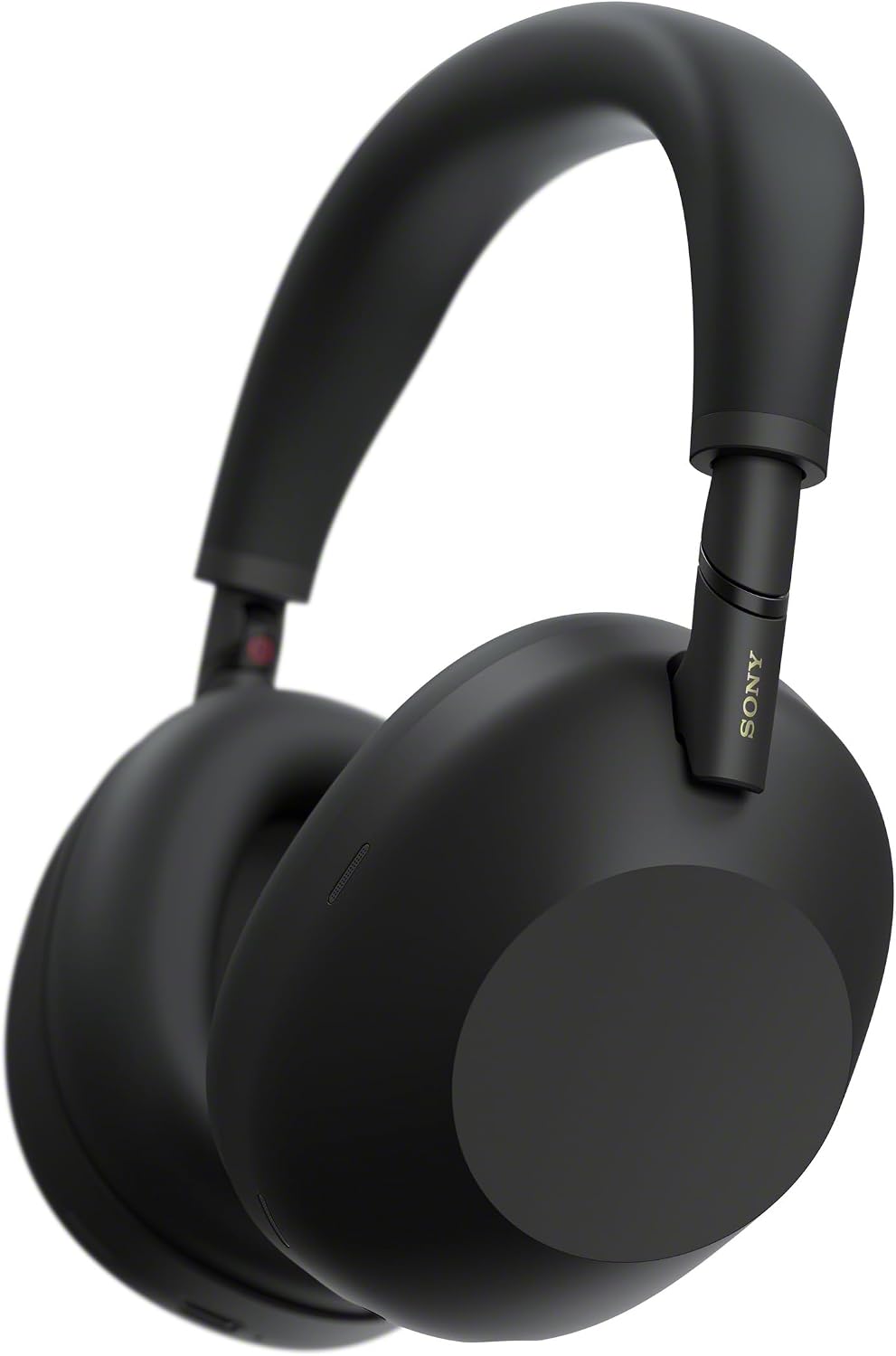
Sony WH-1000XM6
Best OverallBuy if: you want the best LDAC headphone here — top noise cancelling, clear calls, and a design that folds flat for travel
Don't buy if: you use an iPhone — LDAC never switches on, so you would pay for a feature you cannot use
The XM6 is the default pick for a reason. Sony's 30mm drivers deliver a warm, detailed sound, and the QN3 processor with 12 microphones gives noise cancelling that reviewers rank at the top of the class. SoundGuys measured noise reduction of about 87% on average. Calls are clear too, thanks to a six-microphone array that cuts background noise well.
Battery numbers deserve a second look. I've seen conflicting data — Sony rates the XM6 at 30 hours with noise cancelling on, while SoundGuys measured over 37 hours in testing. My read is that Sony's figure is the safe one to plan around, and the gap comes from test volume and codec choice. Either way, it lasts a full work week.
Two limits to know. LDAC cuts the battery to about 26 hours, and the price is high at $459.99, though sales near $348 were common in November 2026. It also lacks aptX, so Snapdragon phone owners lose that codec. Buy it for sound, silence and calls — in that order.
Pros
- Best noise cancelling here, with 12 microphones
- Warm, detailed sound with a 10-band EQ app
- Folds flat, unlike the older XM5
- 3-minute charge gives up to 3 hours
Cons
- $459.99 list price is steep
- LDAC cuts battery to about 26 hours
- No aptX support
- LDAC does nothing on iPhone
Price $459.99 list, checked 26 Nov 2026; sale prices near $348 were common. Check the price before buying, as prices change.
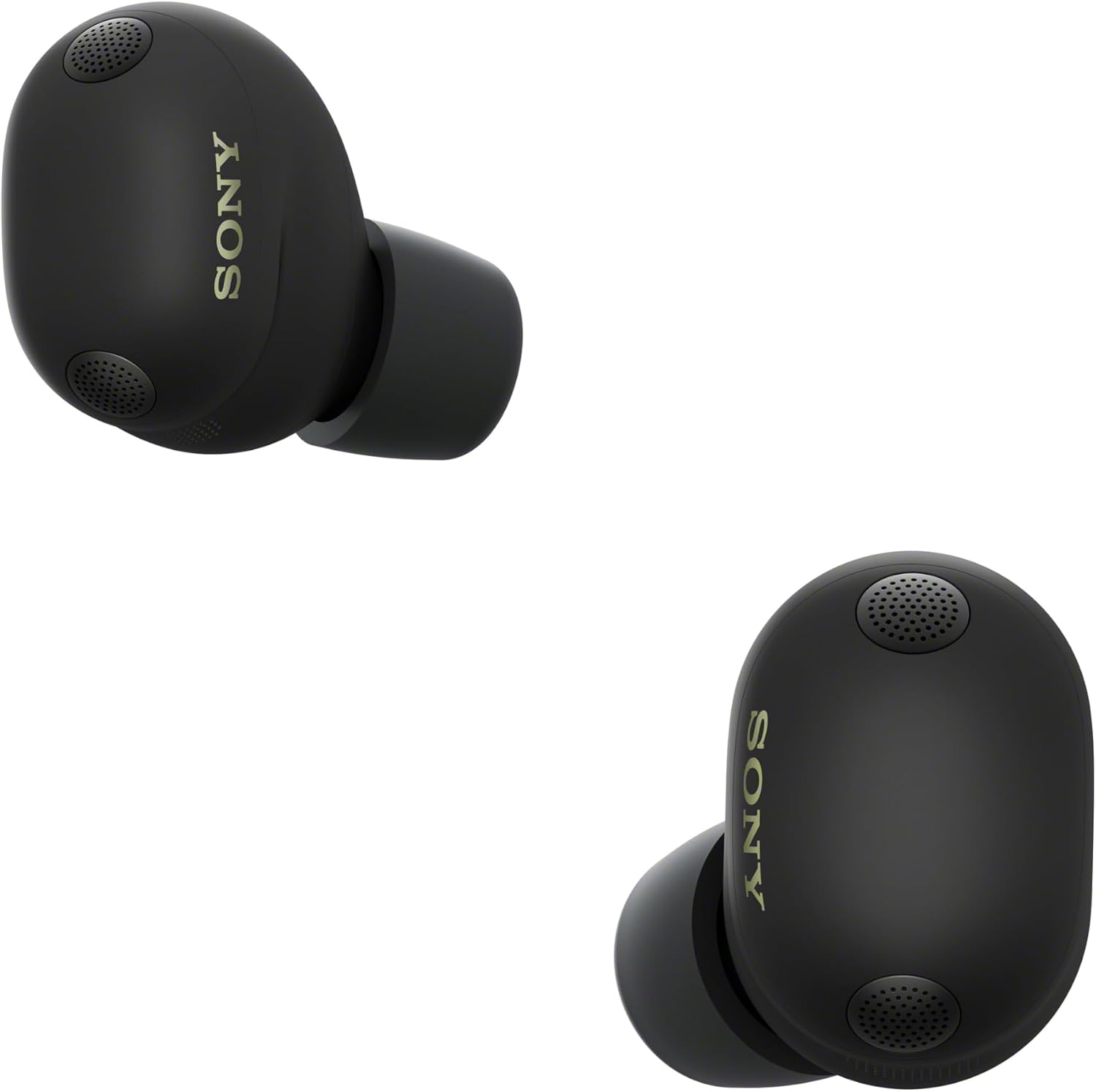
Sony WF-1000XM6
Best EarbudsBuy if: you want flagship LDAC earbuds — strong noise cancelling, a full EQ app, and a wireless charging case
Don't buy if: you plan to run LDAC all day — battery drops from 8 hours to 5 with LDAC and noise cancelling on
The WF-1000XM6 is Sony's flagship earbud, launched in February 2026 at $329.99. The 8.4mm drivers sound spacious with strong bass, and the QN3e processor cancels noise faster than the XM5 buds it replaced. Tom's Guide calls the upgrade significant, and the 8-hour battery with noise cancelling on covers a full day.
Here's the thing: that 8-hour figure assumes AAC or SBC. Sony's own operating-time table shows LDAC with noise cancelling on lasts 5 hours. That is the honest cost of the codec, and most roundups never print it. Plan for 5 hours, and the buds will not let you down mid-flight.
The case charges wirelessly and a 5-minute top-up gives an hour. The buds are IPX4, so rain is fine but swimming is not. At $329.99 they cost more than every rival here, though a $248 sale price held through November 2026. For Android owners who want the best buds, this is the pick.
Pros
- Flagship sound with LDAC and LC3
- 8 hours per charge, 24 hours with the case
- Wireless charging case, 5 minutes gives 1 hour
- Strong noise cancelling with foam tips
Cons
- LDAC battery is only 5 hours
- $329.99 list price
- IPX4 only — no swimming
- LDAC does nothing on iPhone
Price $329.99 list, checked 26 Nov 2026; a $248 sale price was live in November. Check the price before buying, as prices change.
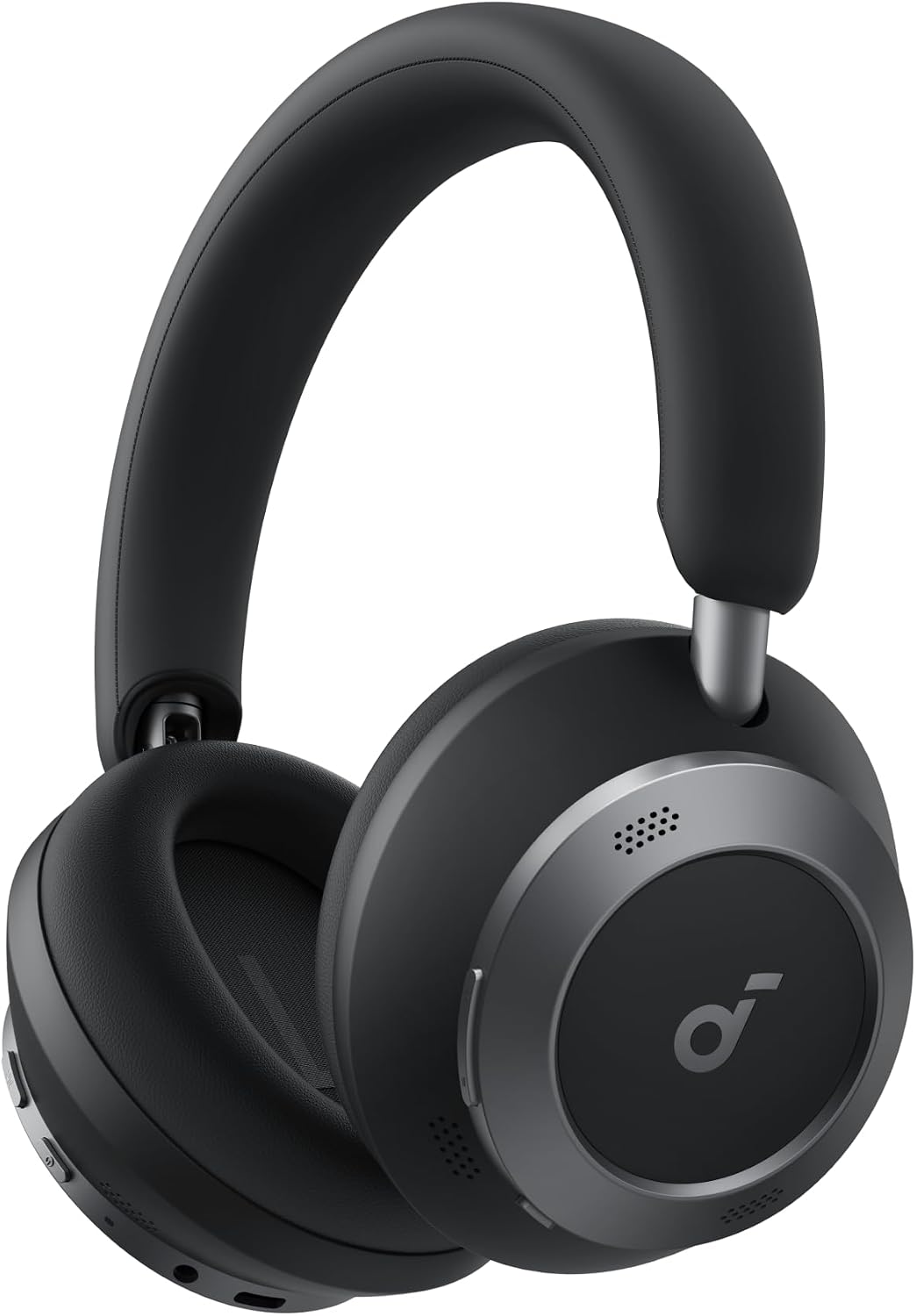
Soundcore Space One Pro
Best for TravelBuy if: you travel with a tight bag — this pair folds to half its size and still gives 40 hours with noise cancelling on
Don't buy if: you want the lightest pair — at 286g it is the heaviest headphone here
No headphone here packs smaller. The Space One Pro's five-segment headband and rotating joints fold it to half its open size, small enough for a laptop sleeve. Soundcore rates it at 40 hours with noise cancelling on and 60 with it off, and a 5-minute charge gives 8 hours — the fastest top-up on this list.
The 40mm triple-composite drivers support LDAC on Android, switched on in the Soundcore app. Two limits come with it: LDAC connects to one device only, and it cannot run with the Dolby sound effect. Or maybe I should say it this way — you choose hi-res sound or two-device pairing, not both at once.
At $199.99 list it costs twice the Space One below, and most of that money buys the fold and the faster charge. Sale prices near $114 were live in November 2026, which makes it a sharp buy. Commuters who pack light should start here.
Pros
- Folds to half its size for tight bags
- 40 hours with ANC on, 60 with it off
- 5-minute charge gives 8 hours
- LDAC hi-res sound on Android
Cons
- Heaviest here at 286g
- LDAC turns off two-device pairing
- LDAC cannot run with the Dolby effect
- Twice the price of the Space One
Price $199.99 list, checked 26 Nov 2026; sale prices near $114 were live in November. Check the price before buying, as prices change.
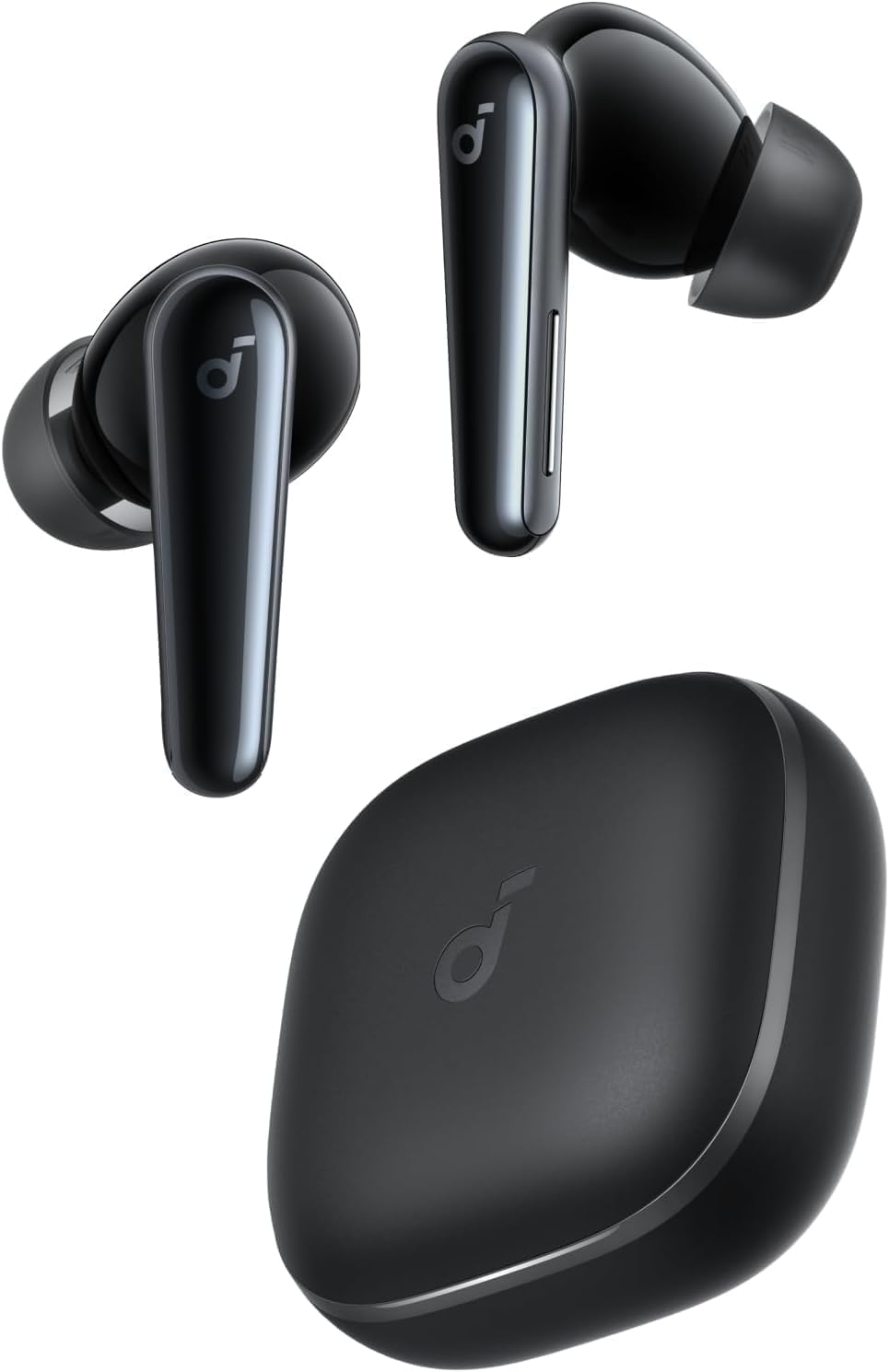
Soundcore Liberty 5
Best Value EarbudsBuy if: you want LDAC earbuds with the longest battery here — 8 hours per charge and 32 hours with the case
Don't buy if: you want the finest sound detail — Sony's buds resolve more, for more than twice the price
The Liberty 5 is the value pick in Soundcore's line, and the numbers show why. Soundcore rates it at 12 hours per charge with noise cancelling off and 8 with it on — the longest earbud battery on this list. The case takes the total to 48 hours, charges wirelessly, and a 10-minute top-up gives 5 hours.
LDAC is on board, switched on in the Soundcore app, alongside Dolby Audio and an IP55 rating that shrugs off sweat and light rain. One detail sets it apart: it stays connected to two devices even with LDAC on, where most rivals drop to one. For laptop-and-phone switchers, that matters daily.
The trade-off is sound polish. The 9.2mm drivers sound clear with deep bass, but Sony's buds dig out more detail. At $129.99 list — and $75.99 on sale in November 2026 — the Liberty 5 is hard to argue with. Most people should buy this pair and keep the change.
Pros
- Longest earbud battery here: 8h + 32h
- LDAC works with two-device pairing
- IP55 sweat and rain resistance
- $129.99 list, often far less on sale
Cons
- Less fine detail than Sony's buds
- LDAC still needs an Android phone
- Case takes about 3 hours to charge by cable
- Bass-heavy default tuning
Price $129.99 list, checked 26 Nov 2026; a $75.99 sale price was live in November. Check the price before buying, as prices change.
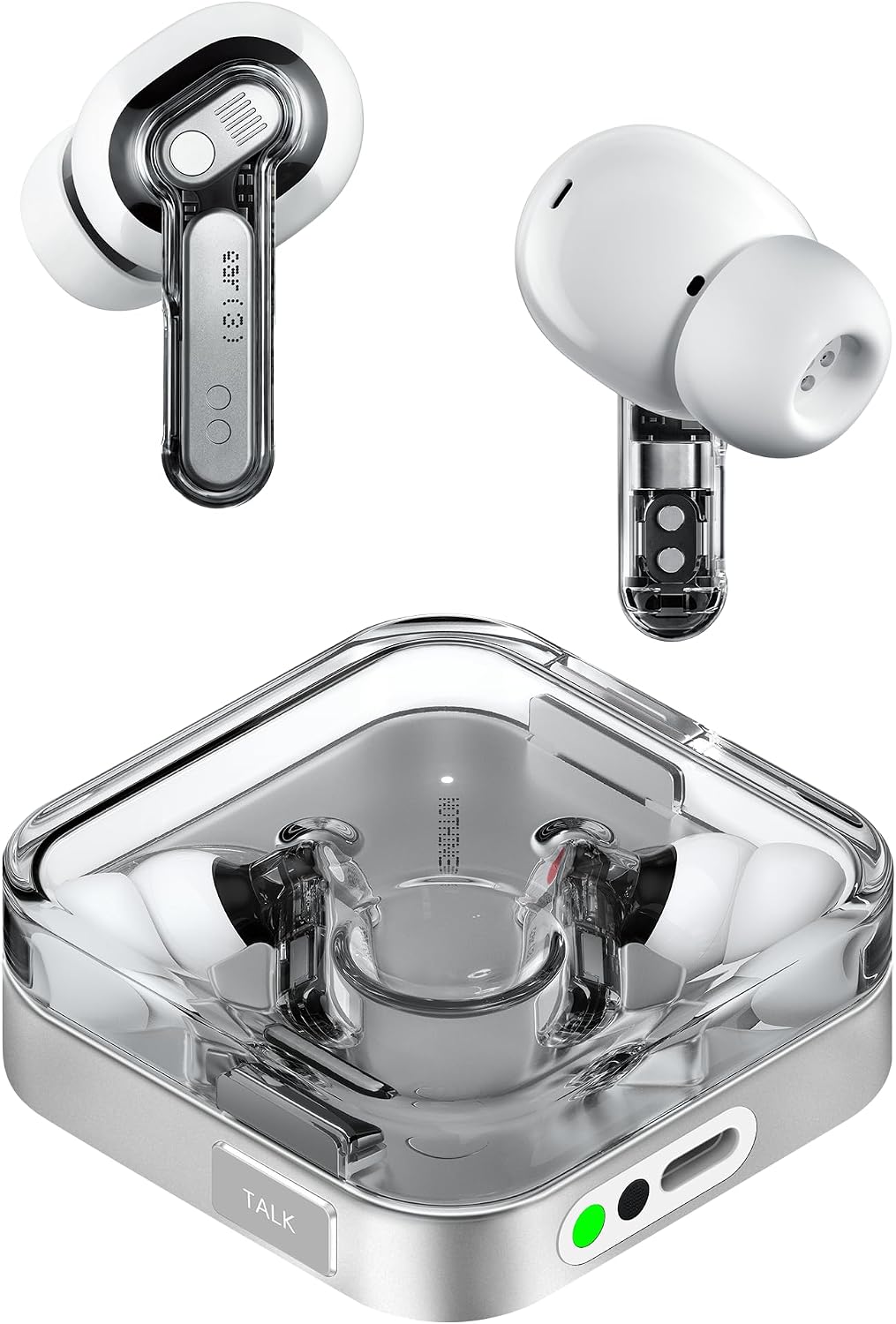
Nothing Ear (3)
Best Design & AppBuy if: you want LDAC earbuds with the best app here — a full parametric EQ and a hearing test that builds your sound profile
Don't buy if: you need long battery life — LDAC with noise cancelling on lasts about 3.5 hours
The Ear (3) is the design pick. The transparent buds and metal case look like nothing else, and the Nothing X app is the best here: a full parametric equaliser, a Personal Sound hearing test, and EQ profiles you can share by QR code. SoundGuys scored the sound highly, and the 12mm drivers keep distortion low.
Battery is the catch, and it is a real one. Nothing rates the buds at 10 hours with noise cancelling off, 5.5 with it on — and 3.5 hours with LDAC and noise cancelling together. Notebookcheck found the same shortfall in testing. Short trips suit these buds. Long flights do not.
The Super Mic — a microphone built into the case — helps calls in noise, though you must hold the case to use it. At $179 launch price, with sales near $94 in November 2026, the Ear (3) suits buyers who value the app and the look over raw endurance. Buy with eyes open.
Pros
- Best app here: parametric EQ + hearing test
- Clear sound from 12mm drivers
- Strong noise cancelling for the price
- IP54 buds and case
Cons
- Only about 3.5 hours with LDAC + ANC
- Super Mic needs the case in your hand
- Bass-heavy default tuning
- Call quality without Super Mic is average
Price $179 at launch, checked 26 Nov 2026; sale prices near $94 were live in November. Check the price before buying, as prices change.
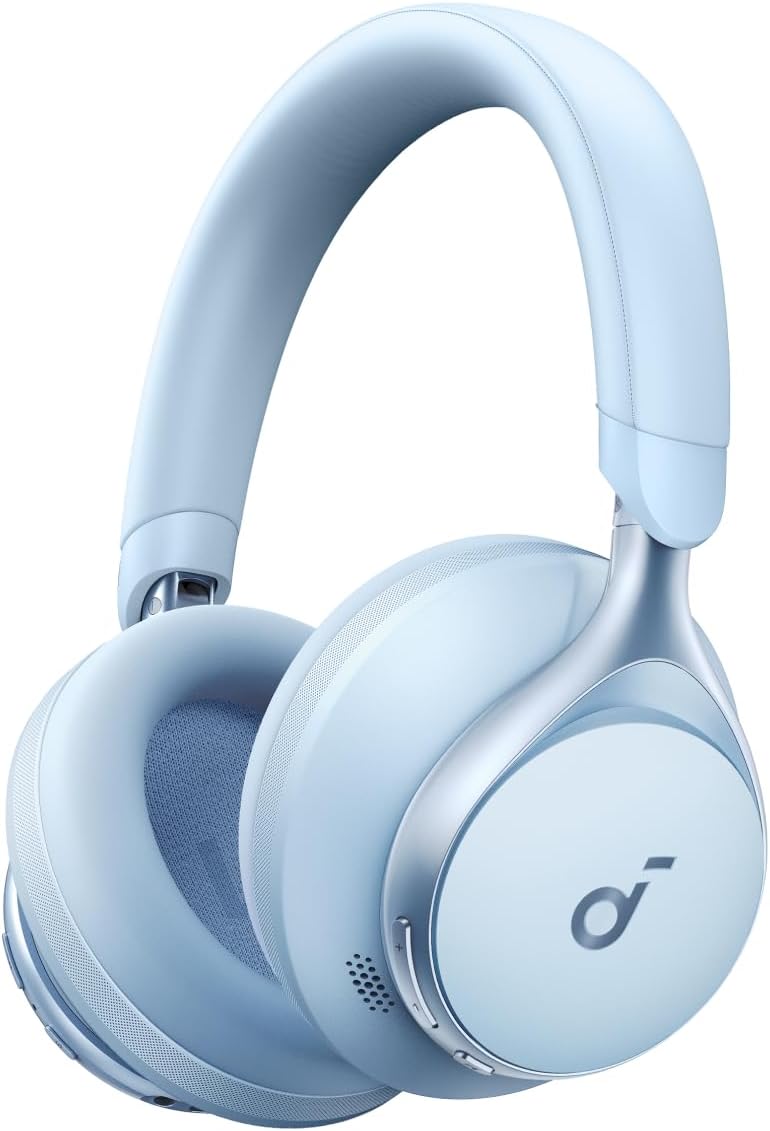
Soundcore Space One
Best BudgetBuy if: you want real LDAC for the least money — 40 hours of battery and adaptive noise cancelling for $99.99
Don't buy if: you take many outdoor calls — reviewers found voices muffled, and there is no water resistance
No headphone here gives more for the money. The Space One supports LDAC, runs Bluetooth 5.3 with two-device pairing, and Soundcore rates it at 40 hours with noise cancelling on and 55 with it off. SoundGuys measured 42 hours 57 minutes with noise cancelling on — the claim holds up. A 5-minute charge adds 4 hours.
Sound is warm and full from the 40mm drivers, with an 8-band EQ and HearID profile in the app. Trusted Reviews calls it an effective all-round pair below $100. The limits are plain: bass runs heavy by default, the case is a soft pouch, and Soundcore says plainly that it is not water or sweat resistant.
Quick note: this model launched in 2023 and Soundcore still sells it at $99.99. Age has not hurt it. For Android owners on a budget, it remains the LDAC pair to beat — and the one most buyers here should choose.
Pros
- Real LDAC for $99.99
- 40 hours with ANC on, verified by SoundGuys
- Adaptive noise cancelling + two-device pairing
- 5-minute charge gives 4 hours
Cons
- No water or sweat resistance
- Outdoor call quality is muffled
- Soft pouch instead of a hard case
- Bass-heavy default sound
Price $99.99, checked 26 Nov 2026. Check the price before buying, as prices change.
Do LDAC Headphones Work With iPhone?
No — not really. An LDAC headphone pairs with an iPhone and plays music fine, but it never uses LDAC. Every iPhone sends Bluetooth audio over AAC or SBC only, because Apple does not support Sony's LDAC codec.
Whether LDAC headphones work with an iPhone comes down to Apple, not the headphones. According to SoundGuys, LDAC is only available on Android devices and is not supported on Apple products. An LDAC headphone still pairs with an iPhone, but it will never actually use LDAC.
iPhone owners who want better wireless sound should judge headphones on AAC tuning, comfort and noise cancelling instead. According to Sony's own codec guide, AAC is the codec mainly used in Apple products such as iPhone. The Sony XM6 pair above sound great on AAC too — just know the LDAC badge earns you nothing.
Short version: buy for comfort, not codecs.
Why Does LDAC Sound No Better on My Phone?
Probably because your phone is running LDAC at 330 kbps. At that lowest speed, LDAC sounds worse than standard Bluetooth — so the hi-res badge can make music flatter, not better.
LDAC runs at three speeds: 990, 660 and 330 kbps. Most Android phones default to a "Best Effort" mode that drops to 330 kbps when the signal weakens, and SoundGuys notes the 330 kbps mode is worse than both aptX and regular SBC. Force 660 kbps in Developer options for the best mix of quality and a stable connection. Save 990 kbps for quiet rooms with the phone in your pocket.
Here's my pushback-able take: 990 kbps is the least important number on this page. A steady 660 kbps connection beats a stuttering 990 kbps one every time, and a well-tuned headphone at 660 beats a mediocre one at 990. Chase stability, not the biggest number.
The three LDAC speeds, side by side. Bitrates come from SoundGuys' codec guide and Sony's LDAC documentation.
| LDAC speed | Bitrate | Sound | Best for |
|---|---|---|---|
| Quality priority | 990 kbps | Near CD quality, 24-bit/96 kHz capable | Quiet rooms, phone nearby |
| Standard | 660 kbps | Clearly better than SBC, stable | Everyday listening — start here |
| Connection priority | 330 kbps | Worse than SBC and aptX | Weak-signal areas only |
For more on codec speeds and delay, see our guide to the best aptX headphones — it covers the same ground from the Qualcomm side.
How Much Battery Does LDAC Use?
LDAC uses more battery than standard Bluetooth on every pair here. The cost ranges from about 4 hours on over-ears to nearly half the battery on earbuds, so check the LDAC figure before you buy.
LDAC vs standard Bluetooth: LDAC is better suited for careful listening at home because it carries about three times more data than SBC. Standard Bluetooth works better when you need the longest battery or a rock-solid connection on a busy train. The key difference is data: more data sounds better and drains faster.
Look at the real numbers. Sony rates the WF-1000XM6 at 8 hours with noise cancelling on, but 5 hours over LDAC. Nothing rates the Ear (3) at 5.5 hours, but 3.5 over LDAC. Soundcore says LDAC costs its Space 2 about 10 hours. Brands quote the flattering number. The LDAC number is the one you will live with.
How Do I Turn On LDAC on My Phone?
To turn on LDAC, follow these steps: 1. Pair your headphones and open the headphone app. 2. Set sound quality to Priority on Sound Quality. 3. Turn on Developer options by tapping Build number seven times. 4. Open Developer options and tap Bluetooth Audio Codec. 5. Pick LDAC and set the bitrate to 660 kbps.
- Pair your headphones and open the headphone app.
- Set sound quality to Priority on Sound Quality.
- Turn on Developer options by tapping Build number seven times.
- Open Developer options and tap Bluetooth Audio Codec.
- Pick LDAC and set the bitrate to 660 kbps.
Samsung phones need the system LDAC switch on first, under Bluetooth settings for the paired device. If LDAC never appears in the list, your phone or headphones do not support it — and no app will add it. On Sony headphones, the Sound Connect app shows the active codec, so you can confirm the switch worked.
Do I Need LDAC If I Use Spotify?
Probably not. Spotify streams compressed music, and the codec cannot add detail the file never had. LDAC earns its keep with hi-res services and local files, not with everyday streaming.
Where LDAC helps is elsewhere. It lifts Tidal and Qobuz hi-res tracks on Android, it preserves more detail from CD-quality files, and at 660 kbps it still beats SBC on well-recorded music. Spotify listeners should spend their money on comfort, noise cancelling and battery instead. Every pair here sounds good over AAC and SBC too.
Codecs matter. Headphones matter more.
Buying Guide: What Actually Matters
Check your phone first
Start with your phone, not the headphone. LDAC needs an Android phone — it has been built into Android since version 8.0 — plus headphones that support it. An iPhone, a Windows laptop without a special transmitter, or a TV will fall back to AAC or SBC. Buying LDAC for an iPhone is paying for a feature that can never switch on.
Read the LDAC battery figure
Read the small print. Brands quote the AAC figure — the WF-1000XM6's 8 hours becomes 5 over LDAC, and the Ear (3)'s 5.5 becomes 3.5. Check the LDAC-on figure. That is the number you will actually live with.
Fit beats specs
Fit beats specs. A headphone that hurts after an hour is a bad headphone, whatever its codec list says. Over-ears suit long sessions; buds suit travel and the gym. Try before you buy when you can.
Noise cancelling or sound — pick one priority
Pick one priority. The Sony pair win on noise cancelling and polish; the Soundcore pair win on battery and price. No pair here wins both, and LDAC alone does not settle it.
Price bands
Under $100, the Space One stands alone. At $129.99, the Liberty 5 is the earbud value pick. At $459.99, the WH-1000XM6 is a luxury, not a necessity — and it knows it.
What to Skip
LDAC badges on no-name headphones. A codec cannot rescue bad drivers, and no-name brands quote LDAC without the tuning to use it. If the brand has no spec page you can read, walk away.
The Sony WH-1000XM5 at full price. The XM6 folds flat, cancels more noise and adds LC3 for the same LDAC support. The XM5 only makes sense on a deep discount.
LDAC headphones for an iPhone. The codec will never switch on, so you are paying for a badge. Buy for AAC tuning instead — or save the money.
Any "best LDAC headphones" list that crowns an iPhone pick. If a roundup tells iPhone owners to buy LDAC, it has not checked a single spec. Close the tab.
Frequently Asked Questions
What's the best LDAC headphone overall?
Sony WH-1000XM6 at $459.99: top noise cancelling, LDAC at up to 990 kbps, and a folding design for travel.
Do LDAC headphones work with iPhone?
They pair and play, but only over AAC or SBC. iPhones do not support LDAC, so the codec badge buys you nothing on Apple.
How do I turn on LDAC on my phone?
Set Priority on Sound Quality in the headphone app, then pick LDAC under Bluetooth Audio Codec in Developer options. Choose 660 kbps.
Should I use LDAC at 990 kbps?
Only in quiet rooms with your phone nearby. At 660 kbps the sound stays clear and the connection holds; 990 kbps stutters easily.
Why does LDAC drain my battery so fast?
LDAC sends about three times more data than standard Bluetooth. More data needs more power, so earbuds can lose nearly half their battery.
When should I choose LDAC over aptX?
Pick LDAC on Android phones without Snapdragon Sound, since Android includes LDAC by default. Pick aptX for lower delay in games and video.