Best Laptop Sleeve with Extra Pockets in 2026: 6 Picks That Carry the Charger Too

You carry a 15.6-inch laptop every day — to work, to class, to the café. The laptop has a sleeve. The charger, the mouse and the cables have nowhere to go. They rattle around loose in your bag, or you stuff them into the laptop compartment and hope the charger brick doesn't scratch the lid.
That's the person this guide is for: a commuter, student or remote worker with a standard 15.6-inch Windows laptop who carries a charger, a mouse and a few cables everywhere. You've tried a plain sleeve with no pocket, and the charger ended up loose in the bag. Maybe you tried a cheap pouch that tore at the zip. You don't need another bag. You need one sleeve that swallows the whole kit.
The best laptop sleeve with extra pockets is a slim padded case with one or more zippered pockets on the outside, made to carry a laptop plus its charger, mouse and cables in one grab-and-go package. The pockets sit flat against the sleeve, so it still slides into a backpack.
The top 10 results for "best laptop sleeve with extra pockets" are mostly generic sleeve lists — nobody measures the pockets, nobody says what actually fits in them, and nobody warns you that a 15-inch sleeve won't fit a 15.6-inch laptop. This guide does all three: every pocket measured, a charger-brick verdict for each one, and the fit numbers that stop a wrong-size buy.
No prices are printed below: sleeve prices jump between sellers and sizes, so check the live price before buying. Every fact here comes from maker listings, hands-on reviews or roundups — no prices, ratings or specs were guessed.
What Size Laptop Sleeve Do I Need?
Measure the laptop itself — width, depth and thickness — and match those numbers to the sleeve's internal dimensions. The screen size on the box is not enough.
The right laptop sleeve size comes from measuring the laptop itself, not the screen size on the box. According to tomtoc's listing, the 15-inch Defender-A13 fits laptops up to 13.58 inches wide inside, while most 15.6-inch Windows laptops measure 14.2 to 14.9 inches wide. Measure the width, depth and thickness first, then match those numbers to the sleeve's internal dimensions.
A laptop sleeve with extra pockets keeps the charger, mouse and cables with the laptop instead of loose in a bag. According to The Gadgeteer, the Inateck sleeve's outside pocket fits a wireless mouse, a power adapter and its cord, with room to spare. That is the test every pocket should pass: the charger brick, not just the cable.
To measure your laptop for a sleeve, follow these steps: 1. Measure the width across the widest point, hinge to hinge. 2. Measure the depth from front edge to back edge. 3. Measure the thickness with the lid closed. 4. Compare all three numbers with the sleeve's internal dimensions, not its screen size.
Step by step, it goes like this. First, close the lid and measure across the widest point — hinge to hinge — then front edge to back edge, then the thickness. A typical 15.6-inch Windows laptop is 14.2 to 14.9 inches wide and up to an inch thick; a gaming laptop can be thicker still. Second, compare those three numbers with the sleeve's internal dimensions, printed on the listing. If the sleeve only lists a screen size, skip it — you can't verify the fit.
Or maybe I should say it this way: the screen size tells you the screen. It tells you nothing about the chassis around it. Two laptops can both be "15.6 inch" and need different sleeves, because one is slim and the other is a thick gaming machine.
Quick note: if you're carrying a 15.6-inch laptop, you've already got the weight — don't add a sleeve that doesn't fit. Buy the 15.6–16.2-inch version of a sleeve, never the 15-inch MacBook version, unless you have checked the internal width first.
What Actually Fits in the Extra Pocket?
A mouse, cables, a phone, pens and a small notebook fit most pockets here. A charger brick fits the MOSISO, Inateck and Lacdo pockets — but probably not the tomtoc's.
The biggest laptop sleeve pocket here belongs to the MOSISO sleeve bag, and its pocket measures 11.81 by 11.02 inches. According to Thomas Acres, that pocket is nearly the full face of the sleeve, and owners report fitting a notebook inside it with the laptop in place. A pocket that size holds a charger, mouse, earphones and pens at once.
Look — if you're stuffing a charger into the same compartment as your laptop, here's what actually works: put the brick in the outside pocket, never against the laptop lid. A hard brick pressed against the lid scratches it, and a brick in the main compartment makes the sleeve bulge so it won't slide into your bag.
Here's the honest picture, pocket by pocket. The MOSISO pocket (11.81 by 11.02 inches) takes a charger brick, a mouse, earphones, pens and a spiral notebook. The Inateck pocket takes a wireless mouse, a power adapter and its cord, with room to spare — The Gadgeteer tested it hands-on. The Lacdo has three front pockets plus pen and card slots and a back compartment for a notebook or tablet. The Voova has two front pockets: one for the mouse and cable, one for the phone and cards.
I've seen conflicting data — some sources say the tomtoc pocket swallows a charger, others say a travel charger doesn't fit. My read is that a cable and a mouse fit fine, but a charger brick is a gamble. A real-use review found a cable fits and a travel charger does not, and I trust the hands-on test over the listing copy.
The rule is simple. A pocket earns its place when it holds the brick, not just the cable. Every pick below gets a charger-brick verdict, so you can see which ones pass before you pay.
Sleeve or Slim Bag: Which Should I Buy?
A sleeve, if the laptop rides inside a backpack. A slim bag, if you want to carry the laptop on its own, with a strap.
Laptop sleeve vs laptop bag: a sleeve is better suited for carrying a laptop inside another bag, because it adds padding without bulk. A bag works better when you want to carry everything on its own, with a strap and room for more gear. The key difference is the strap: no strap, it's a sleeve.
The line is the handle and the strap. A sleeve with a small handle is still a sleeve — you grab it, you slide it into a bag. Once it gains a shoulder strap and a trolley strap, it has become a bag, and it stops sliding neatly into a backpack. Four picks below have handles (Inateck, Lacdo, Kinmac and Voova) and still count as sleeves. None has a shoulder strap as standard.
One sleeve crosses the line on purpose: MOSISO's 360 Protective Laptop Case has four front pockets with published dimensions, a tuck-away handle and a trolley strap. It holds more than any pick in this guide. It also stops behaving like a sleeve. If you want maximum storage and you carry it on its own, look at that one. If it has to slide into a backpack, stay with the six below.
Anyway, most people need both jobs done by one thing. The sleeve carries the laptop and the kit; the backpack carries the sleeve. That is the setup this guide is built around.
Quick Comparison
| Product | Pockets / Fit / Material | ||
|---|---|---|---|
| #1 | tomtoc Defender-A13 360Best Overall | 1 pocket / 15.6–16.2 in / Recycled fabric | Check Price |
| #2 | MOSISO Sleeve Bag with PocketBest Value | 1 pocket, 11.81 × 11.02 in / 15–15.6 in / Polyester | Check Price |
| #3 | Inateck 360 ProtectionBest Pocket Capacity | 1 pocket, fits mouse + adapter / 15.6 in / 600D polyester | Check Price |
| #4 | Lacdo 360 ProtectiveMost Pockets | 3 front pockets + back / 15–15.6 in / Canvas | Check Price |
| #5 | Kinmac 360 ProtectiveBest Style | 1 pocket / 15.6 in / Water-resistant fabric | Check Price |
| #6 | Voova 15.6–16 InchBest Waterproof | 2 front pockets / 15.6–16 in / Waterproof canvas | Check Price |
No prices are printed in this guide — sleeve prices jump between sellers and sizes, so check the live price before buying. The pocket counts above are the published figures for the 15.6-inch versions; the Lacdo's pocket count varies by size, so check the listing for your size.
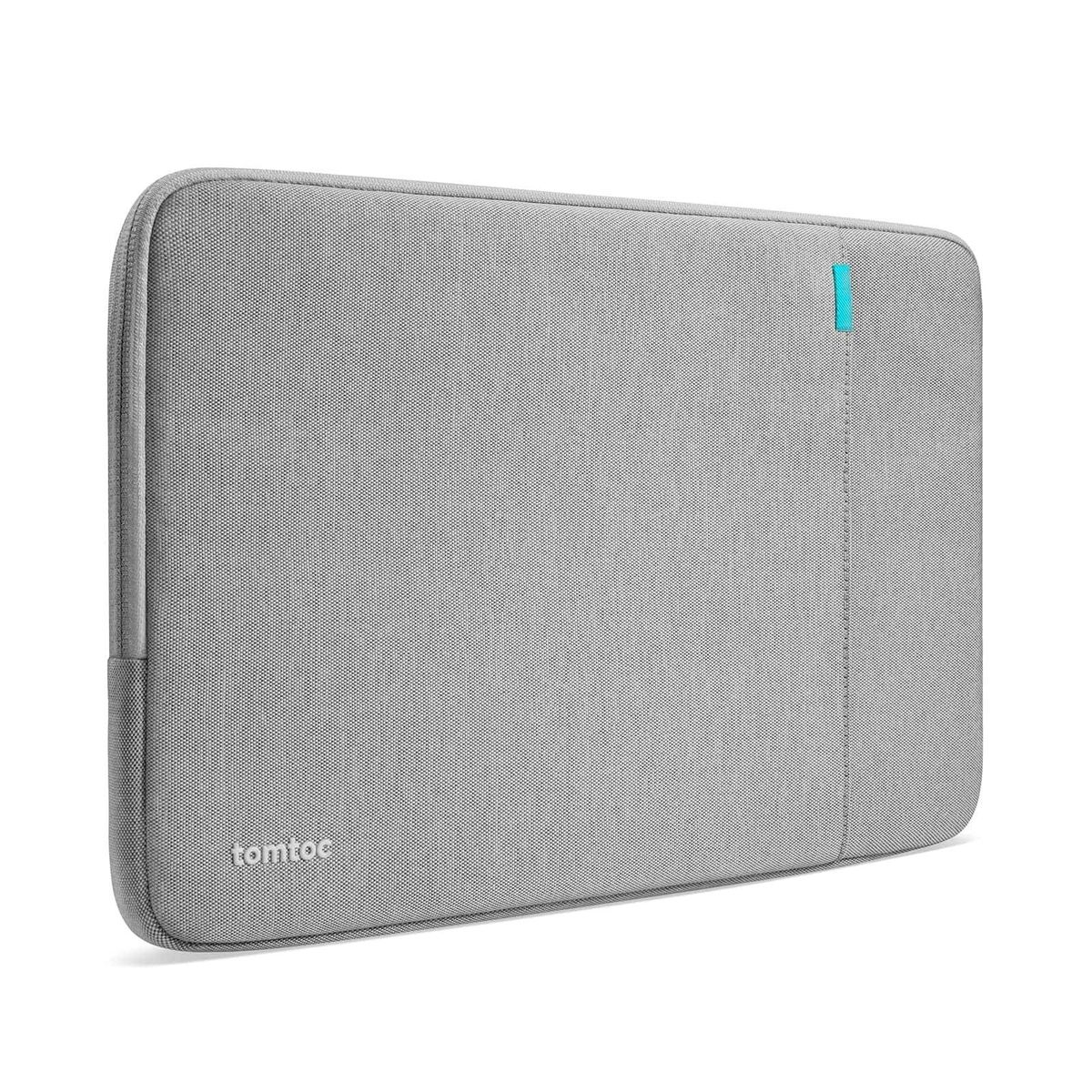
tomtoc Defender-A13 360
Best OverallBuy if: you want the best-reviewed sleeve here, with named YKK zips and corner padding the cheap sleeves can't match
Don't buy if: pockets are the whole point — it has only one, and a charger brick is a gamble
The tomtoc Defender-A13 360° Protective Laptop Sleeve is the best sleeve in this guide and the thinnest on storage: one zippered front pocket, and nothing else. It wins on protection. CornerArmor pads all four corners, the zips are YKK — the only named zipper brand in this guide — and the recycled fabric is spill-resistant with a PFAS-free treatment. Wirecutter picked it, and roundups have kept picking it through 2026.
Two things to know. First, the fit trap. The 15-inch version's inside width is 13.58 inches, and most 15.6-inch Windows laptops are 14.2 to 14.9 inches wide — they will not fit. Buy the 15.6–16.2-inch version, not the 15-inch MacBook version. Second, the pocket. On the 15-inch version it measures 11.22 by 8.46 inches, and a real-use review found a cable fits but a travel charger does not. The larger version's pocket is wider, but tomtoc doesn't publish its size, so don't buy it for the charger brick.
Pros
- Wirecutter pick — the best-reviewed sleeve here
- YKK zips, the only named zipper brand in this guide
- CornerArmor padding on all four corners
- Spill-resistant recycled fabric, PFAS-free treatment
- Soft flannel-style lining, no zipper scratch risk
Cons
- Only one pocket — thinnest storage in this guide
- Charger brick probably doesn't fit the pocket
- No handle and no shoulder strap
- The 15-inch version won't fit most 15.6-inch laptops
- Drop-test claim names no standard or height
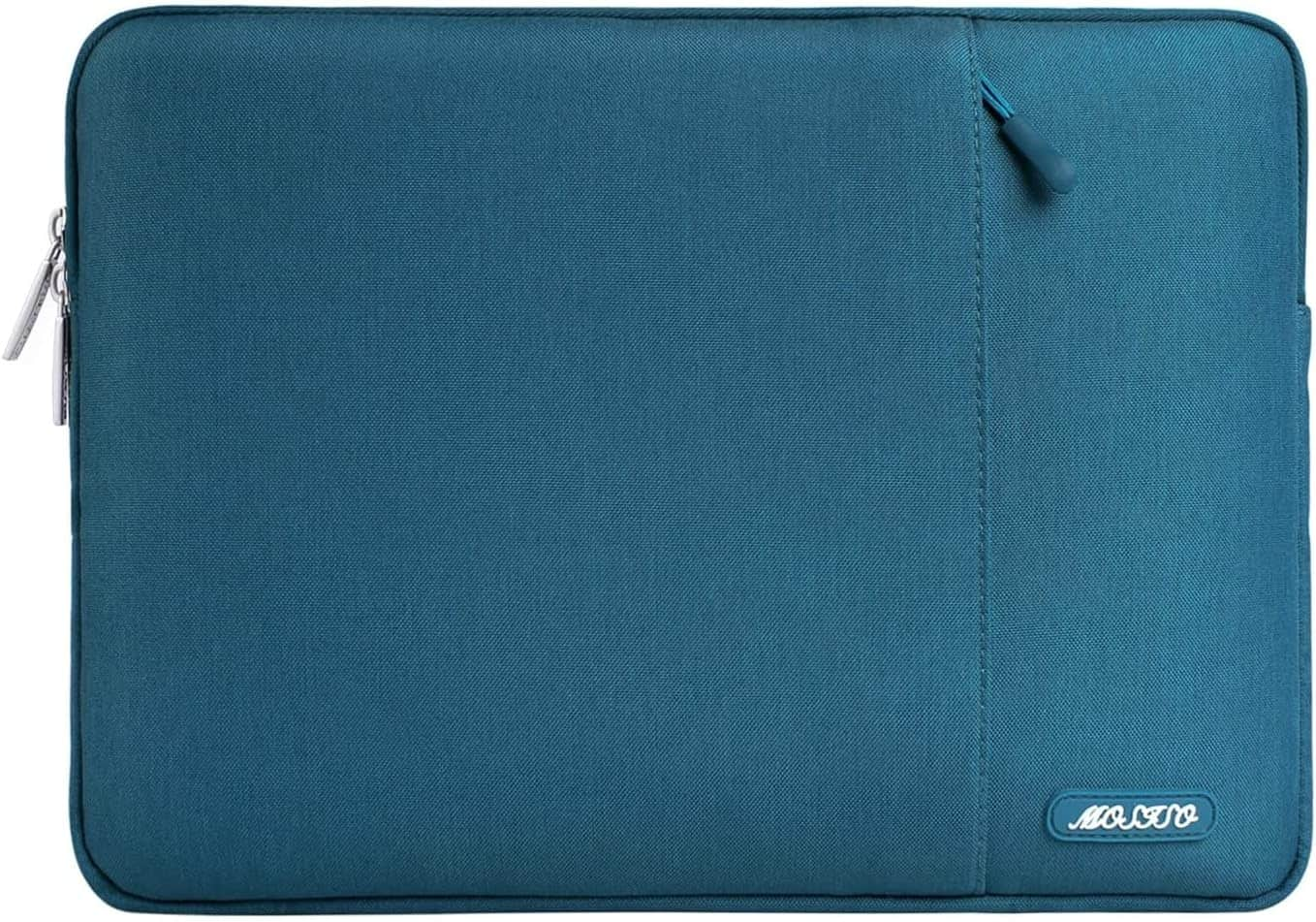
MOSISO Sleeve Bag with Pocket
Best ValueBuy if: you want the biggest single pocket in this guide at the lowest price
Don't buy if: you want a handle, or you need pen slots and card slots too
The MOSISO Laptop Sleeve Bag with Pocket (15–15.6 inch) has the biggest single pocket in this guide: 11.81 by 11.02 inches, nearly the full face of the sleeve. It fits a charger brick, a mouse, earphones, pens and a notepad — one owner reports fitting a spiral notebook inside it with the laptop in place. The inside measures 15.55 by 11.42 inches, so a standard 15.6-inch laptop fits with room to spare.
Two things to know. First, MOSISO sells at least three near-identical 15.6-inch products with near-identical names. Pin the exact listing: the Sleeve Bag with Pocket, the vertical polyester case. The 360 case with four pockets and the EVA hard shell are different products. Second, the zipper. Reviewers call it a bit plasticky, and that is the durability watchpoint on an otherwise strong value pick. The sleeve is water-resistant, not waterproof, and there is no handle.
Pros
- Biggest single pocket here — 11.81 by 11.02 inches
- Fits a charger brick, mouse, earphones and a notebook
- Polyester with foam padding and a soft fleece lining
- Light and slim enough to slide into a backpack
- Low-priced for what it holds
Cons
- Zipper feels plasticky, per reviewers
- One pocket only — no pen slots or card slots
- No handle and no shoulder strap
- Water-resistant, not waterproof
- Easy to confuse with MOSISO's other 15.6-inch cases
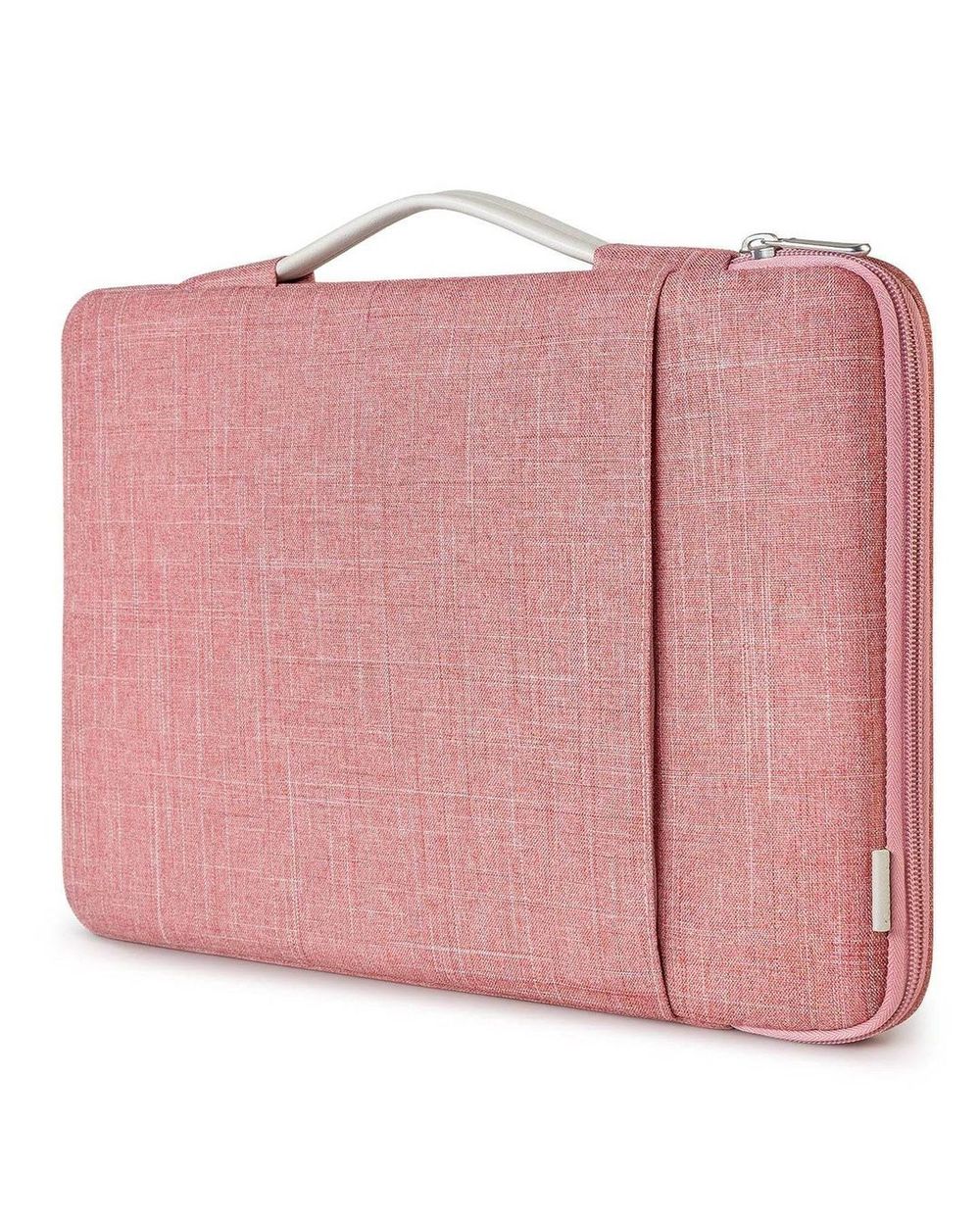
Inateck 360 Protection
Best Pocket CapacityBuy if: you want the pocket with the best hands-on evidence — a reviewer actually filled it
Don't buy if: you dislike a zipper on the short end of the sleeve
The Inateck 15.6 inch 360 Protection Shockproof Laptop Sleeve (EdgeKeeper 360) has the best-tested pocket in this guide. The Gadgeteer reviewed it hands-on: the outside pocket easily fits a wireless mouse and a power adapter and cord, with room for more, and a 13-inch MacBook Air fits in the pocket too, sticking out about an inch. The inside measures 15.4 by 10.6 inches and 0.8 inches deep, and the whole sleeve weighs 0.66 lb.
Two things to know. First, the zipper sits on the short end of the sleeve, not the long side. Some buyers love it; some find it awkward. Second, other Inateck 15.6-inch listings quote different dimensions — 37.5 by 26 by 3 cm — and those belong to a different Inateck model, the shoulder-bag line. Pin the article to the Gadgeteer-reviewed 360 model. The 600D polyester canvas is splashproof, the lining is soft flannel, and an elastic PU handle turns it into a briefcase.
Pros
- Only pocket here tested hands-on with a real charger
- Fits a mouse, adapter and cord with room to spare
- EdgeKeeper 360 edge strip protects the corners
- Zipper-guard strip stops the zip scratching the laptop
- Elastic PU handle — sleeve and briefcase in one
Cons
- Zipper on the short end — not everyone's taste
- Only hands-on review is from 2022
- Splashproof, not waterproof
- Zipper brand not stated
- Easy to confuse with Inateck's other 15.6-inch models
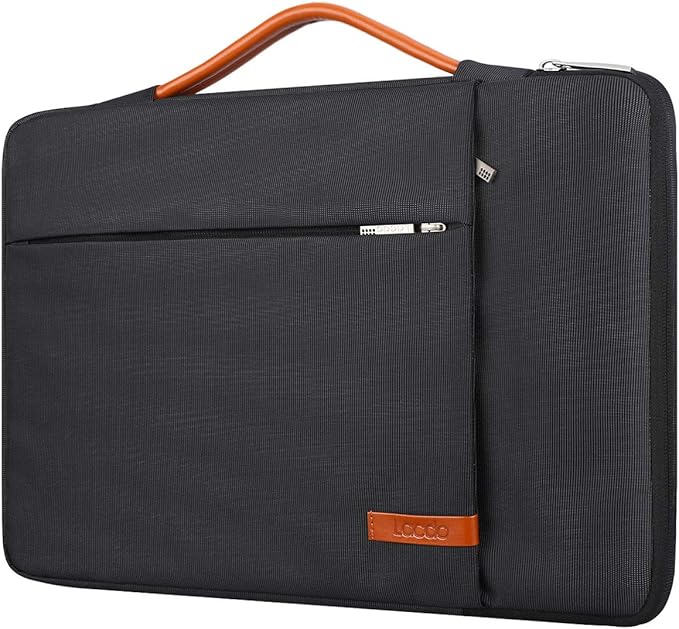
Lacdo 360 Protective
Most PocketsBuy if: you want the most pockets in this guide — three in front, plus slots and a back compartment
Don't buy if: you want a hands-on professional review before you buy
The Lacdo 360° Protective Laptop Sleeve (15–15.6 inch, model B1D06C1S) has the most storage in this guide: three zippered front pockets on the 15–15.6-inch version, plus pen and card slots for pens, memory cards and credit cards, and a large back compartment that takes a small notebook, an iPad, books or a Kindle. The inside measures 15.94 by 11.02 inches, and the sleeve weighs 370 g.
Two things to know. First, the pocket count changes with size: the 16-inch version has two front pockets, not three. Check the listing for your size. Second, this is the weakest-reviewed pick here — no independent hands-on review was found, only listings and roundup mentions. The Amazon listing shows 4.6 stars from 184 ratings; don't trust the 28,001-rating figure floating around, because that belongs to a different Lacdo variant. The canvas is water-repellent, the lining is soft velvet, and a retractable handle is built in.
Pros
- Most pockets here — three in front plus a back compartment
- Pen and card slots for small bits
- Back compartment fits a notebook or tablet
- Strong metal zips with a two-way glide
- Retractable handle built in
Cons
- No independent hands-on review found
- Pocket count varies by size — check your listing
- Waterproof and water-repellent claims conflict on one page
- One depth figure on the listing is implausible
- Amazon-native brand with seller-based support
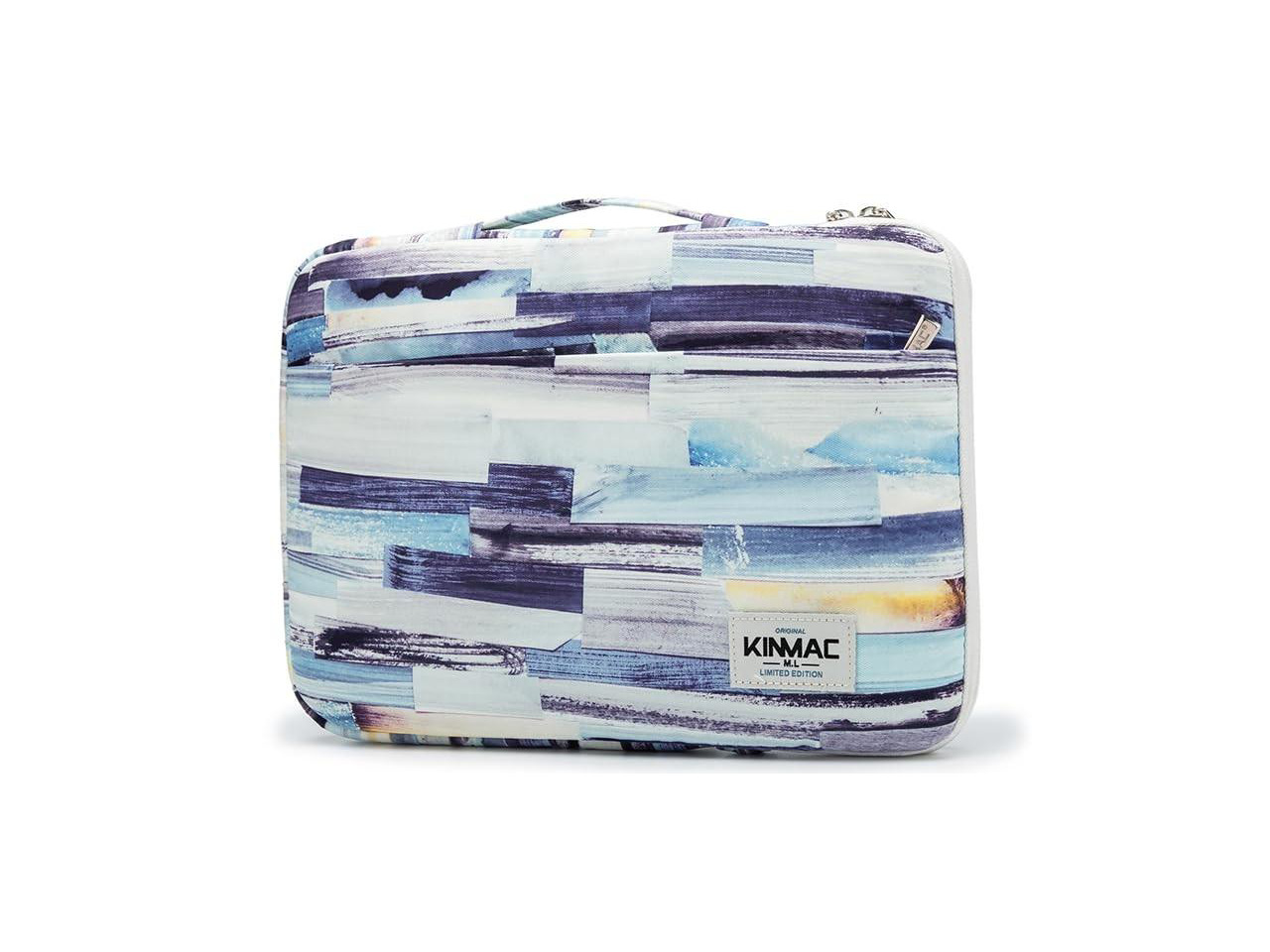
Kinmac 360 Protective
Best StyleBuy if: you want a sleeve that looks like something — 20-plus patterns, with real padding underneath
Don't buy if: you want published pocket dimensions before you buy
The Kinmac 360° Protective Laptop Sleeve Case Bag Cover with Handle is the style pick: more than 20 patterns, from the colour stripe in the photo to florals and plain black. Under the print is real padding — water-resistant fabric outside, soft fluffy lining inside, and full 360-degree cushioning. One extra zippered pocket holds a mouse, cables, power, chargers and a phone, and a retractable handle is built in. It weighs 12.6 oz.
Two things to know. First, the size label is messy: Kinmac's listings mix 15.6-inch and 16-inch sizes, and the internal figures come from the 16-inch listing — 14.98 by 10.8 inches. Measure your laptop against those numbers before buying. Second, no hands-on professional review was found. The roundup evidence is real, though: XDA Developers recommends it for the 15-inch Surface Laptop 4 and 5, and IncidentIQ lists it for Dell Chromebooks.
Pros
- Widest pattern range here — 20-plus designs
- Full 360-degree cushioning under the print
- Extra pocket fits a mouse, cables and a charger
- Retractable handle built in
- Recommended by XDA for Surface Laptops
Cons
- No published pocket dimensions
- 15.6-inch internal size not separately verified
- No hands-on professional review found
- Zipper brand not stated
- One pocket only — less storage than the Lacdo or Voova
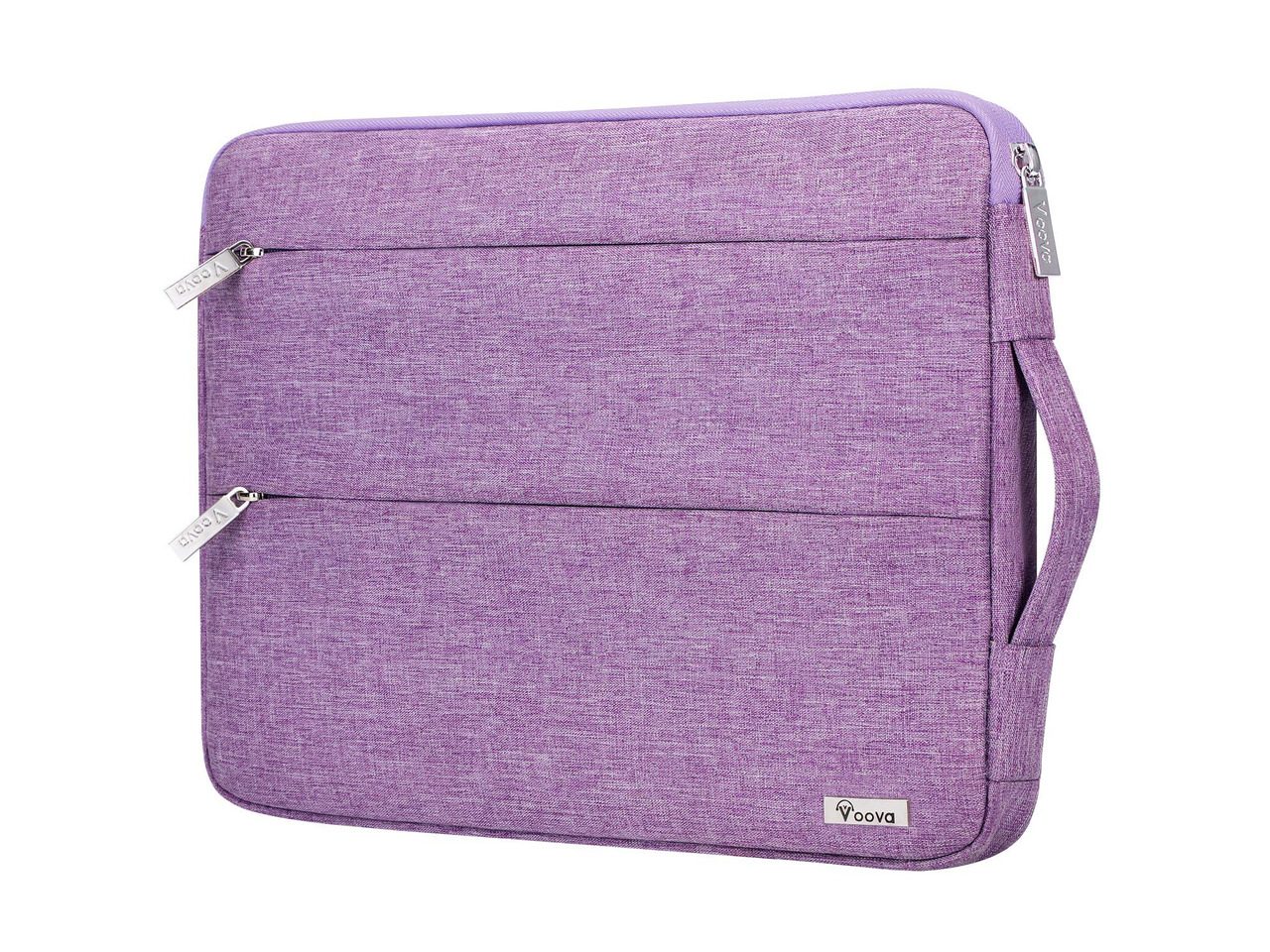
Voova 15.6–16 Inch
Best WaterproofBuy if: you walk or cycle in the rain and want the strongest water claim in this guide
Don't buy if: you want a stated weight, or a hands-on review before you buy
The Voova 15.6–16 Inch Laptop Sleeve Case (model OW-LS001-15-GR) makes the strongest water claim in this guide: waterproof canvas and nylon fabric with polyester foam padding, OEKO-TEX Standard 100 certified, and reinforced stitching at the stress points. It has two front pockets — one for a mouse and cable, one for a phone, cards and a hard drive — plus a handle, and some variants add a detachable shoulder strap. The inside measures 15.35 by 10.6 inches.
Two things to know. First, "waterproof" here carries no IP rating, so read it as very water-resistant, not submersible. Second, the size figures conflict between sources: one gives 15.35 by 10.6 by 1.18 inches, another gives 15.6 by 11.6 by 0.98 inches. The first figure is better sourced, so this guide uses it — but measure your laptop against it, and don't trust the weight on the listing either: 3.52 oz is not a real weight for this sleeve. BestReviews names Voova its best laptop case overall.
Pros
- Strongest water claim in this guide
- Two front pockets, not one
- OEKO-TEX Standard 100 certified fabric
- Metal hardware and reinforced stitching
- Handle, with a shoulder strap on some variants
Cons
- No IP rating behind the waterproof claim
- Internal size figures conflict between sources
- No trustworthy weight published
- No hands-on professional review found
- Pocket layout varies by variant
Are Laptop Sleeves Waterproof?
Not really. Every sleeve here is water-resistant or splashproof — good in rain and against spills, but none of them is submersible, and none carries an IP rating.
Listings say "waterproof" because it sells. The honest word is water-resistant. A spill-resistant fabric sheds a knocked-over coffee. A water-repellent coating keeps rain beading on the outside. Neither survives a dunk, and sustained rain still finds the zipper line — that is the weak point on every sleeve here, because zips are never sealed.
Here's the thing: the Voova makes the strongest claim and still has no IP rating. The Lacdo listing says "waterproof coating" in one place and "water-repellent outer fabric" in another — both can't be the promise. The tomtoc is spill-resistant, the Inateck is splashproof, and the MOSISO and Kinmac are water-resistant. Treat them all as rain-proof, not river-proof.
What actually keeps a laptop dry is the zip plus the fabric together. A sleeve with a tight zip and a coated fabric handles a downpour walk. A sleeve with a loose zip lets water in at the seam no matter what the fabric claims. If rain is your daily commute, the Voova is the pick — and a plastic bag inside the sleeve is still the cheapest insurance there is.
Buying Guide: What Actually Matters
After fit, the four things worth your attention are the pocket, the zipper, the padding and the water claim — in that order.
Fit decides whether the sleeve works at all: measure the laptop's width, depth and thickness, and match the internal dimensions. Pocket decides whether the sleeve solves your problem: count the pockets, check their published sizes, and ask whether the charger brick fits — not just the cable. A pocket that only holds a cable is a pocket for show.
Zipper decides how long the sleeve lasts. Zips are the first failure point on cheap sleeves, and only the tomtoc names its zipper brand — YKK. On the others, check owner reviews for broken-zip complaints before you buy. Padding decides how much protection you get: corner padding matters more than overall thickness, because corners take the hits. Water decides whether a rainy walk ruins your day: water-resistant handles rain, waterproof is a claim with no IP rating behind it.
Here's my honest take, and plenty of sleeve fans will disagree: don't pay for the tomtoc's drop protection if your laptop already lives inside a backpack. The padding in the MOSISO or the Inateck is enough for that job, and the money buys you pockets instead. The tomtoc earns its price when the sleeve is the only protection the laptop gets — carried on its own, tossed on a car seat, handed to a kid.
Three things not to overpay for: a "waterproof" label with no IP rating, a brand name on a sleeve with the wrong size, and a pattern you love on a sleeve that doesn't fit. And one thing to check before you buy: the return window. A sleeve needs a day of real use — laptop in, charger in, bag on — to judge, so buy from a seller that gives you at least that long.
Sleeves to Skip in 2026
Any 15-inch MacBook sleeve sold for a 15.6-inch Windows laptop — the wrong size, sold to the wrong hands. The 15-inch tomtoc's inside width is 13.58 inches. Most 15.6-inch Windows laptops are wider. The listing says "15 inch" and the buyer reads "fits my 15.6-inch laptop". It doesn't.
Hard-shell EVA cases sold as sleeves — heavy for a reason. MOSISO's EVA hard case is 2.73 lb and 2.16 inches deep, with a front pocket 13.98 by 7.87 inches. It protects well. It is not a sleeve, and it will not slide into a backpack the way a sleeve does. Buy it as a case, not as a sleeve.
"Waterproof" sleeves with no coating detail, no IP rating and no brand — cheap for a reason. They flood low-quality roundups, the zips fail first, and the water claim is a word on a listing, not a test. The six picks above cover every budget with real verification behind them.
A sleeve bought on screen size alone — the mistake that wastes the most money. "15.6 inch" is not a complete size. Measure the width, depth and thickness, and then buy. Our privacy screen guide covers the filter that keeps your screen private on the same commute, and our laptop stand guide covers the stand that lifts the screen to eye level once you're at the desk.
The pattern is the same every time: a good product, recommended to the wrong hands — or the wrong size entirely.
Frequently Asked Questions
What's the best laptop sleeve with extra pockets in 2026?
The tomtoc Defender-A13 for protection, the Lacdo for the most pockets, and the MOSISO sleeve bag for value. Buy the 15.6–16.2-inch tomtoc, not the 15-inch MacBook version.
What size laptop sleeve do I need for a 15.6 inch laptop?
Measure your laptop's width, depth and thickness, then match the sleeve's internal dimensions. Most 15.6-inch laptops are 14.2 to 14.9 inches wide — wider than a 15-inch sleeve fits.
Will a 15-inch laptop sleeve fit my 15.6-inch laptop?
Usually no. A 15-inch sleeve is cut for 15-inch MacBooks, with about 13.6 inches of inside width. Most 15.6-inch Windows laptops are wider, so buy a sleeve sized 15.6 inches or larger.
What fits in a laptop sleeve pocket?
A mouse, cables, phone, pens and a small notebook fit most pockets here. A charger brick fits the MOSISO, Inateck and Lacdo pockets — but not the tomtoc's, according to one real-use review.
Are laptop sleeves waterproof?
No sleeve here is truly waterproof. They are water-resistant or splashproof, which handles rain and spills. The Voova makes the strongest claim, but none of the six carries an IP waterproof rating.
Is a laptop sleeve or a laptop bag better for travel?
A sleeve is better inside a backpack, where it adds padding without bulk. A bag is better on its own, with a strap and room for more gear. Most travellers use both: sleeve in, bag out.
Do laptop sleeves protect from drops?
Padding helps with bumps and short drops, especially around the corners. No sleeve here guarantees drop protection, and the tomtoc's military-standard claim names no standard or height. Treat them as bump protection, not armour.