Best Laptop Privacy Screen for 15.6 Inch Laptop in 2026: 6 Picks That Block Shoulder Surfers

You're on a train. The person in the next seat glances over — once, then again. Your inbox is open. A client file is open. Maybe your bank is open. You angle the screen away, dim it, hunch over it. None of that works for long.
That's the person this guide is for: a remote worker, student or frequent flyer with a standard 15.6-inch Windows laptop who works in cafés, planes, trains and open-plan offices — and who feels exposed every time someone sits close. You've tried angling the screen away and dimming the display. Maybe you tried a cheap adhesive filter once and hated the bubbles or the sticky residue it left behind. You don't need a lecture on screen privacy. You need one clear pick that fits your laptop the first time.
A laptop privacy screen is a thin filter that narrows your screen's viewing angle, so it looks clear head-on and black from the sides. Tiny vertical blinds inside it, called microlouvers, block light past about 30 degrees each way.
The top 10 results for "best laptop privacy screen for 15.6 inch laptop" are mostly thin affiliate listicles built from Amazon listings — no hands-on testing anywhere, no prices shown, and nobody flags the conflicting specs or the "360° privacy" claims that can't be true. This guide gives you dated US prices, the real measuring numbers, and the honest conflicts the others skip.
Prices below are what US merchants listed on 23 Nov 2026 — the store is named with each price, and Amazon's price may differ, so check the live price before buying. The Peslv has no price printed: it varies a lot between sellers.
Do Laptop Privacy Screens Really Work?
Yes — from the sides. A good filter turns your screen black for anyone sitting beside you, while you see it clearly head-on.
Laptop privacy screens work by narrowing the viewing angle, so anyone sitting beside you sees a black screen while you see your work clearly. According to 3M, its filters black out the display outside a 60-degree total window, about 30 degrees each side. They stop shoulder surfing from the sides, not from directly behind you.
The filter is a thin sheet with thousands of tiny vertical blinds — microlouvers — built into it. Light from your screen passes straight through to your eyes. Light heading sideways hits the blinds and gets blocked. Sit in front and the screen looks normal, just a touch dimmer. Move 30 degrees to the side and it goes dark.
A 15.6-inch privacy screen fits any 15.6-inch laptop with a 16:9 display, as long as you match the visible width and height — about 345 by 194 millimetres. According to Targus, its 16:9 magnetic filter measures 13.62 by 7.87 inches, which is the visible area of a standard 15.6-inch 16:9 screen. A 16:10 laptop needs a different filter.
Here's the thing: the filter is only half the trick. It blocks the seatmate, not the person standing right behind you, and not a camera. If your threat is the person next to you on a plane, it works. If your threat is someone filming over your shoulder, it doesn't.
Look — if you're in a café or on a train with client files open, here's what actually works: a filter, plus sitting with your back to a wall when you can. The filter handles the sides. The wall handles the rest.
How Do I Measure My Screen for a Privacy Filter?
Measure the visible screen — width and height, edge to edge — and check your laptop is 16:9, not 16:10. The diagonal size alone is not enough.
The right privacy screen size comes from measuring the visible display, not the laptop or the diagonal number on the box. A 15.6-inch 16:9 screen measures about 345 millimetres wide and 194 tall, and a filter made for those numbers sits edge to edge with no gap. Measure twice, then buy once.
To measure your screen for a privacy filter, follow these steps: 1. Measure the visible width, edge to edge. 2. Measure the visible height, top to bottom. 3. Check the laptop is 16:9, not 16:10. 4. Match the filter to those numbers, never the diagonal size.
Step by step, it goes like this. First, measure the part that lights up — from the left edge of the picture to the right edge, then top to bottom. Don't include the bezel, the black frame around the screen. A 15.6-inch 16:9 display measures about 13 9/16 inches wide by 7 5/8 inches tall (345 by 194 millimetres). Second, check the shape. Most 15.6-inch Windows laptops are 16:9, wide and short. Some newer ones are 16:10, a touch taller — and a 16:9 filter on a 16:10 screen leaves a gap at the top or bottom. Your laptop's spec page or the manual says which one you have.
Or maybe I should say it this way: the diagonal number is the least useful number on the box. Two laptops can both be "15.6 inch" and need different filters, because one is 16:9 and the other is 16:10. The width and height are the numbers that matter.
Quick note: if your laptop is a 2-in-1 with a touchscreen, check the filter's touch claim before you buy — most filters in this guide don't work with touch, and only one pick below does.
Magnetic or Adhesive: Which Mount Is Better?
Magnetic, for most people. It pops on and off in seconds with no residue, and you can share it between laptops or take it off at your desk.
Magnetic vs adhesive: magnetic is better suited for people who share a laptop or travel, because it pops on and off in seconds with no residue. Adhesive works better when you want the filter on all the time and never think about it. The key difference is reversibility.
Magnetic filters stick to thin magnetic strips on your laptop's bezel. You snap the filter on when you leave the house and peel it off when you're home. Nothing sticks to the screen itself, nothing leaves residue, and the same filter can move between laptops. The trade: the strips need a flat bezel to grip, and they add a hair of thickness, so check your lid still closes the way you like.
Adhesive filters use clear tabs or double-sided tape on the screen. They sit flatter, cost less, and close fine with the lid. The trade is permanence: they leave residue when they come off, they can't be repositioned cleanly, and owners in remote-work forums complain about exactly that. Tab-mounted filters like the 3M sit in the middle — small flip tabs hold the filter without glue on the screen, and you can lift a corner to peek behind it.
I've seen conflicting data — some sources say magnetic strips hold for years, others say they lose grip after a few months of daily removal. My read is that it depends on the bezel: a flat metal bezel holds well, a curved plastic one doesn't. If your bezel is curved, pick a tab filter instead.
Quick Comparison
| Product | Mount / Viewing Angle / Finish | ||
|---|---|---|---|
| #1 | 3M Privacy Filter PF156W9BBest Overall | Flip tabs (COMPLY) / ±30° / Glossy + matte, reversible | Check Price |
| #2 | Kensington MagPro MagneticBest Magnetic | Magnetic strip / ±30° / Matte + glossy, reversible | Check Price |
| #3 | Targus 4Vu MagneticBest for Touchscreen Laptops | Magnetic / ±30° / Glossy + matte, reversible | Check Price |
| #4 | SightPro MagneticBest Value | Magnetic snap-on / Not stated / Anti-glare | Check Price |
| #5 | 3M Bright Screen BP156W9BBrightest Screen | Flip tabs (COMPLY) / ±30° / Matte anti-glare | Check Price |
| #6 | Peslv MagneticBest Warranty | Magnetic / ±30° / Matte anti-glare | Check Price |
The 3M PF156W9B was listed at $46.03 by Walmart, the Kensington MagPro at $64.99 on kensington.com, the Targus 4Vu at $49.99 (maker list price), the SightPro Magnetic at $36.99 on sightpro.com, and the 3M Bright Screen BP156W9B at $68.69 by Staples — all checked 23 Nov 2026. The Peslv has no price printed: it varies a lot between sellers. Prices move — check the live price before buying.
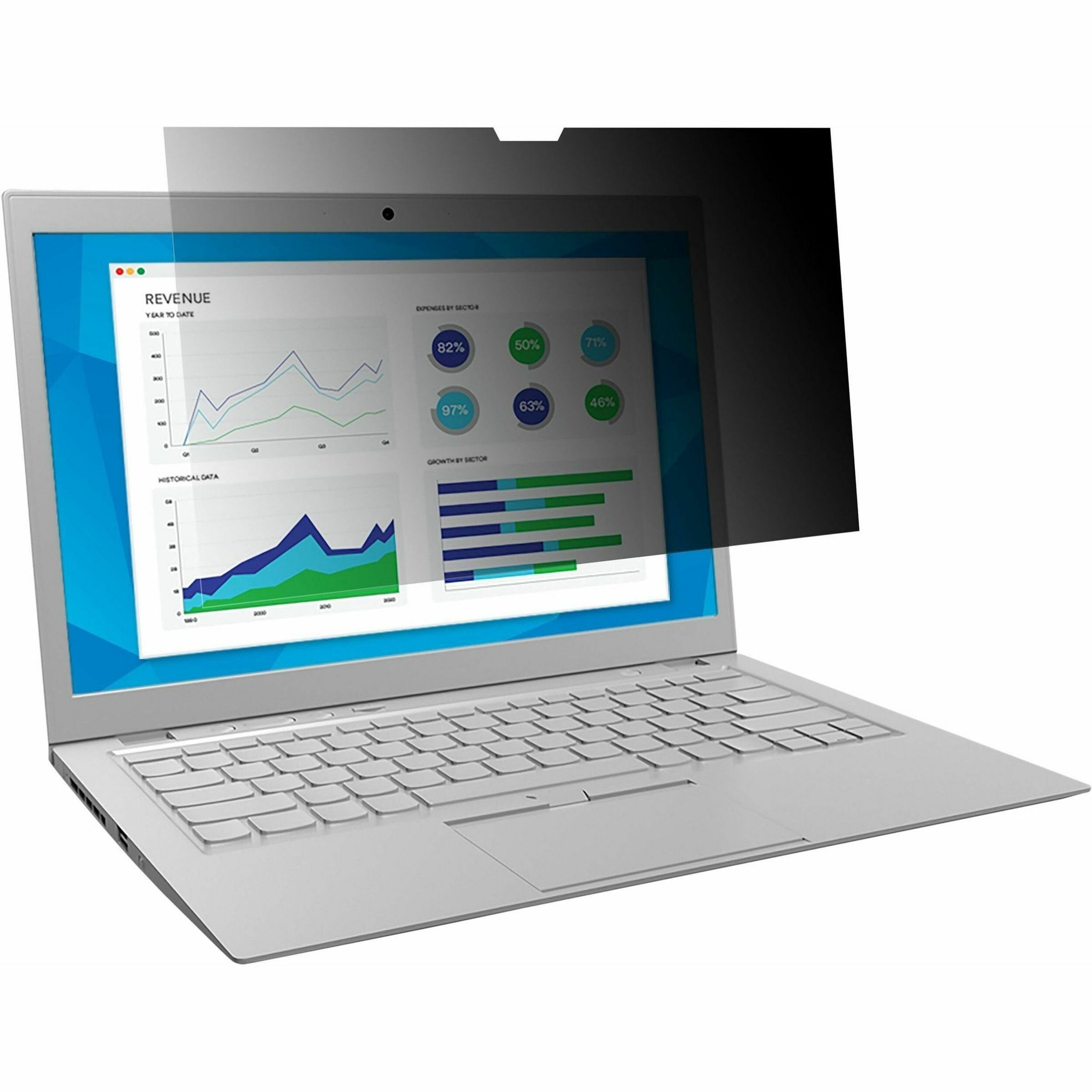
3M Privacy Filter PF156W9B
Best OverallBuy if: you want the filter most roundups crown, with a reversible glossy-and-matte finish and a flip-tab mount
Don't buy if: your laptop has a touchscreen, or you want to snap the filter on and off in seconds
The 3M Privacy Filter PF156W9B is the default recommendation because it gets the basics right: the screen blacks out outside a 60-degree total window — about 30 degrees each side — it flips between a glossy side and a matte anti-glare side, and the COMPLY flip tabs hold it without glue on the screen. The tabs let you lift a corner to show someone your screen without peeling the whole filter off. Walmart lists it at $46.03.
Two things to know. It is not touchscreen-compatible — 3M's own spec sheet says so — so 2-in-1 owners should look at the Targus below. And the tabs are slower than magnets: fitting it takes a minute, not a second. For a filter that stays on one laptop and just works, this is the safe first buy.
Pros
- Reversible glossy and matte sides in one filter
- Flip tabs let you peek without removing it
- No glue on the screen — nothing to clean off later
- The most-cited filter across privacy roundups
- Fits 2-in-1 laptops (screen only — touch won't work through it)
Cons
- Not touchscreen-compatible
- Tabs are slower to fit than magnetic strips
- Glossy side shows fingerprints
- Costs more than budget magnetic filters
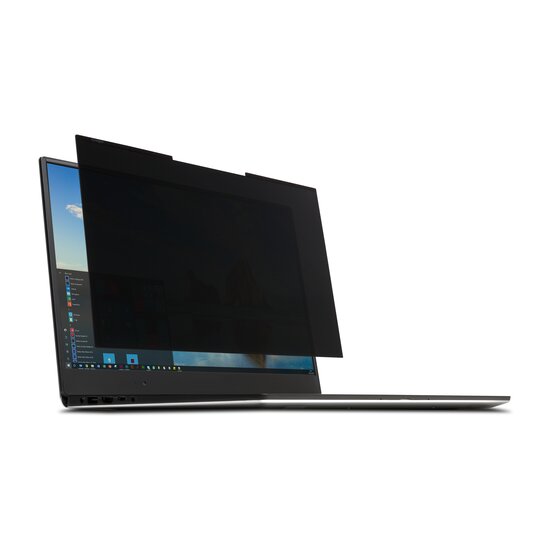
Kensington MagPro Magnetic
Best MagneticBuy if: you take the filter on and off every day and want it to snap on in seconds
Don't buy if: your laptop's bezel is curved, or you want the cheapest filter that does the job
The Kensington MagPro Magnetic Privacy Screen for 15.6-inch laptops (16:9, model K58353WW) is the fastest filter in this guide to use. A slim magnetic strip on the bezel holds it in place, so it snaps on when you leave the house and peels off when you're home — no tabs, no glue, no residue. It blacks out past 30 degrees each side, flips between a matte low-reflective side and a glossy side, and kensington.com lists it at $64.99.
Two things to know. Kensington's own datasheet says it cuts blue light by up to 52%, while several resellers list the same filter at 22% — the two numbers can't both be right, and nobody in the top 10 flags it. Treat blue light as a bonus, not a buying reason. And the magnetic strips need a flat bezel: on a curved plastic bezel the grip is weaker, so check your laptop's frame first.
Pros
- Fastest on and off — snaps on in seconds
- No residue and nothing stuck to the screen
- Reversible matte and glossy sides
- Low-reflective coating on the matte side
- TAA-compliant, so it suits work-issued laptops
Cons
- Priciest magnetic filter in this guide
- Needs a flat bezel for the strips to grip
- Blue-light figure is disputed (52% vs 22%)
- Touchscreen use is not claimed by Kensington
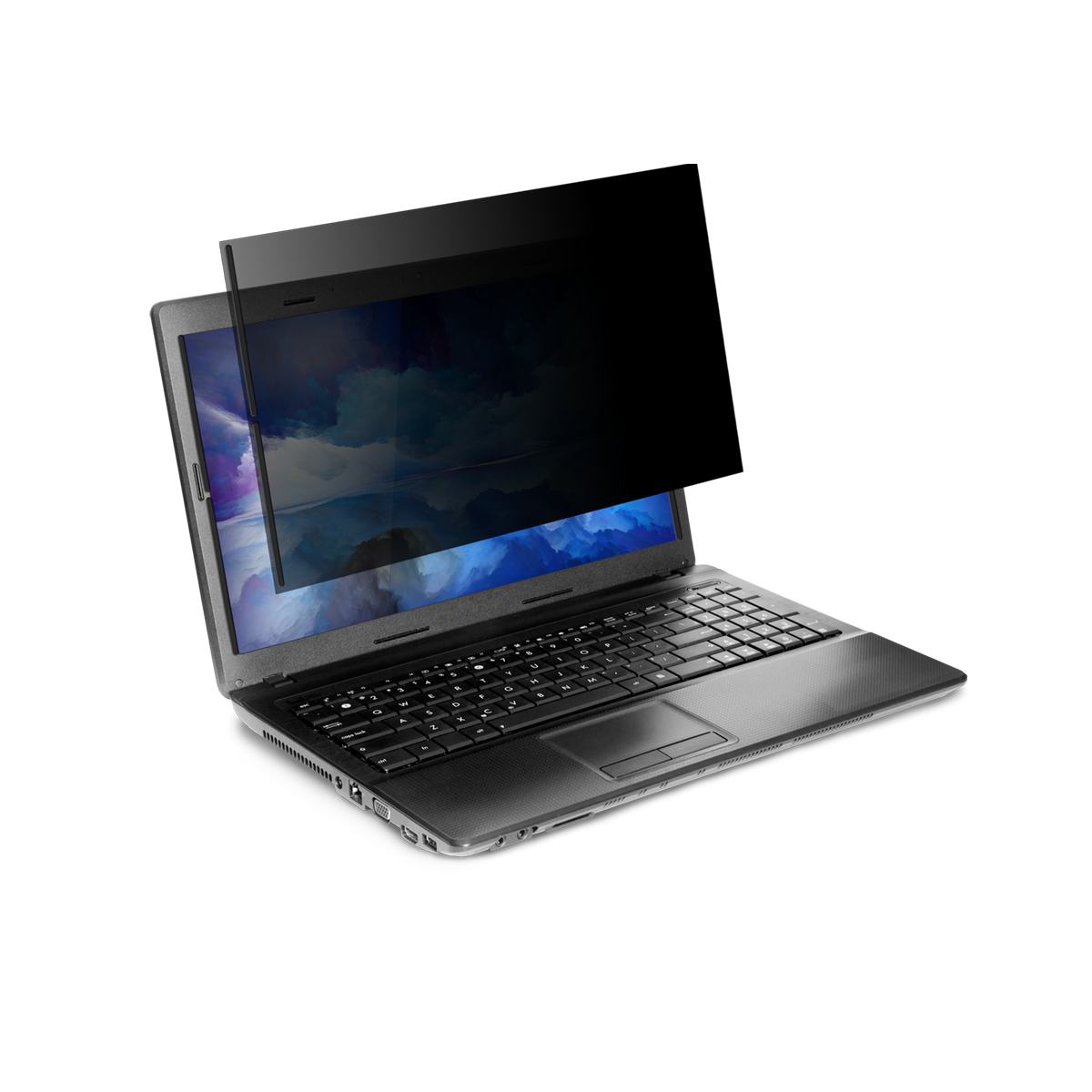
Targus 4Vu Magnetic
Best for Touchscreen LaptopsBuy if: your 15.6-inch laptop has a touchscreen, or you want the brightest magnetic filter here
Don't buy if: you want to flip between the glossy and matte sides freely
The Targus 4Vu Magnetic Privacy Screen (15.6-inch, 16:9, model ASM156W9GL) is the only pick in this guide that works with a touchscreen — Targus says so outright, while 3M and SightPro say their filters don't. It blacks out past 30 degrees each side, cuts blue light by about 40%, and has an anti-reflective coating that Targus claims makes it up to 12.4% brighter than competing screens. The maker list price is $49.99.
Know the trade. The magnetic strips are adhesive, and Targus notes that once they're on, the filter is locked to one side of its dual finish — so pick glossy or matte when you fit it, because switching later means re-sticking the strips. And don't buy the near-identical ASM156W1GL by mistake: that's the 16:10 version, and it won't fit a 16:9 screen.
Pros
- The only touchscreen-compatible pick in this guide
- Brightest magnetic filter here, per Targus's own claim
- About 40% blue-light reduction, per Targus
- Magnetic on and off in seconds
- Anti-reflective coating on the matte side
Cons
- Adhesive magnetic strips lock you to one finish side
- Easy to confuse with the 16:10 model (ASM156W1GL)
- Maker list price — street price may differ
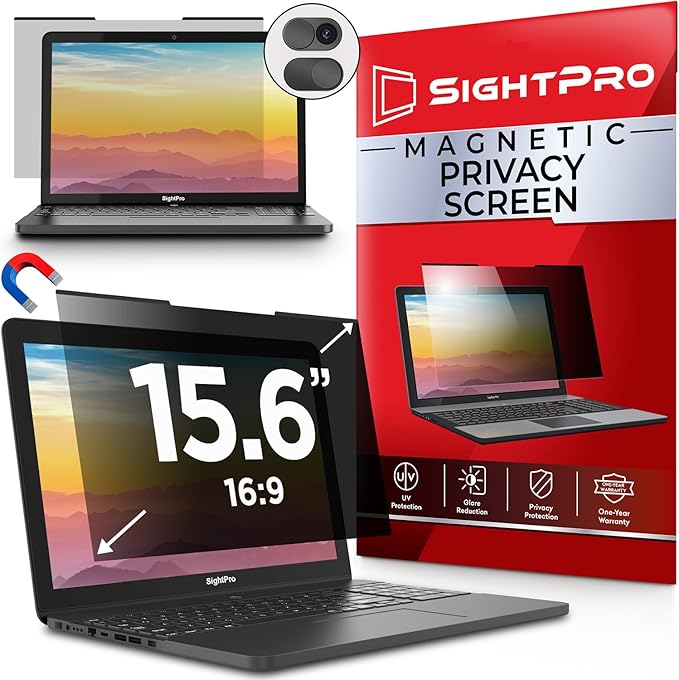
SightPro Magnetic
Best ValueBuy if: you want magnetic convenience at the lowest verified price in this guide
Don't buy if: your laptop has a touchscreen, or you want a published viewing-angle figure
The SightPro Magnetic Laptop Privacy Screen for 15.6-inch laptops (16:9) is the value pick: a magnetic snap-on filter with an anti-glare finish, UV and blue-light reduction, and a webcam cover in the box. SightPro's own store lists it at $36.99 — the lowest verified price of the six. It snaps on with magnetic stickers on the bezel, so it comes off clean and moves between laptops.
Two things to know. SightPro doesn't publish a viewing-angle figure for this filter, so you buy on the brand's word and the roundups' say-so, not a number. And it is not optimised for touchscreens, so 2-in-1 owners should pick the Targus above. For a straight magnetic filter at the lowest price here, it is the pick.
Pros
- Lowest verified price in this guide at $36.99
- Magnetic snap-on — on and off in seconds
- Webcam cover included in the box
- Anti-glare finish with UV and blue-light reduction
Cons
- No viewing-angle figure published by the maker
- Not optimised for touchscreens
- Amazon-native brand, not a big office brand
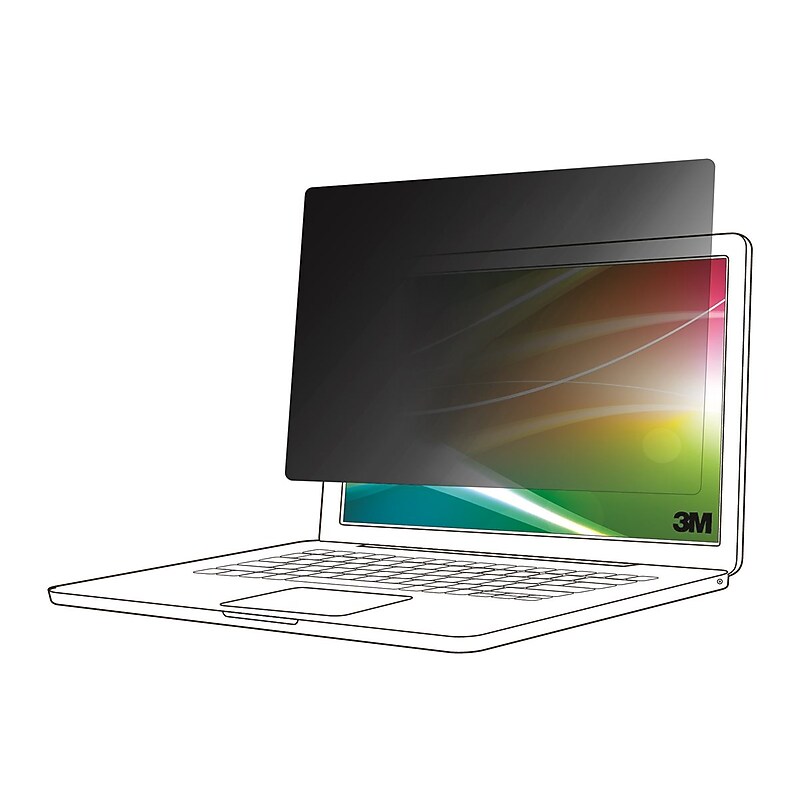
3M Bright Screen BP156W9B
Brightest ScreenBuy if: your laptop screen is dim, or you work in bright rooms where a normal filter looks too dark
Don't buy if: your screen is already bright — the standard PF156W9B costs less for the same privacy
The 3M Bright Screen Privacy Filter BP156W9B is the bright one. It lets about 85% of the light through, against a bigger dimming effect from a standard filter, so it suits dim laptop screens and bright rooms — the two places a normal privacy filter looks murky. It blacks out past 30 degrees each side like the standard 3M, uses the same COMPLY flip-tab mount, and has a matte anti-glare finish. Staples lists it at $68.69.
Know the trade. It costs more than the standard PF156W9B for the same privacy — you pay for brightness, not for a wider blackout angle. And this is the bezel version: the full-screen model is the BP156W9E, a different filter, so check the model number before you pay.
Pros
- About 85% light transmission — the brightest filter here
- Best pick for dim screens and bright rooms
- Same 60-degree blackout as the standard 3M
- Flip tabs, no glue on the screen
- Matte anti-glare finish
Cons
- Costs more than the standard PF156W9B
- Same privacy — you pay for brightness only
- Easy to confuse with the full-screen BP156W9E
- Touchscreen use is not claimed for this model
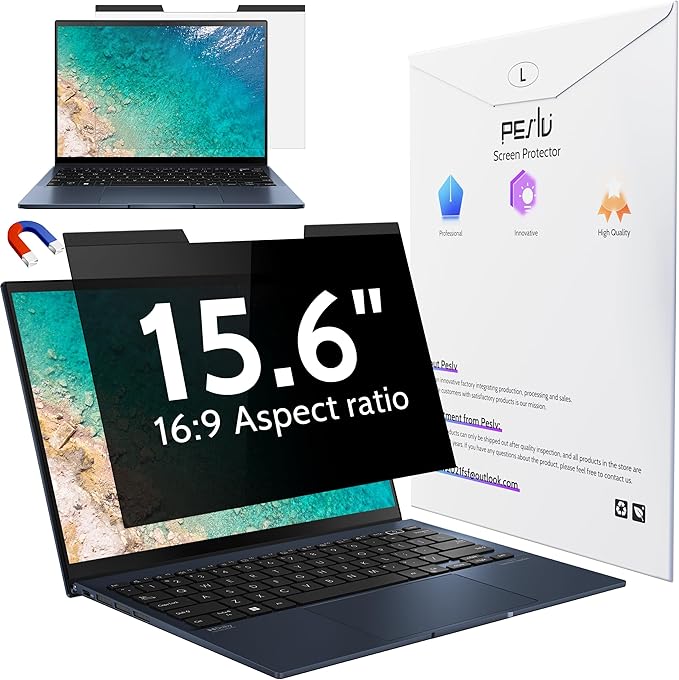
Peslv Magnetic
Best WarrantyBuy if: you want a magnetic filter with a lifetime warranty and the highest blue-light claim in this guide
Don't buy if: you want a price you can check before clicking, or a big-name office brand
The Peslv Magnetic Laptop Privacy Screen for 15.6-inch laptops (16:9) is the budget magnetic pick with the strongest warranty: a lifetime warranty, magnetic snap-on fitting, a ±30-degree blackout angle, a matte anti-glare finish, and a blue-light reduction claim of up to 95% — the highest figure in this guide. No price is printed for it, because it varies a lot between sellers; check the live price before buying.
Two things to know. That 95% blue-light figure is the maker's claim, not a tested number — and like the Kensington conflict above, blue-light percentages are the least reliable numbers on any privacy filter box. And Peslv is an Amazon-native brand, so support runs through the seller rather than a big office brand's help desk. For a cheap magnetic filter you can return under a lifetime warranty, it is the pick.
Pros
- Lifetime warranty — the best in this guide
- Magnetic snap-on, on and off in seconds
- Up to 95% blue-light reduction claimed
- Matte anti-glare finish
Cons
- No stable price — varies a lot between sellers
- Blue-light figure is a maker claim, unverified
- Amazon-native brand with seller-based support
Can Someone Behind Me Still See My Screen?
Yes. A standard 2-way filter blocks the left and right sides only — not the person directly behind you, and not from above or below.
This is the claim the cheap listings lie about. A filter sold as "360° privacy" is still a 2-way filter: it blocks the sides, and the person behind you sees your screen as clearly as you do. Real 4-way filters exist, but they block from above and below too, cost more, and dim the screen further — and none of the six picks above is one.
So what actually works against the person behind you? Distance and position. Sit with your back to a wall when you can. On a plane, the seat-back screen and the tray table put the person behind you at a steep angle — but a tall seatmate can still see over. The honest answer: a filter plus a good seat beats a filter alone.
Anyway, don't let that put you off. The seatmate is the threat you meet every day — the café table, the train, the open office. The person behind you is the rarer threat, and the filter still helps there, because it narrows the readable window even from behind.
Will a Privacy Screen Work on a Touchscreen Laptop?
Only some. Most filters block touch or make it unreliable — the Targus 4Vu is the only pick above that Targus says works with touch.
A privacy filter sits between your finger and the screen, and most of them confuse the touch layer or stop it working altogether. 3M says its PF156W9B is not touchscreen-compatible. SightPro says its magnetic filter is not optimised for touchscreens. Kensington doesn't claim touch support for the 16:9 MagPro either.
If your 15.6-inch laptop has a touchscreen, buy the Targus 4Vu — it's the one pick in this guide with touch support stated by the maker. If you already own a different filter and touch matters to you, test it within the return window: some touchscreens work through thin filters and some don't, and the only way to know is to try your laptop.
The same check applies to the webcam. A filter can crowd the camera at the top of the screen, so check the filter doesn't cover it — the Kensington MagPro's 16:10 version has a webcam notch, and the SightPro ships with a separate webcam cover in the box.
Buying Guide: What Actually Matters
After size and shape, the four things worth your attention are the mount, the viewing angle, the finish and the brightness — in that order.
Size decides whether the filter fits at all: measure the visible width and height (about 345 by 194 millimetres for a 15.6-inch 16:9 screen) and confirm 16:9, not 16:10. Shape decides whether it covers the screen edge to edge. Mount decides how you live with it: magnetic if you take it on and off, tabs if you want it semi-permanent without glue, adhesive only if you never plan to remove it.
Viewing angle decides how much privacy you get: "60 degrees" means 60 degrees in total, 30 each side — not 60 per side. Finish decides the picture: matte cuts glare and fingerprints but adds a slight haze, glossy is sharper but reflects. Reversible filters give you both, and three of the six picks above are reversible. Brightness decides whether you can still read the screen: expect a 5 to 15% dimming from a standard filter, and turn your brightness up — which costs battery. A dim laptop screen plus a standard filter is a bad pair; that's what the 3M Bright Screen is for.
Here's my honest take, and plenty of filter fans will disagree: don't pay extra for blue-light percentages. They're the least reliable numbers on the box — Kensington's own datasheet and its resellers can't agree on the same filter — and no maker publishes evidence that a filter reduces eye strain. Buy for the viewing angle and the mount. Treat blue light as a free bonus.
Three things not to overpay for: "360° privacy" on a 2-way filter, a brand name on a filter with the wrong aspect ratio, and blue-light claims. And one thing to check before you buy: the return window. A filter needs a day of real use — in a café, on a train — to judge, so buy from a seller that gives you at least that long.
Privacy Screens to Skip in 2026
Any filter sold as "360° privacy" that is really a 2-way filter — a fine filter, sold with a claim that can't be true. A standard microlouver filter blocks left and right. It does not block from behind, above or below. If the listing says 360° and the price says budget, the claim is marketing, not physics.
16:10 filters sold for 15.6-inch laptops — the wrong shape for most Windows laptops. A 16:10 filter on a 16:9 screen leaves a gap or overhangs the edge, and the privacy effect breaks at the gap. Check the aspect ratio on the listing, not just the diagonal size.
No-name adhesive filters with no brand, no warranty and no returns — cheap for a reason. They flood low-quality roundups, leave residue when they come off, and can't be repositioned once stuck. The magnetic picks above cover every budget with real verification behind them.
A filter bought on diagonal size alone — the mistake that wastes the most money. "15.6 inch" is not a complete size. Measure the visible screen, confirm 16:9, and then buy. Our portable monitor guide covers the screens that pair with a laptop on the road, and our laptop stand guide covers the stands that lift the screen to eye level — both useful once the privacy question is settled.
The pattern is the same every time: a good product, recommended to the wrong hands — or the wrong shape entirely.
Frequently Asked Questions
What's the best laptop privacy screen for a 15.6 inch laptop in 2026?
The 3M Privacy Filter PF156W9B for most people. If you take it on and off daily, get the Kensington MagPro; if your laptop has a touchscreen, get the Targus 4Vu.
Do laptop privacy screens really work?
Yes, from the sides. They black out the screen past about 30 degrees each way. They don't block someone directly behind you.
How do I measure my laptop screen for a privacy filter?
Measure the visible width and height, edge to edge — about 345 by 194 millimetres for a 15.6-inch 16:9 screen. Don't rely on the diagonal size.
Will a privacy screen work on a touchscreen laptop?
Only some will. The Targus 4Vu is the only pick here with touch support stated by the maker; the 3M and SightPro filters are not touch-compatible.
Does a privacy screen make the screen dimmer?
Yes — expect 5 to 15% dimming with a standard filter. Turn the brightness up, or pick the 3M Bright Screen if your laptop is dim.
Magnetic or adhesive — which is better?
Magnetic for most people: it pops on and off in seconds with no residue. Adhesive only if you want the filter on all the time.
Can someone behind me still see my screen with a privacy filter on?
Yes. A standard 2-way filter blocks the sides only. Sit with your back to a wall when the person behind you matters.