Best Graphics Cards for Gaming in 2026: 6 Picks for Every Budget

You've read three "best graphics card" lists and they all disagree — worse, their prices are from January or July, and the card they call a $749 bargain actually costs $1,400 today. Memory prices are spiking, every card costs far more than its launch price, and the same model name can hide two different amounts of memory. This guide fixes that. Six picks, one per budget tier, with street prices checked 17–22 Nov 2026 and the launch price shown only as a reference — never as something you can actually buy.
Best graphics cards for gaming refers to the graphics processing units (GPUs) that render your games — the chip that decides your frame rate, resolution and ray tracing quality. In 2026 the choice is really about VRAM and price, not brand.
Below: the 6 best graphics cards for gaming you can buy in 2026 — from a $329 budget card to a $6,549 flagship — ranked by what they actually deliver at your desk. Prices checked 17–22 Nov 2026. They move weekly. Read the VRAM check first if you're torn between 8GB and 16GB. Start there.
How Much VRAM Do You Need for Gaming in 2026?
12GB is the floor for 1440p. 16GB is the comfortable target. That is the short answer, and the testing behind it is simple: modern games store bigger textures than the cards of two years ago were built for, and once the memory fills up, the card starts swapping textures to system memory. Frame rates fall off a cliff. Stutter appears. The game still runs — it just runs badly.
How much VRAM you need for gaming in 2026 depends on your resolution. According to TechSpot's testing, games like Avatar: Frontiers of Pandora use about 10.7GB at 1080p Ultra and 12.6GB at 1440p Ultra, so 12GB is the floor for 1440p and 16GB is the comfortable target.
Eight gigabytes of VRAM is enough for 1080p gaming at medium settings in 2026, but it is tight at 1440p. According to Tom's Hardware's 21-game test, the 8GB RTX 5060 Ti runs 18% slower than its 16GB twin at 1440p Ultra, and some games quietly lower texture quality to fit.
Here's the thing: VRAM is the one spec you can never upgrade later. A faster chip with too little memory ages worse than a slower chip with room to spare. Buy the memory first, then the speed.
Is 8GB of VRAM Still Enough in 2026?
Yes — at 1080p, on medium settings, in most games. No — at 1440p with high textures, and definitely not with ray tracing on. The 8GB card is not broken. It is just a 1080p card wearing a 2026 badge, and the honest sellers price it that way. The problem is the name: the RTX 5060 Ti comes as an 8GB card and a 16GB card under one name, and the cheaper one is the trap.
The RTX 5060 Ti 16GB is the version to buy if you play at 1440p. It uses the same chip as the 8GB card, so the extra memory is the only difference — and that difference grows with every new game that ships with bigger textures.
Tom's Hardware's own 21-game test puts numbers on it: the 8GB 5060 Ti is effectively tied with its 16GB twin at 1080p medium (a 2.3% deficit), then falls 18% behind at 1440p Ultra, 26% behind in ray tracing at 1080p Ultra, and 42% behind at 4K Ultra. Cyberpunk 2077 with ray tracing uses about 12GB at 1440p. Hellblade II passes 8GB on High. The gap only widens from here.
Quick note: if your budget truly stops at the 8GB card's price, buy it and play at 1080p — it is a good 1080p card. Just don't pay 1440p money for it. The 16GB version costs about $300 more right now, and that $300 buys you two extra years of playable settings.
RTX 5070 Ti vs RX 9070 XT: Which Should You Buy?
For most 1440p gamers, the RX 9070 XT. For ray tracing fans, the RTX 5070 Ti. That is the whole argument, and TechSpot's 52-game aggregate settles the raster half of it: at 1440p the 5070 Ti leads by about 1.4% — 108 fps against 107, a rounding error. At 4K it leads by about 4%. In plain raster performance, these two cards are the same card. The difference is $440 and ray tracing.
RTX 5070 Ti vs RX 9070 XT: the 9070 XT is better suited for most 1440p gamers because it matches the 5070 Ti in raster performance for about $440 less. The 5070 Ti works better when ray tracing or path tracing matters most. The key difference is price per frame in raster versus Nvidia's ray-tracing lead.
Nvidia's lead is real where it counts for its fans. In heavy path tracing — Doom: The Dark Ages at 1440p — the 5070 Ti runs 63% faster than the 9070 XT. The catch is that 31 frames per second is still unplayable on both cards. The 9070 XT trails by about 21% in ray tracing at 1440p and 25% at 4K in TechSpot's launch suite. If you play with ray tracing on high in every game, buy the Nvidia card. If you play competitive shooters and big single-player games at 1440p with ray tracing off or low, the AMD card gives you the same frames for far less money.
I've seen conflicting data — some sources put the 9070 XT at $810, others at $959, others near $980. My read is that the cheapest verified in-stock listing was $810 on Amazon on 22 Nov, while the tracker average sat at $959 on 17 Nov, so shop the listings and don't trust any single number.
One more thing: the upscaler split matters less than the forums say. DLSS 4 multi-frame generation and FSR 4.1 both work well now, and both are on by default in most new games. Don't pick a $440 premium for an upscaler. Pick it for ray tracing, or don't pick it at all.
What Graphics Card Is Best for 1440p Gaming?
The RX 9070 XT, for most people. The RTX 5070 Ti, if ray tracing is your priority. The RTX 5060 Ti 16GB, if your budget stops under $850. Three cards, three budgets, and the honest rule behind all of them: at 1440p, buy 16GB of VRAM first and worry about the brand second.
Look — if your GPU rarely clears 120 fps in your main game, here's what actually works: buy the card that holds 120 fps at your settings and spend the rest on the monitor. A 1440p 240Hz screen only pays off if the card feeds it, and our 1440p monitor guide pairs each refresh rate with the card it needs.
At 1080p the answer changes. The Arc B580 below is the honest budget pick, and the 5060 Ti 8GB is fine there too — just don't buy either one expecting 1440p Ultra. At 4K the answer changes again: only the 5080 and 5090 below are real 4K cards, and the 5080 is the one that makes sense unless money truly doesn't matter.
The 6 Best Graphics Cards for Gaming in 2026
Our Top Pick
ASRock Steel Legend RX 9070 XT 16GB
Best for Most People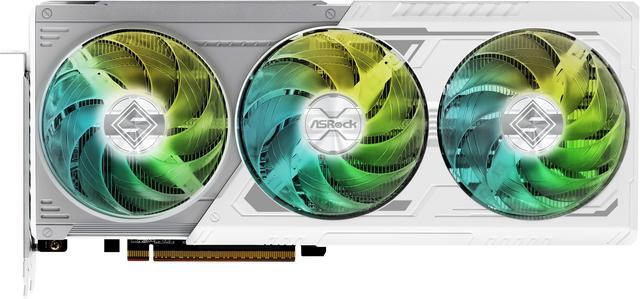
The 9070 XT matches the RTX 5070 Ti in raster performance — 108 fps against 107 at 1440p in TechSpot's 52-game test — for about $440 less. Sixteen gigabytes of VRAM, a 750W power supply, and FSR 4.1 upscaling that finally closes the gap with DLSS. Ray tracing is the only thing it loses, and at 1440p that costs you less than the $440 you save.
Check Price on AmazonQuick Comparison
| Product | Key Specs | ||
|---|---|---|---|
| #1 | ASRock Steel Legend RX 9070 XT 16GBBest for Most People | 16GB GDDR6 · 304W · 750W PSU · ~$959 | Check Price |
| #2 | Gigabyte RTX 5070 Ti Aero OC 16GBest Nvidia Card | 16GB GDDR7 · 300W · 750W PSU · ~$1,400 | Check Price |
| #3 | MSI RTX 5060 Ti 16G Gaming OCBest Mid-Range 1440p | 16GB GDDR7 · 180W · 600W PSU · ~$799 | Check Price |
| #4 | Gigabyte RTX 5080 Aero OC 16GBest for 4K | 16GB GDDR7 · 360W · 850W PSU · ~$2,235 | Check Price |
| #5 | ASUS ROG Astral RTX 5090 OCBest Money-No-Object | 32GB GDDR7 · 575W · 1,000W PSU · ~$6,549 | Check Price |
| #6 | Intel Arc B580 Limited EditionBest Budget | 12GB GDDR6 · 190W · 600W PSU · ~$329 | Check Price |
Best Graphics Card by Use
All six picks play games, but they suit very different budgets and resolutions. Match the pick to how you actually play:
- Best for most people: ASRock Steel Legend RX 9070 XT 16GB — 1440p at high settings, ray tracing off, for about $959.
- Best Nvidia card: Gigabyte RTX 5070 Ti Aero OC 16G — same raster speed as the AMD card, plus the best ray tracing in its class, for about $1,400.
- Best mid-range 1440p: MSI RTX 5060 Ti 16G Gaming OC — the cheapest honest 16GB Nvidia card, about $799.
- Best for 4K: Gigabyte RTX 5080 Aero OC 16G — the only sensible 4K card under $2,500, about $2,235.
- Best money-no-object: ASUS ROG Astral RTX 5090 OC — the fastest consumer card by a wide margin, about $6,549.
- Best budget: Intel Arc B580 Limited Edition — 12GB and real 1080p/1440p value for about $329.
ASRock Steel Legend RX 9070 XT 16GB
Best for Most PeopleBuy if: you want the best 1440p card for the money — 16GB of VRAM, raster speed that matches the 5070 Ti, and about $440 saved
Don't buy if: ray tracing on high is non-negotiable, or you need Nvidia's CUDA for work
The 9070 XT is the card this market accidentally made the best buy. At about $959 on Tom's Hardware's price tracker (17 Nov 2026) — with the cheapest verified in-stock listing at $810 on Amazon on 22 Nov — it delivers the same 1440p raster performance as the RTX 5070 Ti for roughly two-thirds of the price. TechSpot's 52-game aggregate has it at 107 fps against the 5070 Ti's 108 at 1440p. That is a tie. The Steel Legend is ASRock's triple-fan white design, and it runs quiet enough that the fans are not the story — the price is.
The honest catch is ray tracing. In heavy path tracing the 9070 XT trails the 5070 Ti by about 21% at 1440p and 25% at 4K, and in Doom: The Dark Ages the gap hits 63%. FSR 4.1 upscaling has closed the gap with DLSS in most games, but it cannot close the ray-tracing gap. If you play with ray tracing on high in every game, this is the wrong card. If you play competitive shooters and big single-player games at 1440p, it is the right one — and the $440 you save buys a better monitor.
Pros
- Matches the 5070 Ti in raster for about $440 less (TechSpot 52-game test)
- 16GB of VRAM — no texture compromises at 1440p
- FSR 4.1 upscaling closes the gap with DLSS
- Standard 2× 8-pin power — no new PSU cable needed
Cons
- Ray tracing trails Nvidia by ~21% at 1440p, ~25% at 4K
- Path tracing is not its strength — Doom runs 63% slower than the 5070 Ti
- No CUDA — a weaker pick if the card also does creative work
Full specifications
- 16GB GDDR6, 256-bit bus, 640 GB/s
- 4,096 stream processors, 64 compute units, boost up to 2.97 GHz
- 304W board power — 750W PSU recommended
- 2× 8-pin power connectors, DisplayPort 2.1a, HDMI 2.1b
- FSR 4.1 / FSR Redstone upscaling, triple-fan Steel Legend cooler
Prices change frequently — click through to see today's price. Street price about $959 (17 Nov 2026); launch price was $599.
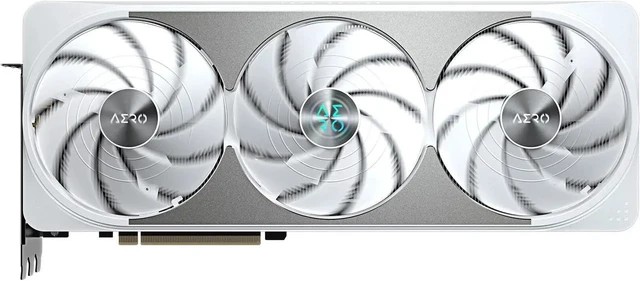
Gigabyte GeForce RTX 5070 Ti Aero OC 16G
Best Nvidia CardBuy if: ray tracing matters to you, you want DLSS 4 multi-frame generation, or you use CUDA apps
Don't buy if: you play at 1440p with ray tracing off — the 9070 XT above gives you the same frames for $440 less
The 5070 Ti is the best Nvidia card most people should buy, and the worst value in its own stack at the same time. At about $1,400 on the tracker (17 Nov 2026) — the Aero OC was $1,339.99 at Newegg on 6 Nov — it costs nearly double its $749 launch price, and it is only about 1.4% faster than the 9070 XT in raster at 1440p. What the extra money buys is ray tracing: about 21% faster at 1440p, 25% at 4K, and 63% faster in path-traced Doom. It also buys DLSS 4 multi-frame generation and CUDA, which the AMD card cannot match.
The Aero OC is Gigabyte's white triple-fan version, and it is the quiet, cool-running card in this guide's Nvidia half. You need a 750W power supply and a 12V-2x6 connector — or the adapter in the box. Check the cable clicks in fully. A loose 12V-2x6 is the one install mistake that can cost you a card.
Pros
- Best ray tracing and path tracing in its class (TechSpot)
- DLSS 4 multi-frame generation + CUDA for creative work
- 16GB GDDR7 — no VRAM anxiety at 1440p or 4K
- Quiet triple-fan Aero cooler, runs cool under load
Cons
- About $1,400 street vs $749 launch price — nearly double
- Only ~1.4% faster than the 9070 XT in raster at 1440p
- Needs a 12V-2x6 connector — check your PSU first
Full specifications
- 16GB GDDR7, 256-bit bus, 896 GB/s
- 8,960 CUDA cores, boost 2.45 GHz, 1,406 AI TOPS
- 300W board power — 750W PSU recommended
- 16-pin 12V-2x6 connector, DisplayPort 2.1b, HDMI 2.1
- DLSS 4 multi-frame generation, triple-fan Aero OC cooler
Prices change frequently — click through to see today's price. Street price about $1,400 (17 Nov 2026); launch price was $749.
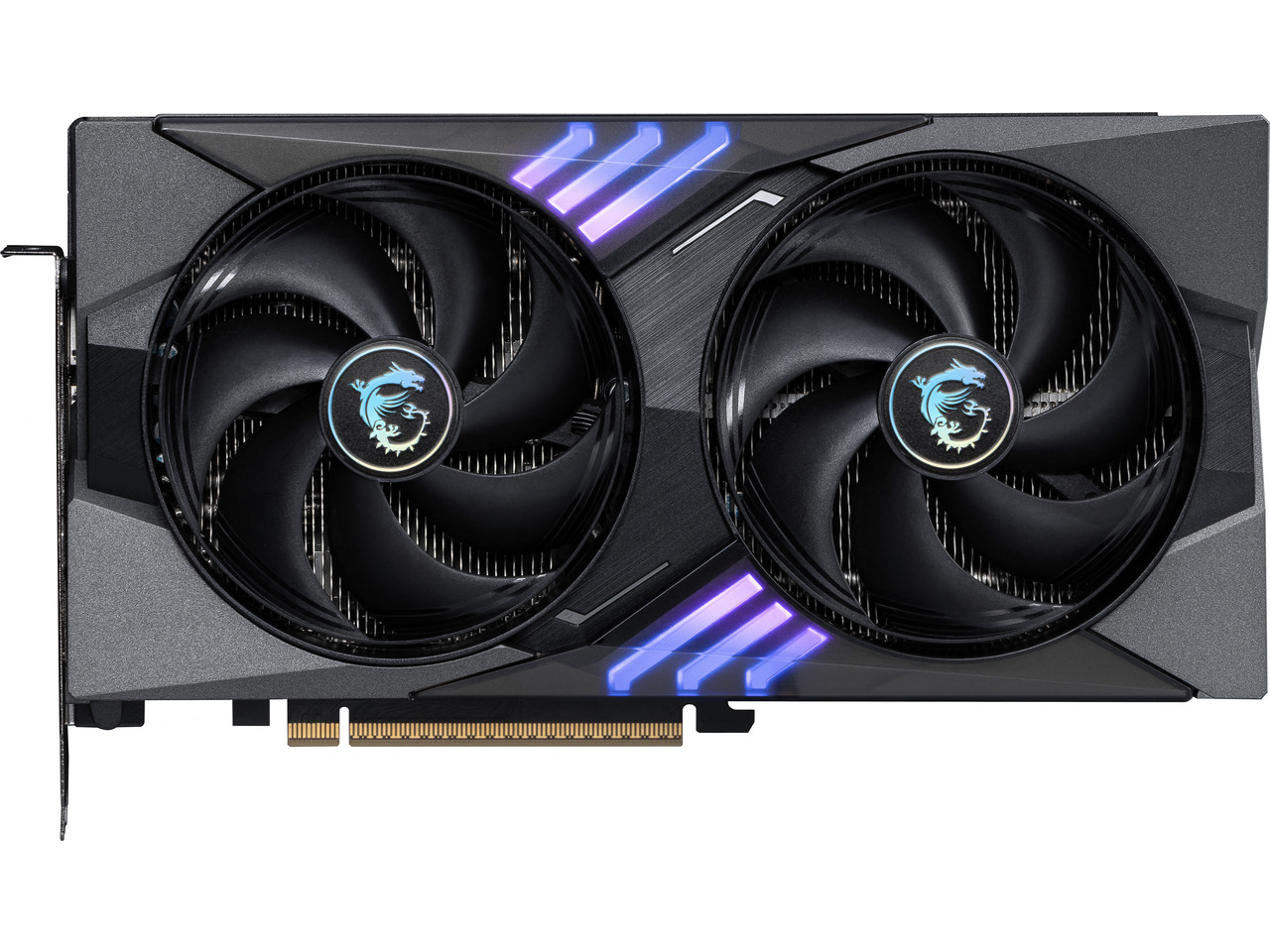
MSI GeForce RTX 5060 Ti 16G Gaming OC
Best Mid-Range 1440pBuy if: your budget stops under $850 and you still want comfortable 1440p with high textures
Don't buy if: you want high-refresh 1440p in demanding games — step up to the 9070 XT
The 5060 Ti 16GB is the cheapest honest 16GB Nvidia card, and the only 5060 Ti worth buying. At about $799 on the tracker (17 Nov 2026) — the MSI Gaming OC listed at $809.99 — it costs nearly double its $429 launch price, which stings. But the memory is the point: 16GB means 1440p with high textures, no compromises, no quiet downgrades. The 8GB version of this same card is $499 and looks like a bargain until a game starts dropping texture quality to fit. Same chip, same name, different card. Buy the 16GB one.
The honest limits are the 128-bit bus and the PCIe x8 link. In most games at 1440p you will not feel them. In bandwidth-heavy scenes they cap the card's ceiling, which is why this is a mid-range card and not a 5070 Ti. The Gaming OC is MSI's dual-fan design with RGB accents, and at 180W it runs off a 600W power supply — the easiest card in this guide to drop into an existing build.
Pros
- Cheapest 16GB Nvidia card — comfortable 1440p with high textures
- Full DLSS 4 support at the lowest price in the stack
- Only 180W — drops into most existing builds on a 600W PSU
- Quiet dual-fan cooler, compact two-slot design
Cons
- About $799 street vs $429 launch price — nearly double
- 128-bit bus and PCIe x8 link cap its ceiling
- Not a high-refresh 1440p card in demanding games
Full specifications
- 16GB GDDR7, 128-bit bus, 448 GB/s
- 4,608 CUDA cores, boost about 2.6 GHz
- 180W board power — 600W PSU recommended
- PCIe 5.0 x8 link, DisplayPort 2.1b, HDMI 2.1
- DLSS 4, dual-fan Gaming OC cooler with RGB
Prices change frequently — click through to see today's price. Street price about $799 (17 Nov 2026); launch price was $429.
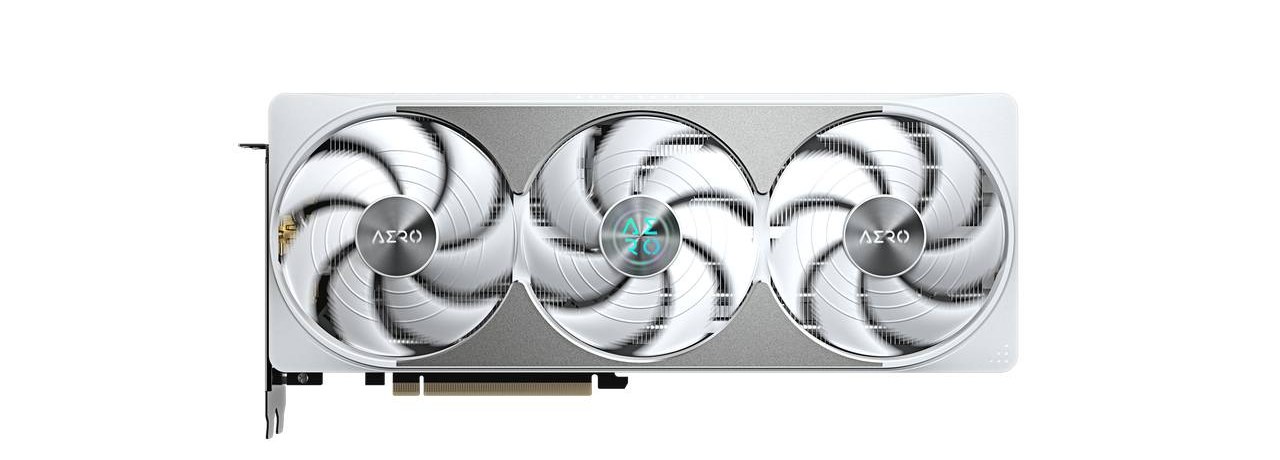
Gigabyte GeForce RTX 5080 Aero OC 16G
Best for 4KBuy if: you game at 4K and want the strongest practical card that isn't the 5090
Don't buy if: you play at 1440p — the 9070 XT and 5070 Ti give you the same experience for $800–$1,300 less
The 5080 is the only sensible 4K card in this guide, and the hardest one to recommend without a caveat. At about $2,235 on the tracker (17 Nov 2026) — the Aero OC was $2,259.99 at Newegg on 19 Nov — it costs more than double its $999 launch price. It is about 8–16% faster than the 5070 Ti in Tom's Hardware's 2026 testing, and it carries the same 16GB of memory. You are paying $835 more than the 5070 Ti for that 8–16% and for 4K headroom. At 1440p that money is wasted. At 4K it is the difference between high settings and medium.
The Aero OC is the white triple-fan version, and it is the quietest big card here. You need an 850W power supply and a 12V-2x6 connector, and you should measure your case — this is a long triple-fan card. One warning: there is no 24GB 5080 coming. Trade sources reported in November that Nvidia cancelled the planned 24GB version, so don't wait for it.
Pros
- Strongest practical 4K card — 8–16% faster than the 5070 Ti
- Full DLSS 4 + best-in-class ray tracing below the 5090
- Quiet triple-fan Aero cooler
Cons
- About $2,235 street vs $999 launch price — more than double
- Same 16GB as the 5070 Ti at about 1.6× its street price
- Needs an 850W PSU and a long case — measure first
Full specifications
- 16GB GDDR7, 256-bit bus
- 10,752 CUDA cores, boost 2.62 GHz, 1,801 AI TOPS
- 360W board power — 850W PSU recommended
- 16-pin 12V-2x6 connector, DisplayPort 2.1b, HDMI 2.1
- DLSS 4 multi-frame generation, triple-fan Aero OC cooler
Prices change frequently — click through to see today's price. Street price about $2,235 (17 Nov 2026); launch price was $999.
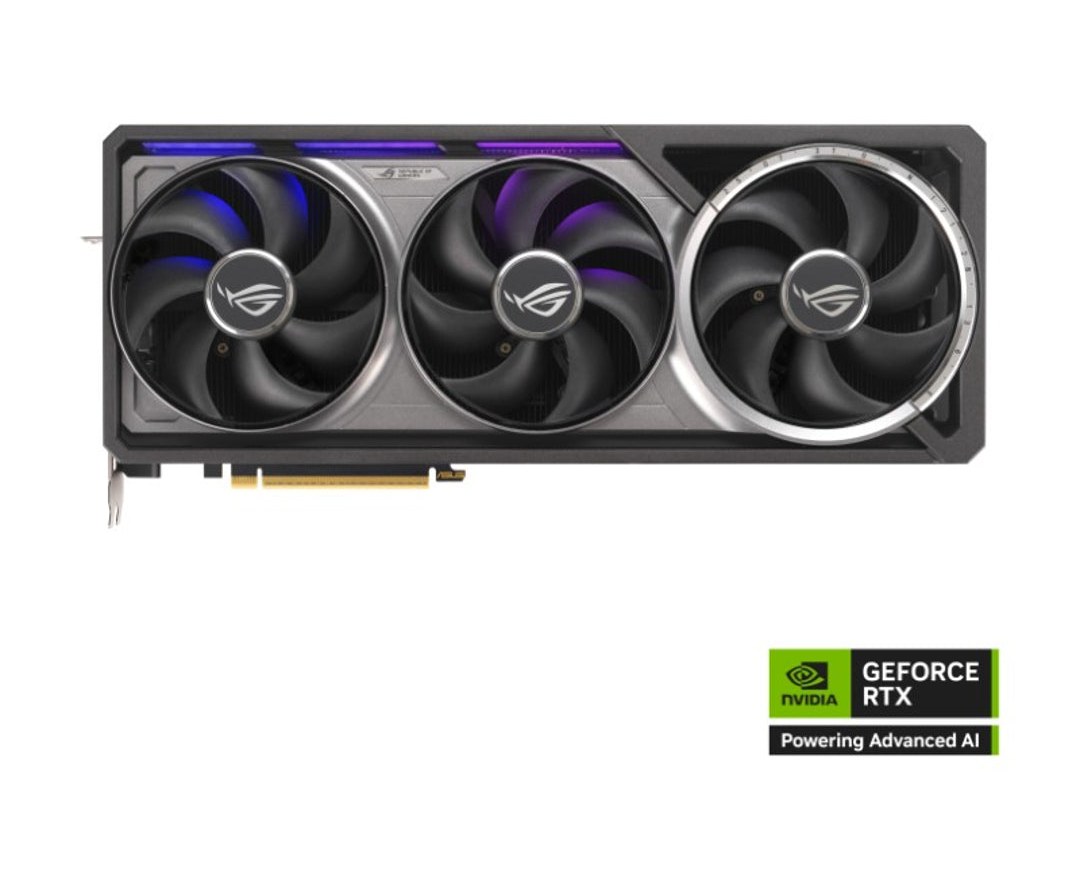
ASUS ROG Astral GeForce RTX 5090 OC
Best Money-No-ObjectBuy if: money truly doesn't matter, or the card also earns its keep in AI or creative work
Don't buy if: you only game — the 5080 gives you most of the experience for a third of the price
The 5090 is the fastest consumer graphics card you can buy, by a wide margin, and the worst value in this guide. At about $6,549 on the tracker (17 Nov 2026) — the Astral OC listed at $6,301.99 — it costs more than triple its $1,999 launch price. Thirty-two gigabytes of GDDR7 on a 512-bit bus, 21,760 CUDA cores, and a 575W appetite that needs a 1,000W power supply. Nothing else comes close. Nothing else needs to, for gaming alone.
My honest opinion, and some of you will disagree: the 5090 is a bad buy for gaming alone. It only makes sense if the card also earns its keep — AI work, 3D rendering, video production — where the 32GB of memory and the compute cores pay rent. For pure gaming, the 5080 gives you most of the experience for about a third of the price, and the difference at 1440p is invisible. The Astral OC is ASUS's flagship four-fan design, and it is built like a flagship. It is also the size of one. Measure your case twice.
Pros
- Fastest consumer card by a wide margin — nothing else is close
- 32GB of GDDR7 — the only card here that never worries about memory
- Four-fan Astral cooler keeps the 575W card in check
Cons
- About $6,549 street vs $1,999 launch price — more than triple
- Needs a 1,000W PSU and a very large case
- Terrible value for gaming alone — the 5080 is a third of the price
Full specifications
- 32GB GDDR7, 512-bit bus, 1,792 GB/s
- 21,760 CUDA cores, boost 2.41 GHz, 3,352 AI TOPS
- 575W board power — 1,000W PSU recommended (1,200W comfortable)
- 16-pin 12V-2x6 connector, DisplayPort 2.1b, HDMI 2.1
- DLSS 4 multi-frame generation, four-fan ROG Astral OC cooler
Prices change frequently — click through to see today's price. Street price about $6,549 (17 Nov 2026); launch price was $1,999.
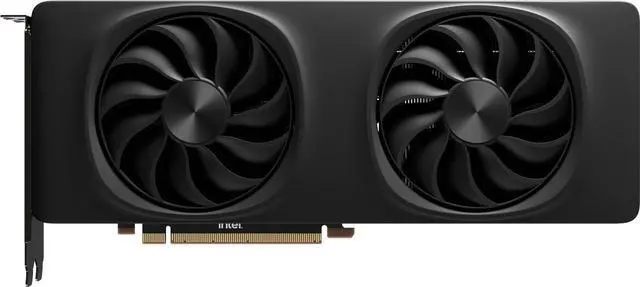
Intel Arc B580 Limited Edition
Best BudgetBuy if: your budget stops around $330 and you want 12GB of VRAM and real 1080p/1440p value
Don't buy if: you need the most mature drivers, or you play older games that Intel's drivers still struggle with
The B580 is the budget pick that shouldn't work this well. At about $329 on the tracker (17 Nov 2026) — up from its $249 launch price, and used cards go for $400 or more on eBay — it gives you 12GB of VRAM at a price where Nvidia and AMD sell you 8GB. Tom's Guide now picks it as the GPU for most buyers. At 1080p it is strong, at 1440p it holds up on medium-to-high settings, and XeSS 3 upscaling with multi-frame generation keeps it competitive in new games.
The honest catch is drivers. Intel's drivers have improved a lot since launch, but they are still younger than Nvidia's and AMD's, and older games are where the gaps show up. The Limited Edition is Intel's own black dual-fan design, and at 190W it runs off a 600W power supply with a single 8-pin cable. One warning: don't pay $800 for it. Some marketplace listings show absurd prices — the credible band is $329 new, and anything far above that is a listing to ignore.
Pros
- 12GB of VRAM at the budget tier — rivals sell 8GB here
- Strong 1080p value, holds up at 1440p on medium-high
- XeSS 3 + multi-frame generation included
- Single 8-pin power — easy install in older builds
Cons
- Drivers still younger than Nvidia's and AMD's — older games can stumble
- No longer $249 — $329 street, and used cards cost more than new
- PCIe 4.0 x8 — check your motherboard slot
Full specifications
- 12GB GDDR6, 192-bit bus, 456 GB/s
- 20 Xe-cores, 2,560 shaders, boost up to 2.85 GHz on partner cards
- 190W board power — 600W PSU recommended
- 1× 8-pin power connector, DisplayPort 2.1, HDMI 2.1
- XeSS 3 upscaling, dual-fan Limited Edition cooler
Prices change frequently — click through to see today's price. Street price about $329 (17 Nov 2026); launch price was $249.
Worth a Look, Not a Pick
Five more cards came up in research. Each is worth one line — and one caveat:
- RTX 5070 — the cheapest way into Blackwell features, about $869 on the tracker (17 Nov 2026) against a $549 launch price. But 12GB is the spec most likely to age badly, and it runs about 8% slower than the RX 9070 in 1440p raster. Buy the 9070 or the 5070 Ti instead.
- RX 9070 — the best-value 16GB card on paper, about $749 on the tracker. The catch is the street: Amazon and Newegg listings ran $860–$935 on 17 Nov, which puts it within $100 of the faster XT. At those prices, buy the XT.
- RTX 5060 Ti 8GB — about $499, and fine at 1080p medium. Not a pick because the name hides the memory cut: 18% slower than its 16GB twin at 1440p Ultra, 42% slower at 4K. Never pay 1440p money for it.
- RX 9060 XT 16GB — AMD's other 16GB card, with a $349 launch price. No verified street price was available at draft time, so no figure is printed here. Worth checking if the XT above stays expensive.
- RTX 5050 — PC Gamer's current budget pick. Also no verified street price at draft time. A 1080p-only card; the B580 above gives you more memory for the money.
Should I Buy a Graphics Card Now or Wait?
Buy now if you need one. Don't wait for a card that doesn't exist.
The card people wait for is the RTX 50 Super series, and Nvidia has announced nothing. Trade sources reported in November that the planned 24GB RTX 5080 — the card most likely to be called a Super — had its January 2027 launch plan cancelled, with no new date, because the 3GB memory chips it needs cost three times what the 2GB chips cost. A CES 2027 announcement is still rumoured, but a rumour is not a product. Waiting for it means waiting for a card with no date, no price, and no guarantee it ever ships.
Black Friday falls on 27 Nov, three days after this guide publishes. Don't bank on it either. No graphics card brand had announced Black Friday pricing as of draft day, and the memory shortage is pushing prices up, not down. The driver is simple: AI datacentres are buying most of the world's memory output, so the chips inside your graphics card cost more every month. Prices in this guide are dated 17–22 Nov 2026 for exactly that reason — a price printed today is stale within days.
Or maybe I should say it this way: the question isn't whether prices will drop, it's whether you can play the games you want on the card you have. If the answer is no, buy the card that fits your resolution and your budget, and stop watching the trackers.
What Power Supply Do You Need?
Check the power supply before you buy the card, not after. A card that needs more watts than your PSU delivers will crash under load — or worse, it won't boot at all. The table below is the minimum per card, using the makers' own figures.
| Card | Board power | PSU minimum | Power connector |
|---|---|---|---|
| Intel Arc B580 | 190W | 600W | 1× 8-pin |
| RTX 5060 Ti 16GB | 180W | 600W | 8-pin (check the exact model) |
| RX 9070 XT | 304W | 750W | 2× 8-pin |
| RTX 5070 Ti | 300W | 750W | 16-pin 12V-2x6 |
| RTX 5080 | 360W | 850W | 16-pin 12V-2x6 |
| RTX 5090 | 575W | 1,000W | 16-pin 12V-2x6 |
Every RTX 50 card from the 5070 up uses the 16-pin 12V-2x6 connector — the revised version of the 12VHPWR plug. It only pulls full power when fully seated, so push it in until it clicks and don't bend the cable hard at the plug. Some partner 5060 Ti and 5070 models use a standard 8-pin instead, so check the exact card. AMD's RX 9070 cards use standard 2× 8-pin, and the B580 uses one 8-pin. If your PSU is more than five years old, check it has the connector you need — a new card plus a new PSU is a real budget line, not a surprise.
How to Install a New Graphics Card
A new card takes about fifteen minutes to fit. The driver install takes longer than the hardware. Don't rush the power cables — they are the one step that matters.
To install a new graphics card, follow these steps: 1. Switch off the PC, unplug it, and press the power button to drain leftover charge. 2. Remove the old card and open the PCIe slot latch. 3. Seat the new card until the latch clicks. 4. Plug in the power cables until each one clicks. 5. Boot up, install the latest driver, and check the fan spins.
- Switch off the PC, unplug it, and press the power button once to drain leftover charge.
- Remove the old card, unscrew the bracket, and open the PCIe slot latch.
- Seat the new card in the top PCIe slot until the latch clicks shut.
- Plug in the power cables until each one clicks — a loose 12V-2x6 is the mistake to avoid.
- Boot up, install the latest driver from Nvidia, AMD or Intel, and check the fans spin.
If the screen stays black, the power cable is the usual suspect — reseat it before you panic. Our PC building guide walks through the full build if this is your first one.
Frequently Asked Questions
What's the best graphics card for gaming right now?
The RX 9070 XT. It matches the RTX 5070 Ti in raster performance at 1440p for about $440 less, with 16GB of VRAM.
Is 8GB of VRAM still enough in 2026?
At 1080p on medium settings, yes. At 1440p with high textures, no — the 8GB 5060 Ti runs 18% slower than its 16GB twin.
Should I buy the RTX 5060 Ti 8GB or 16GB?
Buy the 16GB version. Same chip, more memory, and the gap grows with every new game that ships bigger textures.
Is the RTX 5070 Ti worth it over the RX 9070 XT?
Only if ray tracing or CUDA matters to you. In plain raster speed at 1440p, the two cards are effectively tied.
Should I buy a graphics card now or wait?
Buy now if you need one. No RTX 50 Super has been announced, and the reported 24GB 5080 plan was cancelled.
What power supply do I need for an RTX 5070 Ti?
A 750W PSU with a 12V-2x6 connector. The 5080 needs 850W and the 5090 needs 1,000W.
Will my CPU bottleneck a new graphics card?
Rarely at 1440p or 4K, where the GPU does the work. At 1080p with a fast card, an older CPU can cap your frame rate.
The Bottom Line
The ASRock Steel Legend RX 9070 XT 16GB is our top pick because it gives you 5070 Ti speed in raster for about $440 less, with 16GB of VRAM and a 750W power supply. The Gigabyte RTX 5070 Ti Aero OC 16G is the buy if ray tracing is your priority, and the Intel Arc B580 Limited Edition is the best budget card if your money stops at $329. That's the short version.
Be honest about your resolution and your power supply before buying: 8GB is a 1080p card in 2026, and a 5090 on a 650W PSU is a paperweight. Check current prices on Amazon via the links above — graphics card prices move weekly in the memory shortage, and the figures here are dated 17–22 Nov 2026. If you're building the whole PC around the card, our prebuilt gaming PC guide and gaming laptop guide cover the rest of the machine.