Best SSDs for Gaming PC in 2026

Look — if you're staring at roundups that still quote $150 for a 2TB flagship, and Amazon listings for the same drive disagree by $200, here's what actually works: buy on a price checked today, not on a guide's memory. Prices have roughly doubled since last year, and the drive that cost $150 in the spring costs about $390 now.
This guide checks every price on 22 Nov 2026, names the exact capacity and version on every card, and calls out the traps the top-ranking pages still repeat — including one popular drive sold as Gen5 that is not.
The best SSD for gaming PC is a PCIe NVMe M.2 drive with at least 1TB of fast storage — 2TB for most players — that loads games quickly and keeps up with big installs. It is defined by real-world load times and sustained write speed, not the headline number on the box.
The field it beats is easy to describe: the top-ranking pages quote pre-shortage prices, list drives without saying which capacity or heatsink version, and several still call the 990 EVO Plus a Gen5 drive. This guide prints prices checked on 22 Nov 2026 with the source named, ranks capacity and cooling above the last few hundred MB/s, and tells you where the remaining traps are.
Pick by Situation, Not by Price
- Most people: Samsung 990 Pro 2TB (#1) — the default, fastest Gen4, strongest endurance.
- Best value flagship: WD_BLACK SN850X 2TB (#2) — nearly the same speed for $40 less.
- Fastest on paper: Samsung 9100 Pro 2TB (#3) — 14,700 MB/s Gen5, same price as Gen4 this week.
- Gen5 alternative: Crucial T705 2TB (#4) — 14,500 MB/s, the long-tested Gen5 pick.
- Big library, fit once: Crucial T500 4TB (#5) — 7,400 MB/s with room for everything.
- Tightest budget: Crucial P310 2TB (#6) — the cheapest 2TB here, with a QLC caveat stated plainly.
The best SSD for a gaming PC in 2026 is the Samsung 990 Pro 2TB for most players, because it pairs the fastest Gen4 speeds with strong endurance at a price checked at $389.99 on 22 Nov 2026. According to Tom's Hardware, it remains the best overall SSD for gaming, and its 1,200 TBW endurance rating backs up the premium.
Whether a Gen5 SSD is worth it for gaming depends on your motherboard, not your games. According to Tom's Hardware testing, Gen5 drives load games about 0.05 seconds faster than Gen4 on average — a gap no one can feel. Buy Gen5 only if your board has a Gen5 slot and the price matches Gen4.
Quick Comparison
| Product | Key Specs | ||
|---|---|---|---|
| #1 | Samsung 990 Pro 2TBTop Pick — Best Overall | 7,450 MB/s read · Gen4 · TLC · 1,200 TBW · $389.99 Amazon, checked 22 Nov | Check Price |
| #2 | WD_BLACK SN850X 2TBBest Value Flagship | 7,300 MB/s read · Gen4 · DRAM cache · Game Mode 2.0 · $349.99 Amazon, checked 22 Nov | Check Price |
| #3 | Samsung 9100 Pro 2TBBest Gen5 | 14,700 MB/s read · Gen5 · TLC · $349.99 Amazon, checked 21–22 Nov | Check Price |
| #4 | Crucial T705 2TBBest Gen5 Alternative | 14,500 MB/s read · Gen5 · TLC · $349.99 bare / $385 heatsink, checked 22 Nov | Check Price |
| #5 | Crucial T500 4TBBest for Big Libraries | 7,400 MB/s read · Gen4 · Heatsink version · 2,400 TBW · $649.99 Walmart, checked 19 Nov | Check Price |
| #6 | Crucial P310 2TBBest Budget | 7,100 MB/s read · Gen4 · QLC · No DRAM cache · $282–$314 Amazon, checked 21 Nov | Check Price |
How much SSD storage a gaming PC needs in 2026 is 2TB for most players. Modern AAA games run 80 to 150GB each, and some pass 200GB, so a 1TB drive holds roughly five to eight big games once Windows and a free-space reserve are counted. A 2TB drive holds twelve to fifteen and costs less per gigabyte.
Samsung 990 Pro vs WD_BLACK SN850X: the 990 Pro is better suited for players who want the fastest Gen4 drive and the strongest endurance rating, because it leads on sustained writes and warranty class. The SN850X works better when you want nearly the same speed for less money. The key difference is price, not performance.
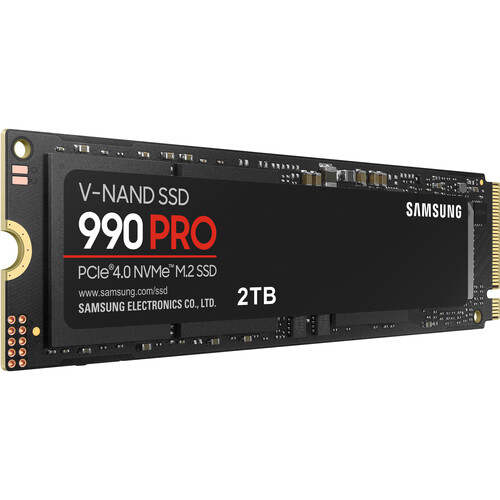
Samsung 990 Pro 2TB
Top Pick — Best OverallBuy if: you want the fastest Gen4 drive and the strongest endurance rating on this list
Don't buy if: your board has a Gen5 slot and the 9100 Pro is the same price — that is pick #3
At $389.99 on Amazon (checked 22 Nov 2026; $387.95 at Newegg, $409.99 as a Best Buy Black Friday deal), the 990 Pro 2TB is the safest flagship buy for most players. It is rated at 7,450 MB/s read, uses TLC NAND throughout, and carries a 1,200 TBW endurance rating on the 2TB model — the spec that actually matters for a drive you plan to keep for years. Tom's Hardware still names it the best overall SSD for gaming, and that verdict has survived the price rises: it costs about the same as the Gen5 drives this week.
One honest caveat: the heatsink version's price is chaos right now — Samsung's own store shows $209.99 for one part number and $669.99 for another, and Best Buy lists it between $629.99 and $669.99. Buy the bare drive and use your motherboard's heatsink, or check the exact part number before paying for the heatsink version. Early units also had a firmware bug that made health readings drop; 2026 retail stock ships fixed, but run Samsung Magician's firmware check on day one.
Pros
- Fastest Gen4 read speed here (7,450 MB/s)
- TLC NAND and a 1,200 TBW endurance rating
- Mature controller, widely reviewed and tested
- Same price as the Gen5 flagships this week
Cons
- Heatsink version pricing is chaotic — check the part number
- Premium price for speed you mostly feel in installs, not loads
- 1TB version costs $206.90 — worse value per gigabyte
Full specifications
- Read/write: up to 7,450 / 6,900 MB/s; PCIe Gen4 x4 NVMe, M.2 2280, TLC NAND
- 5-year warranty, 1,200 TBW (2TB model)
- Price $389.99 Amazon, checked 22 Nov 2026
Prices change frequently — click through to see today's price for the exact 2TB version.
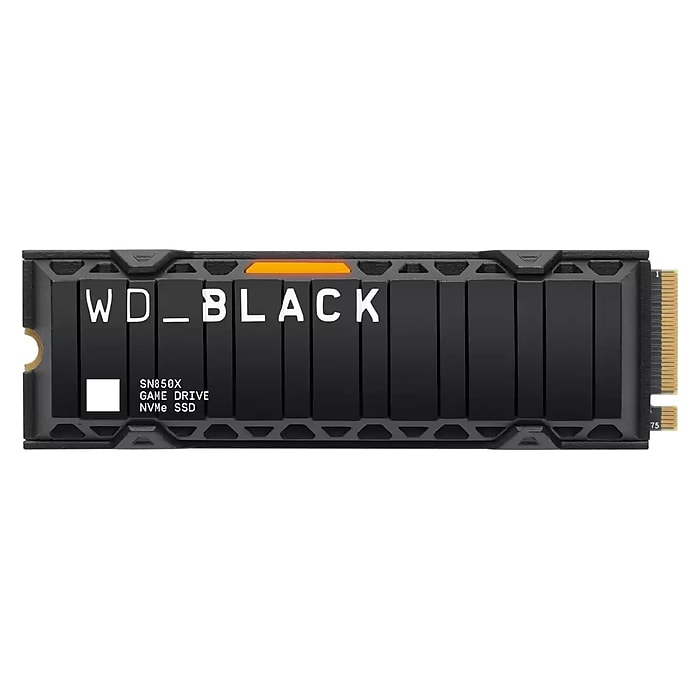
WD_BLACK SN850X 2TB
Best Value FlagshipBuy if: you want flagship speed for $40 less than the 990 Pro
Don't buy if: you want the heatsink version — it costs as much as the bare 990 Pro, so check the version first
At $349.99 on Amazon (checked 22 Nov 2026), the SN850X 2TB is $40 less than the 990 Pro for speed you will not feel the difference of — 7,300 MB/s read, a DRAM cache, and WD's Game Mode 2.0, which trims latency in supported titles. PCGamesN's hands-on testing still puts it first among gaming SSDs, and it is the drive most general roundups converge on when the 990 Pro's premium is not justified.
Two things to know before you buy. First, WD is moving its Black drives to the SanDisk brand — listings now note the SN850X is replaced by the SanDisk Optimus GX PRO 850X, so do not be surprised if the box or the listing name changes; it is the same drive family. Second, the heatsink version costs $389.99 — the same as the bare 990 Pro — so buy the bare drive if your motherboard has its own heatsink.
Pros
- $40 less than the 990 Pro for near-identical speed
- DRAM cache — big installs stay fast throughout
- Game Mode 2.0 for supported titles
- Widely tested and widely stocked
Cons
- Heatsink version costs as much as the bare 990 Pro
- Brand name is changing to SanDisk Optimus GX — listings may vary
- 4TB version is far pricier per gigabyte
Full specifications
- Read/write: up to 7,300 / 6,600 MB/s; PCIe Gen4 x4 NVMe, M.2 2280, TLC NAND
- Price $349.99 Amazon (heatsink version $389.99), checked 22 Nov 2026
Prices change frequently — click through to see today's price for the exact 2TB version.
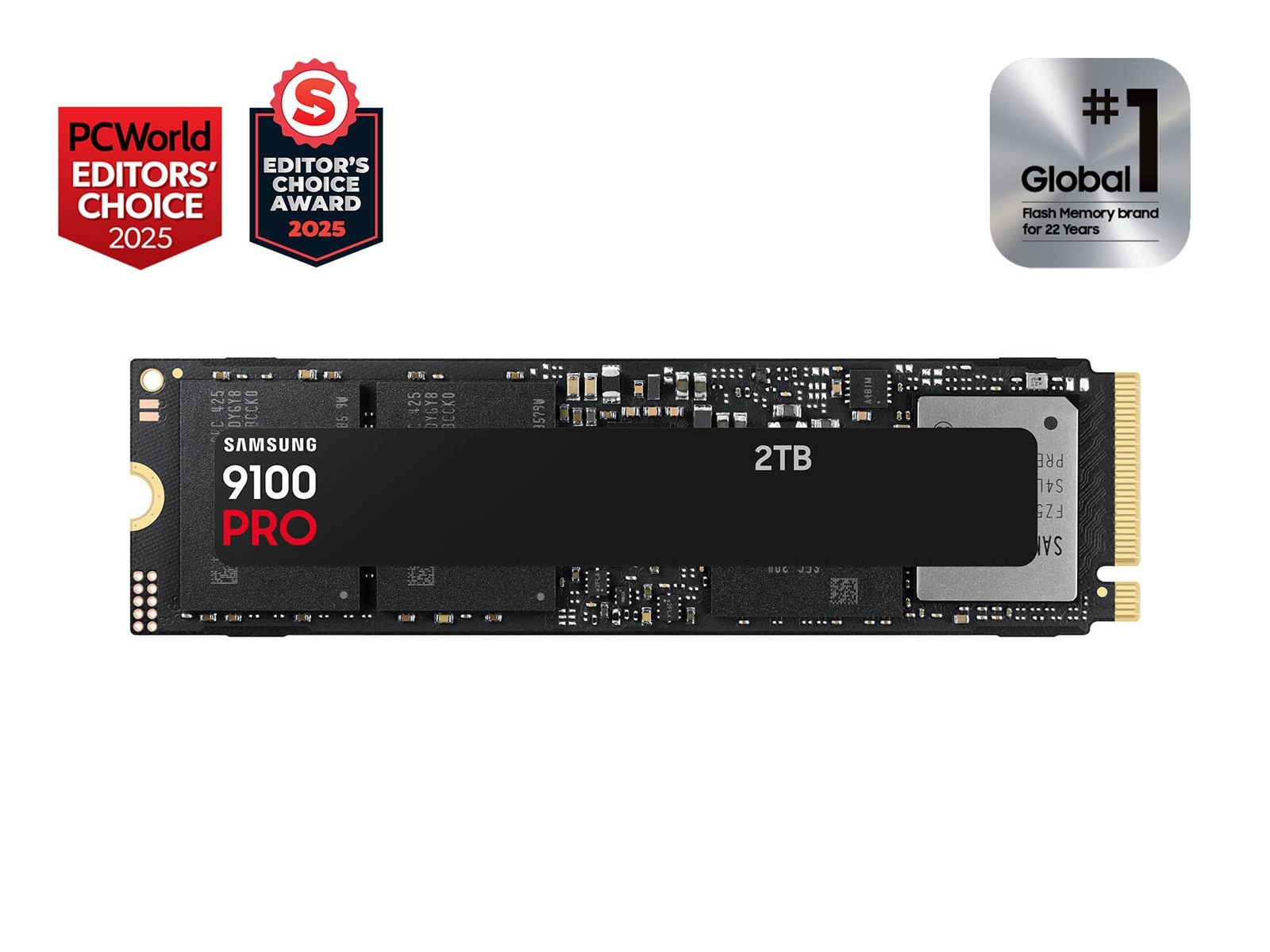
Samsung 9100 Pro 2TB
Best Gen5Buy if: your motherboard has a Gen5 slot and you want the fastest drive here for Gen4 money
Don't buy if: your board is Gen4-only — this drive runs at Gen4 speed in it, so buy pick #1 instead
At $349.99 on Amazon and Best Buy (checked 21–22 Nov 2026), the 9100 Pro 2TB costs the same as the Gen4 flagships — which is the whole story. It is rated at 14,700 MB/s read, roughly double the 990 Pro's headline number, and in a normal market that would cost a premium. This week it does not. If your motherboard has a Gen5 M.2 slot, this is the fastest drive on this list for the same money.
Here's the thing: twice the headline speed does not mean twice the game loads. Tom's Hardware measured about 0.05 seconds of average load-time difference between Gen5 and Gen4, and a DirectStorage test of Forspoken put Gen5 at 10.48 seconds against Gen4's 10.87. You are buying headroom for DirectStorage titles and creator work, not faster-feeling games — and you still need cooling, because an uncooled Gen5 drive can hit 86°C and collapse to around 100 MB/s under sustained writes.
Pros
- Fastest drive here on paper (14,700 MB/s)
- Same price as the Gen4 flagships this week
- TLC NAND and a mature Samsung controller
- Best pick for DirectStorage and creator-gaming hybrids
Cons
- Needs a heatsink or strong airflow — throttles uncooled
- No benefit over Gen4 in most games today
- Heatsink version runs about $497
Full specifications
- Read: up to 14,700 MB/s; PCIe Gen5 x4 NVMe, M.2 2280, TLC NAND
- Price $349.99 Amazon / Best Buy, checked 21–22 Nov 2026
Prices change frequently — click through to see today's price for the exact 2TB version.
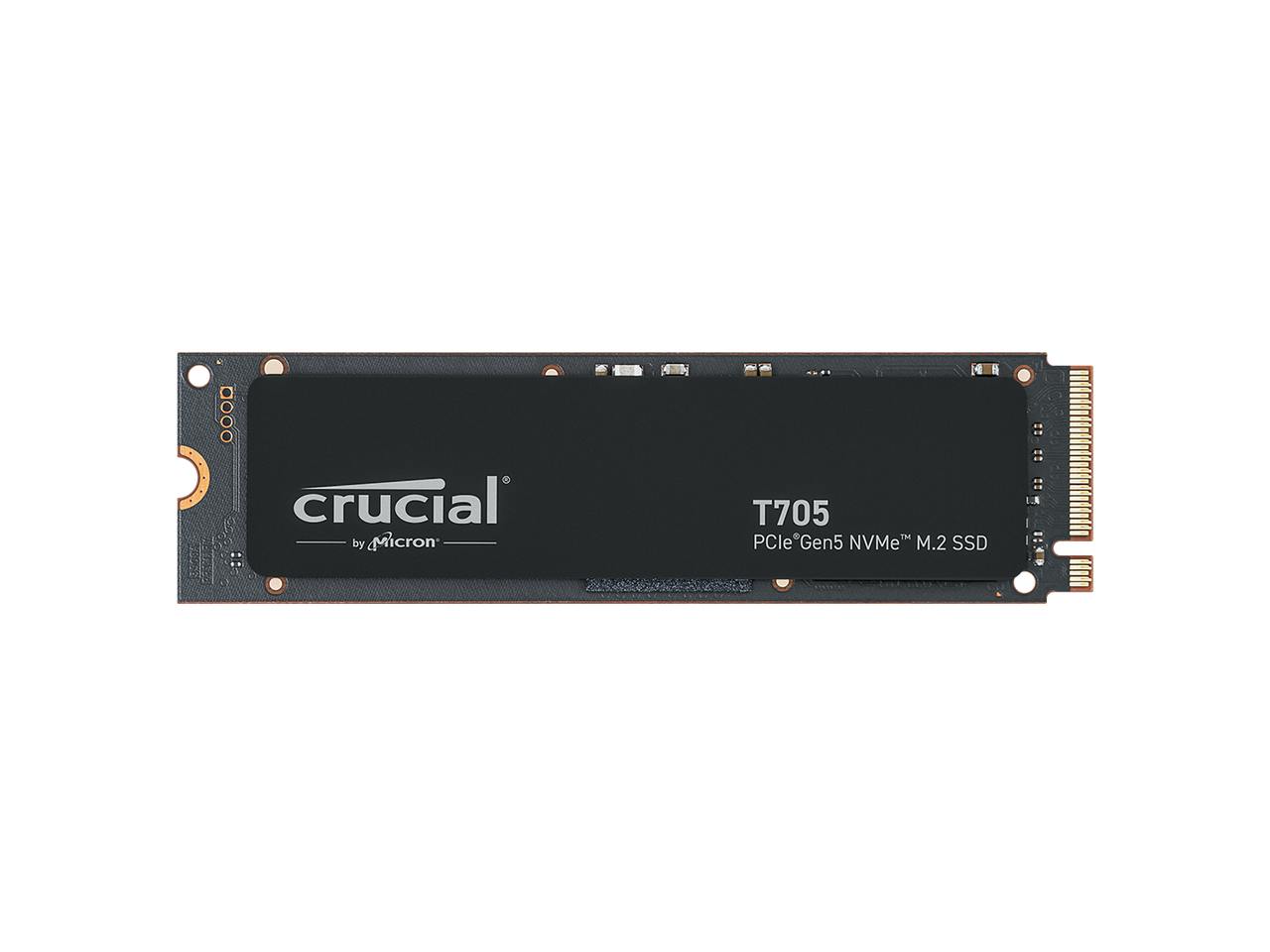
Crucial T705 2TB
Best Gen5 AlternativeBuy if: you want the long-tested Gen5 flagship, or its heatsink version is cheaper than the 9100 Pro's on the day
Don't buy if: the listing shows a third-party seller at a wild price — that is the stock thinning out, not a deal
At $349.99 bare ($385 with heatsink, checked 22 Nov 2026), the T705 2TB is the other Gen5 flagship at the same price as the 9100 Pro — 14,500 MB/s read, TLC NAND, and the fastest drive in several independent roundups that test Gen5 hardware. Pick it over the 9100 Pro when the heatsink version is cheaper on the day, or when you want the drive with the longer track record in Gen5 testing.
The same cooling rule applies, and it is not theoretical: without active cooling the T705 hit 82°C and throttled within 90 seconds in testing. Use the heatsink version or your motherboard's M.2 heatsink — never run it bare in a case with no airflow over the slot. One availability note: Micron ended Crucial consumer shipments in February 2026, so the T705 is old stock now. If the listing shows a third-party seller at a wild price, that is the stock thinning out, not a deal.
Pros
- 14,500 MB/s read — effectively tied with the 9100 Pro
- TLC NAND with strong sustained-write behaviour
- Heatsink version available for $385
- Long track record in Gen5 testing
Cons
- Throttles fast without cooling — a heatsink is effectively mandatory
- Old stock — Micron ended Crucial consumer shipments in Feb 2026
- 1TB version drops to 13,600 MB/s
Full specifications
- Read: up to 14,500 MB/s; PCIe Gen5 x4 NVMe, M.2 2280, TLC NAND
- Price $349.99 bare / $385 with heatsink, checked 22 Nov 2026
Prices change frequently — click through to see today's price for the exact 2TB version.
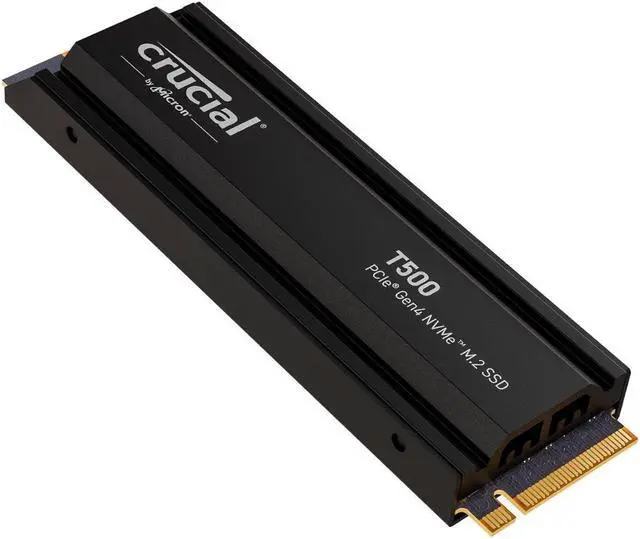
Crucial T500 4TB
Best for Big LibrariesBuy if: you want to fill the slot once and stop managing installs entirely
Don't buy if: you only play a handful of games — 2TB already covers most libraries
At $649.99 with heatsink at Walmart (checked 19 Nov 2026), the T500 4TB is the fill-it-once pick — 7,400 MB/s Gen4 speed with room for a whole library, so you stop managing installs entirely. It is the same drive family as the PS5-ready T500 in our console guide, and the 4TB version doubles the 2TB model's endurance to 2,400 TBW.
The 2TB version's price is volatile right now — Crucial's own store listed it at $264.99 on 5 Nov while Amazon marketplace listings ran far higher on 22 Nov — so check the live price rather than trusting any printed figure for that capacity. The same old-stock note as the T705 applies: Micron ended Crucial consumer shipments in February 2026, so buy from a seller you trust and check the listing, not just the model name.
Pros
- 4TB means no more uninstall shuffle
- 7,400 MB/s — effectively tied with the premium Gen4 drives
- Heatsink version available
- 2,400 TBW endurance on the 4TB model
Cons
- 2TB price is volatile — check live before buying
- Old stock — Micron ended Crucial consumer shipments in Feb 2026
- Gen4 only — no Gen5 headroom
Full specifications
- Read: up to 7,400 MB/s; PCIe Gen4 x4 NVMe, M.2 2280, TLC NAND
- Price $649.99 with heatsink, Walmart, checked 19 Nov 2026
Prices change frequently — click through to see today's price for the exact 4TB version.
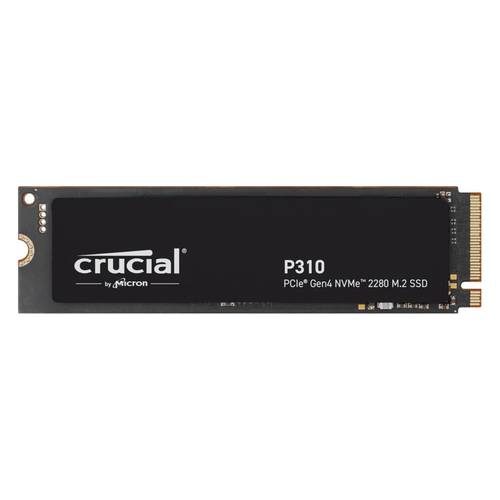
Crucial P310 2TB
Best BudgetBuy if: you want the cheapest 2TB drive here for a games-only library
Don't buy if: this is your only drive — a QLC drive with no DRAM cache is a weak OS drive
At $282–$314 on Amazon (checked 21 Nov 2026), the P310 2TB is the cheapest way onto this list — a Gen4 drive rated at 7,100 MB/s read that loads games as fast as the flagships in most tests. For a game library, where reads dominate, it is genuinely hard to fault at this price.
The caveat is real, and it is the reason this card is last, not first. The P310 is QLC NAND with no DRAM cache, so once its pseudo-SLC cache fills during a very large install, write speeds can collapse to 80–150 MB/s — slower than a hard drive. Its 440 TBW endurance is also a third of the TLC drives here. Buy it for a games-only drive, not as your OS drive, and never judge it by the 7,100 MB/s headline alone.
Pros
- Cheapest 2TB drive on this list
- 7,100 MB/s read — game loads match the flagships
- Also sold in 2230 for handhelds
- Low power, runs cool
Cons
- QLC NAND — sustained writes can collapse to 80–150 MB/s
- No DRAM cache (uses HMB instead)
- 440 TBW — a third of the TLC picks
Full specifications
- Read: up to 7,100 MB/s; PCIe Gen4 x4 NVMe, M.2 2280 (2230 version available), QLC NAND
- Price $282–$314 Amazon, checked 21 Nov 2026
Prices change frequently — click through to see today's price for the exact 2TB version.
Is a Gen5 SSD Worth It for Gaming?
Only if your motherboard has a Gen5 slot and the price matches Gen4 — which it does this week. A Gen5 drive in a Gen4 slot runs at Gen4 speed, so the extra money buys nothing. And even in a Gen5 slot, the measured gain is tiny: Tom's Hardware found about 0.05 seconds of average load-time difference, and a DirectStorage test of Forspoken put Gen5 at 10.48 seconds against Gen4's 10.87.
The slot decides, not the speed.
DirectStorage 1.4 arrived at GDC 2026 with Zstandard compression, and it should widen the gap over time — but only a handful of games use it today. My take: if your board has a Gen5 slot, buy Gen5 — it costs the same this week. If it doesn't, don't spend a dollar chasing it. The other Gen5 flagship, the WD_BLACK SN8100 2TB, was $469 on Amazon on 21 Nov — about $120 more than the 9100 Pro and T705 for the same practical speed. Skip it unless its price falls to match.
How Much SSD Storage Do I Need for Gaming?
2TB for most players. Modern AAA games run 80 to 150GB each and some pass 200GB — Call of Duty and Baldur's Gate 3 are both around 150GB — so after Windows takes about 64GB and you keep 10–20% of the drive free for performance, a 1TB drive holds roughly five to eight big games. A 2TB drive holds twelve to fifteen and costs less per gigabyte.
1TB works if you play a handful of games and don't mind uninstalling. 4TB is for players who refuse to uninstall anything. Or maybe I should say it this way: buy the capacity that ends the uninstall ritual, not the one that starts it again in six months.
Does a Faster SSD Improve FPS?
No. A faster SSD loads games quicker and moves big installs faster, but it does not change frame rate, resolution or graphics quality — those come from your GPU and CPU. Once a game is loaded into memory, the drive's job is mostly done.
What a faster drive does change is the time between clicking Play and playing, and how long shader compilation and level loads take. The honest scale: going from a hard drive to any NVMe SSD is dramatic; going from Gen4 to Gen5 is about 0.05 seconds on an average load. Buy the SSD for load times and capacity, and spend the FPS money on the graphics card — see our guide to the most important parts of a gaming PC.
Do I Need a Heatsink on My NVMe SSD?
For Gen5, yes — a heatsink is effectively mandatory. Early uncooled Gen5 drives hit 86°C and collapsed to around 100 MB/s under sustained writes, and the T705 throttled within 90 seconds without active cooling. Use the heatsink version or your motherboard's M.2 heatsink, and make sure there is airflow over the slot.
Cooling is not optional for Gen5.
For Gen4, usually not. Most Gen4 drives run fine under a motherboard heatsink or even bare in a case with decent airflow, though a heatsink never hurts. The exception is a drive in a cramped case with no airflow — if your SSD sits above 70°C under load, add cooling. NAND itself only tolerates about 70–85°C, even though the controller can take far more.
Why Are SSD Prices So High Right Now?
Because memory makers are selling to AI data centres first. TrendForce's 30 September forecast put NAND contract prices up 15–20% in the fourth quarter of 2026, and the 990 Pro 1TB went from $109.99 in November 2025 to $199.99 by January 2026. Client SSD contract prices rose under 5% in the same quarter — the squeeze hits retail harder than contracts, which is why street prices tripled while the forecasts stayed modest.
I've seen conflicting data — TrendForce still forecasts NAND contract prices rising 8–13% this quarter, yet spot prices have already fallen more than 20% and one bank expects contract prices to dip 5–10% early next year. My read is retail stays near today's highs through Black Friday, so buy on today's price, not on a hoped-for drop.
Black Friday falls on 27 Nov, five days after this guide publishes, and no storage brand had announced Black Friday pricing as of 7 Nov. Every Black Friday price target circulating is an analyst estimate — never a price. Check the live price on the day you buy, and see our SSD and storage deals guide for the dated prices we are tracking into the sale.
Is the Samsung 990 EVO Plus a Gen5 SSD?
No. Samsung's own page titles it the "990 EVO Plus Gen4 NVMe SSD" — it is a PCIe 4.0 x4 / 5.0 x2 drive rated at 7,250 MB/s, and several roundups still call it a Gen5 drive. The x2 part is the giveaway: a real Gen5 drive uses four Gen5 lanes, and the EVO Plus uses two, so it tops out at Gen4 speeds.
It is also DRAM-less, using Host Memory Buffer instead of its own cache, which makes it a weaker OS drive than the TLC picks here. None of that makes it a bad drive — at around $350 street it is a fine Gen4 value pick — but buy it as a Gen4 drive, not as a cheap way into Gen5.
How to Install an M.2 SSD in Your Gaming PC
Installation takes about ten minutes and one small Phillips screwdriver. The outline: power down and unplug the PC, remove the side panel, find the M.2 slot and take out its screw, slide the drive in at an angle, screw it down, replace the motherboard heatsink if there is one, then boot up and format the drive in Windows Disk Management. Formatting erases everything on the drive, so never format one that already holds data you need.
Check two things before you buy the drive: that your motherboard has a free M.2 slot, and whether it is Gen4 or Gen5 — a Gen5 drive in a Gen4 slot works fine, just at Gen4 speed. A 2280 drive is the desktop standard; 2230 is for handhelds like the Steam Deck, so never order a 2280 for a handheld slot. If you're not sure you've got a Gen5 slot, don't guess — check the manual, it's a two-minute job.
To install an M.2 SSD in your gaming PC, follow these steps: 1. Power down and unplug the PC. 2. Remove the side panel. 3. Find the M.2 slot and remove its screw. 4. Slide the drive in at an angle. 5. Screw it down and replace the heatsink. 6. Boot up and format the drive.
Buying Guide: What Actually Matters
- Capacity before speed. 2TB for most players, 1TB for light libraries, 4TB for collectors. Every drive here clears the speed bar by a wide margin.
- The slot decides Gen4 vs Gen5. Gen5 in a Gen4 slot runs at Gen4 speed. Buy Gen5 only when the board supports it and the price matches.
- TLC over QLC for the OS drive. QLC is fine for a games-only library, but its sustained writes collapse once the cache fills — and its endurance is a third of TLC.
- DRAM cache matters for big installs. DRAM-less drives borrow system memory for their mapping tables and slow down on very large writes; prefer a real cache for your main drive.
- Heatsink for Gen5, airflow for Gen4. A Gen5 drive without cooling throttles fast. Gen4 is usually fine under a motherboard heatsink.
- Check the version, not just the name. Bare vs heatsink, 1TB vs 2TB, Gen5 x2 vs x4 — the same model name covers very different drives at very different prices.
- Price on the day, not in a guide. Storage prices are moving fast in late 2026, so compare the exact versions live rather than trusting any printed figure — including older figures in other roundups.
- 2280 vs 2230. 2280 is the desktop standard; 2230 fits handhelds like the Steam Deck. Never order a 2280 for a handheld slot.
Anyway, the short version: buy 2TB, buy TLC, buy the heatsink version for Gen5, and check the live price before you pay.
Frequently Asked Questions
What's the best SSD for a gaming PC in 2026?
The Samsung 990 Pro 2TB — fastest Gen4 speeds, 1,200 TBW endurance, and $389.99 on Amazon when checked 22 Nov 2026.
Is a Gen5 SSD worth it for gaming?
Only if your board has a Gen5 slot and the price matches Gen4. Load times improve by about 0.05 seconds on average — a gap no one can feel.
How much SSD storage do I need for gaming?
2TB for most players — roughly twelve to fifteen big games after Windows and a free-space reserve. 1TB holds five to eight; 4TB is for collectors.
Does a faster SSD improve FPS?
No. It shortens load times and big installs, but frame rate comes from your GPU and CPU. Once a game is loaded, the drive's job is mostly done.
Do I need a heatsink on my NVMe SSD?
For Gen5, yes — uncooled Gen5 drives throttle fast. For Gen4, a motherboard heatsink or decent airflow is usually enough.
Is the Samsung 990 EVO Plus a Gen5 SSD?
No. It is a Gen4 drive with a Gen5 x2 interface, rated at 7,250 MB/s. Samsung's own page calls it a Gen4 NVMe SSD.
Can I use the same SSD for PC and PS5?
A Gen4 drive can move between them, but the PS5 needs the heatsink version and at least 5,500 MB/s. See our PS5 SSD guide for the exact rules.
Final Word
Buy the 990 Pro 2TB if you want the default. Buy the SN850X 2TB if you want the same speed for $40 less. Buy the 9100 Pro or T705 if your board has a Gen5 slot — they cost the same this week. And whatever you buy, check the live price first: in this market, yesterday's price is not today's.