Best 1440p Gaming Monitors in 2026: 6 Picks for Every Budget

You've watched the Monitors Unboxed video, skimmed Reddit, and compared three Amazon listings — and you're more confused than when you started. Every "best 1440p monitor" list disagrees, the OLED ones all look the same on paper, and you're afraid of buying a $350 screen that burns in, looks dim in your bright room, or wastes money on hertz your graphics card will never reach. This guide fixes that. Six picks, one per budget tier, with the traps the spec sheets hide called out in plain words.
Best 1440p gaming monitors refers to 27-inch displays at 2560×1440 built for fast, smooth play. The sweet spot is 240Hz on an OLED panel or 180–210Hz on a good IPS panel — fast enough for competitive shooters without the price or GPU demands of 4K.
Below: the 6 best 1440p gaming monitors you can buy in 2026 — two budget IPS picks, one Mini LED, and three OLEDs — ranked by what they actually deliver at your desk. Prices checked 23 Nov 2026. Read the size check first if you're torn between 27 and 32 inches. Start there.
What Size Monitor Is Best for 1440p Gaming?
27 inches. For almost everyone, at a normal desk, 27 inches is the answer — and the math is simple. A 27-inch 1440p panel packs 109 pixels per inch, so text stays sharp and you can't pick out individual pixels at arm's length. Stretch the same 2560×1440 across 32 inches and density falls to 92 PPI, which is the same as a 24-inch 1080p screen. It looks softer up close. Same pixels, bigger holes between them.
27-inch monitors are the best size for 1440p gaming because the pixel density hits 109 pixels per inch — sharp at a normal desk distance. A 32-inch panel stretches the same 2560×1440 over more inches, dropping to 92 PPI, which looks softer up close. Per November 2026 guides, 32-inch 1440p fits only deep desks or sim rigs.
Whether 240Hz is worth it depends on your GPU and your games. According to GeekAWhat's November 2026 testing, a 240Hz OLED only pays off if your graphics card holds 200+ frames per second in the games you actually play. Below that, a 180–210Hz IPS panel looks the same in motion and costs half as much.
One myth to kill before you buy: a bigger screen does not lower your frame rate. The GPU renders 2560×1440 pixels either way — the physical size of the panel changes nothing about the workload. A 32-inch monitor and a 27-inch monitor at the same resolution run the same game at the same speed.
So when does 32-inch 1440p make sense? A deep desk — 30 inches or more from your eyes to the screen — or a sim-racing rig where the panel fills your view. Anywhere else, buy the 27-inch panel and pocket the difference. Bigger isn't sharper here.
IPS, Mini LED or OLED: Which Panel Should You Buy?
Start with your room, not the spec sheet. If you game in a bright room or in front of a window, buy IPS or Mini LED. If you game in a dim room and mix competitive shooters with big single-player games, buy OLED. That one choice decides more than any refresh-rate number.
IPS vs OLED: IPS is better suited for bright rooms and all-day work because it holds 350–450 nits across the whole screen and never burns in. OLED works better when you play in a dim room and want perfect blacks, because each pixel makes its own light. The key difference is sustained brightness versus contrast.
OLED is worth it for a gaming monitor if you play in a dim room and mix competitive shooters with single-player games. The per-pixel light gives you perfect blacks and instant response no IPS panel can match. According to GeekAWhat, the Alienware AW2726DM is the cheapest big-brand OLED at $349.99 — the panel that broke OLED pricing in 2026.
Here's the thing: Mini LED sits between the two. The KTC M27T6S below pairs a Fast IPS panel with 1,152 dimming zones, so you get real HDR brightness — 1,000 nits peak — without OLED's burn-in homework or its dim full-screen brightness. It is the pick for the buyer who wants HDR that actually pops and a screen they never have to babysit.
If you don't game in a dark room, don't buy the dimmest OLED just because it's OLED — you'll hate it by noon. The Alienware's 200-nit full-screen brightness is fine with the blinds closed and faint in front of a window. Match the panel to your room first, then your budget.
The 6 Best 1440p Gaming Monitors in 2026
Our Top Pick
Alienware AW2726DM
Best Value OLED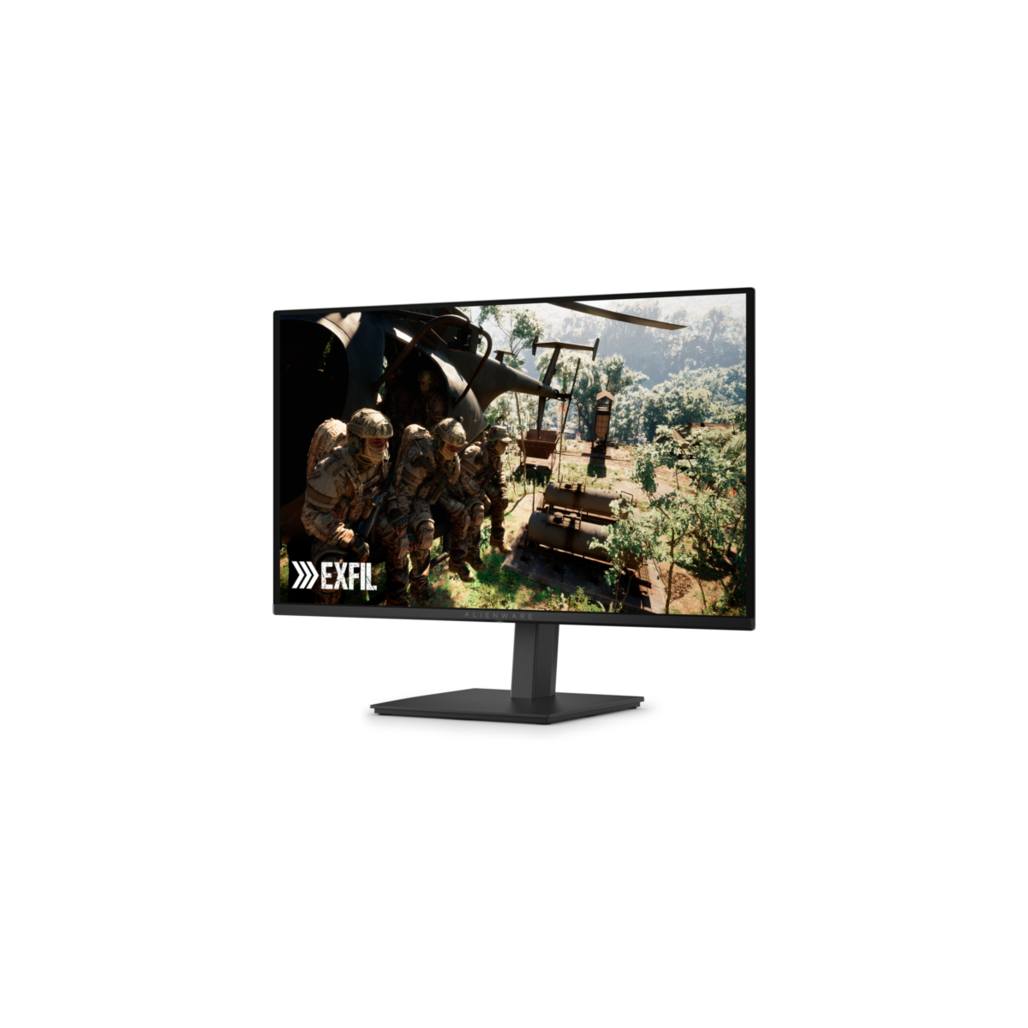
This is the monitor that changed the market. A 240Hz QD-OLED panel at $349.99 — the same third-generation Samsung panel class as monitors that cost far more — with a 3-year burn-in warranty, Advanced Exchange, and Premium Panel Exchange from Dell. PCWorld and Tom's Hardware both rated it 4.5/5. No other pick here gives you OLED for this little money. That's the whole story.
Check Price on AmazonQuick Comparison
| Product | Key Specs | ||
|---|---|---|---|
| #1 | ASUS TUF Gaming VG27AQL5ABest Budget IPS | 27" Fast IPS · 210Hz OC · 0.3ms · $219 | Check Price |
| #2 | KTC M27T6SBest Mini LED on a Budget | 27" Fast IPS + Mini LED · 200Hz · 1,000 nits HDR · $282.62 | Check Price |
| #3 | Alienware AW2726DMBest Value OLED | 26.5" QD-OLED · 240Hz · 0.03ms · $349.99 | Check Price |
| #4 | MSI MAG 273QP QD-OLED X24Best HDR OLED for the Money | 26.5" QD-OLED · 240Hz · 1,000 nits HDR · $429.99 | Check Price |
| #5 | ASUS ROG Strix OLED XG27AQDMG Gen 2Best Bright WOLED | 27" WOLED · 240Hz · 1,300 nits HDR · $529 | Check Price |
| #6 | Gigabyte MO27Q28GBrightest Panel | 27" Tandem WOLED · 280Hz · 1,500 nits HDR · ~$420–480 | Check Price |
Best 1440p Gaming Monitor by Use
All six picks are 1440p, but they suit very different desks. Match the pick to how you actually play:
- Tightest budget: ASUS TUF Gaming VG27AQL5A — $219 gets you 210Hz, a full ergonomic stand, and a brand you already trust.
- Real HDR without OLED: KTC M27T6S — Mini LED with 1,152 zones and 1,000-nit peaks for $282.62, with no burn-in routine.
- Best value OLED: Alienware AW2726DM — 240Hz QD-OLED at $349.99 with Dell's 3-year burn-in warranty.
- Best HDR OLED for the money: MSI MAG 273QP QD-OLED X24 — 1,000-nit HDR peaks and full HDMI 2.1 for $429.99.
- Brightest WOLED picture: ASUS ROG Strix OLED XG27AQDMG Gen 2 — 1,300-nit peaks and a burn-in sensor that watches the room for you, at $529.
- Best premium pick: Gigabyte MO27Q28G — the brightest panel in this guide at 280Hz, about $420–480 depending on the store.
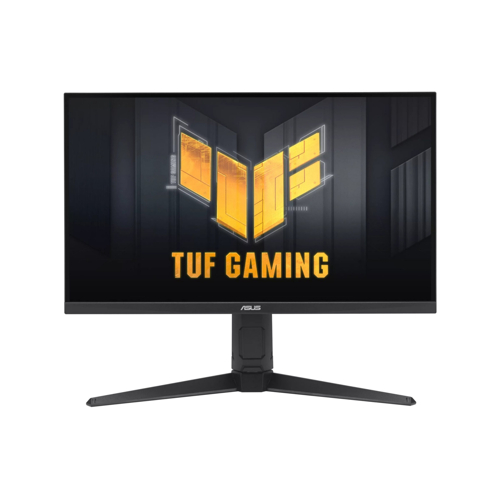
ASUS TUF Gaming VG27AQL5A
Best Budget IPSBuy if: your budget stops at $220 and you still want 210Hz, a full ergonomic stand, and a brand you already trust
Don't buy if: you game in a bright room and need more than 350 nits, or you want HDR that actually looks like HDR
The VG27AQL5A is the cheapest honest way into 1440p high-refresh gaming. At $219 on Amazon (checked 23 Nov 2026), it gives you a 27-inch Fast IPS panel at 210Hz overclocked with a 0.3ms response — close enough to OLED response on paper that you won't feel cheated in fast games. GeekAWhat's hands-on testing found the image vivid, the matte coating well judged, and the viewing angles strong, as you'd expect from IPS.
The stand is the surprise at this price: full height, tilt, swivel, and pivot adjustment, plus a VESA mount if you'd rather arm it. Built-in speakers save you buying a pair for casual use, and the 3-year warranty is the same length as monitors costing twice as much. The honest catch is brightness — the 400-nit peak is the limiting factor, so HDR content looks flat next to the Mini LED and OLED picks below. That's the deal at $219.
Pros
- 210Hz overclocked with 0.3ms response for $219
- Full ergonomic stand plus VESA mount
- Built-in speakers and 95% DCI-P3 colour
- 3-year warranty at a budget price
Cons
- 400-nit peak means HDR is a badge, not an experience
- Plasticky build, though it doesn't feel cheap (GeekAWhat)
- 350-nit SDR brightness trails the KTC below
Full specifications
- 27-inch QHD (2560×1440) Fast IPS panel
- 210Hz refresh rate (overclocked), 0.3ms GtG minimum
- 350 nits SDR / 400 nits peak, DisplayHDR 400
- FreeSync Premium, G-SYNC Compatible, ELMB Sync
- 95% DCI-P3, 10-bit colour, built-in speakers
- DisplayPort + HDMI, full-ergonomic stand, VESA mount, 3-year warranty
Prices change frequently — click through to see today's price.
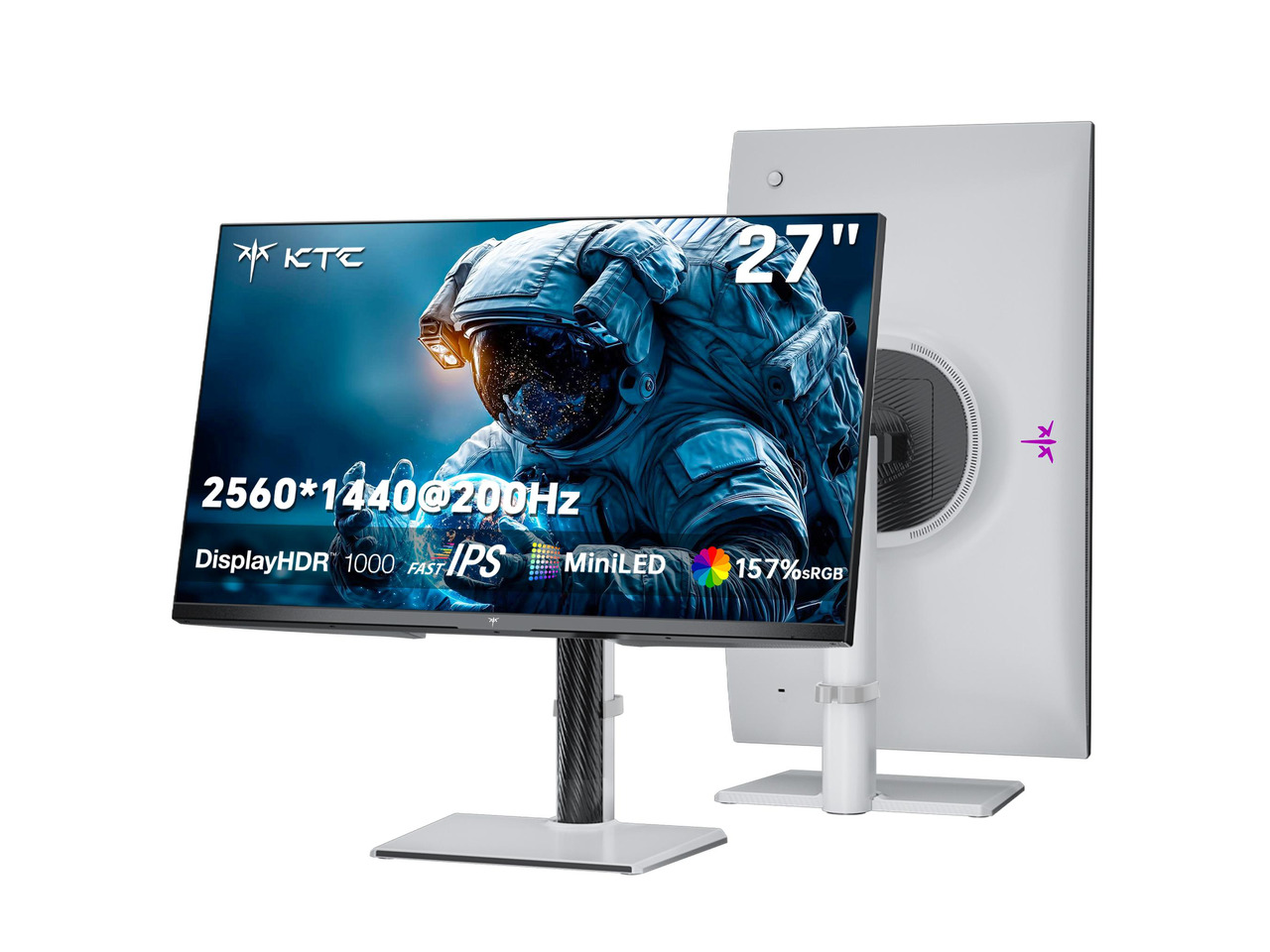
KTC M27T6S
Best Mini LED on a BudgetBuy if: you want HDR that actually pops — 1,000-nit peaks — without OLED's price or its burn-in homework
Don't buy if: you need 240Hz over HDMI (it caps at 144Hz), or the KTC name puts you off
The M27T6S is the value pick most buyers miss. A Fast IPS panel with a Mini LED backlight — 1,152 dimming zones — for $282.62 on Amazon (checked 23 Nov 2026). Those zones give you deep blacks and 1,000-nit HDR peaks that no edge-lit IPS panel can touch, at 450 nits across the whole screen in SDR. GeekAWhat's hands-on testing found the zones simulate some of OLED's benefits, the stand is from another dimension compared with the budget KTC below, and the display feels well built.
The trade-offs are honest. The two HDMI ports are 2.0, so they cap at 144Hz at 1440p — use DisplayPort for the full 200Hz. And KTC is a lesser-known brand with a shorter track record than ASUS or Dell, though the 3-year warranty matches them. For a bright-room gamer who wants real HDR and never wants to think about burn-in, this is the smartest $283 in this guide.
Pros
- Mini LED with 1,152 zones — real HDR for $282.62
- 1,000-nit HDR peak, 450-nit SDR (brightest budget pick here)
- Full height, tilt, swivel, and pivot stand
- No burn-in routine — set it and forget it
Cons
- HDMI 2.0 caps at 144Hz — DisplayPort needed for 200Hz
- 200Hz native (210Hz overclocked), not 240Hz
- Lesser-known brand with a shorter track record
Full specifications
- 27-inch QHD (2560×1440) Fast IPS + Mini LED, 1,152 zones
- 200Hz refresh rate (210Hz overclocked), 1ms MPRT
- 450 nits SDR / 1,000 nits HDR, HDR 1000
- FreeSync and G-SYNC Compatible
- 100% sRGB / 98% DCI-P3 / 99% Adobe RGB
- DisplayPort 1.4 + 2× HDMI 2.0, full-ergonomic stand, 3-year warranty
Prices change frequently — click through to see today's price.
Alienware AW2726DM
Best Value OLEDBuy if: you want OLED at the lowest honest price — 240Hz, perfect blacks, and Dell's 3-year burn-in warranty
Don't buy if: you game in a bright room, need a USB hub or speakers, or want 240Hz over HDMI
The AW2726DM is the monitor that broke OLED pricing. A 26.5-inch QD-OLED panel at 240Hz with a 0.03ms response, listed at $349.99 on Dell's US store (checked 12 Nov 2026) — the same third-generation Samsung panel class as monitors that cost far more. PCWorld and Tom's Hardware both rated it 4.5/5, and RTINGS-cited guides call it the best budget OLED at 1440p.
I've seen conflicting data — some guides list the Alienware as DisplayHDR True Black 400, others say it has no VESA certification at all. My read is that Dell's own page lists no VESA cert, so I print HDR10 only and judge the panel on its 400-nit peak instead.
The honest catch is brightness: 200 nits across the whole screen and a 400-nit peak. GeekAWhat found it superb with the blinds closed and faint in front of a window, and the stand a bit plastic and basic. The HDMI ports wear a 2.1 label but cap at 120Hz at 1440p — DisplayPort is the cable for 240Hz. No USB hub, no speakers. None of that matters at $349.99 if your room is dim.
Pros
- Cheapest honest OLED — 240Hz QD-OLED for $349.99
- 3-year burn-in warranty with Advanced Exchange and Premium Panel Exchange (Dell)
- 99% DCI-P3, infinite contrast, 0.03ms response
- DisplayPort and HDMI cables included in the box
Cons
- Dim — 200 nits SDR, 400-nit peak; faint in bright rooms
- HDMI caps at 120Hz despite the 2.1 label
- No USB hub or speakers; stand feels basic
Full specifications
- 26.5-inch QHD (2560×1440) QD-OLED, 3rd-generation Samsung panel
- 240Hz refresh rate, 0.03ms GtG response
- 200 nits SDR / 400 nits HDR peak, HDR10 (no VESA DisplayHDR certification on Dell's page)
- DisplayPort 1.4 (240Hz) + 2× HDMI 2.1 (1440p @ 120Hz max)
- FreeSync Premium, VESA AdaptiveSync, 99% DCI-P3
- 3-year warranty including burn-in, Advanced Exchange, Premium Panel Exchange
Prices change frequently — click through to see today's price.
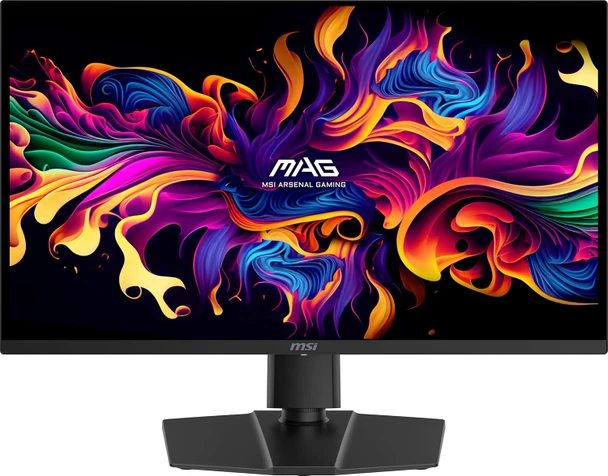
MSI MAG 273QP QD-OLED X24
Best HDR OLED for the MoneyBuy if: you want the HDR headroom the Alienware lacks — 1,000-nit peaks — plus full HDMI 2.1
Don't buy if: $429.99 already stretches it — the Alienware is $80 less for the same panel class
The 273QP is the same third-generation QD-OLED panel as the Alienware, tuned for brighter HDR. At $429.99 on Amazon in early November (PCGuide, 5 Nov 2026 — 14% off the $499.99 list), it pushes a 1,000-nit HDR peak against the Alienware's 400, with 250 nits across the whole screen instead of 200. GeekAWhat found the extra headroom pays off exactly where you'd expect — flashbangs, explosions, bright skies — and the stand and build quality feel better in pretty much every way.
The other upgrade is the ports: two full HDMI 2.1 inputs at 48Gbps, so a console or a second PC gets the full 240Hz without DisplayPort. MSI's OLED Care 2.0 runs the pixel-refresh routine, and the 3-year warranty covers burn-in. One warning: the price moves fast in Black Friday week, so check the live price before you buy — $429.99 was the early-November Amazon figure, not a promise.
Pros
- 1,000-nit HDR peak — real HDR headroom over the Alienware
- Full HDMI 2.1 (48Gbps) — 240Hz without DisplayPort
- Better stand and build quality than the Alienware (GeekAWhat)
- 3-year burn-in warranty, OLED Care 2.0
Cons
- $80 more than the Alienware for the same panel class
- 250-nit SDR is still dim in bright rooms
- Price moves fast — verify the live price first
Full specifications
- 26.5-inch QHD (2560×1440) QD-OLED, 3rd-generation Samsung panel
- 240Hz refresh rate, 0.03ms GtG response
- 250 nits SDR / 1,000 nits HDR peak, DisplayHDR True Black 400
- 2× HDMI 2.1 (48Gbps) + DisplayPort 1.4a
- MSI OLED Care 2.0, 99% DCI-P3, Delta E ≤2
- 4-way adjustable stand, 3-year warranty including burn-in
Prices change frequently — click through to see today's price.
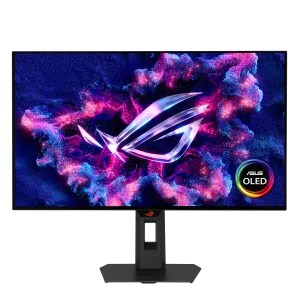
ASUS ROG Strix OLED XG27AQDMG Gen 2
Best Bright WOLEDBuy if: you want the brightest WOLED picture here — 1,300-nit peaks — plus a sensor that guards against burn-in while you play
Don't buy if: $529 is too much for 240Hz — the MSI saves you $100 with a smaller HDR peak
The XG27AQDMG Gen 2 is the WOLED answer to the QD-OLED picks above. A true 27-inch third-generation LG WOLED panel with a TrueBlack Glossy coating, 240Hz, and a 1,300-nit HDR peak — the biggest in this guide short of the Gigabyte below — at $529 on Amazon (checked 23 Nov 2026). GeekAWhat called it the best example of ROG value yet, and the jump from the Alienware's 200 nits to 275 nits across the whole screen is the difference you actually notice day to day.
The feature that sets it apart is the Neo Proximity Sensor, part of ASUS OLED Care Pro: it detects when you step away and drops the screen to black, so static images never sit burning in while you're at the fridge. Add a USB hub, G-Sync Compatible plus FreeSync Premium Pro, a compact stand that takes up 30% less desk than the old ROG stands, and a 24.5-inch esports aspect mode for competitive players. The glossy coating shows reflections in bright rooms, and 275 nits is still modest — but this is the brightest WOLED picture at this price.
Pros
- 1,300-nit HDR peak — brightest WOLED picture at this price
- Neo Proximity Sensor drops the screen to black when you leave
- G-SYNC Compatible and FreeSync Premium Pro, USB hub
- 3-year warranty including burn-in, compact stand
Cons
- $529 — $100 more than the MSI for the same 240Hz
- 275-nit SDR is still modest for bright rooms
- Glossy coating shows reflections in bright light
Full specifications
- 27-inch QHD (2560×1440) WOLED, LG 3rd-generation, TrueBlack Glossy
- 240Hz refresh rate, 0.03ms GtG response
- 275 nits SDR / 1,300 nits HDR peak, DisplayHDR True Black 400
- DisplayPort 1.4 (DSC) + 2× HDMI 2.1 + USB hub
- G-SYNC Compatible, FreeSync Premium Pro, ELMB
- ASUS OLED Care Pro, Neo Proximity Sensor, 24.5-inch esports mode, 3-year warranty including burn-in
Prices change frequently — click through to see today's price.
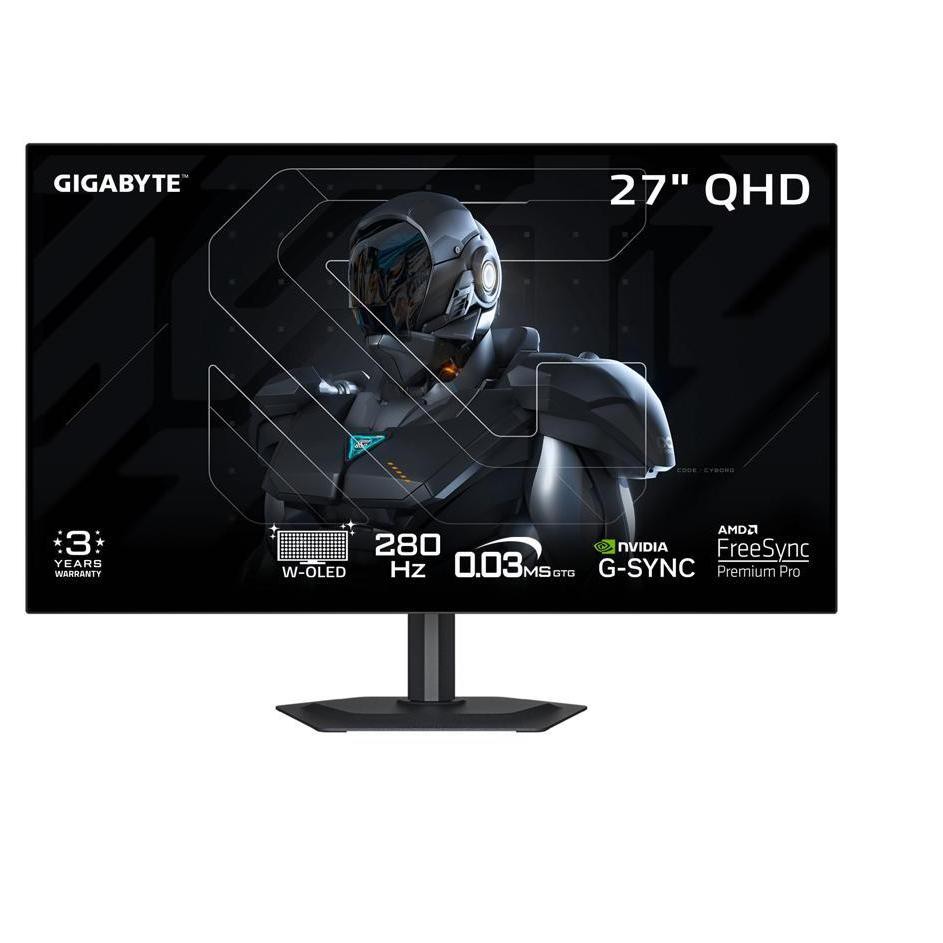
Gigabyte MO27Q28G
Brightest PanelBuy if: you want the brightest panel in this guide — 280Hz, 1,500-nit peaks, USB-C and KVM in one screen
Don't buy if: you want glossy — this is the matte one — or 240Hz is already more than your GPU feeds
The MO27Q28G is the brightest 1440p panel in this guide, and the fastest. A 27-inch fourth-generation tandem WOLED panel — LG's Primary RGB Tandem, the same panel family as the LG UltraGear 27GX700A-B — running 280Hz with 335 nits across the whole screen and a 1,500-nit HDR peak. Street price runs about $420–480 depending on the store: $419.99 at Target and $479.99 at Best Buy (both checked 23 Nov 2026), against a $599.99 list.
It is also the most complete screen here. USB-C with DisplayPort Alt mode and 18W power delivery, a KVM switch for two machines, and a matte coating that suits bright rooms where the glossy ASUS above would mirror your window. RTINGS tested this exact model, and Gearzon's November comparison calls it the lowest OLED price in the class. One trap to dodge: the MO27Q28GR is the glossy twin at a different price — check the suffix, because the G is matte and the GR is glossy, and retailers mix them up.
Pros
- Brightest panel here — 335 nits SDR, 1,500-nit HDR peak
- 280Hz native on a fourth-generation tandem WOLED
- USB-C with KVM — one screen for a PC and a laptop
- Matte coating suits bright rooms
Cons
- Street price swings $420–480 by store — check both
- Don't confuse it with the glossy MO27Q28GR
- 280Hz needs a strong GPU to matter
Full specifications
- 27-inch QHD (2560×1440) Tandem WOLED, LG 4th-generation Primary RGB Tandem
- 280Hz refresh rate, 0.03ms GtG response
- 335 nits SDR / 1,500 nits HDR peak, DisplayHDR True Black 500
- DisplayPort 1.4 + 2× HDMI 2.1 + USB-C (DP Alt, 18W PD) + KVM
- FreeSync Premium Pro, G-SYNC Compatible
- GIGABYTE AI OLED Care, matte coating, 3-year warranty including burn-in
Prices change frequently — click through to see today's price.
Worth a Look, Not a Pick
Seven more monitors came up in research. Each is worth one line — and one caveat:
- LG UltraGear 27GX704A-B — the console pick: 26.5-inch 3rd-gen WOLED, 240Hz, full 240Hz over HDMI 2.1, but only a 2-year burn-in warranty; $349.99 is Black Friday-week pricing, list $499.99.
- LG UltraGear 27GX700A-B — RTINGS' best 1440p 240Hz monitor: 27-inch 4th-gen tandem WOLED, 280Hz, up to 1,500 nits; $399.99 is a Black Friday promotion, list $849.99.
- AOC Q27GAZDV — the cheapest honest 240Hz QD-OLED at a $379.99 list; $319.99 is the Black Friday-week price (19–30 Nov).
- KTC H27T22C-3 — the cheapest IPS in this guide at $174.99 with the brightest budget panel (450 nits), but a tilt-only stand and cheaper build than the ASUS.
- Samsung Odyssey G5 G51F — the cheapest big-brand IPS at $139.99 in Black Friday week, but a VA panel with black-smear risk in dark, fast motion.
- ASUS ROG Strix XG27ACS — 27-inch Fast IPS, 180Hz, USB-C, about $200; already ranked in our Xbox monitor guide.
- Gigabyte AORUS FO27Q5P — the 500Hz QD-OLED flagship with no verified US price; needs an RTX 5080 or 5090, covered in the 500Hz section below.
What GPU Do You Need for 1440p 240Hz?
Start with the graphics card, not the panel. A monitor can't show frames your PC doesn't draw, and at 1440p the card is the limit far more often than the screen. Match the refresh rate to the card you actually own:
- 144–165Hz: a mid-tier card (RTX 5060 / RX 9060 XT class) holds this in competitive games at low settings.
- 180–210Hz: an RTX 5070 / RX 9070 class card gets you there in esports titles.
- 240Hz: an RX 9070 XT or RTX 5070 Ti class card for competitive games at high frame rates.
- 280Hz: an RTX 5080 class card — and even then, only in esports titles at competitive settings.
- 500Hz: an RTX 5080 or 5090, full stop. See the 500Hz section.
Look — if your GPU rarely clears 200 fps in your main game, here's what actually works: buy the 180–210Hz IPS panel and spend the savings on the graphics card. In big single-player games at 1440p Ultra, most cards run 90–110 fps, so 240Hz still helps through adaptive sync — smooth and tear-free — but you won't see the full benefit. Or maybe I should say it this way: the monitor can't invent frames your PC doesn't draw.
Will an OLED Monitor Burn In?
It can — but in 2026 the warranty has mostly answered the fear. Static HUDs left on screen for hours are the risk: health bars, minimaps, taskbars. Every OLED in this guide carries a burn-in warranty, and they are not all equal:
| Brand | Burn-in cover | Care system |
|---|---|---|
| Dell / Alienware | 3 years, including burn-in | Advanced Exchange + Premium Panel Exchange |
| MSI | 3 years, including burn-in | OLED Care 2.0 |
| ASUS | 3 years, including burn-in | OLED Care Pro + Neo Proximity Sensor |
| Gigabyte | 3 years, including burn-in | AI OLED Care |
| LG | 2 years | One year shorter than the rest — read the terms |
| AOC | 3 years, including burn-in | Standard OLED care routine |
The routine matters as much as the warranty. Leave the pixel-refresh cycles running — they take a few minutes and trigger when the monitor turns off. Vary your content, hide the taskbar when you can, and let the screen go dark when you step away. The ASUS above does that last part for you with its proximity sensor. Pixel care is the price.
Is DisplayHDR 400 Real HDR?
Not really — not on an IPS panel. DisplayHDR 400 means the screen can hit 400 nits on a small bright window. That is a peak figure, measured on a fraction of the screen for a fraction of a second. The number that decides how your games actually look is SDR brightness: what the whole screen sustains. The Alienware holds 200 nits across the full screen. The KTC Mini LED holds 450. The Gigabyte holds 335. Those are the numbers your eyes live with.
On OLED, the meaningful badge is DisplayHDR True Black 400 or 500 — a different certification that measures black levels, not just peak brightness. Never compare the two as equals: a DisplayHDR 400 IPS panel and a True Black 400 OLED panel share a number and nothing else. Peak nits are bursts. SDR brightness is the picture.
The spread in this guide tells the story. The Alienware's 400-nit peak against the Gigabyte's 1,500-nit peak is the difference between HDR that exists on paper and HDR that makes you blink. If HDR matters to you, buy the peak — and check the SDR figure before you believe it.
Is 500Hz Worth It?
Here's my honest opinion, and some of you will disagree: for almost everyone, 240Hz is the end of the road. 500Hz is a trophy spec, not a practical one, unless you compete. The Gigabyte AORUS FO27Q5P — a 27-inch QD-OLED at 500Hz — needs an RTX 5080 or 5090 to feed it, and it has no verified US price as of 23 Nov 2026. GeekAWhat puts it plainly: unless you're delivering well over 250 fps, you're better off with 240 or 280Hz.
The frame-time math backs that up. The step from 240Hz to 500Hz shaves about 2.2ms per frame — real, but only if your GPU actually draws 500 frames a second in your game. At 1440p, almost nothing does outside esports titles at minimum settings. If you chase the absolute ceiling, our 540Hz monitor guide covers the fastest panels you can buy — but for everyone else, the 240Hz and 280Hz picks above are the smarter money.
How to Set Up Your 1440p Monitor
A new monitor ships at 60Hz out of the box. Until you change it, you paid for 240Hz and got 60. Five minutes fixes it.
To get the full 240Hz from your monitor, follow these steps: 1. Connect with DisplayPort 1.4 — HDMI caps some models at 120–144Hz. 2. Open display settings and select 240Hz. 3. Turn on G-Sync or FreeSync. 4. Launch your main game and check the frame rate holds above 200. 5. Lower graphics settings until it holds steady.
- Connect the monitor with DisplayPort 1.4 — HDMI caps some models at 120–144Hz.
- Open your display settings and select 240Hz (or 280Hz on the Gigabyte).
- Turn on G-Sync or FreeSync in your graphics settings.
- Launch your main game and check the frame rate holds above 200.
- Lower graphics settings until the frame rate holds steady.
If the refresh rate won't stick, the cable is the usual suspect — a cheap HDMI cable or an old DisplayPort cable silently caps you. Our 144Hz stuck at 60Hz guide walks through the full fix.
Frequently Asked Questions
What's the best 1440p gaming monitor for most people?
The Alienware AW2726DM. A 240Hz QD-OLED panel at $349.99 with Dell's 3-year burn-in warranty — the cheapest honest route to OLED in 2026.
Is 27-inch or 32-inch better for 1440p gaming?
27-inch for most desks. It packs 109 pixels per inch against 92 on a 32-inch panel, so text stays sharp. Buy 32-inch only for a deep desk or sim racing.
Will an OLED monitor burn in?
It can, with static HUDs left on for hours — but every OLED here carries a 3-year burn-in warranty except LG's 2-year cover. Run the pixel-refresh routine and vary your content.
What GPU do I need for 1440p 240Hz?
An RX 9070 XT or RTX 5070 Ti class card for competitive games at high frame rates. In AAA titles at 1440p Ultra, most cards run 90–110 fps — 240Hz still helps through adaptive sync.
Can I use a 1440p 240Hz monitor with a PS5 or Xbox?
Yes, but consoles cap at 120Hz, so 240Hz is wasted on them. Check the HDMI limit too — the Alienware caps at 120Hz over HDMI, while the MSI and ASUS run full speed over HDMI 2.1.
Is DisplayHDR 400 real HDR?
Not really on an IPS panel — it's a 400-nit peak badge. The meaningful cert on OLED is DisplayHDR True Black 400 or 500. Judge any panel by its SDR brightness first.
Should I buy 500Hz or save money with 240Hz?
Save the money, unless you compete. 500Hz needs an RTX 5080 or 5090 to feed it, and under about 250 fps you're better off with 240Hz or 280Hz.
The Bottom Line
1440p is the sweet spot in 2026 because the monitors finally caught up with the price. The Alienware AW2726DM is our top pick because it puts 240Hz OLED at $349.99 with a 3-year burn-in warranty — no other pick here needs so few excuses. The KTC M27T6S is the best buy under $300 if you want real HDR without OLED, and the Gigabyte MO27Q28G is the brightest panel in the guide if your budget stretches to $480. That's the short version.
Be honest about your room and your GPU before buying: OLED in a bright room disappoints, and 240Hz on a card that draws 120 fps is money spent twice. Check current prices on Amazon via the links above — monitor prices move fast in Black Friday week, and the figures here are dated 23 Nov 2026. If 1440p isn't your resolution, our ultrawide guide and 4K productivity guide cover the alternatives.