Best Gaming Mouse for Small Hands in 2026: 6 Picks That Actually Fit

You buy a gaming mouse because you want faster aim. Then it arrives, and it feels like holding a brick. Your fingers stretch for the side buttons. Your thumb slips off the side. Halfway through a match, your hand cramps — and you lose a fight you should have won. That is the trap this guide fixes. Every mouse here is picked by fit first: length, width and weight checked against a hand under 17 cm, not by the word "mini" on the box.
The top result for "best gaming mouse for small hands" was last updated in July 2024 and still recommends a 105 g mouse. Another guide lists the same Logitech G305 twice as two different picks. A third crowns the 125 mm Superlight 2 as a small-hand mouse — it is 5 mm too long for the hands this guide is for. This guide does the opposite: it measures every pick in millimetres, names the mice that are too big, and warns you about the lookalike models that trip buyers up.
No prices are printed in this guide — mouse prices move by seller and week, so check the live price before buying. Battery-life figures are the makers' own claims, not test results, and where sources disagree — the G305's weight, the Superlight 2c's width — the disagreement is stated on the card.
What Size Gaming Mouse Is Best for Small Hands?
A hand under 17 cm from wrist crease to middle fingertip is small — and the mouse should be 108 to 120 mm long and under 63 mm wide.
A gaming mouse for small hands is a mouse 108 to 120 mm long and under 63 mm wide, built for a hand under 17 cm from wrist crease to middle fingertip. It is short enough that the buttons fall under your fingers, and light enough to move with a flick of the wrist.
The right size gaming mouse for small hands is 108 to 120 mm long and under 63 mm wide. According to Logitech, small hands run under 17.5 cm from wrist crease to middle fingertip, while most guides draw the line at 17 cm. A mouse in that band lets your fingers rest on the buttons instead of stretching for them.
To measure your hand for a gaming mouse, follow these steps: 1. Hold your hand flat, palm down, fingers together. 2. Measure from your wrist crease to the tip of your middle finger. 3. Measure across your knuckles for palm width. Under 17 cm means small hands; 17 to 19 cm is medium.
Palm grip has a rule worth knowing: the mouse should be about 60 to 70% of your hand length. A 16 cm hand wants a mouse around 100 to 112 mm long.
Quick note: that rule fits palm grip. Claw and fingertip grips run shorter — the hand arches over the mouse instead of resting on it, so the shell can be smaller. Grip width matters as much as length, so measure across your knuckles too. A mouse can be the right length and still too wide to hold.
I've seen conflicting data — some sources say the G305 weighs 99 g before the battery goes in, others say 99 g with it. My read is that 99 g is with the AA installed, because that is what Logitech's own spec sheet lists — and it matters, because the battery is a fifth of the weight. This guide states every weight with or without battery, so you can compare honestly.
Is a Mini Mouse Better for Claw Grip With Small Hands?
Yes — a mini mouse suits claw grip better than a full-size shell, because the short body lets your fingers arch over the buttons instead of stretching to reach them. The catch is the hump: a mini with a tall hump fights a claw grip, so look for a low shell.
Mini vs full-size for small hands: a mini mouse is better suited for claw grip because the short shell lets your fingers arch over the buttons. A full-size mouse works better when you palm-grip and want your whole hand supported. The key difference is length: minis run 108 to 120 mm, full-size mice run 120 to 130 mm.
A mini mouse fits a claw grip when its shell is short and low. According to Razer, the Cobra's 119.6 mm shell suits palm, claw and fingertip grips, while the Orochi V2's 108 mm body is built for claw and fingertip only. The grip that fits your hand decides the mouse more than the brand does.
Small hands suit claw and fingertip grips best on low shells under 40 mm tall. According to Glorious, the Model O 2 Mini's 36 mm dome keeps the hand low and the buttons under the fingertips. Palm grip still works on a mini, but only when the shell is long enough to support the whole hand.
| Grip | Hand length | What to look for | Best picks here |
|---|---|---|---|
| Palm | Under 17 cm | Tall, full shell; palm rests fully; fingers reach the buttons without stretching | Razer Cobra, Logitech G305 |
| Claw | Under 17 cm | Short, low shell; arched fingers; buttons under the fingertips | Model O 2 Mini, Lamzu Atlantis Mini |
| Fingertip | Under 17 cm | Lightest and narrowest; only the fingertips touch the shell | Razer Orochi V2, Superlight 2c |
Your fingers cramp trying to reach the side buttons, your thumb keeps slipping off, and switching to a claw grip isn't a style choice — it's the only way the mouse fits your hand at all. That line comes from a small-handed gamer on r/MouseReview, and it is the whole problem in one sentence. If that sounds like you, stop fighting the shell. Buy a short, low mouse built for claw, like the Lamzu or the Orochi V2, instead of a tall mouse you will palm badly.
Quick Comparison
| Product | Size / Weight / Type | ||
|---|---|---|---|
| #1 | Glorious Model O 2 Mini WirelessBest Overall | 120×62×36 mm / 57 g / wireless | Check Price |
| #2 | Logitech G Pro X Superlight 2cBest Premium | 118.4×61.4×38.5 mm / 51 g / wireless | Check Price |
| #3 | Razer CobraBest Value | 119.6×62.5×38.1 mm / 58 g / wired | Check Price |
| #4 | Logitech G305 LIGHTSPEEDBest Budget Wireless | 116.6×62.15×38.2 mm / 99 g with battery / wireless | Check Price |
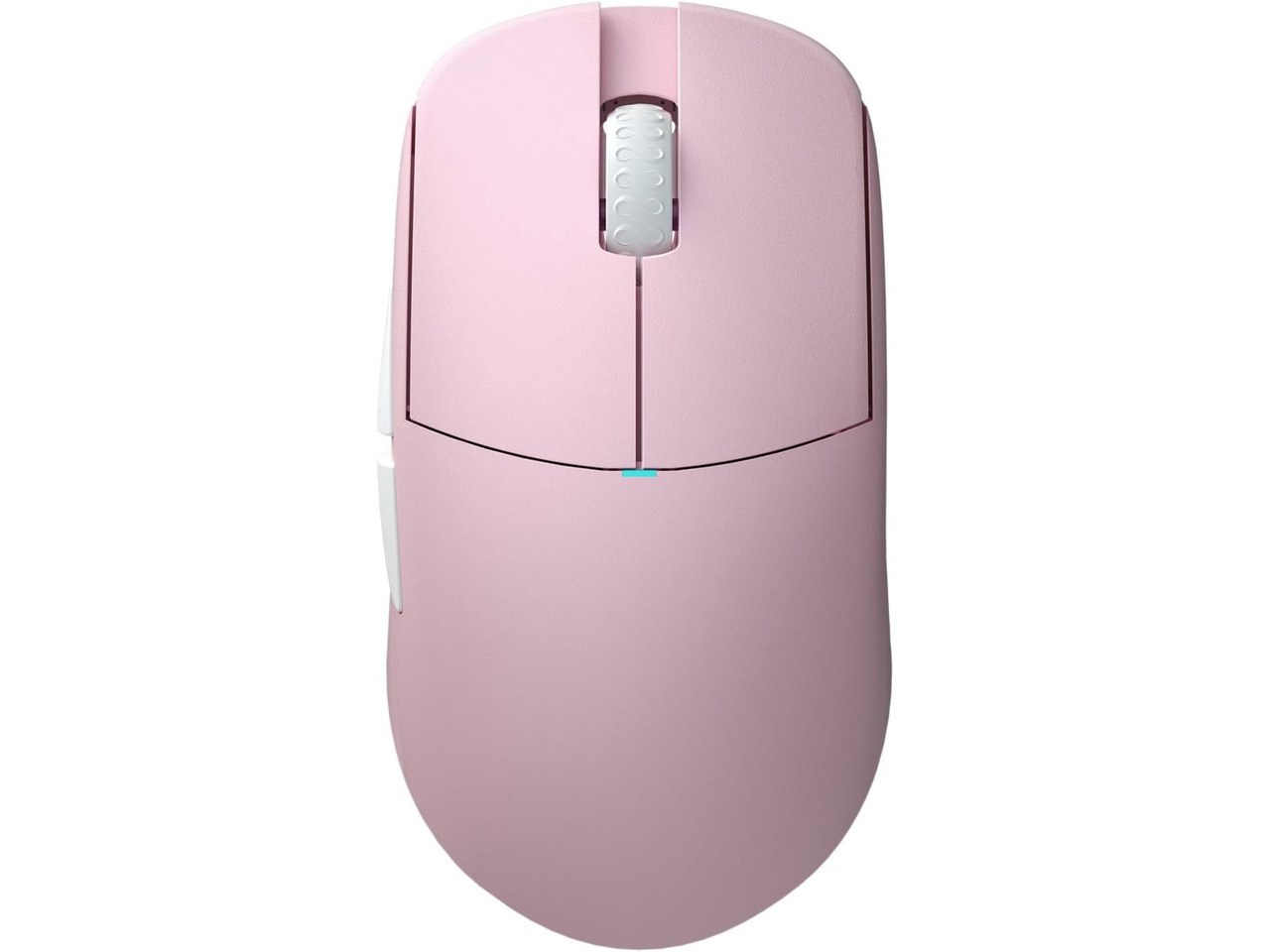
| #5 | Lamzu Atlantis Mini Champion EditionBest Ultralight | 117×63×37 mm / 51 g / wireless | Check Price |
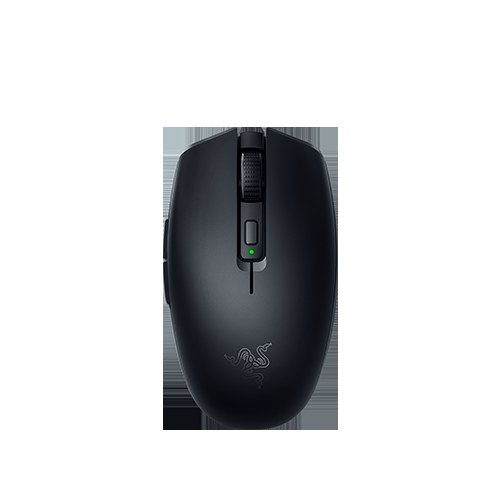
| #6 | Razer Orochi V2Shortest | 108 mm / under 60 g without battery / wireless | Check Price |
Sizes are length × width × height in millimetres. Weights are the makers' figures, stated with or without battery where the maker says so. No prices are printed — check the live price before buying.
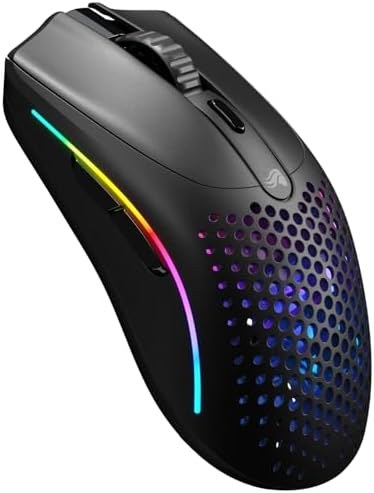
Glorious Model O 2 Mini Wireless
Best OverallBuy if: you want the lightest full-featured wireless mouse here, and you claw or fingertip grip
Don't buy if: you are left-handed, or you palm-grip hard and need a tall hump
The Model O 2 Mini Wireless is the pick most small hands should start with. At 120 mm long, 62 mm wide and just 36 mm tall, it is the lowest shell here — and that low dome is what makes it work. Your fingers arch over the buttons instead of reaching for them. The BAMF 2.0 sensor runs to 26,000 DPI, the switches are rated for 80 million clicks, and tri-mode wireless covers 2.4 GHz, Bluetooth and wired USB-C. Glorious rates the battery at up to 110 hours on 2.4 GHz and 210 hours on Bluetooth.
One honest warning. The side buttons sit on the left side only, so left-handed players get a symmetrical shell with buttons they can't reach. And check the name before you buy: the full-size Model O 2 Wireless looks almost the same in a listing, weighs 68 g and is too long for small hands. The word "Mini" is the whole difference.
Pros
- Lowest shell here — 36 mm dome suits claw and fingertip
- Tri-mode wireless (2.4 GHz, Bluetooth, wired)
- Long battery claim (maker's figures)
- Light at 57 g with a top sensor
Cons
- Side buttons left-side only — not for left-handers
- Easy to confuse with the full-size Model O 2
- Honeycomb shell is not for everyone
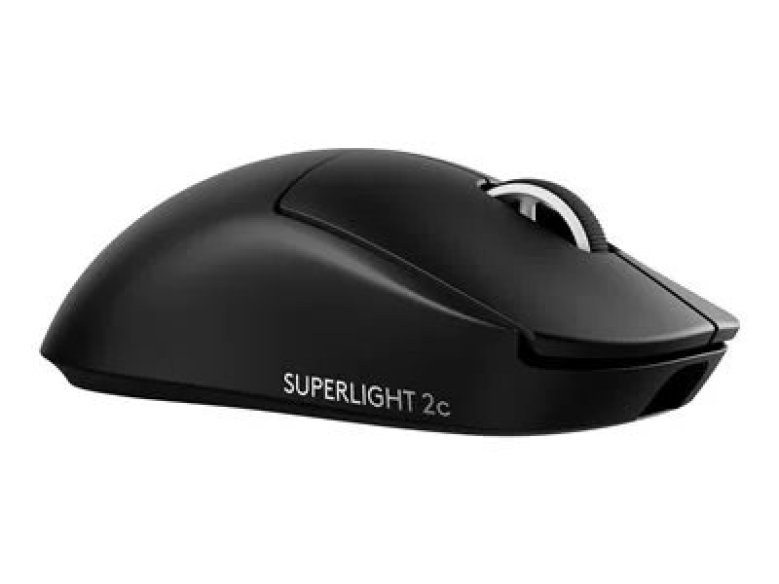
Logitech G Pro X Superlight 2c
Best PremiumBuy if: you play competitive shooters and want the lightest pro-grade sensor in a small shell
Don't buy if: you want a budget pick, or you need more than five buttons
The Superlight 2c is the small-hand version of Logitech's flagship — the "c" stands for compact, and it shows. At 118.4 mm long and 51 g, it is the joint-lightest mouse here, with the HERO 2 sensor running to 44,000 DPI and polling up to 8,000 Hz. LIGHTSPEED wireless and wired USB-C cover the connection, the battery is rated up to 95 hours, and the shell works with PowerPlay charging mats. It comes in black, white and pink.
Here's my honest take: most small-handed gamers should skip 8K polling entirely — you won't feel the difference in a real match, and it eats battery. Buy the 2c for the size and the sensor, not the polling number. And don't mix it up with the standard Superlight 2: that one is 125 mm long and too big for this guide. The 2c is the small-hand mouse; the 2 is not. One small conflict to name: Logitech lists the width at 61.4 mm, some reviewers measured 61.2 mm. The difference is 0.2 mm — it changes nothing.
Pros
- Joint-lightest here at 51 g
- HERO 2 sensor to 44,000 DPI
- Up to 8,000 Hz polling
- PowerPlay compatible
Cons
- Premium price for a five-button mouse
- Easy to confuse with the 125 mm standard Superlight 2
- 8K polling costs battery life
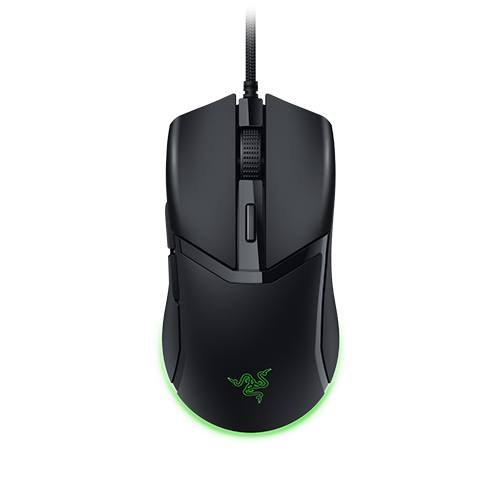
Razer Cobra
Best ValueBuy if: you want a real gaming sensor and switches for the least money, and you don't mind a cable
Don't buy if: you need wireless, or you want a sensor above 8,500 DPI
The wired Cobra is the cheapest way into a proper gaming mouse that actually fits. The shell is 119.6 mm long and 58 g — the same shell as the wireless Cobra Pro — with an 8,500 DPI optical sensor, Gen-3 optical switches rated for 90 million clicks, six programmable buttons and Chroma underglow. The Speedflex cable is light enough that it stops feeling like a cable after a day. For the money, nothing else here gives you this sensor and these switches.
Name the model carefully when you buy. The Cobra Pro is wireless, 77 g and a 30,000 DPI sensor. The Cobra HyperSpeed is wireless, 62 g with a 26,000 DPI sensor. This card is the wired Cobra only — same shell, very different mouse, very different price. Or maybe I should say it this way: if the listing doesn't say "wired" and doesn't show a cable, it isn't this mouse.
Pros
- Cheapest pick here with a real gaming sensor
- Gen-3 optical switches, 90M clicks
- Light Speedflex cable
- Chroma underglow
Cons
- Wired only — no wireless mode
- 8,500 DPI ceiling (enough for most, not all)
- Easy to confuse with the Cobra Pro and HyperSpeed
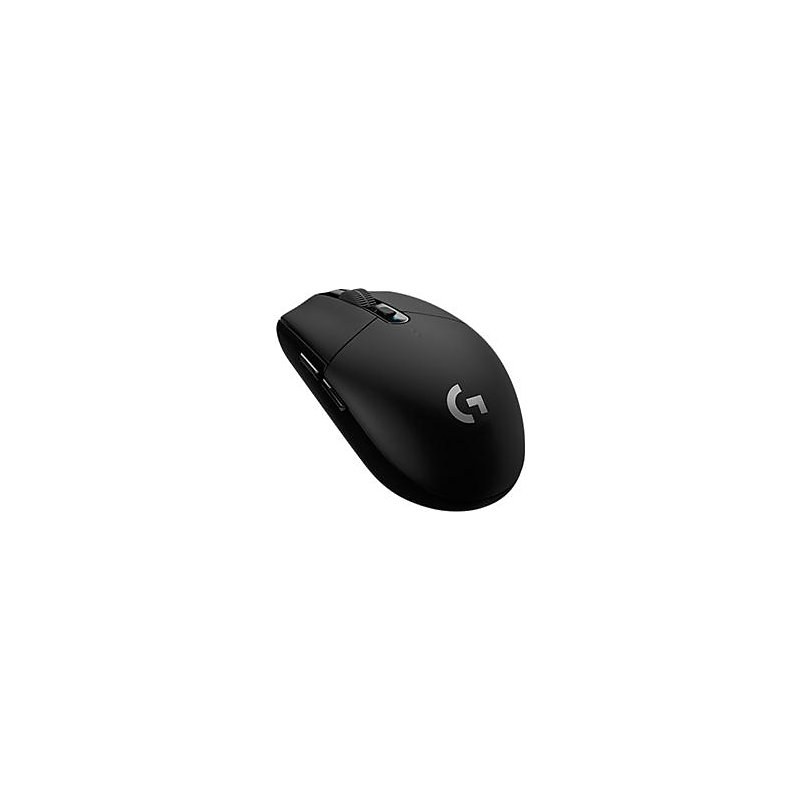
Logitech G305 LIGHTSPEED
Best Budget WirelessBuy if: you want wireless for the least money and you don't mind the weight
Don't buy if: you want the lightest mouse here, or you need Bluetooth
The G305 is the oldest mouse in this guide and still the best first wireless gaming mouse for small hands. It is 116.6 mm long with the egg-shaped shell Logitech has sold for years, the HERO 12K sensor runs to 12,000 DPI, and one AA battery is rated for up to 250 hours — months of play, not days. The nano receiver stores inside the mouse, so it travels well. Six programmable buttons and on-board memory cover the basics.
Say it plainly, though: at 99 g with the battery installed, it is nearly twice as heavy as the Lamzu. That weight is the trade for the price and the battery life. It has no Bluetooth — LIGHTSPEED 2.4 GHz only — and the mechanical switches are older than the optical switches on the newer picks. If you want light, buy the Lamzu. If you want cheap wireless that lasts, buy this.
Pros
- Cheapest wireless pick here
- Up to 250 hours on one AA (maker's claim)
- Receiver stores inside the mouse
- On-board memory
Cons
- 99 g with battery — heaviest pick here
- No Bluetooth
- Older sensor and mechanical switches
Lamzu Atlantis Mini Champion Edition
Best UltralightBuy if: you claw-grip hard and want the lightest mouse here with a top esports sensor
Don't buy if: you need 8K polling out of the box, or you want Bluetooth
The Atlantis Mini is the mouse competitive players reach for when grams matter. At 51 g with a PixArt PAW3950 sensor running to 30,000 DPI, it matches the Superlight 2c on weight and beats most of this list on sensor. The narrow waist suits an aggressive claw grip, the optical switches are rated for 70 million clicks, and the dust-proof scroll encoder is the kind of detail that shows up after a year of use, not a week.
Two honest flags. The 8,000 Hz polling needs a dongle sold separately — out of the box it runs at 1,000 Hz, so don't buy it for 8K. And it comes through Lamzu's own Amazon storefront, so stock and delivery vary more than with Logitech or Razer. There is no Bluetooth either: 2.4 GHz wireless and wired USB-C only.
Pros
- Joint-lightest here at 51 g
- PAW3950 sensor to 30,000 DPI
- Narrow waist suits aggressive claw grip
- Dust-proof scroll encoder
Cons
- 8K dongle sold separately — 1,000 Hz out of the box
- No Bluetooth
- Stock and delivery vary by storefront
Razer Orochi V2
ShortestBuy if: your hand is under 16 cm, or you want the smallest mouse here for travel
Don't buy if: you palm-grip, or you want a mouse with a high hump
The Orochi V2 is the shortest mouse in this guide — 108 mm — and the one for hands that find even the minis too long. Under 60 g without the battery, it is built for claw and fingertip grips, with the Razer 5G 18,000 DPI sensor, HyperSpeed 2.4 GHz plus Bluetooth, and second-gen mechanical switches rated for 60 million clicks. One AA or AAA battery runs it for up to 425 hours on HyperSpeed or 950 hours on Bluetooth — the longest battery here by far.
Read the weight carefully: under 60 g is without the battery, and a battery adds weight. Alkaline batteries give less life than the lithium figures Razer quotes, so treat those hours as "up to", not typical. And this mouse is too small for a palm grip — if your whole hand rests on the shell, buy the Cobra instead.
Pros
- Shortest here — 108 mm
- Longest battery here by far (maker's figures)
- HyperSpeed + Bluetooth, two battery sizes
- Travel-friendly size
Cons
- Under 60 g is without the battery
- Too small for a palm grip
- Battery figures are lithium "up to" numbers
Are Lighter Mice Better for Small Hands?
Lighter is easier to move, but weight is not the whole story. A 51 g mouse moves with a flick of the fingers; a 99 g mouse needs the whole hand. For fast shooters, light wins. For long sessions, shape and fit matter more than grams.
The lightest mice here are the Superlight 2c and the Lamzu at 51 g, and both are gaming picks — that is no accident. Light mice suit claw and fingertip grips, where the fingers do the moving. But a light mouse with a bad shape still hurts, and a heavier mouse that fits — the G305 at 99 g — beats a light one that doesn't. Don't buy on weight alone. Buy on length first, width second, weight third.
If you don't play fast shooters, don't pay for the lightest mouse — you won't feel the difference, and your wallet will thank you.
Should I Get a Wired or Wireless Gaming Mouse for Small Hands?
Wireless, for most small hands — modern wireless is as fast as wired, and a cable drags a light mouse off target. Wired still wins on price: the wired Cobra gives you a real gaming sensor for less than any wireless pick here.
Look — if you're in a ranked match and your mouse is 51 g, a stiff cable matters more than the sensor. That's why five of the six picks here are wireless. The wired Cobra earns its place on price, not on the cable: the Speedflex cable is light, and the sensor and switches beat the wireless picks at the same money. Quick note: wireless mice need charging or batteries, and a dead mouse mid-match is worse than any cable. Keep the cable in the drawer as a backup.
What Features Should I Look For in a Gaming Mouse for Small Hands?
After size, the four things worth your attention are weight, sensor, switches and connection — in that order.
Weight decides how fast the mouse moves: under 80 g is the target for small hands, and every pick here except the G305 hits it. Sensor decides tracking: anything above 12,000 DPI is more than you will use, so don't pay for 44,000 DPI unless you want the mouse for other reasons. Switches decide feel and life: optical switches last longer and never double-click; mechanical switches feel familiar and cost less. Connection decides how it joins your setup: 2.4 GHz wireless is the gaming standard, Bluetooth is handy for travel, and a wired mode covers charging and dead batteries.
Check the Name Before You Buy: Variant Traps
Five of the six picks here have a lookalike with almost the same name. Check the exact model before you pay — the wrong one is usually bigger, heavier or dearer.
Glorious Model O 2 vs Model O 2 Mini. The full-size Model O 2 Wireless weighs 68 g and is too long for small hands. Buy the one with "Mini" in the name.
Logitech G Pro X Superlight 2 vs Superlight 2c. The standard 2 is 125 mm long. The 2c is the compact one at 118.4 mm. Buy the "2c".
Razer Cobra vs Cobra Pro vs Cobra HyperSpeed. Same 119.6 mm shell, three different mice: wired at 58 g, wireless Pro at 77 g with a 30,000 DPI sensor, wireless HyperSpeed at 62 g with a 26,000 DPI sensor. Buy the one this guide names.
Pulsar X2 vs X2H vs X2 v3. Different humps and revisions in the same shell family. The X2 v3 Mini is the small one at 115.6 mm and 51 g — the X2H is the high-hump version.
SteelSeries Aerox 3 vs Aerox 3 Gen 2. Same 68 g body, different sensor and polling. The Gen 2 runs a 26,000 DPI sensor with 4,000 Hz polling; the original runs 18,000 DPI at 1,000 Hz. Don't mix the two.
The pattern is the same every time: the listing shows the small mouse, the title names the big one, and the buyer finds out when the box arrives. Check the length in millimetres on the listing — if it doesn't print one, don't buy it.
Can a Gaming Mouse Be Too Small?
Yes. A mouse can be too small — with no palm support your hand cramps from holding itself up, and your aim gets worse, not better. If your fingers curl past the front edge, the mouse is too small.
Compact is not the same as tiny. The Orochi V2 at 108 mm suits hands under 16 cm and claw or fingertip grips. Put a 17 cm palm-grip hand on it and the palm hangs off the back with nothing under it. Test any mouse this way: rest your hand on it. If your fingers curl past the front edge, it is too small. If you stretch to reach the buttons, it is too big. Your fingers should land on the buttons with the palm resting, not reaching.
What Gaming Mouse Is Good for Kids?
The Logitech G305 for wireless, or the wired Razer Cobra for the lowest price — both are short, light enough for a child's hand, and cheap enough to survive being dropped.
Kids' hands are small hands, and the same millimetre rule applies: under 17 cm wants a mouse 108 to 120 mm long. The G305's 250-hour battery means a child won't kill it in a week, and the receiver stores inside the mouse so it doesn't get lost in a school bag. The wired Cobra costs less and has no battery to buy — the cable is the trade. Skip the 51 g esports mice for kids: they are dear, and a child won't feel the difference.
Buying Guide: What Actually Matters
After size, the four things worth your attention are shape, connection, battery and buttons — in that order.
Shape decides whether the mouse fits your grip: low and short for claw, tall for palm, symmetrical for either hand. Connection decides how it joins your setup: 2.4 GHz wireless is the gaming standard, Bluetooth covers travel, and a wired mode is the backup when the battery dies. Battery decides how often you think about it: the Orochi V2 runs for months on one AA, the Superlight 2c recharges over USB-C, the G305 runs on one AA for a maker's claim of up to 250 hours. Buttons decide whether the side buttons fall under your thumb — check that before you buy, because a side button you can't reach is a button you paid for and never use.
Three things not to overpay for: DPI above 12,000 (you will never use it), RGB lighting on a mouse your hand covers, and 8,000 Hz polling (you won't feel it in a real match). Also worth a look if the six picks don't fit: the Pulsar X2 v3 Mini (115.6 mm, 51 g — a strong claw alternate) and the ASUS ROG Harpe Ace Mini (117 mm, 49 g — tri-mode, but the 8K booster is sold separately). If you want the office angle too, our best ergonomic mouse for small hands guide covers the verticals and sculpted mice.
Mice to Skip in 2026
Razer DeathAdder V3 — light, but far too long. 128 mm long, 68 mm wide, 59 g. Light at 59 g, but far too long and wide for small hands. A great mouse for the wrong hands.
Logitech G Pro X Superlight 2 (standard) — the flagship, and the single most common wrong buy for small hands. 125 mm long. Buy the 2c instead — same sensor family, 6.6 mm shorter.
Logitech G502 LIGHTSPEED — the aggregator's #1 pick, which its own text argues against. Its own guide admits the G502 "is relatively large and may not be the most comfortable choice for users with small hands". If a guide's own words argue against its top pick, believe the words.
Corsair Ironclaw — heavy and not small. 105 g, recommended by the stale July 2024 #1 result. Heavy and not small.
Finalmouse UltralightX — no current stock. Drop-only sales with no availability to check. Don't chase it.
The pattern is the same every time: a good mouse, recommended to the wrong hands.
Frequently Asked Questions
What's the best gaming mouse for small hands in 2026?
The Glorious Model O 2 Mini Wireless — the lightest full-featured pick that fits, at 120 mm and 57 g. If you play competitive shooters, the Logitech G Pro X Superlight 2c is the premium pick.
How do I measure my hand for a gaming mouse?
Hold your hand flat, palm down. Measure from your wrist crease to the tip of your middle finger. Under 17 cm means small hands; 17 to 19 cm is medium.
Is a mini mouse better for claw grip with small hands?
Yes. A mini mouse suits claw grip best because the short, low shell lets your fingers arch over the buttons instead of stretching for them.
Are lighter mice better for small hands?
For gaming, yes — a 51 g mouse moves with a flick of the fingers. For long work sessions, shape and fit matter more than grams.
Should I get a wired or wireless gaming mouse for small hands?
Wireless for most players — modern wireless is as fast as wired, and a cable drags a light mouse. Wired wins on price: the Cobra costs less than any wireless pick here.
What gaming mouse is good for kids?
The Logitech G305 for wireless, or the wired Razer Cobra for the lowest price. Both are short, light enough for a child's hand, and cheap enough to survive being dropped.
What size gaming mouse should I get if my hand is under 17 cm?
Look for a mouse 108 to 120 mm long and under 63 mm wide. Under 16 cm, go shorter — the 108 mm Orochi V2 is the shortest pick here.