Best Rechargeable Wireless Mouse in 2026: 6 Picks That Never Need AA Batteries

You buy a wireless mouse because you want your desk free of cables. Then the battery dies mid-sentence, and you are digging through a drawer for AAs that may or may not be flat. That is the trap this guide fixes. Every mouse here has a built-in rechargeable battery — checked against the maker's own spec sheet, not the word "rechargeable" on a shop listing.
A rechargeable wireless mouse is a mouse with a built-in battery you top up over USB-C or a charging dock, instead of swapping AA batteries. It charges from a cable or a dock, and most models run for weeks or months between charges.
The top 10 results for "best rechargeable wireless mouse" are full of mice that take AA batteries. One roundup crowns a mouse with a 24-month AA battery as its best rechargeable pick. Another lists a mouse, then admits in the same paragraph that it is not rechargeable. This guide does the opposite: it starts with the power source, names the AA mice to avoid, and ranks six mice that genuinely recharge — for work, for games, and for a budget.
No prices are printed in this guide — mouse prices move by seller and week, so check the live price before buying. Battery-life figures are the makers' own claims, not test results, and where sources disagree — the EM11 NL's battery figures — the disagreement is stated on the card.
How Do I Tell If a Mouse Is Rechargeable?
Look for a USB-C port on the front edge and no battery door underneath. A rechargeable mouse has a charging port and a sealed bottom. A mouse with a battery door takes replaceable batteries — whatever the listing calls it.
A rechargeable wireless mouse is easy to spot once you know the signs. According to Logitech, the MX Master 3S charges over USB-C and runs up to 70 days, with a one-minute top-up giving about three hours of use. A mouse with a USB-C port and no battery door has a built-in cell — a battery door means replaceable AAs.
Most rechargeable mice also work while plugged in, so a dead battery never stops your work. According to Razer, the Basilisk V3 Pro charges over its USB-C cable and keeps working while it charges, and it can also sit on a wireless charging dock. Check the maker's spec sheet for "use while charging" before you buy.
To tell if a mouse is rechargeable, follow these steps: 1. Look for a USB-C port on the front edge. 2. Check the bottom for a battery door. 3. Read the spec sheet for the words "rechargeable" or "built-in battery". 4. If it says "1 AA battery", it is not rechargeable.
One real example shows why this matters. A Microsoft Answers thread has a buyer confused by a front port on a Microsoft Bluetooth Ergonomic Mouse — the port looked like a charger, but the mouse actually takes two AAA batteries. The port was for nothing. Read the spec sheet, not the listing title.
Is a Rechargeable Wireless Mouse Better Than One That Takes AA Batteries?
For daily desk use, yes. You never buy batteries, and a one-minute top-up keeps you working. An AA mouse only wins when you travel far from a plug, or you want a mouse that runs for a year on one cell.
Rechargeable vs AA battery mice: a rechargeable mouse is better suited for daily desk use because you never buy batteries and a quick top-up keeps you working. An AA mouse works better when you travel far from a plug or want a mouse that runs for months on one cell. The key difference is convenience against longevity.
A rechargeable mouse costs more up front but nothing after that, while an AA mouse costs a few dollars a year in batteries. According to itechguides, every wireless mouse needs power — disposable, rechargeable, or dock — and "wireless" only describes the connection. Over three to five years, the rechargeable mouse usually wins on cost and waste.
Here's the thing: the AA mouse has one honest advantage. It never ages. A rechargeable cell holds less charge after three to five years, and you cannot swap it — the mouse dies with the battery. An AA mouse from 2019 still runs fine on a fresh cell. If you keep hardware for a decade, that matters. For everyone else, the cable wins.
Quick Comparison
| Product | Charging / Battery | ||
|---|---|---|---|
| #1 | Logitech MX Master 3SBest Overall | USB-C / up to 70 days | Check Price |
| #2 | Logitech MX Anywhere 3SBest for Travel | USB-C / up to 70 days | Check Price |
| #3 | Razer Basilisk V3 ProBest for Gaming | USB-C + dock / up to 90 hours | Check Price |
| #4 | Logitech G502 X LIGHTSPEEDBest for Buttons | USB-C + PowerPlay / up to 140 hours | Check Price |
| #5 | Razer DeathAdder V3 ProBest Lightweight | USB-C / up to 90 hours | Check Price |
| #6 | ProtoArc EM11 NLBest Vertical | USB-C / up to 100 hours* | Check Price |
Battery figures are the makers' claims, measured their way — Logitech counts days of office use, Razer counts hours of play. *The EM11 NL figure is ProtoArc's listing claim; its manual gives a different number, so the card explains both.
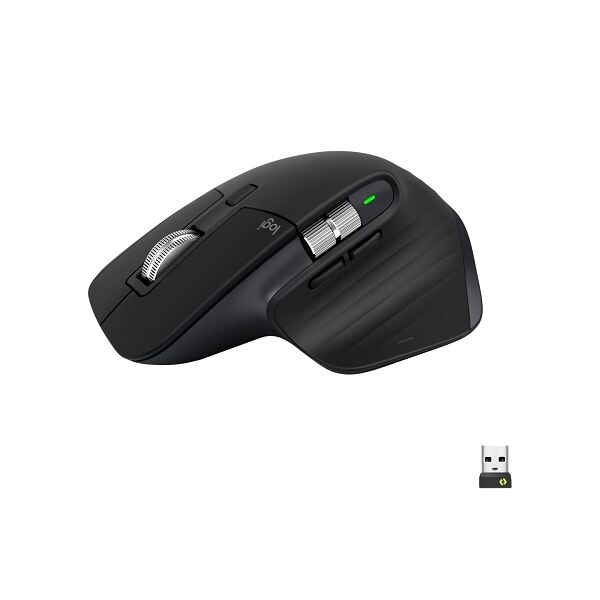
Logitech MX Master 3S
Best OverallBuy if: you work at a desk all day and want the most comfortable rechargeable mouse here
Don't buy if: you play competitive FPS, or you want a light mouse
The Master 3S is the default work mouse for a reason. Its 500 mAh battery is rated by Logitech for up to 70 days, it charges over USB-C, and a one-minute charge gives about three hours of use. The 8,000 DPI Darkfield sensor tracks on glass, the MagSpeed wheel free-spins through long documents, and the thumb wheel scrolls sideways through spreadsheets. Bluetooth and the Logi Bolt receiver cover three devices. At 124.9 mm long and 141 g, it is a big, heavy mouse — and that is the point. It fills a hand instead of cramping it.
Or maybe I should say it this way: buy the 3S if you want the best work mouse for the money. The newer Master 4 adds haptics and an Actions Ring shortcut panel, with the same 70-day battery claim, for more money. Most buyers will never miss the new tricks. One trap to check: Logitech now sells a cheaper "Bluetooth Edition" of the 3S with no receiver and no charging cable in the box. Buy the standard version unless you know you don't need them.
Pros
- Best scroll wheel here — MagSpeed plus thumb wheel
- Darkfield sensor tracks on glass
- 70-day battery claim (maker's figure)
- Quiet clicks, three-device switching
- Works while charging over USB-C
Cons
- 141 g — heavy for a mouse
- Right-handed only
- Not for competitive gaming
- Bluetooth Edition ships with no receiver or cable
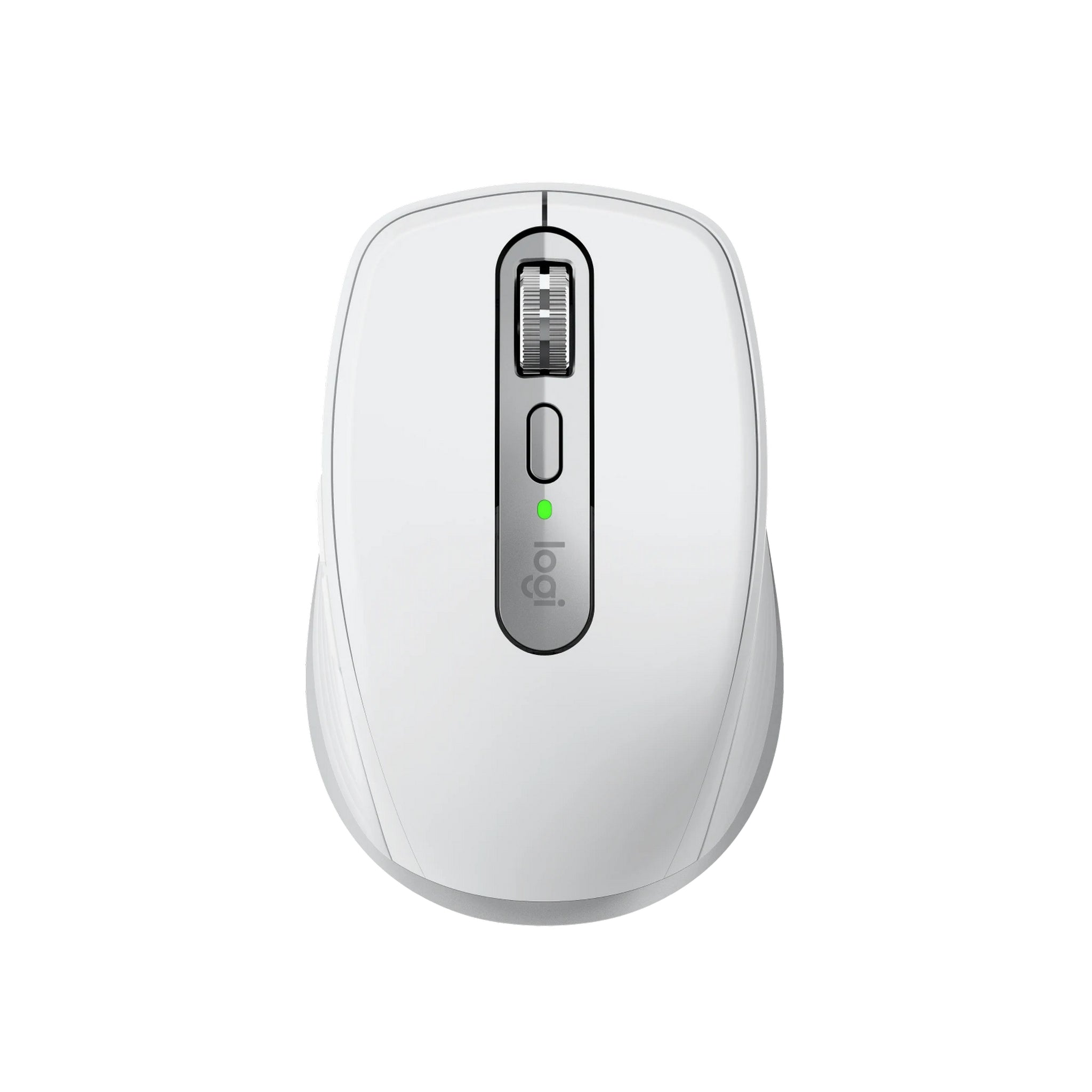
Logitech MX Anywhere 3S
Best for TravelBuy if: you travel with a laptop and want a pocket-size mouse that charges over USB-C
Don't buy if: you have large hands, or you want a thumb wheel
The Anywhere 3S is the Master 3S shrunk for a laptop bag. Same 500 mAh battery, same 70-day claim from Logitech, same one-minute charge for three hours of use — in a 100.5 mm shell that weighs 99 g. It charges over USB-C, it works while charging, and the 8,000 DPI sensor tracks on glass, so it works on a hotel desk or a train tray table. Bluetooth and the Logi Bolt receiver cover three devices.
Look — if you travel with a laptop and hate carrying a charger, this is the one. It is small, though. Large hands will find it cramped — our large-hands guide explains why — and there is no thumb wheel for sideways scrolling. For a travel mouse, those are fair trades. For a desk mouse, buy the Master 3S.
Pros
- Pocket-size at 99 g
- Same 70-day battery claim as the Master 3S
- Works while charging
- Quiet clicks, three-device switching
- Tracks on glass
Cons
- Small shell — cramped for large hands
- No thumb wheel
- Pricey for its size
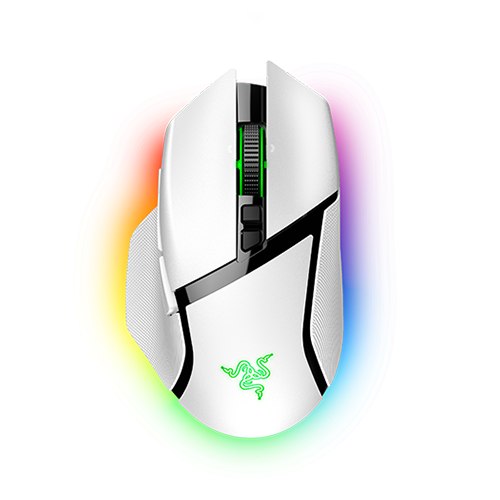
Razer Basilisk V3 Pro
Best for GamingBuy if: you game and want a mouse that charges on a dock instead of a cable
Don't buy if: you won't use the dock, or you want the lightest mouse
The Basilisk V3 Pro is the gaming pick, and the only one here with a real dock story. Razer rates the battery at up to 90 hours on HyperSpeed at 1,000 Hz with the lighting off. It charges over USB-C, and it also charges wirelessly on the Razer Mouse Dock Pro or the Wireless Charging Puck — drop it on the dock when you stop playing, pick it up charged. The Focus Pro 30K sensor, HyperScroll tilt wheel and 10+1 programmable buttons cover the gaming side, and HyperSpeed plus Bluetooth cover the connection.
Don't buy it if you won't use the dock — the dock and the puck are both sold separately, and without them this is a good gaming mouse at a premium price, not a great one. And the 90-hour figure needs its conditions: lighting off, 1,000 Hz polling. Turn the RGB on and push the polling rate up, and the battery drains far faster.
Pros
- Wireless dock charging (dock sold separately)
- Long battery claim (maker's figure)
- HyperScroll tilt wheel, 10+1 buttons
- HyperSpeed plus Bluetooth
- Works while charging over USB-C
Cons
- Dock and charging puck sold separately
- 112 g — heavy for competitive FPS
- 90-hour claim needs lighting off at 1,000 Hz
- Premium price
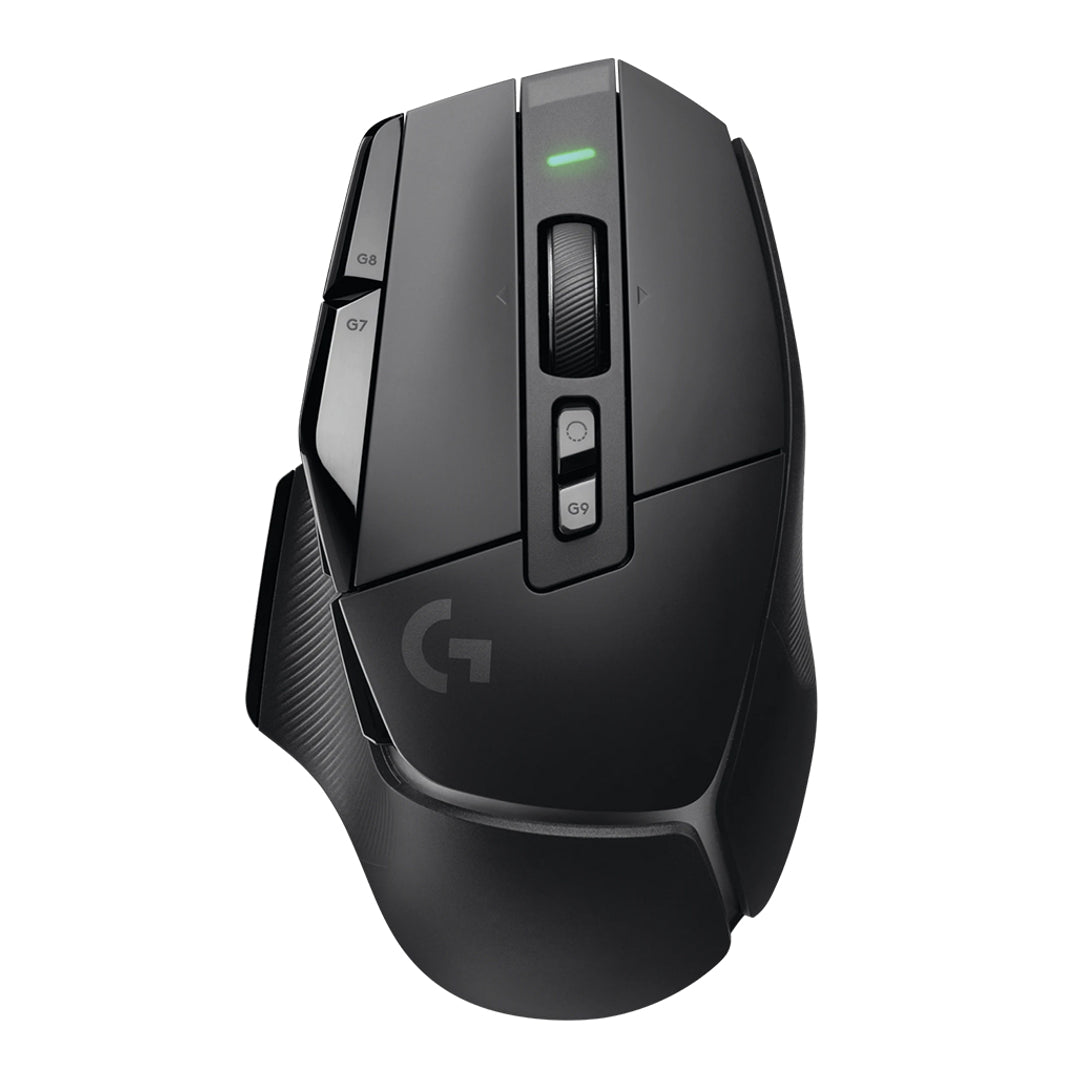
Logitech G502 X LIGHTSPEED
Best for ButtonsBuy if: you want thumb buttons and a free-spinning wheel, for work and games in one mouse
Don't buy if: you need Bluetooth, or you want the lightest mouse
The G502 X LIGHTSPEED is the mixed-use pick: a gaming mouse that works as hard at a desk as it does in a game. At 131.4 mm long it is the longest shell here, with 13 programmable controls and a dual-mode scroll wheel — ratchet for games, free-spin for documents. Logitech rates the USB-C rechargeable battery at up to 140 hours of constant motion, the longest gaming claim in this guide. It is also POWERPLAY compatible, so a Logitech charging mat (sold separately) can keep it topped up without a cable at all.
Say it plainly, though: this mouse has no Bluetooth. It connects by LIGHTSPEED only, so a laptop-only setup needs the dongle in a USB port at all times. And at about 102 g it is no featherweight — competitive FPS players with big hands will prefer the DeathAdder's 63 g. For everyone who splits the day between spreadsheets and games, the buttons are worth the grams.
Pros
- Longest shell here — 131.4 mm
- 13 programmable controls
- Dual-mode scroll wheel
- Longest gaming battery claim here (maker's figure)
- POWERPLAY wireless charging option
Cons
- No Bluetooth — LIGHTSPEED dongle only
- About 102 g — heavy for competitive FPS
- POWERPLAY mat sold separately
- Wide shape takes getting used to
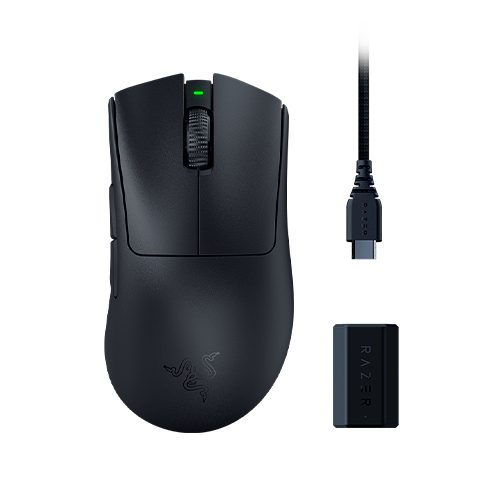
Razer DeathAdder V3 Pro
Best LightweightBuy if: you palm-grip and play FPS, and you want a light ergonomic shell that charges over USB-C
Don't buy if: you need Bluetooth, or you want lots of side buttons
The DeathAdder V3 Pro is the lightest ergonomic mouse here. At 63 g it is less than half the weight of the Master 3S, yet the shell is 128 mm long with a tall rear hump that fills a palm — the shape Razer has refined for a decade. The Focus Pro 30K sensor tracks up to 30,000 DPI, true 8,000 Hz wireless polling comes in the box with no paid dongle upgrade, and Razer rates the battery at up to 90 hours. HyperSpeed 2.4 GHz wireless plus wired USB-C cover the connection.
Two limits worth knowing. There is no Bluetooth — this is a HyperSpeed-or-wired mouse, so a laptop-only setup needs the dongle. And the 90-hour battery is Razer's claim at standard polling; run it at the full 8,000 Hz and the battery drains far faster. For palm-grip FPS players who want a light mouse that never needs AAs, though, this is the shape to beat.
Pros
- Lightest ergonomic here at 63 g
- Tall hump fills a palm
- Focus Pro 30K sensor, 8,000 Hz dongle included
- Long battery claim (maker's figure)
Cons
- No Bluetooth — HyperSpeed dongle only
- Few side buttons for MMO play
- 8,000 Hz polling drains the battery fast
- Premium price
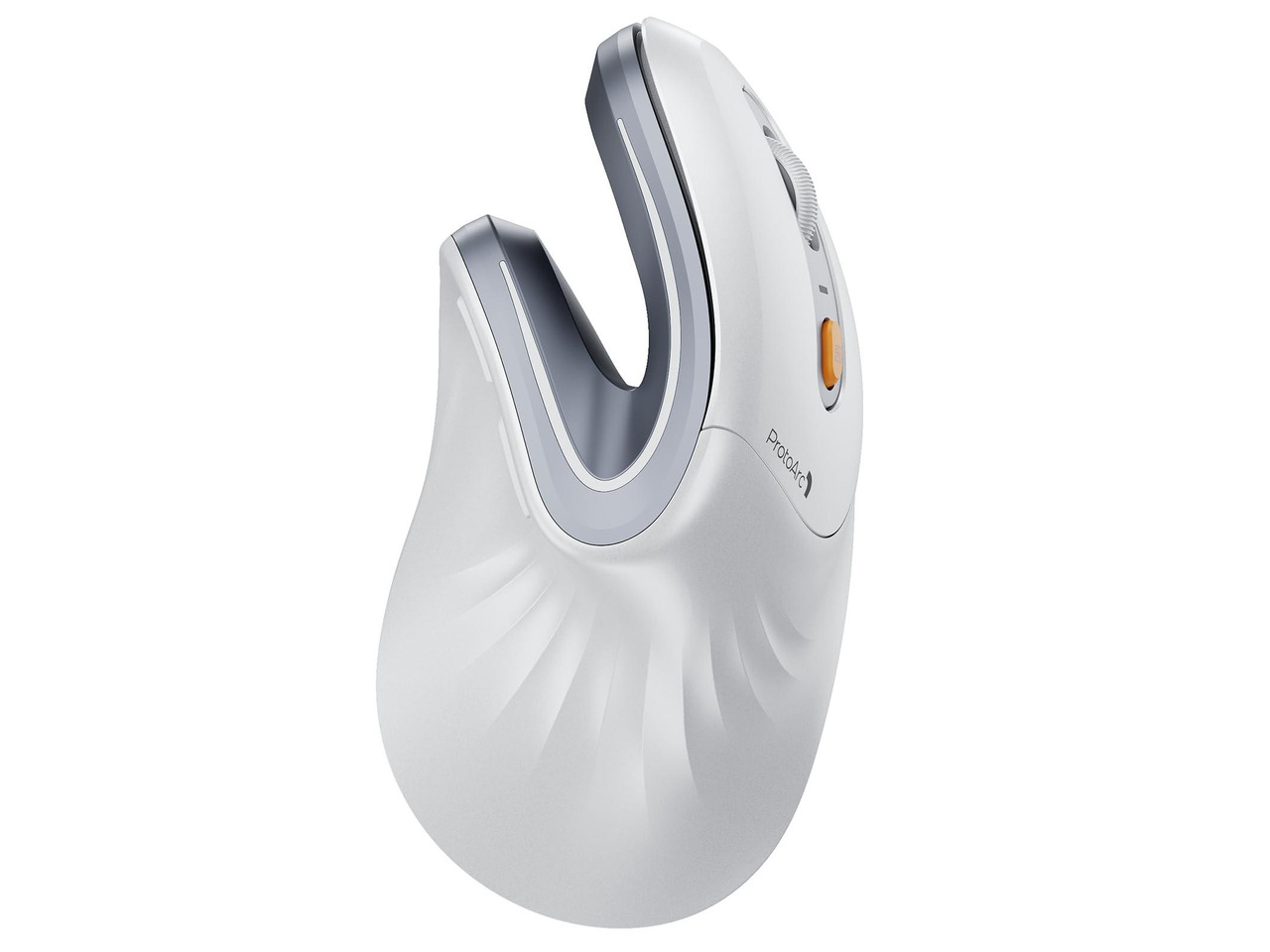
ProtoArc EM11 NL
Best VerticalBuy if: your wrist aches and you want a vertical mouse that charges over USB-C for little money
Don't buy if: you game, or you want a big-brand track record
The EM11 NL is the budget vertical pick, and the cheapest mouse here by a wide margin. Its 500 mAh battery charges over USB-C, the 58-degree handshake angle holds your forearm closer to neutral, and Bluetooth plus the 2.4 GHz receiver switch between three devices. At 137.9 mm long it is the longest shell in this guide, and the shape fills a large palm.
I've seen conflicting data — ProtoArc's listing says the EM11 NL runs up to 100 hours of continuous use, about 25 days at four hours a day, while its manual says a full charge gives up to 90 days of standby. My read is that both can be true at once: standby and continuous use are different measures, and the honest number for a workday is around 25 days. One more honest note: ProtoArc's own product page for this model could not be found when we checked, so the figures above come from the manual and the listing, not the maker's site.
Pros
- 58-degree handshake angle eases wrist twist
- Cheapest pick here by a wide margin
- Three-device switching (Bluetooth + receiver)
- Longest shell here — 137.9 mm
Cons
- Battery figures conflict across sources
- Small brand, short track record
- 2,400 DPI max — office only
- Right-handed only
What's the Best Rechargeable Wireless Mouse for Gaming?
The Razer Basilisk V3 Pro — 90 hours on HyperSpeed, USB-C charging, and a wireless dock option. If you want light instead of buttons, the Razer DeathAdder V3 Pro is the pick at 63 g. If you want buttons, the Logitech G502 X LIGHTSPEED is the pick.
A rechargeable wireless gaming mouse has one extra number to watch: polling rate. At 1,000 Hz, the Basilisk V3 Pro runs up to 90 hours on Razer's claim. Push it to 4,000 or 8,000 Hz and the battery drains far faster — roughly half the life for a difference most hands can't feel. Buy the high polling rate only if you play competitively.
Here's the thing: wireless latency is a solved problem on flagship dongles. HyperSpeed and LIGHTSPEED both run under 1 ms, so buy wireless for the desk, not for the speed. And skip the RGB if battery life matters to you — the 90-hour claims all assume the lights are off.
What's the Best Rechargeable Wireless Mouse for Work?
The Logitech MX Master 3S — USB-C rechargeable, up to 70 days per charge, and the best scroll wheel for long documents. If you travel, the MX Anywhere 3S is the same battery in a pocket-size shell. If your wrist aches, the ProtoArc EM11 NL is the vertical pick.
The best rechargeable Bluetooth mouse for work is the one that switches between your devices without a dongle. The Master 3S, Anywhere 3S, Basilisk V3 Pro and EM11 NL all pair over Bluetooth and switch between three devices. The G502 X LIGHTSPEED and DeathAdder V3 Pro don't — they need their dongle in a USB port at all times. If your laptop has two USB-C ports and no USB-A, that dongle needs an adapter too.
Here's my honest take: for most desk workers, the vertical EM11 NL is a better buy than the famous Master 3S. It costs a third as much, it charges over USB-C too, and the handshake shape is kinder to a sore wrist. People buy the Master because it's famous, not because it's the most comfortable mouse here. Work-mouse fans will disagree, and they have a point about the scroll wheel — nothing else spins like the MagSpeed. But comfort beats a wheel, and the EM11 NL is the comfortable one.
How Long Does a Rechargeable Mouse Last?
On one charge, weeks to months — and the number depends on how the maker counts. Over its whole life, three to five years before the sealed battery holds noticeably less charge.
The days-versus-hours split trips up most buyers. Logitech counts days: the Master 3S runs "up to 70 days" of office use, roughly six hours a day. Razer counts hours: the Basilisk V3 Pro runs "up to 90 hours" of play. Same kind of battery, different rulers. Divide the hours by your daily use and the numbers line up — 90 hours is about two working weeks at six hours a day, not three months.
Charging takes two to four hours from empty on most models — the Master 3S takes about two hours for a full charge. Modern mice have overcharge protection, so leaving one plugged in overnight won't cook the battery. What does wear the battery down is age: a sealed lithium cell loses capacity after three to five years, and you can't swap it. The mouse dies with the battery.
One trap worth knowing: Apple's Magic Mouse is rechargeable over USB-C, but it cannot be used while charging — the port sits on the bottom. Every pick in this guide works while plugged in. Check that before you buy, because a mouse you can't use while it charges is a mouse that stops your work.
Buying Guide: What Actually Matters
After the power source, the four things worth your attention are charging method, battery units, connection and weight — in that order.
Charging method decides how you top up: USB-C cable for most picks, a dock for the Basilisk, a PowerPlay mat for the G502 X. Battery units decide whether you can compare two mice at all — days of office use and hours of play are different rulers, so convert before you compare. Connection decides how it joins your setup: Bluetooth and 2.4 GHz cover most desks, and three-device switching matters if you move between a laptop and a desktop. Weight decides how your hand feels at 5 pm: 63 g against 141 g is a difference you feel in the first hour.
Three things not to overpay for: DPI above 8,000 on a work mouse (you will never use it), RGB lighting on a mouse your hand covers, and a "gaming" label on a mouse with no low-latency wireless. If you've tried a mouse that takes AAs and you're still buying batteries, don't blame the mouse — blame the power source.
Mice to Skip in 2026
Logitech Pebble Mouse 2 M350s — a good mouse for the wrong list. Logitech's own spec sheet says it plainly: "Battery life (not rechargeable): 24 months." One AA battery, user-replaceable, no charging port. It shows up in rival "rechargeable" roundups anyway.
Logitech G305 LIGHTSPEED — compact, fast, and AA-powered. A strong gaming sensor in a small shell, and one AA battery. It belongs in a budget gaming list, not a rechargeable one.
Logitech M185 — the office drawer mouse. Cheap, reliable, and it runs for a year on one AA battery. That is the point: it is a battery mouse, and no listing should call it rechargeable.
Razer Orochi V2 — a hybrid slot, not a rechargeable battery. It takes one AA or one AAA battery in a hybrid slot. Fine for travel, wrong for this list.
The pattern is the same every time: a good mouse, listed under the wrong power source.
Frequently Asked Questions
What's the best rechargeable wireless mouse in 2026?
The Logitech MX Master 3S — USB-C rechargeable, up to 70 days per charge, and the best scroll wheel here. For gaming, the Razer Basilisk V3 Pro.
How do I tell if a mouse is rechargeable?
Look for a USB-C port on the front and no battery door underneath. If the spec sheet says "1 AA battery", it takes disposables — it is not rechargeable.
How long does a rechargeable mouse last on one charge?
It depends on the model. The Master 3S runs up to 70 days of office use; the Basilisk V3 Pro runs up to 90 hours of gaming. Both figures are the makers' claims.
Can you use a wireless mouse while it is charging?
Most of these can — the MX Master 3S, MX Anywhere 3S and Basilisk V3 Pro all work while plugged in. Apple's Magic Mouse cannot, and neither can a mouse that charges on a dock only.
Is a rechargeable mouse better than one that takes AA batteries?
For daily desk use, yes — no batteries to buy and a quick top-up keeps you working. An AA mouse wins only for trips far from a plug.
Can you replace the battery in a rechargeable mouse?
Usually not — the cell is sealed inside. Expect three to five years before the battery holds noticeably less charge, then replace the mouse.
What's the best rechargeable wireless mouse for gaming?
The Razer Basilisk V3 Pro — 90 hours on HyperSpeed, USB-C charging, and a wireless dock option. The DeathAdder V3 Pro is the lighter pick at 63 g.