Best Wireless Mouse for Large Hands in 2026: 6 Picks That Actually Fit

You buy a wireless mouse because you want your desk free of cables. Then the mouse arrives, and it is built for a hand you don't have. Your palm hangs off the back. Your fingers curl past the front edge. Your thumb cramps by lunch — and the mouse you bought to fix your desk is now the thing hurting your hand. That is the trap this guide fixes. Every mouse here is picked by fit first: length, width and weight checked against a hand 19 cm or longer, not by the word "full-size" on the box.
The top 10 results for "best wireless mouse for large hands" split into two camps, and neither helps much. One camp lists vertical mice only, built from Amazon listings, with no testing and no sense of which ones are actually big. The other camp lists gaming mice, crowns the lightest one, and never mentions that a 60 g symmetrical slab cramps a palm grip. This guide does the opposite: it starts with a tape measure, names the mice that are too small, and ranks six that actually fit — for work, for games, and for a budget.
No prices are printed in this guide — mouse prices move by seller and week, so check the live price before buying. Battery-life figures are the makers' own claims, not test results, and where sources disagree — the Master 4's fast-charge claim, the Basilisk's battery hours by mode — the disagreement is stated on the card.
What Size Mouse Do I Need for Large Hands?
19 cm or longer from wrist crease to middle fingertip is a large hand — and the mouse should be 120 to 135 mm long and at least 70 mm wide.
A wireless mouse for large hands is a full-size wireless mouse built for a hand 19 cm or longer from wrist crease to middle fingertip. The shell is at least 120 mm long and 70 mm wide, so the palm rests on it instead of clawing it.
The best mouse size for large hands starts with a tape measure. According to ofzenandcomputing, most large-hand buyers report hands of 19 to 20.5 cm, with 19 cm treated as the practical line between compact and full-size. A mouse 120 to 135 mm long and 70 mm or wider fits that hand without the fingers hanging off the front or the palm dragging on the desk.
To measure your hand for a mouse, follow these steps: 1. Hold your hand flat, palm down, fingers together. 2. Measure from your wrist crease to the tip of your middle finger. 3. Measure across your knuckles for palm width. A hand 19 cm or longer means large hands; 19 to 21 cm is clearly large.
Palm grip has a rule worth knowing: the mouse should be about 60 to 70% of your hand length. A 20 cm hand wants a mouse around 120 to 140 mm long.
Quick note: that rule fits palm grip. Claw and fingertip grips run shorter — the hand arches over the mouse instead of resting on it, so the shell can be smaller. Test any mouse in a shop this way: rest your hand on it. If your fingers curl past the front edge, it is too small. If you stretch to reach the buttons, it is too big. Your fingers should land on the buttons with the palm resting, not reaching.
I've seen conflicting data — some sources say large starts at 19 cm, others at 18 cm, and a few roundups call 17.5 cm "large". My read is that 19 cm is the honest line for a large hand, and any mouse sold as "large" needs its millimetres checked, not its label believed. This guide uses 19 cm as large and 19 to 21 cm as clearly large, and every pick below states its length in millimetres so you can check it yourself.
Is a Vertical Mouse Good for Large Hands?
Yes — when the shell is actually big enough. A vertical mouse puts your forearm in a handshake position, so the wrist twists less. The catch is that most vertical mice are built for medium hands, and a small vertical is worse than a flat mouse that fits.
A vertical mouse suits large hands when the shell is sized for them. According to ofzenandcomputing, the MX Vertical is one of only a few vertical mice with a body tall enough to fill a large palm, and 15,000-plus owners rate it 4.4 stars. The 57-degree handshake angle keeps the forearm closer to neutral, so the wrist twists less during a long workday.
Vertical vs sculpted for large hands: a vertical mouse is better suited for wrist ache because the handshake angle keeps your forearm closer to neutral. A sculpted mouse works better when you switch between work and games, or you dislike relearning how to hold a mouse. The key difference is the angle: vertical changes your wrist position; sculpted changes only the shape.
The Logitech MX Vertical is good for large hands because it is 120 mm long and 79 mm wide with a tall shell — big enough that a 19 to 20 cm hand rests on it instead of clawing it. Owners with large hands say the buttons fall under their fingers without stretching, and it is the only vertical here with a real track record at this size.
Here's my honest take: most large hands don't need a vertical mouse at all. A big sculpted shell fixes the cramp for most people, and the vertical only earns its keep if your wrist actually aches. Vertical fans will disagree, and they have a point about forearm angle. But a mouse you actually use beats a vertical you leave in a drawer, and the Master 4 is the one large hands pick up without thinking.
One honest warning. A vertical mouse feels strange for the first few days. Give any vertical a full working week before you judge it — and if it still hurts after that week, the size is wrong, not the shape.
Which Grip Fits Large Hands Best?
Palm grip needs a tall, full shell; claw and fingertip grips suit long, low shells. With a large hand, the grip you use decides the mouse more than the brand does.
| Grip | Hand length | What to look for | Best picks here |
|---|---|---|---|
| Palm | 19 cm or longer | Tall, full shell; palm rests fully; fingers reach the buttons without stretching | MX Master 4, MX Vertical, DeathAdder V4 Pro |
| Claw | 19 cm or longer | Long, low shell; arched fingers; buttons under the fingertips | G502 X LIGHTSPEED, Basilisk V3 X HyperSpeed |
| Fingertip | 19 cm or longer | Longest and lightest; only the fingertips touch the shell | DeathAdder V4 Pro |
Here's the thing: most large-hand buyers use a palm grip without knowing it — the hand rests flat because the shell is finally big enough to hold it. If that sounds like you, stop fighting it. Buy a tall, full shell built for palm, like the Master 4 or the DeathAdder V4 Pro, instead of a short symmetrical mouse you will claw badly. And if you game, grip matters twice: a palm grip on a low shell drags, and a claw grip on a tall shell cramps.
Quick Comparison
| Product | Size / Weight / Type | ||
|---|---|---|---|
| #1 | Logitech MX Master 4Best Overall | 128.2×88.4×50.8 mm / 150 g / sculpted | Check Price |
| #2 | Logitech MX VerticalBest Vertical | 120×79×79 mm / 135 g / vertical | Check Price |
| #3 | Razer DeathAdder V4 ProBest for Gaming | 128×68×44 mm / 56 g / gaming | Check Price |
| #4 | Logitech G502 X LIGHTSPEEDBest for Buttons | 131.4×79.2×41.1 mm / ~102 g / gaming | Check Price |
| #5 | Logitech Signature M750 LBest Budget | Full-size / sculpted | Check Price |
| #6 | Razer Basilisk V3 X HyperSpeedBest Budget Gaming | 130×75 mm / 110 g / gaming | Check Price |
Sizes are length × width × height in millimetres. Weights are the makers' figures. No prices are printed — check the live price before buying.
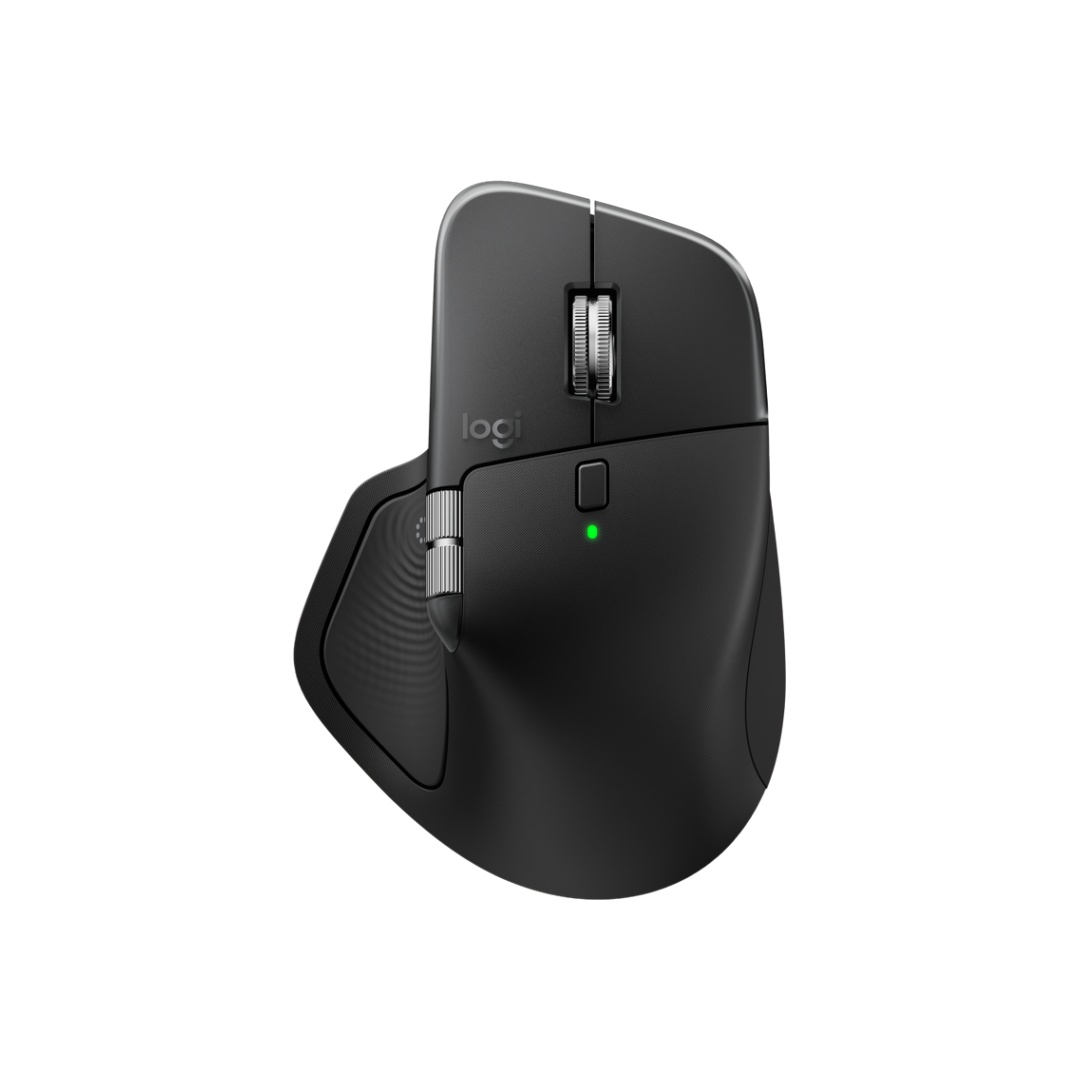
Logitech MX Master 4
Best OverallBuy if: you work at a desk all day and want the biggest, most comfortable wireless mouse here
Don't buy if: you play competitive FPS, or you want a light mouse
The Master 4 is the default large-hand work mouse for a reason. At 128.2 mm long and 88.4 mm wide it is the widest shell in this guide, and a 19 to 21 cm hand finally rests on it instead of hanging off it. The 8,000 DPI Darkfield sensor tracks on glass, the MagSpeed wheel free-spins through long documents, and the thumb wheel scrolls sideways through spreadsheets. New this generation: a Haptic Sense Panel under the thumb that buzzes when an action lands, and an Actions Ring — hold the thumb button and a ring of up to eight shortcuts appears at your cursor. One rechargeable battery is rated by Logitech for up to 70 days, and a one-minute charge gives about three hours of use. The Logi Bolt USB-C receiver is in the box, and it pairs with three devices over Bluetooth or Bolt.
If the Master 4's price stings, the Master 3S is the same idea for less: 124.9 mm long, 84.3 mm wide, 141 g, the same sensor and wheel, no haptics or Actions Ring, and often discounted. Or maybe I should say it this way: buy the 4 if you want the newest shell and the shortcut ring; buy the 3S if you want the same comfort for less money. Either way, don't buy either one for games — at 150 g with a fixed low polling rate, the Master 4 is a work mouse, and pretending otherwise would be a disservice.
Pros
- Widest shell here — 88.4 mm, made for large palms
- Darkfield sensor tracks on glass
- MagSpeed wheel plus thumb wheel
- Haptic feedback and Actions Ring shortcuts
- 70-day battery claim (maker's figure)
Cons
- 150 g — heavy, and heavier than the 3S
- Right-handed only
- Not for competitive gaming — fixed low polling rate
- No onboard memory, no dongle storage
- Haptics and Actions Ring need Logi Options+
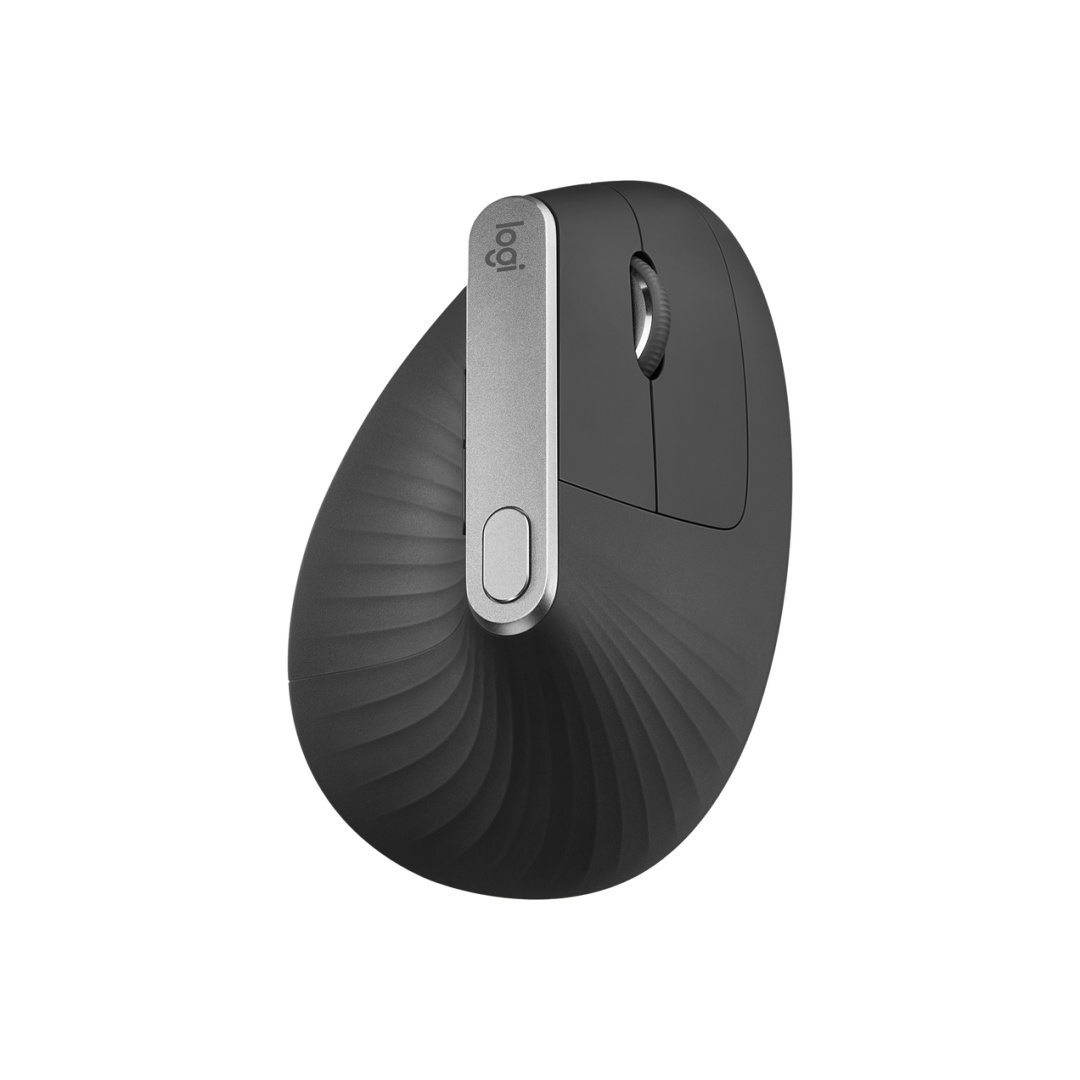
Logitech MX Vertical
Best VerticalBuy if: your wrist aches and you want the handshake angle in a shell big enough for a large hand
Don't buy if: you game, or you need high DPI
The MX Vertical is the vertical that large hands actually fit. Logitech sizes it for medium-to-large hands — 120 mm long, 79 mm wide, 79 mm tall, at a 57-degree handshake angle — and it is one of only a few vertical mice with a body tall enough to fill a large palm. The 4,000 DPI sensor is plenty for office work, Bluetooth and the receiver cover up to three devices, and the USB-C rechargeable battery is rated by Logitech for up to four months. One honest detail from owners: the shape takes a few days to learn, then the wrist stops complaining.
The limits are honest ones. At 135 g it is heavy for a mouse, and very large hands — over 21 cm — may still find the shell short. It is not a gaming mouse: no low-latency mode, no high polling rate, and 4,000 DPI is the ceiling. Look — if you've tried a small vertical before and it didn't help, it's not you — it's the fit. This is the big one.
Pros
- 57-degree handshake angle eases wrist twist
- Tall shell fills a large palm
- Three-device switching (Bluetooth + receiver)
- Long battery claim (maker's figure)
Cons
- 135 g — heavy for a mouse
- Right-handed only
- 4,000 DPI max — not for gaming
- Adjustment period of a few days
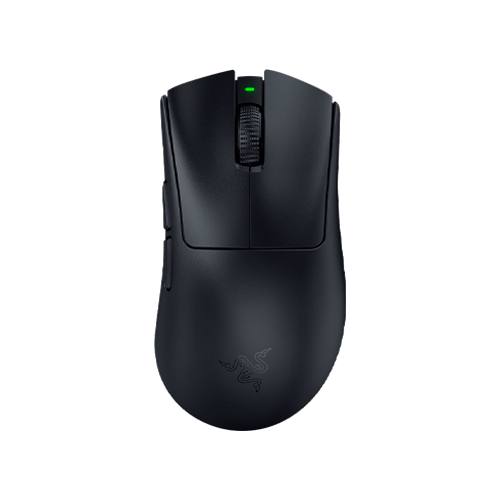
Razer DeathAdder V4 Pro
Best for GamingBuy if: you palm-grip and play FPS with large hands, and you want a light ergonomic shell
Don't buy if: you want lots of side buttons, or you need a mouse for office work first
The DeathAdder V4 Pro is the gaming pick, and the lightest ergonomic mouse here. At 56 g it is less than half the weight of the Master 4, yet the shell is 128 mm long with a high rear hump that fills a large palm — the shape Razer has refined for a decade. The Focus Pro 45K Gen-2 sensor tracks up to 45,000 DPI, true 8,000 Hz wireless polling comes in the box with no paid dongle upgrade, and Razer rates the battery at up to 150 hours. HyperSpeed 2.4 GHz wireless plus wired USB-C cover the connection, and the optical switches are rated for 90 million clicks.
Two numbers need splitting, because most roundups print only one. The 150-hour battery is Razer's claim at 1,000 Hz polling — run it at the full 8,000 Hz and the battery drains far faster. And the shell is right-handed only, with a modest button count — MMO players who want a dozen thumb buttons should look at the Basilisk instead. For palm-grip FPS players with big hands, though, this is the shape to beat.
Pros
- Lightest ergonomic here at 56 g
- Tall hump fills a large palm
- Focus Pro 45K sensor, 8,000 Hz wireless
- Long battery claim (maker's figure)
Cons
- Right-handed only
- Few side buttons for MMO play
- 8,000 Hz polling drains the battery fast
- Premium price
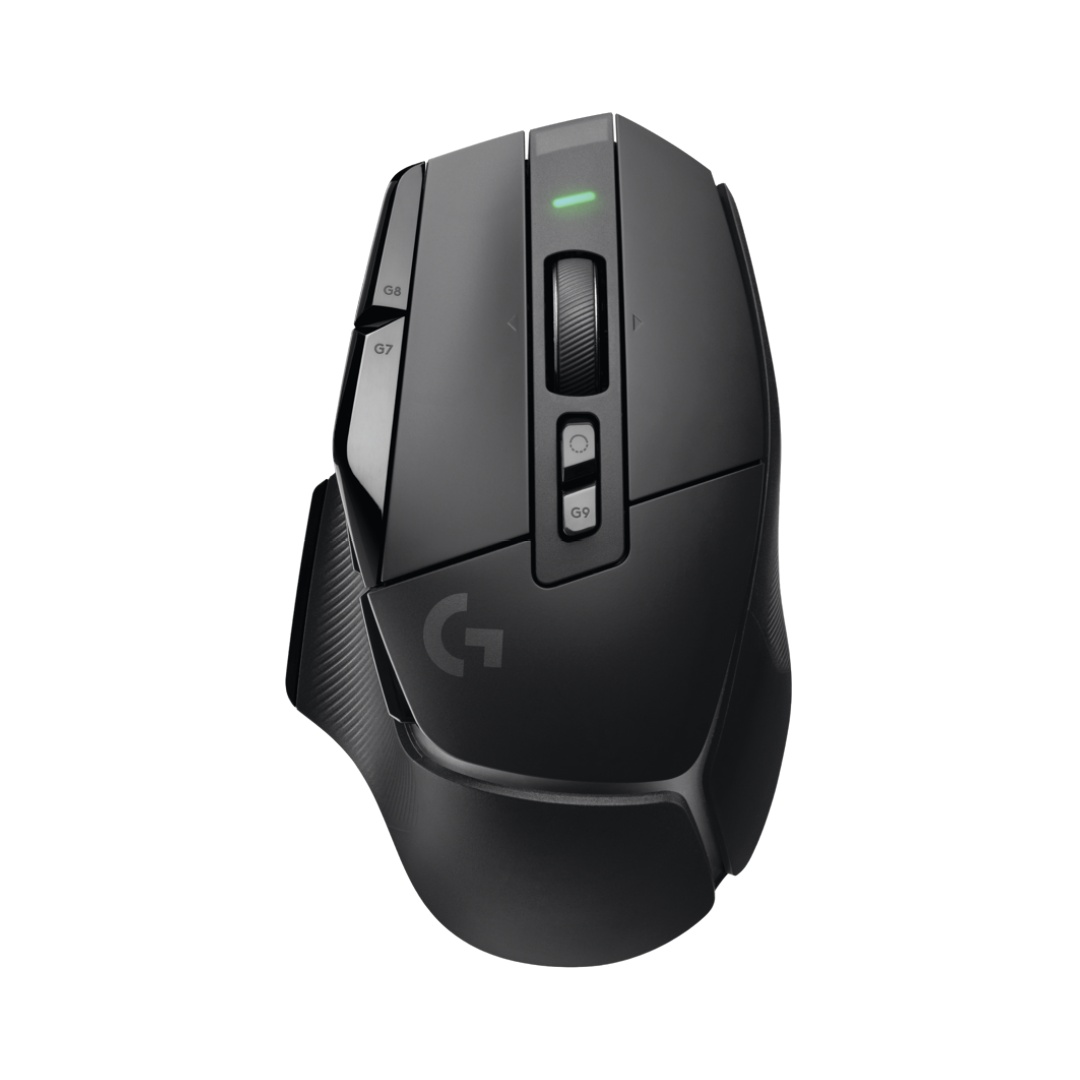
Logitech G502 X LIGHTSPEED
Best for ButtonsBuy if: you want thumb buttons and a free-spinning wheel, for work and games in one mouse
Don't buy if: you want the lightest mouse, or you need Bluetooth
The G502 X LIGHTSPEED is the mixed-use pick: a gaming mouse that works as hard at a desk as it does in a game. At 131.4 mm long it is the longest shell here, with a sculpted thumb rest and 13 programmable controls — enough buttons for macros, shortcuts and game binds without reaching. The HERO 25K sensor, LIGHTFORCE hybrid switches and the dual-mode scroll wheel (ratchet for games, free-spin for documents) make it the one mouse here that genuinely does both jobs. Logitech rates the USB-C rechargeable battery at up to 140 hours, and the LIGHTSPEED wireless link is the same one its esports mice use.
Say it plainly, though: this mouse has no Bluetooth. It connects by LIGHTSPEED only, so a laptop-only setup needs the dongle in a USB port at all times. And at about 102 g it is no featherweight — competitive FPS players with large hands will prefer the DeathAdder's 56 g. For everyone who splits the day between spreadsheets and games, the buttons are worth the grams.
Pros
- Longest shell here — 131.4 mm
- 13 programmable controls
- Dual-mode scroll wheel
- HERO 25K sensor, LIGHTSPEED wireless
- Long battery claim (maker's figure)
Cons
- No Bluetooth — LIGHTSPEED dongle only
- About 102 g — heavy for competitive FPS
- Wide shape takes getting used to
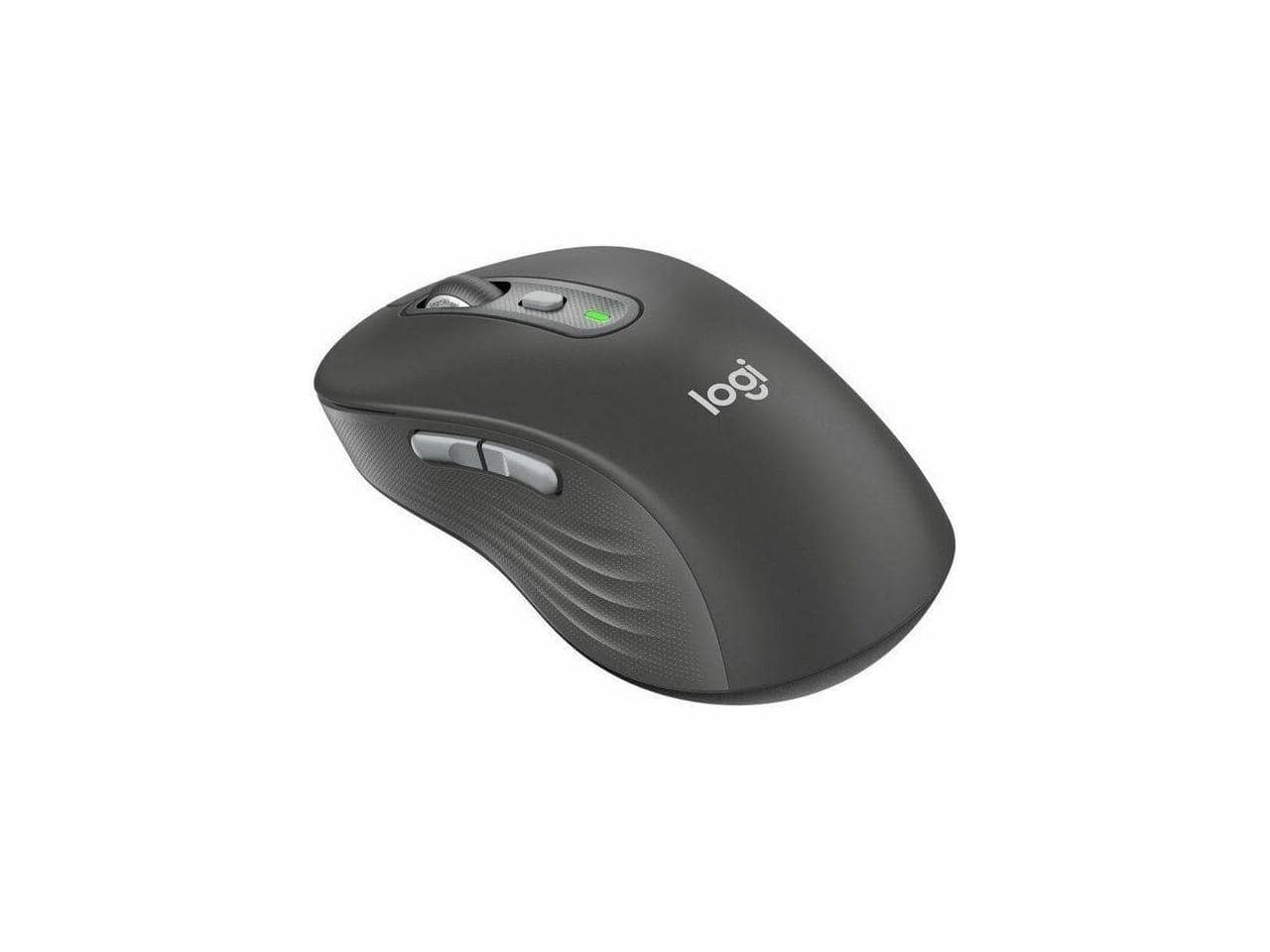
Logitech Signature M750 L
Best BudgetBuy if: you want a big, quiet office mouse for large hands without paying flagship money
Don't buy if: you game, or you need high DPI
The Signature M750 L is the quiet budget pick for people who don't want a vertical and don't want to pay for one. Logitech makes the Signature line in sizes; the L is the one for large hands — a full-size contoured shell with a soft thumb area, SilentTouch quiet clicks and the SmartWheel, at a fraction of the Master 4's price. Bluetooth and the Logi Bolt receiver cover the connection, and it switches between three devices. One AA battery is rated by Logitech for up to 24 months, and the six buttons cover the office basics: back, forward, middle click and a DPI switch.
Two traps to check. First, the standard M750 is the smaller size — if the listing doesn't say "L", it's the wrong mouse for a large hand. Second, the sensor tops out at 2,000 DPI. That is fine for spreadsheets and browsing, and useless for fast games. Buy it for comfort, not for DPI.
Pros
- Sized for large hands by Logitech
- Quiet SilentTouch clicks
- SmartWheel, three-device switching
- Long battery claim (maker's figure)
Cons
- 2,000 DPI max — office only
- AA battery, not rechargeable
- Right-handed only
- Easy to confuse with the smaller standard M750
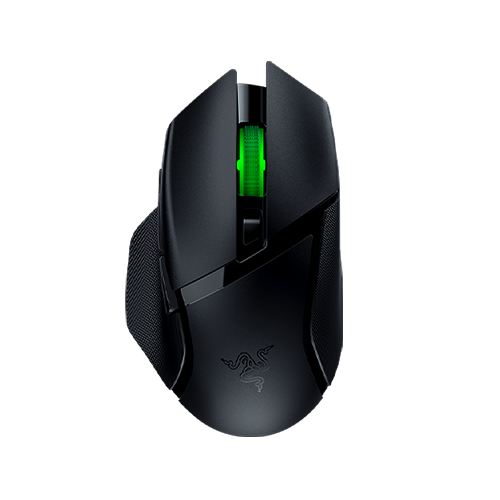
Razer Basilisk V3 X HyperSpeed
Best Budget GamingBuy if: you want a wide gaming shell with a thumb rest and months of battery for little money
Don't buy if: you want a light mouse, or you hate buying AA batteries
The Basilisk V3 X HyperSpeed is the budget gaming pick, and the longest-lasting one here. At 130 mm long and 75 mm wide it is a long, wide palm mouse with a thumb rest and nine programmable controls. It runs on one AA battery — Razer rates it at up to 285 hours on HyperSpeed and up to 535 hours on Bluetooth — which suits players who hate charging. HyperSpeed 2.4 GHz plus Bluetooth cover the connection, the 18K optical sensor is plenty for most games, and the Chroma RGB lights up the scroll wheel.
Two numbers need splitting, because most roundups print only one. The 535-hour figure is Bluetooth only; on HyperSpeed it is 285 hours, and both are Razer's claims, not test results. And at 110 g it is the heaviest gaming pick here — the DeathAdder V4 Pro is half the weight. For a big palm that wants a thumb rest and doesn't want to charge a mouse every week, the trade is worth it.
Pros
- Long, wide shell fills a big palm
- Nine programmable controls with thumb rest
- Months of battery on one AA (maker's claim)
- HyperSpeed plus Bluetooth
Cons
- 110 g — heaviest gaming pick here
- AA battery, not rechargeable
- Thumb rest shape is right-handed only
Can a Vertical Mouse Help With Wrist Pain?
It can ease the strain — it is not a treatment. A vertical mouse holds the forearm closer to a handshake position, so the wrist twists less during a long day. That helps many people with aching wrists. It does not fix carpal tunnel, and it is not a medical device.
The honest limit: no mouse in this guide is a medical product, and no maker claim here is a clinical result. If you have numbness, tingling or pain that does not fade after a few days away from the mouse, see a doctor — a mouse change is the wrong fix for a nerve problem. What a vertical does do, for the right hand size, is remove one source of strain: the twist. Pair it with a chair and desk height that lets your forearm rest flat, and with breaks — the mouse alone is half the fix.
What's the Best Wireless Gaming Mouse for Large Hands?
The Razer DeathAdder V4 Pro — 56 g, a tall hump that fills a large palm, and 8,000 Hz wireless polling in the box. If you want buttons instead of lightness, the Logitech G502 X LIGHTSPEED is the pick.
Gaming roundups keep crowning the lightest mouse, and for large hands that is the wrong prize. A 60 g symmetrical slab leaves a big palm unsupported, and the hand cramps within the hour — the exact problem this guide exists to fix. The DeathAdder V4 Pro wins because it is light and big at the same time: 56 g with a 128 mm ergonomic shell. The G502 X LIGHTSPEED wins the other way: heavier, but with 13 controls and a wheel that free-spins. The Basilisk V3 X HyperSpeed is the budget way in, with a thumb rest and months of battery.
One thing the gaming roundups get right: wireless latency is a solved problem on flagship dongles. HyperSpeed and LIGHTSPEED both run under 1 ms, so buy wireless for the desk, not for the speed. And skip the 8,000 Hz polling unless you play competitively — it halves the battery for a difference most hands can't feel.
Are There Left-Handed Wireless Mice for Large Hands?
Yes, but the choice is thin: the Logitech Lift Left is the only true left-handed ergonomic pick with a real track record — and it is sized for small-to-medium hands, not large ones.
That is the honest gap in this market. Every mouse in this guide is right-handed, because the big shells are sculpted for a right hand and the left-handed versions either don't exist or only come in small sizes. The Lift Left is the same 108 mm shell, mirrored — too short for a 19 cm hand. The M750 L has no left-handed version at all. Symmetrical mice like the G Pro X Superlight 2 work for either hand but offer no palm support, so they are travel mice, not ergonomic ones. If you are left-handed with large hands, the practical answer is a large symmetrical mouse used with a relaxed claw grip — and check the listing says "Left" before you buy anything, because the standard models are right-handed only.
Buying Guide: What Actually Matters
After size, the four things worth your attention are shape, connection, battery and buttons — in that order.
Shape decides whether the mouse fits your grip: vertical for wrist angle, sculpted for familiarity, tall for palm, long for claw. Connection decides how it joins your setup: Bluetooth and 2.4 GHz cover most desks, and three-device switching matters if you move between a laptop and a desktop — the Master 4, MX Vertical, M750 L and Basilisk all switch between devices. Battery decides how often you think about it: the Master 4 and MX Vertical recharge over USB-C, the M750 L and Basilisk run on AA batteries for a maker's claim of months, the DeathAdder V4 Pro recharges over USB-C. Buttons decide whether the side buttons fall under your thumb — check that before you buy, because a side button you can't reach is a button you paid for and never use.
Three things not to overpay for: DPI above 8,000 on a work mouse (you will never use it), RGB lighting on a mouse your hand covers, and a "gaming" label on a mouse with no low-latency wireless. If you've tried a small mouse and you've still got cramps, don't blame your hand — blame the shell.
Mice to Skip in 2026
Logitech MX Anywhere 3S — a great mouse for the wrong hand. 100.5 mm long, 99 g. Superb for travel and small hands. For a 19 cm hand it is a toy — the palm hangs off the back and the fingers curl past the front.
Logitech G305 LIGHTSPEED — compact, and it shows. 99.6 mm long, 99 g, a strong gaming sensor in a shell built for smaller hands. Large palms will find it cramped, and there is no Bluetooth for laptop-only setups.
Logitech Signature M650 (standard) — the small size, not the L. 108.2 mm long, built for small-to-medium hands. The M750 L is the large-hand version; buy the wrong letter and you buy the wrong mouse.
Logitech G Pro X Superlight 2 — a featherweight slab. 60 g, symmetrical, brilliant for competitive FPS — and hopeless as a palm rest for a large hand. No thumb rest, no hump, nothing for the palm to sit on.
Logitech Pebble — flat, light, and a travel mouse. Fine in a laptop bag. For eight hours at a desk with large hands, it is the cramp you are trying to escape.
The pattern is the same every time: a good mouse, recommended to the wrong hands.
Frequently Asked Questions
What's the best wireless mouse for large hands in 2026?
The Logitech MX Master 4 — the widest shell here, with a 70-day battery and the best scroll wheel. For gaming, the Razer DeathAdder V4 Pro.
How do I measure my hand for a mouse?
Hold your hand flat, palm down. Measure from your wrist crease to the tip of your middle finger. 19 cm or longer means large hands.
What size mouse should I get if my hand is 19 cm?
Look for a mouse 120 to 135 mm long and at least 70 mm wide. Check the millimetres on the listing — don't trust the word "large".
Is a vertical mouse good for large hands?
Yes, when the shell fits. The MX Vertical holds your forearm in a handshake position — but a small vertical is worse than a flat mouse that fits.
Can a wireless mouse help with hand cramps?
A mouse that fits can stop the cramp caused by a too-small shell. If the pain is numbness or tingling, see a doctor instead.
Are there left-handed wireless mice for large hands?
The choice is thin. The Lift Left is the only true left-handed ergonomic pick, and it is sized for small-to-medium hands, not large ones.
Should large hands use a palm or claw grip?
Palm grip suits tall, full shells like the Master 4 and DeathAdder V4 Pro. Claw grip suits long, low shells like the G502 X and Basilisk.