Best Monitor Arm for an Ultrawide Monitor in 2026: 6 Picks That Actually Hold

Your new ultrawide is here. It is wide, it is heavy, and the arm you already own is losing the fight — the screen droops a little more each week, or the clamp will not close on your desk at all. Every listing says "up to 49 inches" as if inches held the monitor up. They do not. Weight does, and so does curve depth: a deep 1000R panel pushes its centre of gravity far forward of the mounting plate, loading the tilt joint far harder than a flat panel of the same weight.
The best monitor arm for an ultrawide monitor is a gas-spring arm rated for your panel's weight without its stand, with a tilt pivot built for curved screens. Weight beats screen size: a 34-inch panel runs 15–22 lb, a 49-inch panel 25–40 lb — the arm's weight range decides the fit.
This guide is ultrawide-first. It covers office and productivity setups as well as gaming, ranks six arms by what they actually hold across 34, 38 and 49-inch panels, and answers the questions buyers really ask — the weight range, the desk, the clamp, the curve and the second screen — before you spend anything. Our outbound links go to Amazon search for the exact model (Amazon-only link policy); no exact ASINs were supplied for this guide, so no exact /dp/ links are claimed. No prices are printed: arm prices move constantly and vary by configuration, so check the listing for today's price rather than trusting a number printed here. If gaming is your main use, our gaming monitor arms guide ranks the same category by gaming setup instead.
Pick by Panel, Not by Price
Start with your panel's size and weight without its stand — not the price tag. This chooser is the whole guide in one table.
| Your setup | Buy first | Why it wins |
|---|---|---|
| 34-inch ultrawide, 15–22 lb | Ergotron LX | 7–25 lb range covers nearly every 34-inch panel; the benchmark for smooth, sag-free movement |
| 34-inch ultrawide on a budget | Amazon Basics Premium | Same 25 lb ceiling as the LX for less money — with one size-rating catch to read first |
| 38-inch ultrawide, 20–28 lb | Ergotron HX | 20–42 lb range starts where the LX runs out; headroom for the curve as well as the weight |
| 49-inch super-ultrawide, 25–40 lb | Ergotron HX | 42 lb ceiling with HD/VHD pivot options for deep 1000R curves |
| 49-inch ultrawide on a budget | HUANUO TitanLift | Up to 44 lb for far less than the HX — but only on a wooden desk 0.8–3.5 inches thick |
| 49-inch curved panel, named fit | ARES WING | 4.4–44 lb range that explicitly names the Samsung Odyssey G9 and 1000R curves |
| Premium setup, widest panels to 57 inches | Secretlab MAGNUS Heavy Duty | 8–16 kg range with a heavy-duty tilt pivot and a plainly stated 10–50 mm clamp range |
| Ultrawide plus a second screen | Two single arms | Each arm tensions for its own monitor — see the single-vs-dual section below |
A 34-inch ultrawide typically weighs 15 to 22 pounds without its stand, while a 49-inch super-ultrawide runs 25 to 40 pounds. According to Ergotron, the HX arm covers 20 to 42 pounds, which is why it fits nearly every ultrawide on the market. Match the arm's weight range to the panel, not the screen-size headline.
According to HUANUO, the TitanLift holds screens up to 49 inches and 44 pounds on a dual C-clamp, with a 5-year warranty. That makes it the cheapest honest route to a heavy ultrawide. Check the desk first: it only mounts to wooden tops 0.8 to 3.5 inches thick.
Quick Comparison
| Product | Key Specs | ||
|---|---|---|---|
| #1 | Ergotron HX Desk Monitor ArmBest for Heavy Ultrawides | 20–42 lb · Up to 49" · HD/VHD pivot options for deep curves | Check Price |
| #2 | HUANUO TitanLift Heavy Duty Monitor ArmBest Value Heavy-Duty | 6.6–44 lb · Up to 49" · 5-year warranty · Dual C-clamp | Check Price |
| #3 | ARES WING Ultrawide Monitor ArmBest for Curved 49-Inch | 4.4–44 lb · 17–49" · Names Odyssey G9 · 1000R curved | Check Price |
| #4 | Ergotron LX Desk Monitor ArmBest for 34-Inch Ultrawides | 7–25 lb · Up to 34" · 10-year warranty | Check Price |
| #5 | Amazon Basics Premium Single Monitor StandBest Budget 34-Inch | Up to 25 lb · Rated to 32" · Clamp 0.4–2.4" · 1-year warranty | Check Price |
| #6 | Secretlab MAGNUS Heavy Duty Monitor ArmBest Premium / Widest Panels | 8–16 kg (17.6–35.2 lb) · 34–57" · Clamp 10–50 mm | Check Price |
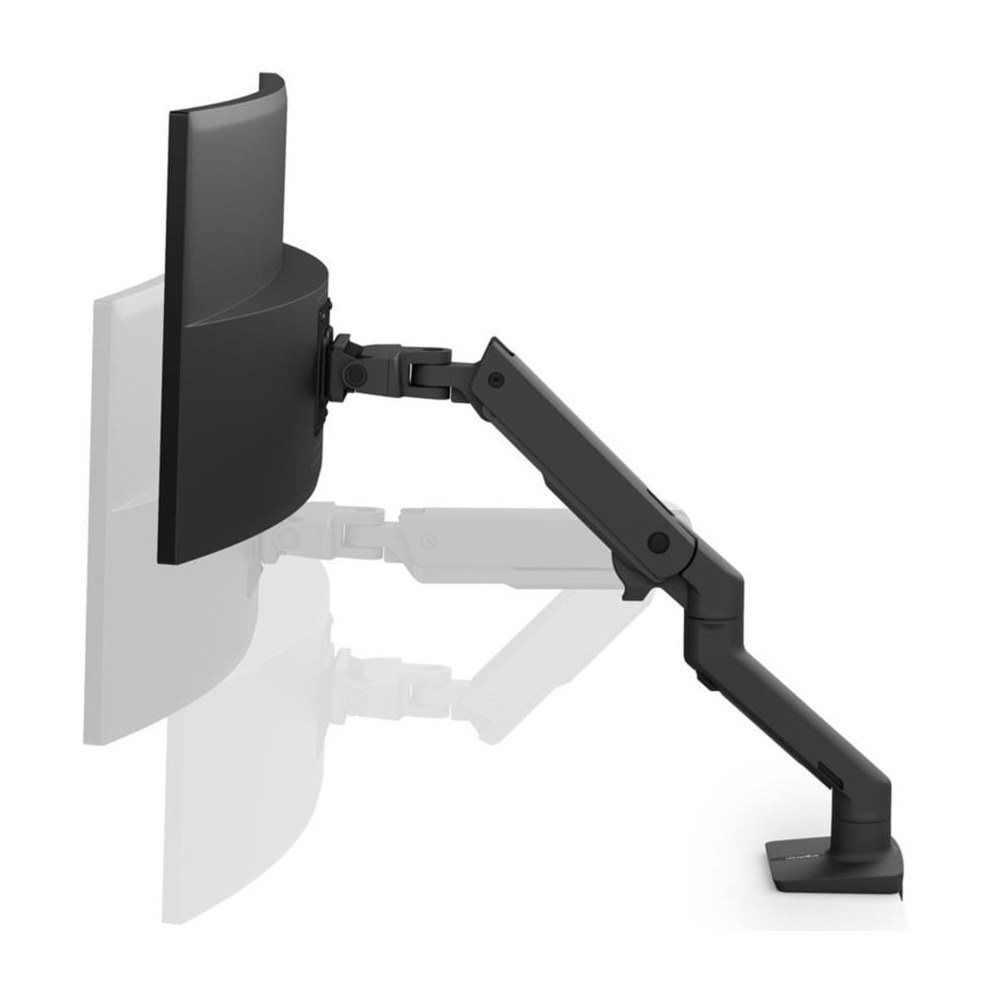
Ergotron HX Desk Monitor Arm
Best for Heavy UltrawidesBuy if: your ultrawide weighs 20–42 lb without its stand, especially a 49-inch super-ultrawide
Don't buy if: your monitor weighs under 20 lb — the HX's gas spring cannot dial down far enough and the screen will float upwards
The heavyweight in this guide, and the one to buy when nothing else is honestly rated for your panel. Ergotron rates the HX for 20–42 lb and screens up to 49 inches, and reviewers consistently rank it as the best heavy-duty arm they have tested — that ceiling clears almost any single screen you can buy. The detail that matters is the pivot: the standard HX, the HX with Heavy Duty Pivot, and the HX with Very Heavy Duty Pivot are different configurations, not interchangeable labels. Deep 1000R panels put extra torque on the tilt joint, which is why Ergotron sells the dedicated HD and VHD versions for extreme-depth curved screens and 57-inch 1000R monitors. Buy the pivot for your panel's depth, not just its weight.
It is also the only arm here that natively covers VESA patterns up to 200×200 mm, which is what a lot of 42-inch-and-up panels actually use. For an office desk that also runs games after hours, this is the arm that covers both jobs without a second purchase.
Pros
- 20–42 lb range covers nearly every super-ultrawide on the market
- HD/VHD pivot options exist for deep curved panels other arms cannot hold level
- Native VESA up to 200×200 mm for larger panels
- Long-standing reputation for build quality and smooth, sag-free movement
Cons
- 20 lb minimum weight — most 27- and 34-inch monitors are too light for it
- Premium price, and the right pivot configuration costs more than the base arm
- Large base and long reach need real desk depth and rear clearance
Full specifications
- Weight range 20–42 lb (9.1–19.1 kg); screens up to 49 inches
- Standard, Heavy Duty and Very Heavy Duty pivot configurations
- VESA 75×75 / 100×100 / 200×100 / 200×200
Prices change frequently — click through to see today's price.
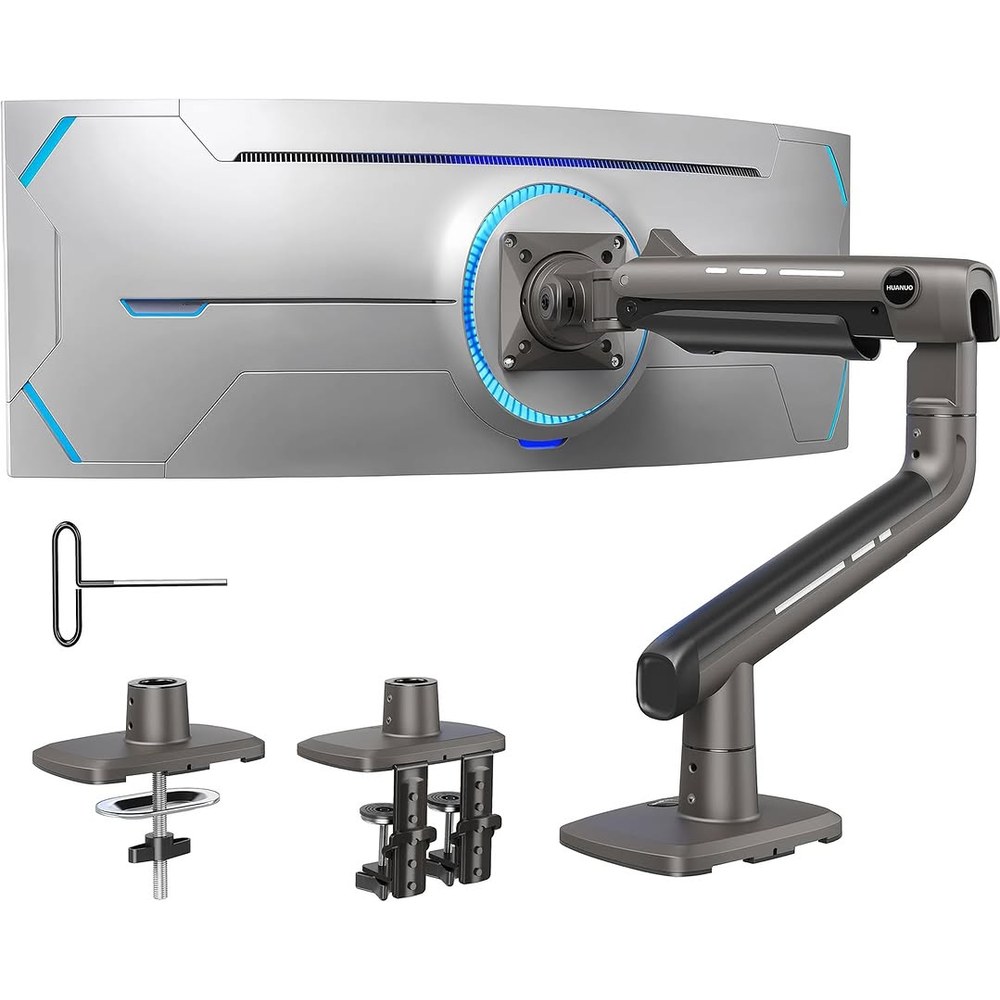
HUANUO TitanLift Heavy Duty Monitor Arm
Best Value Heavy-DutyBuy if: you want 44 lb of capacity for a heavy 49-inch ultrawide at a mid-range price
Don't buy if: your desk is glass, plastic, or thinner than 0.8 inches — this arm mounts to wooden desks only
The value route into heavy ultrawide mounting, and the strongest challenger to the HX on capacity alone. HUANUO rates the TitanLift for 17–49-inch screens at 6.6–44 lb, with a dual C-clamp base, 22.5 inches of extension and 19.6 inches of height adjustment. A 5-year warranty backs it — long for this price tier, and a sign the maker expects the arm to last.
One honest flag: the capacity number has two versions. HUANUO's RGB model is rated 44 lb; the standard non-RGB model is rated 40 lb. Treat 40 lb as the safe number for the standard arm, and 44 lb as the RGB model's figure. Either way it clears every mainstream 49-inch panel. The desk rule is the real gate: wooden tops 0.8–3.5 inches thick only, with no obstructing cross beams — measure before you order.
Pros
- Up to 44 lb capacity for far less than the premium heavy-duty arms
- Wide 6.6–44 lb range covers light monitors too
- Dual C-clamp spreads the load across two points on the desk edge
- 5-year warranty
Cons
- Wooden desks only — glass and plastic tops are excluded
- VESA limited to 75×75 and 100×100 mm; larger patterns need an adapter
- 360° rotation is limited to screens up to 35 inches
Full specifications
- Weight range 6.6–44 lb (RGB version; standard non-RGB model rated 40 lb); screens 17–49 inches
- VESA 75×75 / 100×100; dual C-clamp or grommet, wooden desks 0.8–3.5 inches thick
- Maximum extension 22.5 inches; maximum height 19.6 inches
Prices change frequently — click through to see today's price.
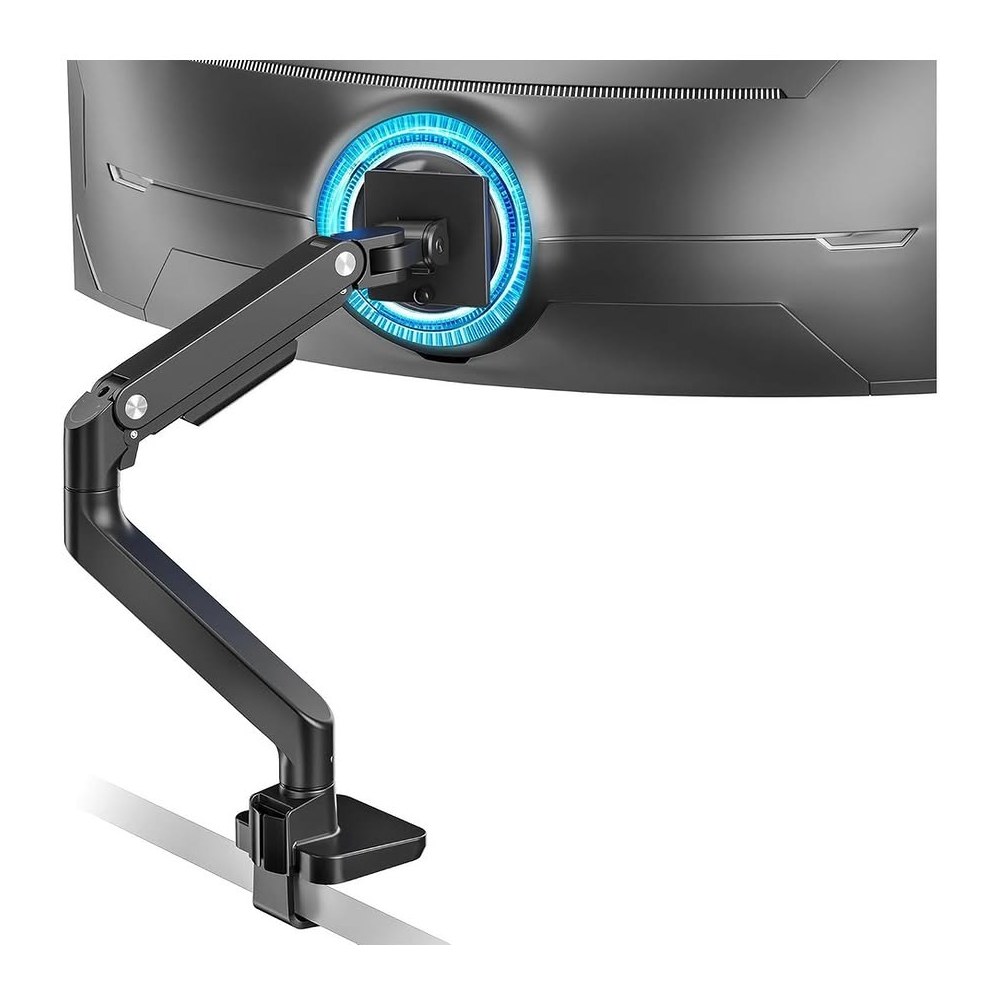
ARES WING Ultrawide Monitor Arm
Best for Curved 49-InchBuy if: your panel is a curved 49-inch ultrawide such as the Samsung Odyssey G9 and you want a named fit
Don't buy if: your desk is thinner than 0.5 inches or thicker than 1.8 inches at the clamp point
The pick for buyers who want the listing to name their monitor. ARES WING builds this arm around 17–49-inch ultrawides at 4.4–44 lb, and its manual and listings explicitly name the Samsung Odyssey G9 and 1000R curved screens — the exact panels that break lesser arms. The gas spring covers a wide band, from a light 34-inch panel to a heavy super-ultrawide, and the 22.4-inch extension plus 8.7–18.7-inch height range give real positioning room.
Here's the thing: a named fit is worth more than a bigger number on a spec sheet. Plenty of arms claim 44 lb; far fewer say "this holds a 1000R G9" and mean it. The trade-off is the clamp: 0.5–1.8 inches is a narrower band than the HX or TitanLift, so measure your desk edge before ordering — thick butcher-block tops fall outside it.
Pros
- Explicitly rated for 1000R curved panels and names the Odyssey G9
- Wide 4.4–44 lb range covers light and heavy ultrawides in one arm
- Clamp and grommet mounting included
- Full tilt, swivel and rotation for positioning
Cons
- Narrow clamp range (0.5–1.8 inches) rules out thick desks
- VESA limited to 75×75 and 100×100 mm
- Newer brand with a shorter track record than Ergotron
Full specifications
- Weight range 4.4–44 lb (2–20 kg); screens 17–49 inches
- VESA 75×75 / 100×100; C-clamp 0.5–1.8 inches or grommet 0.5–2 inches
- Tilt +50°/−20°, swivel 180°, rotation 360°; maximum extension 22.4 inches
Prices change frequently — click through to see today's price.
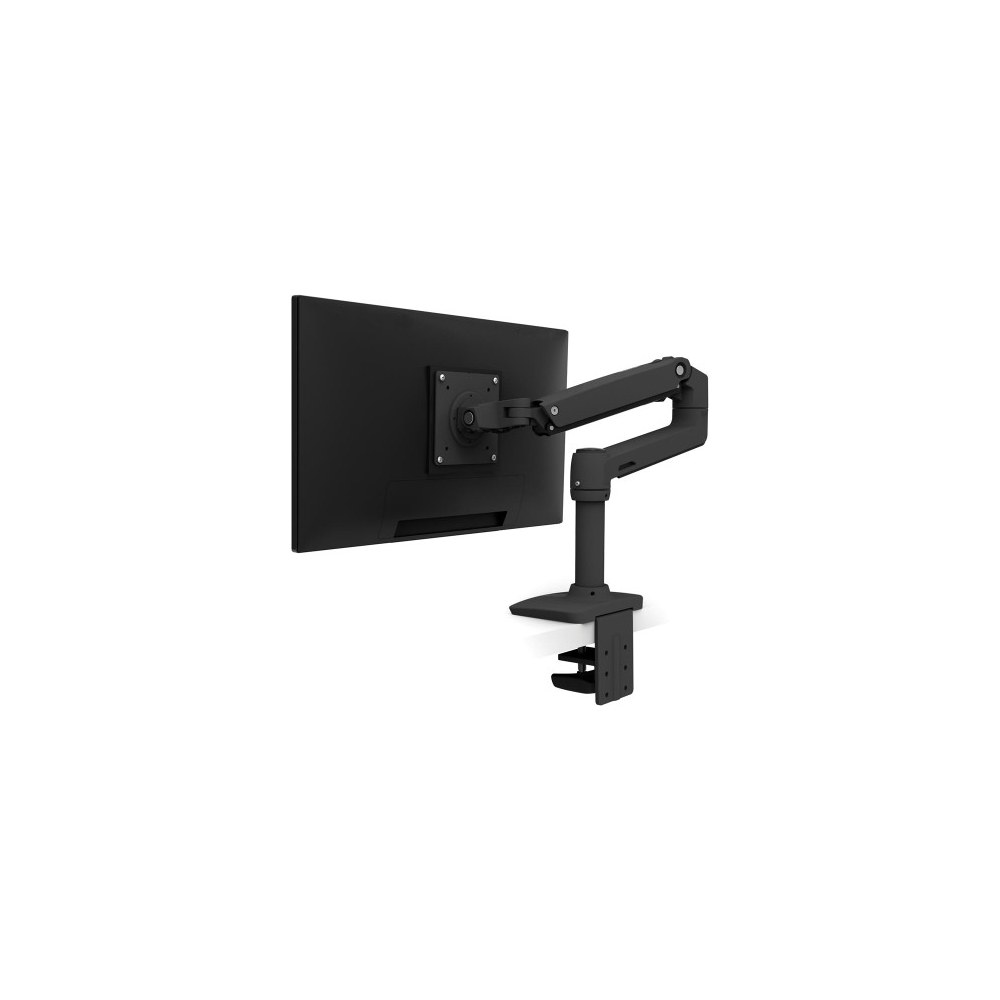
Ergotron LX Desk Monitor Arm
Best for 34-Inch UltrawidesBuy if: you have one 34-inch ultrawide weighing 7–25 lb without its stand
Don't buy if: your panel is over 25 lb, or a deep curved super-ultrawide — that is HX territory
The default answer for most ultrawide owners, and our top pick for 34-inch panels. The LX supports monitors up to 34 inches and 7–25 lb, which covers nearly every 34-inch ultrawide on the market — most weigh 15–22 lb without the stand, comfortably inside its range. It is the arm other arms get compared against in reviews: smooth gas-spring movement, a solid build that does not wobble when you type hard, and a tension range wide enough to hold a light 24-inch panel and a heavy 34-inch ultrawide without sagging or floating. Its only real failure mode is being asked to do the HX's job.
For a home office, the LX is the sweet spot: it costs far less than the heavy-duty arms, carries a 10-year warranty, and handles the panel most ultrawide owners actually buy. Just respect the 34-inch cap — a 38-inch panel at 15 lb sits inside the weight range and still fails the size rating, because the extra width multiplies the torque on the same joint.
Pros
- 7–25 lb range covers nearly every 34-inch ultrawide
- Smooth, stable movement that holds its position after adjustment
- 10-year warranty — the longest in this guide
- Works with flat, curved and ultrawide panels within its weight range
Cons
- 25 lb ceiling rules out heavy 49-inch panels
- 34-inch size cap rules out 38-inch panels even at low weights
- Premium price over budget gas-spring arms
Full specifications
- Weight range 7–25 lb; screens up to 34 inches
- VESA 75×75 / 100×100; clamp and grommet mounting
- Full tilt, swivel, rotation and height adjustment; 10-year warranty
Prices change frequently — click through to see today's price.
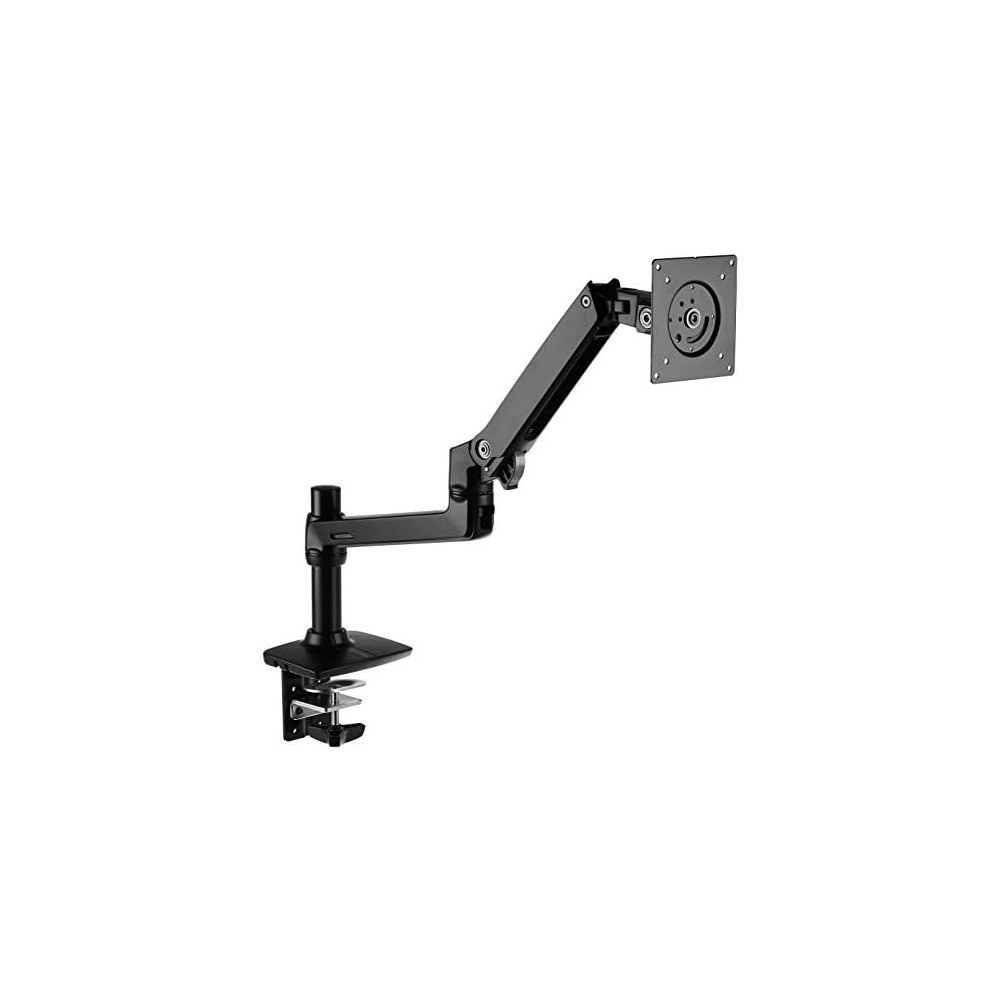
Amazon Basics Premium Single Monitor Stand
Best Budget 34-InchBuy if: your 34-inch ultrawide weighs under 25 lb and you want gas-spring movement on a tight budget
Don't buy if: a 1-year warranty bothers you, or your panel is over 25 lb
The budget pick with a catch worth reading. Amazon rates this arm — model K001387 — for monitors up to 32 inches and 25 lb, with VESA 75×75 and 100×100, a clamp for desks 0.4–2.4 inches thick, and 25 inches of extension. The mechanism is widely understood to share the LX's design, and it moves like it: smooth gas-spring height adjustment, full tilt, swivel and rotation.
Here is our pushback-able call: buy this arm for a 34-inch ultrawide under 25 lb anyway. Amazon's 32-inch rating is a warranty line, not a physics limit — the 25 lb ceiling is the same as the LX's, and a light 34-inch panel sits inside the mechanism's range. The trade is the warranty: one year against Ergotron's ten. If that gap matters to you, pay for the LX. Or maybe I should say it this way: buy the arm for the panel you own, not the panel you might own one day — and if that panel is a light 34-inch ultrawide, this is the cheapest honest way to hold it.
Pros
- LX-class mechanism and 25 lb capacity for less money
- 25-inch extension — the longest reach in the budget tier
- Clamp and grommet mounting included
Cons
- Rated to 32 inches, not 34 — a size short of this guide's ultrawides
- 1-year warranty against Ergotron's 10 years
- No heavy-duty pivot option for deep curved screens
Full specifications
- Weight capacity up to 25 lb (11.3 kg); screens up to 32 inches
- VESA 75×75 / 100×100; clamp 0.4–2.4 inches or grommet
- Maximum extension 25 inches; tilt 70° back, 5° forward; 1-year warranty
Prices change frequently — click through to see today's price.
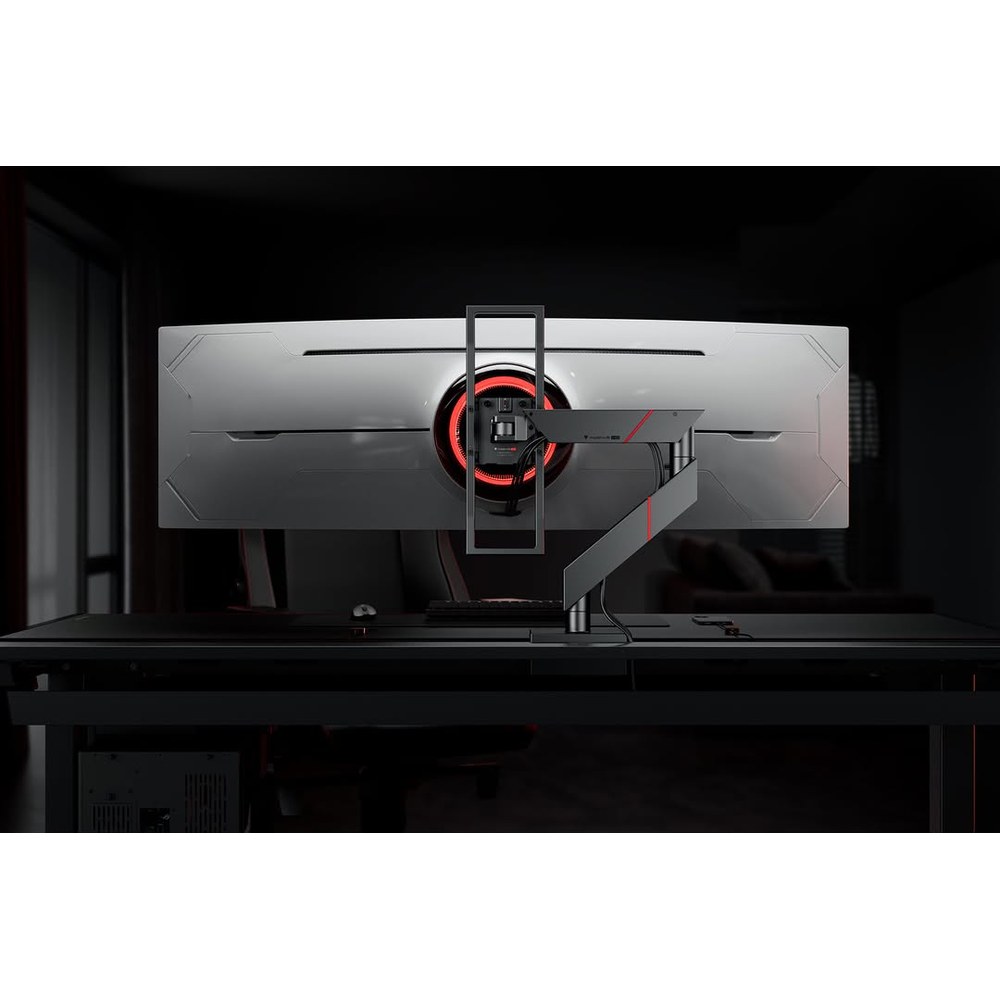
Secretlab MAGNUS Heavy Duty Monitor Arm
Best Premium / Widest PanelsBuy if: you want a premium heavy-duty arm for a 34–57-inch ultrawide weighing 8–16 kg
Don't buy if: your desk is thinner than 10 mm or thicker than 50 mm at the clamp point
The premium alternative to the HX for ultrawide setups, with cleaner published limits. Secretlab rates the MAGNUS Heavy Duty arm for 34–57-inch monitors weighing 8–16 kg (17.6–35.2 lb), with VESA 75×75 and 100×100 and a heavy-duty tilt pivot built for ultrawide geometry. Its published clamp range — 10–50 mm — is stated plainly, which is rarer than it should be: many arms bury their clamp range, and buyers only discover the mismatch when the clamp will not seat. If your panel is inside the weight range and your desk is inside the clamp range, this is the cleanest-looking heavy-duty option in the guide. If your panel is over 35.2 lb, it is the HX or nothing.
It also wins on the widest panels: 57 inches is the broadest size rating here, so owners of 45-inch 5K2K and 57-inch super-ultrawides have a premium option that is not the HX. Don't buy the HX if your panel weighs under 20 lb — it won't hold it down, and you'll watch it drift up all day.
Pros
- Heavy-duty tilt pivot designed for ultrawide panels, not just heavy flat ones
- Clear published limits: 8–16 kg and a 10–50 mm clamp range
- Covers 34–57-inch panels in one arm
Cons
- 35.2 lb ceiling is below the HX's 42 lb — the heaviest panels still need the HX
- 8 kg minimum weight rules out light monitors
- Desk thickness outside 10–50 mm at the clamp point is a deal-breaker
Full specifications
- Weight range 8–16 kg (17.6–35.2 lb); screens 34–57 inches
- VESA 75×75 / 100×100; heavy-duty tilt pivot
- Clamp range 10–50 mm
Prices change frequently — click through to see today's price.
What Size Monitor Arm Do I Need for an Ultrawide?
Ignore the screen-size headline and match three numbers instead: your monitor's weight without its stand, the arm's full weight range, and your monitor's VESA pattern. The weight that counts is the bare panel — the manufacturer's spec sheet lists it as "without stand" or "panel only". The shipping weight and the with-stand weight are both higher, and comparing those to an arm's rating will send you to a heavier arm than you need, or hide the fact that you are over the limit. Then check that your panel's weight sits inside the arm's range, not just under its maximum: a gas-spring arm has a minimum too, and a monitor below it will float upwards.
| Panel size | Typical weight without stand | Arm you need |
|---|---|---|
| 34-inch ultrawide | 15–22 lb | 25 lb arm minimum — Ergotron LX or Amazon Basics Premium |
| 38-inch ultrawide | 20–28 lb | 33–42 lb heavy-duty arm — Ergotron HX or HUANUO TitanLift |
| 49-inch super-ultrawide | 25–40 lb | 42–44 lb heavy-duty arm — Ergotron HX, TitanLift or ARES WING |
Leave a margin. Buy an arm rated at least 20% above your panel's bare weight — 30% if you run the arm at full extension, where leverage multiplies the load. A 30 lb panel wants an arm rated to at least 36 lb, which is why the HX, not the VIVO, is the honest pick for a heavy super-ultrawide even when a 33 lb headline looks close enough.
Then check the VESA pattern, and here is where the guides disagree. I've seen conflicting data — some sources say 200×100 mm is common on 34-inch ultrawides, others say nearly every ultrawide uses 100×100 mm. My read is both patterns exist, and the only reliable check is your exact model's spec sheet. If your panel uses 200×100 mm, only the HX in this guide covers it natively; the rest need a model-specific adapter, and that adapter adds leverage of its own.
The U.S. Occupational Safety and Health Administration advises placing a monitor 20 to 40 inches from your eyes, with the top at or slightly below eye level. A 49-inch panel on a shallow desk breaks that rule, so desk depth matters as much as weight — the section below covers it.
Can a Monitor Arm Hold a 49-Inch Ultrawide?
Yes, but only a heavy-duty arm rated for your panel's actual weight and depth — most standard arms cannot, whatever their headline says. A 49-inch ultrawide, especially a curved OLED model, typically weighs 25–40 lb, while most standard arms are rated for 17–22 lb. Put one on a standard arm and it will sag within weeks, wobble every time you type, and eventually fail. You need a genuine heavy-duty rating — 42–44 lb of capacity — and, for deep curved panels, a tilt pivot rated for that geometry. The Ergotron HX (20–42 lb, with HD/VHD pivots), the HUANUO TitanLift (up to 44 lb) and the ARES WING (4.4–44 lb) are the honest picks in this guide.
Look — if you're staring at a 49-inch panel that sags a little more every week, here's what actually works: weigh the panel without its stand, buy the arm whose range clears that weight with 20% headroom, and if the panel is a deep 1000R curve, buy the pivot for the curve too. A 42 lb rating does not automatically make a deeply curved panel a safe fit, because the flat-panel number never accounted for that leverage.
How Do I Mount an Ultrawide Monitor Arm?
Mounting a heavy ultrawide is a six-step job, and the order matters — the weight and desk checks come before any hardware touches the desk.
To mount an ultrawide monitor arm, follow these steps: 1. Weigh your panel without its stand. 2. Check your VESA pattern. 3. Measure desk thickness at the clamp point. 4. Fit the clamp or grommet mount. 5. Attach the VESA plate and hang the monitor. 6. Set the gas-spring tension until the screen stays put.
- Weigh your panel without its stand. Find "weight without stand" on the manufacturer's spec sheet — not the shipping weight and not the weight with the stand attached. The gap runs 4–6 lb on a 34-inch panel, enough to push a borderline pick over an arm's ceiling.
- Check your VESA pattern. Look at the back of the monitor for four screw holes in a square, or check the spec sheet. Most ultrawides use 100×100 mm; some larger panels use 200×100 mm.
- Measure your desk thickness at the clamp point. Measure exactly where the clamp will grip, and look underneath for a cable tray, support rail or beveled edge that could stop the clamp seating.
- Fit the clamp or grommet mount. Clamp to the desk edge, or thread the grommet mount through a cable hole. Tighten it fully before hanging any weight on the arm.
- Attach the VESA plate and hang the monitor. Screw the plate to the back of the monitor, slide it onto the arm's mount, and lock it in place. Get a second pair of hands for a 49-inch panel — it is wide, heavy and awkward alone.
- Set the gas-spring tension. Turn the tension screw a half-turn at a time, testing by moving the monitor up and down, until the screen stays exactly where you leave it. Hold the arm horizontal while adjusting, as the manuals instruct.
Single Arm or Dual Arm for an Ultrawide Plus a Second Screen?
Two separate single arms, in almost every case — one heavy-duty arm for the ultrawide, one light arm for the second screen. A dual arm only earns its place when both screens run every session and each one is inside the dual arm's per-arm weight limit. Two separate arms tension for their own monitors, and you are not locked into one base's spacing — move one screen later without touching the other.
Single arm vs dual arm: a single heavy-duty arm is better suited for one ultrawide because the whole gas spring serves one panel. A dual arm works better when a second screen runs every session. The key difference is per-arm weight: dual arms rate each arm separately, so a heavy main screen can still exceed the limit.
Note the two dual forms before you buy: two independent arms on one base (each tensions for its own monitor) versus a single bar with two mounts (cheaper, but both screens share one height setting). The ARES WING Dual is the ultrawide-capable dual option here — 44 lb per arm, 17–49 inches each — but even it rates per arm, so a heavy main monitor can exceed a dual arm's per-arm limit while the pair's total looks fine. And two screens on one clamp concentrate more load on one desk edge, so the desk check below matters twice as much.
What Desk Depth Do I Need for a 49-Inch Ultrawide?
At least 75 cm of desk depth for a 38–49-inch ultrawide, and 60–75 cm for a 34-inch panel. A super-ultrawide fills your peripheral vision at close range, so a shallow desk puts the screen too close to your eyes — and an arm needs room behind the desk to fold, or you will have to pull the desk away from the wall to use it at all.
| Panel size | Minimum desk depth | Why |
|---|---|---|
| 34-inch ultrawide | 60–75 cm (24–30 in) | Width matters more than depth, but you still need arm extension |
| 38–49-inch ultrawide | 75+ cm (30+ in) | Super-ultrawide fills peripheral vision at close range |
The clamp is the second desk check. Every arm in this guide states a clamp range, and they differ: the Secretlab spans 10–50 mm, the ARES WING 0.5–1.8 inches, the TitanLift 0.8–3.5 inches on wooden tops only, and the Ergotron and Amazon Basics clamps 0.4–2.4 inches. Thin dorm desks and thick butcher-block tops both fall outside somebody's range, so measure before you order.
A C-clamp concentrates the whole load of the arm and monitor onto two small contact points, and thin, hollow or glass desktops are the ones that fail. On a solid wood or thick particleboard top, a clamp is fine. On a hollow-core desk (honeycomb paper filling under a thin veneer, like IKEA's LINNMON and LAGKAPTEN tops, whose makers say they are unsuitable for screen stands), the clamp can crush the edge. On glass, concentrated clamp pressure can crack or shatter the top — most guides say plainly not to clamp a glass desk at all, and a freestanding stand is the safer choice there. A reinforcement plate spreads the load over a wider area and helps on dent-prone tops, but it does not override the desk maker's restriction and does not make glass safe.
Before ordering, look underneath the desk too: a cable tray, support rail or beveled edge can stop the clamp seating even when the thickness looks right, and a clamp needs a flat edge for roughly the first inch. And do not expect an arm to fix a wobbly standing desk: it usually amplifies the wobble, especially with a heavy monitor extended far out. If your desk top is hollow-core, a clamp can dent it — a steel or solid top removes that worry, and our gaming desks guide names which picks are clamp-safe.
Do Curved Ultrawides Need a Special Pivot?
For shallow curves, no; for deep 1000R super-ultrawides, yes — and this is the detail most roundups skip. A curved panel's weight sits forward of the mounting plate, so the tilt joint carries a twisting load that a flat panel of the same weight does not create. The deeper the curve, the further forward the centre of gravity moves. That is why Ergotron sells HD and VHD pivots for the HX, why the MAGNUS Heavy Duty ships with a heavy-duty tilt pivot, and why a value arm that handles a flat 49-inch panel can still droop under a curved one.
The numbers: the HX with HD Pivot is specified for ultra-wide curved displays 6 to 12 inches deep weighing 28 to 42 lb, with Ergotron naming the 49-inch Samsung Odyssey G9 as the example. The VHD pivot goes further, covering 57-inch 1000R monitors. Shallow 1800R curves — common on 34-inch office ultrawides — do not need a special pivot; a standard heavy-duty arm holds them fine. When you buy, match the pivot to the curve: if the arm maker does not explicitly market the arm or pivot for your panel's curvature, treat that as a warning, not an oversight.
Why Does My Ultrawide Arm Sag or Drift?
Because the gas spring's tension does not match your monitor's weight — and the fix is a half-turn of the tension screw, not a new arm. If the tension is too low for the monitor's weight, the arm sags downwards or is hard to lift. If it is too high, the monitor drifts upwards on its own or is hard to lower. Every gas-spring arm has a tension screw, usually marked "+" and "−" and adjusted with the Allen key in the box: turn it a half-turn at a time, test by moving the monitor up and down, and stop when the screen stays exactly where you leave it. Hold the arm horizontal while adjusting, as the manuals instruct.
If no amount of adjustment holds the screen, your monitor is outside the arm's weight range — too heavy and it will always sag, too light and it will always float. That is a wrong-arm problem, not a broken-arm problem, and it is the most common reason a new arm gets returned. Note that the direction of "+" and "−" varies by brand: some manuals say clockwise increases tension, others say the opposite. Follow your arm's own manual, not a video for a different brand.
Frequently Asked Questions
What's the best monitor arm for a 49-inch ultrawide?
The Ergotron HX is the safest pick: it is rated 20–42 lb and up to 49 inches, with Heavy Duty and Very Heavy Duty pivot options for deep curved panels. For a lighter 49-inch panel, the HUANUO TitanLift (up to 44 lb) and ARES WING (4.4–44 lb) cost far less.
How do I know if my monitor arm can hold my ultrawide?
Find your panel's weight without its stand on the manufacturer's spec sheet, then check it sits inside the arm's full weight range — not just under its maximum. A gas-spring arm also has a minimum: a panel below it will float upwards on its own.
Should I get a single or dual arm for an ultrawide and a second monitor?
Use two separate single arms when the screens weigh very different amounts, or when you may move one later. A dual arm only earns its place when both screens run every session and each one is inside the dual arm's per-arm weight limit.
Why does my ultrawide monitor arm keep sagging?
The gas-spring tension does not match your panel's weight. Turn the tension screw a half-turn at a time until the screen stays where you leave it. If no adjustment holds it, your panel is outside the arm's weight range and you need a different arm.
Can I use a monitor arm on a glass desk?
No — concentrated clamp pressure can crack or shatter tempered glass, and a reinforcement plate does not make glass an approved mounting surface. Use a freestanding monitor stand instead, or confirm compatibility with both the desk and arm makers first.
When should I choose a heavy-duty pivot for a curved ultrawide?
Choose a heavy-duty pivot when your panel is a deep 1000R curve, 6–12 inches deep, and weighs 28–42 lb — Ergotron names the 49-inch Samsung Odyssey G9 as the example case. Shallow 1800R curves do not need one.