Best Monitor Light Bars 2026: 6 Top Picks for Every Desk

Your eyes feel fried by mid-afternoon, the desk lamp either glares off the screen or eats the little desk space there is, and every "best of" list you open crowns a different BenQ at a different price. If you've read three of those lists and you're still not sure which bar to buy, you're not alone — the top 10 disagree with each other on prices, controls and which BenQ is even current.
Here's the thing: most of the guides at the top of Google are quietly wrong about the bars they recommend. They still crown the original ScreenBar Halo, which is out of stock with no buy box. They credit the ScreenBar Pro with a wireless dial it does not have. And they quote the Halo 2 at $179 and $199 in the same breath, as if list and street were the same number. This guide corrects all of that — every price below is a maker's list price unless labelled as a street price, re-verified on 18 November 2026, and every BenQ model is named on the card it belongs to.
A monitor light bar is a slim LED bar that clips to the top of your monitor and throws light down onto your desk without touching the screen. Asymmetric optics cut the beam off before it reaches the panel, so the desk is lit and the screen stays glare-free.
Quick Comparison
| Product | Key Specs | ||
|---|---|---|---|
| #1 | BenQ ScreenBar ProBest Overall | 1,000+ lux at 50 cm · 85×50 cm at 500 lux · Ra 95+ · USB-C 8.5W · $139 list | Check Price |
| #2 | BenQ ScreenBar Halo 2Best Premium | Same front light + rear bias light · Wireless dial · 15W USB-C · $199 list (~$179 street) | Check Price |
| #3 | Quntis ScreenLinear Pro+Best Value | Ra 95 · Wireless remote dial · Auto-dimming · 2-hour auto-off · $69.99 | Check Price |
| #4 | Govee Monitor Light Bar H2800Best Smart-Home / RGB | Matter + RGBIC backlight · mmWave sensor · 12V wall supply, not USB · ~$110 | Check Price |
| #5 | Quntis ScreenLinear Radar Pro PlusBest Curved & Ultrawide | 52 cm bar · 21–49 in panels · CRI 98 · Radar sensor · $75.99 | Check Price |
| #6 | Yeelight Monitor Light BarBest Budget | 250 lumens · Ra 95 · Metal body · USB powered · $32.99 list (~$26.49 street) | Check Price |
The best monitor light bar is the BenQ ScreenBar Pro. It throws over 1,000 lux at 50 cm across an 85 × 50 cm desk area, and its Ra 95+ LEDs render paper and skin honestly. According to BenQ, it fits monitors 0.43 to 6.5 cm thick and curves from 1000R to 1800R. At $139, it is the safe default.
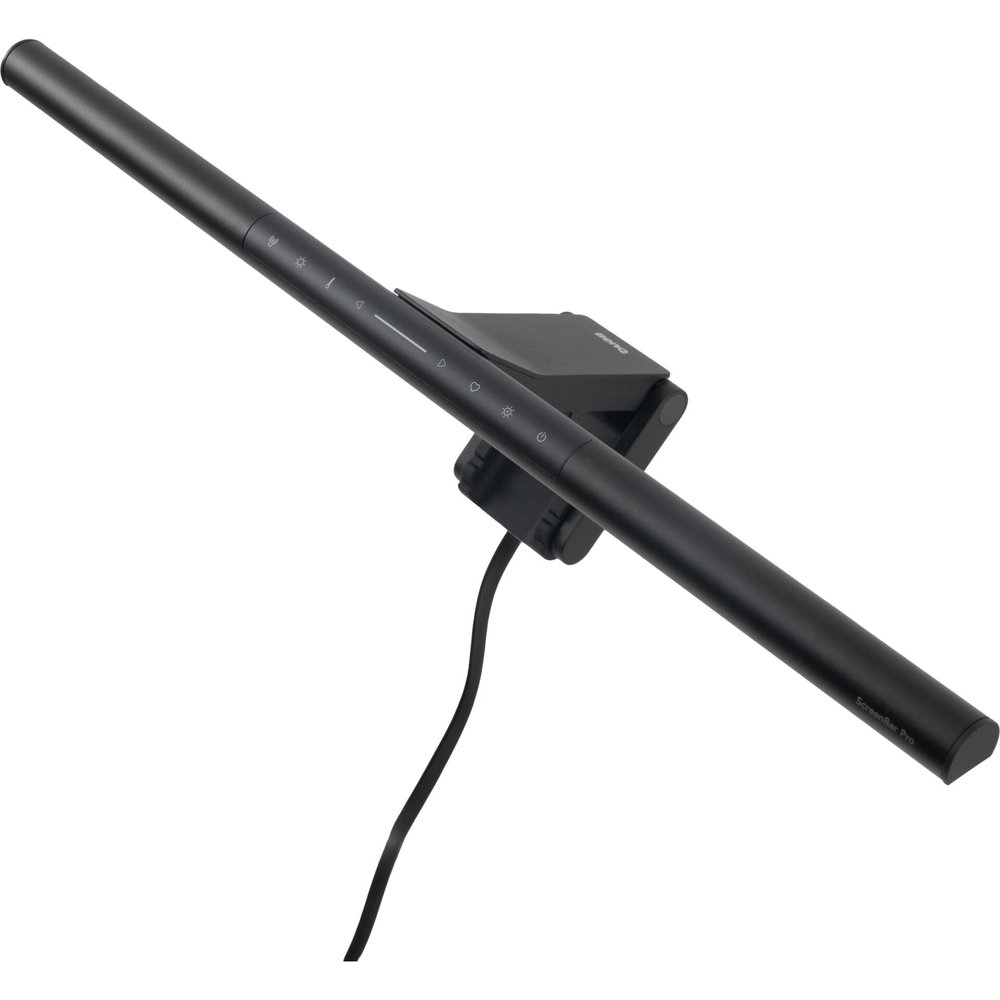
BenQ ScreenBar Pro
Best OverallBuy if: you want the brightest front light here, with a presence sensor and auto-dimming, for the least BenQ money
Don't buy if: you work in a dark room with a wall close behind the monitor — the Halo 2's rear light earns its $60 there
The ScreenBar Pro is the bar BenQ's whole line is judged against, and it is still the brightest front light in this guide: over 1,000 lux at 50 cm from a 50 cm bar, across an 85 × 50 cm pool of light at 500 lux — the reading brightness the EN 12464-1 standard asks for. It is the default pick across the strongest rival guides for a reason: it is the one bar that lights a wide desk evenly, with no hot spot in the middle and no fall-off at the edges.
The BenQ ScreenBar Pro is the best monitor light bar for most desks because it pairs BenQ's brightest front light with a sensor that switches it off when you leave. According to BenQ, its ultrasonic presence sensor and auto-dimming keep the light right without you touching it. The controls sit on the bar itself.
What earns it the top spot is the fit. The clip spans 0.43 to 6.5 cm, so it grips thin gaming monitors and thick office panels alike, and it is rated for curves from 1000R to 1800R — the range most curved screens actually sit in. The 2700–6500K range runs in 8 steps, and the Ra 95+ LEDs render paper and skin honestly, which is what a cheap bar gets wrong first. Or maybe I should say it this way: the clip decides before the price does.
The honest costs: $139 is the most you will pay for a front-only bar here, and the controls live on the bar itself — no dial, no remote, so you reach up to the monitor every time you want to change anything. There is no rear light either, so a dark room behind the monitor stays dark. If your wall sits close behind the desk, the Halo 2 earns its $60 premium; if it does not, this is the bar to buy.
Pros
- Brightest front light here — over 1,000 lux at 50 cm, 85×50 cm at 500 lux
- Ultrasonic presence sensor + auto-dimming — it switches itself off when you leave
- Clip spans 0.43–6.5 cm and curves 1000R–1800R — fits most monitors
- Ra 95+ LEDs render paper and skin honestly
Cons
- $139 is the most you will pay for a front-only bar here
- No wireless dial or remote — controls are on the bar itself
- No rear bias light — a dark room behind the monitor stays dark
- Needs 8.5W over USB-C — a weak monitor port may not feed it
List price $139. Check the price before buying, as prices change.
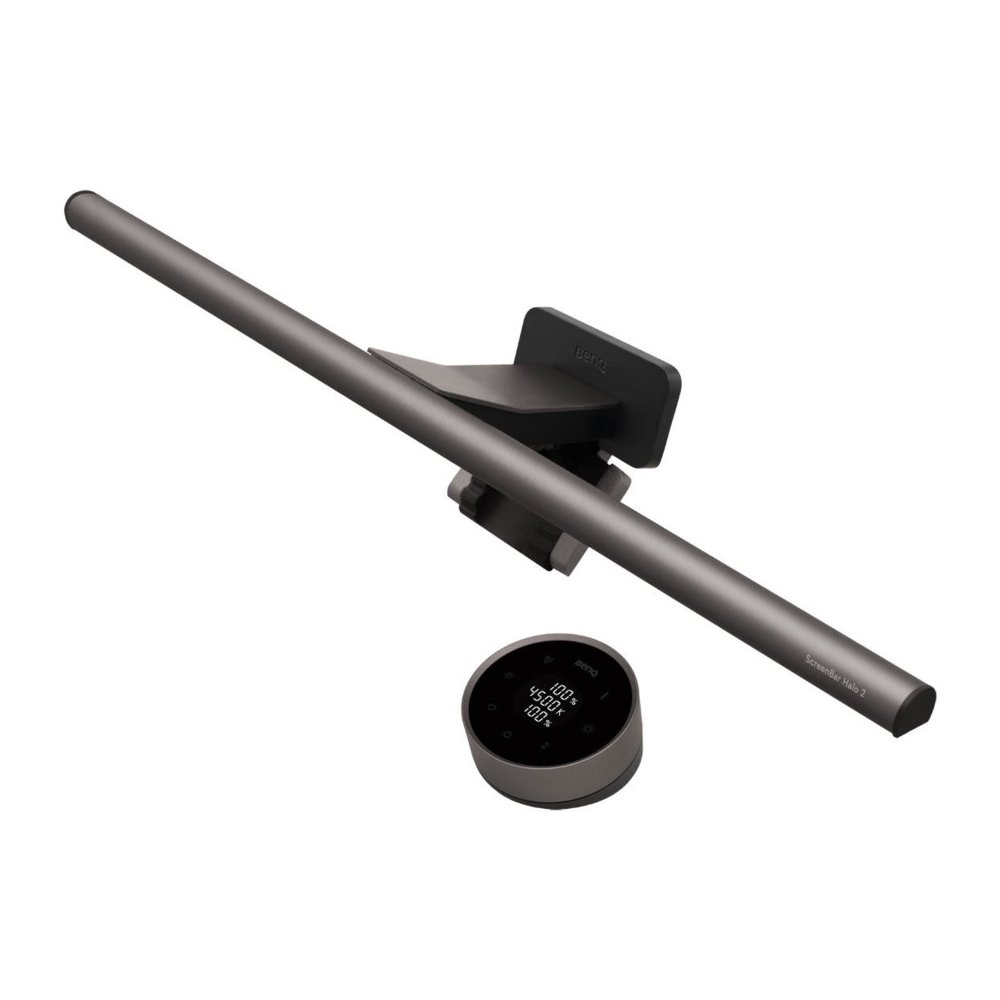
BenQ ScreenBar Halo 2
Best PremiumBuy if: you work in a dark room with a wall close behind the monitor and want the bias light plus a desk dial
Don't buy if: your desk faces an open room — the rear light has no wall to land on, and the Pro is $60 less
The Halo 2 is the ScreenBar Pro with a second job: the same 1,000+ lux front light, plus a tri-zone rear bias light that washes the wall behind your monitor in tunable white, 2700–6500K, four times wider than the first Halo's. It is the only bar here with a backlight you can tune like the front light, and the only BenQ with a wireless dial.
The BenQ ScreenBar Halo 2 is the best monitor light bar for dark rooms because it adds a tunable backlight behind the monitor to the Pro's front light. According to BenQ, the tri-zone rear light cuts the contrast between the glowing screen and a dark wall. The wireless dial means you never reach up to the bar.
The trap is the power, and it is the one most guides skip: the Halo 2 draws 15W over USB-C, more than most monitor USB ports supply. Plug it into a monitor port and it will pulse or dim — the flicker owners complain about. Feed it from a 15W wall brick and it behaves. Quick note: the $179 figure some guides print is the street price, not the list — the list is $199, and the extra $60 over the Pro buys only the backlight and the dial, not a brighter front light.
Against the Pro at $139, the Halo 2 trades nothing on the front light and adds the backlight, the dial and the same presence sensor. If you work in a dark room with a wall a foot or two behind the monitor, that trade is worth it. If your desk faces an open room, it is $60 of glow you will never see.
Pros
- Same 1,000+ lux front light as the Pro, plus a tunable tri-zone rear bias light
- Wireless dial with a display — brightness and warmth without reaching up
- Ultrasonic presence sensor + auto-dimming, like the Pro
- Fits 0.43–6 cm and curves 1000R–1800R
Cons
- $199 list is the highest price here — $60 over the Pro for the backlight and dial only
- Needs 15W over USB-C — most monitor ports cannot supply it, so budget for a wall brick
- 0.8 kg — the heaviest BenQ bar here
- Rear light earns its keep only with a wall close behind the monitor
List price $199 — about $179 street on 18 November 2026. Check the price before buying, as prices change.
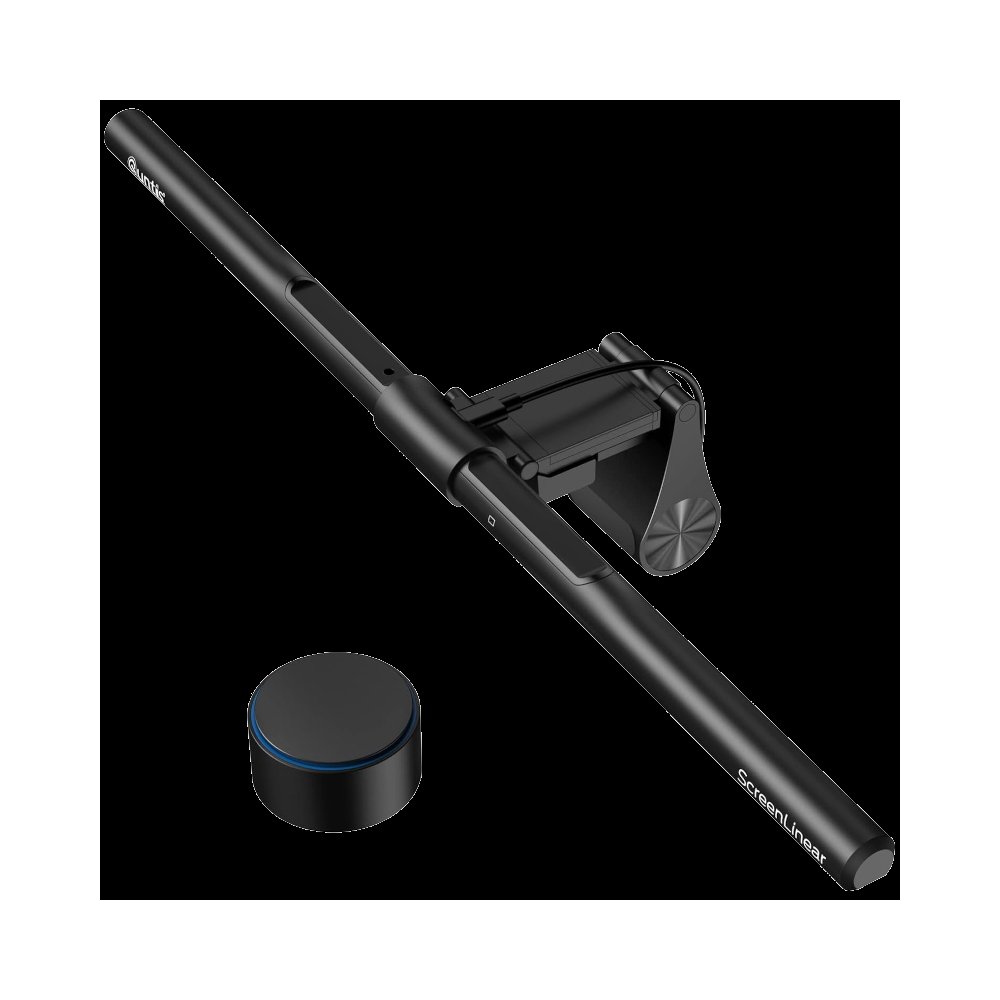
Quntis ScreenLinear Pro+
Best ValueBuy if: you want a remote, a sensor and Ra 95 light for half the Pro's price
Don't buy if: you need the widest 500-lux coverage or a presence sensor that switches the bar off when you leave
The Pro+ is the bar that makes the BenQ tax hard to defend: a 51 cm bar with Ra 95 light, 3000–6500K, auto-dimming, a wireless remote dial and a 2-hour auto-off, for $69.99 — half the Pro's price. It is the value pick the strongest rival guides now rank in their top three, and it is easy to see why: the light on your desk is close to the BenQ's, and the remote means you never reach for the bar.
I've seen conflicting data — some guides quote $45–$60 for the Quntis Pro+, others $69.99. My read is $69.99 is the maker's list price on Quntis.com and the lower figures are Amazon street prices that come and go. Either way, it is the cheapest bar here with a remote and a sensor, and that is the point.
The naming is the trap, and it is a real one. "ScreenLinear Pro" at $29.99–$44.99 is a different, cheaper bar — smaller, no remote dial, and not for curved monitors. The "RGB Pro+" is another model again, also $69.99, with a 15-mode RGB backlight. Three bars, one family name, two prices. Buy the plain Pro+ — model LI-HY-0208-BK — for a clean front light, and check the listing says Pro+ before you pay.
Against the Pro at twice the price, the Pro+ trades the 500-lux coverage area and the presence sensor for $70 saved and a remote in the box. The clip spans 3–60 mm, so it fits most monitors, and the light is genuinely good. Most desks can stop here.
Pros
- Half the Pro's price at $69.99 — with a wireless remote dial included
- Ra 95 light with auto-dimming and a 2-hour auto-off
- Clip spans 3–60 mm — fits most flat and curved monitors
- Setting memory — it remembers your brightness and warmth
Cons
- No presence sensor — it will not switch itself off when you leave
- No published 500-lux coverage area, unlike the BenQs
- Naming soup: the cheaper "Pro" and the "RGB Pro+" are different bars at different prices
- 3000K floor — it cannot go as warm as the BenQs' 2700K
List price $69.99 on Quntis.com. Check the price before buying, as prices change.
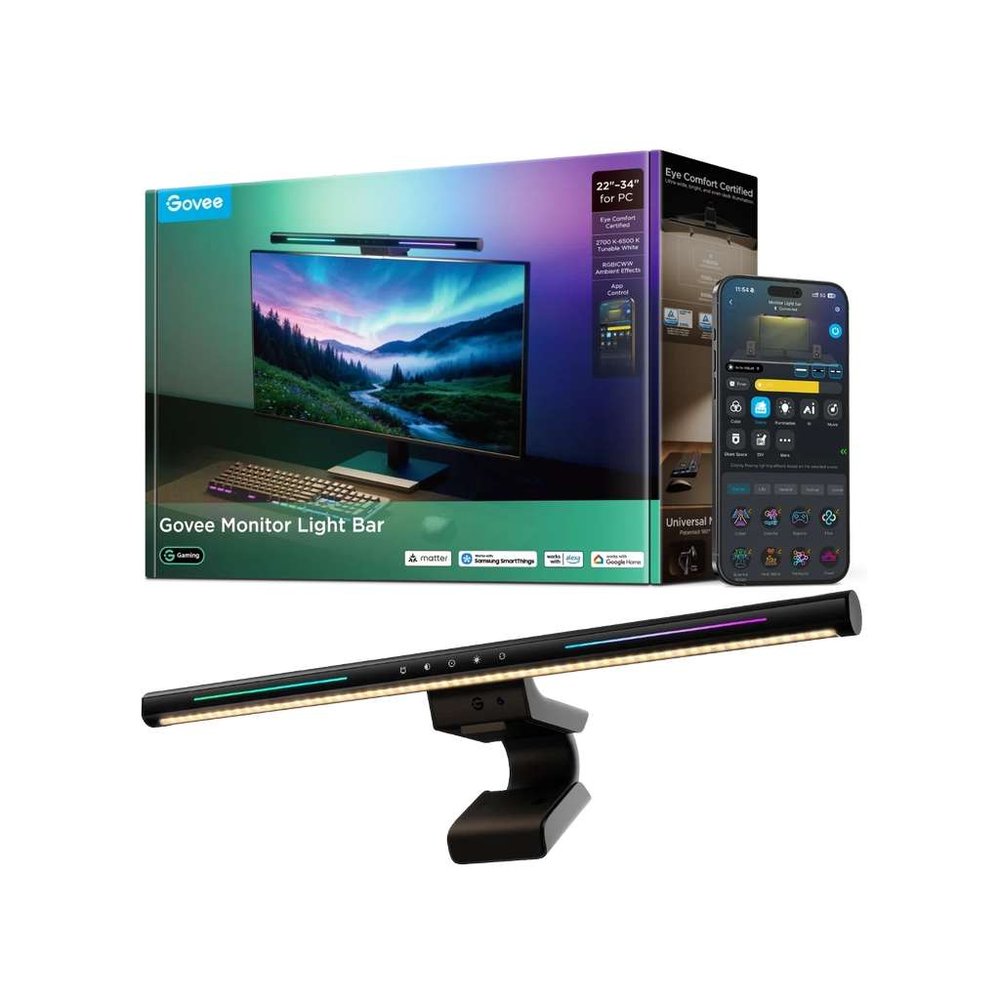
Govee Monitor Light Bar H2800
Best Smart-Home / RGBBuy if: your desk already runs on Matter or Govee scenes and you want RGB and voice in one bar
Don't buy if: you have no spare wall socket, or you want a stated CRI — Govee publishes none for this bar
The H2800 is the only bar here that belongs to a smart home: Matter, Google Assistant and SmartThings over Wi-Fi, a mmWave presence sensor, and an RGBIC backlight that paints the wall behind your monitor in more than one colour at once. It is the bar for a gaming desk that already runs on scenes and voice, and the 1,300 lux centre figure is the highest maker claim in this guide.
The trap is the plug, and it is buried in most guides: this is the only pick that does not run from USB at all. It needs a 12V, 18W wall supply, so it cannot run from your monitor's USB port, and it needs a spare socket behind the desk. Govee also states no CRI for it, unlike BenQ and Quntis at Ra 95+ — the white light is fine, but the colour accuracy is unproven on paper.
Against the Halo 2 at $199, the Govee is the cheaper way to a backlit desk with a remote — about $110 — and the only one with RGB and voice. Against the Pro+ at $69.99, it is $40 of smart-home features on top of a good bar. If your desk is already a Govee or Matter desk, this is the obvious pick. If it is not, the Pro+ is the better buy.
Pros
- Only bar here with Matter, voice and app control in one package
- RGBIC dual-sided backlight — more than one colour on the wall at once
- mmWave presence sensing — it knows you are there without a camera
- Clip spans 0.3–16 cm — the widest clip here by a long way
Cons
- Needs a 12V, 18W wall supply — it cannot run from any USB port
- No CRI stated — colour accuracy is unproven on paper
- Curves 800R or flatter only — not for the deepest curved screens
- About $110 is $40 over the Pro+ for features a plain desk never uses
About $110 on Amazon on 18 November 2026. Check the price before buying, as prices change.
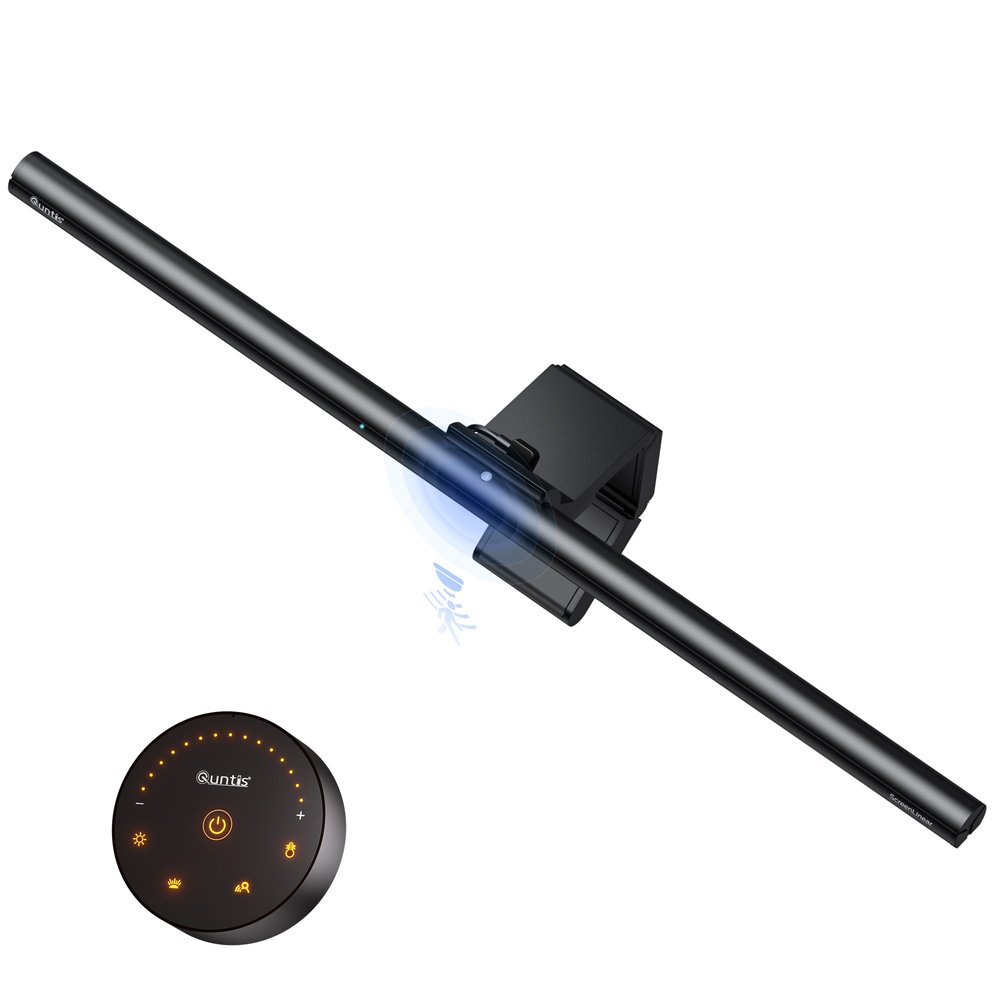
Quntis ScreenLinear Radar Pro Plus
Best Curved & UltrawideBuy if: your monitor is a 34-inch ultrawide and you want the longest bar here with the smartest sensor
Don't buy if: your monitor is a deep 49-inch 1800R OLED — even this bar has been reported as a poor fit there
The Radar Pro Plus is Quntis's answer to the ultrawide question: at 52 cm it is the longest bar here, its clip handles panels up to 9 cm thick, and it is rated for monitors from 21 to 49 inches with curves down to 1000R. The radar sensor is the difference — it tells a pause from a departure, so the light stays on while you think and switches off when you actually leave.
The honest split is 34 inches versus 49. On a 34-inch ultrawide the Radar Pro Plus is the best fit in this guide, and the CRI 98 is the highest figure here. On a deep 49-inch 1800R OLED, one independent review found it a poor fit — the bar is long but the curve is deep, and the clip cannot follow it. If your monitor is 49 inches, measure twice and read the returns policy once.
Quntis's own pages disagree on the curvature — 1000R/1800R in one place, 800R–3000R in another — so take the 1000R figure as the safe one and treat anything deeper as a gamble. At $75.99 from Quntis's own store, it is $63 less than the Pro for a longer bar with a smarter sensor. For a big curved screen, that is the pick.
Pros
- 52 cm — the longest bar here, built for ultrawides
- CRI 98 — the highest colour accuracy in this guide
- Radar sensor tells a pause from leaving — smarter than a plain motion sensor
- Clip handles panels up to 9 cm thick
Cons
- Poor fit reported on deep 49-inch 1800R OLED screens
- Quntis's own pages disagree on the curvature rating
- No published 500-lux coverage area
- Touch + remote only — no on-bar display like the Halo 2's dial
Price $75.99 on Quntis.com. Check the price before buying, as prices change.
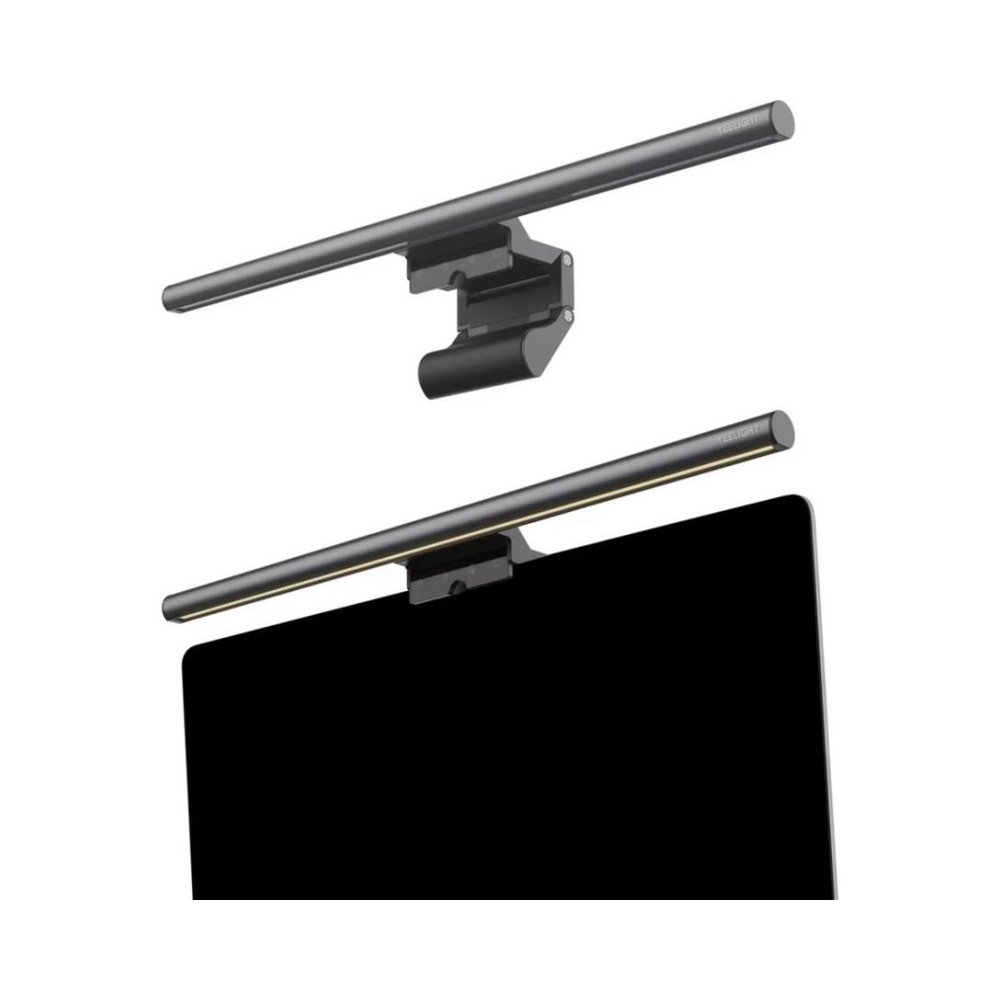
Yeelight Monitor Light Bar
Best BudgetBuy if: you want to try the category for under $30 before committing real money to it
Don't buy if: you already know you want a light bar — the Pro+ is the better buy at $69.99
The Yeelight is the cheapest honest way to find out whether you like a light bar at all: a metal-bodied bar with Ra 95 light, stepless 2700–6500K and touch controls, for $32.99 list — $26.49 on Amazon right now. It is the bar to buy when you want to try the category without committing $70 or more to it.
The honest limits: 250 lumens total is the dimmest figure here, there is no remote, no sensor and no auto-dimming, and the clip fits monitors 0.3 to 1.4 inches thick — fine for most flat panels, tight on thick curved ones. It is a try-it bar, not a forever bar, and that is exactly what it is priced as.
Against the Pro+ at $69.99, the Yeelight trades the remote, the sensor and the brightness for $43 saved. If you are unsure a light bar suits your desk, buy this one first. If you already know you want one, skip it and buy the Pro+.
Pros
- $26.49 street — the cheapest real bar in this guide by a long way
- Ra 95 light in a metal body, not plastic
- Stepless 2700–6500K with touch controls
- USB powered with a 1.5 m cable in the box
Cons
- 250 lumens is the dimmest figure here — one face at desk distance only
- No remote, no sensor, no auto-dimming
- Clip fits 0.3–1.4 inches — tight on thick curved monitors
- No presence sensor, so it stays on until you switch it off
List price $32.99 — $26.49 on Amazon on 18 November 2026. Check the price before buying, as prices change.
Are Monitor Light Bars Worth It?
Yes, if you work at a desk after dark. A bar lights the keyboard and the paper in front of you without taking desk space and without throwing light at the screen — the two things a desk lamp gets wrong. If you only work in daylight, save your money: a bar earns its keep when the room goes dark.
The test is simple. Turn your room light off at 9 p.m. and look at your desk. If the screen is the only light in the room, your eyes are working against a bright rectangle in a dark cave, and that contrast is what tires them. A bar fills the desk with light at the same warmth as the screen, and the contrast drops. That is the whole trick.
Look — if you've tried a cheap bar that reflected in your screen, here's what actually works: a bar with true asymmetric optics, not a frosted diffuser. The cheap bars scatter light everywhere, including at the panel. The bars in this guide cut the beam off before it reaches the screen. That cut-off is the difference between a light bar and a strip of LEDs on a stick.
Do Monitor Light Bars Reduce Eye Strain?
They help, but they are not a medical fix. A bar cuts screen glare and the harsh contrast between a bright screen and a dark room, which is what tires eyes over a long evening. It will not fix dry eyes, a wrong glasses prescription or a monitor set too bright.
The honest version of the claim is about contrast, not blue light. Your eyes tire when they keep adjusting between a bright screen and a dark room; a bar lifts the room side of that equation. Blue-light glasses, for the record, have weak evidence behind them — a 2023 Cochrane review found little to support them — so do not buy a bar for its blue-light filter. Buy it for the light on your desk.
Will a Light Bar Fit My Curved Monitor?
Most will, if the curve is 1000R or gentler and the clip spans your monitor's thickness. Every bar in this guide is rated for curves from 1000R to 1800R except the Yeelight, which Yeelight lists for flat and curved monitors without a number. The number that rules bars out is thickness, not curve — measure that first.
The 34-inch versus 49-inch split is the real trap. A 34-inch ultrawide is the sweet spot for every bar here: the 50–52 cm bars span it, the clips grip it, and the light pool covers it. A 49-inch super-ultrawide is a different desk — the curve is deeper, the top edge is thicker, and even the Radar Pro Plus, the longest bar here, has been reported as a poor fit on a deep 1800R OLED. If your monitor is 49 inches, buy from a seller with free returns.
And the original ScreenBar is the one to watch for: its clip spans only 1–3 cm and it has no curved rating at all. On a thick curved monitor it will not sit level, and a bar that does not sit level throws light at the screen. Skip it for curved screens.
How Do I Power a Monitor Light Bar?
From USB, except for one bar in this guide. The BenQ Pro needs 8.5W over USB-C, the Halo 2 needs 15W, the Quntis bars run on 5W, and the Yeelight runs on any USB port. The Govee H2800 is the exception — it needs a 12V, 18W wall supply and cannot run from a monitor port at all.
The flicker owners complain about is almost always a power problem, not a broken bar. A 15W bar on a 5W monitor port will pulse, dim or cut out, because the port cannot feed it. Plug the bar into a wall brick with the right wattage and the flicker stops. Check the wattage before you blame the bar.
One practical rule: a monitor's USB-C port rarely supplies 15W, and its USB-A port almost never does. If you buy the Halo 2, budget for the brick. If you buy the Pro, a good monitor port will do. Small difference, big frustration if you get it wrong.
How to Fit a Monitor Light Bar in 5 Minutes
Fitting a bar is five minutes of measuring and one minute of clipping. Do the measuring first — it is the part people skip, and it is the part that decides whether the bar stays on the monitor or goes back in the box.
To fit a monitor light bar, follow these steps: 1. Measure your monitor's thickness at the top edge. 2. Check the curve rating on the box or spec sheet. 3. Confirm your USB port can supply the bar's wattage. 4. Clip the bar on and slide it until it sits level. 5. Dim it to match the room and set the warmth you like.
- Measure your monitor's thickness at the top edge.
- Check the curve rating on the box or spec sheet.
- Confirm your USB port can supply the bar's wattage.
- Clip the bar on and slide it until it sits level.
- Dim it to match the room and set the warmth you like.
If the bar rocks or slides, the clip is wrong for the thickness — do not force it. A bar that sits level throws light down; a bar that tilts throws light at the screen, and that is the glare you bought it to avoid.
BenQ ScreenBar Halo 2 vs ScreenBar Pro — Which Should I Buy?
Buy the Pro if you want the best front light for the least money — $139 against $199, the same 1,000+ lux front light, the same presence sensor, the same 85 × 50 cm pool of light. Buy the Halo 2 if you work in a dark room with a wall close behind the monitor, where the rear bias light earns its keep.
BenQ ScreenBar Halo 2 vs ScreenBar Pro: the Halo 2 is better suited for dark rooms because its rear bias light softens the contrast between screen and wall. The Pro works better when you want the same front light for $60 less and never miss the backlight. The key difference is the rear light and the wireless dial.
The dial is the quieter difference. The Pro's controls sit on the bar, so every change means reaching up to the monitor. The Halo 2's dial sits on the desk, with a display that shows brightness and colour temperature at a glance. If you adjust the light more than once a day, the dial is worth real money. If you set it once and forget it, it is not.
Which BenQ ScreenBar Should I Buy?
Five names, one brand, and the top 10 cannot keep them straight. Names lie. The same box name can mean a current model, a discontinued one, or a sibling with a different spec, so the listing's fine print matters more than the headline. Check the model, the generation, and the power source on the listing — the name alone will not save you.
The five BenQ models, decoded
| Name on the Box | What It Actually Is |
|---|---|
| ScreenBar (original) | The cheapest BenQ optics, $109 — 45 cm bar, 60×30 cm at 500 lux, clip only 1–3 cm, 5W USB-A, no curved rating. Fine for a thin flat monitor; skip it for curved screens. |
| ScreenBar Plus | No current Amazon US listing. Third-party listings ask $321.79 and even $581.99 for a bar that sold at $109.99–$119.99. Do not pay it. |
| ScreenBar Halo (gen 1) | Out of stock with no buy box on Amazon US, yet still crowned best overall by stale guides. The Halo 2 replaced it. Do not buy one new. |
| ScreenBar Halo 2 | The current premium bar: $199 list (~$179 street), same front light as the Pro plus a tri-zone rear bias light and a wireless dial. The dark-room pick. |
| ScreenBar Pro | The current mainstream bar: $139, the same front light as the Halo 2, presence sensor, touch controls on the bar. The default pick. |
Two errors circulating in the top 10
| What the Guides Say | What Is Actually True |
|---|---|
| The ScreenBar Pro has a wireless dial | It does not. The Pro's controls are touch-sensitive pads on the bar itself. The wireless dial belongs to the Halo 2. |
| The Halo 2 has no motion sensor | It does. The Halo 2 has an ultrasonic presence sensor, the same as the Pro's — it switches the bar off when you leave the desk. |
| The Halo 2 costs $179 | $179 is the street price. The list price is $199. Both figures are real; only one of them is the price BenQ sets. |
| The Quntis Pro+ costs $45–$60 | $69.99 is the maker's list price on Quntis.com. The lower figures are Amazon street prices that come and go. |
Monitor Light Bar vs Desk Lamp — Which Is Better?
A light bar is better for screen work. A desk lamp lights the room and the desk from the side, which means it also lights the screen — glare — or it sits behind the monitor and lights nothing. A bar lights only the desk, from above the screen, and takes no desk space at all. For typing, reading and gaming at a monitor, that geometry wins.
A lamp wins for everything else. Video calls, paperwork spread across the desk, reading a book in an armchair — a lamp throws light where a bar cannot reach, and it lights your face on camera where a bar leaves you in shadow. If you take calls all day, buy the lamp. If you stare at a monitor all night, buy the bar.
Most desks end up with both, and that is the honest answer: the bar for the screen, the lamp for the room. Buy the bar first if the screen is where your eyes live.
Buying Guide: What Actually Matters
Measure the monitor first. Thickness at the top edge, then the curve rating. A bar that does not fit is a return, not a bargain. Fit first.
Judge by the 500-lux area, not the headline lux. Lux numbers are measured at different heights, so they do not compare. Only BenQ publishes the area lit to 500 lux — 85×50 cm for the Pro and Halo 2, 60×30 cm for the original. That area is the one honest brightness figure. Coverage wins.
CRI 95 or higher. Colour accuracy is how honestly the light renders paper and skin. Below 90, paper looks grey and skin looks tired. Every bar in this guide is Ra 95 or higher, except the Govee, which states no CRI at all. Colour tells the truth.
Count the power before you buy. A 15W bar needs a 15W supply, and most monitor USB ports do not give it. If the brick is not in the box, it is not in the price. No brick, no brightness.
Check the control fallback. A wireless dial is lovely until its battery dies mid-evening; on-bar touch controls always work. The Pro+ and the Radar Pro Plus give you both — a dial and touch on the bar. The Pro gives you touch only. The Halo 2 gives you the dial only. Two ways in beats one.
Budget for the bias light honestly. A rear light earns its keep only when a wall sits close behind the monitor. With no wall nearby, it lights nothing. The backlight is the most overrated feature in this guide — unless your wall is within arm's reach, it is $60 of glow you will never see.
Budget mentions worth knowing. The original BenQ ScreenBar at $109 is still the cheapest BenQ optics — 5W USB-A, no curved rating, clip 1–3 cm — the pick for a thin flat monitor on a tight budget. And the Yeelight Pro, the RGB sibling of the budget pick, is price chaos right now: $99–$120 list against a $39.99 Wyze clearance — check the live price before you pay list for it. Small desk? Start here.
One opinion worth arguing with: buy the cheapest bar that fits your monitor, not the brightest one you can afford. A $70 bar that clips on level beats a $199 bar that does not fit, and the light on your desk will prove it.
What to Skip
A new ScreenBar Halo (gen 1) at any price. Discontinued, out of stock, no buy box — yet still crowned by stale guides. If the listing does not say Halo 2, walk away. Old stock only.
A ScreenBar Plus at third-party prices. No current US listing, and third-party sellers ask $321.79 to $581.99. That is three to five times its old price for a superseded bar. Walk away.
A Yeelight Pro at $99–$120. The RGB sibling is a fine bar, but Wyze cleared it at $39.99 — paying list is paying triple for the same light. Clearance only, never at list.
Cheap no-name bars with no CRI and no cut-off. If a $15 bar claims 1,000 lux and states no CRI, the number is fiction and the glare will prove it. Buy a bar that publishes its CRI and its optics. No CRI, no sale.
A bar for a laptop. Lids are too thin and too light. Buy a small desk lamp instead.
Frequently Asked Questions
What's the best monitor light bar?
The BenQ ScreenBar Pro at $139 — the brightest front light here. For dark rooms, the Halo 2 at $199 adds a rear bias light and a wireless dial. Best value is the Quntis Pro+ at $69.99.
Do monitor light bars reduce eye strain?
They help, but they are not a medical fix. A bar cuts screen glare and the harsh contrast between a bright screen and a dark room. It will not fix dry eyes or a wrong prescription.
Will a light bar fit my curved monitor?
Most will, if the curve is 1000R or gentler and the clip spans your monitor's thickness. The Quntis Radar Pro Plus is the safest bet for ultrawides up to 49 inches. Measure the thickness first.
Will a light bar block my webcam?
Usually not — most bars sit behind the webcam or leave a gap for it. The BenQ Pro's clip routes around a camera lens. If your webcam sits dead centre on a thin bezel, check the clip depth first.
Can I use a monitor light bar on a laptop?
Not really — bars are built for desktop monitors with a firm top edge to grip. A laptop lid is too thin and too light, so the bar slides or tips the screen. Use a small desk lamp instead.
Why does my light bar flicker or pulse?
Almost always, not enough power. A bar that needs 15W will pulse on a monitor USB port that supplies 5W. Plug it into a wall brick with the right wattage and the flicker stops.
Do I need a bias light as well as a front bar?
Only if a wall sits close behind your monitor. The rear glow softens the contrast between screen and wall in a dark room. With no wall nearby, a bias light lights nothing — skip it and save the $60.