Best Compact Wireless Keyboard for Laptop (2026): 6 Picks

Your laptop sits on a stand, screen at eye level, and the built-in keyboard is suddenly out of reach. You tried typing with your arms stretched up. You tried a full-size board, and it ate the whole desk. You tried a cheap mini board, and the keys felt like wet cardboard.
This guide is for that exact moment. Six compact wireless keyboards, all picked for laptop use — small enough for a bag, with keys that still feel like a real keyboard. One folds in half. One runs for years on two AAA batteries. One types better than the rest.
What Is the Best Compact Wireless Keyboard for a Laptop?
The Logitech MX Keys Mini is the best compact wireless keyboard for a laptop for most people. Its dished keys, smart backlight and three-device Bluetooth switching make it the best daily typer here — and it works with Windows, macOS and iPadOS.
The best compact wireless keyboard for laptop use is a small, cable-free keyboard that pairs with a laptop over Bluetooth or a 2.4 GHz dongle. It drops the number pad and shrinks to about 75% of a full layout, so it slides into a laptop bag and types better than a laptop's built-in board.
The best compact wireless keyboard for a laptop is the Logitech MX Keys Mini. According to Logitech, its dished scissor keys, smart backlight and three-device Bluetooth switching suit typing across a laptop, tablet and phone. It costs more than the budget picks here, but no other compact board types this well. For most laptop owners, it is the safe choice.
A compact wireless keyboard works with a laptop through Bluetooth or a USB dongle. According to Lenovo, Bluetooth pairing takes a few minutes: switch the board on, hold its pairing button, pick it in the laptop's Bluetooth settings, and type the PIN shown. A dongle board is simpler still — plug it in and type.
Look — if you're typing on a laptop propped on a stand right now, here's what actually works: a compact board on the desk, screen at eye level, hands low. That is the whole setup. The board below just decides how good it feels.
I've seen conflicting data — some roundups call the K380s the best overall, others the MX Keys Mini. My read is that the Mini types better and the K380s travels better, so "best" depends on whether the board lives on a desk or in a bag.
Bluetooth or USB Dongle: Which Connection Suits a Laptop?
Bluetooth suits most laptop owners. One board pairs with a laptop, tablet and phone, and it needs no port. A dongle suits a single desktop better, since it skips pairing and wakes faster.
MX Keys Mini vs Pebble Keys 2 K380s: the MX Keys Mini is better suited for long daily typing because its dished keys and backlight stay comfortable after dark. The K380s works better when budget and battery life matter most. The key difference is typing feel against price and battery.
Bluetooth suits laptop owners because one board pairs with a laptop, tablet and phone, and it needs no port. According to Logitech, its boards switch between three paired devices at one press. A dongle suits a desktop better, since it skips pairing entirely. Pick Bluetooth if you move between devices; pick a dongle if the board never leaves one desk.
Here's the thing: "wireless" does not always mean Bluetooth. A dongle board will never show up in your laptop's Bluetooth list, and no Bluetooth adapter replaces its missing receiver. Check the box before you buy — if it lists a USB receiver and no Bluetooth, it pairs with nothing but its own dongle.
Bluetooth wins for laptops. Dongles win for desks that never move.
Our Top Pick
Logitech MX Keys Mini
Best Overall for Laptop Use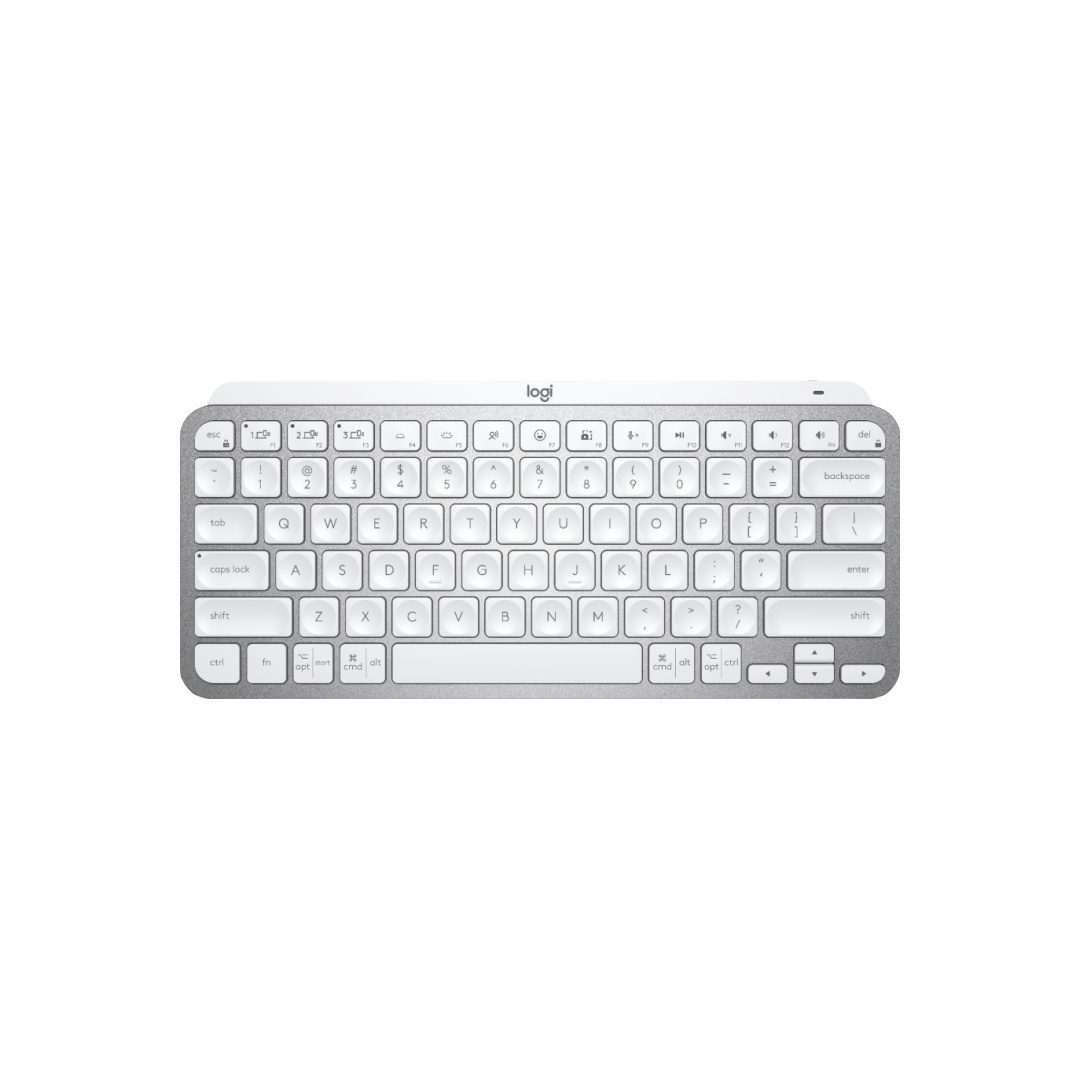
The MX Keys Mini is the best compact wireless keyboard for a laptop because it types like a full-size board that lost its number pad. The dished scissor keys centre your fingertips, the smart backlight wakes as your hands approach, and three-device Bluetooth switching covers a laptop, tablet and phone. No other small board here feels this good after eight hours.
Check Price on AmazonQuick Comparison
| Product | Key Specs | ||
|---|---|---|---|
| #1 | Logitech MX Keys MiniBest Overall | 79 keys · Dished scissor keys · Smart backlight · Bluetooth, 3-device · USB-C rechargeable | Check Price |
| #2 | Logitech Pebble Keys 2 K380sBest Budget / Best for Travel | 279 × 124 × 16 mm · 415 g · 2 AAA, up to 3 years · Bluetooth, 3-device Easy-Switch | Check Price |
| #3 | Arteck HB305-2Best Battery Life | 0.24 in thick · About 6 months at 2 h/day · Number pad · Bluetooth multi-device | Check Price |
| #4 | TECKNET KB006Best Value | 2.4 GHz dongle + 3 Bluetooth channels · 500 mAh rechargeable · Media hotkeys | Check Price |
| #5 | Macally Compact Wireless KeyboardBest for Mac | 78 keys · 2.4 GHz dongle only · Slim portable · Windows + Chromebook | Check Price |
| #6 | ProtoArc XK04 FoldableBest Foldable | Folds to phone size · PU leather cover · 3 Bluetooth channels · USB-C rechargeable | Check Price |
The 6 Best Compact Wireless Keyboards for Laptops in 2026
Every board here is a real typing keyboard first — full-size letter keys, quiet scissor switches, and a layout that fits a laptop bag. No handheld remote with a touchpad made the cut.
Logitech MX Keys Mini
Best Overall for Laptop UseBuy if: you type for hours a day and want the best keys in a small board
Don't buy if: you want the cheapest board that still types well, or you need a number pad
The MX Keys Mini tops this list because it types like a full-size board that lost its number pad. The dished scissor keys centre your fingertips, the keys stay quiet in shared rooms, and the smart backlight wakes as your hands approach. It is the board most reviewers reach for first — and the one other roundups keep crowning best overall.
It pairs over Bluetooth with three devices and switches with one key press, charges over USB-C, and runs up to 10 days with the backlight on or five months with it off, per Logitech. The trade-offs are real: it costs far more than the budget picks, the standard box has no USB receiver, and at 506 g it is the heaviest compact board here.
Pros
- Dished scissor keys, best typing feel here
- Smart backlight that wakes as hands approach
- Bluetooth, three-device switching
- USB-C rechargeable, up to 5 months with backlight off
Cons
- Costs far more than the budget picks
- No USB receiver in the standard box
- Heaviest compact board here at 506 g
- No number pad
Prices change frequently — click through to see today's price.
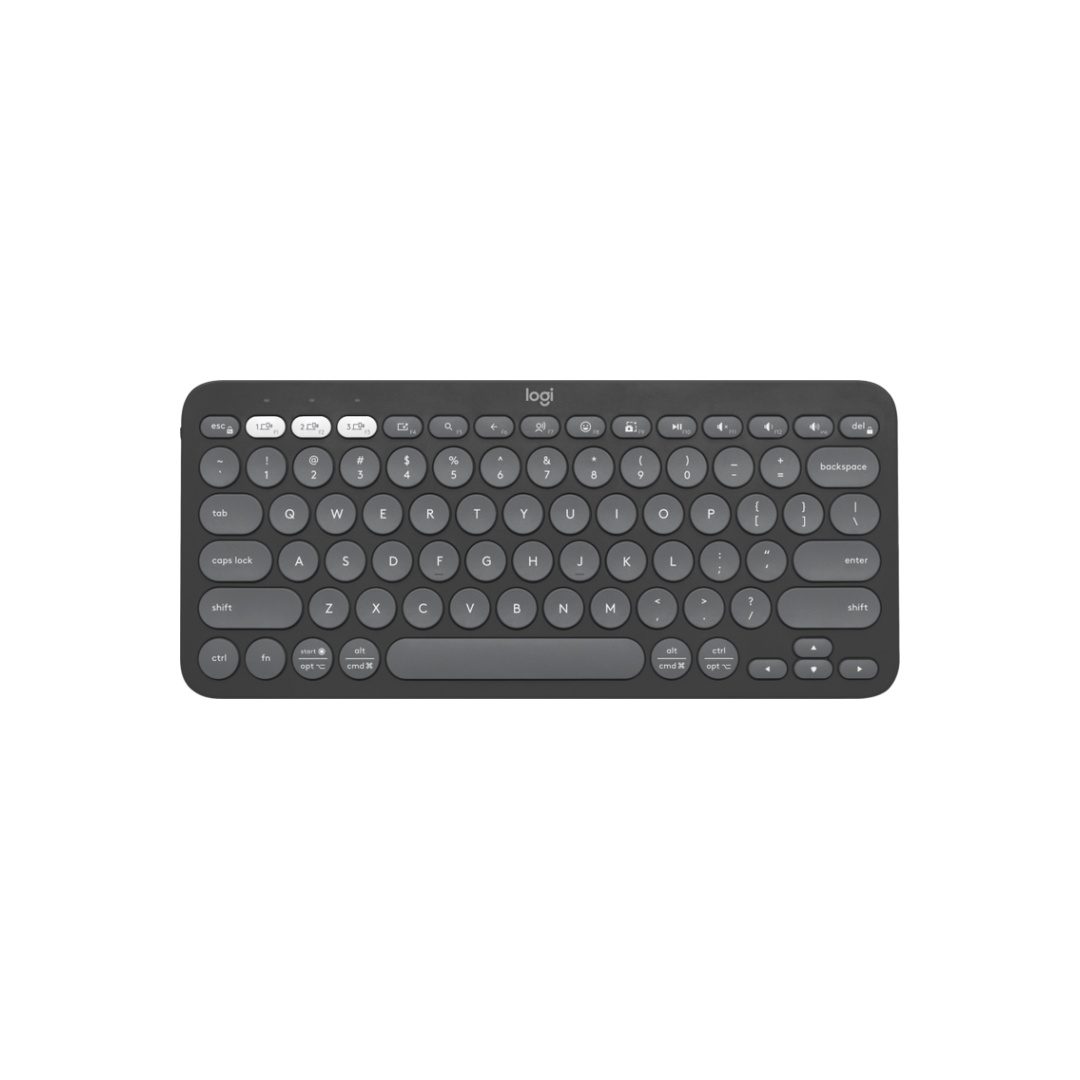
Logitech Pebble Keys 2 K380s
Best Budget / Best for TravelBuy if: you want a cheap, light board that hops between laptop, tablet and phone
Don't buy if: you type in dim rooms or you hate round keys
The K380s is the board to buy when the Mini's price stings. It's small, it's quiet, and it'll outlast your laptop's battery by months — Logitech rates two AAA cells for up to three years. The round, scooped keys feel odd for a day, then fade into the background.
Three Easy-Switch keys move it between a laptop, tablet and phone in one press, and it works with Windows, macOS, iPadOS, Android and ChromeOS. Tom's Guide found the round keys cost accuracy — its reviewer typed 76 words per minute at 91.59% accuracy, below her usual pace. No backlight, and the keys rattle a little when the board moves. For travel and hot-desking, though, nothing here is easier to live with.
Pros
- Up to 3 years on two AAA batteries
- Three-device Easy-Switch Bluetooth
- Light at 415 g, slips into a laptop sleeve
- Works with Windows, macOS, iPadOS, Android, ChromeOS
Cons
- No backlight
- Round keys slow some typists down
- Keys rattle a little when the board moves
- No number pad
Prices change frequently — click through to see today's price.
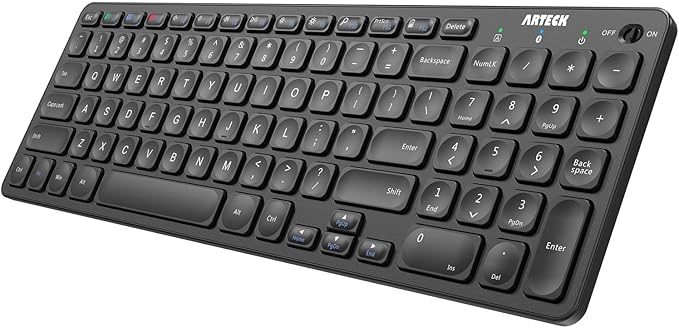
Arteck HB305-2
Best Battery LifeBuy if: you want the longest battery life in the thinnest board here
Don't buy if: you type in the dark or you want a big-brand warranty
The HB305-2 is the battery-life pick. Arteck rates it for about six months at two hours a day, and the whole board is just 0.24 inches thick — the slimmest slab here. It still fits a full number pad and a row of media hotkeys into that thin body, which is rare at this size.
It pairs over Bluetooth with several devices and works with Windows, iOS, iPadOS and Android. The keys are quiet and laptop-like. Two catches: there is no backlight, and the number pad squeezes the layout, so the keys on the right edge sit closer together than on the Logitech boards. Arteck's support is thinner than Logitech's too — buy it for the battery and the thinness, not the brand.
Pros
- Rated about 6 months at 2 hours a day
- Just 0.24 inches thick
- Full number pad plus media hotkeys
- Bluetooth multi-device pairing
Cons
- No backlight
- Cramped keys on the right edge
- Thinner brand support than Logitech
- Bluetooth only, no dongle
Prices change frequently — click through to see today's price.
TECKNET KB006
Best ValueBuy if: you want dongle and Bluetooth in one cheap board
Don't buy if: you need a number pad or a premium key feel
The KB006 is the flexibility pick. It connects four ways: a 2.4 GHz dongle plus three Bluetooth channels, so it covers a laptop, a tablet and a phone with room to spare. A rechargeable 500 mAh cell means no batteries to buy, and media hotkeys sit along the top row.
For a board in the cheapest bucket here, it covers a lot of ground. The keys are quiet and plain — fine for email and documents, less satisfying for long writing sessions. It has no number pad, and the dongle takes a USB port, so USB-C-only laptops need an adapter.
Pros
- Dongle plus three Bluetooth channels
- Rechargeable 500 mAh cell, no batteries to buy
- Media hotkeys
- Cheapest bucket here
Cons
- No number pad
- Dongle takes a USB port
- Plain key feel next to the Logitech boards
- No verified product photo for this exact model
Prices change frequently — click through to see today's price.
Macally Compact Wireless Keyboard
Best for MacBuy if: you want the simplest board here and your laptop has a spare USB-A port
Don't buy if: you need Bluetooth or your laptop is USB-C only
The Macally is the simple pick. Seventy-eight keys, one 2.4 GHz dongle, no pairing, no Bluetooth menus, no fuss. Plug the dongle into a USB-A port and type. It lists Windows and Chromebook support, and the slim body slides into a laptop bag without a second thought.
That simplicity is also the limit. With no Bluetooth it cannot pair with a tablet or phone, and USB-C-only laptops need an adapter for the dongle. There is no backlight and no number pad. Buy it for a laptop with a spare USB-A port and an owner who hates pairing screens.
Pros
- Dongle only — plug in and type, no pairing
- Slim 78-key layout, easy to pack
- Lists Windows and Chromebook support
- Simple and cheap
Cons
- No Bluetooth — cannot pair with tablets or phones
- Needs a USB-A port
- No backlight
- No number pad
- No verified product photo for this exact model
Prices change frequently — click through to see today's price.
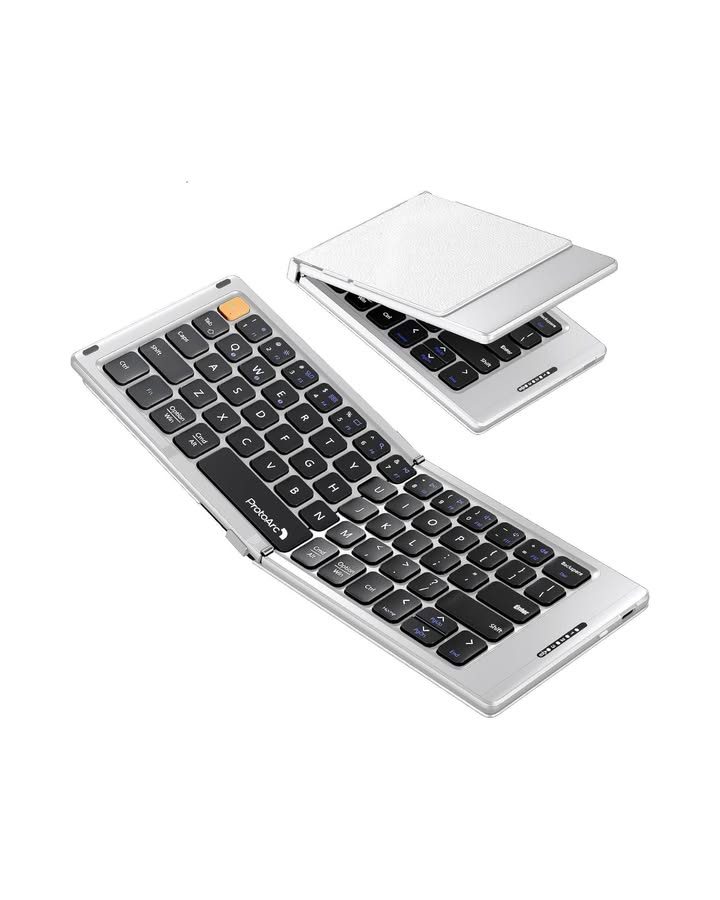
ProtoArc XK04 Foldable
Best FoldableBuy if: pocket size matters more than anything else
Don't buy if: this is your only keyboard for long work days
The XK04 is the board for people who pack light. It folds in half to a phone-size block, slips into a jacket pocket, and opens to a full compact layout with a PU leather cover that doubles as protection. Three Bluetooth channels pair it with a laptop, tablet and phone, and it recharges over USB-C.
Foldable boards ask for a trade. The keys are smaller than on the Logitech boards, and the seam down the middle takes a day to get used to. For short sessions — travel days, quick notes, a phone on a train — it is brilliant. For eight-hour writing days, a solid board types better. That is the honest split, and it is why this one sits last: it is the best foldable here, not the best typer.
Pros
- Folds to phone size, fits a jacket pocket
- PU leather cover protects the keys
- Three Bluetooth channels
- Rechargeable over USB-C
Cons
- Smaller keys with a centre seam
- Best for short sessions, not all-day typing
- Bluetooth only, no dongle
- No number pad
Prices change frequently — click through to see today's price.
How Do I Connect a Compact Wireless Keyboard to My Laptop?
Charge it, switch it on, hold the pairing button, pick it in Bluetooth settings, type the PIN. Five minutes, tops.
To connect a compact wireless keyboard to a laptop, follow these steps: 1. Charge the keyboard or fit fresh batteries. 2. Switch the keyboard on and hold its pairing button. 3. Open Bluetooth settings on your laptop. 4. Select the keyboard from the device list. 5. Type the PIN shown, then press Enter.
Charge the keyboard or fit fresh batteries.
Switch the keyboard on and hold its pairing button.
Open Bluetooth settings on your laptop.
Select the keyboard from the device list.
Type the PIN shown, then press Enter.
Dongle boards skip all of this — plug the receiver in and type. If a Bluetooth board shows as paired but types nothing, check two things first: the device channel, since Easy-Switch keys pick which paired device is live, and the battery. A board still connected to your phone will ignore your laptop until you switch channels.
Keyboards to Skip in 2026
The Logitech K400 Plus. Built for a couch, not a desk. Its touchpad suits a mini PC under a TV, but the keys are a side job — buy it for the living room, not for laptop work.
Handheld mini boards with touchpads. Controllers first, keyboards second. Great for passwords on a streaming box. Terrible for writing emails.
The original Logitech K380. Superseded by the K380s. The old board is no longer sold new, and old roundups still list it first — buy the K380s, not a used K380 at new prices.
No-name lookalikes. Listings with inflated battery claims and no brand behind them. Battery life, wireless stability and key quality are where the bad ones fall apart fast.
A full-size board for a small desk. If the board has a number pad and your desk is 60 cm wide, your mouse ends up in your lap. That is the problem this guide exists to fix.
Buying Guide: What Actually Matters
Size first, then connection, then battery, then key feel. Get those four right and the brand barely matters.
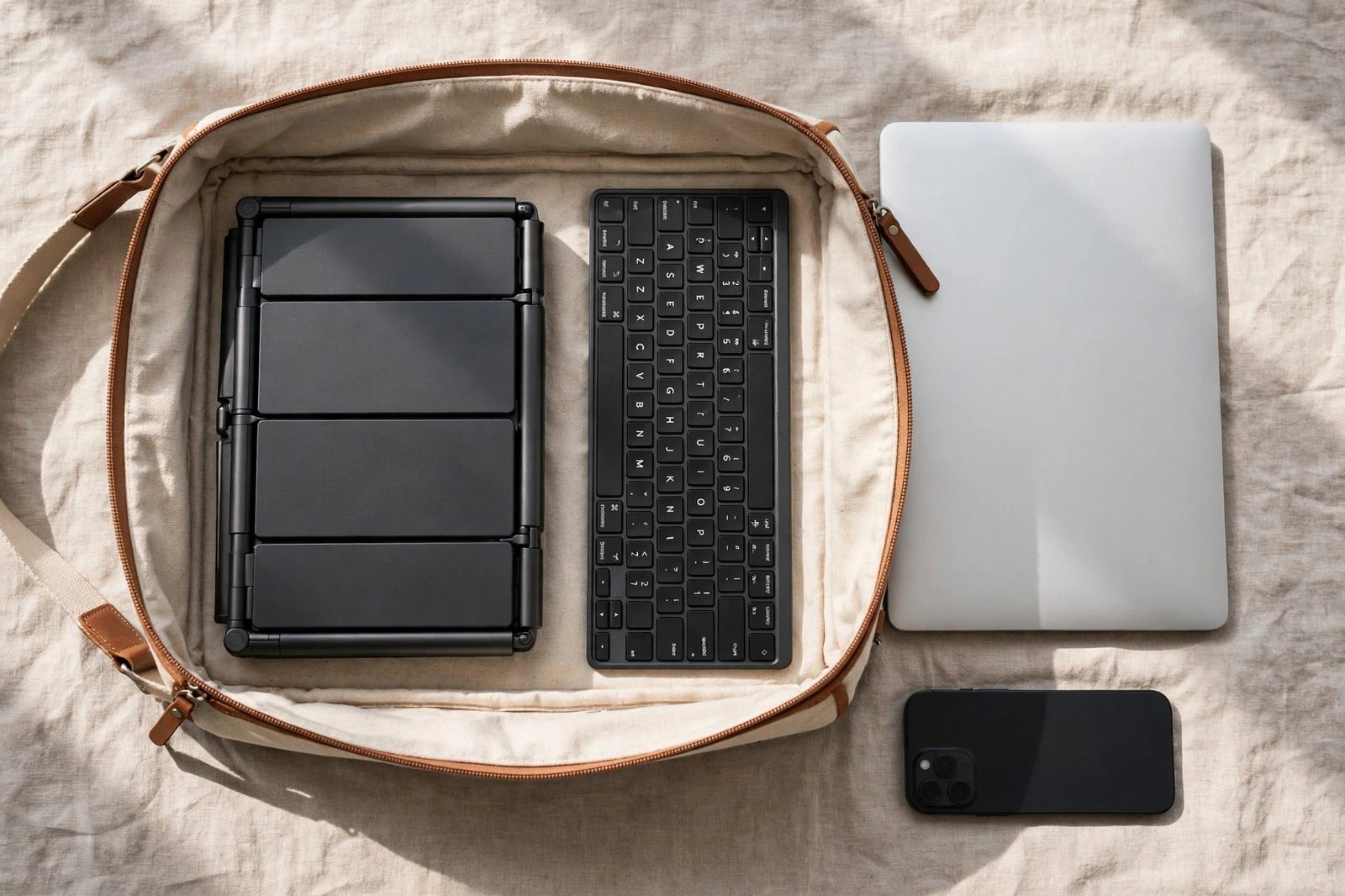
Size decides the trade. A 75% board keeps full-size letter keys and drops the number pad — the sweet spot for laptop work. A foldable board shrinks further but shrinks the keys too, and the seam in the middle never quite disappears. Measure your bag before you buy: the K380s is 279 mm wide, and anything wider than your laptop sleeve is a desk board, not a travel board.
Connection decides the daily friction. Bluetooth pairs with three devices and needs no port, but it can lag a beat on wake and needs re-pairing now and then. A dongle wakes instantly and never pairs — and it eats a USB port forever. Laptops with one USB-C port should pick Bluetooth.
Battery decides the chores. AAA boards like the K380s run for years and ask nothing of you. Rechargeable boards like the MX Keys Mini need a cable every week or two with the backlight on — five months with it off, per Logitech. Neither is wrong. Pick the chore you mind less.
Key feel decides whether you keep the board. Scissor keys are quiet, short and laptop-like — every board here uses them, and the foldable is tighter still. Or maybe I should say it this way: the best compact keyboard is the one you'll actually carry. A board that stays home because it feels cheap helps no one.
One opinion some readers will push back on: most laptop owners should buy the K380s, not the MX Keys Mini. The backlight and dished keys are lovely, but they don't change your words per minute — and the K380s costs far less and never needs charging. Buy the Mini if you type in the dark for a living. Everyone else, pocket the difference.
Frequently Asked Questions
What's the best compact wireless keyboard for a laptop?
The Logitech MX Keys Mini. Its dished keys, backlight and three-device Bluetooth switching make it the best daily typer here, and it works with Windows, macOS and iPadOS.
How do I connect a wireless keyboard to my laptop?
Charge it or fit fresh batteries, switch it on, hold the pairing button, then pick it in your laptop's Bluetooth settings and type the PIN shown. For a dongle board, plug the dongle in and type.
Should I get a Bluetooth keyboard or one with a USB dongle?
Bluetooth for a laptop — it pairs with your tablet and phone too, and needs no port. Pick a dongle only if the board stays on one desktop, where it wakes faster and skips pairing.
Can I use a compact wireless keyboard with my iPad too?
Yes, if it has Bluetooth. The K380s, MX Keys Mini, Arteck HB305-2 and ProtoArc XK04 all list iPadOS support, and multi-device boards switch to the iPad with one key press.
Why does my wireless keyboard keep disconnecting from my laptop?
Low battery is the usual cause, then distance, then the wrong device channel. Charge it or swap the cells, move closer, press the right Easy-Switch key, and re-pair if it still drops.
When should I pick a foldable keyboard instead of a compact one?
Only when pocket size beats typing comfort — travel days, jacket pockets, quick notes on a phone. For daily laptop work, a solid compact board types far better than any board with a seam.
Are compact wireless keyboards good for long typing sessions?
Yes, if the keys stay full-size — the MX Keys Mini and K380s both manage it. Foldable boards and tiny handhelds tire your hands fast, so keep them for short trips, not eight-hour days.