Best Low Profile Mechanical Keyboard (2026): 6 Picks

Your keyboard is too tall. Your wrists bend up to reach the keys, the board will not fit in your laptop bag, and it takes up half the desk. You have tried the laptop keyboard — flat, mushy, no feel at all. You have tried a full-height mechanical board — great switches, but it sits like a brick and sounds like one too.
This guide fixes that. Six low-profile mechanical keyboards, all current models, picked for real desks — typing, travel, office and gaming. Two traps run through the whole category, and this guide names both: "low profile" height figures are measured four different ways, so two boards can claim the same thinness and sit at different heights under your hands; and the same model is often sold in look-alike versions — G915 vs G915 X, K3 vs K3 Max vs K3 Ultra 8K, Air75 V2 vs V3 — with different switches inside. Every card spells out the exact version to order.
No prices are printed in this guide — keyboard prices move by seller and week, so check the live price before buying. Switch and battery figures are the makers' own specs, and where sources disagree, the disagreement is stated in the guide.
What Is a Low Profile Mechanical Keyboard?
A low profile mechanical keyboard is a mechanical keyboard with short switches and flat keycaps, so the whole board sits much lower than a standard mechanical board. Each key travels about 3 mm instead of 4 mm. You get real mechanical switches in a body closer to a laptop keyboard's height.
Low profile mechanical keyboards are good for typing all day once the shorter travel stops feeling strange. According to MechKeyFoundry, total switch travel drops to roughly 3.0 to 3.2 mm against about 4.0 mm on a standard switch, so keys bottom out sooner and fingers move less. Give a new board a full week of work before you judge it.
A low profile mechanical keyboard uses short switches and flat keycaps to sit lower than a standard board. According to MKB Guide, makers measure height in four ways — switch body, case depth, front profile and thinnest point — so two boards can claim thinness yet sit at different heights under your hands. Check the height, not the headline number.
Two things get shorter: the switch and the keycap. A low-profile switch has a shorter stem and spring, so the keypress ends sooner. The keycaps go flat to match — no tall sculpted tops. The result is a board that can sit under 25 mm tall where a standard board runs 35 to 40 mm.
Here's the thing: low profile is a shape, not a switch. Linear, tactile and clicky versions all exist in low-profile families, and the label alone says nothing about noise. A clicky low-profile board can be louder than a full-height board with silent switches.
Are Low Profile Keyboards Good for Typing All Day?
Yes — for most people, once the first week passes. The shorter travel feels strange for two days, then it feels fast. Heavy typists who hammer the keys may miss the cushion of a deeper stroke.
Low profile keyboards are better for wrists when your hands float with no wrist rest, because the lower deck keeps your wrists closer to flat. The gain is small if your palms rest on a desk or a padded rest, which sets the angle for you. A split keyboard with tenting does more for sore wrists than any thin board.
Speed is the honest win. Less travel means your fingers move less per keystroke, so long typing sessions tire you out slower. Typists coming off a laptop keyboard adjust in a day — the feel is close. Typists coming off a full-height board need longer, because their muscle memory expects a deeper bottom-out that never comes.
Look — if you're in a small flat with one desk and a laptop bag, here's what actually works: a 75% low-profile board with a gasket mount. It fits the bag, it fits the desk, and the gasket takes the harsh edge off the short stroke. That's the whole category in one sentence.
Or maybe I should say it this way: the board is not the typing. The switch, the mount and the week you give it — those are the typing.
Low Profile vs Standard: What's the Real Difference?
Height and travel. A low-profile board sits about 15 mm lower and its keys travel about 1 mm less. Everything else — switch choice, keycap choice, repairability — is narrower on the slim side.
Low profile vs standard mechanical keyboards: low profile is better suited for travel and small desks because the board is thinner, lighter and sits flatter under your hands. Standard height works better when you want deep key travel and the widest choice of switches and keycaps. The key difference is travel: about 3 mm against 4 mm.
The trade nobody puts in the headline is the ecosystem. Low-profile hot-swap sockets take low-profile switches only, so the drawer of standard switches you already own will not fit. Keycap sets are the same story — most tall sculpted sets do not fit a slim board, and each switch family (Gateron LP, Kailh Choc, Cherry ULP, Logitech GL) has its own socket. Buy the board for how it types today, not for parts you plan to swap in later.
I've seen conflicting data — some guides say low-profile boards fix wrist strain, others say the gain is small next to a split keyboard or even a good wrist rest. My read is both are right: the flatter angle helps if your hands float, and it barely matters if your palms rest on something. Try the angle, not the claim.
One more thing worth knowing: a low-profile board is not automatically quiet. Short travel can mean a harder bottom-out, and a cheap hollow case rings. The quiet boards in this guide are quiet because of dampened switches and gasket mounts, not because they are thin.
Quick Comparison
| Product | Switch / Layout / Connection | ||
|---|---|---|---|
| #1 | NuPhy Air75 V3Best Overall | Gateron Nano low-profile / 75%, 84 keys / tri-mode wireless | Check Price |
| #2 | Lofree Flow 2Best for Typing | Kailh Cloud low-profile / 75%, 84 keys / tri-mode wireless | Check Price |
| #3 | Logitech MX Mechanical MiniBest for Office | Logitech low-profile / 75% compact / Bolt + Bluetooth, 3 devices | Check Price |
| #4 | Keychron K3 Ultra 8KBest Value | Milk POM low-profile / 75% / 8K wired + 2.4 GHz, Bluetooth | Check Price |
| #5 | Logitech G915 X LIGHTSPEED TKLBest for Gaming | Logitech GL low-profile / TKL / LIGHTSPEED + Bluetooth | Check Price |
| #6 | Corsair K100 AIR WirelessBest Premium / Thinnest | Cherry MX Ultra Low Profile / full-size / Slipstream + Bluetooth | Check Price |
Four of the six boards are 75% layout — the sweet spot for a slim board, keeping the function row and arrows while pulling your mouse closer. The K100 AIR is the only full-size pick, and the MX Mechanical Mini is the only one with a native Mac version. Every board here is wireless; none is wired-only.
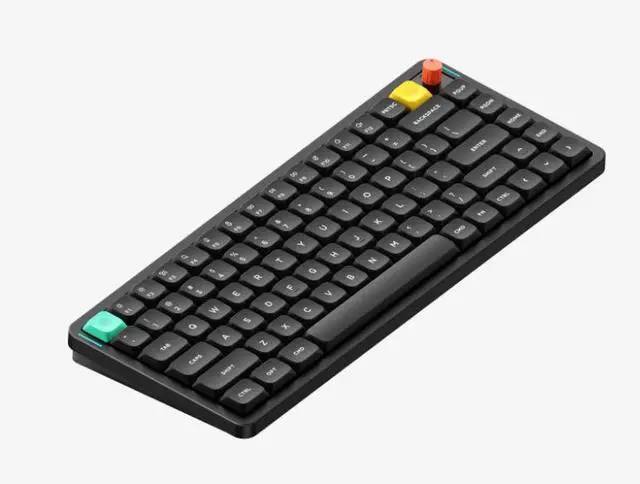
NuPhy Air75 V3
Best OverallBuy if: you want one slim board for work, travel and home — quiet, wireless, huge battery
Don't buy if: you need QMK/VIA remapping, or a number pad
The Air75 V3 is the default pick for a reason. It is 13.2 mm at the chassis — the thinnest-feeling board here that still types like a real keyboard — with a gasket-mounted board that softens every keystroke. Order the Blush Nano switch version if you want it quiet; the Red Nano is linear and the Brown Nano is tactile, so check the variant. Tri-mode wireless covers 2.4 GHz, Bluetooth 5.0 and USB-C, and the 4,000 mAh battery is the biggest here: NuPhy quotes up to 1,200 hours with the lights off and 60 to 100 hours with them on.
That battery figure needs a plain reading. The 1,200-hour number is a lab figure with the lights off — your desk will see the 60 to 100 hour range, about a week of eight-hour days between charges. Still the best in this guide by a wide margin. The trade is software: the V3 moved from the QMK/VIA stack the V2 ran to NuPhyIO 2.0, so remapping lives in NuPhy's own app now. Hot-swap sockets take Gateron low-profile 3.0 switches only, and at 724 g it is no featherweight — but for a board that does everything, nothing here beats it.
Pros
- Gasket mount + big battery — the most practical wireless pick
- Thinnest-feeling board that still types properly
- Blush Nano silent switch option, hot-swappable
- Tri-mode wireless, Mac and Windows layouts
Cons
- No QMK/VIA — remapping runs through NuPhyIO 2.0
- 1,200-hour battery figure is a lights-off lab maximum
- No number pad, 724 g is heavy for a travel board
- Must order the right Nano switch variant
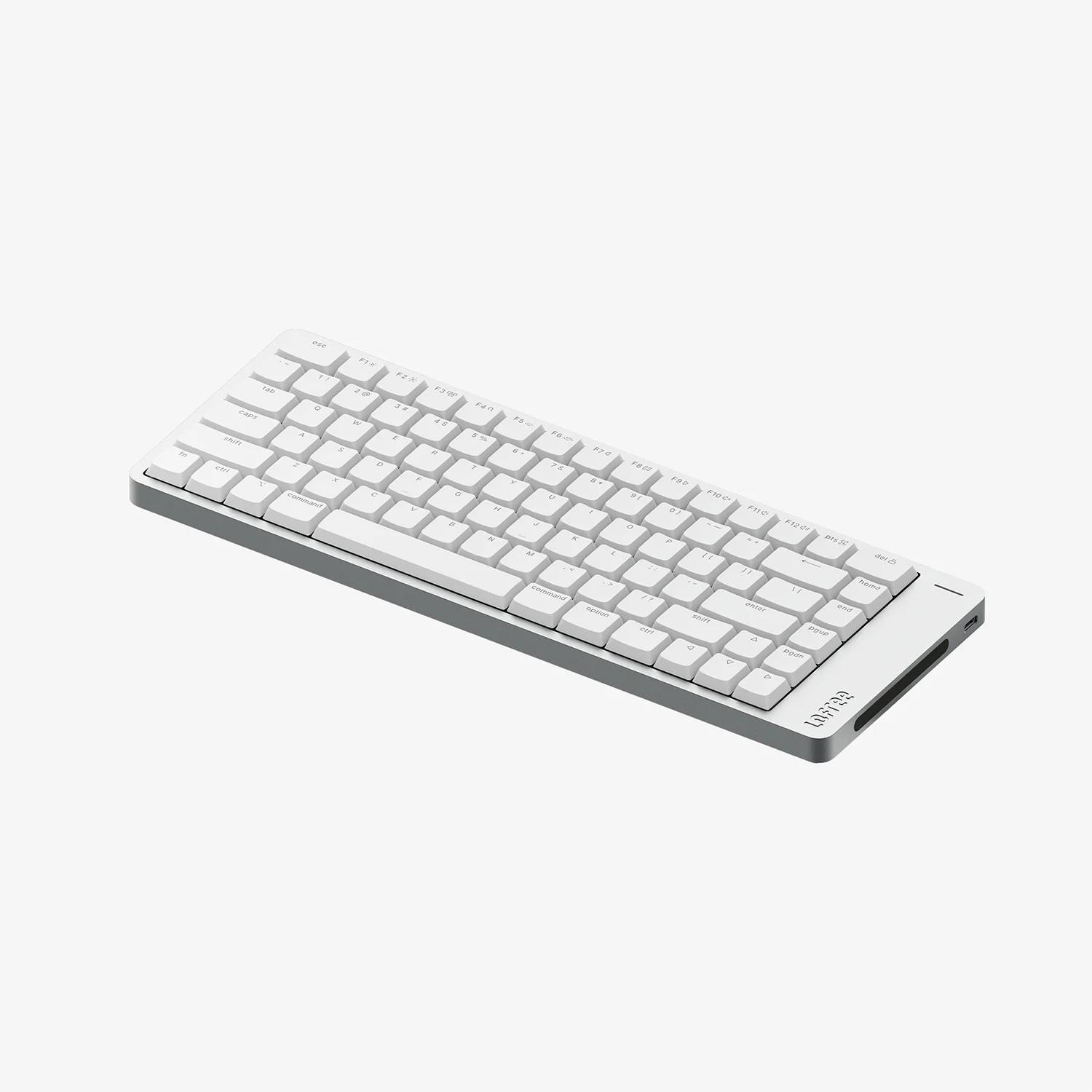
Lofree Flow 2
Best for TypingBuy if: typing feel is your top priority and you want a board that looks like furniture
Don't buy if: you need long battery life with the backlight on, or RGB lighting
The Flow 2 is the best-typing low-profile board in this guide. A full CNC-milled aluminium case with a gasket mount and multi-layer damping — the only full-metal chassis here — gives it a dense, settled feel that hollow plastic boards cannot match. Kailh Cloud switches come in three flavours: Surfer linear, Void silent linear and Pulse tactile, all around 40 gf with 2.8 mm total travel and 1.3 mm actuation on the linear and silent versions. VIA remapping runs in the browser, no vendor app needed.
Two honest trade-offs. Battery life is the weakest here: Lofree quotes up to 120 hours over Bluetooth with the backlight off and only 17 hours with it on, from a 3,000 mAh cell. If you type with the lights on, charge it often. And the backlight is white only — no RGB. The keycaps are double-shot PBT with shine-through legends, which fixes the original Flow's most common complaint. At 745 g it is the heaviest board at this size, but that weight is the point: it stays planted and feels like a small block of metal, not a keyboard shell.
Pros
- Best typing feel here — full aluminium, gasket mount
- VIA remapping, no vendor app needed
- Void silent-linear switch option on the same platform
- Double-shot PBT shine-through keycaps
Cons
- Weakest battery with the backlight on — about 17 hours
- White backlight only, no RGB
- Heaviest board at this size, 745 g
- Cloud switch compatibility is narrower than Gateron LP
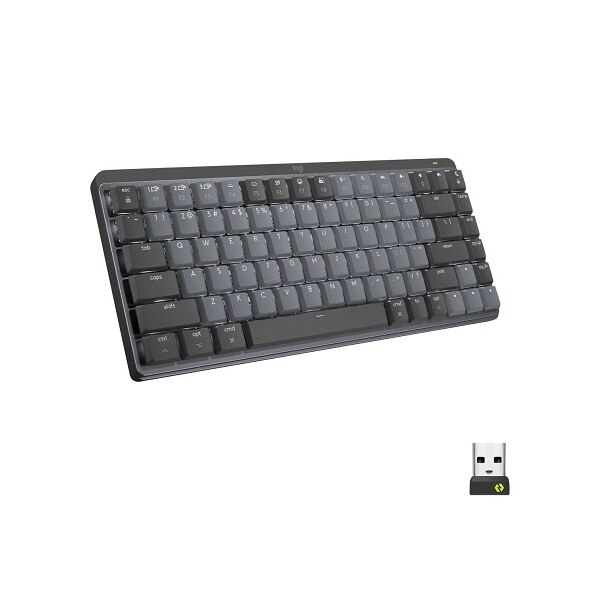
Logitech MX Mechanical Mini
Best for OfficeBuy if: you want the safest office pick — quiet, multi-device, corporate-safe
Don't buy if: you want to swap switches later, or you need a number pad
The MX Mechanical Mini is the board to buy when someone else approves the purchase order. Low-profile switches with 1.3 mm actuation, 3.2 mm total travel and 55 gf, rated for 50 million presses. Three switch types — Tactile Quiet, Clicky and Linear — and the Tactile Quiet version is the one to order for shared desks. Easy-Switch jumps between three devices over Logi Bolt or Bluetooth Low Energy, and the Logi Bolt link is encrypted. A native Mac version exists with a proper Mac layout and function row, no configurator required.
Battery life is the strongest practical figure here: Logitech rates it at 15 days with the backlight on or up to 10 months with it off, and a 15-minute charge gives roughly a workday. The smart backlight turns on as your hands approach and fades when they leave. The trade is freedom: the switches are soldered, so there is no hot-swap and no switch upgrades, and USB-C is charging only — no wired data mode. If your office standardises on Logi Bolt, this is the board that will not raise a ticket.
Pros
- Office-safe look, encrypted Logi Bolt connection
- Three-device Easy-Switch, native Mac version
- Longest real-world battery with the backlight on
- Smart backlight that fades when hands leave
Cons
- Switches are soldered — no upgrade path
- USB-C is charging only, no wired data
- No number pad — full-size MX Mechanical adds one
- Must order the Tactile Quiet variant
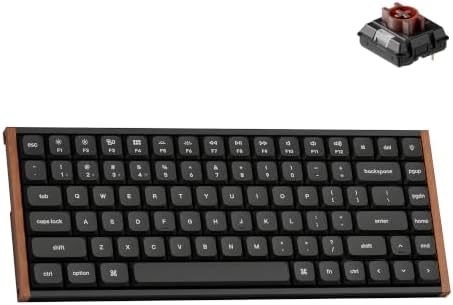
Keychron K3 Ultra 8K
Best ValueBuy if: you want current-generation speed and a hot-swap platform for the least money
Don't buy if: you want a proven board with no early quirks, or a number pad
The K3 Ultra 8K is the new generation of Keychron's slim board, and it brings 8,000 Hz polling to both wired and 2.4 GHz connections — a figure that used to cost twice as much. Milk POM low-profile switches in Red linear, Brown tactile and Banana tactile sit in a metal-and-wood top structure over an ABS lower case, with a published front height of 16.55 mm without keycaps. Hot-swap sockets, acoustic foam, double-shot PBT keycaps, and a 2,600 mAh battery Keychron rates at up to 550 hours with the backlight off.
Read the name twice before you buy. Older K3 Max listings still appear in search results under near-identical names, and the K3 Max is a different board with older switches and no 8K polling. Buy it under its full name: K3 Ultra 8K. One caution from owner threads: early buyers report occasional missed or duplicated characters, so test yours inside the return window. The ZMK firmware runs through Keychron Launcher in the browser — handy, but treat it as a closed toolchain, not open ZMK.
Pros
- 8K polling on wired and 2.4 GHz at a mid-range price
- Hot-swap sockets across the Milk POM range
- Wood and metal top reads far more expensive than the tier
- 550-hour lights-off battery claim
Cons
- Early owner threads report missed or duplicated keys
- K3 Max listings look near-identical — buy the full name
- ZMK through Launcher is a closed toolchain
- 2,600 mAh is modest once RGB is on
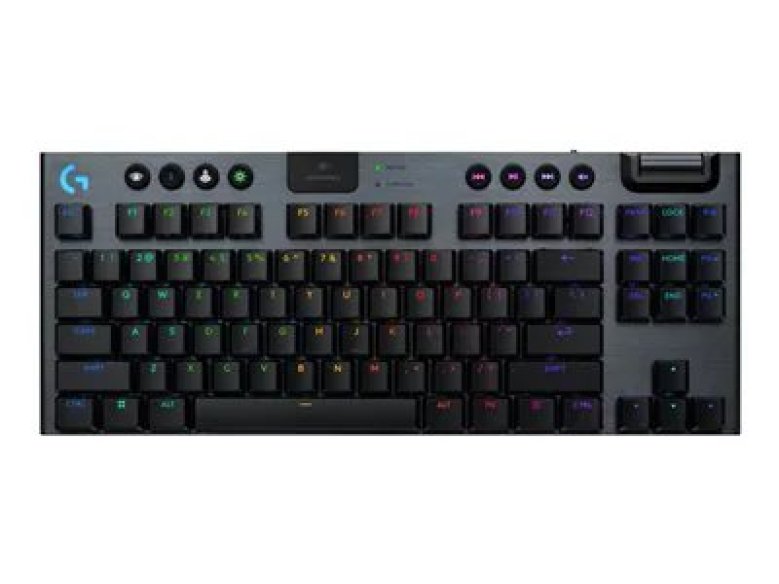
Logitech G915 X LIGHTSPEED TKL
Best for GamingBuy if: you want a proven low-profile gaming board with fast wireless and a volume wheel
Don't buy if: typing is your main job, or you want analog switches
The G915 X is the gaming pick, and the X matters. This is the 2024 refresh of the original G915, not the old board: double-shot PBT keycaps replace the ABS caps that shined up within months, and the new GL switches use a cross-style stem instead of the old hook system. Tactile, Linear and Clicky versions exist — the tactile switch actuates at 1.3 mm with 3.2 mm total travel at 45 gf. LIGHTSPEED wireless holds a 1 ms response, Bluetooth covers a second device, and the TKL battery runs about 46 hours with the lights on.
It is a strong gaming board and a weaker typing board. TechRadar's review found the cramped layout awkward for long typing sessions and the keycaps less premium than the price suggests, while Gaming Nexus praised the same board for a week of mixed work and play. Both agree on the build: a 1.5 mm aluminium top plate in a 22.5 mm chassis that feels sturdy and light at 860 g. If you game first and type second, this is the board. If you type first, the Air75 V3 or Flow 2 above serve you better for less money.
Pros
- Proven LIGHTSPEED wireless, 1 ms response
- Double-shot PBT caps — the old ABS problem is fixed
- Volume wheel and media keys, tri-mode connection
- Sturdy aluminium top plate, light at 860 g
Cons
- Cramped layout for long typing sessions
- Keycaps feel less premium than the price suggests
- No analog or Hall effect switches at this price
- Must buy the X version, not the original G915
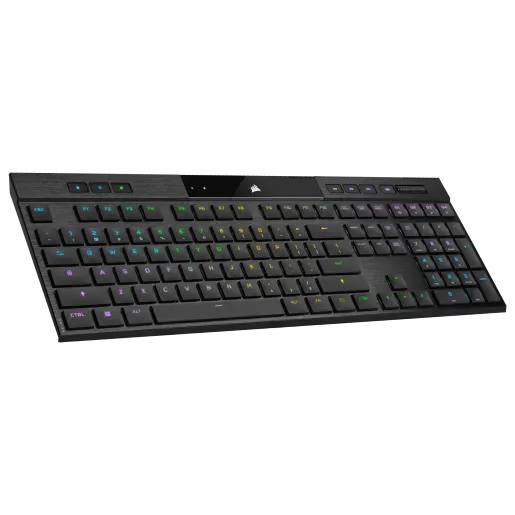
Corsair K100 AIR Wireless
Best Premium / ThinnestBuy if: you want the thinnest full-size mechanical board ever made, with macro keys
Don't buy if: you want to swap switches or keycaps later, or you type lightly and hit keys by accident
The K100 AIR is 11 mm at its thinnest point — the thinnest full-size mechanical keyboard on the market. Cherry MX Ultra Low Profile switches sit in a full-size board with dedicated macro keys, full per-key RGB, and Corsair Slipstream wireless holding a sub-1 ms polling rate. Wired polling runs at 8,000 Hz. Battery runs about 50 hours with RGB on and 200 hours with it off. It is the only full-size board here, and the only one built for macro-heavy work: MMOs, video editing, software that lives off shortcuts.
Thin has a cost, and it is not money. The Cherry ULP switches are a closed ecosystem — no switch swaps, no aftermarket keycaps, no hobby parts fit. The keys are also very sensitive: light typists report accidental presses until they adjust. And the price is premium for a board whose switches you can never change. Buy it for what it is — the thinnest, most capable slim full-size board you can buy — not as a platform to build on. It is a finished product, not a starting point.
Pros
- Thinnest full-size mechanical board — 11 mm
- Macro keys, per-key RGB, Slipstream sub-1 ms wireless
- 8,000 Hz wired polling, 50-hour RGB battery
- Only full-size pick — numpad included
Cons
- Premium price for a closed switch ecosystem
- Keys are very sensitive — accidental presses at first
- No switch swaps, no aftermarket keycaps
- Overkill if you never use macros
How Do I Pick the Right Low Profile Board?
Measure your space, pick your switch feel, check the exact variant name, read the battery figure with the lights on, then type on it for a full week. Five steps, in that order.
To pick the right low profile mechanical keyboard, follow these steps: 1. Measure your desk and bag space first. 2. Choose linear, tactile or clicky switches. 3. Check the exact model and variant name. 4. Read the battery figure with lights on. 5. Type on it for a full week.
Step one decides the layout. A 75% board fits a small desk and a laptop bag; a full-size board needs a wide desk and a numpad habit to justify it. Step two decides the feel: linear is smooth and fast, tactile adds a small bump, clicky adds noise your coworkers will hear. Step three is the trap — the same model ships in quiet and loud versions, and the listing name is the only thing that tells them apart.
Step four is the battery trap. Every maker quotes the lights-off figure in the headline, and the lights-on figure is the one your desk will see. Step five is the one people skip: the first two days feel wrong for reasons that fade. Give it a full week of real work before you judge it.
Keyboards to Skip in 2026
The original Keychron K3. Still pushed by stale lists, superseded by the K3 Max and now the K3 Ultra 8K. Same shape, older switches, no gasket mount. Buy the Ultra 8K if you want a Keychron low-profile board.
The original Logitech G915. Superseded by the G915 X, which fixes the ABS keycaps and the old hook-stem switches. The original still appears in search results at near-identical prices — buy the X.
The NuPhy Air75 V2. A fine board in its day, replaced by the V3 with a gasket mount and a much bigger battery. Old roundups still list it first because they were written before the V3 shipped.
The Lofree Flow (first version). Replaced by the Flow 2 with shine-through PBT keycaps and VIA support. The original's keycaps were its most common complaint, and the Flow 2 fixes it.
Clicky switches in a shared office. Low profile does not mean quiet. A clicky low-profile board carries across a room just like a clicky full-height one — check the switch, not the height.
"Low profile" membrane boards in a mechanical roundup. A slim membrane keyboard is not a mechanical keyboard, no matter how thin the listing says it is. If there is no switch under the key, it does not belong here.
Buying Guide: What Actually Matters
After the switch, the four things worth your attention are the mount, the layout, the battery figure and the keycap ecosystem — in that order.
Switch type is the feel. Linear is smooth and fast, tactile adds a bump, clicky adds noise. Low-profile switches travel about 3 mm against 4 mm on a standard switch, so the keypress ends sooner and the bottom-out is firmer. Heavy typists feel that difference most. And the trap, one more time: check the variant on the listing. The same model ships quiet and loud, and no return policy fixes a board you bought in the wrong version.
The mount decides what the switch leaves behind. Gasket-mounted boards float the plate on foam pads, absorbing the hollow ring that even good switches make in a cheap shell. Heavy cases and thick PBT keycaps sound deeper than thin plastic. The Flow 2 earns its price here; the Air75 V3 is the mid-price version of the same idea.
Layout decides whether the board fits your work. A 75% board keeps the function row and arrows while pulling your mouse closer — better for small desks. Full-size suits spreadsheet days. Connection decides whether the board works across your machines: multi-device Bluetooth covers a work laptop and a personal machine, while a 2.4 GHz dongle gives the lowest latency for gaming.
Quick note: buy the board that types best, not the thinnest one. Thin is a travel feature, not a typing feature. Some readers will push back on that — the K100 AIR is a joy to carry — and they have a point if the board lives in a bag. But if it lives on a desk, the gasket mount matters more than the millimetres.
Frequently Asked Questions
What's the best low profile mechanical keyboard?
The NuPhy Air75 V3 — gasket mount, huge battery, tri-mode wireless, and a silent switch option. The Lofree Flow 2 types better; the Logitech MX Mechanical Mini fits offices best.
Are low profile keyboards good for typing all day?
Yes, for most people, once the shorter travel stops feeling strange. Give a new board a full week of real work — the first two days feel wrong for reasons that fade.
Can I use normal keycaps on a low profile keyboard?
Usually no. Low-profile switches use different stems and sockets, so most tall sculpted keycap sets do not fit. Plan on the stock keycaps, which are good on every board here.
Should I get a low profile keyboard for gaming?
Yes, if you like short travel and a slim desk. Check the connection mode and polling rate — 2.4 GHz or wired beats Bluetooth for latency — and pick the G915 X TKL for gaming first.
How long does a low profile keyboard battery last?
It depends on the backlight. The Air75 V3 quotes 60 to 100 hours with lights on; the Flow 2 only about 17. Read the lights-on figure — the headline number is always lights-off.
Do low profile keyboards help your wrists?
A little, if your hands float with no wrist rest — the lower deck keeps wrists closer to flat. If your palms already rest on a desk or pad, the gain is small. A split keyboard helps more.
What's the thinnest mechanical keyboard?
The Corsair K100 AIR at 11 mm at its thinnest point, with Cherry MX Ultra Low Profile switches. It is a full-size board — the thinnest one you can buy with a number pad.