Best Monitor for Xbox Series X in 2026: 7 Picks for 4K 120Hz

The Xbox Series X can output 4K at 120Hz — but only if your monitor can actually receive that signal. That is the test most roundups never run: they list monitors by the refresh rate on the box, and the box number is usually a DisplayPort number your Xbox will never see. The top 10 results for "best monitor for Xbox Series X" are full of this error. TechRadar still crowns the Gigabyte M32U, which is discontinued, and its budget pick is a 4K 60Hz monitor with HDMI 2.0 — it cannot do 120Hz at any resolution. The budget guides push obscure brands with no professional testing behind them. And nobody explains why the 120Hz option is greyed out on so many setups.
So this guide ranks by the signal each monitor can accept over HDMI, not the headline refresh rate. Every pick here is a current 2026 model with verified HDMI 2.1, VRR, and a 120Hz mode the Xbox can actually use — from the QD-OLED flagship to a $299.99 budget 4K panel and a 1440p pick built for Series S owners. The gaps we fill: the discontinued-model trap, the HDMI 2.1 bandwidth trap, the 144Hz myth, the greyed-out 120Hz fix, and an honest answer to whether you need 4K at all. If you also play on PlayStation, our best PS5 monitor guide covers the same panels from the Sony side.
Prices below are the makers' list prices, not deals — street prices move, so check the live price before buying. Our gaming monitor deals guide tracks the live cuts.
Quick Comparison
| Product | Key Specs | ||
|---|---|---|---|
| #1 | ASUS ROG Swift OLED PG27UCDMBest Overall | 27" 4K QD-OLED, 240Hz · 0.03ms · 2× HDMI 2.1, Dolby Vision · $1,099 list | Check Price |
| #2 | Alienware AW2725QBest OLED Value | 27" 4K QD-OLED, 240Hz · 0.03ms · HDMI 2.1, Dolby Vision · $899.99 list | Check Price |
| #3 | Acer Nitro XV275K P5Best 4K LCD / HDR Value | 27" 4K Mini-LED, 160Hz · 1,152 zones · 2× HDMI 2.1, HDR1000 · $599.99 list | Check Price |
| #4 | ASUS ROG Strix XG27UCSBest 27" 4K Value | 27" 4K Fast IPS, 160Hz · 1ms · 1× HDMI 2.1, USB-C · $399 list | Check Price |
| #5 | Samsung Odyssey G7 G70DBest Smart / Big-Brand 4K | 27" 4K IPS, 144Hz · 1ms · 2× HDMI 2.1, Tizen smart TV · $699.99 list | Check Price |
| #6 | KOORUI G2741LBest Budget 4K | 27" 4K Fast IPS, 160Hz · 2× HDMI 2.1, HDR400 · $299.99 | Check Price |
| #7 | ASUS ROG Strix XG27ACSBest 1440p Pick | 27" 1440p Fast IPS, 180Hz · 1ms · Xbox VRR, USB-C · $329 list | Check Price |
All seven accept the Xbox's 4K/120Hz or 1440p/120Hz signal over HDMI — the one thing that actually matters. List prices are the makers' own figures; the Acer and ASUS value picks are often found well below list at retail.
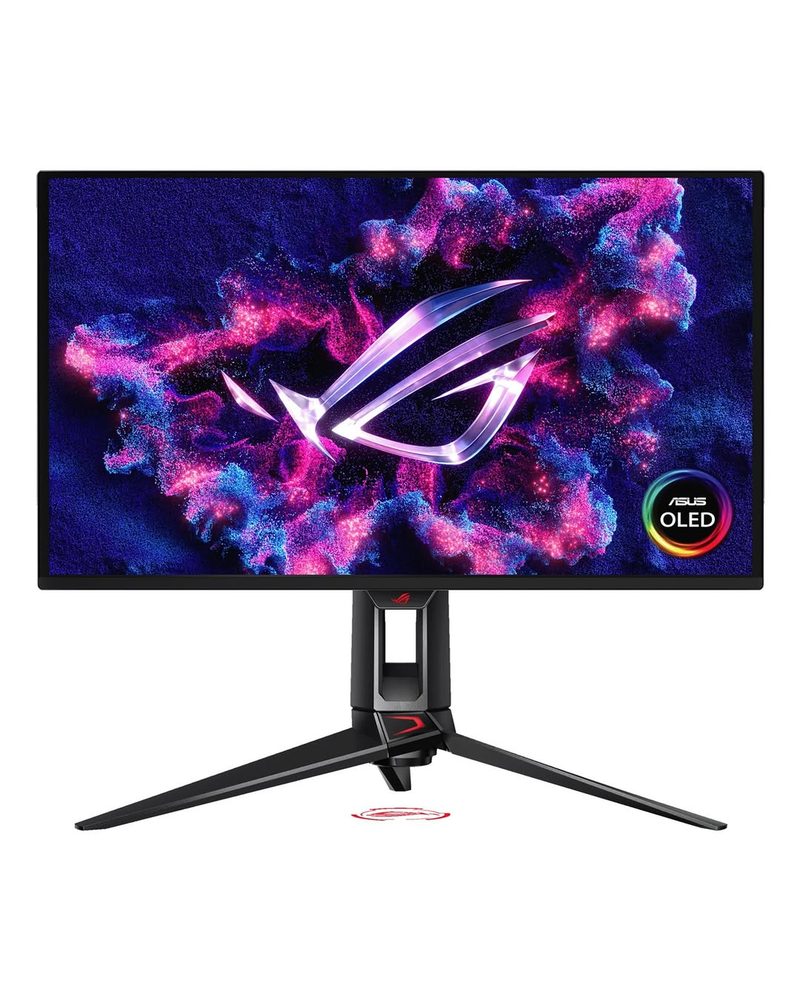
ASUS ROG Swift OLED PG27UCDM
Best OverallBuy if: you want the best picture the Xbox can produce — perfect blacks, Dolby Vision, and a complete HDMI 2.1 implementation
Don't buy if: you play in a bright room or mostly watch static menus — OLED's brightness ceiling and burn-in care are real trade-offs
The PG27UCDM is the monitor RTINGS names the best for Xbox Series X, and the reasons are all console-specific: a fourth-generation QD-OLED panel with perfect blacks and near-instant 0.03ms response, two full-bandwidth HDMI 2.1 ports that accept the console's 4K/120Hz signal with VRR and ALLM, and Dolby Vision gaming — a feature the PlayStation does not have, so it is an Xbox-only advantage. The dense 27-inch 4K image keeps textures razor sharp at desk distance, and the 240Hz headroom pays off if you also connect a PC.
Two honest caveats. First, RTINGS measured 14.8ms input lag at 60Hz — fine for story games, but competitive players running 60fps titles should know it before buying. Second, the 240Hz and DisplayPort 2.1 are wasted on the console alone; you are paying for a panel that outruns the Xbox. If the price stings, the Alienware below is the same panel for $200 less — but the ASUS keeps the better port selection and the three-year burn-in warranty, which is the longest OLED cover here.
Pros
- Fourth-gen 27-inch 4K QD-OLED panel with 240Hz refresh rate
- 0.03ms response time with perfect blacks and infinite contrast
- Full HDMI 2.1 implementation: 4K/120Hz, VRR, ALLM, and Dolby Vision on Xbox
- Three-year burn-in warranty — the longest OLED cover here
Cons
- 14.8ms input lag at 60Hz per RTINGS — competitive 60fps players should note it
- 240Hz and DisplayPort 2.1 are wasted on the console alone
- Premium OLED pricing; static HUDs need the built-in panel protection enabled
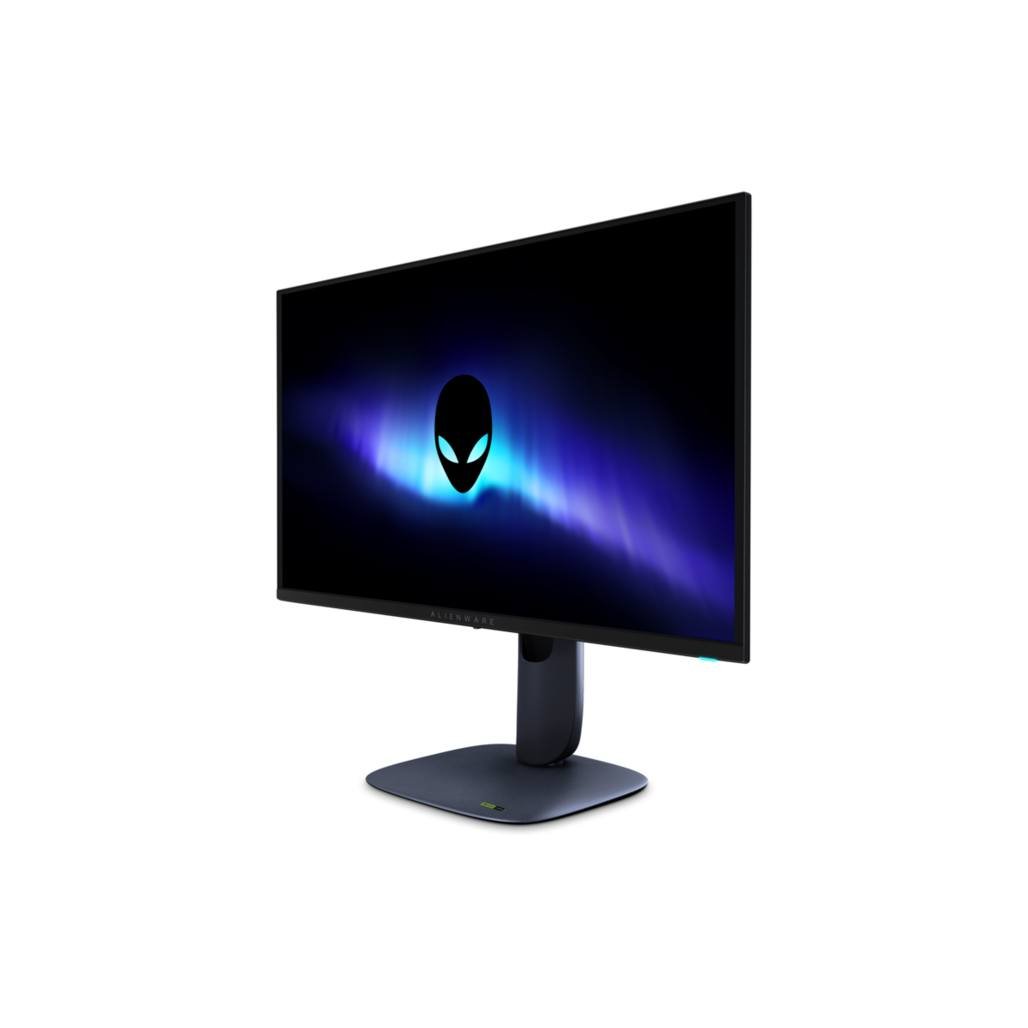
Alienware AW2725Q
Best OLED ValueBuy if: you want the same QD-OLED panel as the top pick for $200 less, with Dolby Vision intact
Don't buy if: you need DisplayPort 2.1 or a KVM switch for a work PC alongside the console
The AW2725Q is the same Samsung fourth-generation QD-OLED panel as the PG27UCDM — same 27-inch 4K image, same 240Hz, same 0.03ms response — at a $899.99 list price, and Dell's own store has shown it at $799.99. Its HDMI 2.1 implementation is complete for the Xbox: 4K/120Hz, VRR, ALLM, and Dolby Vision gaming all work. For a console-only desk, the picture is indistinguishable from the top pick.
What you give up is PC-side flexibility: no DisplayPort 2.1 and no KVM switch, so a shared console-and-PC desk is less elegant than on the ASUS. The stand is also plainer, and the burn-in warranty is shorter. None of that matters to the Xbox — if the monitor's only job is the console, this is the smarter buy, and the $200 saved buys a good headset or a year of Game Pass.
Pros
- Same fourth-gen 4K QD-OLED panel as the top pick — same picture, $200 less
- Complete Xbox feature set: 4K/120Hz, VRR, ALLM, and Dolby Vision
- 240Hz with 0.03ms response for a connected PC
- Often discounted on Dell's own store
Cons
- No DisplayPort 2.1 and no KVM — a weaker shared console-and-PC monitor
- Shorter burn-in warranty than the ASUS
- OLED brightness ceiling in bright rooms, like every OLED here
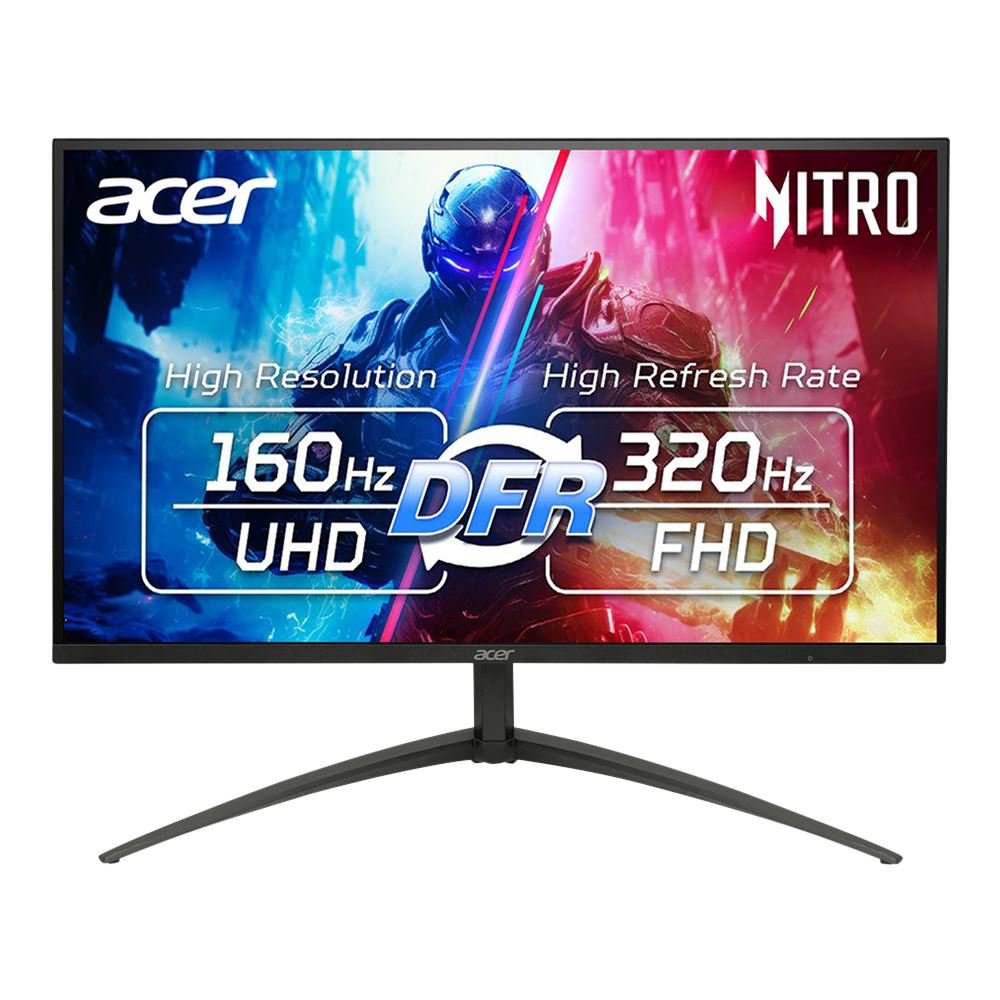
Acer Nitro XV275K P5
Best 4K LCD / HDR ValueBuy if: you want real HDR on a budget — 1,152 Mini-LED zones and HDR1000 for roughly half the OLED price
Don't buy if: you need Dolby Vision — this panel does not support it
The XV275K P5 is the best 4K LCD you can pair with an Xbox in 2026, and the reason is the backlight: 1,152 Mini-LED dimming zones behind a 27-inch 4K IPS panel, rated DisplayHDR 1000. That is the first budget panel that makes HDR look like HDR rather than a slightly brighter SDR image — bright highlights in Forza or Starfield actually pop, while dark scenes keep their depth. Two full HDMI 2.1 ports take the console's 4K/120Hz signal with VRR, and a 90W USB-C port covers a laptop on the same desk. The dual mode — 4K at 160Hz or 1080p at 320Hz — is a PC feature the Xbox cannot use, but it costs you nothing.
The trade is Dolby Vision: Acer does not support it, so HDR tone mapping is standard HDR10 only. And the model name matters — buy the P5 suffix specifically. The V3 is a different, cheaper panel, and the P3 is a refurbished listing that still circulates. Acer's $599.99 list price is rarely what you pay; street prices run around $350, which is where this panel becomes the value pick of the whole guide.
Pros
- 1,152-zone Mini-LED backlight with DisplayHDR 1000 — genuine HDR at this price
- Two HDMI 2.1 ports with 4K/120Hz and VRR for the Xbox
- USB-C with 90W power delivery for a laptop on the same desk
- Street price around $350 — roughly half the OLED picks
Cons
- No Dolby Vision support — HDR10 tone mapping only
- Mini-LED blooming in high-contrast scenes, unlike OLED's per-pixel light
- Buy the P5 suffix specifically — the V3 and refurbished P3 are different panels
ASUS ROG Strix XG27UCS
Best 27" 4K ValueBuy if: you want a straightforward 4K/120Hz Xbox monitor from a major brand for around $400
Don't buy if: you run two consoles — it has only one HDMI 2.1 port
The XG27UCS is the no-drama 4K pick: a 27-inch Fast IPS panel at 4K and 160Hz, 1ms response, FreeSync Premium, and a single full-bandwidth HDMI 2.1 port that takes the Xbox's 4K/120Hz signal with VRR. USB-C with power delivery covers a laptop, and the 95% DCI-P3 colour is strong for the price. It does nothing flashy and nothing wrong — it is simply the cheapest way to get a proper 4K/120Hz Xbox monitor from a brand with a real warranty behind it.
The one limitation is the port count: a single HDMI 2.1 input means a second console or a PC shares the remaining HDMI 2.0 port at 4K/60Hz. If you run an Xbox and a PlayStation on the same desk, the Acer or Samsung above is the better buy. And mind the suffix — the newer XG27UCS Gen2 (XG27UCSR) is a dual-mode panel at $529, a different monitor at a different price. This pick is the original XG27UCS, $399 list and often around $380 at retail.
Pros
- True 4K/120Hz over a full-bandwidth HDMI 2.1 port
- Fast IPS panel with 1ms response and 95% DCI-P3 colour
- USB-C with power delivery for a laptop
- Major-brand warranty at a $399 list price
Cons
- Only one HDMI 2.1 port — a second console drops to 4K/60Hz
- DisplayHDR 400 is modest — HDR is a bonus, not a feature
- Do not confuse it with the newer dual-mode XG27UCS Gen2 at $529
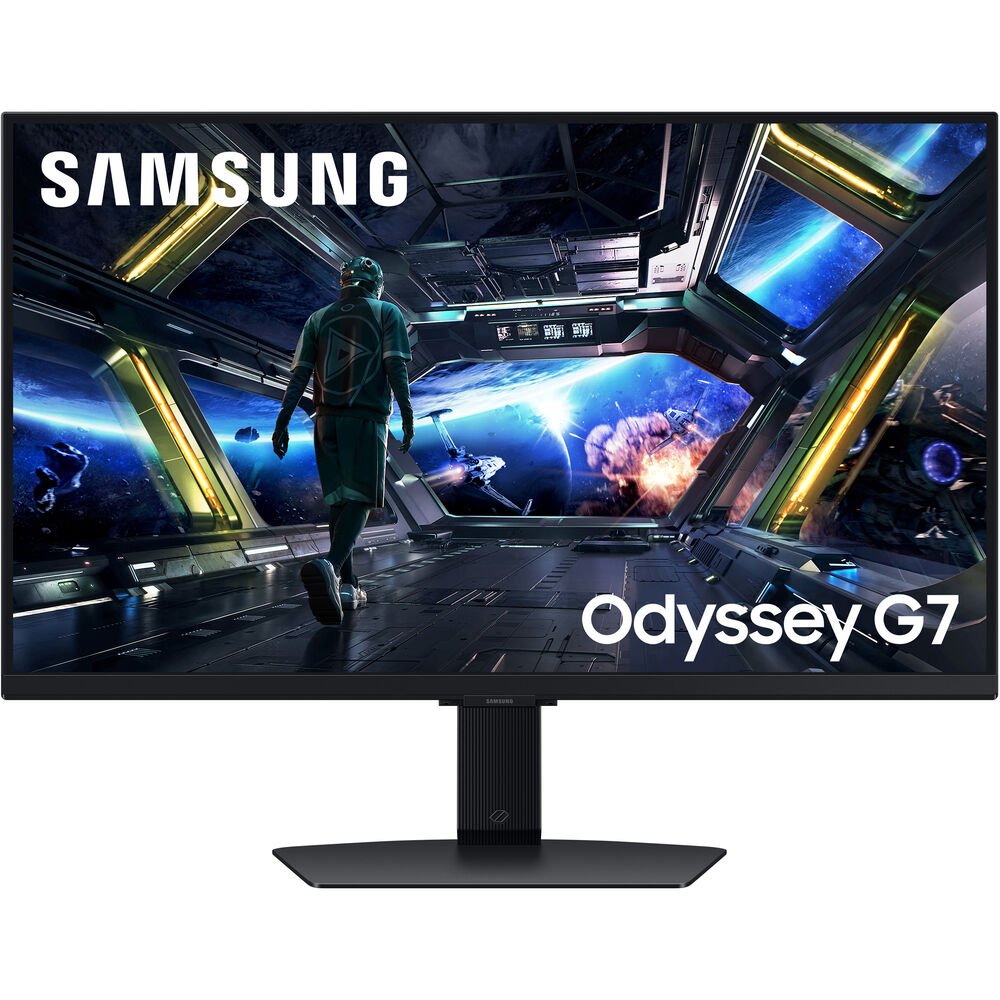
Samsung Odyssey G7 G70D
Best Smart / Big-Brand 4KBuy if: you want a 4K/120Hz Xbox monitor that doubles as a smart TV for streaming when the console is off
Don't buy if: you want the best HDR at this price — the Acer's Mini-LED beats it
The G70D is Samsung's answer to the living-room desk: a 27-inch 4K IPS panel at 144Hz with two HDMI 2.1 ports for full 4K/120Hz and VRR, plus the Tizen smart TV platform built in. When the Xbox is off, the monitor becomes a streaming screen with Netflix, YouTube, and Samsung's Gaming Hub for cloud gaming — no console needed. That dual role is the reason to buy it over the ASUS above, and it is why the G70D shows up in so many "best for Xbox" lists despite being a year old.
Be careful with the name: the 32-inch G70D is a different, larger panel, and the newer G70F is a dual-mode 4K 180Hz model — this pick is the 27-inch G70D specifically. The $699.99 list price is rarely paid; it is regularly around $449.99 at major retailers. One price to ignore: the $199.99 Samsung education-store figure that circulates in deal posts is a gated offer, not a street price — do not expect to pay it.
Pros
- Two HDMI 2.1 ports with 4K/120Hz and VRR for the Xbox
- Tizen smart TV built in — streaming and cloud gaming without the console
- Fast IPS panel with good colour, from the biggest monitor brand
- Regularly around $449.99 at major retailers
Cons
- DisplayHDR 400 — HDR is modest next to the Acer's Mini-LED
- Smart TV menus add clutter some desk gamers will never use
- Buy the 27-inch G70D specifically — the 32-inch and the newer G70F are different panels
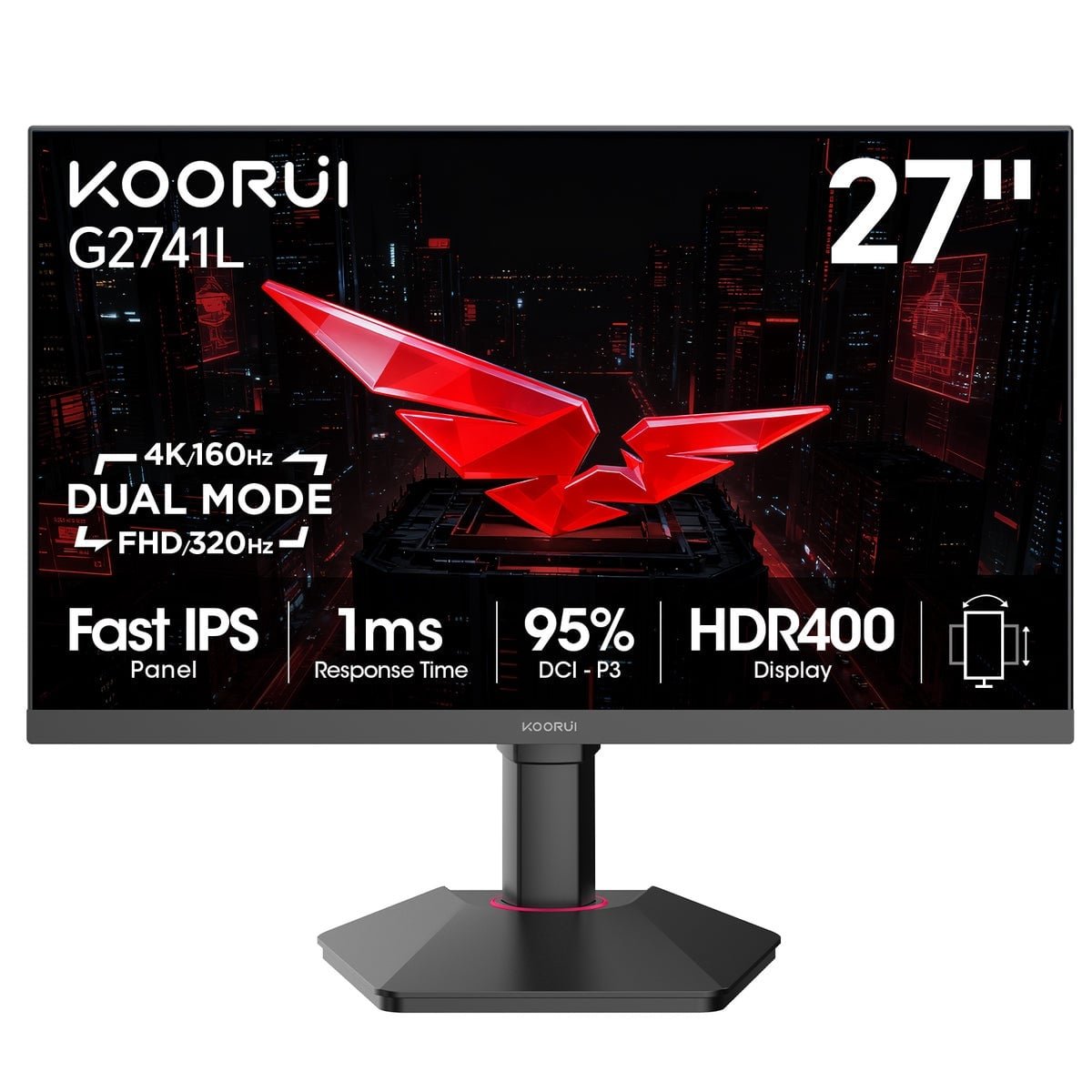
KOORUI G2741L
Best Budget 4KBuy if: you want true 4K/120Hz on Xbox for under $300 and do not mind a budget brand
Don't buy if: you want professional reviews, a long warranty, or premium build — this is a value panel, not a flagship
The G2741L is the cheapest honest way to get 4K/120Hz out of an Xbox: a 27-inch Fast IPS panel at 4K and 160Hz, two HDMI 2.1 ports, FreeSync Premium, and HDR400, for $299.99. Nothing else at this price has two full HDMI 2.1 inputs — the usual budget compromise is a single port, or HDMI 2.0 dressed up as 2.1. The dual mode (4K at 160Hz or 1080p at 320Hz) is a PC feature, but the panel itself is exactly what the console needs.
The honest caveat is the brand. KOORUI has thin professional-review coverage and a shorter track record than ASUS, Samsung, or Acer, so you are buying on specifications and owner feedback rather than lab testing. Buy from a retailer with an easy return policy, check for dead pixels on arrival, and keep the box for the first two weeks. If that sounds like too much hassle, the ASUS XG27UCS above costs about $100 more and removes the worry.
Pros
- True 4K/120Hz over HDMI 2.1 for $299.99 — the cheapest honest route here
- Two HDMI 2.1 ports, not one — a second console keeps full speed
- Fast IPS panel with 95% DCI-P3 colour and FreeSync Premium
- Dual mode (4K 160Hz / 1080p 320Hz) for a connected PC
Cons
- Budget brand with thin professional-review coverage
- HDR400 is a label, not a feature — expect modest HDR
- Shorter warranty and less proven long-term support than the big brands
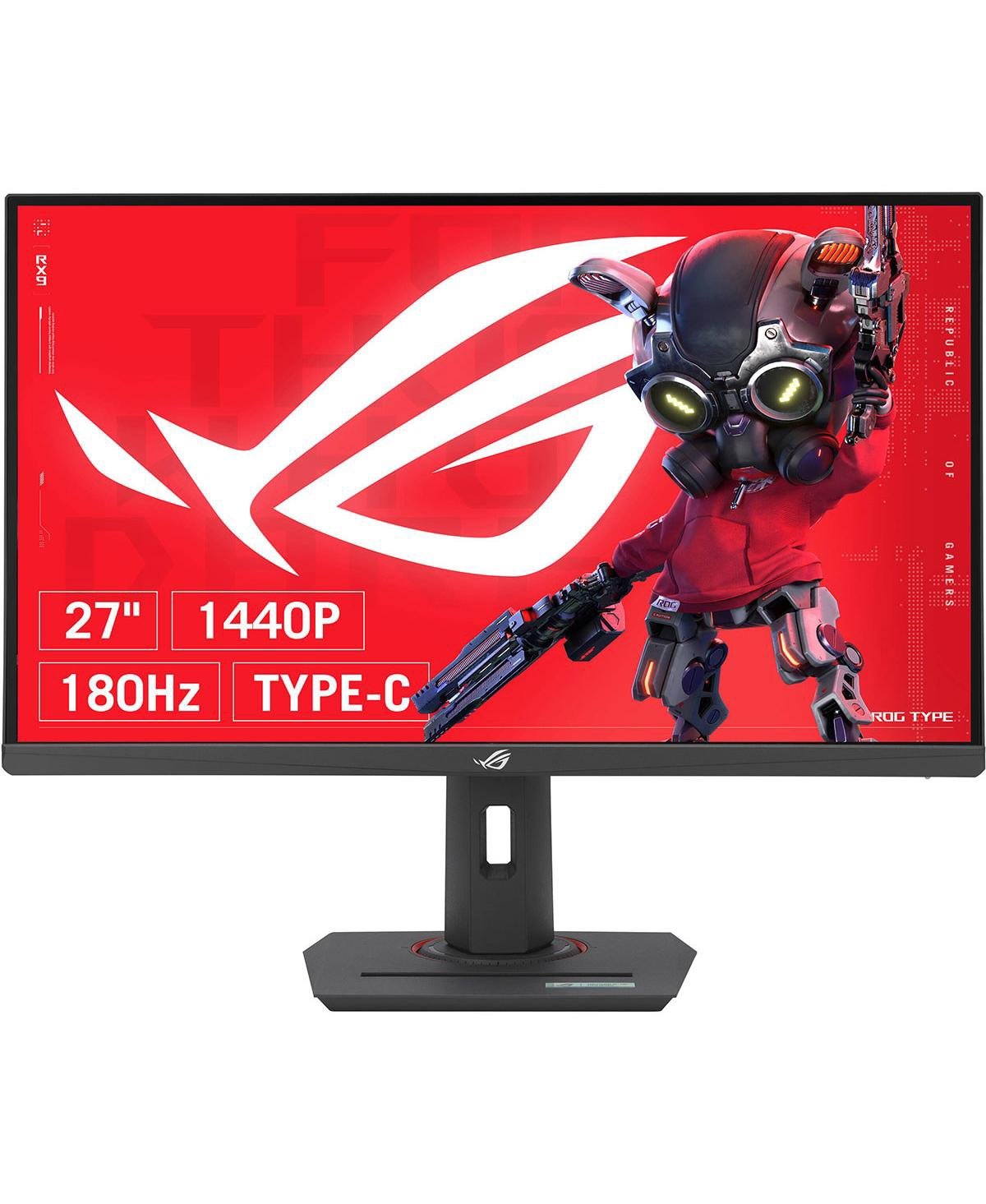
ASUS ROG Strix XG27ACS
Best 1440p PickBuy if: you own a Series S, or you play competitive shooters and would rather spend the 4K money on a better panel
Don't buy if: you own a Series X and want its full 4K output — this panel cannot show it
The XG27ACS is the pick for everyone who does not need 4K: a 27-inch 1440p Fast IPS panel at 180Hz with USB-C, FreeSync, and confirmed Xbox VRR support. The Xbox has natively supported 1440p since day one, and most of its 120fps games run at 1440p or 1080p in performance mode anyway — so this panel shows you the frame rate the console actually delivers, at a $329 list price and often around $270 at retail. For a Series S owner, whose console tops out at 1440p/120Hz, it is simply the right resolution.
Know the limit before you buy: it cannot accept a 4K/120Hz signal, so a Series X owner who wants the console's full output should pick one of the six 4K monitors above. And do not confuse it with its siblings — the XG27ACG is a different 180Hz model, the XG27ACMS is a 320Hz model, and the XG27UCS above is the 4K one. The ACS is the 1440p value pick, and only the ACS.
Pros
- Native 1440p/120Hz on Xbox — the resolution most 120fps games actually run at
- 180Hz Fast IPS panel with 1ms response and Xbox VRR support
- USB-C and a $329 list price, often around $270 at retail
- The right panel for a Series S, which tops out at 1440p
Cons
- No 4K input — a Series X owner's console is held back
- HDR400 is modest, and the panel is dimmer than the Mini-LED Acer
- ASUS's XG27 naming is a minefield — buy the ACS suffix specifically
Does Xbox Series X Need a 4K Monitor?
No — a 1440p monitor is the honest sweet spot for most Xbox owners, and 4K only earns its price if you sit close or also use the monitor with a PC. The Xbox outputs 4K at up to 120Hz, but very few games actually render at native 4K and 120 frames per second at the same time. Most 120fps performance modes run at 1440p or 1080p internally and upscale, which means a 1440p panel shows you the frame rate the console really delivers — while a 4K panel spends most of its pixels upscaling the same image.
Buy 4K if you sit at desk distance (under a metre), play story-driven games where detail matters more than frame rate, or share the monitor with a PC. Buy 1440p if you play competitive shooters, own a Series S (which tops out at 1440p/120Hz), or would rather spend the $100–$200 saved on a better panel — a Mini-LED or OLED at 1440p beats a cheap 4K panel with washed-out HDR every time. The resolution that matters is the one your games actually run at, not the one on the box.
Does Xbox Series X Support 144Hz?
No — the Xbox Series X caps at 120Hz, and a 144Hz monitor only helps if it also offers a 120Hz mode over HDMI. The console outputs 30, 60, or 120Hz. A monitor that lists 144Hz on the box is quoting its DisplayPort maximum; what matters for the Xbox is whether its HDMI input accepts 120Hz. Most modern gaming monitors do — but some 144Hz panels only offer 120Hz over DisplayPort, and over HDMI they top out at 60Hz. Plug one of those into an Xbox and the console quietly falls back to 60Hz, and no setting on the console will fix it.
Before you buy, check the monitor's HDMI refresh-rate range in the manual or a review — not the headline number. Every pick in this guide has a verified 120Hz mode over HDMI. And ignore refresh rates above 144Hz for console purposes: a 240Hz or 480Hz panel is a PC feature, and the Xbox will still run it at 120Hz.
Why Is the 120Hz Option Greyed Out on My Xbox?
It is almost always the monitor or the cable, not the console — work through the checklist in order. First, check you are on the right port: some monitors put HDMI 2.1 on one input only, and the other HDMI port is 2.0. Second, use the cable that came with the Xbox, or a certified Ultra High Speed HDMI cable — an old cable silently caps you at 4K/60Hz. Third, open Settings > General > TV & display options > 4K TV details and read what the console actually detects: if it says your display does not support 120Hz, the monitor is not offering a 120Hz mode at the resolution you have set.
Two settings traps catch people. If "Allow 4K" is checked, the console tries 4K first — uncheck it to let 1440p/120Hz through on monitors with non-standard timings. And at 1440p, some monitors use non-VESA timings the Xbox rejects; dropping to 1080p to test, then back to 1440p, often reveals whether the panel or the timing is at fault. If none of that works, the monitor simply lacks a 120Hz HDMI mode — which is why the picks above are verified, not assumed. For the full latency side of the same problem, see our Xbox input lag guide.
Is 27 or 32 Inch Better for Xbox Series X?
27 inches for a desk, 32 inches if you sit further back — and 4K only makes sense at 27 inches or larger. At a normal desk distance of 60–80cm, a 27-inch 4K panel is dense enough that individual pixels disappear, and the whole screen sits inside your field of view without head-turning. A 32-inch panel at the same distance forces you to move your head to check the minimap, which is why competitive players almost all play on 27-inch screens.
Go 32 inches if your setup is a living-room desk, a deep desk (90cm or more), or a couch-and-controller arrangement — the extra size reads better from further away, and 4K's detail finally has room to breathe. At 32 inches, prefer the flat QD-OLED or Mini-LED panels; curved screens suit racing and open-world games but distort straight lines in menus. Either way, buy for your viewing distance first and your resolution second.
Does Xbox Series X Support Dolby Vision on Monitors?
Yes — the Xbox Series X supports Dolby Vision gaming on monitors that support it, and it is an Xbox-only advantage over the PlayStation. Dolby Vision improves HDR tone mapping frame by frame, so bright highlights and dark shadows hold detail that standard HDR10 can crush. It works in supported games and in streaming apps, and it needs no setting beyond enabling it on the console and the monitor.
Only two picks in this guide support it: the ASUS PG27UCDM and the Alienware AW2725Q. The Acer, Samsung, ASUS value picks, and the KOORUI do not — they use HDR10, which is still good HDR, just without the per-frame tone mapping. If Dolby Vision matters to you, the choice is made for you: one of the two QD-OLED panels above. If it does not, do not pay the OLED premium for it.
Can I Use an Ultrawide Monitor with Xbox Series X?
You can plug one in, but the Xbox has no native 21:9 output — you will get black bars on the sides, and the extra width stays unused. The console outputs 16:9 only, so a 34-inch or 49-inch ultrawide shows a centred 16:9 image with empty pillars left and right. Some monitors stretch the image to fill the panel, which distorts everything; the honest ones letterbox it.
Buy an ultrawide only if you also use the monitor with a PC, where the extra width earns its keep for work and PC games. For a console-only desk, a 16:9 panel of the same money buys a better panel — higher refresh, better HDR, or an OLED — instead of width your Xbox cannot use. That is why no ultrawide appears in this guide.
Buying Guide: What Actually Matters
After size, the five things worth your attention are the HDMI input, the panel type, VRR, HDR, and the return policy — in that order. The HDMI input decides everything: full-bandwidth HDMI 2.1 (48Gbps) carries 4K/120Hz at full colour; reduced-bandwidth 24Gbps ports — which manufacturers are still allowed to label "HDMI 2.1" — need compression or chroma subsampling to hit the same numbers, and some simply cap at 4K/60Hz. Check the port's bandwidth in the manual, not the label.
Panel type decides the picture: OLED gives perfect blacks and instant response but costs more and needs burn-in care; Mini-LED gives the best HDR per pound on LCD; plain IPS is the value choice with the weakest HDR. VRR (FreeSync over HDMI, or HDMI Forum VRR) smooths frame-rate dips and is worth having on every pick — the Xbox supports both. HDR matters more than resolution on console: DisplayHDR 1000 or OLED True Black visibly changes the picture, while DisplayHDR 400 is mostly a label. And finally, check the return policy before the spec sheet: dead pixels and backlight bleed are panel-lottery issues, and a two-week return window is the only honest warranty against them.
Three Monitors to Skip in 2026
Gigabyte M32U — discontinued, despite still topping TechRadar's guide. B&H lists it as no longer available, and remaining stock is old inventory at inflated prices. The M32U was a fine monitor in its day, but buying a discontinued panel in 2026 means no warranty support and no price competition. The Acer XV275K P5 above is the better 4K LCD at a lower price.
Gigabyte M32UC — discontinued, and curved VA with a bandwidth trap. The curved sibling of the M32U is also discontinued, and its HDMI 2.1 ports are 24Gbps — they need Display Stream Compression to carry full 4K/144Hz at full colour. If you see either Gigabyte M-series monitor recommended in a 2026 guide, that guide has not been updated.
ASUS TUF Gaming VG289Q — a 4K 60Hz monitor recommended as a budget Xbox pick. TechRadar's budget choice has HDMI 2.0 only, so it cannot do 120Hz at any resolution — the one thing an Xbox monitor exists to do. The KOORUI G2741L above costs about the same and actually hits 4K/120Hz. The same warning applies to the 2019 LG 27GL83A, which still appears in stale roundups with no HDMI 2.1 at all.
Frequently Asked Questions
Does Xbox Series X need a 4K monitor?
No — a 1440p monitor is the honest sweet spot for most Xbox owners. Few games run native 4K at 120fps, and most 120fps performance modes run at 1440p or 1080p internally. Buy 4K if you sit close to the screen or share the monitor with a PC; buy 1440p if you play competitive shooters or own a Series S, which tops out at 1440p/120Hz.
Does Xbox Series X support 144Hz?
No — the Xbox Series X caps at 120Hz, outputting 30, 60, or 120Hz only. A 144Hz monitor works only if it also offers a 120Hz mode over HDMI; some 144Hz panels offer 120Hz over DisplayPort alone and fall back to 60Hz on the Xbox. Check the monitor's HDMI refresh-rate range before buying, not the headline number.
Why is the 120Hz option greyed out on my Xbox Series X?
It is almost always the monitor or the cable. Check you are on the monitor's HDMI 2.1 port, use the cable that came with the Xbox or a certified Ultra High Speed HDMI cable, and read Settings > General > TV & display options > 4K TV details to see what the console detects. If "Allow 4K" is checked, uncheck it to let 1440p/120Hz through on monitors with non-standard timings.
Is 27 or 32 inch better for Xbox Series X?
27 inches for a desk at 60–80cm viewing distance, 32 inches if you sit further back. At desk distance a 27-inch 4K panel keeps every pixel sharp and the whole screen inside your field of view, which is why competitive players use 27-inch screens. Go 32 inches for a deep desk or couch setup, where the extra size reads better from further away.
Does Xbox Series X support Dolby Vision on monitors?
Yes — the Xbox Series X supports Dolby Vision gaming on monitors that support it, and it is an Xbox-only advantage over the PlayStation. Only two picks in this guide support it: the ASUS PG27UCDM and the Alienware AW2725Q. The other picks use HDR10, which is still good HDR, just without per-frame tone mapping.
Can I use an ultrawide monitor with Xbox Series X?
You can plug one in, but the Xbox has no native 21:9 output — you get black bars on the sides and the extra width stays unused. Buy an ultrawide only if you also use the monitor with a PC, where the width earns its keep. For a console-only desk, a 16:9 panel of the same money buys a better panel instead of width your Xbox cannot use.
What is the best monitor for Xbox Series X in 2026?
The ASUS ROG Swift OLED PG27UCDM — a 27-inch 4K QD-OLED panel with full-bandwidth HDMI 2.1, Dolby Vision gaming, and the fastest pixel response you can buy. It is the monitor RTINGS names the best for Xbox Series X. If the price stings, the Alienware AW2725Q is the same panel for less, and the Acer Nitro XV275K P5 is the best 4K LCD for the money.