Best Ultrawide Gaming Monitors in 2026: 6 Picks

An ultrawide monitor is the one upgrade that changes how every game looks, not just how fast it runs — and the top 10 results for "best ultrawide gaming monitors" are a year behind the hardware. Several of them still crown the 2022 Alienware AW3423DWF, one still lists a 2019 Samsung as a buyable pick, and most of them conflate three generations of Alienware and Samsung models that share a name but not a panel. None of them starts with the two questions that actually decide the purchase: will it fit your desk, and can your GPU feed it?
So this guide is built on the corrections: current-generation naming on every pick, the 2026 panel generation (360Hz tandem QD-OLED, 5K2K) covered properly, a size-first decision structure, and honest verdicts on competitive games and consoles — named games, not hedges. If you are building the rest of the setup around the monitor, our OLED monitor guide, 540Hz guide and sim-racing monitor guide cover the neighbouring choices.
Prices below are the makers' list prices, verified 9 November 2026 — street prices move by retailer, so check the live price before buying.
Quick Comparison
| Product | Key Specs | ||
|---|---|---|---|
| #1 | MSI MPG 341CQR QD-OLED X36Best Overall | 34" QD-OLED · 3440×1440 · 360Hz · $1,099 list | Check Price |
| #2 | Alienware AW3426DWBest 34" OLED Value | 34" QD-OLED · 3440×1440 · 280Hz · $799.99 list | Check Price |
| #3 | ASUS ROG Swift OLED PG34WCDNBest Premium 34" OLED | 34" QD-OLED · 3440×1440 · 360Hz · DP 2.1 · $1,299 list | Check Price |
| #4 | Samsung Odyssey OLED G9 G93SCBest 49" Super-Ultrawide | 49" QD-OLED · 5120×1440 · 240Hz · $1,799 list | Check Price |
| #5 | Sceptre C345B-QUT168Best Budget | 34" VA · 3440×1440 · 165Hz · ~$190 street | Check Price |
| #6 | LG UltraGear 45GX950A-BBest 5K2K / Sim Crossover | 45" WOLED · 5120×2160 · 165Hz · $1,999.99 list | Check Price |
All six are current models you can buy new today — no discontinued panels, no previous-generation hardware at full price. Five of the six are OLED; the budget pick is the only VA panel here, and it is priced like one.
Is an Ultrawide Monitor Good for Gaming?
Yes — for immersive genres, and no for ranked competitive FPS. That split is the whole answer, and it is why the genre you play matters more than the panel you buy. An ultrawide wraps the game around your peripheral vision: in a racing sim, a flight sim or an open world, the extra width is field of view you can actually use, and it is the closest thing to a bigger GPU for immersion. In ranked Valorant, Apex Legends or CS2, the game locks the aspect ratio to 16:9 — you get the same view with black bars on the sides, on a screen you paid a premium for.
| Genre | Ultrawide verdict | Why |
|---|---|---|
| Racing / flight sims | Best use case | Wide FOV, cockpit wrap — the reason sim rigs are built around ultrawides |
| Open-world / RPG / story games | Excellent | Most modern AAA titles support 21:9 natively; cutscenes may still pillarbox |
| MMOs / strategy | Excellent | More UI, more map, more windows on screen at once |
| Casual multiplayer | Good | 21:9 works in most titles; check your game first |
| Ranked competitive FPS | Poor fit | Valorant, Apex Legends, CS2 and StarCraft II lock to 16:9 — black bars, no advantage |
| Console games on PC | Depends | PC ports vary; check PCGamingWiki for your specific game |
The other honest caveat is the cutscene. Even in games that support 21:9 natively, pre-rendered cutscenes are often locked to 16:9, so you will see black bars during story moments and a full screen during gameplay. It is a minor thing once you expect it, and an annoying thing if nobody warns you. Older games may stretch or need a community fix such as Flawless Widescreen — a tool, not a guarantee.
Should You Buy a 34-Inch or a 49-Inch Ultrawide?
Buy the 34-inch unless you have already measured a desk that fits the 49-inch. This is the decision most buyers get backwards: they compare panels and refresh rates first, then discover the monitor does not fit. A 34-inch ultrawide is about 32 inches (81 cm) wide and fits a 48-inch desk at 24 inches (61 cm) of depth. A 49-inch super-ultrawide is about 47 inches (120 cm) wide — it needs a desk at least 55 inches wide, 60 inches to be comfortable, and 28–30 inches (71–76 cm) of depth, with roughly 34 inches (87 cm) of viewing distance. If your desk is 48 inches wide, the 49-inch panel overhangs it. Measure first.
| 34-inch (21:9) | 49-inch (32:9) | |
|---|---|---|
| Panel width | ~32 in (81 cm) | ~47 in (120 cm) |
| Desk needed | 48 in wide, 24 in deep | 55 in wide (60 in comfortable), 28–30 in deep |
| Resolution | 3440×1440 (4.95M pixels) | 5120×1440 (7.37M pixels) |
| GPU demand | +33% pixels vs 1440p | +49% vs 3440×1440, ~89% of 4K |
| Best for | Most buyers, mixed gaming + work | Sim racing, replacing two 27-inch monitors |
| Game support | 21:9 widely supported | 32:9 patchier — more black bars |
The 45-inch 5K2K panel in this guide is a third size to know about: wider than a 34-inch but narrower than a 49-inch, with 11.06 million pixels — more than a 4K monitor — so it needs the deepest desk and the strongest GPU of the three. Size first, panel second, refresh rate third. That order is the whole buying decision.
What GPU Do You Need for Ultrawide Gaming?
An ultrawide is a GPU tax, and the tax is easy to calculate: 3440×1440 is about a third more pixels than 2560×1440, and 5120×1440 is about half again on top of that. The tiers below are guidance from ultrawide GPU guides, not benchmarks — your settings, your games and your target frame rate move the answer. But if your card struggles at 1440p today, it will struggle more on an ultrawide, and no monitor fixes that.
| Resolution | Entry (60–100 fps, high settings) | Comfortable (high refresh) | High-refresh / max settings |
|---|---|---|---|
| 3440×1440 (21:9) | RX 9060 XT 16GB / RTX 5060 Ti 16GB | RX 9070 / RTX 5070 | RX 9070 XT / RTX 5070 Ti / RTX 5080 |
| 5120×1440 (32:9) | RX 9070 XT / RTX 5070 Ti (with settings cuts) | RTX 5080 | RTX 5090 |
| 5120×2160 (5K2K) | RTX 5080 (with settings cuts) | RTX 5090 | RTX 5090, or drop to the 330Hz Dual Mode |
Two practical notes. First, last-generation cards such as the RTX 3070 or 3080 can still drive a 34-inch ultrawide — they just need settings cuts, and DLSS or FSR upscaling does more for ultrawide frame rates than it does at 16:9, because there are more pixels to reconstruct. Second, 360Hz is a ceiling, not a promise: few graphics cards hold 360 fps at 3440×1440 in AAA games, so buy 360Hz for esports titles and treat it as headroom everywhere else.
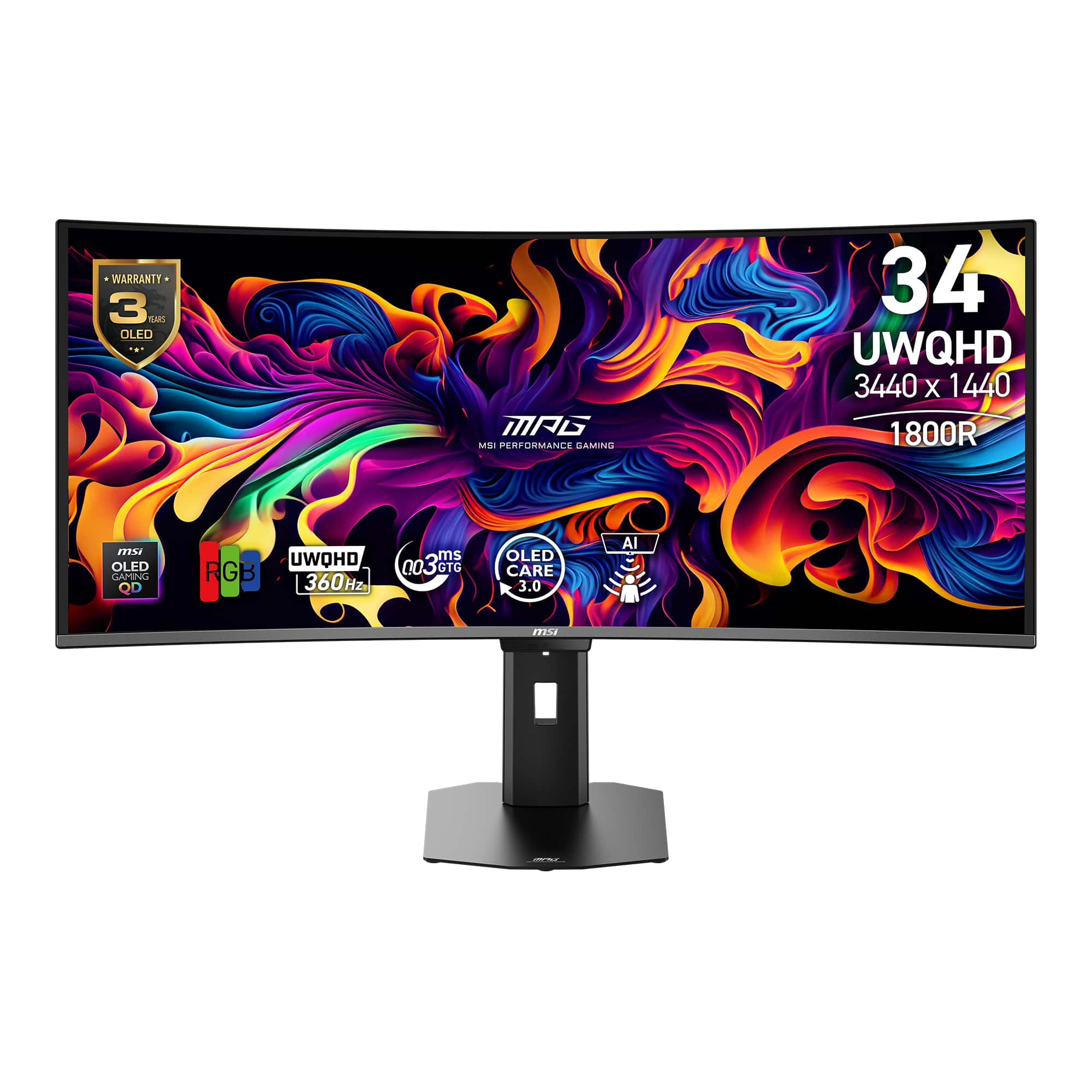
MSI MPG 341CQR QD-OLED X36
Best OverallBuy if: you want the fastest ultrawide in this guide — 360Hz, the newest QD-OLED panel, and a 3-year OLED warranty
Don't buy if: you need DisplayPort 2.1 or a USB-C dock — the ASUS below is the connectivity pick
The X36 is the top pick because it is the newest panel in this guide at a price the older flagships cannot match. A 34-inch fifth-generation tandem QD-OLED at 3440×1440 and 360Hz, with an 1800R curve and a 0.03ms response time — the same panel class PCWorld and Tom's Guide put at the top of their ultrawide rankings, and TechSpot found nearly impossible to separate from the ASUS below on image quality, brightness and calibration. Peak HDR brightness measures around 1,300 nits in small windows, and the RGB-stripe subpixel layout of the new panel generation is noticeably sharper for text than the triangular layout on older QD-OLEDs.
The price is the honest reason it wins. At a $1,099 list price it undercuts the $1,299 ASUS while matching it on refresh rate and panel, and it is frequently around $900 at retailers such as B&H. The trade-offs are connectivity: DisplayPort 1.4 rather than 2.1, and no USB-C video or KVM strength to match the ASUS. If you plug a PC into it and play games, you will never notice. If you dock a laptop through it, you will.
One naming trap to avoid: an older MSI monitor shares the "MPG 341CQR" name with a VA panel. Always write the full "QD-OLED X36" — the VA version is a different, cheaper monitor.
Pros
- 360Hz fifth-generation tandem QD-OLED — the fastest panel here
- ~1,300 nits peak HDR in small windows, excellent out-of-the-box calibration
- RGB-stripe subpixels — sharper text than older QD-OLED panels
- 3-year OLED warranty with MSI OLED Care 3.0
- $1,099 list, frequently around $900 at retailers
Cons
- DisplayPort 1.4 only — no DP 2.1 bandwidth headroom
- No USB-C video or KVM — a weaker desk dock than the ASUS
- 110 PPI text is softer than a 4K panel at the same distance
- 360Hz needs a strong GPU to mean anything in AAA games
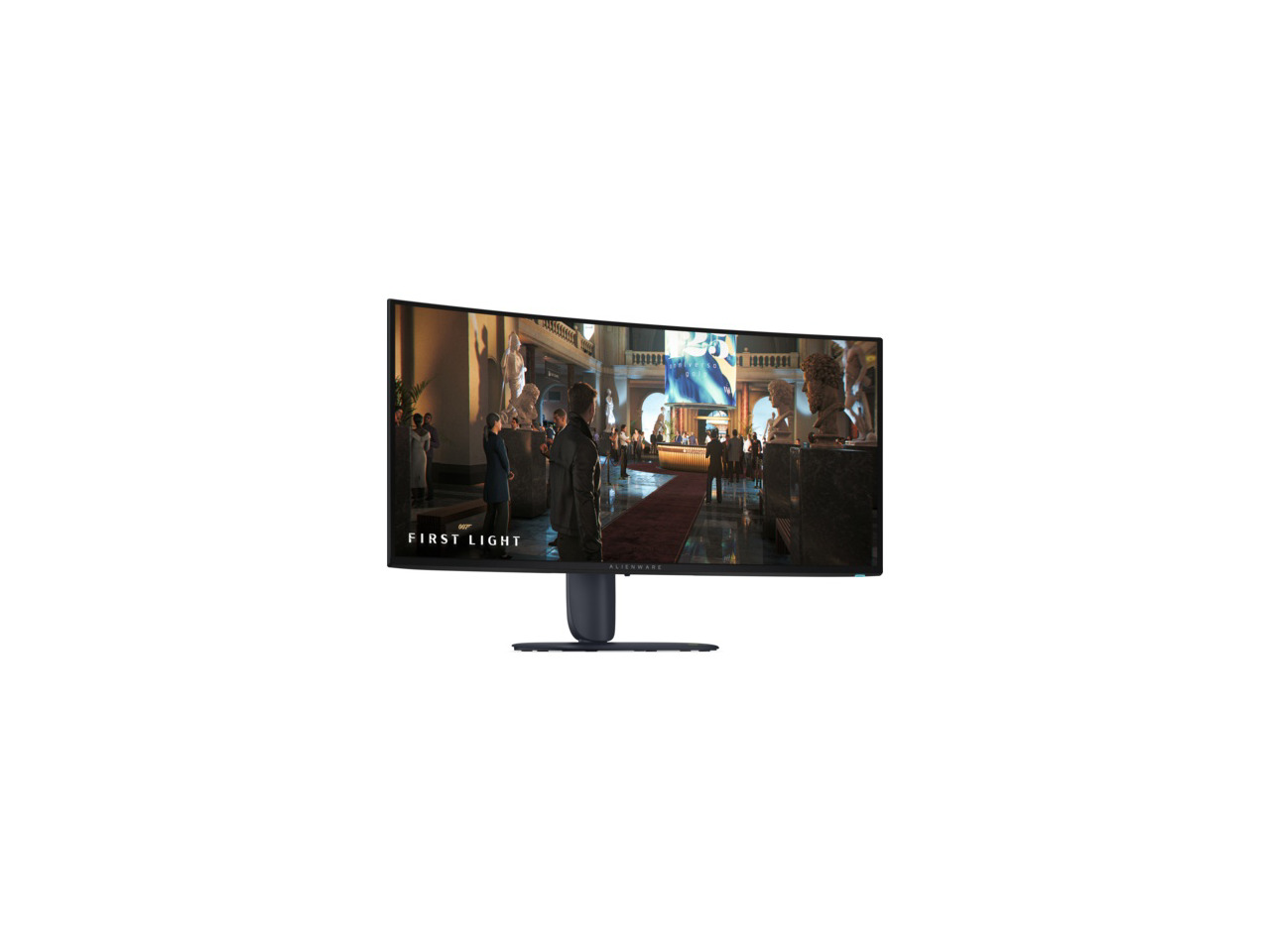
Alienware AW3426DW
Best 34" OLED ValueBuy if: you want current-generation QD-OLED for $799.99 — $300 less than the 360Hz flagships for a 280Hz panel you will rarely outrun
Don't buy if: you need USB-C docking or KVM — this panel has neither, and the stand is large
The AW3426DW is the value story of the 2026 ultrawide market: the same fifth-generation Penta Tandem QD-OLED class as the $1,099–$1,299 flagships, at 280Hz, for a $799.99 list price — the same price the previous generation launched at. TechRadar named it the best ultrawide overall, and the panel delivers the same roughly 1,300-nit peak HDR and Dolby Vision support as the more expensive picks. For most buyers, 280Hz is already more refresh rate than their GPU can use at 3440×1440.
The savings come from the connections, not the panel. DisplayPort 1.4 only, a USB-C port limited to 15W with no DisplayPort Alt Mode, and no KVM — so it is a worse desk dock than the ASUS, and the stand is large enough that a monitor arm is worth budgeting for. None of that matters if the monitor's job is gaming on a PC.
Watch the suffixes: the AW3426DWM is a VA LCD at $399.99, not an OLED — one letter changes the panel entirely. The AW3425DW is the 2025 predecessor (240Hz, older QD-OLED generation), and the AW3423DWF is two generations old. Several roundups still crown the AW3423DWF; do not buy it at full price in 2026.
Pros
- Current-generation tandem QD-OLED at $799.99 — $300 under the flagships
- 280Hz, ~1,300 nits peak HDR, Dolby Vision support
- 3-year warranty including burn-in cover
- Best ultrawide overall in TechRadar's lab-tested ranking
Cons
- DisplayPort 1.4 only, no DP 2.1
- USB-C is 15W only, no DisplayPort Alt Mode, no KVM
- Large stand — measure your desk depth
- 110 PPI text is softer than a 4K panel
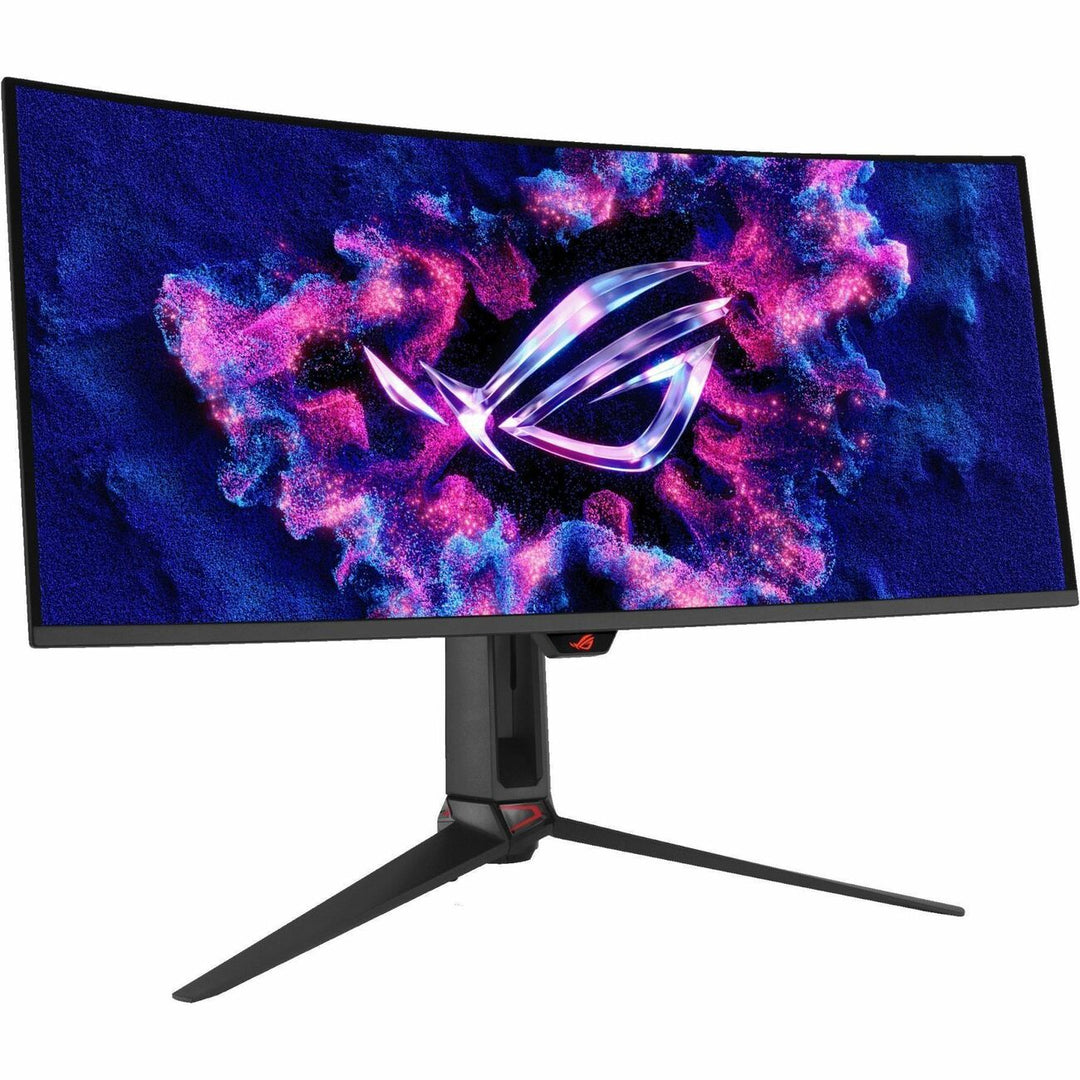
ASUS ROG Swift OLED PG34WCDN
Best Premium 34" OLEDBuy if: you want the best-connected ultrawide here — full DisplayPort 2.1, 90W USB-C and KVM — and the sharpest text of any QD-OLED
Don't buy if: $1,299 is more than you want to spend for connectivity — the MSI X36 matches it on panel and refresh rate for $200 less
The PG34WCDN is RTINGS' top-rated ultrawide, and it earns that ranking on the details the spec sheet does not shout about. It is the only pick in this guide with full DisplayPort 2.1 at UHBR20 (80 Gbps), so it is the only 34-inch here that can run its full resolution and refresh rate without display-stream compression. It also has two HDMI 2.1 ports, a USB-C port with 90W power delivery, and a KVM switch — the only monitor in this roundup that can genuinely dock a laptop and a desktop at once.
The panel is the same 360Hz tandem QD-OLED class as the MSI X36, with an RGB-stripe subpixel layout and a BlackShield film, and peak HDR brightness around 1,300 nits in small windows. ASUS backs it with a 3-year warranty including burn-in cover. At $1,299 it costs $200 more than the MSI for the same image quality — you are paying for the ports, the KVM and the warranty, not for a better picture.
Two errors to avoid from other roundups: the real PG34WCDN has an 1800R curve, not 800R, and the model name ends in N, not M. If a listing shows either of those, it is a copy error, not a different model.
Pros
- Only pick here with full DisplayPort 2.1 (UHBR20) — no compression needed
- USB-C 90W power delivery + KVM — the best desk dock in this guide
- 360Hz tandem QD-OLED, ~1,300 nits peak HDR, sharpest QD-OLED text
- 3-year warranty including burn-in cover
- RTINGS' best ultrawide monitor
Cons
- $1,299 — $200 more than the MSI X36 for the same image quality
- 110 PPI text is softer than a 4K panel at the same distance
- 360Hz needs a strong GPU to mean anything in AAA games
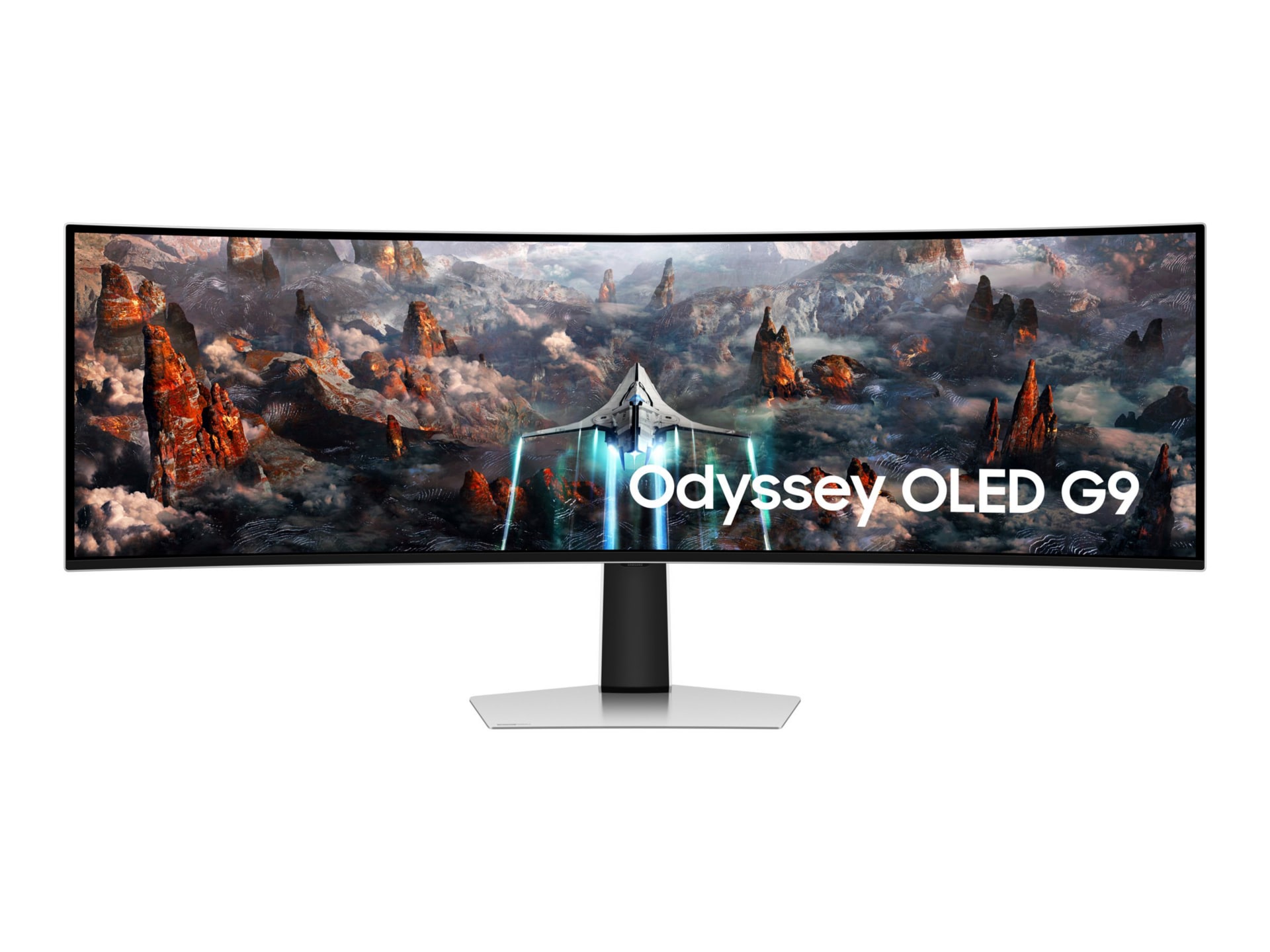
Samsung Odyssey OLED G9 G93SC
Best 49" Super-UltrawideBuy if: you want one screen that replaces two 27-inch monitors — sim racing, flight sims, or a two-window workflow with no bezel in the middle
Don't buy if: your desk is under 55 inches wide, your GPU is below an RTX 5070 Ti class, or you mainly play ranked FPS
The G93SC is two 27-inch 1440p monitors fused into one 49-inch, 32:9 QD-OLED panel — 5120×1440 at 240Hz, with a 0.03ms response time and an 1800R curve. It is the most immersive screen in this guide and the best sim-racing pick: the wide field of view and the wraparound curve put the track in your peripheral vision in a way no 34-inch panel can. It also doubles as a productivity screen through picture-by-picture, showing two inputs side by side with no bezel between them.
The price has fallen a long way from the $1,799 launch — it is frequently around $1,299 at retailers now, and lower on a big sale. The honest costs are the desk and the GPU: 7.37 million pixels is about 89% of 4K, so a 5120×1440 panel at 240Hz needs DisplayPort 1.4 with compression or HDMI 2.1, and a graphics card in the RTX 5070 Ti class or above to feed it. And 32:9 game support is patchier than 21:9, so competitive titles will pillarbox.
Samsung's suffixes are the worst trap in this category, so name the exact model: the G93SC is the 2023 QD-OLED without the Smart TV hub; the G95SC adds the Tizen Smart TV and Gaming Hub for about $200 more; the G93SD and G95SD are the 2025 refreshes of the same panel; the G91SD is a cheaper 144Hz QD-OLED; the G91F is a VA panel, not OLED; and the G95C is a VA LCD with DisplayHDR 1000, also not OLED. Check the suffix on the box before you buy.
Pros
- 49-inch 32:9 QD-OLED — replaces two 27-inch monitors with no bezel
- 240Hz, 0.03ms, ~1,000 nits peak HDR — the best sim-racing screen here
- Picture-by-picture turns it into two 1440p screens for work
- Frequently around $1,299 now, down from the $1,799 launch price
Cons
- Needs a 55-inch-wide desk and 28–30 inches of depth
- 7.37M pixels needs a strong GPU and display-stream compression on DP 1.4
- 32:9 support is patchier than 21:9 — more black bars
- Suffix trap: G93SC, G95SC, G93SD, G95SD, G91SD and G91F are all different monitors
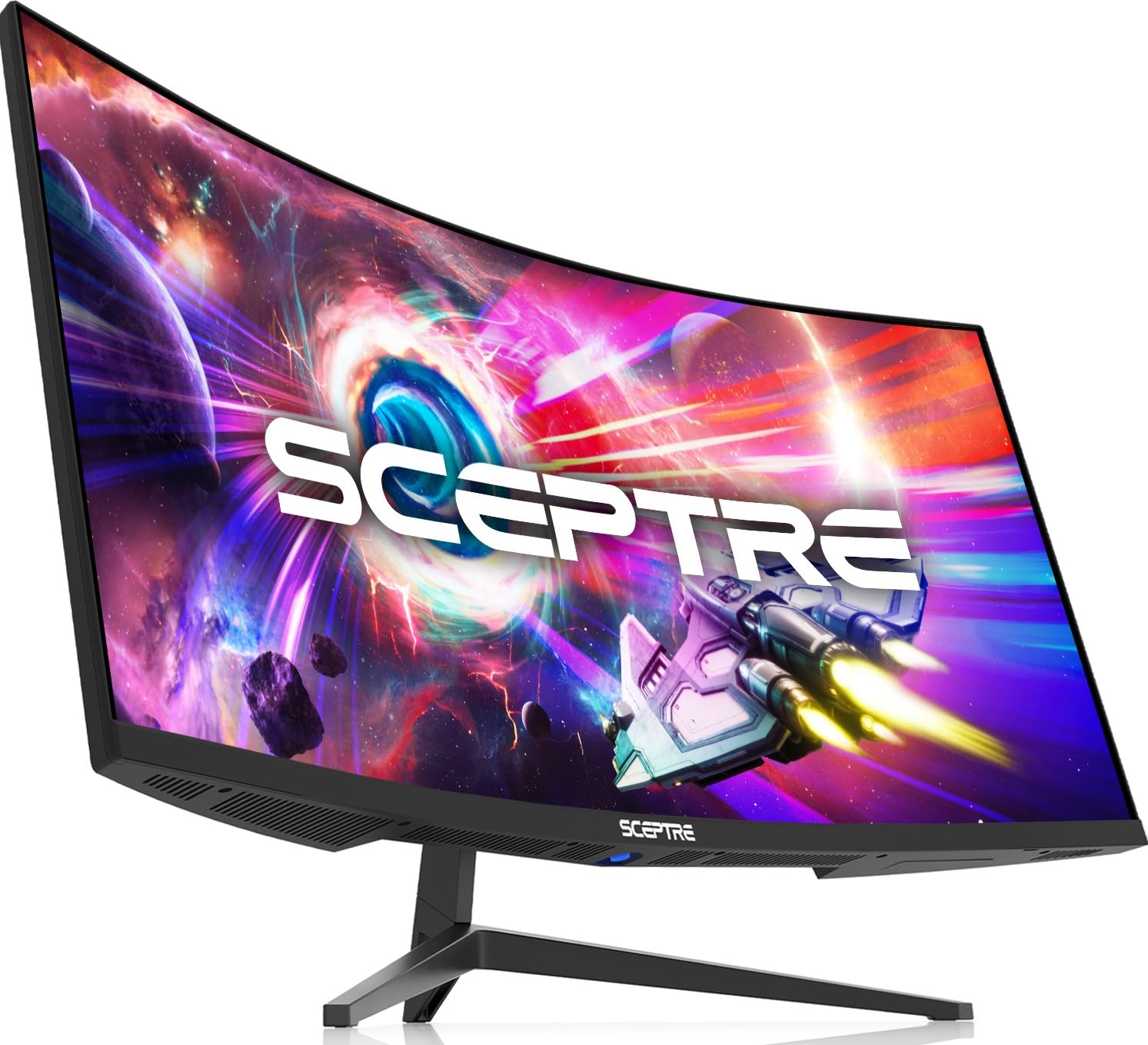
Sceptre C345B-QUT168
Best BudgetBuy if: you want a real 3440×1440 ultrawide for about $190 and you accept a VA panel with budget compromises
Don't buy if: you play fast competitive games — VA smearing is real — or you need USB-C or a good stand
The Sceptre is the honest budget pick: a genuine 34-inch, 3440×1440, 1500R curved ultrawide at 165Hz with FreeSync Premium and built-in speakers, for a street price of about $189.97 as reported on 6 November 2026. That is roughly a quarter of the price of the OLED picks, and it is the only way into ultrawide gaming under $200 without buying used.
The compromises are exactly what the price suggests. It is a VA panel, so fast motion smears where the OLEDs stay crisp — the "1ms" figure is MPRT motion-blur reduction, not the 0.03ms response time of an OLED, and the two are not comparable. The stand is basic, there is no USB-C, the warranty is one year, and the list price itself is conflicted across retailers ($269.97 against $289.97), so treat the street price as the real price. Listings also disagree on the refresh rate — some say up to 180Hz, others 165Hz — so take 165Hz as the safe figure.
For a first ultrawide, a second screen, or a casual gamer who wants the width without the OLED price, it is a fair buy. For competitive play or a primary screen you will stare at for eight hours a day, save for the Alienware.
Pros
- Real 3440×1440 ultrawide for about $190 street — a quarter of the OLED picks
- 165Hz, FreeSync Premium, 1500R curve, built-in speakers
- The cheapest honest way to try ultrawide gaming
Cons
- VA panel smears in fast motion — "1ms" is MPRT, not OLED-class response
- Basic stand, no USB-C, 1-year warranty
- List price and refresh rate conflict across listings — verify before buying
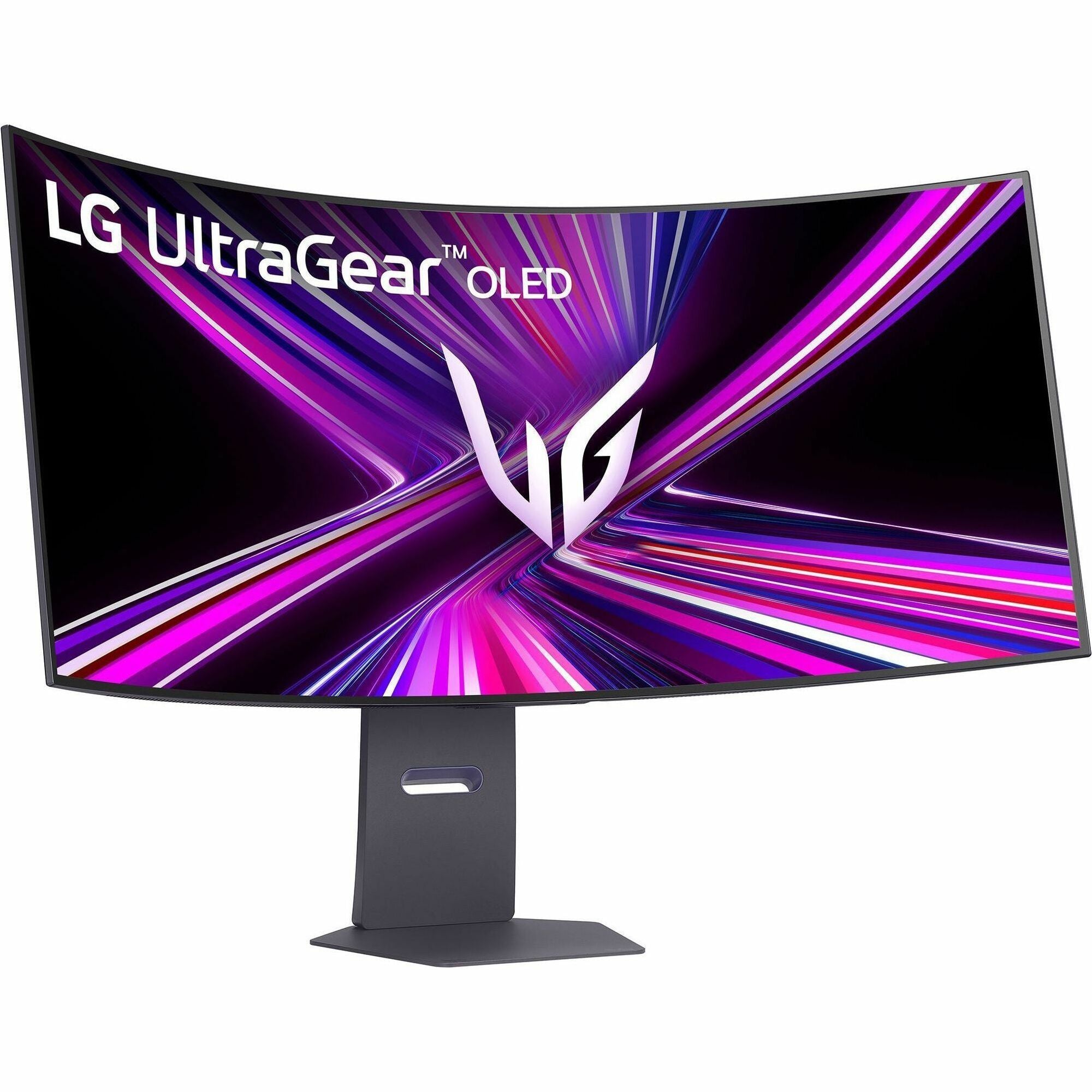
LG UltraGear 45GX950A-B
Best 5K2K / Sim CrossoverBuy if: you want the sharpest ultrawide here — 5K2K text clarity for work, an 800R cockpit curve for sim racing, and a 330Hz mode for esports
Don't buy if: your GPU is below an RTX 5080 class, your desk is shallow, or $1,999.99 is more than the sharpness is worth to you
The LG is the only pick in this guide that is genuinely different, not just better. A 45-inch WOLED at 5120×2160 — 5K2K, 11.06 million pixels, more than a 4K monitor — at 125 pixels per inch, so text is genuinely sharper than on any 34-inch 3440×1440 panel. It is also the sim-racing crossover: an aggressive 800R curve that wraps around you, a Dual Mode that drops to 2560×1080 at 330Hz for esports, and DisplayPort 2.1 plus HDMI 2.1 plus a 90W USB-C port, so it docks a laptop properly.
The cost is the GPU and the desk. 11 million pixels needs an RTX 5080-class card or above to run at native resolution, and the 800R curve needs depth — on a shallow desk it feels like a cockpit, not a monitor. The list price is $1,999.99, but the street price moves fast: Amazon tracked $1,499.98 on 8 November 2026, and Abt lists it at $1,799.99 in stock. Check the live price before you judge it.
Do not confuse it with its siblings: the LG 39GX950B is the 39-inch 5K2K version with a gentler 1500R curve, and the 45GX950A is a WOLED panel, not QD-OLED — the sharpness comes from the pixel density, not the panel type. And despite what one roundup prints, it is 45 inches, not 49.
Pros
- 5K2K at 125 PPI — the sharpest text of any ultrawide here
- Dual Mode: 165Hz at 5K2K, 330Hz at 2560×1080
- 800R curve + wide FOV — the best sim-racing crossover
- DisplayPort 2.1, HDMI 2.1, USB-C 90W — a proper desk dock
- Street price often $1,499.98–$1,799.99 against the $1,999.99 list
Cons
- 11.06M pixels needs an RTX 5080-class GPU or above
- 800R curve needs a deep desk — a cockpit on a shallow one
- 165Hz ceiling at native resolution
- 2-year warranty, shorter than the 3-year burn-in cover on the OLEDs above
Ultrawide vs Dual Monitors for Gaming
An ultrawide wins for immersion; two monitors win for flexibility — and the tiebreaker is how often you need a second full screen. A 34-inch ultrawide replaces a dual 16:9 setup with one seamless canvas: no bezel in the middle, no window management across two displays, and a game that fills your peripheral vision. A 49-inch ultrawide does the same job as two 27-inch 1440p monitors, and its picture-by-picture mode genuinely turns it into two screens when you need that.
Two monitors still win in three cases: when one screen must be a different panel (a fast 16:9 for competitive play beside a big screen for everything else), when you want one screen in portrait, and when the budget is tight — two decent 27-inch 1440p monitors cost less than one good 34-inch OLED. Two monitors also survive a failure better: one dead panel leaves you with one working screen, not none. If your day is half work and half gaming, an ultrawide is the cleaner desk; if your gaming is half competitive and half immersive, two monitors are the more honest setup.
QD-OLED vs IPS vs VA — Which Panel Should You Buy?
Buy QD-OLED for gaming, IPS if you need a bright room or a budget, and VA only at the budget end. The panel decides the picture more than the refresh rate does, and the three technologies in this category are not close.
| Panel | Strengths | Weaknesses | Buy it if |
|---|---|---|---|
| QD-OLED | Perfect blacks, instant response, vivid colour, ~1,300 nits peak HDR | Burn-in risk, ~250 nits typical brightness, 110 PPI text on 34-inch | You game in a dim room and want the best picture |
| WOLED | Perfect blacks, instant response, sharper text at 5K2K density | Burn-in risk, dimmer than QD-OLED in bright rooms | You want 5K2K sharpness or the LG's dual mode |
| IPS | Accurate colour, wide viewing angles, no burn-in | Grey blacks, slower response, HDR needs local dimming to matter | You work in a bright room and play casually |
| VA | Deep blacks for an LCD, cheap, high contrast | Smearing in fast motion, narrow viewing angles | Your budget is under $250 — the Sceptre, not a flagship |
On burn-in, the honest position is this: it is a real long-term risk, not a myth, and static HUD elements — health bars, minimaps, taskbars — are the highest-risk content. It is also manageable. Hide the taskbar, vary what is on screen, let the panel's pixel-refresh cycles run, and avoid maximum brightness on static images. The warranties back that up: Alienware, ASUS and MSI all cover burn-in for 3 years on the OLEDs in this guide, while LG's cover on the 45GX950A-B is 2 years. Samsung's OLED Safeguard care features are the mitigation on the G93SC — check the current terms rather than assuming a 3-year burn-in warranty.
On text clarity, the 2026 generation is genuinely better than the old one. The fifth-generation QD-OLED panels in the MSI, Alienware and ASUS picks use an RGB-stripe subpixel layout, which largely fixes the colour fringing that made text look soft on older QD-OLEDs. The LG's sharpness comes from density instead — 125 PPI at 5K2K against 110 PPI on every 34-inch 3440×1440 panel. Either way, 110 PPI is noticeably softer than a 4K panel at the same distance; if your day is mostly text, the LG is the pick.
Buying Guide: Curve, HDR, Ports and Console Fit
After size and panel, four things decide the purchase: curve, HDR hardware, ports, and whether a console is involved.
Curve. Smaller numbers mean a tighter curve. 1800R is the 2026 QD-OLED standard and the best mixed-use compromise — gentle enough for work, curved enough for games. 1500R is the budget middle ground. 1000R is the aggressive Samsung wrap that can distort straight lines for work. 800R, on the LG alone, is a cockpit: superb for sim racing, wrong for a shallow desk. Never call 1800R aggressive.
HDR. Only real HDR hardware counts — an OLED panel or a Mini-LED backlight with local dimming. The OLEDs in this guide reach roughly 1,000–1,300 nits peak in small windows, which is genuine HDR, even though their DisplayHDR True Black 400 badge sounds modest; the badge certifies black level, not peak brightness. A DisplayHDR 400 badge on a VA panel without local dimming adds almost nothing. And never print "1,300 nits" without "peak, small window" — sustained full-screen brightness on these OLEDs is around 250–300 nits.
Ports and compression. DisplayPort 1.4 cannot run 5120×1440 at 240Hz uncompressed — it needs display-stream compression, which is visually lossless and on by default. HDMI 2.1 needs compression at that resolution and refresh rate too. Full uncompressed bandwidth needs DisplayPort 2.1 at UHBR20, which only the ASUS and the LG in this guide have. For a 34-inch panel at 360Hz, DP 1.4 with compression is fine; for the 49-inch at 240Hz, know that compression is doing work.
Console fit. A PS5 or Xbox Series X outputs 16:9, so on a 21:9 or 32:9 panel the image is pillarboxed or stretched. Ultrawide is a PC-first buy. If you play mostly on console, start with our PS5 monitor guide or Xbox monitor guide instead — and note that the "Console Mode" on some MSI monitors is a PC-GPU feature, not a console endorsement.
Refresh rate. 144Hz is the floor for a gaming ultrawide in 2026; below that is a work monitor in a gamer wrapper. 240Hz is worth it if your GPU can sustain it. 360Hz is a ceiling for esports, not a promise. And "1ms" on a VA budget panel is MPRT, not the 0.03ms response time of an OLED — do not compare the two numbers directly.
More Monitors Worth Knowing
MSI MPG 341CQPX QD-OLED — the 240Hz alternate. 34-inch QD-OLED at 240Hz with USB-C 98W power delivery and a 3-year burn-in warranty, around $799.99–$899.99. PCWorld's best ultrawide for gaming. If the X36's 360Hz is more than you need and the Alienware's ports are too thin, this is the middle ground. Check the MSI MPG 341CQPX on Amazon.
MSI MAG 341CQP QD-OLED X28 — the value alternate. Another 34-inch tandem QD-OLED, this one at 280Hz and around $729.99. Newer than the AW3426DW's rivals and worth a look if the Alienware is out of stock. Check the MSI MAG 341CQP X28 on Amazon.
Alienware AW3425DW — the previous generation, at a discount. The 2025 model: 240Hz, older QD-OLED generation, launched at $799.99 and now often around $649.99. A fair buy at the discounted price, but not at full price next to the AW3426DW. Check the Alienware AW3425DW on Amazon.
Samsung Odyssey Neo G9 G95NC — the go-bigger alternate. A 57-inch, 7680×2160 Mini-LED super-ultrawide at 240Hz. Too big and too expensive for this roundup, but the only way to go wider than the G93SC without a second monitor. Check the Samsung Odyssey Neo G9 on Amazon.
Dell UltraSharp U4025QW — the work-first alternate. A 40-inch 5K2K IPS at 120Hz for $2,399.99. Superb for productivity, not a gaming pick — the refresh rate and the price say so. Check the Dell U4025QW on Amazon.
Corsair Xeneon Flex 45WQHD240 — the bendable alternate. A 45-inch OLED that bends from flat to 800R curved on demand. A niche premium pick, and TechRadar's bendable choice — worth knowing about, not worth the premium for most buyers. Check the Corsair Xeneon Flex on Amazon.
Frequently Asked Questions
Do all games support ultrawide monitors?
No. Most modern AAA games support 21:9 natively, but competitive titles such as Valorant, Apex Legends, CS2 and StarCraft II lock to 16:9, and cutscenes are often pillarboxed even in games that support ultrawide. Check PCGamingWiki for a specific game before you buy.
Why don't pro gamers use ultrawide monitors?
Because competitive games cap the aspect ratio at 16:9, so an ultrawide shows the same view with black bars on the sides — no wider field of view, just a bigger screen. Pros also sit close to small, high-refresh 16:9 panels, where the whole screen stays inside their peripheral vision.
Is OLED burn-in a real risk on an ultrawide monitor?
It is a real long-term risk, not a myth — static HUD elements such as health bars and minimaps are the highest-risk content. It is manageable: hide the taskbar, vary what is on screen, let the panel's pixel-refresh cycles run, and avoid maximum brightness on static images. Alienware, ASUS and MSI cover burn-in for 3 years on the OLEDs in this guide.
What refresh rate do I need on an ultrawide monitor?
144Hz is the floor for a gaming ultrawide in 2026. 240Hz is worth it if your GPU can sustain it, and 360Hz is a ceiling for esports titles, not a promise — few graphics cards hold 360 fps at 3440×1440 in AAA games. Below 144Hz is a work monitor in a gamer wrapper.
Does an ultrawide monitor work with PS5 or Xbox?
It works, but badly for the money. Consoles output 16:9, so a PS5 or Xbox image on a 21:9 or 32:9 panel is pillarboxed or stretched. Ultrawide is a PC-first buy — if you play mostly on console, our PS5 and Xbox monitor guides are the better starting point.
How much desk space does a 49-inch ultrawide need?
At least a 55-inch-wide desk (60 inches is comfortable) and 28–30 inches of depth, with about 34 inches of viewing distance. A 34-inch ultrawide is about 32 inches wide and fits a 48-inch desk at 24 inches of depth. Measure the desk before you buy the monitor.
Is HDR worth it on an ultrawide monitor?
Only with real HDR hardware — an OLED panel or a Mini-LED backlight with local dimming. The OLEDs in this guide reach roughly 1,000–1,300 nits peak in small windows, which is genuine HDR. A DisplayHDR 400 badge on a VA panel without local dimming adds almost nothing.