Top 6 Best Monitors for FPS Gaming in 2026
FPS games are won and lost in split seconds. In Counter-Strike 2, Valorant, Call of Duty, and Apex Legends, seeing an enemy one frame earlier is the difference between a frag and a death screen. Competitive players obsess over their monitors because refresh rate, response time, and motion clarity translate directly into reaction time.
This guide covers the best monitors for FPS gaming in 2026, from 500Hz professional-grade displays to budget 240Hz screens. Below is a buying guide on what actually matters for competitive shooters, followed by six picks based on specifications, owner feedback, and current availability. Check current prices on Amazon — they fluctuate often, and sales can make a premium display suddenly affordable.
Quick Picks: Best FPS Monitors at a Glance
- Fastest overall: Alienware AW2524HF — 500Hz Rapid IPS, 0.5ms
- Esports standard: BenQ ZOWIE XL2566K — 360Hz TN with DyAc+
- Best 1440p competitive: ASUS ROG Swift PG27AQN — 360Hz Fast IPS with ULMB 2
- Best OLED: Alienware AW2725DF — 360Hz QD-OLED, 0.03ms
- OLED value: LG UltraGear 27GR95QE-B — 240Hz OLED, 0.03ms
- Best budget: KTC H24F7 — 240Hz IPS for under $100
The Best Monitors for FPS Gaming in 2026
Our Top Pick
Alienware AW2524HF
Fastest Overall (500Hz)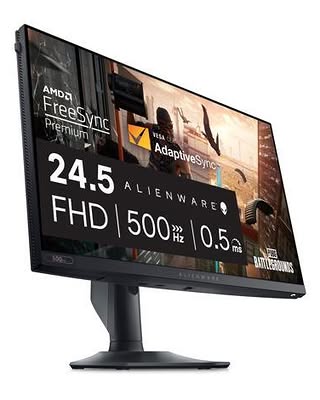
Alienware's AW2524HF is the current speed king — a 500Hz Rapid IPS display with roughly a 2ms latency advantage over 360Hz panels, which competitive players notice in heated firefights. Based on specifications and owner …
Check Price on AmazonQuick Comparison
| Product | Key Specs | ||
|---|---|---|---|
| #1 | Alienware AW2524HFFastest Overall (500Hz) | 24.5-inch Full HD (1920 x 1080) Rapid IPS panel · Up to 500Hz refresh rate, 0.5ms GtG response time · AMD FreeSync Premium and VESA AdaptiveSync | Check Price |
| #2 | BenQ ZOWIE XL2566KThe Esports Standard (360Hz, DyAc+) | 24.5-inch Full HD (1920 x 1080) Fast TN panel · 360Hz refresh rate, 0.5ms GtG response time · DyAc+ backlight strobing for CRT-like motion clarity | Check Price |
| #3 | ASUS ROG Swift PG27AQNBest 1440p Competitive (360Hz) | 27-inch QHD (2560 x 1440) Fast IPS panel · 360Hz refresh rate with NVIDIA G-SYNC · ULMB 2 motion blur reduction | Check Price |
| #4 | Alienware AW2725DFBest QD-OLED (360Hz) | 27-inch QHD (2560 x 1440) QD-OLED panel · 360Hz refresh rate, 0.03ms GtG response time · Infinite contrast, strong HDR performance | Check Price |
| #5 | LG UltraGear 27GR95QE-BBest OLED Value (240Hz) | 27-inch QHD (2560 x 1440) OLED panel · 240Hz refresh rate, 0.03ms GtG response time · 98.5% DCI-P3 color coverage, DisplayHDR True Black 400 | Check Price |
| #6 | KTC H24F7Best Budget FPS Monitor (240Hz) | 23.8-inch Full HD (1920 x 1080) IPS panel · 240Hz refresh rate · Adaptive Sync support, low input lag modes | Check Price |
Alienware AW2524HF
Fastest Overall (500Hz)Buy if: you want 500Hz Rapid IPS refresh rate — roughly 2ms latency advantage over 360Hz
Don't buy if: you won't accept no native G-Sync module or backlight strobing, unlike its pricier AW2524H sibling
Alienware's AW2524HF is the current speed king — a 500Hz Rapid IPS display with roughly a 2ms latency advantage over 360Hz panels, which competitive players notice in heated firefights. Based on specifications and owner feedback, its IPS panel delivers noticeably better colors than TN rivals at this speed, though this variant trades away the native G-Sync module and strobing of its pricier AW2524H sibling. This is a specialist tool: if your PC cannot push well past 300 FPS in your main game, a 360Hz panel is the more sensible buy.
Pros
- 500Hz Rapid IPS refresh rate — roughly 2ms latency advantage over 360Hz
- 0.5ms GtG response time
- Rapid IPS colors noticeably better than TN rivals at this speed
- AMD FreeSync Premium and VESA AdaptiveSync support
Cons
- No native G-Sync module or backlight strobing, unlike its pricier AW2524H sibling
- Needs a PC pushing well past 300 FPS to justify it over 360Hz
- 1080p resolution on 24.5 inches lacks sharpness for non-gaming use
Full specifications
- 24.5-inch Full HD (1920 x 1080) Rapid IPS panel
- Up to 500Hz refresh rate, 0.5ms GtG response time
- AMD FreeSync Premium and VESA AdaptiveSync
- 99% sRGB coverage, HDR10 support
Prices change frequently — click through to see today's price.
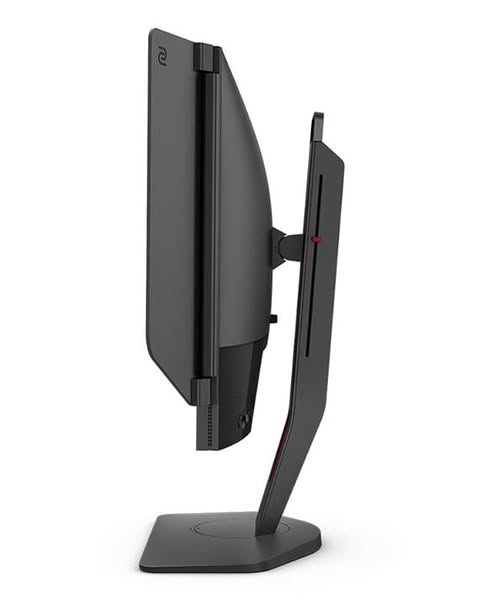
BenQ ZOWIE XL2566K
The Esports Standard (360Hz, DyAc+)Buy if: you're after DyAc+ strobing among the cleanest available for CRT-like motion clarity
Don't buy if: you can't live with TN panel means weaker colors and narrow viewing angles
The ZOWIE XL2566K is the monitor most associated with professional Counter-Strike and Valorant. Its DyAc+ strobing remains one of the cleanest available, making spray control and tracking fast targets visibly easier. Based on specifications and owner feedback, it is a single-purpose competitive instrument, with esports extras like the S-Switch remote, shielding hood, and Black eQualizer that brightens dark corners without washing out the scene. If your goal is pure competitive performance with strobing on, it is still the reference point in 2026.
Pros
- DyAc+ strobing among the cleanest available for CRT-like motion clarity
- 360Hz TN with 0.5ms GtG — the professional esports reference
- Black eQualizer brightens dark corners without washing out the scene
- S-Switch remote and shielding hood for tournament setups
Cons
- TN panel means weaker colors and narrow viewing angles
- Single-purpose competitive instrument — poor for media or mixed use
- Strobing can't run with adaptive sync enabled and lowers brightness
Full specifications
- 24.5-inch Full HD (1920 x 1080) Fast TN panel
- 360Hz refresh rate, 0.5ms GtG response time
- DyAc+ backlight strobing for CRT-like motion clarity
- Black eQualizer, Color Vibrance, S-Switch remote, shielding hood
Prices change frequently — click through to see today's price.
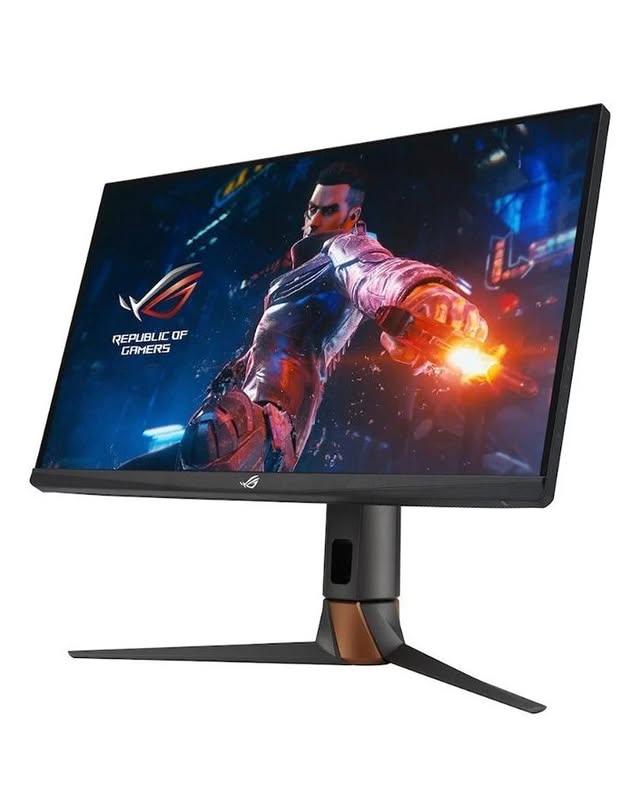
ASUS ROG Swift PG27AQN
Best 1440p Competitive (360Hz)Buy if: you're looking for 1440p resolution paired with 360Hz — no sharpness vs speed compromise
Don't buy if: you can't live with needing a serious GPU investment to drive 1440p at 360Hz
For players who refuse to choose between sharpness and speed, the PG27AQN pairs 1440p resolution with a 360Hz refresh rate. Based on specifications and owner feedback, it is the best blend of image quality and competitive performance in an LCD panel — excellent colors and viewing angles, plus ULMB 2 for strobed clarity when you want it. It is also a burn-in-free alternative for players wary of OLED. The catch is cost: both the monitor and the GPU needed to drive it at full tilt are serious investments.
Pros
- 1440p resolution paired with 360Hz — no sharpness vs speed compromise
- ULMB 2 motion blur reduction for strobed clarity when wanted
- NVIDIA G-SYNC support, Fast IPS with excellent colors and viewing angles
- HDR600 support — brighter than typical competitive displays
Cons
- Needs a serious GPU investment to drive 1440p at 360Hz
- Premium pricing among competitive LCDs
- No OLED-level contrast or 0.03ms response
Full specifications
- 27-inch QHD (2560 x 1440) Fast IPS panel
- 360Hz refresh rate with NVIDIA G-SYNC
- ULMB 2 motion blur reduction
- HDR600 support, wide color gamut
Prices change frequently — click through to see today's price.
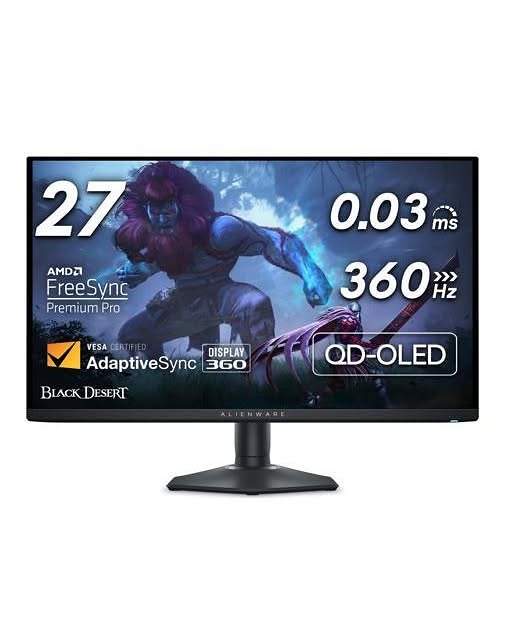
Alienware AW2725DF
Best QD-OLED (360Hz)Buy if: you need 360Hz QD-OLED with 0.03ms response — no backlight strobing needed
Don't buy if: you won't accept burn-in risk from static HUDs — run pixel refresh and vary content
The AW2725DF is where competitive speed meets the best picture quality available. QD-OLED's 0.03ms response keeps motion clean without backlight strobing, and dark corners in games like CS2 and Valorant reveal detail that LCDs crush into gray. Based on specifications and owner feedback, it is the closest thing to a no-compromise display: esports-tier responsiveness and cinematic visuals in one panel. As with any OLED, enable the built-in pixel refresh features and vary your content to keep static HUDs from causing burn-in.
Pros
- 360Hz QD-OLED with 0.03ms response — no backlight strobing needed
- Infinite contrast reveals detail in dark corners that LCDs crush
- FreeSync Premium Pro and G-SYNC Compatible support
- Esports-tier responsiveness plus cinematic HDR visuals in one panel
Cons
- Burn-in risk from static HUDs — run pixel refresh and vary content
- Lower full-screen brightness than LCD in bright rooms
- OLED premium over 360Hz LCD competitors
Full specifications
- 27-inch QHD (2560 x 1440) QD-OLED panel
- 360Hz refresh rate, 0.03ms GtG response time
- Infinite contrast, strong HDR performance
- AMD FreeSync Premium Pro, NVIDIA G-SYNC Compatible
Prices change frequently — click through to see today's price.
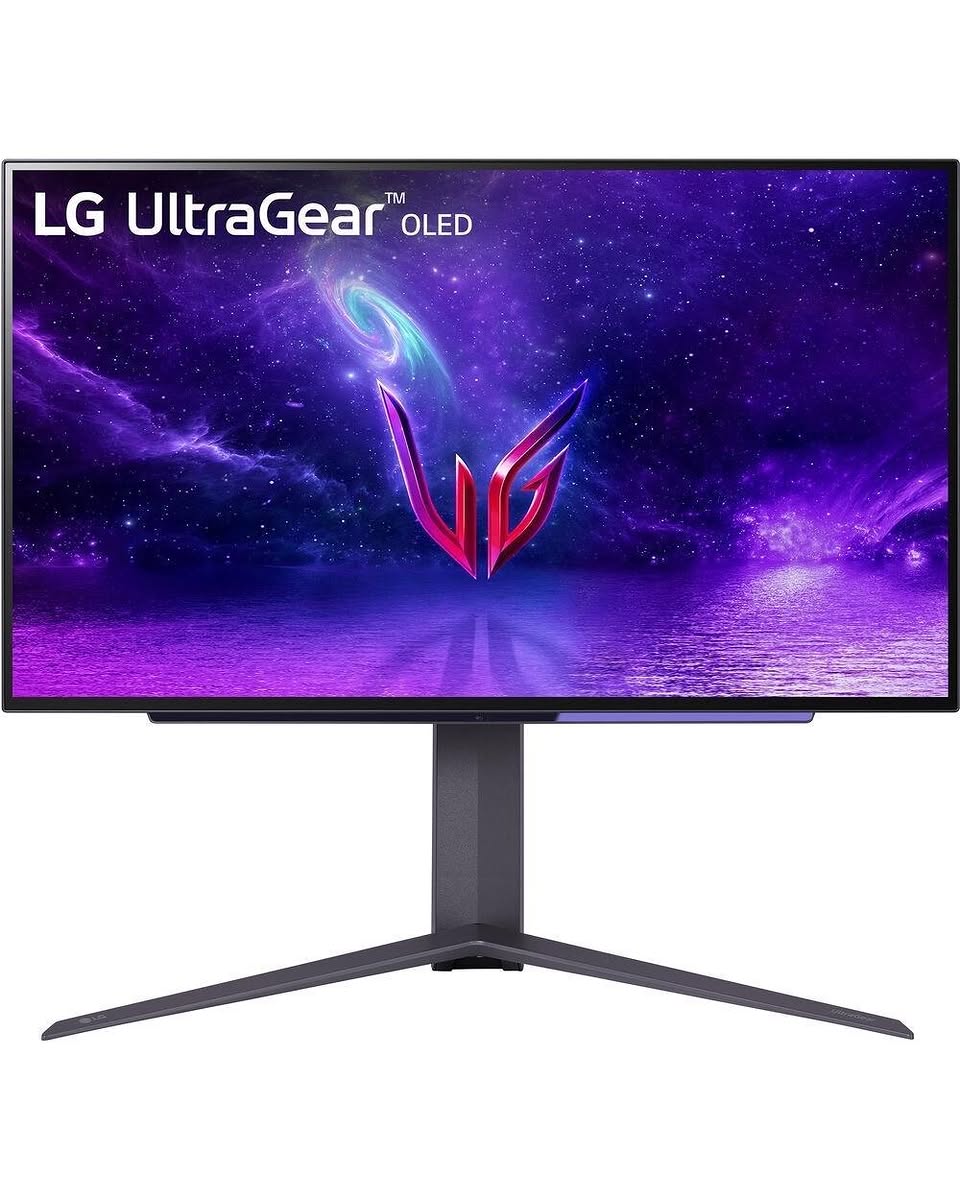
LG UltraGear 27GR95QE-B
Best OLED Value (240Hz)Buy if: you prefer 240Hz OLED with 0.03ms response at a value price point
Don't buy if: you can't live with 240Hz trails the 360Hz OLEDs for the most demanding competitive players
The 27GR95QE-B has aged into the value OLED pick: its price has fallen well below the newer 360Hz OLED flagships while keeping the same near-instant 0.03ms response and gorgeous contrast that make OLED special for shooters. Based on specifications and owner feedback, 240Hz at 1440p is more than enough for the vast majority of players, and this panel is easier on both your wallet and your GPU. For a deeper look at OLED options, see ourbest OLED gaming monitorsguide.
Pros
- 240Hz OLED with 0.03ms response at a value price point
- 98.5% DCI-P3 color coverage with DisplayHDR True Black 400
- Price has fallen well below newer 360Hz OLED flagships
- HDMI 2.1 plus G-SYNC Compatible and FreeSync Premium
Cons
- 240Hz trails the 360Hz OLEDs for the most demanding competitive players
- OLED burn-in risk from static HUDs without flagships' newer panel tech
- Lower full-screen brightness than LCD alternatives
Full specifications
- 27-inch QHD (2560 x 1440) OLED panel
- 240Hz refresh rate, 0.03ms GtG response time
- 98.5% DCI-P3 color coverage, DisplayHDR True Black 400
- HDMI 2.1, DisplayPort 1.4, G-SYNC Compatible, FreeSync Premium
Prices change frequently — click through to see today's price.
KTC H24F7
Best Budget FPS Monitor (240Hz)Buy if: you want true 240Hz refresh rate at a budget price point
Don't buy if: basic stand — a monitor arm fixes that cheaply is a dealbreaker for you
Not everyone needs flagship money to feel a real upgrade. The KTC H24F7 delivers a true 240Hz refresh rate at a budget price, and for players moving up from 60Hz or 144Hz, the difference in Valorant or Call of Duty is immediate. Based on specifications and owner feedback, it is a straightforward, no-frills panel: expect a basic stand (a monitor arm fixes that cheaply) and modest extras, but the core competitive experience is genuinely there. Pair it with ourbest budget gaming monitorsroundup if you are building an affordable setup.
Pros
- True 240Hz refresh rate at a budget price point
- Immediate upgrade feel for players moving up from 60Hz or 144Hz
- IPS panel with Adaptive Sync and low input lag modes
- VESA mount compatible with slim bezels
Cons
- Basic stand — a monitor arm fixes that cheaply
- Modest extras: no strobing, basic color coverage vs flagships
- 1080p on 23.8 inches with no premium build touches
Full specifications
- 23.8-inch Full HD (1920 x 1080) IPS panel
- 240Hz refresh rate
- Adaptive Sync support, low input lag modes
- VESA mount compatible, slim-bezel design
Prices change frequently — click through to see today's price.
FAQs: Best Monitors for FPS Gaming
Is 240Hz enough for competitive FPS gaming?
Higher rates like 360Hz and 500Hz add measurable but diminishing returns — most players will feel the 144Hz-to-240Hz jump far more than the step to 360Hz.
Is OLED good for FPS games?
OLED is excellent for FPS games thanks to its near-instant 0.03ms pixel response, which removes ghosting without strobing. The tradeoffs are a higher price, lower full-screen brightness, and pixel-care routines to protect against burn-in from static HUDs.
Should I get a 1080p or 1440p monitor for competitive shooters?
1080p is the esports standard: it is easiest to drive at very high frame rates, and most pros use 24.5-inch 1080p screens. 1440p is sharper and better for mixed gaming and productivity, but it demands a stronger GPU. Prioritize refresh rate over resolution for pure competitive play.
What is DyAc, and do I need it?
DyAc (Dynamic Accuracy) is BenQ ZOWIE's backlight-strobing technology that reduces motion blur for clearer target tracking — similar to NVIDIA's ULMB 2 or ASUS ELMB. It is popular with CS2 and Valorant professionals. You do not strictly need it: high-refresh IPS and OLED panels already have excellent motion clarity, and strobing cannot be combined with adaptive sync.
What GPU do I need for a 360Hz or 500Hz monitor?
Your system must output matching frame rates — typically 300+ FPS, requiring a high-end CPU and GPU (RTX 4070-class or better for 1440p 360Hz in esports titles). In GPU-bound AAA games, a fast monitor still helps through adaptive sync, but you will not see the full benefit.
Buying Guide: What Makes a Monitor Great for FPS Gaming
Refresh Rate: The Single Biggest Upgrade
Refresh rate, measured in Hertz (Hz), is how many times per second your monitor draws a new frame. A 240Hz monitor shows a new image every 4.2 milliseconds; a 360Hz panel does it every 2.8ms. In practice, 240Hz is the modern competitive baseline and 360Hz is the 2026 tournament standard, with 480/500Hz panels for players chasing every millisecond. The jump from 144Hz to 240Hz is easy to feel; the step from 360Hz to 500Hz is subtler and mostly benefits elite players with PCs fast enough to push 400+ FPS.
Response Time and Input Lag
Response time (GtG) is how quickly a pixel changes color — low values reduce ghosting behind fast-moving targets. Look for 1ms GtG or better; OLED panels respond in roughly 0.03ms, effectively eliminating ghosting. Input lag is the delay between your mouse click and the result on screen — the monitor is only one link, and your GPU and mouse matter just as much.
Panel Type: TN vs IPS vs OLED
TN is the old esports workhorse: the fastest raw pixel response and the best backlight strobing, but weaker colors and narrow viewing angles. IPS is the balanced choice — great colors and viewing angles with response times fast enough for 360Hz+ gaming. OLED is the new king of motion clarity: near-instant response, perfect blacks, and superb contrast, at the cost of a higher price, lower full-screen brightness, and pixel-care routines to guard against burn-in.
DyAc, ULMB, and Backlight Strobing
Motion blur reduction technologies — BenQ's DyAc/DyAc+, NVIDIA ULMB 2, ASUS ELMB — strobe the backlight in sync with the refresh rate for CRT-like motion clarity. This is why many professionals still pick a strobing-capable TN panel: spray patterns and fast-moving targets stay readable. Note that strobing usually cannot run with adaptive sync enabled and reduces brightness, so it suits players in controlled lighting.
Resolution Tradeoff: 1080p vs 1440p
1080p remains the esports favorite: it is the easiest resolution to drive at very high frame rates. 1440p on a 27-inch panel is sharper and increasingly popular, but it needs a strong GPU to hold 360 FPS. For pure competitive play, prioritize refresh rate over resolution; for mixed gaming and everyday work, 1440p at 240Hz+ is the sweet spot. Console players should confirm 120Hz support over HDMI for PS5 and Xbox Series X.
Frequently Asked Questions
Is 240Hz enough for competitive FPS gaming?
Higher rates like 360Hz and 500Hz add measurable but diminishing returns — most players will feel the 144Hz-to-240Hz jump far more than the step to 360Hz.
Is OLED good for FPS games?
OLED is excellent for FPS games thanks to its near-instant 0.03ms pixel response, which removes ghosting without strobing. The tradeoffs are a higher price, lower full-screen brightness, and pixel-care routines to protect against burn-in from static HUDs.
Should I get a 1080p or 1440p monitor for competitive shooters?
1080p is the esports standard: it is easiest to drive at very high frame rates, and most pros use 24.5-inch 1080p screens. 1440p is sharper and better for mixed gaming and productivity, but it demands a stronger GPU. Prioritize refresh rate over resolution for pure competitive play.
What is DyAc, and do I need it?
DyAc (Dynamic Accuracy) is BenQ ZOWIE's backlight-strobing technology that reduces motion blur for clearer target tracking — similar to NVIDIA's ULMB 2 or ASUS ELMB. It is popular with CS2 and Valorant professionals. You do not strictly need it: high-refresh IPS and OLED panels already have excellent motion clarity, and strobing cannot be combined with adaptive sync.
What GPU do I need for a 360Hz or 500Hz monitor?
Your system must output matching frame rates — typically 300+ FPS, requiring a high-end CPU and GPU (RTX 4070-class or better for 1440p 360Hz in esports titles). In GPU-bound AAA games, a fast monitor still helps through adaptive sync, but you will not see the full benefit.
Conclusion
The best monitor for FPS gaming depends on how seriously you compete. If every millisecond matters, the Alienware AW2524HF's 500Hz panel or the BenQ ZOWIE XL2566K with DyAc+ are the tools professionals reach for. The ASUS PG27AQN and Alienware AW2725DF prove you no longer must sacrifice image quality for speed, while the LG 27GR95QE-B brings OLED motion clarity to a more reasonable budget. And if you are upgrading from a basic display, the KTC H24F7's 240Hz at a budget price is one of the best value upgrades in gaming.
Whichever you choose, make sure your PC can feed it frames, use a quality DisplayPort cable, and enable G-SYNC or FreeSync. Also check our guides to Alienware gaming monitors and gaming monitors for PS5 if you play across PC and console. Check current prices on Amazon before buying — deals rotate frequently.