Best USB Microphone for Video Calls (2026): 6 Picks

People keep asking you to repeat yourself.
If you're tired of asking, “Can you hear me?”, you're not alone, and it's rarely your voice. A laptop mic sits far away, hears the room, and turns keys into clicks. This guide fixes that with desk mics built for calls, not studio demos.
Best USB microphone for video calls refers to a plug-in desk mic that makes one voice clear on Zoom, Teams or Meet. It should sit close, reject room noise, and mute fast.
This guide covers solo desk mics. Two people sharing one laptop need a different answer, covered below. If you stream or record podcasts, our streaming microphone guide is the better fit.
No prices are printed in this guide — mic prices move often and listings change. Check the live price before buying. Specs below are the makers' own figures.
What's the Best USB Microphone for Video Calls?
For most people, the Audio-Technica AT2020USB-X. It sounds clear, mutes silently, and needs no extra box.
The best USB microphone for video calls is the Audio-Technica AT2020USB-X for most solo desks. According to Audio-Technica, it uses USB-C, records at up to 24-bit/96 kHz, and adds a silent touch mute with a clear light. Those controls suit daily Zoom, Teams and Meet calls.
A USB microphone for Zoom calls works best when it sits close and points at your mouth. According to Samson, the Q2U uses a dynamic cardioid capsule, which favours sound in front and reduces sound from the sides. That makes it safer for fans, keyboards and echoey rooms.
Look — if you're in back-to-back calls and your laptop mic makes you sound distant, here's what actually works: a close mic, a real mute control, and gain set once.
Audio-Technica AT2020USB-X vs Samson Q2U: the AT2020USB-X is better suited for quiet desks because its touch mute and headphone controls are faster. The Q2U works better when the room is noisy. The key difference is room control, not call clarity alone.
Why Do I Sound Echoey or Far Away on Calls?
Distance is the usual cause. Hard walls and laptop speakers make it worse.
Echo on video calls usually comes from distance, hard walls or speakers playing the call back into the mic. A close cardioid mic raises your voice above the room, while headphones stop speaker sound returning. Move the mic first. Then change gain. Buy only after those two checks.
Cardioid means the mic favours sound in front. It hears less from the sides and back. That helps one person at a desk. It helps less when the mic sits beside a monitor, two feet away.
Here's the thing: call apps squeeze your voice hard. They keep words clear and throw detail away. A close, steady voice survives that squeeze. A distant voice does not.
Or maybe I should say it this way: distance beats specs.
How Do I Stop My Keyboard Being Heard on Calls?
Put the mic near your mouth, not between your mouth and the keys. Then lower the gain.
Keyboards sit close to desk mics. That is the trap. A mic on a stand can hear every tap if it points down at the desk. Aim it at your mouth, keep it six to twelve inches away, and let your voice win.
Dynamic mics help in rough rooms. They need a close voice and hear less room around it. Condensers hear more detail, which is nice in a quiet room and messy beside a fan.
My honest take: most people should buy the cheaper dynamic mic before a costly condenser, even if the condenser sounds richer in demos. Calls reward control. Demos reward detail.
Quick note: app auto-gain can fight your mic knob. If your level jumps, turn auto-gain off and set one steady level.
Do I Need a Mute Button on the Mic?
Yes, if you take calls all day. A fast mute saves you when the doorbell rings.
Call apps hide mute in a toolbar. A mic mute sits under your hand. That small gap matters when a dog barks, a child shouts, or you need to cough.
Look for a light you can read at a glance. The AT2020USB-X changes colour when muted. The SoloCast 2 uses tap-to-mute with a light. The Q2U has an on/off switch, which works, but it is slower.
I've seen conflicting data — HP says the SoloCast 2 light is red when live, while some owner clips describe red as muted. My read is simple: test your own unit before a real call.
Skip mics with no mute if meetings fill your day. You will feel that gap fast.
Quick Comparison
| Product | Best For | Key Specs | ||
|---|---|---|---|---|
| #1 | Audio-Technica AT2020USB-XBest Overall | Daily solo calls | Condenser · USB-C · touch mute · headphone mix | Check Price |
| #2 | Samson Q2UBest for Noisy Rooms | Fans, keys, echo | Dynamic · USB-C + XLR · on/off switch · tripod kit | Check Price |
| #3 | HyperX SoloCast 2Best Small Desk | Tight desks | Condenser · USB-C · tap mute · tilting stand | Check Price |
| #4 | Logitech YetiBest for Two People | Shared desk calls | Condenser · four patterns · gain + mute · headphone jack | Check Price |
| #5 | Rode NT-USB MiniBest Compact Sound | Quiet rooms | Condenser · USB-C · headphone output · magnetic stand | Check Price |
| #6 | FIFINE K669BBest Ultra-Budget | First mic test | Condenser · USB · volume knob · tripod | Check Price |
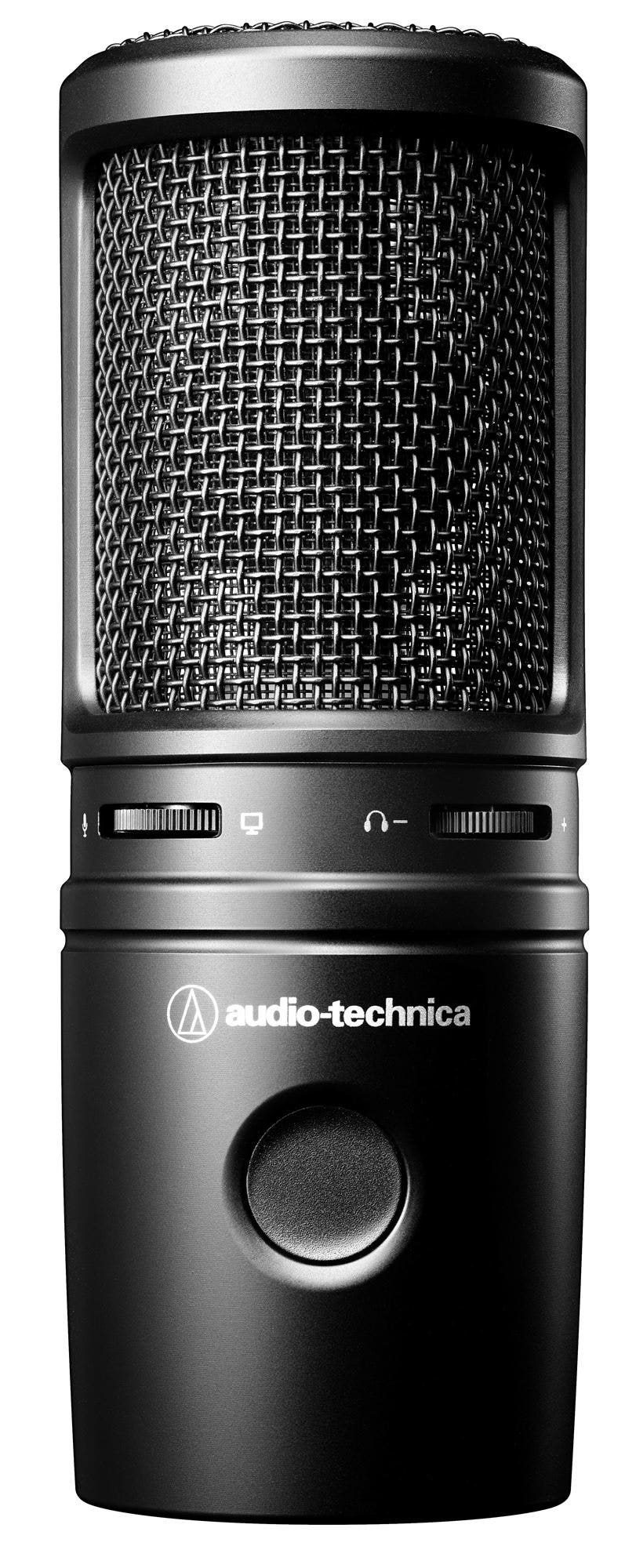
Audio-Technica AT2020USB-X
Best OverallBuy if: you take daily calls from a quiet or normal room
Don't buy if: your room is loud and the mic must sit far away
The AT2020USB-X is the safest pick for work calls. Audio-Technica lists USB-C, cardioid pickup, and conversion up to 24-bit/96 kHz. Calls do not need that full rate. It still gives clean headroom for recordings.
The controls seal it. A silent touch mute changes the light from blue to red, so you can see your state fast. The headphone jack has volume and mix controls, and the desk stand is in the box.
Pros
- Silent touch mute with clear light
- USB-C with USB-A adapter
- Headphone volume and mix controls
- Desk stand included
Cons
- Condenser hears more room noise
- No XLR output
- Needs close placement
- Not the cheapest pick
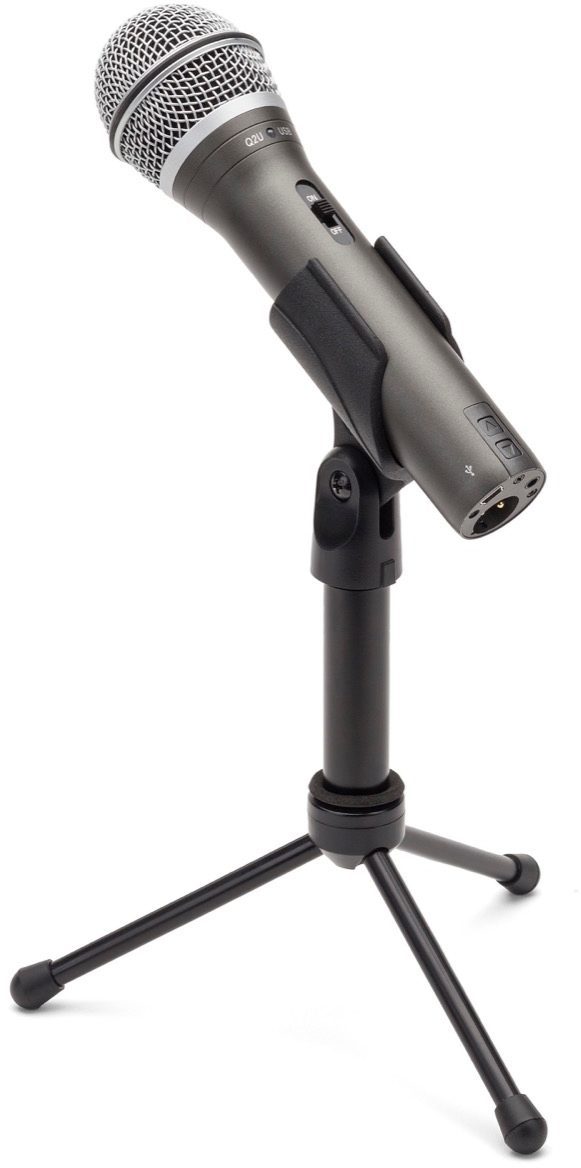
Samson Q2U
Best for Noisy RoomsBuy if: fans, keys or room echo spoil your calls
Don't buy if: you want a fast tap mute and a sleek desk look
The Q2U is the room-control pick. Samson lists a dynamic cardioid capsule, USB-C on current specs, and an XLR output for later upgrades. It records at 16-bit/48 kHz, which is plenty for calls.
It comes as a kit. You get a tripod stand, clip, windscreen, USB cable and XLR cable. The switch turns the mic on or off. That works, but it is not a modern tap mute.
Pros
- Dynamic capsule rejects room noise
- USB and XLR outputs
- Headphone output with level control
- Full starter kit in the box
Cons
- On/off switch, not tap mute
- Must sit close to your mouth
- Handheld look on a tripod
- 16-bit USB conversion
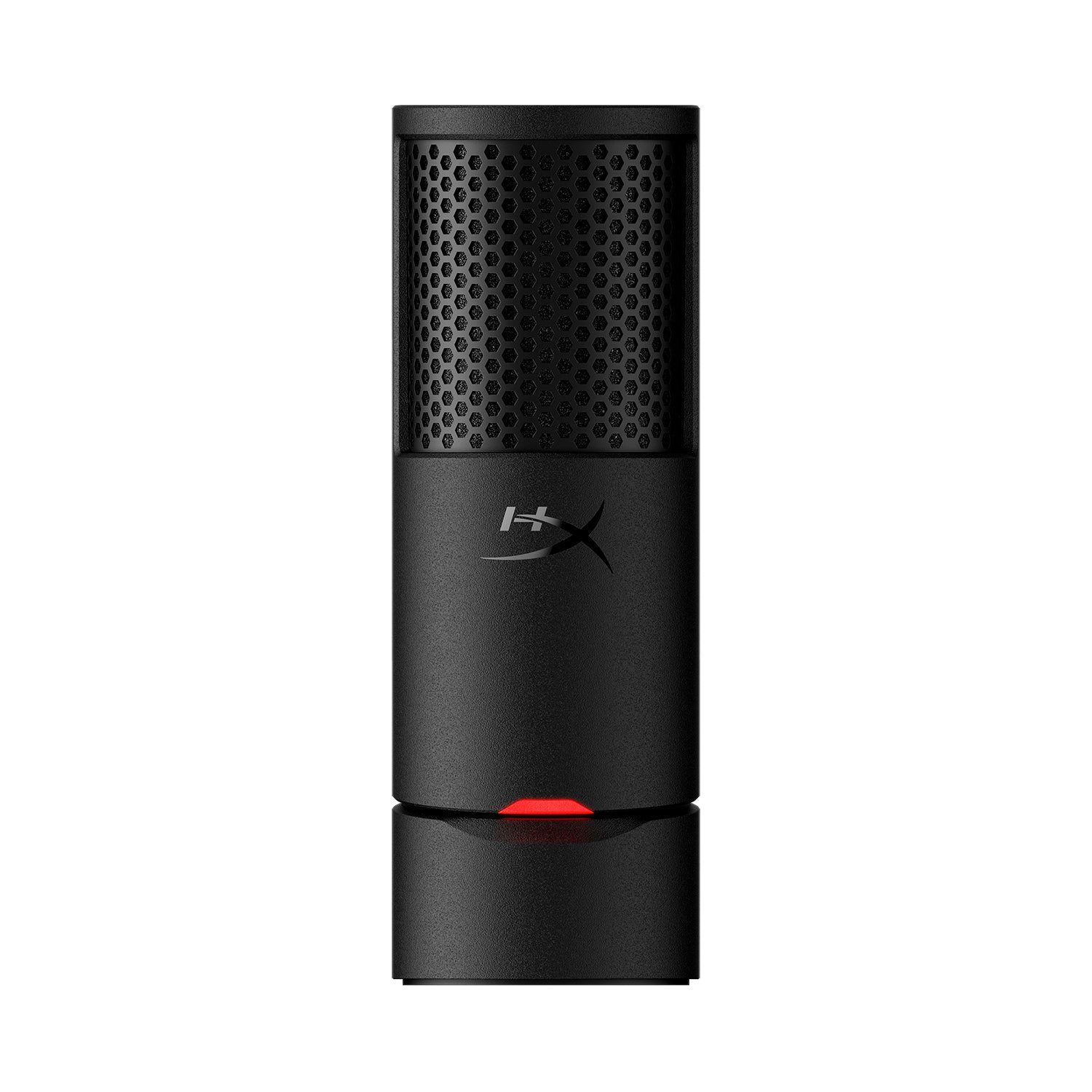
HyperX SoloCast 2
Best Small DeskBuy if: desk space is tight and mute speed matters
Don't buy if: you need a headphone jack on the mic
The SoloCast 2 fits small desks well. HP lists a 14 mm cardioid condenser, USB-C to USB-A cable, and 24-bit/96 kHz recording. The built-in stand tilts, so the mic can aim at your face.
Tap-to-mute is the draw. One tap on top mutes the mic, and the light shows the state. HP lists no headphone jack in the box contents, so use your computer or headset for sound.
Pros
- Fast tap-to-mute control
- Small footprint
- Built-in tilting stand
- Simple plug-and-play setup
Cons
- No headphone jack
- Condenser hears desk noise
- Light meaning needs a test
- No XLR upgrade path
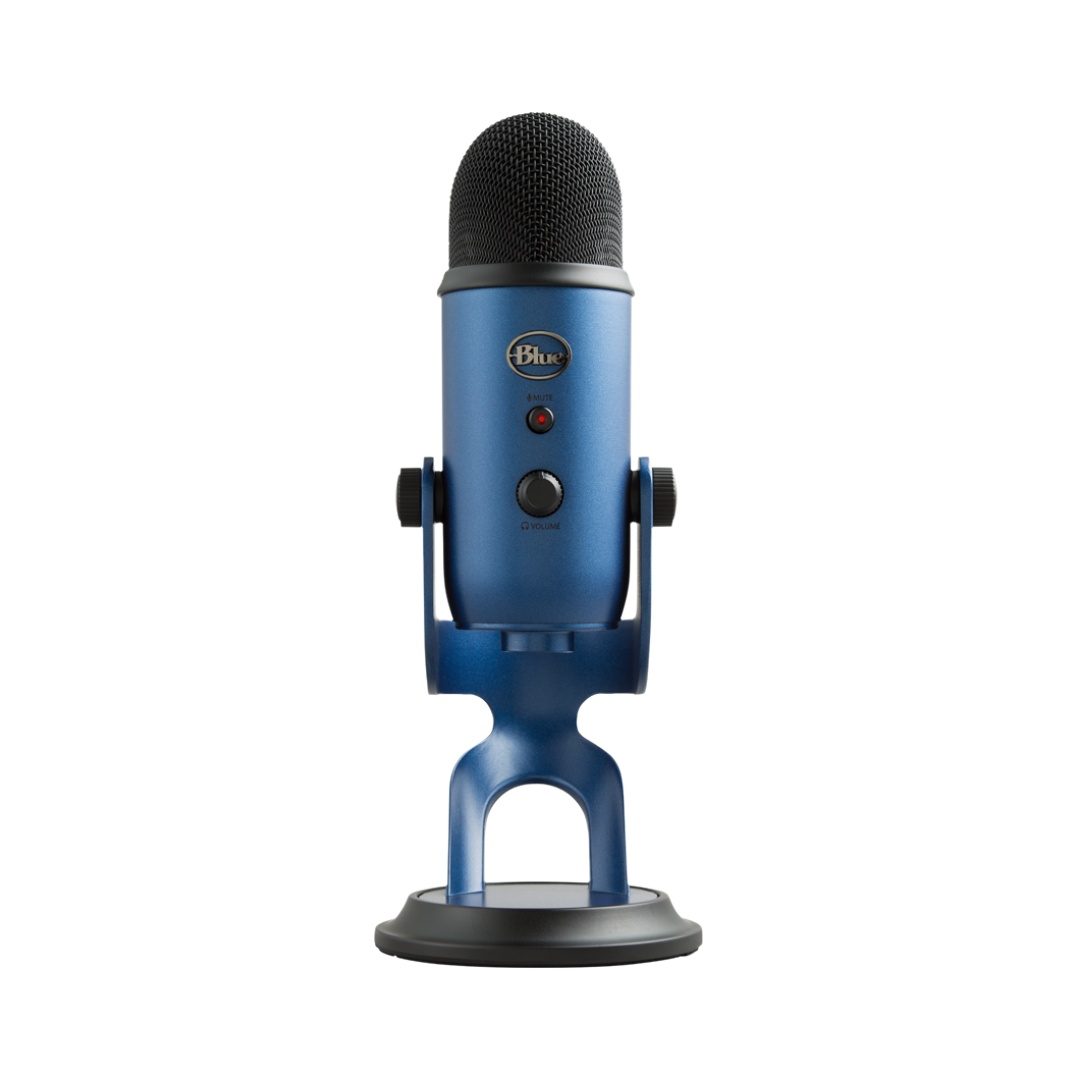
Logitech Yeti
Best for Two PeopleBuy if: two people share one desk or one laptop
Don't buy if: you want the smallest, quietest solo mic
The Yeti is the shared-desk pick. Logitech lists three condenser capsules and four pickup patterns: cardioid, bidirectional, omnidirectional and stereo. Use cardioid alone. Use bidirectional for two people face to face.
Controls are simple. Gain, mute, headphone volume and pattern selection sit on the mic. The trade-off is size. The stand is heavy, and the classic design is older than the USB-C picks here.
Pros
- Four pickup patterns
- Good for two people
- Headphone jack and gain control
- Simple plug-and-play use
Cons
- Large and heavy on a desk
- Hears more room in omni mode
- 16-bit/48 kHz recording
- Older USB design
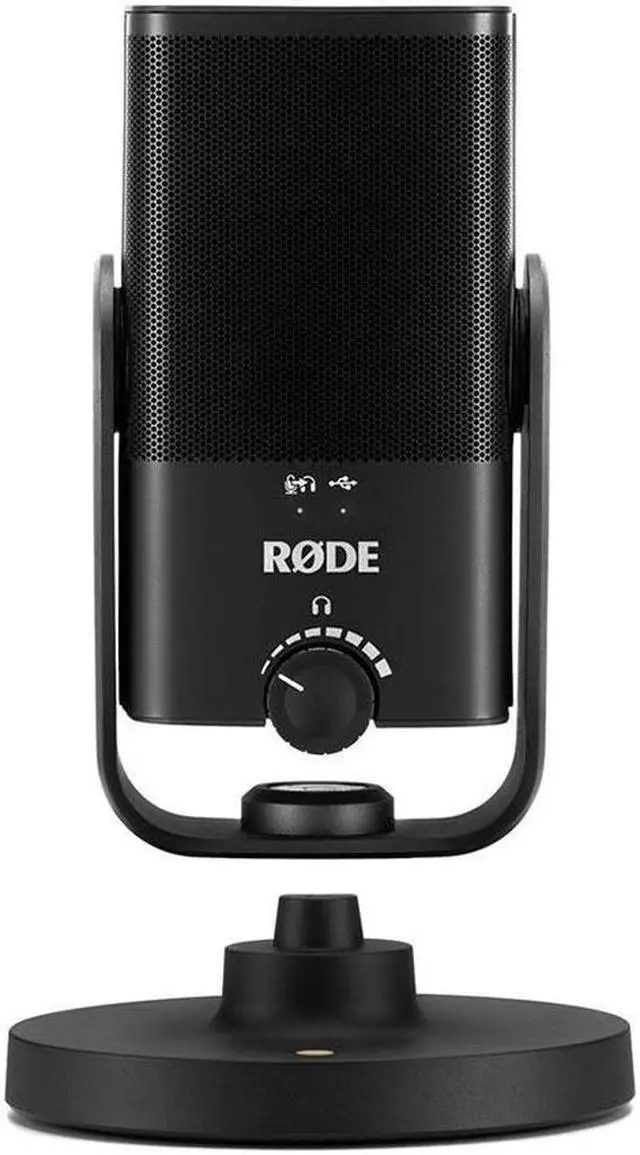
Rode NT-USB Mini
Best Compact SoundBuy if: your room is quiet and you want clean, compact sound
Don't buy if: you need a mute button on the mic
The NT-USB Mini is small and tidy. Rode lists a condenser capsule, class-compliant USB, 24-bit/48 kHz conversion, and a built-in pop filter. The magnetic stand lifts off fast for storage or travel.
Read the dial with care. Rode says the knob controls headphone level, not input gain. There is no on-mic mute, so keep your call app mute shortcut ready.
Pros
- Compact magnetic stand
- Built-in pop filter
- Headphone output with level control
- Clean sound in quiet rooms
Cons
- No on-mic mute
- Knob is not input gain
- Condenser hears room noise
- Software needed for extra processing
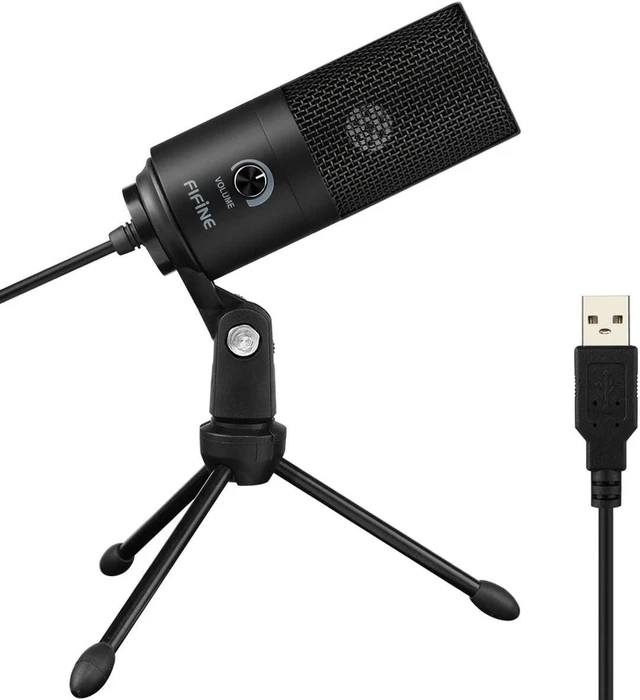
FIFINE K669B
Best Ultra-BudgetBuy if: you want the cheapest test beyond a laptop mic
Don't buy if: you need fast mute or headphone monitoring
The K669B is the budget floor. Spec tables list a cardioid condenser, 16-bit/48 kHz audio, a metal body, a tripod and a volume knob. Placed close, it beats most laptop mics with ease.
Know the limits before you buy. The K669B has no mute button and no headphone jack. Turning the knob to zero can silence it, but that is slower than a real mute.
Pros
- Low-cost first mic
- Metal body and tripod
- Simple USB setup
- Volume knob on the mic
Cons
- No mute button
- No headphone jack
- Hears keyboards when far away
- Basic 16-bit audio
How to Set Up a USB Microphone for Zoom, Teams and Meet
Place it close, pick it in the app, set gain once, then test mute.
To set up a USB microphone for video calls, follow these steps: 1. Place it six to twelve inches away. 2. Plug it into USB. 3. Pick it in your call app. 4. Set gain while speaking normally. 5. Test mute before joining.
- Place it six to twelve inches away. Aim the front at your mouth, slightly to one side.
- Plug it into USB. Use a direct port first, not a crowded hub.
- Pick it in your call app. Choose the mic in Zoom, Teams or Meet audio settings.
- Set gain while speaking normally. Aim for a strong level with no clipping.
- Test mute before joining. Check the light and the app icon together.
If the mic drops out, try a direct USB port. Our USB hub guide covers desk hubs, and the online meetings webcam guide covers the camera side.
Should I Use a Headset or a Desk Microphone?
Use a desk mic for comfort. Use a headset when speakers cause echo.
Headsets keep the mic near your mouth. That gives steady sound in loud rooms. They can hurt after long days, and they make quick chats feel formal.
Desk mics feel freer. You can lean back, sip water, and still sound clear if the mic is close. They fail when speakers play the call aloud and the mic hears it again.
Two people at one desk are the exception. A Yeti in bidirectional mode can work. A speakerphone with echo control can work better, but it is a different tool from a solo desk mic.
Buying Guide: What Actually Matters
Four things matter most: distance, pickup pattern, mute speed, and room noise.
Distance comes first. A mic six inches away sounds clear. The same mic two feet away sounds thin. No spec fixes bad placement.
Pickup pattern comes next. Cardioid suits one voice. Omnidirectional suits a group around a table. Most solo callers should stay in cardioid mode.
Mute speed matters more than sample rate. Calls use compressed audio, so 48 kHz is enough. A clear mute light saves real meetings. Extra resolution does not.
Room noise decides dynamic or condenser. Dynamic mics forgive fans and keys. Condensers reward quiet rooms with detail. Buy for your worst room, not your best demo.
Close first. Specs second.
USB Microphones to Skip in 2026
Mics with no mute sold as call mics. They can sound fine. They still leave you hunting for the app mute when noise hits.
Old listings with mixed names. The Yeti has lived under Blue and Logitech names. Check the exact model, cable and pattern controls before you buy.
Variant traps. Audio-Technica's AT2020USB-XP is not the AT2020USB-X. Samson Q2U listings can mix old and current USB details. Match the model name to the specs.
Streamer mics bought only for meetings. Mixing software and broadcast extras serve creators first. Our streaming guide covers that desk; this one covers yours.
Frequently Asked Questions
What's the best USB microphone for video calls?
The Audio-Technica AT2020USB-X for most solo desks. It pairs USB-C with a silent touch mute and clear controls.
Will a USB mic work with Zoom, Teams and Google Meet?
Yes. Plug it in, then select it as the microphone in the app audio settings before you join.
Why do I sound echoey on video calls?
Move the mic closer first. Then use headphones so speaker sound does not return into the mic.
How do I stop my keyboard being heard?
Keep the mic near your mouth and lower the gain. A dynamic mic helps most in noisy rooms.
Do I need a mute button on the mic?
Yes for daily calls. A mic mute is faster than finding the mute button in the call app.
Should I buy a dynamic or condenser mic?
Buy dynamic for noisy rooms. Buy condenser for quiet rooms where detail matters more than control.
Can two people share one USB microphone?
Yes, with the right pattern. The Logitech Yeti can use bidirectional mode for two people face to face.