Best Monitor Arm for Small Desk in 2026: 6 Picks That Actually Fit

Your monitor's factory stand eats 8–10 inches of depth. The keyboard hangs off the front edge. The screen sits too close, and your neck knows it by lunch. A monitor arm fixes all three at once — if it fits your desk.
Best monitor arm for small desk refers to a mount that holds one monitor on a desk 24 inches deep or less, with a clamp for thin tops and an elbow that folds back instead of hitting the wall. It frees the space a factory stand eats, so the keyboard fits.
This guide ranks six single arms by what decides the fit on a small desk: your monitor's weight without its stand, your desk's thickness and depth, and how much room the arm's elbow needs behind it. Specs come from manufacturer pages and instruction manuals, plus owner-feedback themes from review roundups. No pick was hands-on tested by us, and no prices are printed — they move too fast, and the same models are listed at conflicting figures, so check the listing for today's price. Our outbound links go to Amazon search for the exact model (Amazon-only link policy); no exact ASINs were supplied for this guide, so no exact /dp/ links are claimed. If your screen is 34 inches or wider, our ultrawide monitor arm guide ranks arms by heavy-panel weight instead.
Pick by Your Desk, Not by Price
Start with your desk's depth and thickness — not the price tag. This chooser is the whole guide in one table.
| Your setup | Buy first | Why it wins |
|---|---|---|
| Desk 20–24 in deep, one 24–27 in screen | HUANUO FlowLift HNSS6 | Folds back, widest budget clamp range |
| Desk touches the wall, zero gap | North Bayou H100 | Post-mounted arm folds flat to the wall |
| Thin IKEA-style top under 0.6 in | Amazon Basics DS-MADSBE | Grips tops from 0.39 in — the lowest floor here |
| Buy it once, 10-year warranty | Ergotron LX | 13 in lift, 25 in reach, folds back flat |
| Set it once, never move it | VIVO STAND-V001 | No gas spring to sag or float |
| Thick butcher-block top over 4 in | MOUNTUP MU0004 | Clamp range to 4.53 in — the widest here |
The best monitor arm for a small desk is the HUANUO FlowLift HNSS6 for buyers, because its 4.4–19.8 lb gas spring covers nearly every 24–27-inch panel and its clamp grips tops from 0.59 inches up. According to HUANUO, the arm fits 13–32-inch screens and folds back for tight spaces. Buyers with a bigger budget should stretch to the Ergotron LX.
A monitor arm for a shallow desk under 24 inches deep needs a short reach and a fold-back elbow, not a long arm parked close to your face. According to WorkspaceWisePro, the safe eye-to-screen window is 20 to 28 inches. Measure the desk depth first, then pick the arm whose folded depth fits it.
If you've measured twice and you're still torn, don't overthink it — the HNSS6 fits nearly every small desk.
The best monitor arm for a small desk is the one that matches your desk's depth and thickness, not the biggest screen-size headline.
Quick Comparison
| Product | Key Specs | ||
|---|---|---|---|
| #1 | Ergotron LX Desk Monitor ArmBest Overall | Up to 34" · 7–25 lb · Clamp 0.4–2.4" | Check Price |
| #2 | HUANUO FlowLift HNSS6 Single Monitor MountBest Budget Gas Spring | 13–32" · 4.4–19.8 lb · Clamp 0.59–3.54" | Check Price |
| #3 | VIVO STAND-V001 Single Monitor Desk MountBest Value Set-and-Forget | 13–32" · Up to 22 lb, no minimum · Clamp up to 3.25" | Check Price |
| #4 | Amazon Basics DS-MADSBE Monitor ArmBest for Thin Desks | 15–27" · 4.4–15.4 lb · Clamp 0.39–4" | Check Price |
| #5 | North Bayou H100 Monitor ArmBest for Flush-to-Wall | 17–30" · 4.4–19.8 lb (manual) · Clamp 1–3.1" | Check Price |
| #6 | MOUNTUP MU0004 Single Monitor Desk MountBest Mid-Range Compact Gas Spring | 17–32" · 4.4–17.6 lb · Clamp 0.39–4.53" | Check Price |
The best compact monitor arm for a small apartment is one that parks the screen close to the wall, such as the North Bayou H100, whose post-mounted arm folds flat instead of swinging backwards. According to the H100 manual, it holds 4.4–19.8 lb screens from 17 to 30 inches. That flat fold is what makes a wall-flush desk work.
The best compact monitor arm is the one whose elbow fits behind your desk. Read the clamp range before the screen size — the clamp is the number that sends the most arms back.
Measure These 3 Numbers First
Three numbers decide the fit. Get them before you order anything.
Number 1 — your monitor's weight without its stand. Find "weight without stand" on the manufacturer's spec sheet. The shipping weight and the with-stand weight are both higher, and comparing those to an arm's rating will send you to a heavier arm than you need — or hide the fact that you are over the limit.
Number 2 — your desk's thickness at the clamp point. Measure exactly where the clamp will grip, not at the edge trim, which can be thicker than the top itself. Look underneath for a cable tray, support rail or beveled edge that could stop the clamp seating.
Number 3 — your usable depth plus the wall gap. Measure the desk front to back, then the gap between the desk and the wall. A desk pushed flat against the wall leaves zero room for an elbow that swings back — that gap decides the arm, not the screen size.
| Your screen | Desk depth that works | Why |
|---|---|---|
| 24–27 inches | 20–24 inches | The sweet spot — the screen sits 20–28 inches from your eyes with room for the keyboard |
| 32 inches | 24–30 inches | The wider panel needs more viewing distance, so a shallow desk puts it too close |
| 34-inch ultrawide | 24–30 inches (60–75 cm) | Same depth as a 32-inch panel — and on a small desk, a 27-inch screen is usually the better call |
Check the floor, not just the ceiling. A gas-spring arm holds a weight window: too heavy and it sags, too light and it floats up on its own. The LX needs at least 7 lb; the HUANUO, Amazon Basics and MOUNTUP need 4.4 lb. The VIVO has no gas spring, so it has no floor — a light screen sits fine on it.
Reach is not viewing distance. Your eyes want the screen 20–28 inches away. A 25-inch arm folded halfway back puts a 27-inch screen in that window on a 20-inch desk. A short arm stretched flat does the opposite: the screen lands too close and too low.
One more check: a light desk can tip forward when a heavy screen hangs at full extension. Keep the arm folded back and clamp the full thickness.
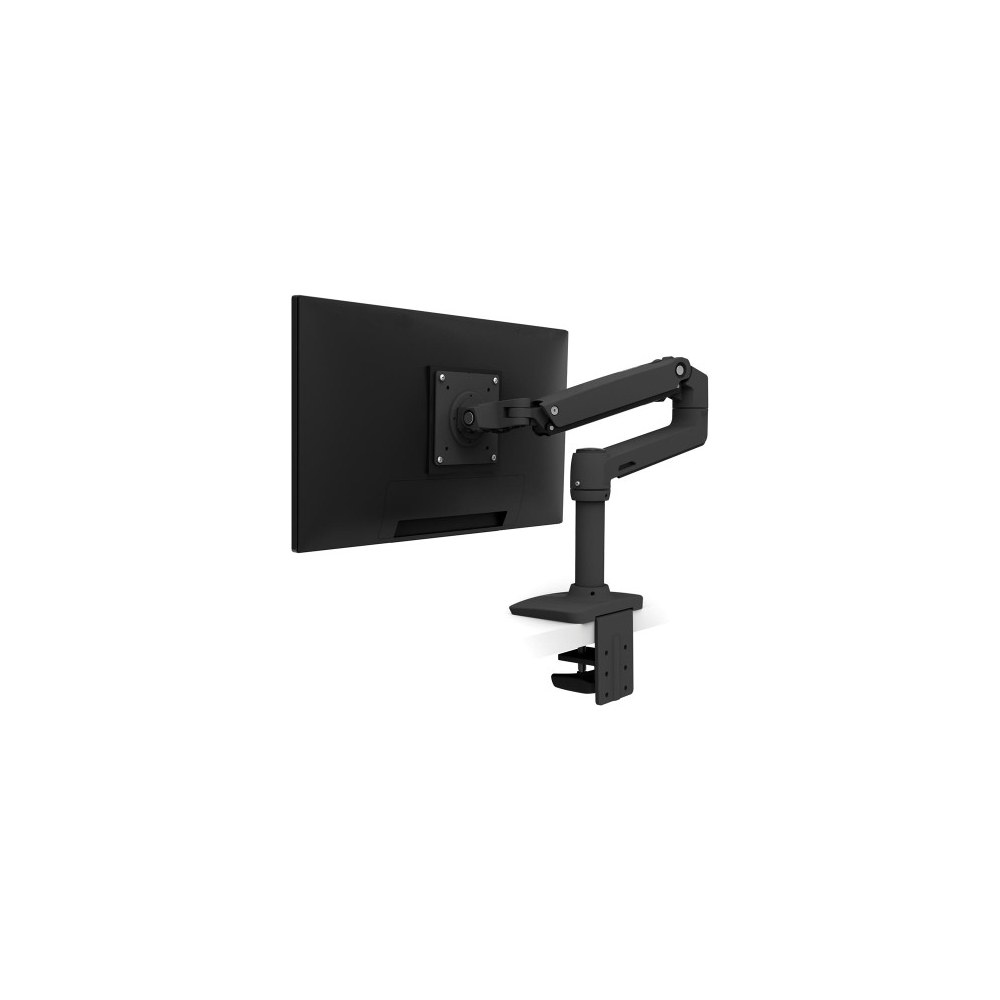
Ergotron LX Desk Monitor Arm
Best OverallBuy if: you want the arm to outlast the monitors, or your desk touches the wall and you buy the tall-pole version
Don't buy if: your monitor weighs under 7 lb or over 25 lb, or is wider than 34 inches
The benchmark arm, and the one every other arm in this guide gets compared against. The LX Desk Monitor Arm — part number 45-241-026 — holds screens up to 34 inches at 7–25 lb, with VESA 75×75 and 100×100 plates, a clamp for desks 0.4–2.4 inches thick, and a grommet mount in the box. It lifts 13 inches, reaches about 25 inches, and folds back flat, so a 27-inch screen can sit at the right distance even on a 20-inch-deep desk. According to Ergotron, the arm carries a 10-year warranty — not a lifetime warranty, despite what some roundups claim.
Or maybe I should say it this way: buy the LX for the desk you own today, not the desk you might buy next year. The tall-pole version — part number 45-295-026 — parks the screen flat against the wall, which is the only premium answer for a desk pushed flush to the wall. Its cable channel is enclosed, so cables stay hidden when there is no desk depth to hide them in.
Pros
- 13-inch lift and 25-inch reach that folds back flat
- 10-year warranty — the longest here
- Constant Force movement you adjust with one hand
- Enclosed cable channel keeps wires out of sight
Cons
- 7 lb minimum means light monitors float up
- 25 lb ceiling rules out heavy 32-inch panels
- Costs more than every other pick here
Full specifications
- Weight range 7–25 lb; screens up to 34 inches
- VESA 75×75 / 100×100; clamp 0.4–2.4 in, grommet up to 2.25 in
- 13-inch lift, ~25-inch extension; 10-year warranty; tall-pole variant 45-295-026
Prices change frequently — click through to see today's price.
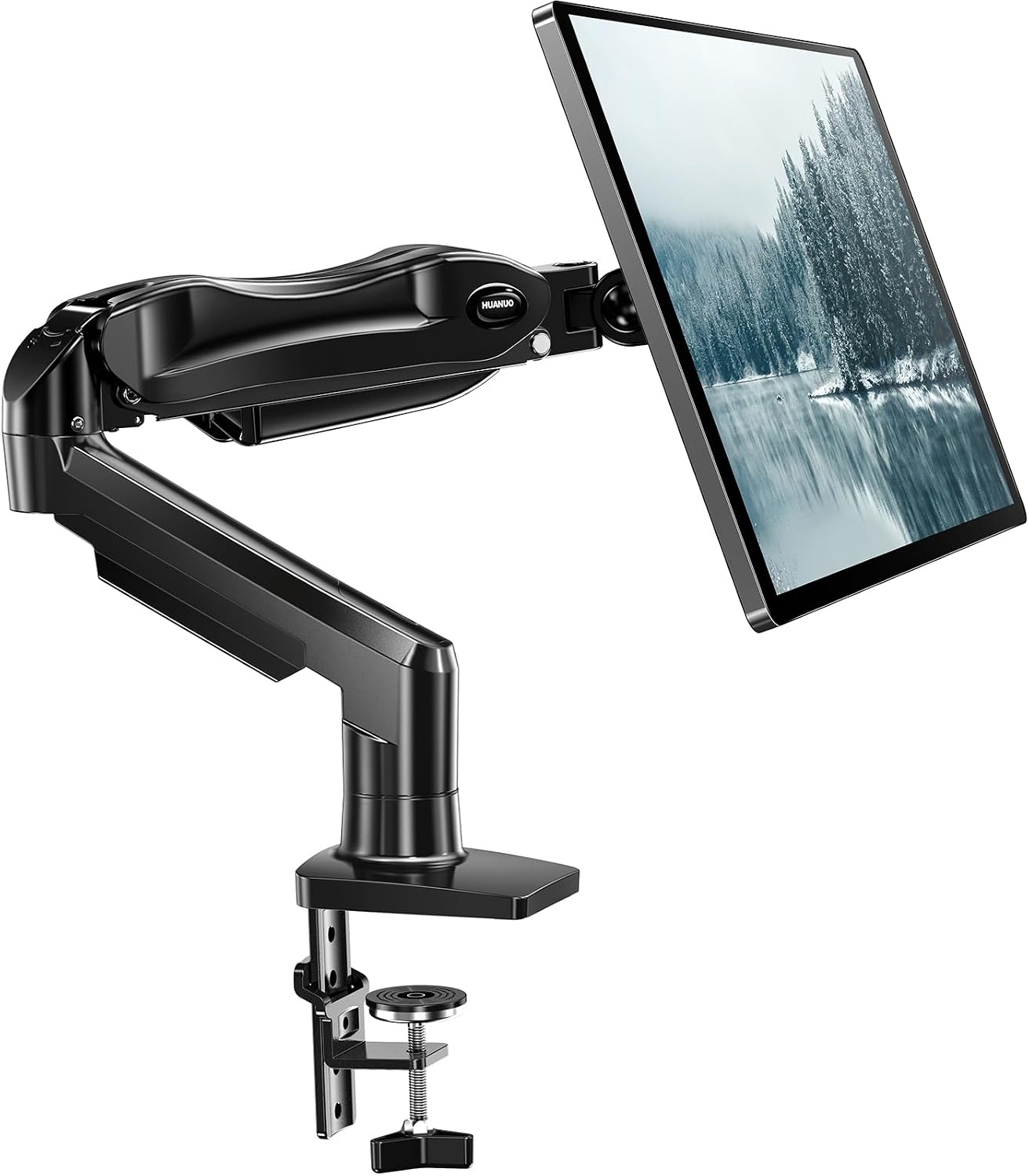
HUANUO FlowLift HNSS6 Single Monitor Mount
Best Budget Gas SpringBuy if: you have one 24–27-inch monitor at 4.4–19.8 lb and want the best fit for a small desk
Don't buy if: your monitor is under 4.4 lb, or over 19.8 lb
The pick for most small desks, and our top pick overall. The FlowLift HNSS6 is a gas-spring single arm for 13–32-inch screens at 4.4–19.8 lb, with VESA 75×75 and 100×100 plates, a clamp or grommet mount for desks 0.59–3.54 inches thick, and a 5-year warranty. Its gas spring is rated for 20,000 cycles, and the one-piece design goes up in about three minutes. Note the weight: HUANUO's own spec is 4.4–19.8 lb — some roundups print 17.6 lb, which is their error, not HUANUO's.
Here's the thing: the wide clamp range is what earns the HNSS6 its rank. It grips a thin IKEA-style top at the 0.59-inch end and a thick top at the other, so it fits desks other budget arms cannot. My honest take: the cheapest arm that fits your monitor's weight beats a premium arm you never adjust. A gas-spring arm you move every day earns its keep; a dearer one you set once does not.
Pros
- Widest clamp range of the budget picks — 0.59–3.54 in
- 4.4–19.8 lb band covers light and heavy 27-inch panels
- Folds back for tight desks
- 20,000-cycle gas spring, 5-year warranty
Cons
- 4.4 lb minimum means very light screens float
- 19.8 lb ceiling rules out heavy 32-inch panels
- Open cable clips, not an enclosed channel
Full specifications
- Weight range 4.4–19.8 lb; screens 13–32 inches
- VESA 75×75 / 100×100; clamp or grommet 0.59–3.54 inches
- Tilt −50°/+85°; 15.75-inch height; 5-year warranty
Prices change frequently — click through to see today's price.
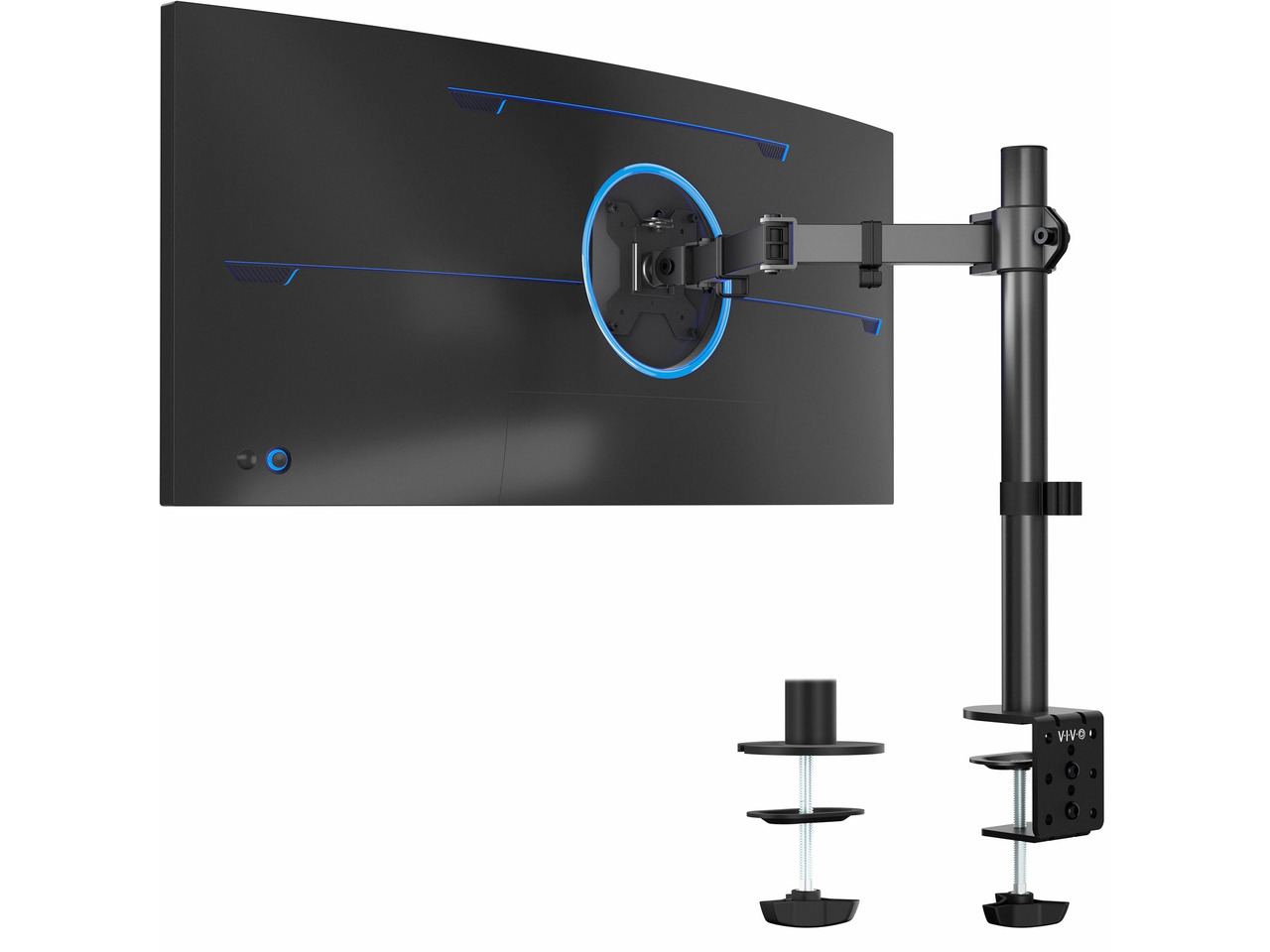
VIVO STAND-V001 Single Monitor Desk Mount
Best Value Set-and-ForgetBuy if: you set the height once and never move the screen, and your monitor is 22 lb or under
Don't buy if: you fold the screen away daily, or your monitor is over 22 lb
The pick for buyers who set the height once and never touch it again. The STAND-V001 is a pole arm — a central post with a single arm — for 13–32-inch screens up to 22 lb, with VESA 75×75 and 100×100 plates, a C-clamp up to 3.25 inches, and a grommet mount in the box. There is no gas spring: height adjusts with a bolt, so there is no spring floor and no sag over time. VIVO's own blog says the arm fits screens up to 38 inches; the safe figure is 32 inches, and the 38-inch figure may reflect ultrawide width rather than a separate rating.
The trade is movement. The V001's joints bend 90 degrees, so it will not fold flat — say that plainly before you buy. If you fold the screen away daily, buy a gas-spring arm instead. If the screen stays in one place for months, the V001 deletes the stand footprint for less than any gas-spring arm here, and nothing in it wears out.
Pros
- No gas spring — nothing to sag, float or wear out
- All-steel build with a detachable VESA plate
- C-clamp and grommet mounting included
- 3-year warranty
Cons
- Joints bend 90° only — it will not fold flat
- No fingertip height adjustment on the fly
- 22 lb ceiling rules out heavy panels
Full specifications
- Weight capacity up to 22 lb, no minimum; screens 13–32 inches (VIVO blog claims 13–38 in)
- VESA 75×75 / 100×100; C-clamp up to 3.25 in, grommet included
- Pole design, bolt-adjust height; 3-year warranty
Prices change frequently — click through to see today's price.
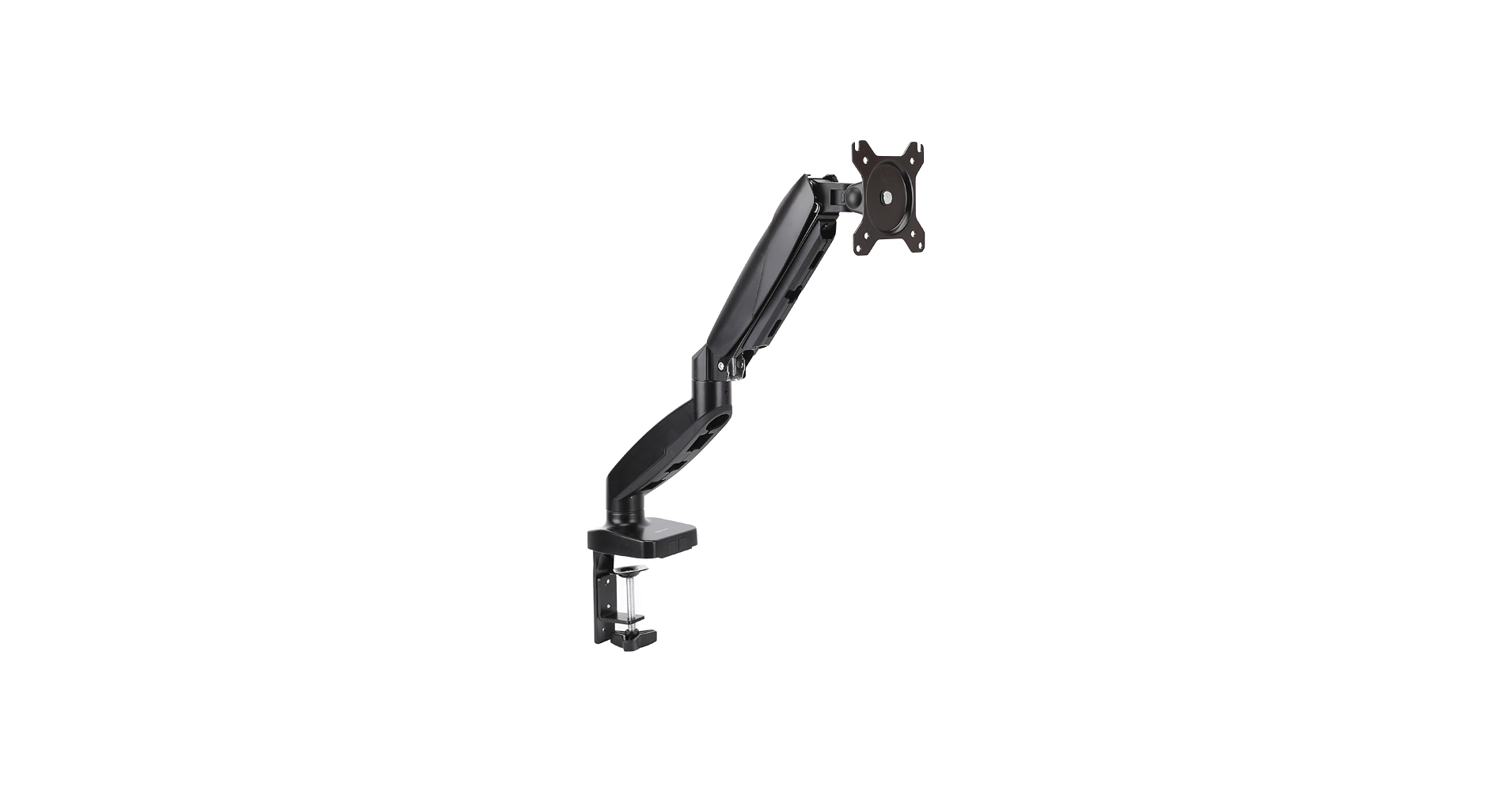
Amazon Basics DS-MADSBE Monitor Arm
Best for Thin DesksBuy if: your desk top is thin — under 0.6 inches — and your monitor is 15–27 inches at 4.4–15.4 lb
Don't buy if: your monitor is over 15.4 lb, or wider than 27 inches
The thin-desk pick. The DS-MADSBE is a gas-spring single arm for 15–27-inch screens at 4.4–15.4 lb, with VESA 75×75 and 100×100 plates, a clamp or grommet mount for tops 0.39–4 inches thick, and 20.5 inches of extension. The 0.39-inch minimum is the lowest clamp floor of any pick here, so it grips thin IKEA-style tops other arms cannot. Its grommet hole fits 1.5–2.36 inches.
Match the model code, not the brand name. "Amazon Basics monitor arm" is three different products: this DS-MADSBE, the Premium Single K001387 (up to 32 inches, up to 25 lb — the ultrawide article's pick), and an older steel pole stand. The code DS-MADSBE is the only thing that separates them, so check it on the listing before you order.
Pros
- Lowest clamp floor here — grips tops from 0.39 in
- Gas spring with 360° rotation
- 20.5-inch extension
- Grommet mount included, hole 1.5–2.36 in
Cons
- 15.4 lb ceiling is the lowest here — heavy 27-inch panels are out
- 27-inch size cap rules out 32-inch screens
- Narrowest screen range in this guide
Full specifications
- Weight range 4.4–15.4 lb; screens 15–27 inches
- VESA 75×75 / 100×100; clamp or grommet 0.39–4 in
- Extension 20.5 in; grommet hole 1.5–2.36 in; 360° rotation
Prices change frequently — click through to see today's price.
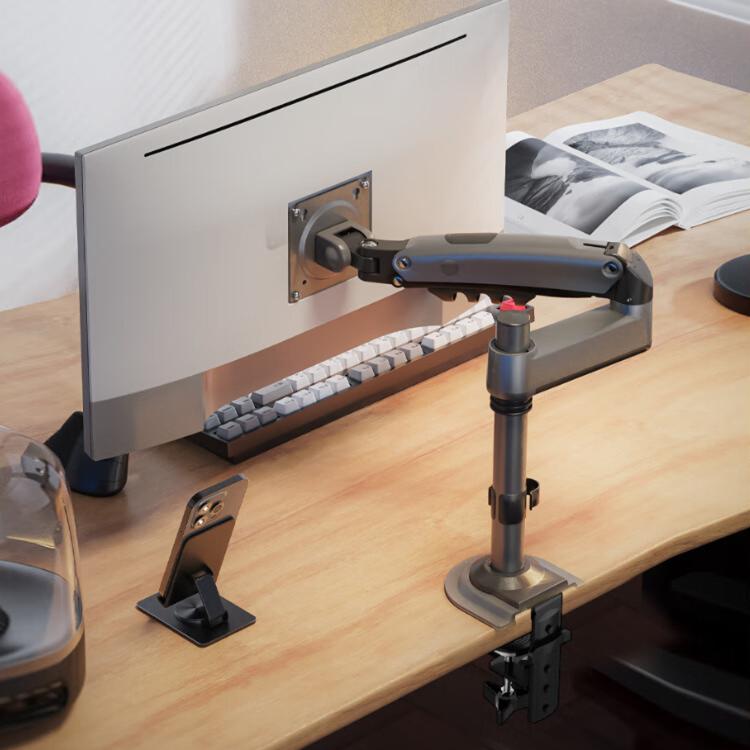
North Bayou H100 Monitor Arm
Best for Flush-to-WallBuy if: your desk is pushed flat against the wall and your monitor is 17–30 inches at 4.4–19.8 lb
Don't buy if: your desk top is under 1 inch thick, or your monitor is over 19.8 lb
The pick for a desk that touches the wall. The H100 is a post-mounted gas-spring arm: the forearm folds parallel to the wall instead of swinging an elbow backwards, so the screen can sit about 1.5–2 inches from the wall on a 19–24-inch-deep desk. It holds 4.4–19.8 lb screens from 17 to 30 inches, with VESA 75×75 and 100×100 plates, a clamp for desks 1–3.1 inches thick, and a grommet mount for holes 0.78–3.52 inches.
I've seen conflicting data — the H100 manual says 4.4–19.8 lb and 17–30 inches, while many retailer listings claim 26.4 lb and 35 inches. My read is the manual wins: those listings repeat a second spec sheet, and 26.4 lb is not the H100's rating. Buy to the manual's figures and check the live listing before you order.
Pros
- Folds flat to the wall — the only pick that solves the rear-elbow problem by geometry
- Post-mounted design keeps the elbow off the wall
- Grommet mount included, 0.78–3.52 in
- Gas spring with smooth height adjustment
Cons
- Clamp minimum 1 in — thin tops under an inch are out
- Conflicting spec sheets in circulation (see above)
- Lift is about 10 inches — less than the LX
Full specifications
- Weight range 4.4–19.8 lb (manual); screens 17–30 inches (manual) — some listings claim 26.4 lb / 35 in
- VESA 75×75 / 100×100; clamp 1–3.1 in, grommet 0.78–3.52 in
- Lift 250–260 mm; extension ~560 mm
Prices change frequently — click through to see today's price.
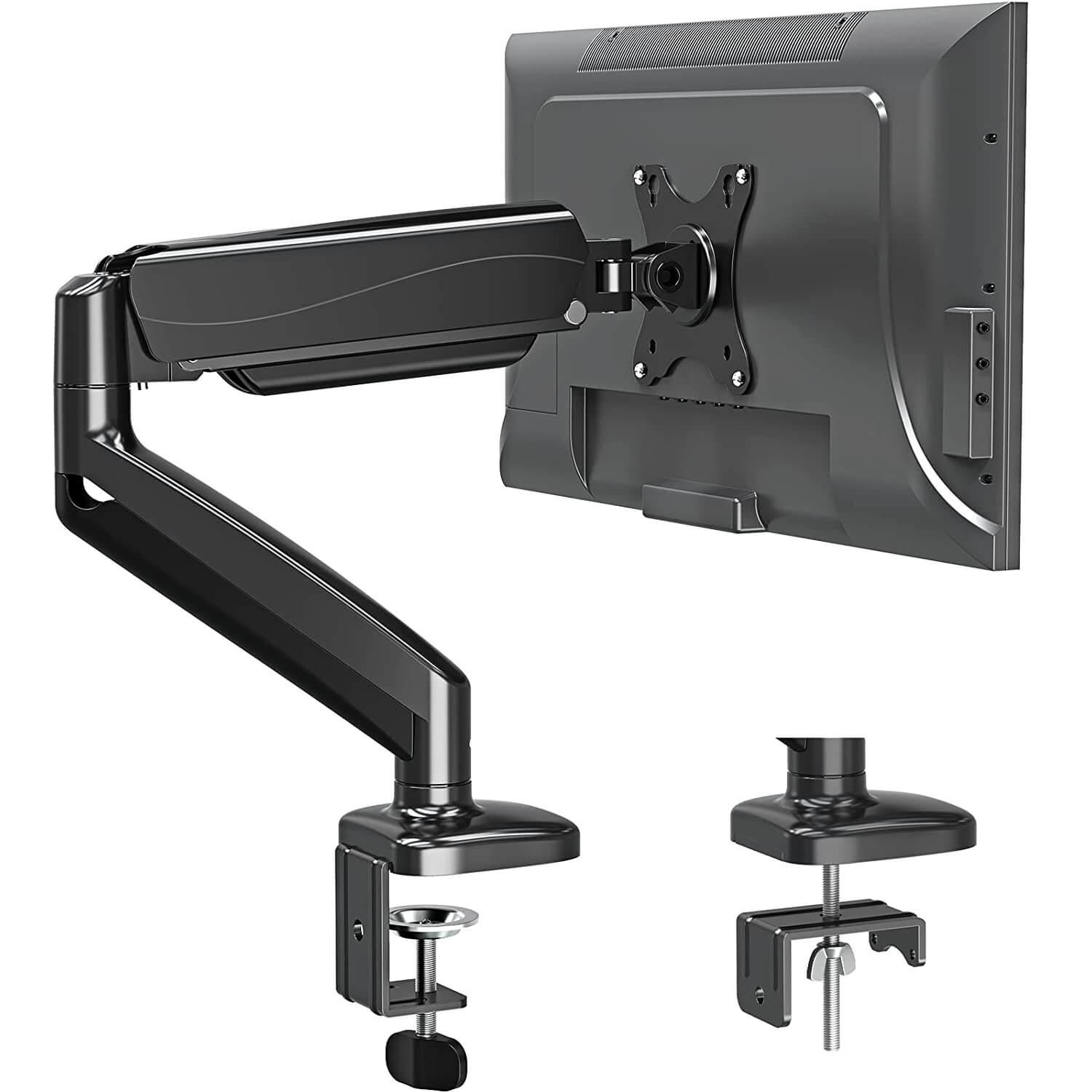
MOUNTUP MU0004 Single Monitor Desk Mount
Best Mid-Range Compact Gas SpringBuy if: your desk is very thin or very thick, and your monitor is 17–32 inches at 4.4–17.6 lb
Don't buy if: your monitor is over 17.6 lb, or needs a 200×100 VESA pattern without the adapter
The mid-range compact gas-spring pick, and the clamp-range champion. The MU0004 holds 17–32-inch screens at 4.4–17.6 lb, with VESA 75×75 and 100×100 plates, a clamp for desks 0.39–4.53 inches thick, and a grommet mount for holes 0.39–2.36 inches. The 4.53-inch maximum beats every other pick here, so it fits thick butcher-block tops as well as thin ones. It extends 19.6 inches and carries a 10-year warranty.
One flag: the clamp range is disputed. The manual and the Amazon listing agree on 0.39–4.53 inches, but other listings print 0.39–2.76 inches and the EU listing says 0.39–1.97 inches — likely regional or revision differences. Confirm the clamp range on the live listing before you order, and measure your desk thickness first.
Pros
- Widest clamp range in this guide — 0.39–4.53 in
- Gas spring with 19.6-inch extension
- Grommet mount included, hole 0.39–2.36 in
- 10-year warranty
Cons
- Conflicting clamp figures across listings — verify before ordering
- 17.6 lb ceiling rules out heavy 32-inch panels
- 200×100/200×200 VESA needs the MU9010 adapter, sold separately
Full specifications
- Weight range 4.4–17.6 lb; screens 17–32 inches
- VESA 75×75 / 100×100 (200×100/200×200 only with MU9010 adapter, not included)
- Clamp 0.39–4.53 in (manual); grommet 0.39–3.15 in, hole 0.39–2.36 in; extension 19.6 in; height 16.5 in; 10-year warranty
Prices change frequently — click through to see today's price.
Can I Use a Monitor Arm on a 20–24 Inch Deep Desk?
Yes — a 24–27-inch screen on a 20–24-inch-deep desk is the sweet spot for a single arm, and it is the setup this guide is built around. The arm's clamp takes about 3–4 inches of depth at the back, the screen sits 20–28 inches from your eyes, and the keyboard fits in front.
The screen size sets the depth you need. A 24–27-inch screen works on 20–24 inches of depth. A 32-inch screen wants 24–30 inches, because the wider panel needs more viewing distance. A 34-inch ultrawide wants the same 24–30 inches — and on a small desk, that is usually a reason to stay at 27 inches. If your screen is 34 inches or wider, our ultrawide monitor arm guide ranks arms by heavy-panel weight.
Short desk, short reach, right distance.
Can I Use a Monitor Arm If My Desk Is Touching the Wall?
Yes — if the arm folds the right way. A standard dual-elbow gas arm swings its elbow backwards as the screen comes forward, and that elbow needs 4–6 inches behind the desk. A post-mounted arm like the H100 folds its forearm parallel to the wall instead, so the screen can sit 1.5–2 inches from it.
Look — if your desk is pushed flat against the wall right now, here's what actually works: the H100, or the Ergotron LX tall-pole version, which parks the screen flat against the wall. Or clamp at the rear corner: with the base in the corner, the elbow folds sideways along the desk instead of backwards into the wall.
Zero gap is a geometry problem.
Will a Monitor Arm Damage My IKEA Desk?
It can — if the top is hollow-core and the clamp grips bare wood. IKEA's Linnmon, Lagkapten and Micke tops are thin skins over paper honeycomb, and a bare C-clamp crushes that edge. A steel reinforcement plate spreads the load and stops the crush; clamping over a leg or the solid perimeter frame works too.
Safe tops are solid wood and thick tops like Karlby, Bekant and Gerton. Before you order, check what your desk is made of — and measure the thickness where the clamp will sit, not at the edge trim, which can be thicker than the top itself.
Hollow top, steel plate. Solid top, clamp away.
How Thick Does My Desk Need to Be for a Monitor Arm Clamp?
Thick enough to sit inside the clamp's range — and the range starts at the minimum, not the maximum. The DS-MADSBE and MU0004 grip tops from 0.39 inches, the HUANUO from 0.59, the LX from 0.4, the H100 from 1 inch, and the VIVO up to 3.25 inches. Measure the thickness exactly where the clamp will grip.
Look underneath too. A cable tray, support rail or beveled edge can stop the clamp seating even when the thickness looks right, and a clamp needs a flat edge for roughly the first inch. If the rear edge is blocked by a modesty panel or a cable tray, a grommet mount through a cable hole is the fallback — the DS-MADSBE takes holes 1.5–2.36 inches and the MU0004 takes 0.39–2.36 inches.
Measure where the clamp grips.
How Do I Mount a Monitor Arm on a Small Desk?
Mounting a monitor arm is a seven-step job, and the order matters — the weight and desk checks come before any hardware touches the desk.
To mount a monitor arm on a small desk, follow these steps: 1. Weigh your monitor without its stand. 2. Check its VESA pattern on the spec sheet. 3. Measure your desk thickness at the clamp point. 4. Clamp the base or thread the grommet mount. 5. Hang the monitor and tighten the VESA screws. 6. Set the gas-spring tension until the screen stays put. 7. Route the cables through the arm's channel.
- Weigh your monitor without its stand. Find "weight without stand" on the manufacturer's spec sheet — not the shipping weight and not the weight with the stand attached. The gap runs 2–4 lb per screen, enough to push a borderline pick over an arm's ceiling.
- Check its VESA pattern. Look at the back of the monitor for four screw holes in a square, or check the spec sheet. Most monitors use 75×75 mm or 100×100 mm.
- Measure your desk thickness at the clamp point. Measure exactly where the clamp will grip, and look underneath for a cable tray, support rail or beveled edge that could stop the clamp seating.
- Fit the clamp or grommet mount. Clamp to the desk edge, or thread the grommet mount through a cable hole. Tighten it fully before hanging any weight on the arm.
- Attach the VESA plate and hang the screen. Screw a VESA plate to the back of the monitor, then slide it onto the arm and lock it in place.
- Set the gas-spring tension. Turn the tension screw a half-turn at a time, testing by moving the monitor up and down, until the screen stays exactly where you leave it. Hold the arm horizontal while adjusting, as the manuals instruct.
- Route the cables. Run the power and video cables through the arm's channel or clips, leaving enough slack for the arm to move. Cables matter double on a small desk, where there is no depth to hide them in.
Get a second pair of hands for the hanging step: one screen is wide and awkward alone. And hold the arm horizontal while you adjust the tension, as the manuals instruct — the spring fights you otherwise.
Clamp or Grommet — Which Mount Fits a Small Desk?
Start with your desk, not the arm: the mount type is decided by the desk's edge, its thickness and what sits underneath it. Most arms in this guide offer both in the box.
| Mount | How it fits | Desk it needs | Watch out for |
|---|---|---|---|
| C-clamp | Grips the desk edge with a screw | Solid top, typically 0.39–4.53 inches thick | Needs a flat edge and clear space underneath for the screw |
| Grommet | Threads through a cable hole in the desk | Any desk with a hole in the right place | The hole must sit where the arm needs to be; hole size matters — DS-MADSBE 1.5–2.36 in, MU0004 0.39–2.36 in |
A C-clamp concentrates the whole load on two small points, and thin, hollow or glass tops are the ones that fail. On a solid top, a clamp is fine. On a hollow-core top, use a steel plate or clamp over a leg.
Blocked rear edge? Grommet. Clear edge? Clamp.
Single Arm or Dual Arm for a Small Desk?
One single arm. Two 27-inch screens are about 48 inches wide, and most small desks are 40–47 inches — the screens overhang the edges before the arms even fold. A dual arm also doubles the clamp load on one stretch of desk edge, which is the last thing a thin or hollow top needs.
Single monitor arm vs dual arm: a single arm suits a small desk because one screen leaves room for the keyboard and the clamp carries half the load. A dual arm works better when two screens run every session and the desk is wide enough. The key difference is width: two 27-inch screens need 48 inches, and most small desks are 40 to 47.
If two screens are non-negotiable, stack them vertically on one pole — or read our dual monitor stand guide, which ranks stands by per-arm weight for desks that can actually take two screens.
Match the Model Code Before You Buy
Two naming traps in this guide catch buyers every week. "Amazon Basics monitor arm" is three different products — the DS-MADSBE gas spring in this guide, the Premium Single K001387 (up to 32 inches, up to 25 lb), and an older steel pole stand. The Ergotron LX and LX Pro are different arms too: the LX holds 7–25 lb, the LX Pro holds up to 22 lb.
Check the model code on the listing before you order. DS-MADSBE, HNSS6, STAND-V001, H100, MU0004, 45-241-026 — the code is the product. The brand name is not.
Code first, brand second.
Frequently Asked Questions
How much wall clearance do I need behind my desk for a monitor arm?
About 2 inches for a post-mounted arm like the H100 or the LX tall pole, and 4–6 inches for a standard dual-elbow gas arm. Clamp at the rear corner and the elbow folds sideways instead.
What's the best monitor arm for a shallow desk under 24 inches deep?
The HUANUO FlowLift HNSS6 for most desks: it folds back, holds 4.4–19.8 lb, and clamps tops from 0.59 inches. If the desk touches the wall, the North Bayou H100 folds flatter.
Is the Ergotron LX too long for a shallow desk?
No — its 25-inch reach folds back, so the screen can sit 20–28 inches from your eyes even on a 20-inch-deep desk. The tall-pole version parks the screen flat against the wall.
What size monitor can I put on a small desk — is a 32-inch screen too big?
A 32-inch screen needs a 24–30-inch-deep desk to keep the 20–28-inch viewing distance. On a 20-inch desk it sits too close, so a 24–27-inch screen is the safer pick.
Can a monitor arm tip over a lightweight desk?
Yes, if the arm is stretched to full extension with a heavy screen. Keep the arm folded back, clamp the full desk thickness, and don't push the screen past the desk edge.
Will a monitor arm fit my ultra-compact thin desk?
Only if the clamp's minimum fits your top. The Amazon Basics DS-MADSBE and MOUNTUP MU0004 grip tops from 0.39 inches. Hollow-core tops still need a steel reinforcement plate.
Do I need a monitor arm on a small desk at all — or is a riser enough?
A riser works if the screen height is the only problem. An arm wins when the stand's footprint eats desk depth, because it frees 8–10 inches and lets the screen sit further back.