Best Microphone Arm for Small Desk (2026): 6 Picks

Your mic stand eats half the desk.
If you work at a small desk against a wall, you know the squeeze. The stock stand sits where your notebook should go. A tall boom arm swings across the monitor. This guide picks arms that stay low, park flat, and leave the desk yours.
Best microphone arm for small desk refers to a desk-clamp arm that holds your mic close while using almost no desk space. It sits low, folds or swings away, and fits a thin desk edge.
This guide covers seated desks for calls, recording and streaming. If your desk is large and mic weight is your worry, our mic arm for streaming guide fits better. Need the mic itself? See the USB microphone for video calls guide.
Prices below were checked on 28 November 2026 at the makers' US stores and named retailers. Sales move them often, so check the live price before buying. Specs are the makers' own figures.
What's the Best Microphone Arm for a Small Desk?
For most small desks, the Elgato Wave Mic Arm LP. It costs $99.99, stays below the monitor, and parks out of the way.
The best microphone arm for a small desk is a low-profile clamp arm that sits below your monitor. According to Elgato, its Wave Mic Arm LP reaches 740 mm across the desk, holds mics up to 2 kg, and clamps to desks up to 60 mm thick, which suits most small desks.
A small desk needs a mic arm with a short parked footprint and a clamp that fits its edge. According to FIFINE's BM88 guide, that arm needs a desk edge 20 to 60 mm thick, at least 55 mm of flat lip, and a 107 mm gap under the monitor to slide beneath it.
Look — if you're short on desk and your mic keeps crossing the screen, here's what actually works: clamp the arm at the back corner, keep it under the monitor line, and swing it away between calls.
Elgato Wave Mic Arm LP vs InnoGear LP98: the Elgato is better suited for heavier mics because it holds 2 kg with a ball head for fine aim. The LP98 works better when budget comes first. The key difference is finish and load headroom.
How Much Desk Space Does a Mic Arm Need?
Almost none on top. The clamp needs a flat edge, clear space underneath, and room to park.
Desk space for a mic arm comes down to three checks: thickness, lip depth and monitor gap. Measure the edge where the clamp will sit, confirm nothing blocks the underside, then check the arm can park clear of your keyboard when the call ends and work starts again.
Here's the thing: reach is the least useful number here. A long arm on a short desk just parks over your keyboard. What matters is where the arm sits at rest, and whether the clamp grips your exact edge.
| Arm | Clamp Fits | Park Style | Max Load | |
|---|---|---|---|---|
| #1 | Elgato Wave Mic Arm LP | To 60 mm | Pushes aside, stays low | 2 kg |
| #2 | FIFINE BM88 | 20–60 mm, 55 mm lip | Slides under monitor | 1.5 kg |
| #3 | InnoGear LP98 | To 60 mm, flat edge | Sits 85 mm high | 1.5 kg |
| #4 | NEEWER MS002 | 10–80 mm | Low, heavy base | 2.5 kg |
| #5 | Aokeo AK-58i | Under 70 mm | Low steel frame | 2 kg |
| #6 | FIFINE CS1 | To about 50 mm | Folds flat | Light mics |
I've seen conflicting data on BM88 reach — listings say 29 inches, FIFINE's own guide says 27.8 inches. My read is simple: plan your desk around 27.8 inches and treat the rest as marketing.
Low-Profile or Scissor Arm — Which Suits a Small Desk?
Low-profile for most small desks. Scissor only when folding flat matters most.
Low-profile arm vs scissor arm: a low-profile arm is better suited for small desks because it stays under the monitor and parks flat. A scissor arm works better when you fold the mic away daily and your mic is light. The key difference is parked space, not reach.
A low-profile arm runs along the desk, then rises near your mouth. It never crosses the screen. A scissor arm uses exposed springs and folds into a flat stack, but it stands tall in use and can creak on a live mic.
My honest take: most small-desk buyers should skip scissor arms even though they cost less, because the tall in-use shape is the exact problem they came to fix. Buy low and park flat.
Quick note: clearance numbers differ by brand. Some measure the lower arm, some the highest point. Compare the same figure, or the comparison means nothing.
Will a Mic Arm Fit My Desk?
Yes, if the edge is flat, the thickness fits the clamp, and the underside is clear.
Measure the edge at the exact spot. Desks vary — a thick rim or bevel can defeat a clamp that fits the middle. Then look underneath. Drawer rails, cable trays and support bars block the lower jaw more often than thickness does.
Glass desks are the hard no. Clamp pressure can crack glass, and the grip stays poor. Use a weighted desk stand or a grommet mount through a cable hole instead. Or maybe I should say it this way: no flat, solid edge means no clamp arm.
Thick desks narrow the field fast. Most clamps here stop at 60 mm. The NEEWER MS002 fits to 80 mm, which saves butcher-block and apron desks that reject the rest.
Quick Comparison
| Product | Best For | Key Specs | ||
|---|---|---|---|---|
| #1 | Elgato Wave Mic Arm LPBest Overall | Most small desks | Low-profile · 740 mm reach · 2 kg · $99.99 | Check Price |
| #2 | FIFINE BM88Best Under-Monitor Fit | Monitor-centred desks | Low-profile · 706 mm reach · 1.5 kg · $91.43 | Check Price |
| #3 | InnoGear LP98Best Budget Low-Profile | Tiny desks, light mics | 85 mm profile · magnetic channel · 1.5 kg · about $45 | Check Price |
| #4 | NEEWER MS002Best for Heavy Mics | Thick desks, heavy mics | Pneumatic · 767 mm reach · 2.5 kg · $84.99 | Check Price |
| #5 | Aokeo AK-58iBest Steel Build | Firm, set-and-forget aim | Steel · 360° swing · 2 kg · about $75–$82 | Check Price |
| #6 | FIFINE CS1Best Fold-Away Budget | Shared desks, light mics | Scissor · folds flat · 660 mm stretch · price varies | Check Price |
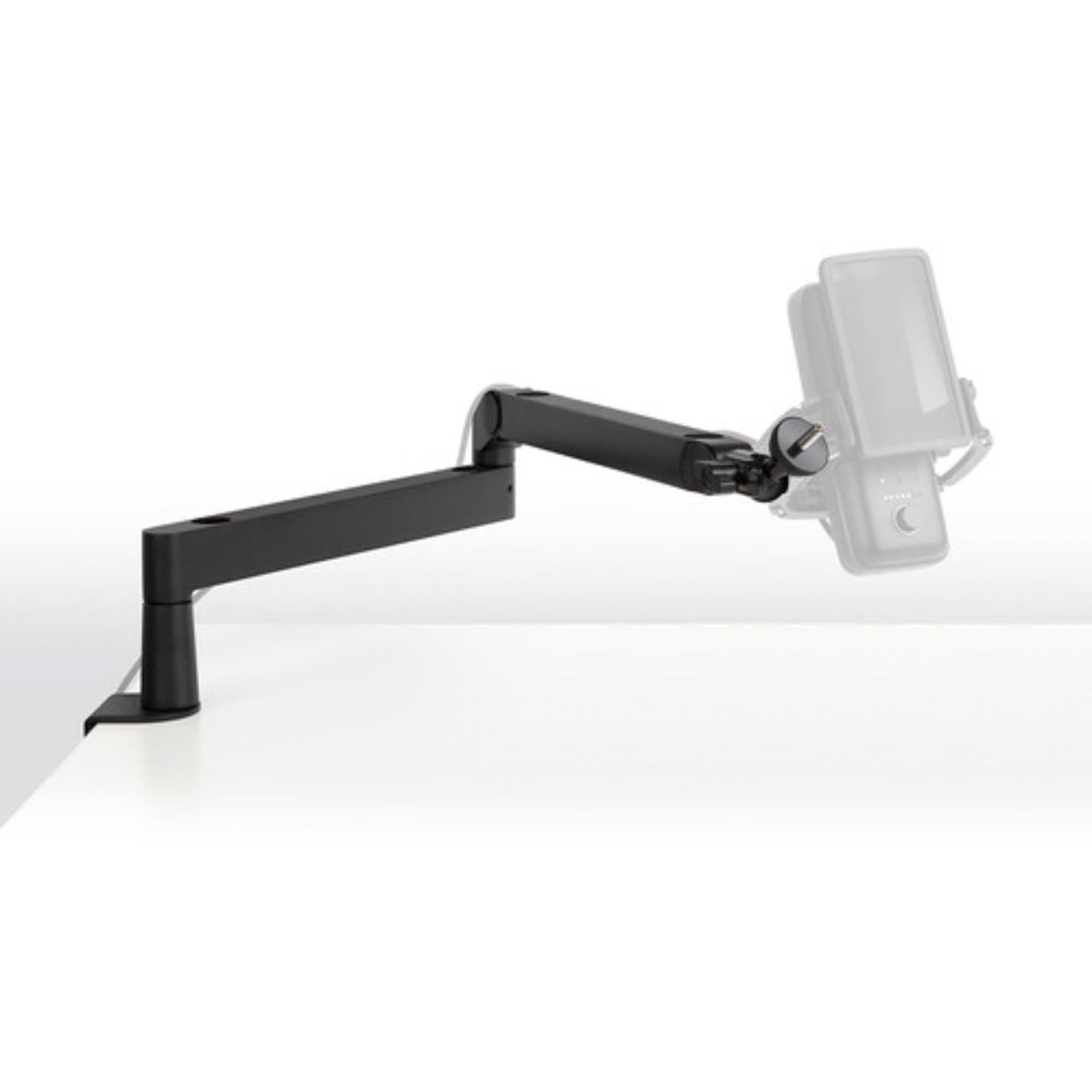
Elgato Wave Mic Arm LP
Best OverallBuy if: you want the cleanest small-desk setup and a mic under 2 kg
Don't buy if: your desk edge is thicker than 60 mm
The LP is the small-desk default for a reason. Elgato lists 740 mm of horizontal reach, a 70 mm lower-arm clearance, and a 2 kg limit for mic plus accessories. The padded clamp fits desks to 60 mm and grips uneven lips better than most.
Magnetic cable covers hide the lead end to end. The ball head aims the mic without moving the whole arm. At $99.99 from Elgato's store, it costs more than the rest here. It also feels like it.
Pros
- Stays below the monitor line
- Holds mics to 2 kg
- Magnetic hidden cable channels
- Ball head for fine aim
Cons
- Clamp stops at 60 mm
- Highest price here
- Upper arm still sits 160 mm high
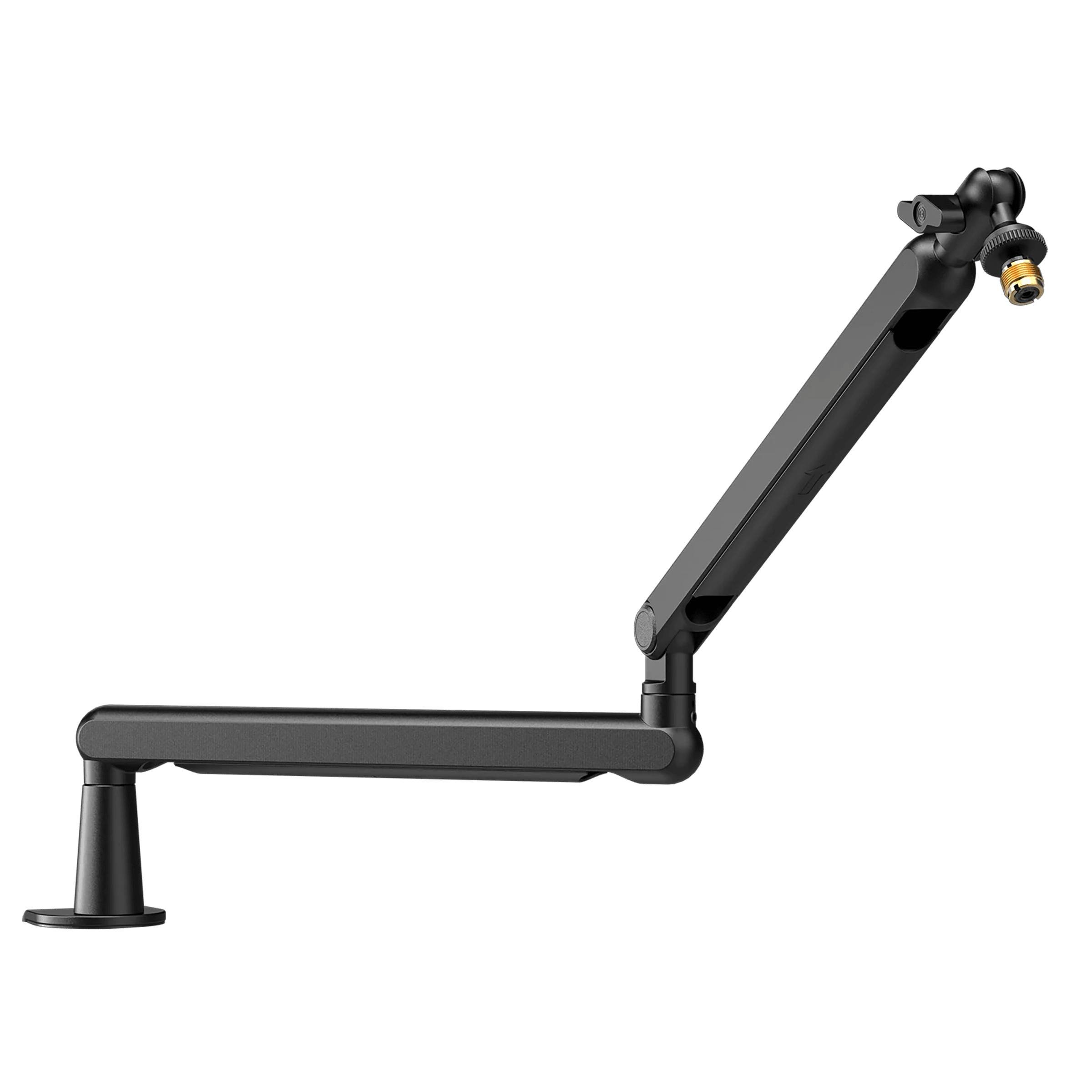
FIFINE BM88
Best Under-Monitor FitBuy if: your monitor sits high enough for the arm to slide under it
Don't buy if: your desk edge is under 20 mm or over 60 mm thick
The BM88 is built to extend from under the screen. FIFINE's guide puts max length at 706 mm, load at 1.5 kg, and the clamp at 20 to 60 mm. It also asks for 55 mm of flat lip and a 107 mm gap under the monitor. Few rivals print those checks.
Hidden cable routing and a rotating ball head come standard, with adapters for common threads. At $91.43 from FIFINE's store, it undercuts the Elgato. The base section cannot tilt, which limits low angles.
Pros
- Slides under the monitor
- Clear fit checks in the guide
- Hidden cable management
- All-metal build
Cons
- Base section cannot tilt
- 1.5 kg load limit
- Needs a 107 mm monitor gap
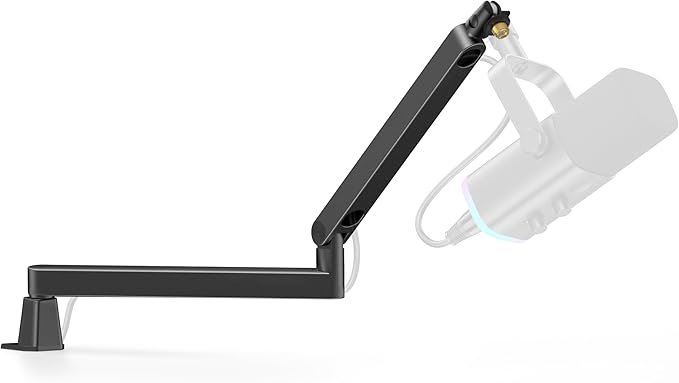
InnoGear LP98
Best Budget Low-ProfileBuy if: budget matters most and your mic is a light USB model
Don't buy if: you run a heavy broadcast mic with a shock mount
The LP98 keeps its lower arm just 85 mm above the desk. That flat shape frees the space over your keyboard. A magnetic channel hides the cable, and the padded clamp fits flat edges to 60 mm.
Load stops at 1.5 kg, which covers most USB mics with room to spare. Height changes need an Allen key, so aim once and leave it. At about $45, it is the cheapest low-profile arm here worth buying.
Pros
- Very flat 85 mm profile
- Magnetic cable channel
- Lowest low-profile price here
- Full swivel and tilt range
Cons
- 1.5 kg load limit
- Height needs an Allen key
- No shock mount included
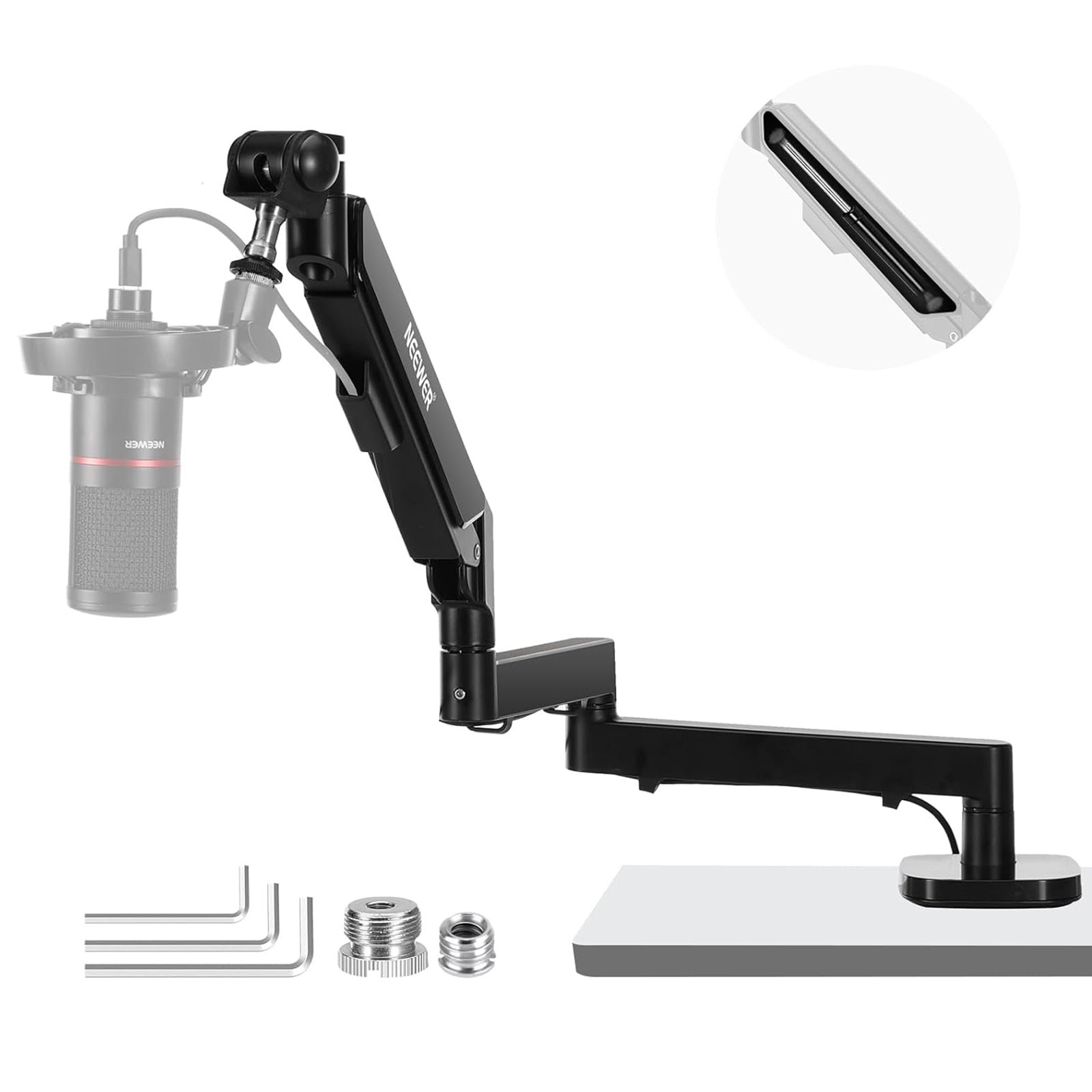
NEEWER MS002
Best for Heavy MicsBuy if: your mic is heavy or your desk edge is too thick for rivals
Don't buy if: you want joints that lock dead still
The MS002 solves two small-desk traps at once. NEEWER rates it to 2.5 kg, the highest load here, and the enlarged clamp fits desks from 10 to 80 mm. Thick edges that reject every rival still work.
A pneumatic piston balances the arm, tuned with the included hex keys. At $84.99 from NEEWER's store, the value is strong. The trade-offs are real: it is heavy, it can rebound if you let go, and the joints tune rather than lock.
Pros
- 2.5 kg load, best here
- Widest clamp: 10–80 mm
- Smooth pneumatic damping
- Internal cable channel
Cons
- Heavy at about 3.2 kg
- Can rebound when released
- Joints never fully lock
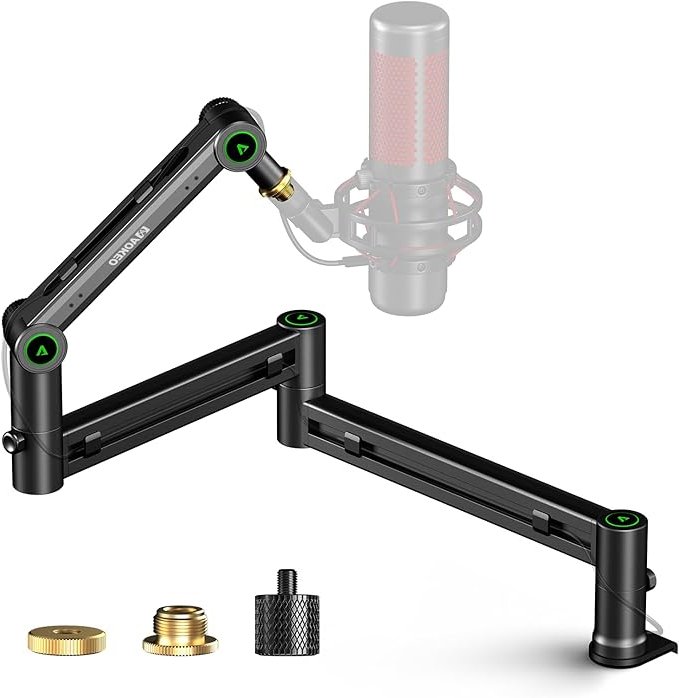
Aokeo AK-58i
Best Steel BuildBuy if: you set the mic once and want it to stay put
Don't buy if: you need stated reach figures before buying
The AK-58i is a steel low-profile arm with a low centre of gravity. Both sections rotate 360 degrees, the mic arm swings 180 degrees, and the clamp fits tables under 70 mm. The rating is 2 kg.
It feels planted in a way light arms do not. The honest gaps: Aokeo states no reach length, max height lists at 30 cm, and no clip or shock mount comes in the box. At about $75 to $82, buy it for firmness, not figures.
Pros
- Steel build, low centre of gravity
- 2 kg load rating
- Cable routes under the arm
- Adapters included
Cons
- No stated reach length
- Short 30 cm max height
- No clip or shock mount
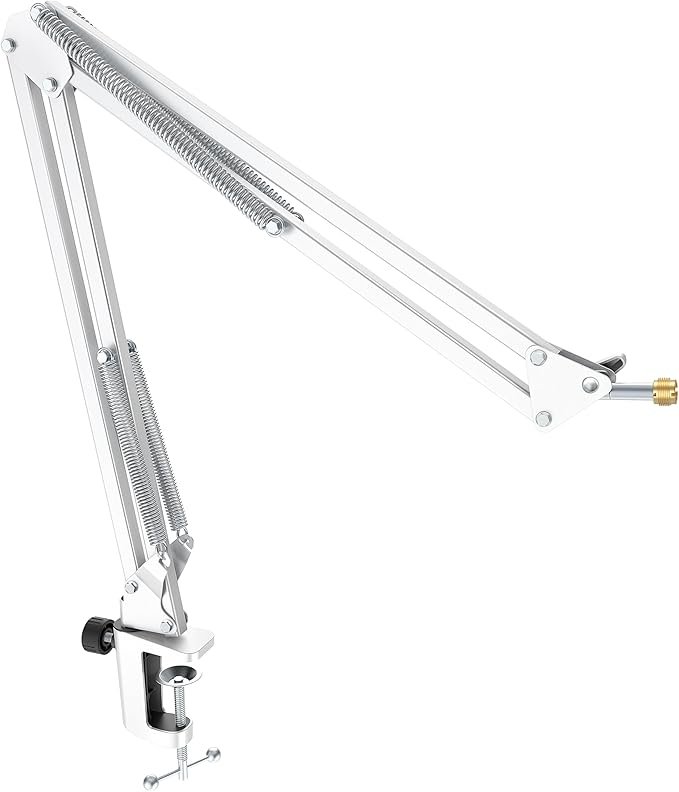
FIFINE CS1
Best Fold-Away BudgetBuy if: the desk is shared and the mic must vanish between uses
Don't buy if: you need silent moves on a live mic
The CS1 is the fold-away pick. It stretches to about 660 mm, folds flat for storage, and weighs just 500 g. The metal clamp fits desks to about 50 mm with an anti-scratch pad.
Exposed springs and no cable management show the budget. Prices swing by colour and seller, so check the listing before you judge value. For a light USB mic on a shared desk, it still beats a desk stand.
Pros
- Folds flat to save space
- Light at 500 g
- Adapter included
- Cheap and simple
Cons
- Clamp stops near 50 mm
- No cable management
- Exposed springs can creak
- Short 330 mm height
How to Mount a Mic Arm on a Small Desk
Measure first, clamp at the back corner, then test the park swing.
To mount a mic arm on a small desk, follow these steps: 1. Measure the desk edge and underside. 2. Clamp the arm at the back corner. 3. Tighten until it cannot twist. 4. Screw on the mic with the right adapter. 5. Route the cable and park-test the swing.
- Measure the desk edge and underside. Check thickness, lip depth and anything blocking the lower jaw.
- Clamp the arm at the back corner. Corner mounts keep the swing arc off the keyboard.
- Tighten until it cannot twist. A loose clamp is the top cause of day-one sag.
- Screw on the mic with the right adapter. Match 1/4, 3/8 or 5/8 inch threads before forcing anything.
- Route the cable and park-test the swing. Swing it away and back. Nothing should hit the monitor.
Put a felt pad under the clamp on soft wood. It costs nothing and saves the desk. For cable order after the mount, see our desk cable management tray guide.
Buying Guide: What Actually Matters
Four things matter most: clamp fit, parked footprint, load headroom, and monitor gap.
Clamp fit comes first. Thickness, lip depth and a clear underside decide whether any arm works at all. Measure the exact spot, not the desk brochure.
Parked footprint comes next. The arm lives on your desk all day. Low and flat beats long and tall, every time.
Load headroom keeps the mic still. Add the mic, shock mount and pop filter weights, then stay well under the rating. Ratings run optimistic on budget arms.
Monitor gap decides the shape. Under-monitor arms need clear space below the screen. Raise the monitor on a stand if the gap falls short — our monitor arm for small desk guide covers the fix.
Fit first. Reach second.
Mic Arms to Skip for Small Desks
The Rode PSA1+ for a small desk. It is a fine arm on a large desk. On a small one, its 940 mm reach arches over the monitor and parks across the keyboard. Wrong tool, right product.
Camera magic arms sold as mic arms. Ball heads drift under mic weight, and many rate near 600 g. They suit cameras, not a mic you bump daily.
No-name scissor arms with no load rating. If the maker hides the weight limit and clamp range, the price is the only feature. Skip them.
Frequently Asked Questions
What's the best microphone arm for a small desk?
The Elgato Wave Mic Arm LP for most desks. It stays under the monitor, holds 2 kg, and parks aside fast.
How much desk space does a mic arm need?
Almost none on top. The clamp needs a flat edge, clear space underneath, and room to swing clear.
Can I put a mic arm on a glass desk?
No. Clamp pressure can crack glass. Use a weighted desk stand or a grommet mount instead.
What if my desk is too thick for the clamp?
Pick the NEEWER MS002, which fits to 80 mm, or use a grommet mount through a cable hole.
Should I buy a low-profile or scissor arm?
Buy low-profile for a small desk. Buy scissor only when folding flat matters more than screen clearance.
Why does my mic arm block my monitor?
The arm parks too high or too central. Move the clamp to the back corner and lower the arm.
How do I stop my mic arm sagging?
Tighten the clamp, pull the mic closer, and check the load rating. Sag usually means overload or a loose joint.