Best Mic Arm for Streaming in 2026: 6 Picks for Every Desk

Your mic sits on its stock desk stand, picking up every keyboard clack. Or your $20 scissor arm sags mid-stream and the mic slowly sinks toward the keyboard. And on camera, the arm blocks your face. This guide fixes that. Six arms, one per budget and desk shape, matched to the weight of the mic you actually own — with the traps the spec sheets hide called out in plain words.
Best mic arm for streaming refers to a desk-mounted boom arm that holds your microphone at mouth height while you stream. It clamps to the desk, swings the mic into place, and keeps keyboard noise and desk knocks out of your audio. The right one is matched to your mic's weight, not its price.
Below: the 6 best mic arms you can buy in 2026 — one silent benchmark, two Elgato low-profile and standard-height arms, one heavy-duty gas-spring arm, one value broadcast arm, and one honest budget pick. Prices checked 23 Nov 2026. Read the weight check first if you own a heavy mic like the Shure SM7B. Start there.
How Do I Know If a Boom Arm Can Hold My Microphone?
Weigh your mic with everything hanging on it — mic, shock mount, pop filter, cable — then buy an arm rated at least 200 g above that total. That 200 g margin is the rule. It covers the cable pulling on the arm and the shock mount you forgot to count. An arm rated exactly at your mic's weight will hold it on day one and sag by month three.
A boom arm holds your microphone when its rated load covers your total mounted weight. According to RODE, the PSA1+ supports mics from 94 g to 1.2 kg, shock mount included. Weigh your mic, add the shock mount and cable, then buy an arm rated at least 200 g above that total.
The Shure SM7B weighs 765 g bare, but mounted with a shock mount and Cloudlifter it runs close to 1.1 kg. According to Elgato, the Wave Mic Arm Pro holds up to 3 kg, which is why it is the safe pick for a loaded SM7B. The PSA1+ at 1.2 kg works, but leaves almost no margin.
| Your mic | Mounted weight | Arms that hold it with margin |
|---|---|---|
| Shure SM7B | ~1.0 kg (765 g + shock mount) | Wave Mic Arm Pro (3 kg); PSA1+ and MK.2 (1.2 kg) hold it, tight |
| SM7B + Cloudlifter | ~1.1 kg | Wave Mic Arm Pro only, with real headroom |
| Rode PodMic | ~1.1 kg (940 g + shock mount) | Pro, LP, Gator; PSA1+ and MK.2 hold it, tight |
| Blue Yeti | ~0.7 kg (0.5 kg mic + shock mount) | Every arm in this guide |
| Shure MV7+ | ~0.7 kg | Every arm in this guide |
| Elgato Wave:3 | ~0.35 kg | Every arm in this guide |
| HyperX QuadCast | ~0.4 kg | Every arm in this guide |
One Yeti warning before you trust that table. The Blue Yeti is about 1.2 kg with its desk stand attached — but the stand stays in the box when you mount it on an arm. The mic itself is about 0.5 kg. Roundups that quote 1.2 kg as the mounted weight are counting hardware you are not hanging. Mounted weight is mic plus shock mount, nothing else.
Too light is a problem too. A spring arm tuned for a heavy mic will drift upward under a 100 g mic. The PSA1+ is rated from 94 g; the MK.2 from 200 g. If your mic is lighter than the arm's floor, the arm wins the tug-of-war. Light USB mics belong on the budget picks, not the heavy arms.
Low-Profile or Standard — Which Mic Arm Should I Buy?
On camera, low-profile. Audio only, standard. The choice is about geometry, not strength.
Low-profile vs standard mic arm: low-profile is better suited for on-camera streaming because it stays below the webcam frame and out of your face. Standard arms work better when you record standing or need maximum reach. The key difference is geometry, not strength — the low-profile Elgato LP holds more weight than the standard Rode PSA1+.
Low-profile arms keep the mic below the webcam frame, so viewers see your face instead of a tube. The Elgato Wave Mic Arm LP reaches 29.1 inches at keyboard height with a 2 kg load rating. Standard arms arch over the monitor for more reach, but cut across the camera shot.
Here's the thing: low-profile is not a weaker arm. The LP out-rates the PSA1+ by 800 g. What you give up is vertical range — a low-profile arm travels at keyboard height, so it needs a clear lane past your keyboard and monitor stand, and it cannot park above the monitor. A standard arm arches over everything and reaches farther, but it puts a tube between your face and the camera.
Quick test. Frame your webcam the way your viewers see it, then look at the top of the frame. If an arm would cross your face, buy low-profile. If you never turn the camera on, buy standard and take the extra reach.
The 6 Best Mic Arms for Streaming in 2026
Our Top Pick
Rode PSA1+
Best Overall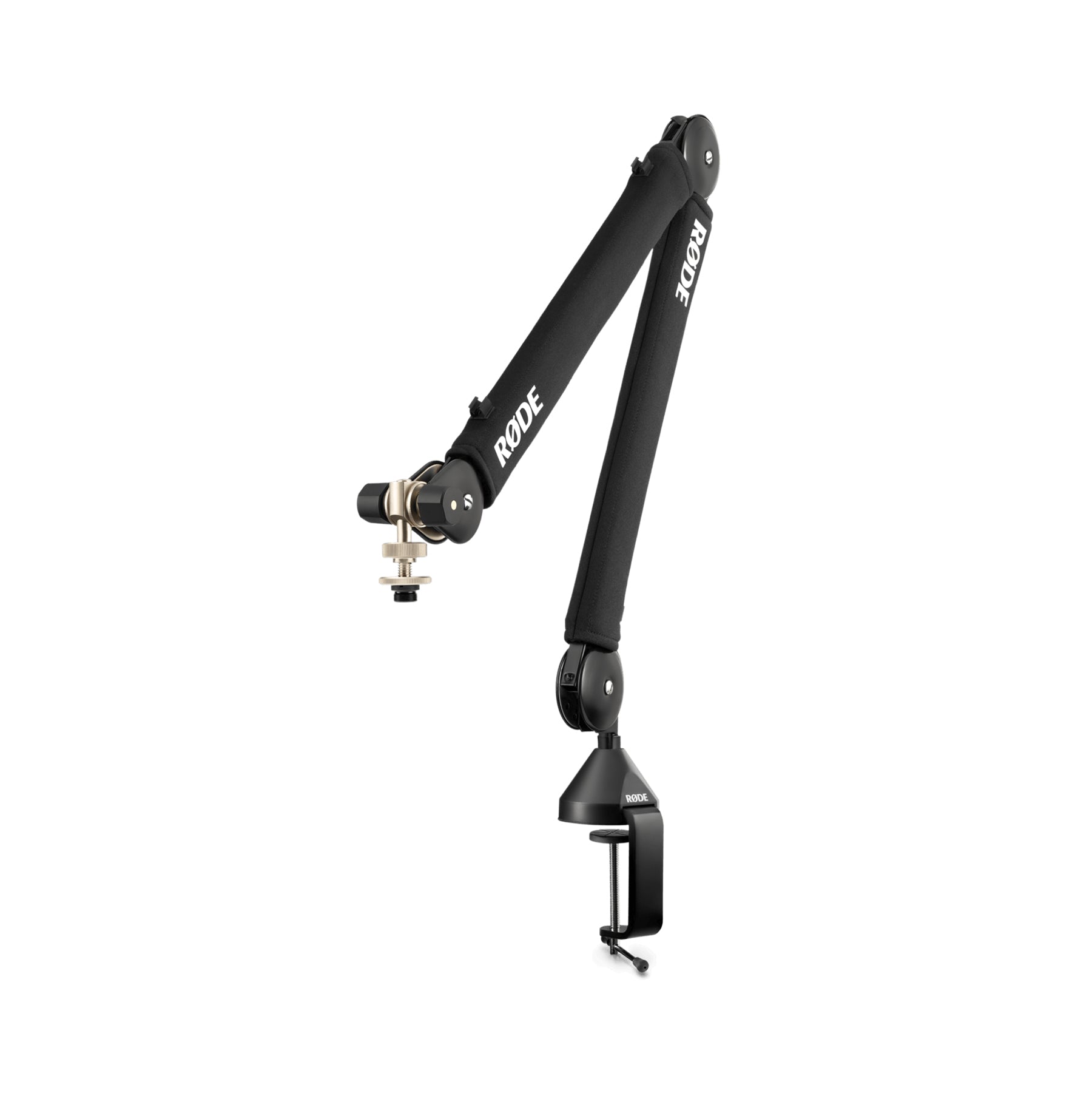
This is the benchmark. Damped internal springs move without a sound on a hot mic, the reach is the longest here at 37 inches, and it holds anything from a 94 g mic to a 1.2 kg broadcast dynamic. RODE includes both a desk clamp and a threaded desk insert in the box. No other pick here gives you this much arm for $129. That's the whole story.
Check Price on AmazonQuick Comparison
| Product | Key Specs | ||
|---|---|---|---|
| #1 | Rode PSA1+Best Overall | 94 g–1.2 kg · 37" reach · $129 | Check Price |
| #2 | Elgato Wave Mic Arm LPBest Low-Profile | 2 kg · 29.1" reach · $99.99 | Check Price |
| #3 | Elgato Wave Mic Arm MK.2Most Versatile | 200 g–1.2 kg · 37.4" reach · $89.99 | Check Price |
| #4 | Elgato Wave Mic Arm ProBest for Heavy Mics | 3 kg · 29.5" reach · $179.99 | Check Price |
| #5 | Gator Frameworks DeluxeBest Value Heavy-Duty | 2 kg · 32.25" reach · $119.99 | Check Price |
| #6 | TONOR T20Best Budget | 1.8 kg rated · pop filter included · $31.99 | Check Price |
Best Mic Arm by Use
All six arms hold a microphone. They suit very different desks. Match the pick to how you actually stream:
- Best overall: Rode PSA1+ — silent springs, longest reach, holds nearly any mic for $129.
- Best on camera: Elgato Wave Mic Arm LP — stays below the webcam frame with a 2 kg rating for $99.99.
- Most versatile: Elgato Wave Mic Arm MK.2 — the only arm here that does both high and low profile, $89.99.
- Best for heavy mics: Elgato Wave Mic Arm Pro — gas spring, 3 kg, the comfortable pick for a loaded SM7B at $179.99.
- Best value heavy-duty: Gator Frameworks Deluxe — 2 kg plus a built-in XLR cable for $119.99.
- Tightest budget: TONOR T20 — the cheapest genuinely usable arm, pop filter included, $31.99.
Rode PSA1+ Professional Studio Boom Arm
Best OverallBuy if: you want the benchmark — silent, longest reach, and it holds nearly any mic you will ever own
Don't buy if: you run an SM7B with a Cloudlifter and shock mount and want real margin, or you need a low-profile arm for camera
The PSA1+ is the arm every other arm gets compared to. Fully damped internal springs move without a sound on a hot mic, and the neoprene sleeve hides the mechanism so nothing creaks mid-sentence. Reach is 940 mm — 37 inches — the longest here, and both a padded desk clamp and a threaded desk insert come in the box. RODE rates it for mics from 94 g to 1.2 kg, and the internal channels swallow an XLR run end to end. At $129 (checked 23 Nov 2026), it is the default pick for a reason.
The honest catch is the 1.2 kg ceiling. An SM7B with a shock mount and Cloudlifter runs close to 1.1 kg mounted, which leaves almost no margin on this arm. It will hold it — but the Pro below is the comfortable pick for that setup. Price drifts by seller too: catalog listings run $129 to $139 for the same black arm, so check the live price before you buy.
Pros
- Silent repositioning — damped internal springs, no creaks on a hot mic
- Longest reach here at 37 inches, 360° rotation
- Desk clamp and threaded insert both in the box
- Holds mics from 94 g to 1.2 kg
Cons
- 1.2 kg ceiling is tight for a loaded SM7B
- No low-profile mode — it arches over the monitor
- Price drifts $129–$139 by seller
Full specifications
- Mic weight range: 94 g to 1.2 kg (RODE)
- Reach: 940 mm horizontal / 860 mm vertical, 360° rotation
- Desk clamp to 70 mm; threaded desk insert to 55 mm
- Internal cable management for XLR and USB cables
- 3/8" thread + 5/8" adapter, upright or downward mounting
- 2-year warranty
Prices change frequently — click through to see today's price.
Elgato Wave Mic Arm LP
Best Low-ProfileBuy if: you're on camera and want the arm out of the shot without giving up load capacity
Don't buy if: you record standing, or your desk is so crowded the arm can't travel at keyboard height
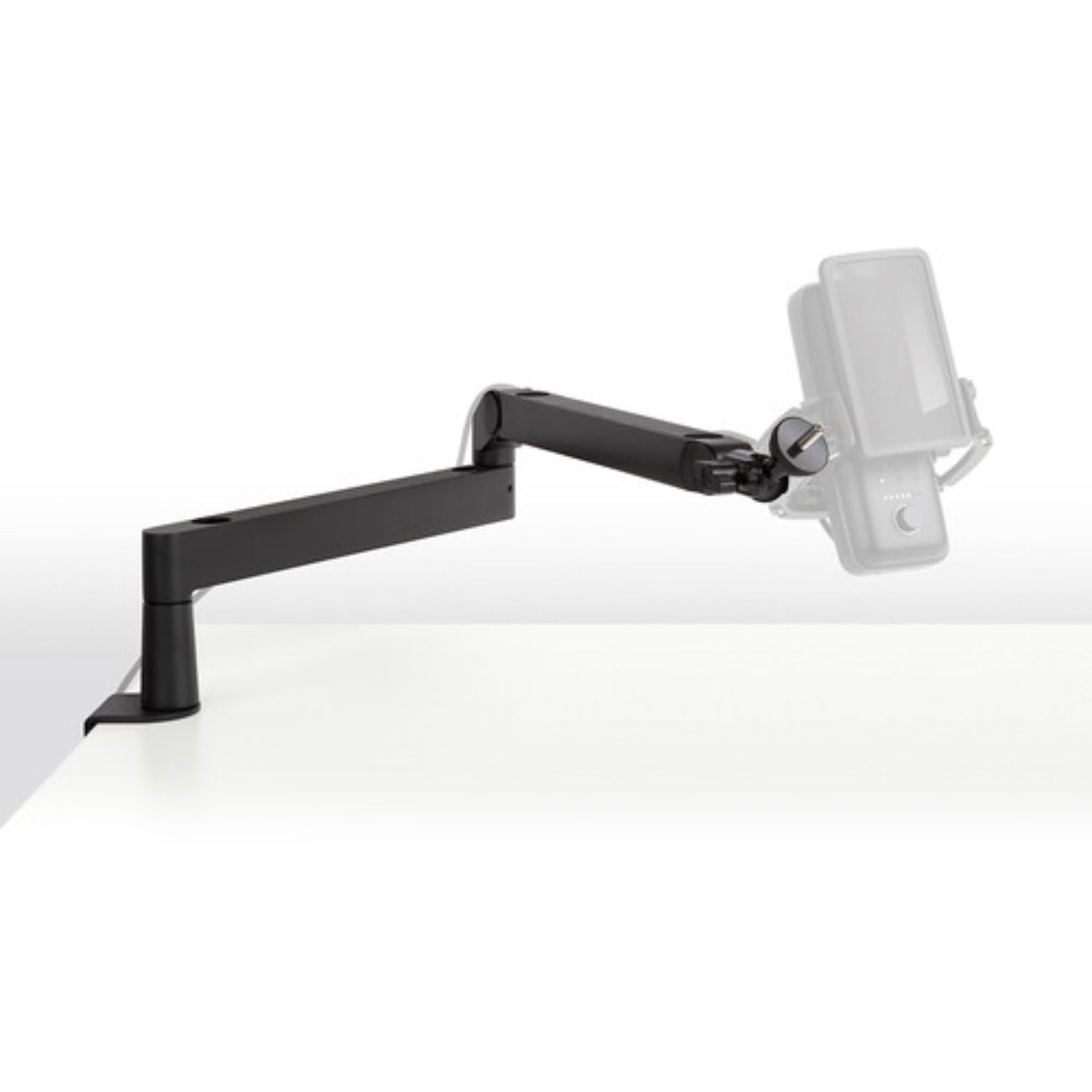
The LP is the arm that stays out of the shot. It approaches the mic from below the shoulder line instead of arching over the monitor, so on a camera framed at the chest, the mic is the only hardware visible. And it is stronger than it looks: Elgato's current page rates it at 2 kg — many 2025-era roundups still print 1 kg, and that figure is stale. At $99.99 (checked 23 Nov 2026), it out-rates the PSA1+ by 800 g while staying invisible on camera.
The trade-off is the travel path. The arm moves at keyboard height, so it needs a clear lane past your keyboard and monitor stand — a crowded desk fights it. It also cannot park above the monitor, so if you record standing or switch between sitting and standing, the LP runs out of vertical range. For a seated streamer on camera, none of that matters.
Pros
- Stays below the webcam frame — invisible on camera
- 2 kg load rating — strongest low-profile arm at this price
- Hidden cable channels with magnetic covers
- Silent friction hinges, all-metal build
Cons
- 29.1" reach is shorter than the PSA1+
- Needs a clear lane at keyboard height
- No over-monitor mode — seated streaming only
Full specifications
- Max load: 2 kg / 4.4 lb (mic + accessories, Elgato)
- Reach: 740 mm horizontal / 550 mm vertical, 360° rotation
- Desk clearance: 70 mm lower arm / 160 mm upper arm
- Desk clamp to 60 mm
- 1/4" thread + 3/8" and 5/8" adapters in box
- Hidden cable channels with magnetic covers
Prices change frequently — click through to see today's price.
Elgato Wave Mic Arm MK.2
Most VersatileBuy if: you want one arm that does both high-profile and low-profile — over the monitor some days, below the camera others
Don't buy if: you want the PSA1+'s silent springs, or your mic weighs more than 1.2 kg mounted
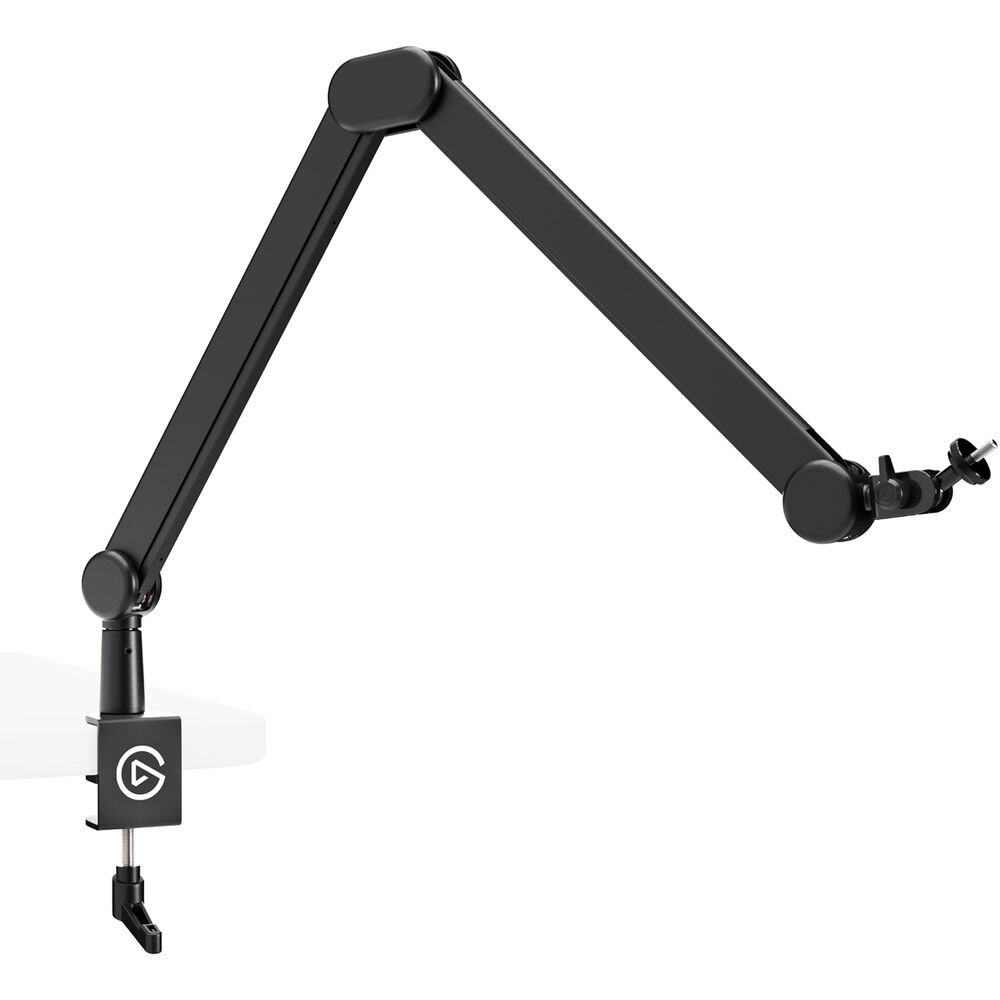
The MK.2 is the only arm here with two modes. It rises over the monitor like the PSA1+ or drops low like the LP, which makes it the pick for a desk that records audio some days and films on others. Reach is the longest here — 950 mm horizontal, 850 mm vertical — and the 150 mm riser comes in the box. Elgato does publish a load figure for it, 200 g to 1,200 g, despite roundups claiming otherwise. At $89.99 from an authorized retailer (checked 23 Nov 2026) against Elgato's $99.99 list, it is also the cheapest premium arm here.
The catch is the mechanism. Fixed joints with a ball head, not damped springs — so repositioning is not silent the way the PSA1+ is. And the 1.2 kg ceiling matches the PSA1+, so a loaded SM7B is tight here too. One more trap: the original Elgato Wave Mic Arm is superseded by the MK.2, and some sellers still list it at $99.99. Do not buy the original at the same price.
Pros
- Two modes in one arm — high and low profile
- Longest reach here at 37.4 inches
- 150 mm riser included in the box
- Hidden cable channels, all-metal build
Cons
- Fixed joints — not silent like the PSA1+
- 1.2 kg ceiling, same as the PSA1+
- Black only
Full specifications
- Mic weight range: 200 g to 1,200 g (Elgato)
- Reach: 950 mm horizontal / 850 mm vertical
- 150 mm riser included; 360° arm and head rotation
- Desk clamp to 60 mm (padded)
- 1/4" thread + 3/8" and 5/8" adapters
- Hidden cable channels with removable caps
Prices change frequently — click through to see today's price.
Elgato Wave Mic Arm Pro
Best for Heavy MicsBuy if: you run an SM7B with a shock mount and Cloudlifter and never want to think about sag again
Don't buy if: your mic weighs under 500 g — this is overkill, and the money buys a better mic instead
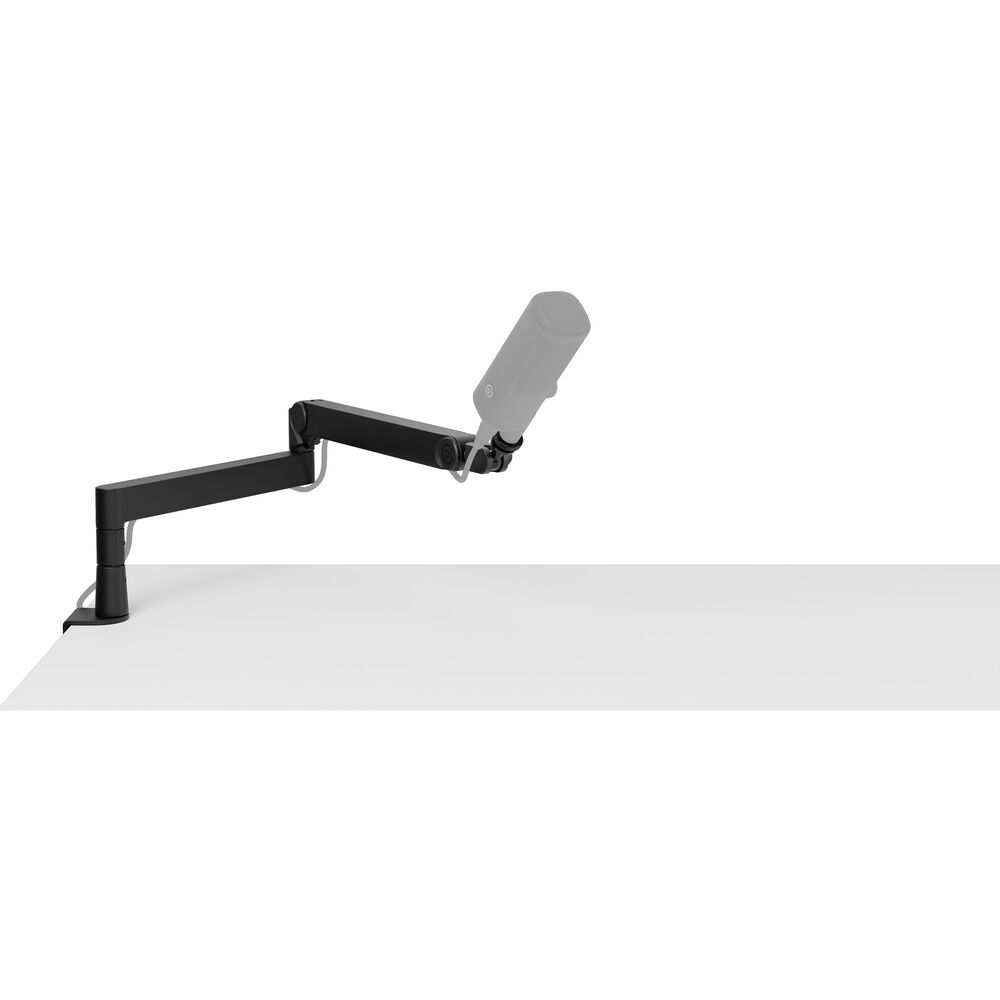
The Pro swaps coil springs for a gas spring — the same mechanism in a monitor arm. It holds whatever position you leave it in, moves without a sound mid-recording, and does not sag over a long session the way a coil spring can. The 3 kg rating swallows an SM7B, shock mount, and Cloudlifter with real headroom, and the hidden cable channels close with magnetic covers. It is the heaviest arm here at 2 kg, and it feels it — in a good way.
Here's my honest opinion, and some of you will disagree: if your mic costs less than the arm, you bought the wrong arm. The Pro is the right buy for a loaded SM7B and the wrong buy for a $100 USB mic. On price, roundups citing $149.99 are stale — Sweetwater and the catalog agree on $179.99 (checked 23 Nov 2026). Elgato sells it refurbished direct for $109.99, which is the smart buy if you don't mind a refurb.
Pros
- 3 kg capacity — the only arm here with real headroom for a loaded SM7B
- Gas spring stays silent and never sags
- Hidden cable channels with magnetic covers
- Black or white, riser included
Cons
- $179.99 — the most expensive arm here
- Low-profile only, 29.5" reach
- Heavy at 2 kg — it needs a solid desk edge
Full specifications
- Max load: 3 kg / 6.6 lb (Elgato)
- Reach: 750 mm total arm length; 70° up / 50° down
- 360° horizontal rotation; riser adds 40 mm clearance
- Desk clamp to 60 mm
- 1/4" thread + 3/8" and 5/8" adapters
- Gas spring suspension, adjustable tension, 2-year warranty
Prices change frequently — click through to see today's price.
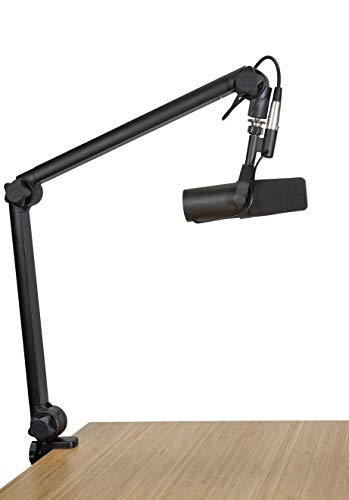
Gator Frameworks Deluxe Desk-Mounted Boom Arm
Best Value Heavy-DutyBuy if: you want heavy-mic capacity plus a built-in XLR cable at a mid price
Don't buy if: you reposition constantly mid-stream — the joints need to be tight to hold, and adjustments take effort
The Gator is the broadcast-style arm at a mid price. A 10-foot XLR cable runs inside the arm itself, so one cable disappears from your desk entirely. The internal springs hold heavy dynamics steadily, the clamp and a grommet mount both come in the box, and reach runs to 32.25 inches. At $119.99 (checked 23 Nov 2026), it is the cheapest way to hang a heavy mic properly — with one listing seen as low as $79.77.
I've seen conflicting data — Gator's own manual says 4.4 lb, Sweetwater's listing says 3.4 lb. My read is the manual wins, so I print 2 kg — but if your mounted weight sits between the two figures, buy the Pro instead. And watch the model number: the correct one is GFWBCBM3000. Some listings write GFWMICBCBM3000 or MICBCBM3000 for the same arm, so check the listing title before you buy.
Pros
- Built-in 10 ft XLR cable — one less cable to route
- 2 kg capacity at a mid price
- Clamp and grommet mount both included
- 32.25" reach with 360° rotation
Cons
- Capacity figures conflict across sources (see above)
- Joints need to be tight — adjustments take effort
- Heavier look than the Elgato arms
Full specifications
- Max load: 2 kg / 4.4 lb per Gator's manual (Sweetwater lists 3.4 lb)
- Reach: 820 mm max extension, 360° rotation
- Desk clamp to 55 mm; grommet mount included
- Integrated 10 ft (3.05 m) XLR cable
- 5/8" thread + 3/8" adapter
Prices change frequently — click through to see today's price.
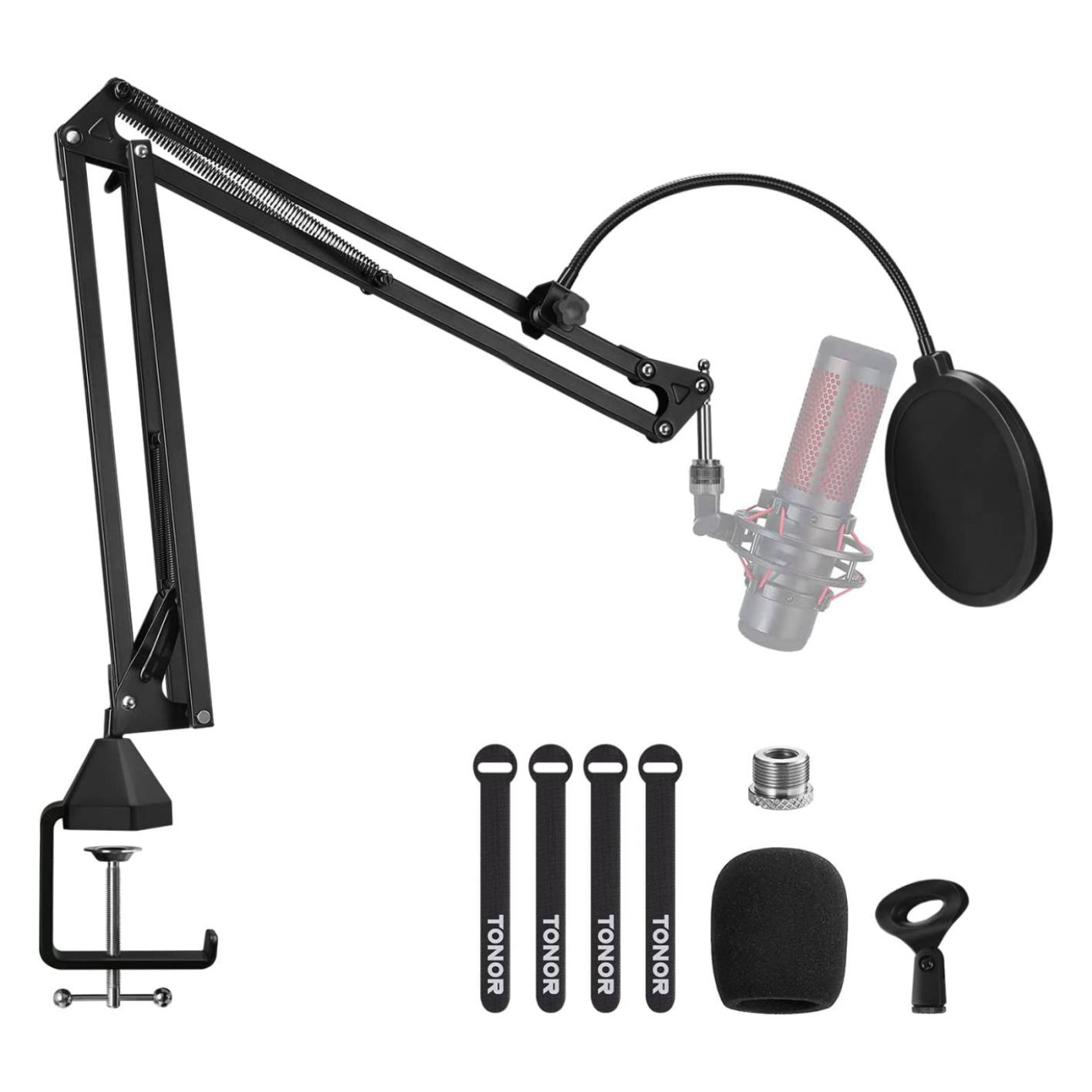
TONOR T20 Microphone Boom Arm
Best BudgetBuy if: your mic is light and your budget stops at $35
Don't buy if: your mic weighs over 1 kg mounted, or you record live and can't stand spring noise
The T20 is the cheapest arm that is genuinely usable. It is a scissor arm with a heavy-duty desk clamp, and it is the only pick here that includes the pop filter — on its own gooseneck — plus a mic clip, a 3/8" to 5/8" adapter, and Velcro cable ties. At $31.99 from TONOR's own store (checked 23 Nov 2026), it costs a quarter of the PSA1+ and does the same job for a light USB mic. Roundups citing $38.99 are a touch stale.
Or maybe I should say it this way: the T20 is honest about what it is. It is rated 4 lb, but budget-arm ratings are optimistic — treat it as a roughly 1 kg arm in practice. The springs sit outside the frame, so they ping if you bump the arm on a hot mic. And do not confuse it with the T20S (RGB, $39.99) or the T20LP (low-profile, $29.99) — different models, different shapes.
Pros
- Pop filter included — the only pick with one
- Cheapest arm here by far at $31.99
- Folds away when not in use
- Heavy-duty desk clamp for the price
Cons
- Exposed springs — not silent on a hot mic
- 1.8 kg rating is optimistic in practice
- Budget build and finish
Full specifications
- Max load: rated 4 lb / 1.8 kg (treat as ~1 kg in practice)
- Scissor arm, 360° base rotation
- Pop filter on gooseneck, mic clip, Velcro ties in box
- 3/8" to 5/8" adapter included
- Upgraded heavy-duty desk clamp
Prices change frequently — click through to see today's price.
Worth a Look, Not a Pick
Five more arms came up in research. Each is worth one line — and one caveat:
- Neewer NW-35 — the cheapest possible arm at $21.07–$21.99, rated 1.5 kg — but Neewer's own listing says it is NOT compatible with the Blue Yeti, Snowball, or Blue Spark. Do not buy it for a USB mic.
- Logitech Blue Compass — $99–$129.99, 2.4 lb, 32-inch reach, the tube-style look, factory-tuned for the Yeti — but friction hinges suit set-and-forget, and 2.4 lb leaves no headroom for an SM7B with a shock mount. Sold now as the Logitech G Compass; same arm, new name.
- FIFINE BM88 — about $39, low-profile, all-metal, 1.5 kg, 29-inch reach, hidden cable channels — the LP's shape without the Elgato price.
- InnoGear MU01 — about $20, rated 3.3 lb, folds away — a credible budget alternative to the T20 if you already own a pop filter.
- Heil PL-2T and Yellowtec m!ka — broadcast-grade arms at $200 and up. Fine hardware, out of scope for a streaming roundup under $180.
Why Does My Mic Arm Keep Sagging?
Because the mounted weight beats the arm's rating, or the tension is set for a lighter mic. Those are the only two causes that matter, and they have different fixes.
Look — if your arm sags only at full stretch, the arm isn't broken. Pull the mic closer to the clamp and the torque drops. An 0.83 kg mic at 40 cm from the clamp pulls about 0.33 kg·m; at 70 cm it pulls about 0.58 kg·m. Same mic, same arm, nearly double the twist. Reach is a lever, not a free extra.
Fix it in order. Weigh the mic with its mount and cable. Set the arm's tension to match that weight — most arms ship tuned light, and the tension screw is the fix, not a new arm. If it still drops, shorten the reach. If it still drops, the arm is under-rated for your mic and no amount of tightening will save it — buy a higher-rated arm. A reset never fixes a sag; it just wastes a good setup.
Will a Boom Arm Fit My Desk?
Measure the desk edge before you order. Most clamps here take 55–70 mm, and a desk outside that range defeats the arm entirely.
| Arm | Clamp fits | Also included |
|---|---|---|
| Rode PSA1+ | 70 mm clamp / 55 mm insert | Threaded desk insert |
| Elgato Wave Mic Arm LP | 60 mm | — |
| Elgato Wave Mic Arm MK.2 | 60 mm | 150 mm riser |
| Elgato Wave Mic Arm Pro | 60 mm | Riser (adds 40 mm clearance) |
| Gator Frameworks Deluxe | 55 mm | Grommet mount |
| TONOR T20 | Not published — standard desks only | — |
Three desk shapes defeat clamps. Glass desks — the clamp cannot grip and the glass can crack under pressure. Thick executive desks over 70 mm — no arm here fits. Bevelled or rounded edges — the clamp seats on a point instead of a flat edge and twists sideways. If your desk is any of those, a grommet mount through a cable hole is the answer, and the PSA1+ and Gator are the picks that include one.
Can a boom arm damage your desk? Yes — a bare metal clamp can mark soft wood. Put a felt pad or a drink coaster under the clamp before you tighten it. It costs nothing and saves the desk.
How to Mount Your Mic Arm in 5 Minutes
A new arm ships in pieces. Five minutes puts it together — and the order matters, because a loose clamp is the most common reason a new arm sags on day one.
To mount your mic arm, follow these steps: 1. Clamp it to the back edge of your desk. 2. Tighten until it cannot twist. 3. Screw in the mic or shock mount. 4. Route the cable through the arm's channels. 5. Set the tension so the mic stays where you leave it.
- Clamp the arm to the back edge of your desk, with a felt pad under the clamp if the desk is soft wood.
- Tighten the clamp until the arm cannot twist by hand — if it moves, it will sag later.
- Screw the shock mount onto the arm's thread (3/8" or 5/8" adapter included), then the mic into the shock mount.
- Route the XLR or USB cable through the arm's channels or clips so it hangs free, not pulling on the mic.
- Set the tension to your mic's weight, then let go — the mic should stay exactly where you leave it.
If the mic drifts up, the tension is set for a heavier mic — loosen it. If it sinks, the tension is set for a lighter one — tighten it. Our streaming microphone guide covers which mic to hang on the arm once it is mounted.
Frequently Asked Questions
What's the best mic arm for streaming?
The Rode PSA1+. Silent springs, 37-inch reach, holds 94 g to 1.2 kg, $129. Buy the Elgato LP instead if you're on camera.
Will a boom arm hold a Shure SM7B?
Yes, if it's rated above 1 kg mounted. The PSA1+ and MK.2 hold it, but the Elgato Pro's 3 kg rating is the comfortable pick with a shock mount and Cloudlifter.
Can I use a boom arm with a Blue Yeti?
Yes. The Yeti is about 0.5 kg without its stand, so any arm here holds it — but the Neewer NW-35 explicitly excludes it, so check compatibility first.
Why does my mic arm keep sagging?
The mounted weight exceeds the arm's rating, or the tension is set for a lighter mic. Weigh the mic with its mount, then set tension to match — or buy a higher-rated arm.
Do I need a low-profile mic arm?
Only if you're on camera. Low-profile arms stay below the webcam frame. If you record audio only, a standard arm gives you more reach for the same money.
Will a mic arm fit my desk?
Measure the desk edge first. The arms here clamp 55–70 mm; glass desks and thick executive desks can fall outside that range.
Does a mic arm reduce keyboard noise?
Partly. It moves the mic off the desk, so knocks and typing travel less — but it's not a vibration isolator. A shock mount does the rest.
The Bottom Line
The Rode PSA1+ is our top pick because it is the quietest arm with the longest reach at $129 — no other pick here needs so few excuses. The Elgato Wave Mic Arm LP is the best buy if you're on camera, the Wave Mic Arm Pro is the only comfortable pick for a loaded SM7B, and the TONOR T20 is the honest budget buy for a light USB mic. That's the short version.
Be honest about your mic's weight before buying: the number that matters is the mounted weight, mic plus shock mount plus cable, with 200 g of margin on top. Check current prices on Amazon via the links above — prices move fast in Black Friday week, and the figures here are dated 23 Nov 2026. If you haven't picked a mic yet, our streaming microphone guide and webcam guide cover the rest of the desk.