Best Bone Conduction Headset 2026: 6 Picks for Open Ears

A bone conduction headset is defined as headphones that send sound through your cheekbones instead of your ear canal. Small pads rest in front of your ears and vibrate, carrying sound straight to the inner ear. Your ears stay open, so traffic and voices stay audible.
Look — if you've got sore ears and you're tired of buds that fall out mid-stride, here's what actually works: a headset that never goes in your ear at all. No seal, no pressure, no earbud working loose at mile four.
Most "best bone conduction" lists mix in air-conduction buds that are a different technology, crown discontinued models, and never say which ones still sell. Every pick below is true bone conduction, checked as buyable on 19 November 2026, with prices from the brands' own stores and live retailer listings. No dead model, no mystery brand, no paid placement.
Quick Comparison
| Product | Key Specs | ||
|---|---|---|---|
| #1 | Shokz OpenRun Pro 2Best Overall | DualPitch · 12h · IP55 · USB-C · 30.3g · $179.95 | Check Price |
| #2 | Shokz OpenRun ProBest Value | 10h · IP55 · 9th-gen transducers · 29g · $159.95 | Check Price |
| #3 | Shokz OpenMoveBest Budget | 6h · IP55 · USB-C · 29g · $79.95 | Check Price |
| #4 | Shokz OpenSwim ProBest for Swimming | IP68 · 32GB MP3 · 9h · BT 5.3 · 27.3g · $179.95 | Check Price |
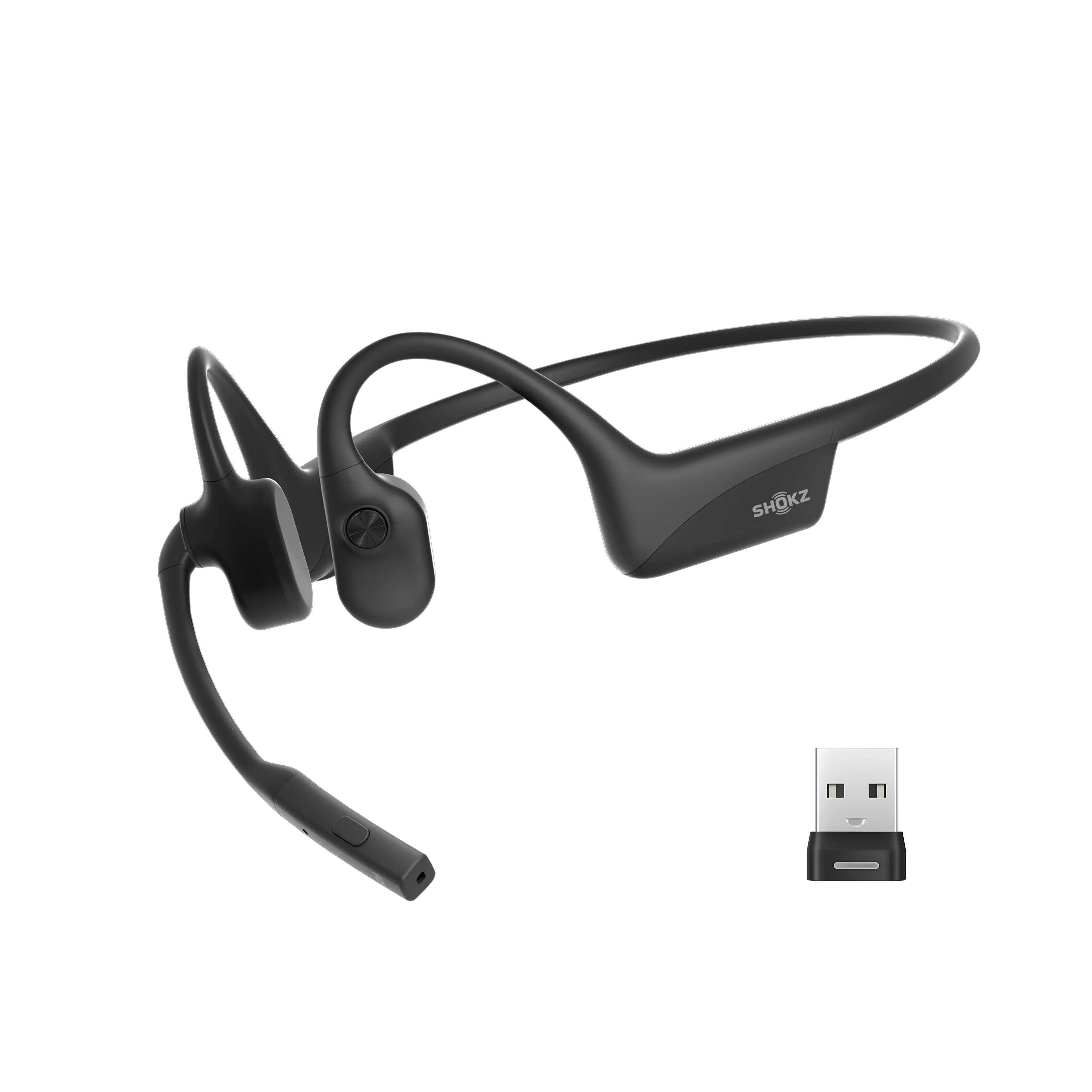
| #5 | Shokz OpenComm2 UCBest for Calls/Work | Boom mic · 16h talk · multipoint · USB-C adapter · $169.95 | Check Price |
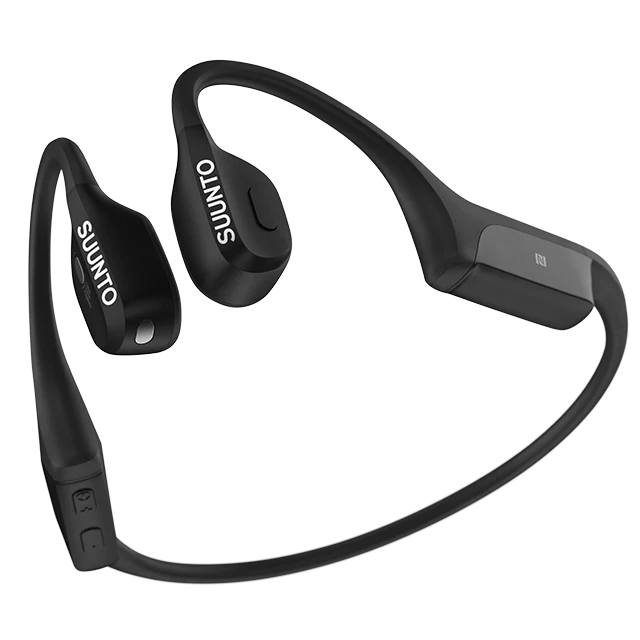
| #6 | Suunto WingBest for Rugged Outdoor / Night | LED lights · 10h + 20h power bank · IP67 · 33g · $169 | Check Price |
Bone conduction vs air conduction: bone conduction vibrates your cheekbones; air-conduction buds sit off the ear and beam sound through the air. Several rival roundups mix the two. The key difference is contact: if nothing touches your cheekbone, it is not bone conduction.
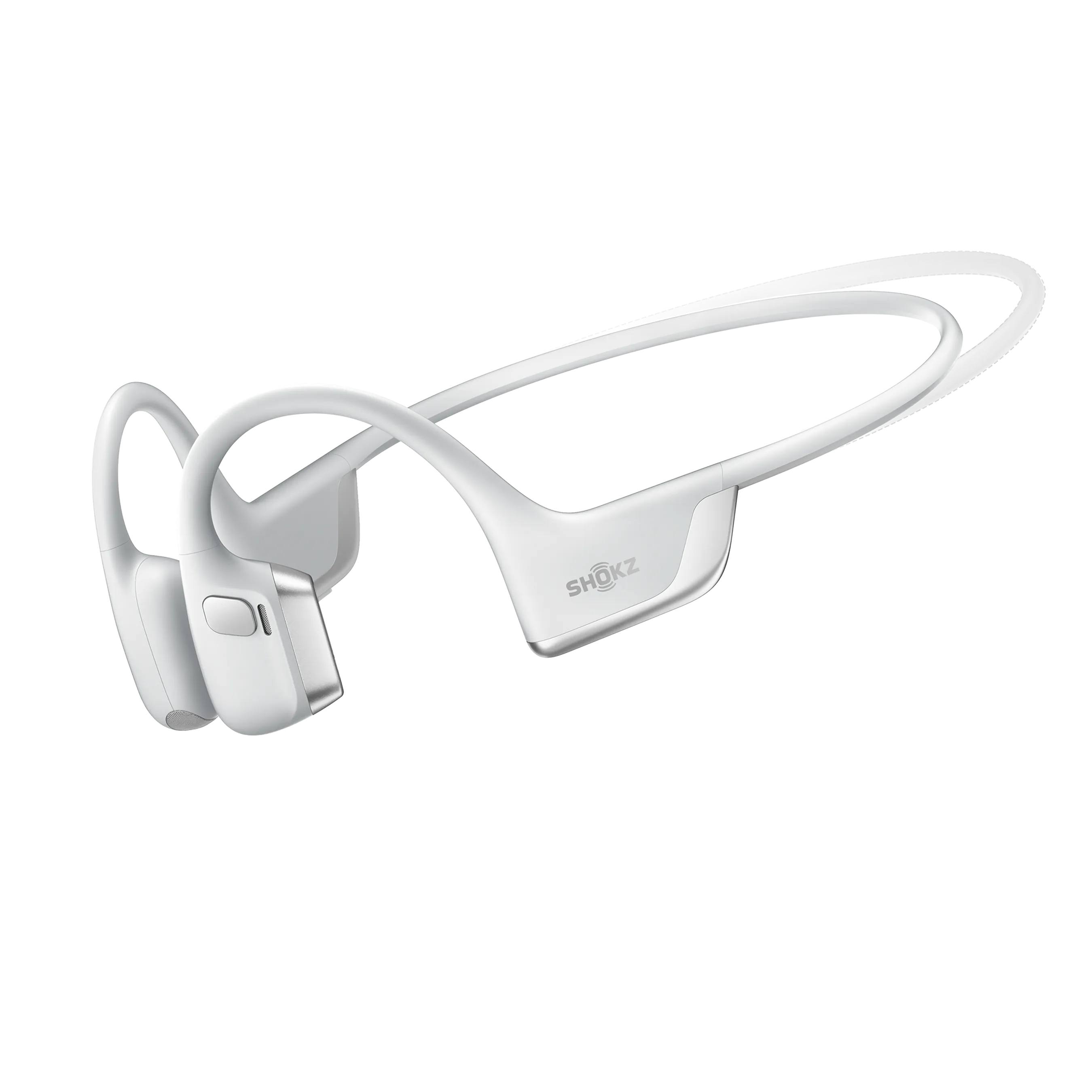
Shokz OpenRun Pro 2
Best OverallBuy if: you want the best bone conduction sound available — fuller bass, 12-hour battery and USB-C charging
Don't buy if: you swim laps — this is IP55 sweat-proof, not swim-proof; the OpenSwim Pro at #4 is the swim pick
The OpenRun Pro 2 is the pick that fixed bone conduction's oldest complaint: thin bass. Its DualPitch system pairs a bone transducer with a small air driver, so low notes finally have weight. Music sounds full on a run instead of tinny, and voices in podcasts stay clear at low volume.
Twelve hours of battery covers a week of runs or a full marathon with charge to spare. USB-C charging means the same cable as your phone. The frame weighs 30.3 grams and the band sits flat behind the head, so it stays put through sprints and stays comfortable under a cap or a cycling helmet.
For most runners, the Pro 2 is worth the extra $20 over the older Pro — the bass alone changes how music feels on a long run. That is an opinion, and plenty of people will disagree. But the Pro 2 is also the only pick here where you stop thinking about the headset and just run.
Pros
- DualPitch bass — the fullest sound of any bone conduction headset here
- 12-hour battery; 5-minute quick charge gives 2.5 hours
- USB-C charging; Bluetooth 5.3 with multipoint
- IP55 sweat and rain proof; 30.3g, stays put on the run
Cons
- $179.95 — the joint-priciest pick here
- Bass still thinner than sealed earbuds
- Sound leaks at high volume in quiet rooms
- No onboard MP3 storage — needs your phone nearby
Price $179.95 on shokz.com, checked 19 Nov 2026. Check the price before buying, as prices change.
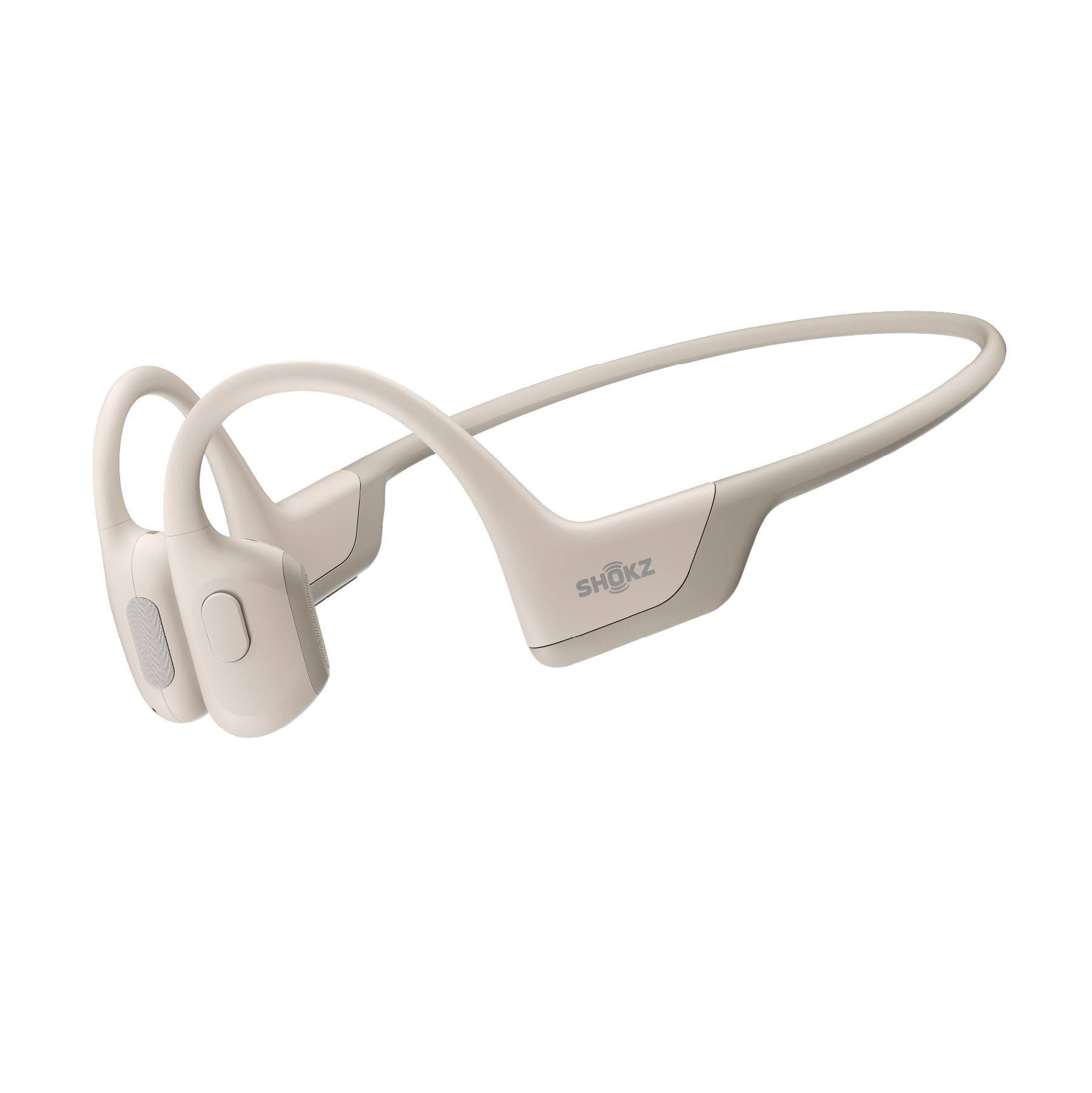
Shokz OpenRun Pro
Best ValueBuy if: you want the proven OpenRun fit and sound for less — especially at street prices well under list
Don't buy if: you want USB-C — this model charges on a proprietary magnetic cable, not USB-C
The OpenRun Pro is the model that made bone conduction mainstream, and it still earns its place. Ninth-generation transducers drive the sound, the 10-hour battery covers a week of training, and the 29-gram frame disappears on your head. It is the same open-ear idea as the Pro 2, with a little less bass and a lot less money.
I've seen conflicting data here. Some listings show the OpenRun Pro at $89.99, others at $159.95. My read is both are right: $159.95 is the list price on shokz.com, and Best Buy is clearing the black model at $89.99 right now. Check the colour before you pay list price.
One real limit: the charger. The Pro uses a magnetic cable you will lose if you travel light, while the Pro 2 moved to USB-C. If you already own a pile of USB-C cables, that alone may be worth the $20 step up.
Pros
- Proven fit and sound — the category's best seller for years
- 10-hour battery; 5-minute quick charge gives 1.5 hours
- 29g — the lightest pick here alongside the OpenMove
- Street prices far under the $159.95 list (Best Buy black at $89.99)
Cons
- Proprietary magnetic charger — not USB-C
- Bluetooth 5.1, not 5.3
- Bass thinner than the Pro 2's DualPitch
- No onboard MP3 storage
Price $159.95 list on shokz.com, checked 19 Nov 2026 (Best Buy lists the black model at $89.99). Check the price before buying, as prices change.
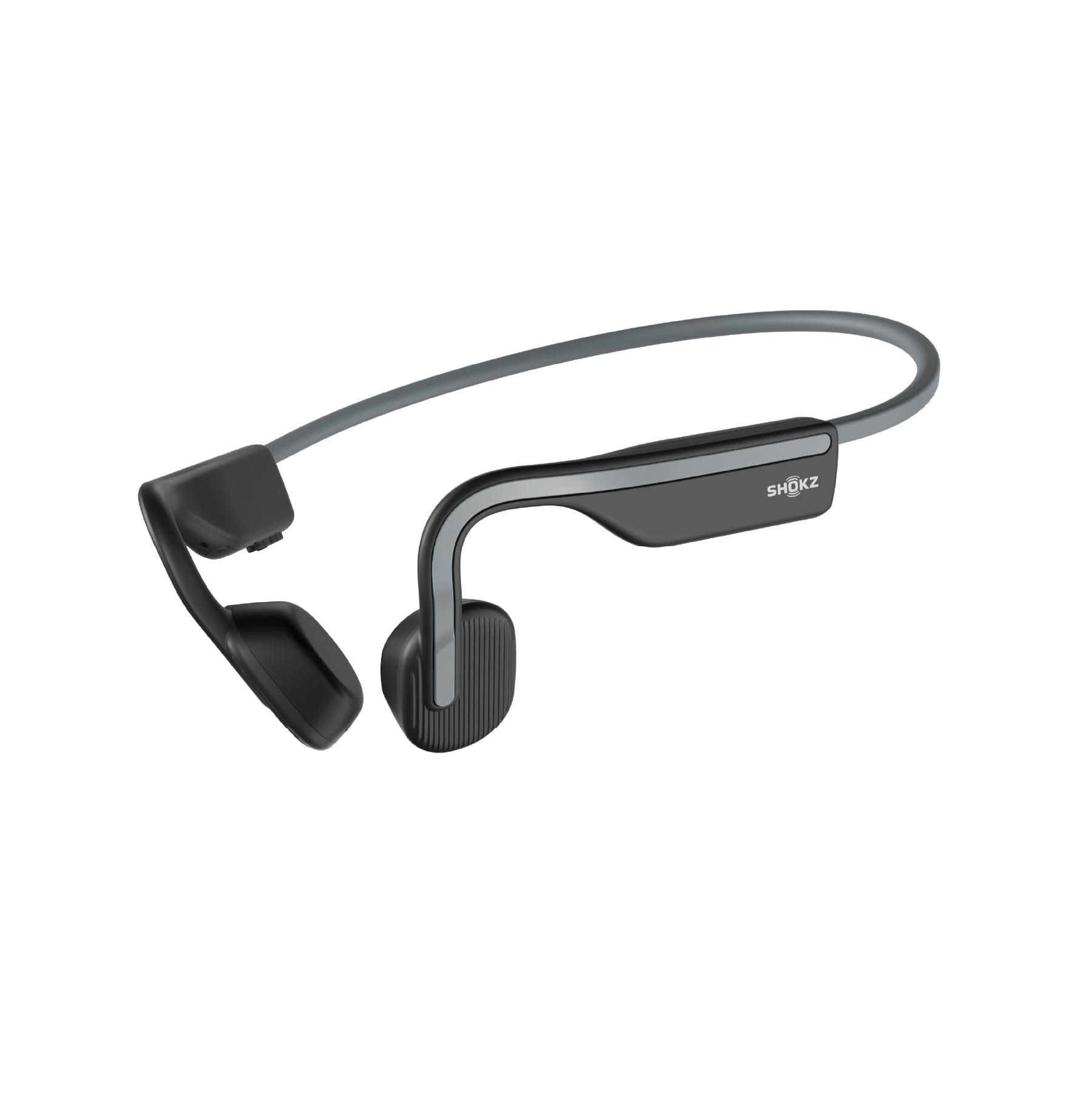
Shokz OpenMove
Best BudgetBuy if: you want to try bone conduction for the least money — a real Shokz headset, not a no-name copy
Don't buy if: you train for hours at a time — the 6-hour battery is the shortest here
The OpenMove is the cheapest way into real bone conduction. Same open-ear fit, same cheekbone pads, same 29-gram frame as the pricier models. It sounds thinner and the battery runs out sooner, but the core idea is identical — and for a first pair, that is what matters.
Six hours covers a long run and a working day of calls, and USB-C charging keeps the cable situation simple. IP55 handles sweat and rain. At $79.95 it costs less than half the Pro 2, and it is the only budget pick here from a brand with a real support line.
Cheap no-name bone conduction headsets exist for $30 and less. Most sound like a phone speaker in a tin can, and that is how people end up thinking the whole idea is bad. The OpenMove is the floor worth buying.
Pros
- $79.95 — the cheapest real Shokz headset
- USB-C charging; 29g, same light frame as the Pro
- IP55 sweat and rain proof
- Good first pair — the full open-ear idea for half the price
Cons
- 6-hour battery — the shortest here
- Thinnest sound of the six picks
- No quick charge
- No multipoint — one device at a time
Price $79.95 on shokz.com, checked 19 Nov 2026. Check the price before buying, as prices change.
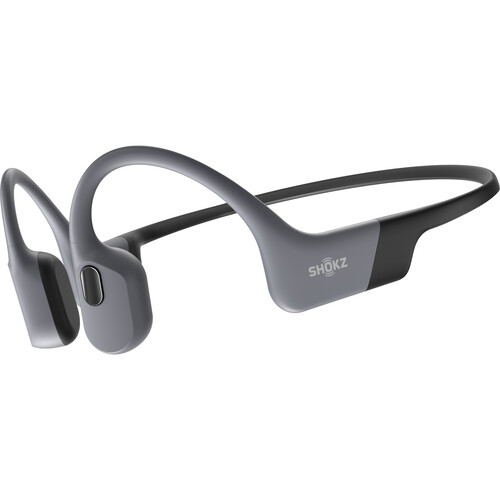
Shokz OpenSwim Pro
Best for SwimmingBuy if: you swim laps and want music in the pool — IP68 waterproof with 32GB of onboard MP3 storage
Don't buy if: you only run — the OpenRun Pro 2 at the same price sounds better on land
The OpenSwim Pro is the only pick here that goes in the water. IP68 means it survives submersion to 2 metres, and 32GB of onboard storage holds thousands of songs as MP3 files. Bluetooth does not work underwater — no headset can fix that — so the music lives on the headset itself.
On land it works like a normal Bluetooth headset too: 9 hours of battery, Bluetooth 5.3, and the same open-ear fit at 27.3 grams, the lightest pick here. It doubles as a running headset, but the Pro 2's DualPitch bass beats it on dry land.
Quick note: load your music before you swim. The Shokz app moves MP3 files onto the headset over USB, and pool Wi-Fi will not help you mid-lane.
Pros
- IP68 — the only swim-safe pick here (2m submersion)
- 32GB onboard MP3 storage — music without your phone
- 9-hour battery; Bluetooth 5.3 on land
- 27.3g — the lightest pick here
Cons
- Bluetooth dies underwater — MP3 mode only in the pool
- $179.95 — same price as the better-sounding Pro 2
- Music must be loaded as MP3 files first
- No streaming in the pool — no Spotify underwater
Price $179.95, checked 19 Nov 2026. Check the price before buying, as prices change.
Shokz OpenComm2 UC
Best for Calls/WorkBuy if: you take calls all day and want your ears open — boom mic, 16-hour talk time and a USB-C adapter for Teams and Zoom
Don't buy if: music matters most — the boom mic adds weight and the bass is basic next to the Pro 2
The OpenComm2 UC is the work pick. A boom microphone with DSP and cVc noise cancelling sits close to your mouth, so callers hear your voice instead of your keyboard. Sixteen hours of talk time covers a full working day, and the UC version ships with a USB-C adapter that plugs into a laptop for a rock-solid Teams or Zoom link.
Multipoint pairing keeps the headset on your phone and laptop at once. The call picks up on whichever rings, and music from the other device waits its turn. At 35 grams it is the heaviest pick here, and the boom looks odd away from a desk — but on a call, nothing else in this guide sounds as clear to the other end.
Or maybe I should say it this way: the OpenComm2 UC is a work headset that happens to play music, not a music headset that happens to take calls. Buy it for the mic, not the bass.
Pros
- Boom mic with DSP + cVc noise cancelling — the clearest calls here
- 16-hour talk time; multipoint phone + laptop
- USB-C adapter included for Teams/Zoom
- Ears stay open — you hear the doorbell and the dog
Cons
- $169.95 — the 2025 Upgrade UC model
- 35g — the heaviest pick here
- Boom mic looks odd off calls
- Music bass is basic — no DualPitch
Price $169.95 for the 2025 Upgrade UC model on shokz.com, checked 19 Nov 2026. Check the price before buying, as prices change.
Suunto Wing
Best for Rugged Outdoor / NightBuy if: you run or ride in the dark and want to be seen — LED safety lights, IP67 and a power bank in the box
Don't buy if: you wear glasses — the vibration can buzz against the arms, and the 33g frame is the joint-heaviest here
The Suunto Wing is the only real challenger to Shokz, and it wins on features Shokz does not offer. LED lights sit on both arms — front and rear, steady or blinking — so drivers see you on dark roads. The power bank in the box adds 20 hours on top of the headset's own 10, and head-movement control lets you nod to answer a call.
IP67 beats every Shokz here on water and dust, and the titanium-alloy frame survives drops that would crack a lighter build. SoundGuys rates its microphone the best of any bone conduction headset they tested. The trade is vibration: the single bone driver buzzes more than the Pro 2's DualPitch, and glasses wearers feel it most.
At $169 on Suunto's own store — down from the $199 launch price — it undercuts the Pro 2 while adding lights and a power bank. For night runners and trail riders, that trade is worth it.
Pros
- LED safety lights front and rear — the only pick with them
- 10h battery + 20h in the included power bank
- IP67 — the toughest water and dust rating here
- Best microphone in the category, per SoundGuys testing
Cons
- 33g — the joint-heaviest pick here
- More noticeable vibration than the Pro 2
- LED controls live in the Suunto app
- $169 direct from Suunto; street prices vary widely
Price $169 on us.suunto.com (was $199 at launch), checked 19 Nov 2026. Check the price before buying, as prices change.
How Do Bone Conduction Headphones Work?
They vibrate your cheekbones instead of your eardrums. Two small pads sit in front of your ears and send tiny vibrations through the bone to the cochlea — the inner-ear organ that turns vibration into sound. Your ear canal stays open the whole time.
Bone conduction headphones work by sending vibrations through the cheekbones to the inner ear. According to Shokz, the pads rest in front of the ears and bypass the eardrum entirely, which leaves the ear canal open. Sound still reaches the cochlea, so you hear music clearly while traffic, voices and other warning sounds stay audible.
The trick is the skull. Bone carries vibration well, and the cochlea cannot tell whether the vibration arrived through the eardrum or through the bone next to it. That is why the sound feels like it comes from inside your head, even though nothing sits in your ear.
One thing rival roundups get wrong: not every open-ear headset is bone conduction. Air-conduction buds like the Soundcore AeroFit and the Bose Ultra Open sit off the ear and beam sound through the air — no cheekbone contact, no vibration. They are fine products, but they are a different technology, and they do not belong in a bone conduction roundup. Every pick in this guide touches your cheekbones.
Short version: pads on bone, sound in head, ears open.
Are Bone Conduction Headphones Safe?
Yes — at sensible volumes. Open ears remove the sealed-bud risks: no trapped moisture, no earwax pushed deeper, no pressure on the ear canal. But loud volume can still damage your hearing, because the cochlea is stimulated either way.
Bone conduction headphones are safe at sensible volumes, and the open design removes one common risk: sealed buds trap moisture and push earwax deeper. According to the World Health Organization, adults should keep listening below 80 decibels for up to 40 hours a week. Loud bone conduction can still damage hearing, because the inner ear is stimulated either way.
The 60/60 rule is a good guide: no more than 60% volume for 60 minutes at a time, then a short break. Bone conduction tempts you to turn it up — the bass is thin, so loud feels like the fix. It is not. If people next to you can hear the buzz, it is too loud.
People with hearing aids or ear conditions should check with a doctor first. Bone conduction bypasses the eardrum, which helps some hearing problems and not others — a quick check beats a wrong guess.
Do Bone Conduction Headphones Leak Sound?
Yes — at high volume. The pads vibrate against your skin, and some of that vibration escapes as sound in the air. People sitting next to you in a quiet room can hear a faint buzz, and on a silent train carriage they can sometimes make out the tune.
Here's the thing: the leak is worst exactly when you least want it — loud music in a quiet place. At moderate volume on a run or a ride, wind and traffic mask it completely. Nobody hears your playlist over a busy road.
Three fixes work. First, turn it down — the leak drops fast with volume. Second, pick the Pro 2: its DualPitch design leaks less than single-driver models at the same volume. Third, do not wear them in a silent office or library and expect privacy. For calls at work, the OpenComm2 UC's boom mic helps the other end, but your side still leaks a little.
If privacy matters, sealed earbuds win. Bone conduction trades privacy for awareness — know which one you need before you buy.
Can You Swim With Bone Conduction Headphones?
Only with a swim-rated model — and only with music stored on the headset. Bluetooth radio dies within centimetres of water, so no headset streams Spotify in a pool. The OpenSwim Pro at #4 is the only pick here built for it: IP68 waterproof to 2 metres, with 32GB of MP3 storage on board.
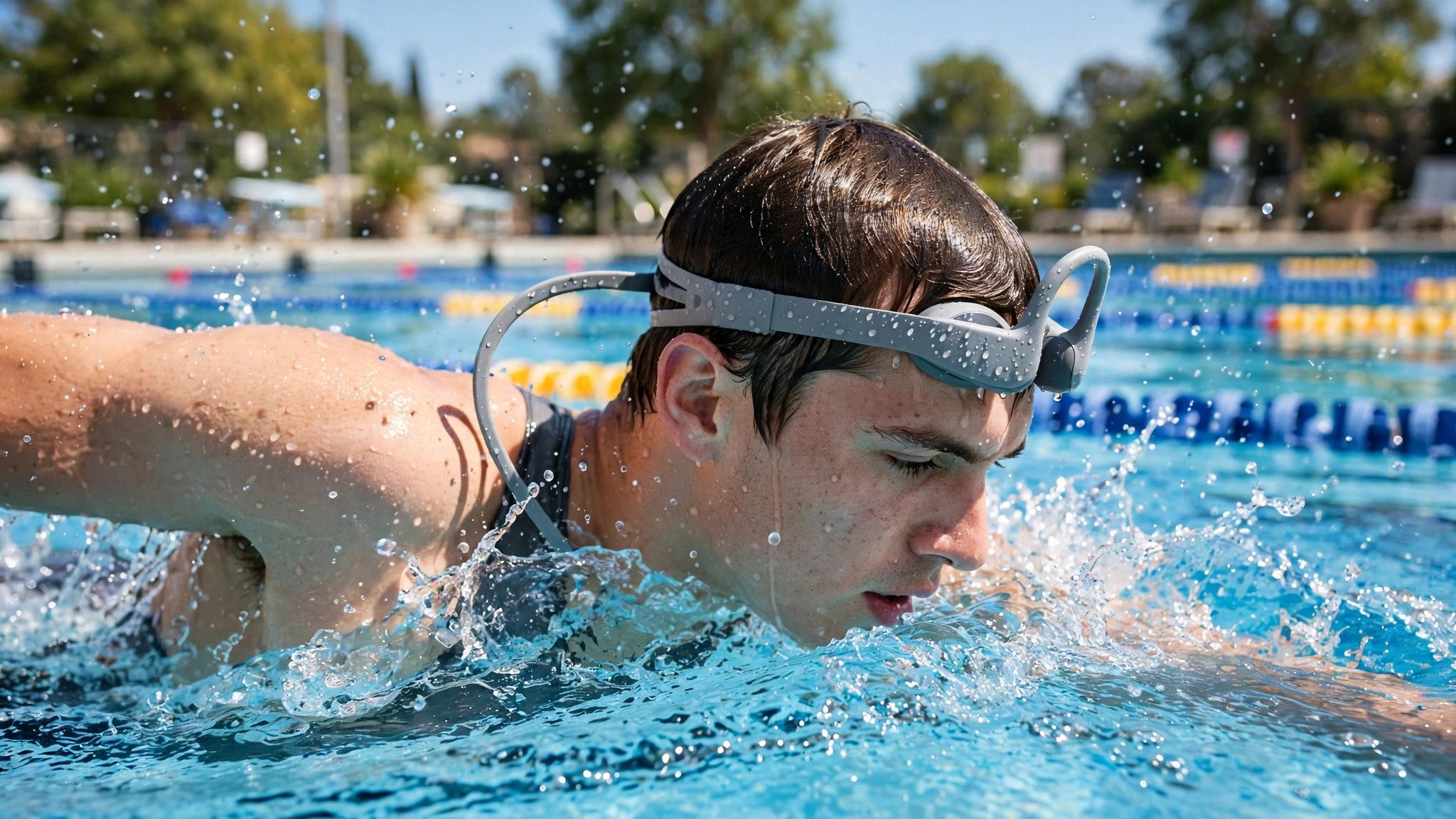
IP ratings are the trap here. IP55 — the rating on the running picks — means sweat and rain, not swimming. IP67, like the Suunto Wing, means a brief dip, not laps. Only IP68 is rated for swimming, and even then the maker sets the depth and time. The OpenSwim Pro is rated to 2 metres.
Loading music takes a minute of prep. Copy MP3 files onto the headset over USB before you swim, switch to MP3 mode at the poolside, and the songs play without your phone. Pool water also changes the sound a little — the seal of the water on the pads adds bass, which is a rare free upgrade.
One honest limit: no swim headset takes calls in the pool, and salt water needs a fresh-water rinse after every swim. Treat it like goggles, not like jewellery.
Are Bone Conduction Headphones Good for Running?
Yes — they are the best tool for the job. Your ears stay open to cars, cyclists, dogs and other runners, and the band behind your head does not bounce loose the way earbuds do. Sweat runs off the IP55 frame instead of pooling in your ear.
Bone conduction headphones are good for running because they keep your ears open to traffic, runners and dogs. The band sits behind the head and does not bounce loose the way earbuds do, and sweat runs off the IP55-rated frame. Sound quality is the trade: bass is thinner than sealed buds, so podcasts and playlists shine more than bass-heavy tracks.
Fit is the difference between loving them and hating them. The pads must rest on the cheekbone, not on the ear and not on the jaw. Too far forward and the sound goes thin; too far back and the band slides. The fitting steps below take thirty seconds and are worth doing properly.
For night runs, the Suunto Wing at #6 adds LED lights no Shokz offers. For long runs, the Pro 2's 12-hour battery is the pick. For short runs on a budget, the OpenMove does the same open-ear job for $79.95.
Bone Conduction vs Regular Headphones: Which Should You Buy?
Buy bone conduction for awareness, regular headphones for sound. If you run, cycle or walk near traffic, open ears beat deep bass every time. If you fly, work in a noisy office or want to disappear into an album, sealed earbuds or over-ears win.
Bone conduction vs regular headphones: bone conduction is better suited for running and cycling because your ears stay open and traffic stays audible. Regular headphones work better when you want deep bass and silence, like on a plane. The key difference is your ear canal: open with bone conduction, sealed with regular buds.
The honest split: bone conduction gives you the world plus music; regular headphones give you music minus the world. Most runners need the first. Most commuters need the second. Plenty of people own both — bone conduction for the run, noise-cancelling buds for the train.
One more thing: bone conduction is not a hearing-aid replacement and not a silence tool. If you want quiet, buy noise-cancelling earbuds instead — our best noise cancelling earbuds guide covers the measured ANC picks.
How Do You Fit a Bone Conduction Headset?
To fit a bone conduction headset, follow these steps: 1. Slide the band behind your head. 2. Rest the pads on your cheekbones. 3. Check the band sits flat. 4. Shake your head gently. 5. Adjust until the sound is clear.
- Slide the band behind your head The band goes under your hair at the back, not over the top. It should rest flat against the skull, not perch on it.
- Rest the pads on your cheekbones Each pad sits just in front of the ear, on the flat of the cheekbone. Not on the ear, not on the jaw — on the bone.
- Check the band sits flat The band should touch the back of your head along its whole length. A gap means the pads are sitting too far forward.
- Shake your head gently A quick shake side to side and up and down. The headset should stay put — if it slides, tighten the fit by moving the pads a little further back.
- Adjust until the sound is clear Play a song and nudge the pads a few millimetres at a time. When the bass suddenly fills in, you have found the sweet spot.
Glasses wearers: put the headset on first, then the glasses, so the arms sit over the band. The Suunto Wing buzzes most against glasses arms — if that bothers you, the Pro 2 is the smoother pick.
Buying Guide: What Actually Matters
To pick the right bone conduction headset, follow these steps: 1. Match the model to your main use. 2. Check the IP rating. 3. Check the battery. 4. Check the charging cable.
Match the model to your main use first. Running and general use: the Pro 2. Swimming: the OpenSwim Pro — nothing else here survives laps. Calls all day: the OpenComm2 UC. Night runs and rough trails: the Suunto Wing. Tight budget: the OpenMove. The wrong model is the most common regret in this category, and it is a ten-second check before you order.
Check the IP rating before the brand. IP55 means sweat and rain. IP67 means a brief dip. IP68 means swimming. A running headset in a pool dies fast, and no warranty covers that. If you swim, the rating is the whole decision.
Check the battery for your longest session. A 6-hour OpenMove covers a run but not a workday of calls. A 12-hour Pro 2 covers a week of training. Swimmers should count the MP3 hours, not the Bluetooth hours — the OpenSwim Pro gives 9 either way.
Check the charging cable. The Pro 2, OpenMove, OpenSwim Pro and OpenComm2 UC all charge over USB-C. The older OpenRun Pro uses a magnetic cable you must carry with you, and the Suunto Wing charges on its power bank. One more cable in your bag is a small thing until you forget it on a trip.
Check the fit with your glasses and helmet. The band sits behind the head, so it works with most helmets and caps. Glasses arms can buzz against the pads — try the fit at home first, and keep the box until you have run in them once. If you want the in-ear alternative for comparison, our best sport earbuds guide covers buds that stay in.
What to Skip
Air-conduction buds sold as bone conduction. The Soundcore AeroFit and V20i, and the Bose Ultra Open, are open-ear buds that beam sound through the air. Good products, wrong category — if nothing touches your cheekbone, it is not bone conduction.
No-name bone conduction headsets under $30. A $25 headset from a brand with no website sounds like a phone speaker in a tin can, and it puts people off the whole idea. The OpenMove at $79.95 is the floor worth buying.
The OpenRun Pro confused with the Pro 2. The Pro charges on a magnetic cable and has thinner bass; the Pro 2 charges over USB-C with DualPitch. Sellers mix the names up. Check for "Pro 2" on the box.
The Suunto Sonic confused with the Wing. The Sonic is the older, cheaper Suunto at $149 with no LED lights and no power bank. The Wing at #6 is the one with the lights. Check the name twice.
Any "bone conduction" headset with no IP rating and no brand site. If it breaks in a month, nobody answers. Every pick in this guide comes from a brand you can contact — that is worth more than a spec sheet on a box you cannot return.
Frequently Asked Questions
What's the best bone conduction headset overall?
The Shokz OpenRun Pro 2 at $179.95 — 12-hour battery, IP55, DualPitch bass and the most secure fit in the category.
Are bone conduction headphones safe for your hearing?
Yes at sensible volumes. Keep it under 80 decibels and take breaks; loud volume can still damage hearing, open ears or not.
Do bone conduction headphones leak sound?
Yes, at high volume people nearby can hear a faint buzz. Keep the volume moderate in quiet rooms and on trains.
Can you swim with bone conduction headphones?
Only with an IP68 swim-rated model like the OpenSwim Pro, and only with onboard MP3 files — Bluetooth does not work underwater.
Are bone conduction headphones good for running?
Yes — the open-ear design keeps traffic audible and the band stays put. Bass is thinner than sealed buds, though.
How do I fit a bone conduction headset?
Slide the band behind your head, rest the pads on your cheekbones in front of your ears, then shake your head — it should stay put.
Should I buy the OpenRun Pro 2 or the OpenRun Pro?
Buy the Pro 2 at $179.95 for better bass and battery. Buy the Pro at $159.95 list if you want the same fit for less.