Best Bluetooth Headphones for TV Without Delay 2026: 6 Picks

Bluetooth headphones for TV without delay are wireless TV headphones or headphone systems that keep sound close enough to the picture that lips and words match. The best ones use a low-latency transmitter, LE Audio, Auracast, aptX, or RF instead of plain TV Bluetooth.
Look — if you're watching late at night with someone asleep nearby, here's what actually works: fix the whole chain, not just the headphones. You've paired normal Bluetooth headphones to the TV. You've nudged the TV audio-delay setting. The lips still move first. That is the frustration this guide solves.
If you're pairing headphones straight to the TV and you're still seeing lips move first, you're not imagining it. The TV may be using a slow codec. The soundbar may be adding processing. The headphones may be fast on a phone and slow on your TV. Prices and maker specs below were checked on 28 November 2026.
Quick Comparison
| Product | Key Specs | ||
|---|---|---|---|
| #1 | Sennheiser RS 275Best Overall | Auracast · HDMI ARC/optical · 50h · $219.95 | Check Price |
| #2 | Avantree Opera PlusLowest Stated Delay | 30 ms RF · HDMI ARC/optical · 20h · $135.99 | Check Price |
| #3 | Avantree HT5009 PlusBest Bluetooth Dock Value | aptX Adaptive · <68 ms · optical/AUX · $109.99 | Check Price |
| #4 | Avantree Duet AuraBest for Two Listeners | Two headphones · 50 ms · HDMI ARC/optical · $279.99 | Check Price |
| #5 | Avantree Crescendo 3DBest Movie Sound | <60 ms · ANC · passthrough · $169.99 | Check Price |
| #6 | Avantree Ensemble ProBest Simple Controls | 58 ms · optical/AUX · 35h · $99.99 | Check Price |
Sennheiser RS 275 vs Avantree Opera Plus: the RS 275 is better suited for most living rooms because it adds HDMI ARC, optical, speech tools, and Auracast. The Opera Plus works better when the lowest stated delay matters most. The key difference is flexibility versus a simpler 30 ms RF path.
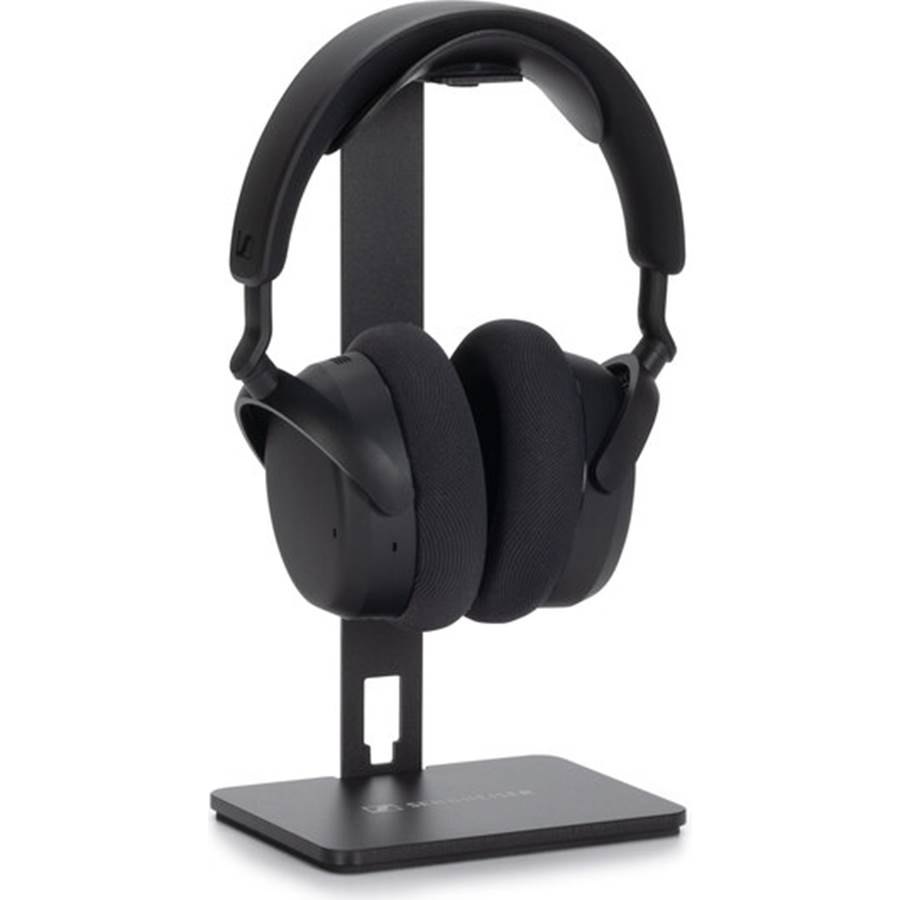
Sennheiser RS 275
Best OverallBuy if: you want one system for HDMI ARC, optical, clear speech, and future Auracast listeners
Don't buy if: you want the lowest printed millisecond figure — the Opera Plus states 30 ms
The RS 275 is the most complete TV system here. Sennheiser pairs the headphones with the BTA1 transmitter, with HDMI ARC, optical, and 3.5 mm inputs. The headphones use Bluetooth 5.4 with Auracast and support LC3, aptX, SBC, AAC, and aptX Adaptive. That mix matters because TV delay is a chain problem.
Speech tools are the quiet win. Sennheiser lists Speech Clarity, Virtual Surround Sound, four hearing profiles, volume normalisation, and left/right balance. Battery life is up to 50 hours under Sennheiser's AAC test conditions, with about a two-hour charge and a replaceable battery. The headphones weigh 195 g and use passive damping rather than ANC.
Here's the thing: Sennheiser does not print one simple millisecond number for the RS 275. It says the Bluetooth LE codecs offer very low latency. That is less tidy than a 30 ms claim, but the input choice, Auracast path, and speech controls make it the safer living-room buy.
Pros
- HDMI ARC, optical, and 3.5 mm inputs through the BTA1 transmitter
- Auracast support for compatible extra listeners
- Speech Clarity, hearing profiles, and left/right balance
- Up to 50 hours of battery in Sennheiser's test conditions
Cons
- No single printed millisecond latency figure
- No ANC — passive damping only
- HDMI cable may be sold separately
- Costs more than the Avantree value picks
Price $219.95 on sale (list $299.95) at Sennheiser US, checked 28 Nov 2026. Check the price before buying, as prices change.
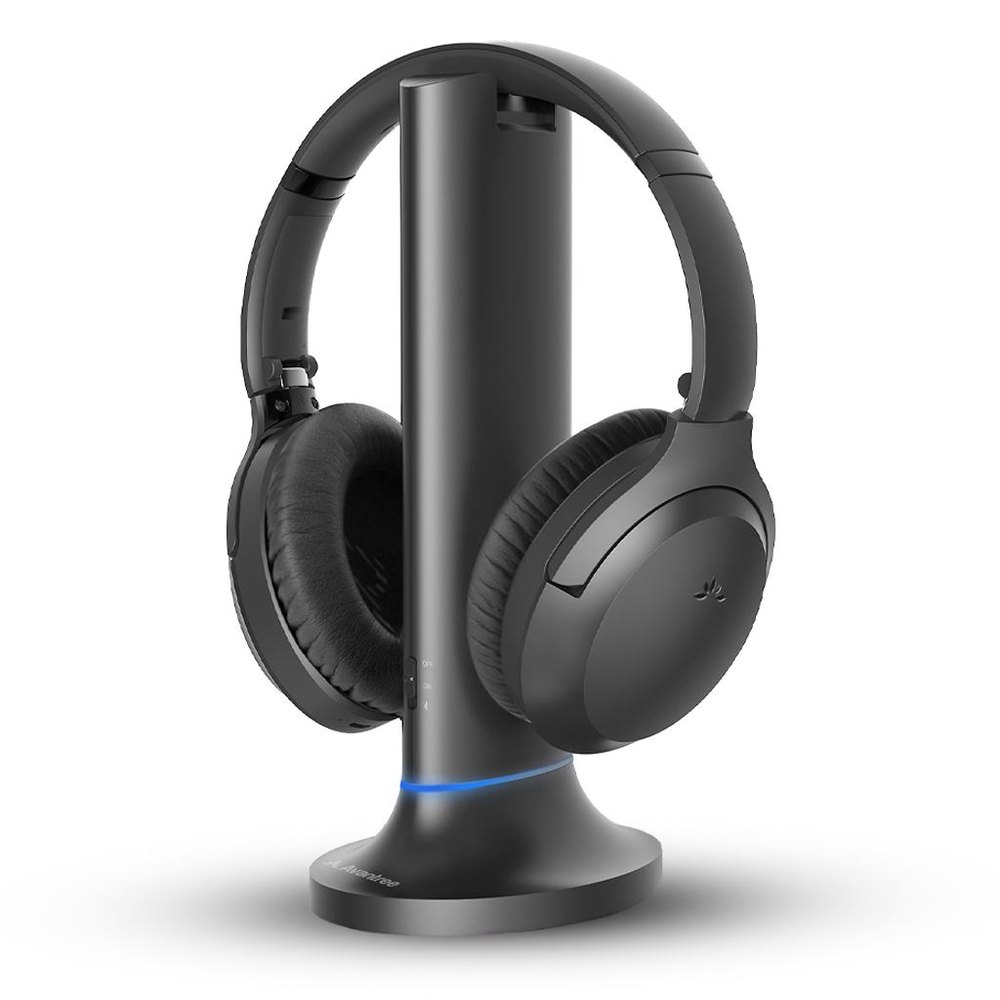
Avantree Opera Plus
Lowest Stated DelayBuy if: lip sync is your main worry and your TV has HDMI ARC or optical
Don't buy if: you need HDMI soundbar passthrough — Avantree supports optical passthrough only here
The Opera Plus is the delay-first pick. Avantree lists about 30 ms latency for the TV set, using a 2.4 GHz RF link to the transmitter while the headphones can also work over Bluetooth. Inputs cover HDMI ARC, optical, and AUX. Range is up to 50 m, and playtime is up to 20 hours.
Dialogue help is built in. Avantree lists Clear Dialogue and Volume Boost modes, with maximum volume up to 114.2 dB when the transmitter and boost mode are used. That suits mild to moderate hearing difficulty. It is not a hearing-aid replacement for severe hearing loss.
Or maybe I should say it this way: the Opera Plus is less flexible than the RS 275, but its job is narrower. It keeps the TV path short and fast. For a viewer who notices every late consonant, that narrow job is the point.
Pros
- About 30 ms stated latency — the lowest figure here
- HDMI ARC, optical, and AUX inputs
- Clear Dialogue and Volume Boost modes
- Up to 50 m range
Cons
- Optical soundbar passthrough only; no HDMI passthrough
- 20 hours of playtime is shorter than rivals here
- Second headphone is sold separately
- Not for severe hearing loss
Price $135.99 at Avantree, checked 28 Nov 2026. Check the price before buying, as prices change.
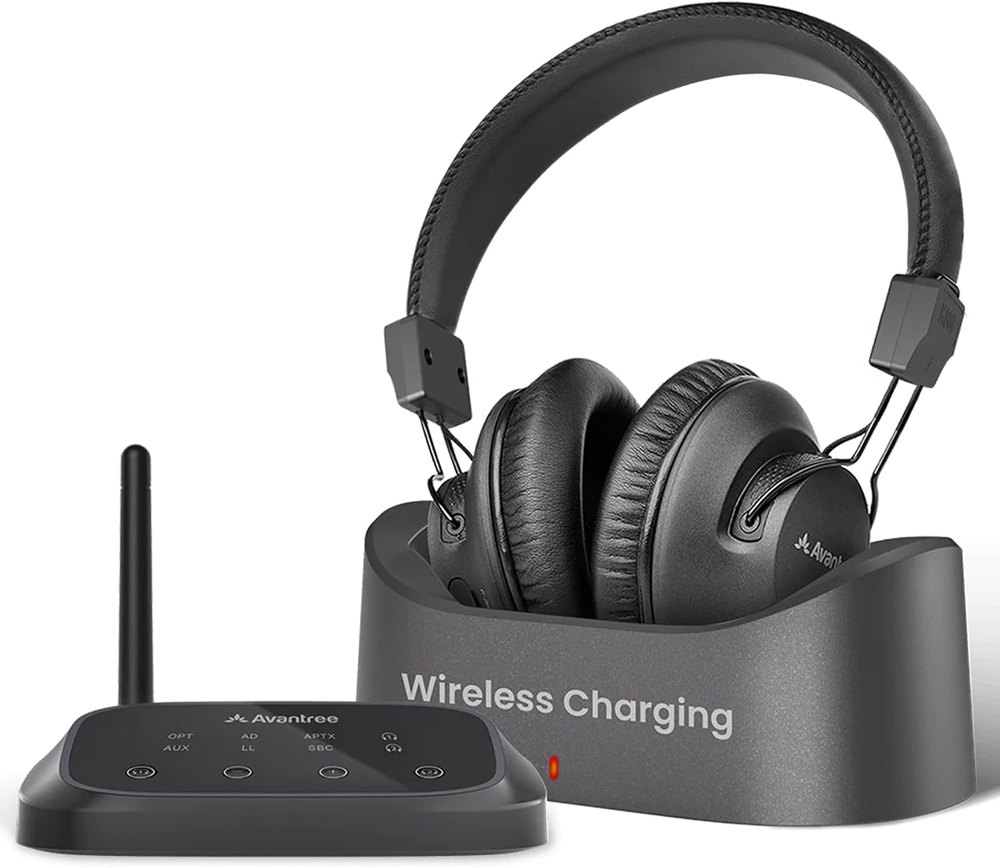
Avantree HT5009 Plus
Best Bluetooth Dock ValueBuy if: your TV has optical or AUX and you want aptX Adaptive without paying RS 275 money
Don't buy if: your TV is HDMI-only — you will need an extractor or a different pick
The HT5009 Plus is the Bluetooth dock value pick. Avantree lists set latency under 68 ms with aptX Adaptive in use. The transmitter supports aptX Adaptive, aptX Low Latency, aptX, and SBC. The headphones support aptX Adaptive, aptX HD, aptX, AAC, and SBC.
I've seen conflicting data on this model — Avantree markets up to 60 hours in one place and lists 50 hours average in the spec table, while older pages claim longer range than the current 30 ft spec. My read is to trust the current spec table: about 50 hours average and up to 30 ft.
Inputs are the limit. This set uses optical or 3.5 mm AUX only. That is fine for many TVs. It is the wrong shape for an HDMI-only setup unless you add an extractor. Clear Voice and volume boost help dialogue, but direct TV Bluetooth can still add delay.
Pros
- Under 68 ms stated set latency with aptX Adaptive
- Strong codec support on both transmitter and headphones
- Clear Voice and volume boost for dialogue
- Lower price than the HDMI ARC systems
Cons
- No HDMI ARC input
- Current range spec is only up to 30 ft
- Battery claims conflict — plan on about 50 hours average
- Direct TV Bluetooth can add noticeable delay
Price $109.99 at Avantree, checked 28 Nov 2026. Check the price before buying, as prices change.
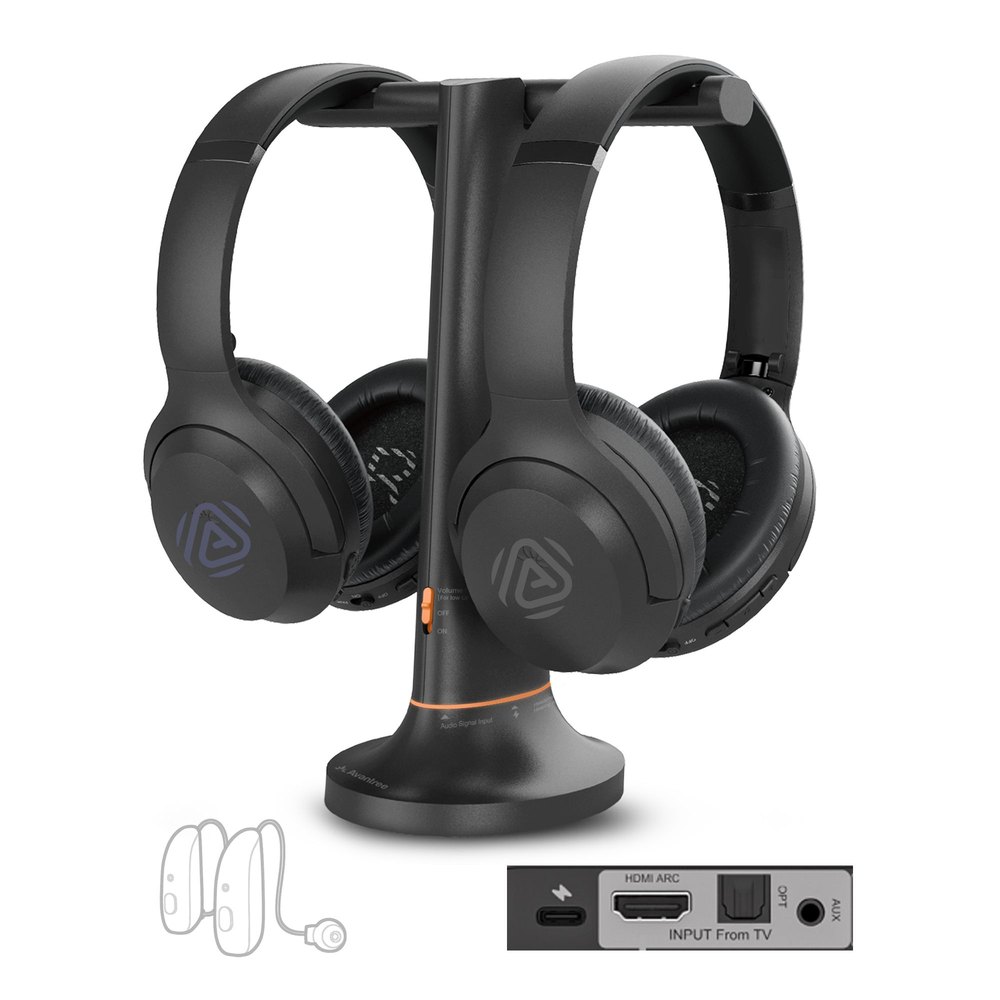
Avantree Duet Aura
Best for Two ListenersBuy if: two people watch together and want separate volume without a second TV pairing
Don't buy if: only one person listens — the RS 275 gives more speech control for less money
The Duet Aura solves a different problem: two viewers, one TV, different ears. Avantree includes two headphones with the transmitter and charging dock. The LE Auracast link is listed at 50 ms latency. Inputs cover HDMI ARC, optical, and AUX. Playtime is up to 35 hours, with range up to 50 m.
Passthrough needs care. Avantree supports optical and AUX passthrough. An HDMI ARC soundbar setup needs the HAX06 extractor, and HDMI ARC may mute the TV speakers. The HDMI cable is not included. Those are small print details, but they decide whether setup feels easy.
For couples, this is the cleanest pick. Each listener gets a headphone. Compatible Auracast hearing aids and headphones can join the broadcast. The price is high because you are buying the second listener in the box.
Pros
- Two headphones included
- 50 ms stated LE Auracast latency
- HDMI ARC, optical, and AUX inputs
- Compatible Auracast hearing aids can join
Cons
- $279.99 — the priciest pick here
- HDMI ARC soundbar use needs an extractor
- HDMI cable is not included
- Not for severe hearing loss
Price $279.99 at Avantree, checked 28 Nov 2026. Check the price before buying, as prices change.
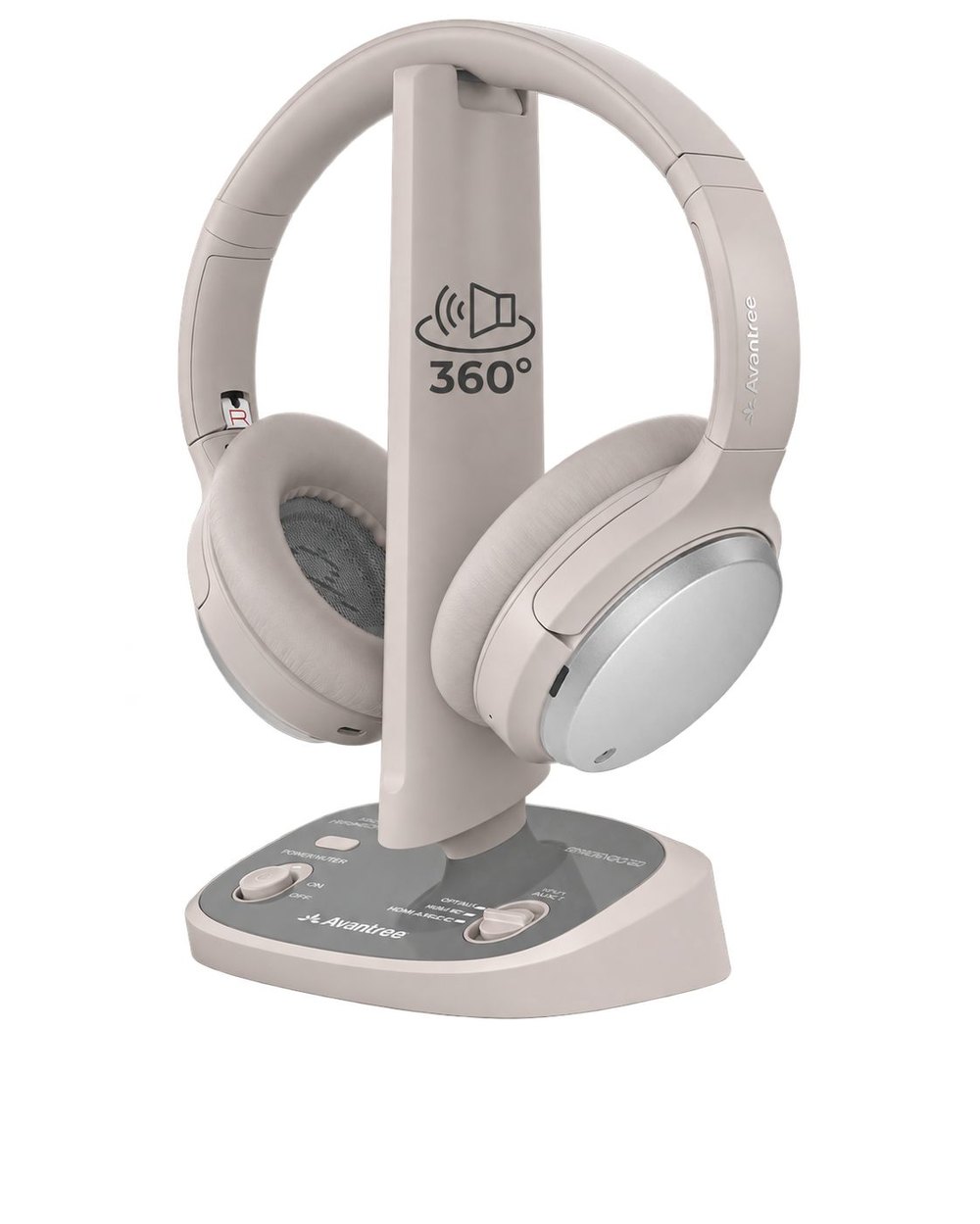
Avantree Crescendo 3D
Best Movie SoundBuy if: films matter most and you want ANC, 3D sound, and soundbar passthrough in one set
Don't buy if: you need Dolby audio through a soundbar at the same time — simultaneous HDMI listening is stereo-focused
The Crescendo 3D is the movie-night pick. Avantree lists latency under 60 ms with the transmitter. Inputs cover HDMI ARC, optical, and AUX, with HDMI, optical, and AUX passthrough. That passthrough makes it easier to keep a soundbar in the chain than the Opera Plus.
Sound features are broader here. The set adds ANC and Transparency, 3D surround sound, and Auracast-ready multi-link support. Battery life is up to 60 hours with ANC off and 45 hours with ANC on. The battery, ear pads, and headband are replaceable, which is rare at this price.
Quick note: use PCM stereo for HDMI ARC or optical. Avantree warns that simultaneous HDMI soundbar listening does not support Dolby audio. Confirm the HDMI cable in the box before ordering, because cable inclusion can vary by listing.
Pros
- Under 60 ms stated latency with the transmitter
- HDMI, optical, and AUX passthrough
- ANC and Transparency modes
- Replaceable battery, ear pads, and headband
Cons
- PCM stereo is required for clean HDMI ARC or optical use
- Simultaneous HDMI soundbar listening does not support Dolby audio
- Confirm HDMI cable inclusion before ordering
- More features to manage than the simple picks
Price $169.99 at Avantree, checked 28 Nov 2026. Check the price before buying, as prices change.
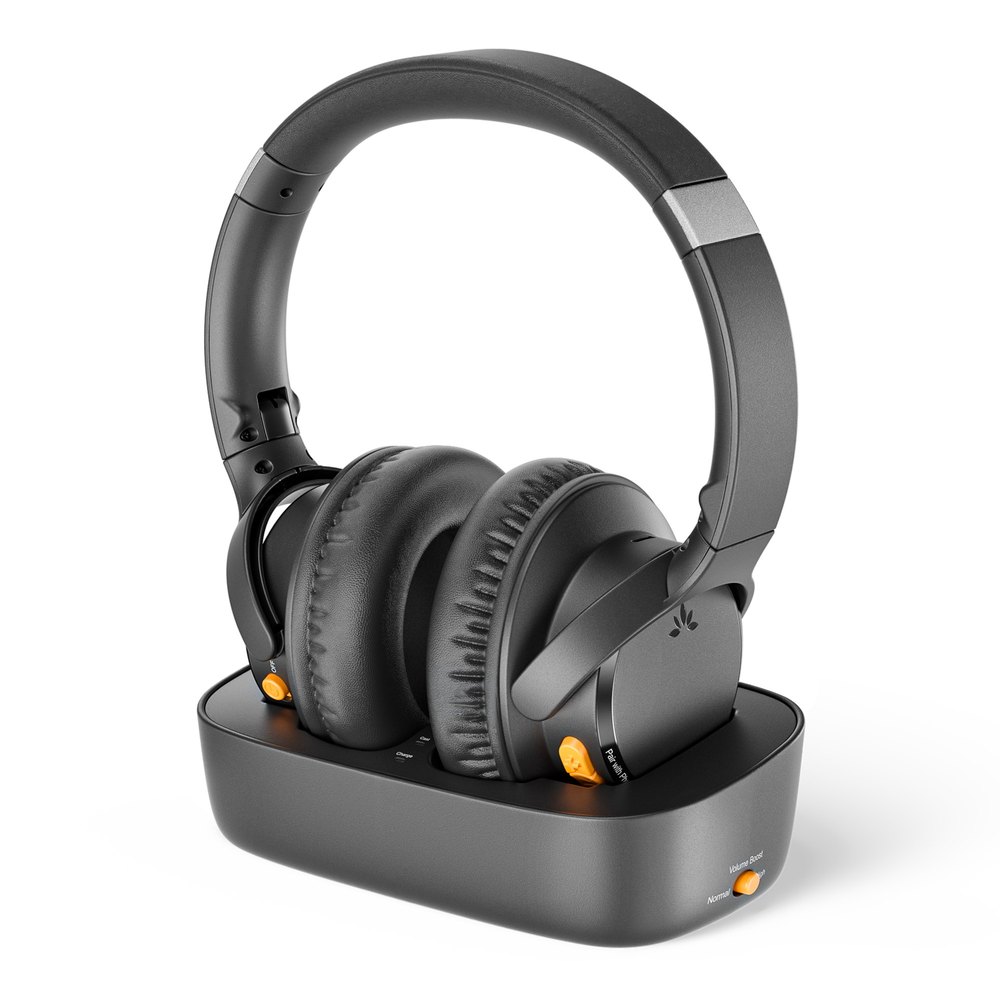
Avantree Ensemble Pro
Best Simple ControlsBuy if: simple controls matter most and your TV has optical or AUX
Don't buy if: you need HDMI ARC or Auracast hearing-aid support — this set does not cover that job
The Ensemble Pro is the simple-controls pick. Avantree lists 58 ms latency with the transmitter. Inputs are optical and 3.5 mm AUX only. HDMI ARC or eARC needs the HAX06 extractor, sold separately. The orange controls are easy to see and easy to press.
Clear Voice and Volume Boost are the main hearing helpers. Battery life is up to 35 hours, and range is listed at 328 ft. Extra listeners are limited to Avantree's AS50R Aura headphones. Auracast hearing aids are not supported, even though the kit uses an Auracast broadcast path for its own headphones.
Direct TV Bluetooth is the trap. Avantree warns that pairing straight to the TV loses Volume Boost and may increase delay. Use the transmitter. That is the whole reason this set exists.
Pros
- 58 ms stated latency with the transmitter
- Clear Voice and Volume Boost
- Large orange controls
- Up to 35 hours of playtime
Cons
- No HDMI ARC input without an extractor
- Auracast hearing aids are not supported
- Extra listeners are limited to AS50R Aura headphones
- Direct TV Bluetooth loses Volume Boost and may add delay
Price $99.99 at Avantree, checked 28 Nov 2026; stock can vary, so check before buying.
Can Bluetooth Headphones Really Work on a TV Without Delay?
Not with zero delay. The right system can get close enough that lips and words look matched. That is the honest target. A dedicated transmitter, a low-latency codec, or an Auracast path can keep speech in step. Plain TV Bluetooth often cannot.
Bluetooth headphones for TV without delay work when the whole chain stays fast, not when the headphones alone carry a low-latency badge. According to Sennheiser, its RS 275 system uses Bluetooth LE Audio codecs for very low latency with the BTA1 transmitter. The TV output and codec match still decide the result.
Wireless TV headphones with no lip-sync delay depend on the slowest link in the chain. According to the Bluetooth SIG, LE Audio uses isochronous channels to cut buffering compared with Classic Audio. That helps, but a TV stuck on SBC or a soundbar adding processing can still push speech behind the picture.
My pushback-able view: a dedicated TV system is a better first buy than premium ANC headphones for this job, even if the ANC pair sounds richer with music. Delay is the problem. Fix delay first. Our low latency Bluetooth codec guide explains the codec side in plain terms.
Why Does Bluetooth Lag on a TV?
Bluetooth lags on a TV because the sound is encoded, buffered, sent, decoded, and often processed again by the TV or soundbar. Each step adds a little time. The picture does not wait. Your eyes notice the gap first in close-up speech.
Bluetooth audio delay on a TV comes from encoding, buffering, radio scheduling, and the TV's own audio processing. According to Avantree, direct TV Bluetooth can add noticeable delay, which is why its TV sets pair headphones to a transmitter instead. A fast headphone cannot fix a slow TV output by itself.
The common trap is SBC fallback. Many TVs and headphones share SBC, the basic Bluetooth audio codec. SBC is fine for casual listening. It is not built for tight lip sync. If both ends do not share aptX Low Latency, aptX Adaptive, LC3, or another fast path, the system slows down. Our Bluetooth audio delay fix guide covers the settings to check before you buy anything.
Soundbars add another twist. A soundbar may delay audio for processing, lip-sync correction, or HDMI handshakes. That can help its own speakers and hurt headphones. Test with the soundbar in the chain, not only with TV speakers.
Do You Need a Transmitter if Your TV Already Has Bluetooth?
Often, yes. TV Bluetooth can work, but it is unpredictable. A transmitter gives you a known codec path, the right TV input, and a cleaner way to add a second listener. It also helps TVs with weak Bluetooth menus or no Bluetooth at all.
Skip the transmitter only after a test. Pair your current headphones to the TV. Play a close-up speaking scene. Watch the lips, not the action. If speech stays matched for a full scene, your TV chain may already be fast enough. Our guide to using Bluetooth headphones with a TV walks through that test.
Buy a transmitter when the TV is HDMI-only, when optical is the only stable output, when two people listen, or when the TV keeps falling back to a slow codec. Our Bluetooth transmitter guide covers add-on transmitters for headphones you already own.
What Latency Is Good Enough for Lip Sync?
Around 30 to 70 ms is usually the safe zone for TV dialogue. Under 60 ms feels tight for most viewers. Near 100 ms, many people start to see lips move first. Past that, the scene feels dubbed.
Codec numbers need care. aptX Low Latency is commonly summarised at about 40 ms. aptX Adaptive has a low-latency target around 80 ms in Qualcomm summaries, with real products varying. LC3 has low codec delay, but total lip sync also includes buffers, radio timing, TV processing, and receiver behaviour.
That is why maker system figures matter more than codec badges. Avantree's 30 ms, 50 ms, 58 ms, and under-68 ms figures describe the TV set path. A headphone box that says LC3 does not prove your TV will use LC3. Check both ends before you trust the badge.
How Do You Set Up TV Headphones Without Lip-Sync Delay?
Set up the TV output first, then pair to the transmitter, then test speech. Most delay problems are setup problems wearing a product costume. The wrong output or a Dolby setting can make a good system sound broken.
To set up TV headphones without lip-sync delay, follow these steps: 1. Pick the TV output. 2. Connect HDMI ARC or optical. 3. Set the TV to PCM stereo. 4. Pair the headphones to the transmitter. 5. Test a close-up speaking scene.
- Pick the TV output. Check whether your TV has HDMI ARC, optical, or a 3.5 mm headphone output. HDMI ARC is best for one-cable control; optical is fine for stereo TV sound.
- Connect the transmitter. Plug the transmitter into the TV output you picked. Keep it in open air near the TV, not buried behind a cabinet door.
- Set the TV to PCM stereo. Open the TV sound settings and choose PCM stereo for optical or HDMI ARC. Dolby and DTS can cause silence on stereo TV headphone systems.
- Pair to the transmitter. Pair the headphones to the transmitter or dock, not straight to the TV. The transmitter is the part that keeps the codec and delay under control.
- Test a speaking scene. Play a close-up scene with clear speech. If lips still move first, check PCM, move the transmitter, and test again before changing headphones.
Test the exact setup you will use at night. Soundbar on. Streaming app open. Same seat. A test with TV speakers only can hide the soundbar delay that ruins films later.
Can Two People Listen at the Same Time?
Yes, with the right system. The Duet Aura includes two headphones. Auracast systems such as the RS 275 can add compatible listeners. Separate volume is the real prize, because two people rarely want the same level.
TV speakers at the same time are less certain. Some TVs keep speakers on while headphones play. Others mute the speakers as soon as Bluetooth or HDMI ARC takes over. Sennheiser notes that simultaneous TV-speaker output depends on the TV. Check that setting before you promise a partner both options.
Hearing aids need a compatibility check. Auracast can help when the hearing aids support it. The Duet Aura and RS 275 are the safer starting points here. The Ensemble Pro does not support Auracast hearing aids, despite its broadcast-style kit.
Why Is There No Sound Through Optical?
The TV is often sending Dolby or DTS instead of stereo PCM. Many TV headphone transmitters expect stereo PCM on optical. Set the TV audio output to PCM stereo, then restart the transmitter and headphones.
HDMI ARC has its own traps. ARC can mute TV speakers. eARC can pass higher-bandwidth audio that a stereo headphone system does not want. A soundbar can sit between the TV and transmitter and change the result. Start simple: TV to transmitter, PCM stereo, one headphone. Add the soundbar after speech works.
If your TV has no optical output and no spare HDMI ARC path, an extractor or adapter may be needed. Our wireless audio adapter guide covers the adapter side without turning a simple TV setup into a cable project.
Buying Guide: Match the TV Output First
Start with the port on your TV. HDMI ARC points to the RS 275, Opera Plus, Duet Aura, or Crescendo 3D. Optical opens every pick here. AUX-only setups favour the HT5009 Plus or Ensemble Pro. The port decides the shortlist before sound quality enters the chat.
Check the codec at both ends. aptX Low Latency headphones need an aptX Low Latency source. LC3 needs an LE Audio source. Auracast needs compatible receivers. A fast badge on one box cannot rescue a slow badge on the other.
Check soundbar passthrough before you buy. The Crescendo 3D has the broadest passthrough here. The Opera Plus is optical-only for soundbar passthrough. The Duet Aura needs an extractor for HDMI ARC soundbar use. These details are boring until movie night.
Match hearing help to the person. Speech Clarity and balance controls suit the RS 275 buyer. Clear Dialogue and Volume Boost suit the Opera Plus and Ensemble Pro. Severe hearing loss needs proper hearing support, not louder TV headphones.
Read battery and range claims with care. Maker tests use set volume and clear space. Walls, distance, ANC, and volume change the result. Treat big claims as best-case numbers, then pick the system that still works on the cautious figure.
What to Skip
Zero-delay claims. No wireless audio path is truly zero-delay. A seller who promises zero delay is hiding the buffering. Look for a stated system latency, a clear input list, and PCM guidance instead.
Premium ANC headphones as the first fix. Great ANC does not repair a slow TV Bluetooth output. Buy ANC for noise. Buy a TV system for lip sync. If both matter, fix the TV chain first, then judge comfort and sound.
Stale RF lists. Older TV-headphone lists still surface models that makers no longer sell new. Check current maker pages before trusting a ranking. A dead model with perfect reviews is still a dead model.
Codec badges with no TV path. LC3, aptX Adaptive, and Auracast only help when the TV side uses them. A transmitter with the right input is worth more than a logo on a headphone box.
Frequently Asked Questions
What's the best Bluetooth headphone system for TV without delay?
The Sennheiser RS 275 is the best overall pick because it pairs a dedicated BTA1 transmitter with HDMI ARC, optical, speech tools, and Auracast. Choose the Avantree Opera Plus if the lowest stated delay matters most.
Can Bluetooth headphones really have no delay on a TV?
No wireless system is truly zero-delay. The goal is low enough delay that lips and words look matched. Dedicated transmitters and low-latency codecs get closest.
Do I need a transmitter if my TV already has Bluetooth?
Often, yes. TV Bluetooth can fall back to slower codecs and add processing. A transmitter gives the headphones a known low-latency path and the right TV input.
What latency is good enough for TV lip sync?
Around 30 to 70 ms is usually the safe zone for TV dialogue. Once delay climbs toward 100 ms or more, many viewers start to notice lips moving first.
Why is there no sound through the optical cable?
The TV is often sending Dolby or DTS instead of stereo PCM. Set the TV audio output to PCM stereo, then restart the transmitter and headphones.
Can two people listen to the TV at the same time?
Yes, with the right system. The Avantree Duet Aura includes two headphones, and Auracast systems can add compatible listeners without a second TV pairing.
Should I buy normal ANC headphones for TV instead?
Only if the TV chain is already fast. Premium ANC headphones cannot fix a slow TV Bluetooth output, so a dedicated TV system is the safer first buy.