How to Fix Slow PS5 Download Speeds (2026 Guide)

Your PS5 is crawling at a few megabytes per second while your phone speed-tests at hundreds of megabits. The console is almost certainly not broken — and your internet plan is probably not the problem either. In most cases the bottleneck is one of four things: PlayStation Network is busy, the PS5 is on the wrong Wi-Fi band, something else in the house is using the connection, or the game is so big that even a good speed looks slow. This guide measures first, then fixes in order of impact.
The short version: run the PS5's own connection test, compare it with a phone speed test taken next to the router, and plug in an Ethernet cable if you can. That one change fixes more slow downloads than every settings tweak combined — DNS and MTU changes, the two most-repeated "fixes" online, cannot add speed to a connection that is already limited elsewhere.
How Slow Is My PS5 Download, Really?
Measure before you fix anything — "slow" is often a units confusion, not a fault. The PS5 shows download speed in megabytes per second (MB/s) in Downloads, while your internet plan and most speed tests quote megabits per second (Mbps). Divide Mbps by 8 to get MB/s: 25 MB/s is 200 Mbps, and a PS5 showing 12 MB/s is pulling a perfectly respectable 96 Mbps.
Run the PS5's own test: Settings > Network > Connection Status > Test Internet Connection. It reports the download speed in Mbps. Run it two or three times and take the typical figure — a single reading can catch a momentary dip. Then run a speed test on your phone while standing next to the router. If the phone is fast and the PS5 is not, the problem is the PS5's connection, not your plan. If both are slow, the problem is upstream: the router, the plan, or your provider.
Then check the maths. Modern games are 50–150 GB, and at ordinary speeds that is hours, not minutes. These are best-case times — real downloads run slower once you add network overhead, PSN load, and the install phase:
| Game size | At 100 Mbps | At 300 Mbps | At 600 Mbps |
|---|---|---|---|
| 50 GB | 1 hour 7 minutes | 22 minutes | 11 minutes |
| 100 GB | 2 hours 13 minutes | 44 minutes | 22 minutes |
| 150 GB | 3 hours 20 minutes | 1 hour 7 minutes | 33 minutes |
If your PS5 tests at 100 Mbps and a 100 GB game is quoting two hours, nothing is wrong — that is what 100 Mbps buys. The fix for that is a faster plan or a better connection, not a settings tweak. If the same game quotes six hours at a 100 Mbps plan, something is throttling the PS5 specifically, and the next sections find it.
Why Is My PS5 Download Speed So Slow When My Internet Is Fast?
Because the PS5's speed is decided by the weakest of four links — and your plan is only one of them. Match your symptom to the link before changing anything:
| What you see | Most likely bottleneck | Check first |
|---|---|---|
| Everything downloads slowly, all the time | Wi-Fi: wrong band, weak signal, or interference | Ethernet test, then the 5 GHz section below |
| Fast in the morning, slow in the evening | Household congestion or PSN peak load | What else is streaming; try off-peak |
| Slow only on one big launch day | PlayStation Network congestion | status.playstation.com — wait it out |
| Phone at the router is slow too | Plan, router, or provider | Restart the router; check your plan speed |
| Download finished, but "Copying" drags on | Storage, not network | The Copying section below |
Check PlayStation Network first. Sony lists its own status page first in its troubleshooting for a reason: if PSN is degraded, no home fix will help. Open status.playstation.com and look for download or Store issues before touching your router. Big launches slow everyone down — when millions of players download the same game at once, PSN is congested and speeds drop no matter how good your home setup is. Trying again off-peak is often the fastest fix of all.
Then check what else is using the connection. A 4K stream, a cloud backup, or another console downloading in the next room all share the same pipe. Pause the other downloads and streams, then re-run the PS5 connection test. If the number jumps, you found it — and the fix is scheduling, not hardware.
Will an Ethernet Cable Make My PS5 Download Faster?
Yes — it is the single biggest speed fix available, and the one to try first. A cable removes Wi-Fi from the equation entirely: no band confusion, no wall interference, no neighbour's network crowding your channel. The PS5 has a gigabit Ethernet port, so a wired connection can use the full speed of most home plans.
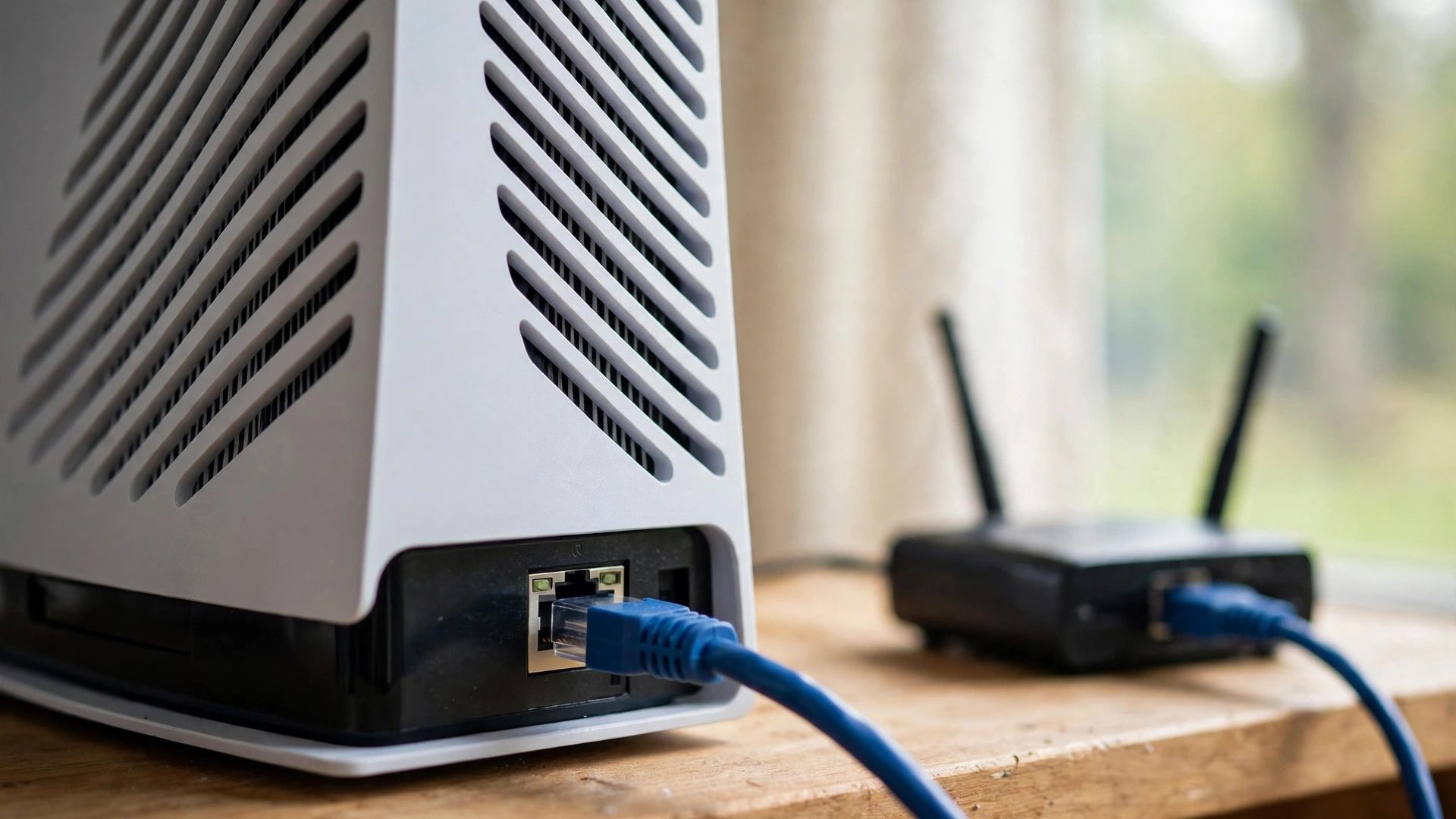
One 2026 editorial report puts the gain bluntly: switching from Wi-Fi in another room to Ethernet can double or even triple a PS5's download speed. Treat that as an estimate, not a promise — the exact gain depends on how bad your Wi-Fi was — but the direction is consistent: wired beats wireless on the PS5 in almost every home. Any Cat5e cable or better is enough for gigabit speeds; you do not need an expensive "gaming" cable.
- Plug into the router, not a switch or a powerline adapter, for the test. If the speed jumps, the cable was the fix. If it does not, the bottleneck is upstream — PSN, the plan, or the router itself.
- If a cable genuinely cannot reach the console, a mesh Wi-Fi node placed in the same room as the PS5, with the console wired to that node, is the next best thing. Powerline adapters are a lottery: they work well in some homes and poorly in others, depending on the wiring.
- Keep the cable in place. This is not a one-time test — a PS5 left on Ethernet downloads faster for the life of the console, including every future 100 GB game and patch.
If Ethernet is impossible and Wi-Fi is the only option, the next section is the one that matters — most slow PS5 Wi-Fi is a band problem, not a signal problem.
How Do I Force My PS5 to Use 5 GHz Wi-Fi?
Settings > Network > Settings > Set Up Internet Connection > press Options on your network > Wi-Fi Frequency Bands > 5 GHz. That is the whole fix — and it matters because the PS5 often sticks to the 2.4 GHz band on its own. The console picks the stronger signal, and 2.4 GHz travels further and looks stronger through walls, so a PS5 in another room from the router will happily sit on the slower band indefinitely.
The two bands are a trade-off, not a hierarchy: 5 GHz is much faster but has shorter range and passes through walls poorly; 2.4 GHz reaches further but is slower and more crowded. If the console is in the same room as the router, 5 GHz is the clear choice. If it is two rooms away, 5 GHz may be worse than 2.4 GHz — try both bands and keep whichever tests faster on the PS5's connection test. Do not assume: measure.
One reporter's experience shows how big the gap can be: TechRadar's Harry Padoan reported in 2026 that forcing 5 GHz cut a 37 GB game's predicted download from 6 hours 20 minutes to about 1.5 hours. That is one person's result on their own network, not a promise — but it shows the scale of what the wrong band can cost. If your router broadcasts a single combined network name for both bands, the PS5's band setting still forces the choice, so you do not need to split your network to use it.
Does Rest Mode Make PS5 Downloads Faster?
No. Rest Mode does not make downloads faster — Sony makes no such claim. What it does is let downloads keep running while the console idles, so a game that would take three hours finishes overnight instead of tying up your evening. The speed is the same; the waiting is not.
Make sure it is actually switched on: Settings > System > Power Saving > Features Available in Rest Mode > Stay Connected to the Internet. If that option is off, Rest Mode pauses downloads entirely and nothing finishes while you sleep. With it on, start the download, put the console in Rest Mode, and let it work. For very large games this is the most practical "fix" there is — a 150 GB download at 100 Mbps still takes over three hours, and nobody wants to watch it.
One more thing Rest Mode does not do: it does not download games while the console is fully powered off. Fully off means fully off — no downloads, no updates. If you want a game ready in the morning, Rest Mode is the setting; a powered-off console is not.
Will Changing DNS Make My PS5 Download Faster?
No. Changing DNS cannot add speed to your connection. DNS only translates names into addresses — it is the phone book, not the road. At most, a different DNS server can point you at a nearer PlayStation Network content server, which occasionally helps if your current server is overloaded. That is a routing lottery, not a speed upgrade, and most of the time it changes nothing measurable.
The two servers everyone quotes are Google's (8.8.8.8 and 8.8.4.4) and Cloudflare's (1.1.1.1 and 1.0.0.1). If you want to try one, set it in Settings > Network > Settings > Set Up Internet Connection > your network > Advanced Settings > DNS Settings > Manual, run the connection test, and compare it with the old setting. If the number does not move, change it back — a DNS change that does nothing is just a setting to forget about. Our best DNS for gaming guide covers the same question for PS5, Xbox, and PC, including when DNS genuinely matters (it is about store errors and failed connections, not speed).
The same honesty applies to MTU. The 1473 MTU tweak is an old fix that does not speed up downloads on a normal connection, and Sony publishes no universal MTU target for downloads. Do not chase it: if your connection test is slow, the cause is Wi-Fi, congestion, or PSN — not a three-digit setting.
Why Does My PS5 Say "Copying" for So Long After the Download Finishes?
Because "Copying" is not downloading — it is installing, and the network has nothing to do with it. Once the download bar completes, the PS5 copies and installs the game data onto its SSD. On large games that phase can take a long time, and it looks exactly like a stalled download if you do not know what it is. A faster connection will not shorten it; only a faster drive or a smaller game will.
The trap inside the trap is free space. Installing a game can require roughly twice the game's size in free space — the downloaded package plus the installed files, side by side. If the console runs out of room mid-install you will see error CE-107872-5 (not enough free space) or CE-107527-2 (installation failed). The fix is to delete games you are not playing until you have comfortably more than the game's size free. Our best SSD for PS5 guide covers adding storage if you are constantly juggling space — every pick there ships with a heatsink, which the PS5 requires.
How to tell which phase you are in: the Downloads screen shows the download progress, while the game's own tile shows the install. If the download is at 100% and the tile still says Copying, wait — the network did its job, and interrupting the install now only creates a bigger problem.
Why Is My PS5 Slower Than My PC on the Same Internet?
Because the two devices are not measuring the same thing. A PC speed test talks to a nearby test server chosen for speed; the PS5 downloads from PlayStation Network's servers, which may be further away, busier, or simply serving your region more slowly at that moment. A fast PC and a slow PS5 on the same connection is normal — it tells you the home connection is fine and the bottleneck is the PS5's route to PSN, not your plan.
Three PS5-specific things also drag the number down. First, the base PS5 and Slim use Wi-Fi 6, while the PS5 Pro has Wi-Fi 7 — and a PC with a wired connection or a newer Wi-Fi card will beat both on wireless. Second, playing a game while downloading throttles the download: the console gives the game priority, so quit the game and let the download have the connection. Third, PSN congestion at major launches hits the PS5 and not your PC's speed test at all.
Test it properly before blaming the console: run the PS5 connection test and a phone speed test at the router at the same time. If the phone is fast and the PS5 is slow, the bottleneck is the PS5's connection — work the Ethernet and 5 GHz sections above. If both are slow, it is the plan or the provider, and no console setting will fix it.
What If My Download Is Stuck or Won't Start?
Work this ladder in order — each step is cheaper than the next, and most stuck downloads clear at step one or two.
- Check PSN status first. status.playstation.com will tell you if downloads or the Store are degraded. If they are, wait — nothing on your side fixes a server problem.
- Pause and resume. Open Downloads/Uploads from the control centre, pause the download, then resume it. Sony itself recommends this for a download that will not start, and it restarts a stalled connection without losing progress.
- Quit the game you are playing. A running game throttles downloads. Close it fully and re-check the speed.
- Restart the console, then the router. A full PS5 restart clears transient network state; a router restart clears its own. Restart the router, wait for it to come back fully, then re-run the PS5 connection test.
- Clear the cache and rebuild the database. Power the PS5 off fully, hold the power button until the second beep (about 7 seconds) to enter Safe Mode, connect the controller by USB, and choose option 6, Clear Cache and Rebuild Database. It scans the drive and rebuilds the console's internal database — it does not erase your games or saves, and it can clear a download that is stuck on the console side rather than the network side.
- Cancel and re-download — last resort only. If nothing else works, cancel the download and start it again from the Game Library. Know that cancelling deletes the progress, so only do this when the download is genuinely stuck, not merely slow.
If downloads fail repeatedly with the same error, note the error code before searching for it — CE-107872-5 means free space, CE-107527-2 means the install failed — because the code, not the symptom, is what tells you which fix applies.
Frequently Asked Questions
Is there a limit to how fast the PS5 can download?
The hardware limit is the PS5's gigabit Ethernet port — 1,000 Mbps wired — and real-world speeds sit below it. Wi-Fi 6 on the base PS5 and Slim (Wi-Fi 7 on the PS5 Pro) is slower in practice than a cable, and PlayStation Network's servers, your plan, and your Wi-Fi conditions all cap what you actually get. If your connection test shows far less than your plan's speed, the limit is somewhere before the PS5, not in it.
Does rebuilding the PS5 database improve download speed?
No — rebuilding the database does not change your network speed. It scans the drive and rebuilds the console's internal database, which can help if downloads are stuck, installs fail, or the console feels sluggish. Use Safe Mode option 6, Clear Cache and Rebuild Database: it does not erase your games or saves. If downloads are simply slow, work the network fixes first — the database is the last step, not the first.
Does pausing and resuming a download actually help?
Sometimes. Pausing and resuming restarts a stalled connection, and Sony itself recommends it for a download that will not start. If the speed does not recover, cancel the download and start it again from the Game Library — but know that cancelling deletes the progress, so only do it when the download is genuinely stuck.
Do PS4 games download faster than PS5 games?
Usually, but only because the files are smaller. A 40 GB PS4 game finishes sooner than a 100 GB PS5 game at the same speed — the console does not throttle PS4 downloads. What matters is the file size and the speed you are actually getting, not which generation the game belongs to.
What internet speed do I need for PS5 downloads?
There is no minimum speed for downloading games — any connection works, it just takes longer on a slow one. At 100 Mbps a 100 GB game takes about 2 hours 13 minutes in the best case; at 25 Mbps the same game takes nearly 9 hours. Sony's published 5 Mbps minimum and 15 Mbps recommended figures are for Remote Play, not for Store downloads, so do not use them as download targets.
Can I download games while my PS5 is fully off?
No. A fully powered-off PS5 downloads nothing. Use Rest Mode instead: Settings > System > Power Saving > Features Available in Rest Mode > Stay Connected to the Internet. Rest Mode keeps downloads running while the console idles — it does not make them faster, it just lets them finish overnight.
Why do some games download faster than others?
File size first, then server load. A small indie game finishes quickly at any speed, while a 150 GB blockbuster takes hours at the same rate. Big launches also slow everyone down: when millions of players download the same game at once, PlayStation Network is congested and speeds drop no matter how good your home setup is. Try again off-peak and the same download is often much faster.