Best Wireless Gaming Keyboards in 2026: 6 Picks That Don't Cost You Fights

You cut the cable. Then you lose a fight you should have won, and the first thing you blame is the keyboard. Sometimes you're right. Most of the time, though, the board wasn't the problem — the connection was. A Bluetooth board in a ranked match is a slow board. A 2.4GHz board is a different machine entirely.
A wireless gaming keyboard is a keyboard that connects to your PC over a 2.4GHz radio dongle or Bluetooth instead of a cable. The dongle is the part that matters: it carries low-latency game input, while Bluetooth is best kept for typing and casual use.
Most roundups in the top 10 for this query rank by spec sheet and never warn you about the traps. They crown boards with no 2.4GHz dongle at all. They print 2,000-hour battery claims next to 37-hour ones as if the two numbers measured the same thing. And several still crown last year's budget picks as if nothing changed since. So this guide ranks by the connection first, then the switches, the battery honesty, and the layout — and every battery figure comes with the conditions it was measured under.
Quick Comparison
| Product | Key Specs | ||
|---|---|---|---|
| #1 | SteelSeries Apex Pro TKL Wireless Gen 3Best Overall | OmniPoint 3.0 Hall effect · 0.1–4.0mm actuation · Rapid trigger · 37.5h on 2.4GHz · $299.99 | Check Price |
| #2 | ASUS ROG AzothBest 75% All-Rounder | Gasket mount · Hot-swap NX Snow · 2,000h+ (lights off) · OLED + knob · $249.99 | Check Price |
| #3 | Keychron K2 HEBest Hall-Effect Value | Gateron magnetic switches · Rapid trigger · 1000Hz on 2.4GHz · QMK/VIA · $129.99 | Check Price |
| #4 | Razer BlackWidow V4 Pro 75%Best High Polling Rate | 4000Hz wireless · Hot-swap · OLED + Command Dial · Orange Gen-3 switches · $299.99 | Check Price |
| #5 | ASUS ROG Strix Scope II 96 WirelessBest With a Numpad | 96% layout · 1,500h (lights off) · Hot-swap NX switches · Wrist rest · $179.99 | Check Price |
| #6 | Keychron K8 MaxBest Budget Pick | TKL · 1000Hz on 2.4GHz · QMK/VIA · Hot-swap (RGB version) · $124.99 | Check Price |
Prices below are list prices checked 21 Nov 2026, with street prices where we found them. Black Friday prices carry their end dates — a sale price without an expiry is a trap.
Best Wireless Gaming Keyboard by Use
Buy for the way you actually play first — the right connection matters more than the right brand:
- Competitive FPS: SteelSeries Apex Pro TKL Wireless Gen 3 — adjustable actuation and rapid trigger, with a 2.4GHz link that keeps up with wired boards.
- Gaming and typing in one board: ASUS ROG Azoth — the gasket mount and hot-swap switches make it the nicest board here to live with all day.
- Rapid trigger on a budget: Keychron K2 HE — magnetic switches and rapid trigger for roughly half the price of the top pick.
- Fastest polling rate: Razer BlackWidow V4 Pro 75% — the only board here at 4000Hz wireless, with an OLED screen and a Command Dial.
- You need a numpad: ASUS ROG Strix Scope II 96 Wireless — full number keys in a frame barely wider than a TKL.
- Cheapest proper wireless board: Keychron K8 Max — a real 1000Hz 2.4GHz link for $93.74 direct from Keychron right now.
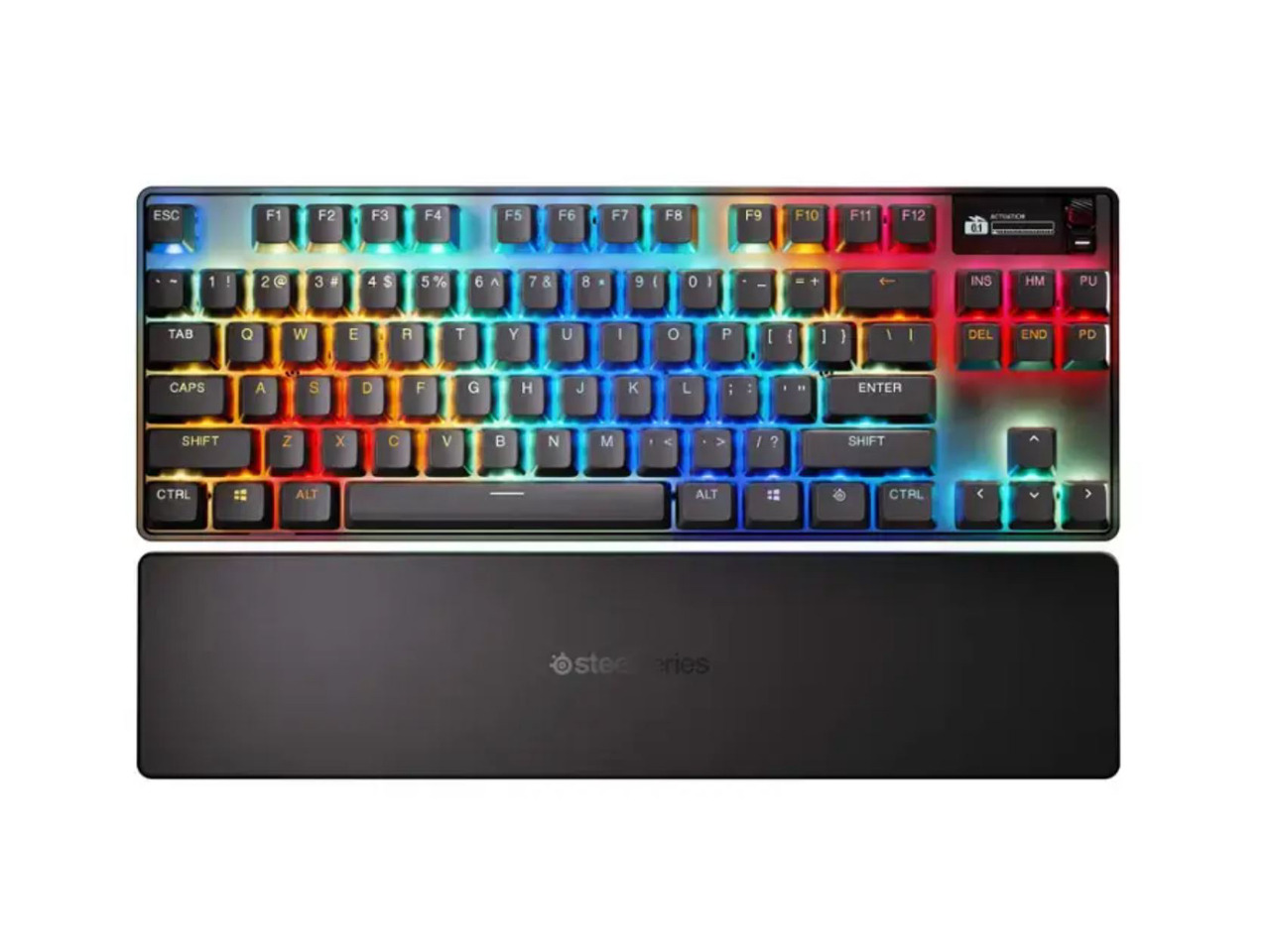
SteelSeries Apex Pro TKL Wireless Gen 3
Best OverallBuy if: you play competitive shooters and want adjustable actuation, rapid trigger, and a wireless link that keeps up with wired boards
Don't buy if: you want to swap switches — the OmniPoint 3.0 switches are soldered in, not hot-swappable
At $299.99 list (checked 21 Nov 2026; street around $239.99), the Apex Pro TKL Wireless Gen 3 is the best wireless gaming keyboard for most players. Its OmniPoint 3.0 Hall effect switches let you set the actuation point anywhere from 0.1mm to 4.0mm, per key, with 40 levels in between. Set WASD to a hair trigger for shooters and the rest of the board deeper for typing, on the same keys, without swapping anything. Rapid Trigger resets a key the instant you lift it, and Protection Mode tones the rapid-fire features down for games whose anti-cheat flags them.
Here's the thing: the battery is the honest trade. SteelSeries' own spec sheet rates it at 37.5 hours on 2.4GHz and 45 hours on Bluetooth at default lighting — short next to the tri-mode boards here, so plan on charging it more often. The wireless polling caps at 1000Hz, below the wired board's higher ceiling, and the cable-free version costs $50–80 more than the wired TKL. You pay for the freedom, not for extra speed.
Pros
- Adjustable actuation 0.1–4.0mm, per key — the most flexible switches here
- Rapid Trigger + Rapid Tap + Protection Mode for competitive play
- OLED display for settings without opening software
- 2.4GHz + Bluetooth + wired, with a 0.7ms response time
Cons
- 37.5 hours on 2.4GHz — the shortest battery in this guide
- Switches are not hot-swappable
- 1000Hz wireless polling cap; wired version polls faster
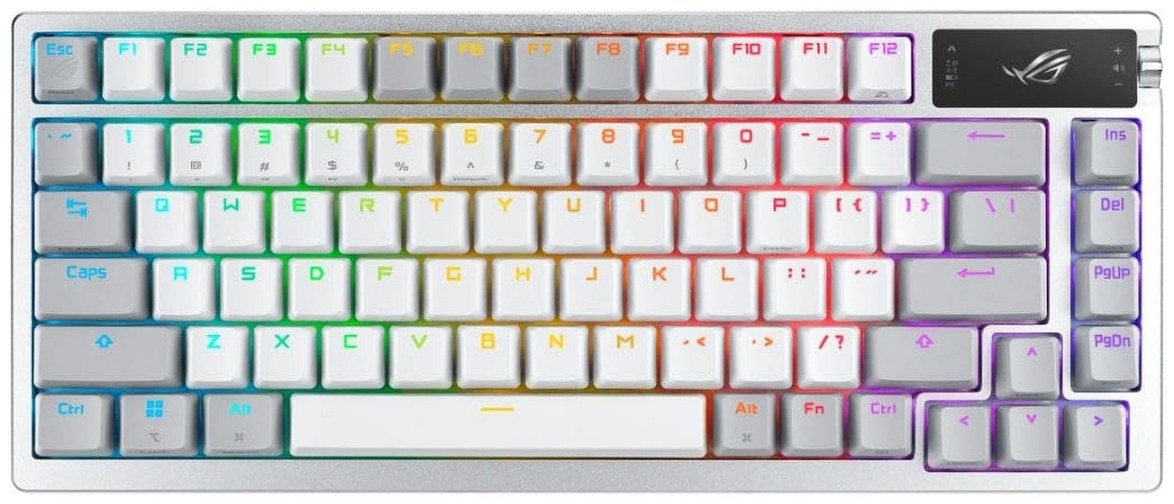
ASUS ROG Azoth
Best 75% All-RounderBuy if: you want one board for gaming and all-day typing, with a soft gasket-mount feel and switches you can swap yourself
Don't buy if: you need rapid trigger — this is a mechanical-switch board, not a Hall effect one
At $249.99 list (checked 21 Nov 2026; $162.99 on ASUS' own store right now), the original Azoth is the nicest board in this guide to live with. The gasket mount and three layers of dampening foam give it a soft, quiet keystroke that no other pick here matches, and the hot-swap sockets take pre-lubed ROG NX Snow switches — plus any 3-pin or 5-pin switch you fancy later. The OLED display and three-way knob handle volume, settings and system info without opening software, and a lube kit comes in the box for the full custom-keyboard ritual.
Buy the original, not the Azoth X. The X costs $269.99 list for newer switches and a different plate, and both GamesRadar and PC Gamer say it adds too little over the original — and drops battery life. The original is still GamesRadar's number-one wireless gaming keyboard, and at $162.99 on ASUS' store it is the better buy by a wide margin. Don't confuse it with the Azoth 96 HE either: that is a newer 96% Hall effect board at $319.99–$359.99, a different keyboard at a different price.
Pros
- Best typing feel here — gasket mount with three foam layers
- Hot-swap sockets and a lube kit in the box
- OLED display + three-way control knob
- 2,000+ hours claimed with OLED and RGB off
Cons
- No rapid trigger — mechanical switches, not Hall effect
- The 2,000-hour figure needs the lights off; RGB on cuts it hard
- Armoury Crate software is sluggish
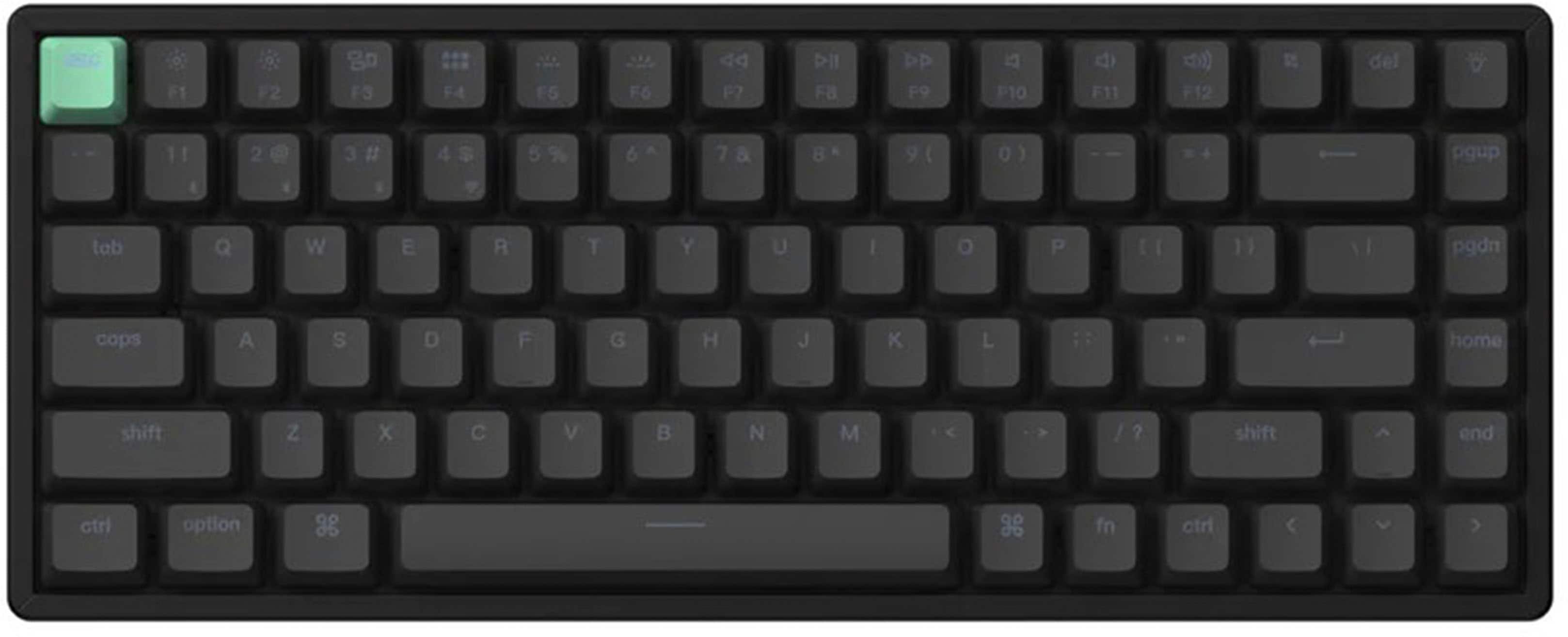
Keychron K2 HE
Best Hall-Effect ValueBuy if: you want rapid trigger and adjustable actuation for roughly half the price of the top pick
Don't buy if: you need a volume knob — this board has an RGB key where the knob should be
At $129.99 list (checked 21 Nov 2026; $103.99 in Best Buy's Black Friday sale, which ends 28 Nov), the K2 HE is the cheapest way into proper Hall effect gaming. Its Gateron double-rail magnetic switches adjust from 0.2mm to 3.8mm in 0.1mm steps, with rapid trigger and analogue input for racing games, and the 2.4GHz link polls at a real 1000Hz — the same as boards twice its price. QMK/VIA support means every key remaps in a browser, no proprietary software needed, and the 4,000mAh battery is rated at up to 110 hours with the backlight off.
The trade is the finish, not the speed. Reviewers praise the sound and the key feel, then point at the same two gaps: there is no volume knob, and the RGB key sits where one should be. The Special Edition adds rosewood accents and a walnut frame for $159.99, but the standard black board is the value pick. And don't confuse it with the older K2 v2, which has no 2.4GHz dongle at all — the HE is the wireless gaming board, the v2 is a Bluetooth typing board.
Pros
- Rapid trigger + adjustable actuation at half the top pick's price
- 1000Hz polling on 2.4GHz; QMK/VIA remapping in a browser
- Hot-swap magnetic switches; 4,000mAh battery
- Solid sound and key feel out of the box
Cons
- No volume knob — an RGB key sits in its place
- RGB on cuts the battery sharply; the 110-hour figure is backlight-off
- No per-key RGB control, only presets
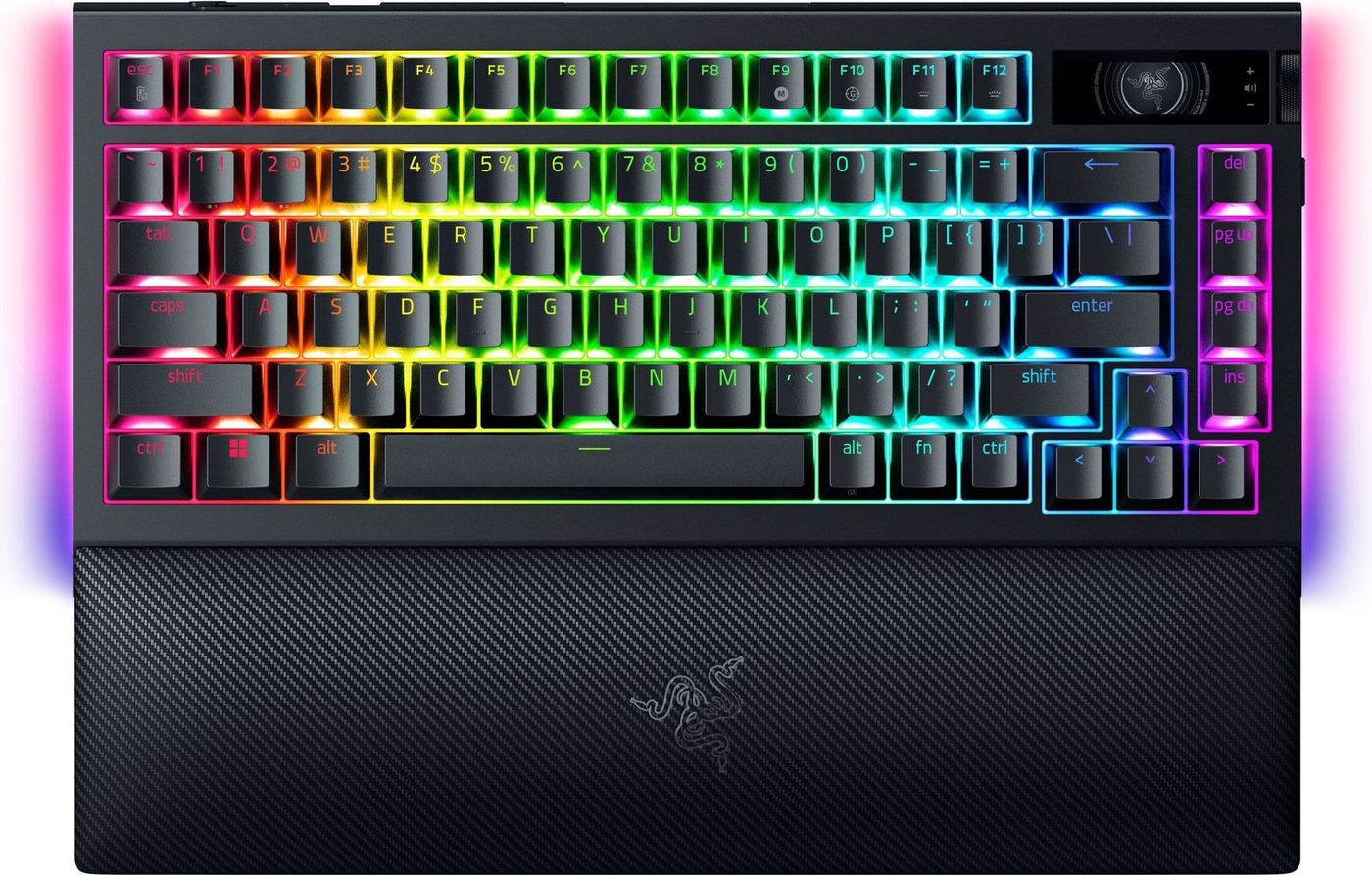
Razer BlackWidow V4 Pro 75%
Best High Polling RateBuy if: you want the fastest wireless polling rate you can buy, with an OLED screen, a Command Dial, and a wrist rest in the box
Don't buy if: you want Hall effect switches — this is a mechanical board, and rapid trigger isn't on the menu
At $299.99 list (checked 21 Nov 2026; around $279.99 on the street), the BlackWidow V4 Pro 75% is the only board here that polls at 4000Hz over wireless. Razer's HyperSpeed link with HyperPolling reports four times a second faster than the 1000Hz boards here — on paper, at least. Around that radio sits a full-featured 75%: hot-swap sockets for 3-pin and 5-pin switches, Orange Tactile Gen-3 switches in the box, an OLED display with a Command Dial for on-the-fly settings, five onboard profiles, and a magnetic plush wrist rest.
Two honest caveats. First, the 4000Hz rate only applies over the wireless dongle — plug the cable in and the polling drops to 1000Hz, which is the opposite of what you'd expect. Second, battery life is the trade for all that speed and screen: Razer doesn't quote a headline figure the way ASUS does, and the 4000Hz radio plus the OLED are the reason why. Buy this board for its switches and its build, not for its battery. And buy the 75% — the full-size BlackWidow V4 Pro is a wired board, not a wireless one.
Pros
- True 4000Hz wireless polling — the fastest here
- Hot-swap sockets; OLED display + Command Dial
- Magnetic plush wrist rest included
- Five onboard profiles; Bluetooth for three devices
Cons
- Wired mode drops to 1000Hz — wireless is faster than the cable
- No headline battery figure; 4000Hz + OLED drink power
- Needs Razer Synapse 4 — no other software works with it
ASUS ROG Strix Scope II 96 Wireless
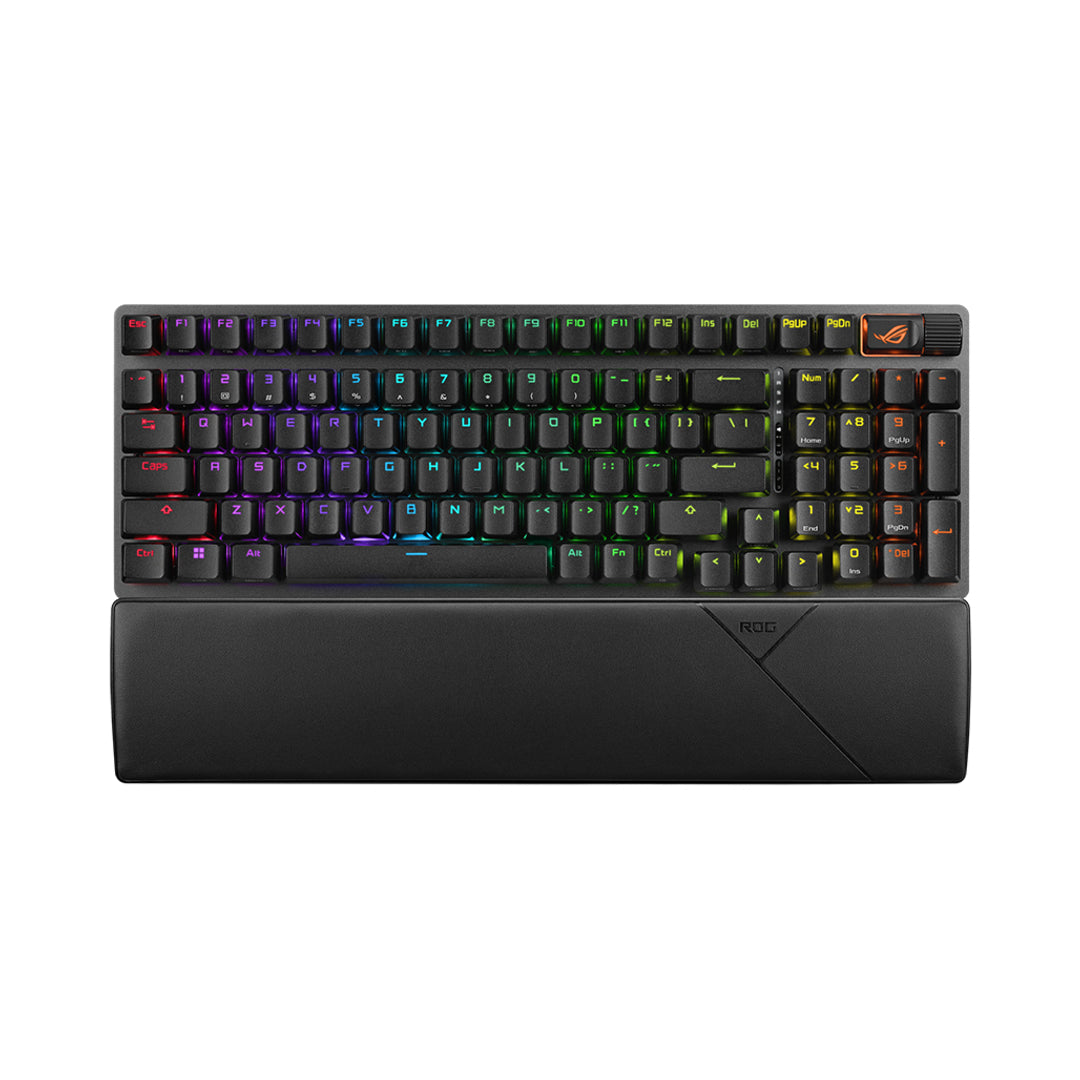
Best With a NumpadBuy if: you need a numpad but refuse to give up desk space — this 96% board keeps every key in a frame barely wider than a TKL
Don't buy if: you want rapid trigger or the smallest possible board — this is a mechanical 96%, not a compact Hall effect board
At $179.99 list (checked 21 Nov 2026; $109.99 in Best Buy's Black Friday sale, which ends 28 Nov), the Scope II 96 Wireless is the pick for anyone who does spreadsheets by day and shooters by night. The 96% layout keeps the function row and the full numpad in a frame just 1cm wider than a standard TKL, so your mouse hand stays close. It is the number-one overall pick at both PC Gamer and Tom's Hardware, and PCWorld gave it 4.5 stars and an Editors' Choice award. The battery claim is up to 1,500 hours with the RGB off, and the hot-swap sockets take pre-lubed NX Snow linear or NX Storm clicky switches.
The same ASUS rule applies: the headline battery figure is a lights-off number, and RGB on cuts it hard. The wrist rest is in the box, which matters at this price, and the sound-dampening foam keeps the keystrokes quiet for an office. Don't confuse it with the Scope II 96 RX Wireless — that is the optical-switch version, a different board at the same $179.99 list price. Check the switch name in the listing before you pay.
Pros
- Full numpad in a near-TKL frame — the best layout compromise here
- 1,500-hour battery claim (lights off); wrist rest included
- Hot-swap NX switches; PC Gamer and Tom's Hardware number one
- Quiet, dampened keystrokes for shared rooms
Cons
- The 1,500-hour figure needs RGB off
- No rapid trigger — mechanical switches only
- Armoury Crate software is sluggish
Keychron K8 Max
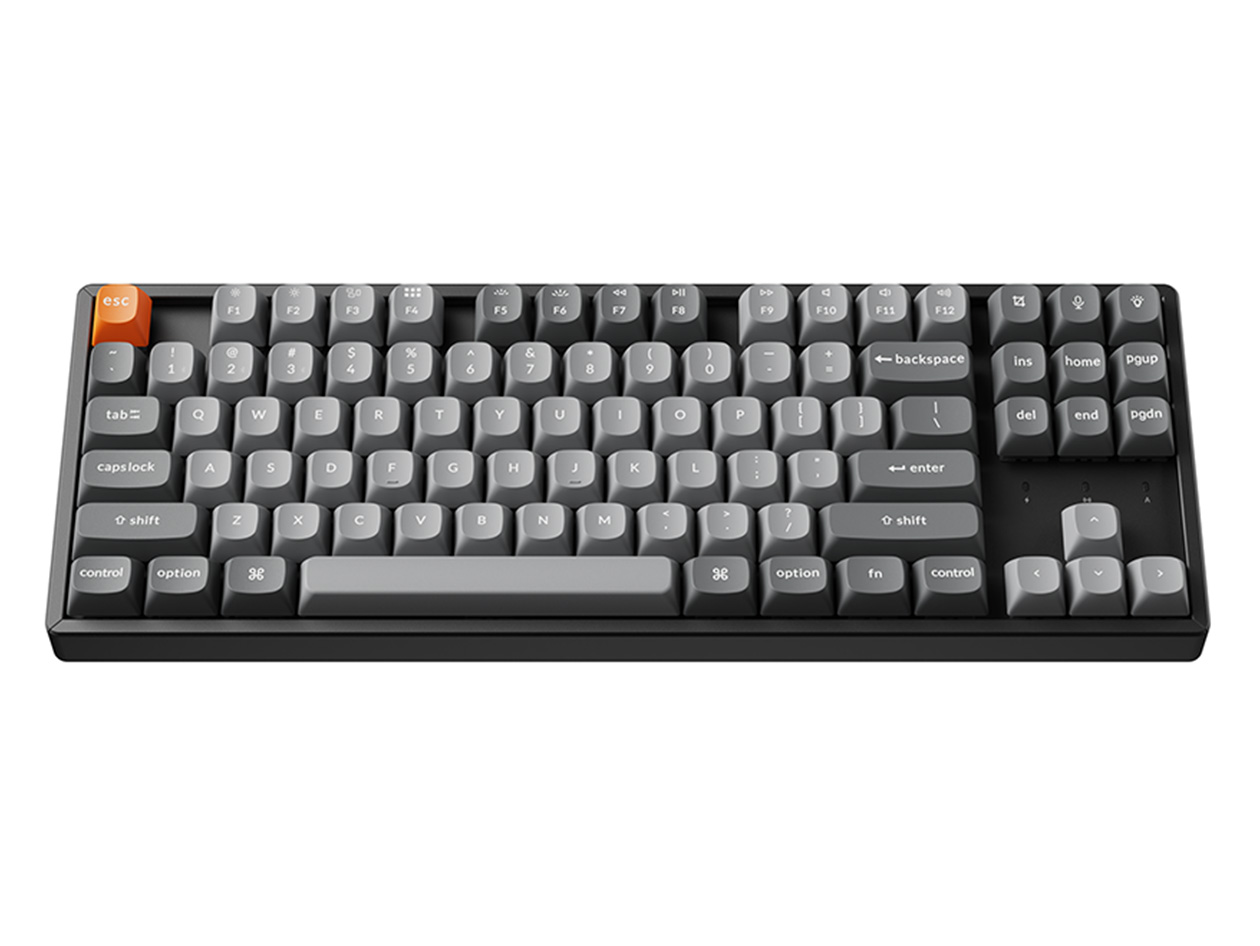
Best Budget PickBuy if: you want a proper 1000Hz wireless gaming board for the least money — and a TKL layout with a real function row
Don't buy if: you want rapid trigger or the smallest footprint — this is a mechanical TKL, not a Hall effect 75%
At $124.99 list (checked 21 Nov 2026; $93.74 direct from Keychron right now), the K8 Max is the cheapest board here with a real gaming connection. The 2.4GHz link polls at 1000Hz out of the box, the same as boards twice its price, and Bluetooth 5.1 covers three devices for everything else. QMK/VIA support remaps every key in a browser, the RGB version has hot-swap sockets and a programmable knob, and the layered acoustic foam — IXPE, PET and EPDM — gives it a deeper sound than its price suggests. Tom's Guide calls it an excellent, comfortable and durable keyboard, and it goes on sale hard: trackers have caught it at half price.
Watch the variant. The RGB-backlit K8 Max is hot-swappable; the cheaper white-backlight version is not, and some listings bury that detail. The older K8 Pro looks nearly identical and costs less — but it has no 2.4GHz dongle, so it is a Bluetooth typing board, not a gaming board. Buy the Max, check for the RGB backlight, and you get the full formula for under $100.
Pros
- 1000Hz on 2.4GHz — a real gaming link at the lowest price here
- QMK/VIA remapping; hot-swap sockets on the RGB version
- Layered acoustic foam; programmable knob
- Goes on sale hard — tracked at half price before
Cons
- No rapid trigger — mechanical switches only
- White-backlight version is not hot-swappable — check the listing
- Bluetooth polls at just 90Hz, so use the dongle for games
Should I Use 2.4GHz or Bluetooth for Gaming?
2.4GHz, every time. Bluetooth polls at 90–125Hz on the same boards that manage 1000Hz over their dongle, and that gap is the whole story. A 2.4GHz dongle is a dedicated radio link between your keyboard and your PC. Bluetooth is a shared, power-saving link built for headphones and phones. Same board, same keys — a different connection, and a different result.
2.4GHz vs Bluetooth: 2.4GHz is better suited for gaming because it polls at 1000Hz and adds about 5ms of latency. Bluetooth works better when you type on a laptop or switch between three devices. The key difference is the connection: one is built for games, the other for convenience.
If you're gaming on Bluetooth, you're not just a little slower — you're playing a different game. Every pick in this guide ships with a dongle for a reason, and every one of them also has Bluetooth for the desk work in between. Use the dongle for games. Use Bluetooth for everything else. That split is the entire trick.
The best wireless gaming keyboard connection is 2.4GHz, not Bluetooth. According to MKB Guide, the same boards poll at 1000Hz over 2.4GHz but only 90 to 125Hz over Bluetooth, which is why Bluetooth feels sluggish in games. The dongle is the game connection, and Bluetooth is the spare.
A wireless gaming keyboard for competitive play should always use its 2.4GHz dongle. According to GamingKeyboards.net's own testing, 2.4GHz at 1000Hz adds about 5.1ms of latency, against 4.8ms wired and 14 to 28ms over Bluetooth. The gap between the dongle and the cable is smaller than a frame.
Are Wireless Gaming Keyboards Fast Enough for Competitive Play?
Yes — over 2.4GHz. The measured gap against a wired board is about 0.3ms at 1000Hz polling, which no player can feel in a match. The old rule that wireless means lag died years ago. What survived is the confusion: people test a Bluetooth board, feel the delay, and blame wireless itself.
Look — if you're buying for ranked shooters, here's what actually works. A 2.4GHz board at 1000Hz. A wired board at 1000Hz. Same speed, within a third of a millisecond. The numbers come from GamingKeyboards.net, the only top-10 site that measured latency itself: wired at 1000Hz measured 4.8ms, 2.4GHz at 1000Hz measured 5.1ms, and Bluetooth measured 14–28ms. One connection is a rounding error. The other is a handicap.
Polling rate is the number to read, not the marketing word. 1000Hz means the keyboard reports its state 1,000 times a second — once per millisecond. 4000Hz reports four times as often. The jump from 1000Hz to 4000Hz saves three-quarters of a millisecond, and no human can feel that. Buy the BlackWidow for its switches and its build, not its polling rate.
Wireless gaming keyboards are fast enough for competitive play when they use a 2.4GHz dongle. The measured gap against a wired board is about 0.3ms at 1000Hz polling, which no player can feel in a match. Bluetooth is the slow link, not wireless itself — switch connections before you blame the board.
How Long Does a Wireless Gaming Keyboard Battery Really Last?
Less than the box claims — and the headline numbers don't measure the same thing. Every battery figure in this guide was measured with the lights off unless we say otherwise. That is the industry's favourite trick: quote the number with RGB off, print it big, and let the buyer find out the truth in week two.
| Board | Headline Claim | What It Means |
|---|---|---|
| SteelSeries Apex Pro TKL Wireless Gen 3 | 37.5h on 2.4GHz | At default lighting — the honest one in this guide |
| ASUS ROG Azoth | 2,000+ hours | OLED and RGB off — with lights on, a fraction of that |
| Keychron K2 HE | Up to 110 hours | Backlight off — RGB on cuts it sharply |
| Razer BlackWidow V4 Pro 75% | No headline figure | The 4000Hz radio and OLED trade battery for speed |
| ASUS ROG Strix Scope II 96 Wireless | 1,500 hours | RGB off — with RGB on, far less |
| Keychron K8 Max | 4,000mAh | No headline hours — brightness decides how often you charge |
Quick note: the Apex Pro Gen 3 is where the numbers fight each other. I've seen conflicting data — some reviews quote an 80-hour rating, while SteelSeries' own spec sheet says 37.5 hours on 2.4GHz at default lighting. My read is the 80-hour figure comes from RGB-off or light-use testing, and the 37.5-hour figure is the honest one for gaming with the lights on. Plan on charging it weekly, not monthly.
Two habits stretch any board's battery further than any spec will. Turn the RGB brightness down a notch — it is the single biggest power draw. And let the board sleep: every pick here wakes on the first keypress, so the idle hours stop counting against you.
What Is Rapid Trigger, and Do I Need It?
Rapid trigger resets a key the instant you start lifting it, instead of waiting for it to pass a fixed reset point — so repeated presses register faster. On a normal mechanical switch, a key has to travel back past a set point before it can fire again. On a Hall effect switch, the reset point follows your finger. Tap a key twice in quick succession and the second press lands sooner. In a shooter, that is the difference between a clean strafe-peek and a dead one.
Or maybe I should say it this way: rapid trigger doesn't make you faster, it stops the keyboard from slowing you down. The switch stops waiting for a fixed point and starts following your finger instead. Casual players won't feel it. Ranked FPS players will — especially in Valorant and Counter-Strike, where counter-strafing lives or dies on key reset speed.
One warning before you switch it on. Rapid trigger and its cousin, snap tap (which picks the last-pressed of two opposite keys), can trip anti-cheat systems. Some tournaments ban them outright, and some games flag them. SteelSeries built Protection Mode into the Apex Pro Gen 3 for exactly this reason — it tones the rapid-fire features down to a tournament-safe level. Check your game's rules before you lean on it.
Can I Use a Wireless Gaming Keyboard on PS5 or Xbox?
On PS5, yes — with limits. On Xbox, only over the 2.4GHz dongle, and only for games that allow it. The PS5 accepts USB and Bluetooth keyboards for menus, typing and chat. In-game use is decided game by game: Fortnite, Call of Duty and Final Fantasy XIV support keyboard and mouse, while Apex Legends, Valorant and Overwatch 2 do not. A keyboard that works in one PS5 game can sit dead in the next, and that is the game's choice, not the board's.
Xbox is stricter. Bluetooth keyboards are generally not supported at all, so the dongle is the only way in — plug the 2.4GHz receiver into the console's USB port and the board works where the game allows it. The same game-by-game rule applies. If you buy a board mainly for console play, check your game's keyboard support first, then buy the board.
Which Layout Should I Choose — TKL, 75% or 60%?
Buy the layout that fits your desk and your habits, not the one the roundups crown. A TKL keeps the function row and the navigation cluster, and drops only the numpad. A 75% keeps nearly everything — function row included — in a tighter frame, with some keys sharing space. A 60% drops the function row, the arrows and the navigation keys entirely, and leans on layers for the rest.
For most gamers, 75% is the sweet spot: full function row, arrows in reach, and a small enough frame that your mouse hand isn't stretched wide. TKL suits players who want a dedicated navigation cluster and don't mind the extra width. 60% suits players who never touch the function row and want the mouse as close as possible — but check you can live without dedicated arrows before you buy one.
Five of the six picks here are TKL or 75%. Only the Scope II 96 keeps a numpad, and it does it in a frame barely wider than a TKL. If you do spreadsheets by day, that board is the answer. If you don't, the smaller boards give your mouse room to breathe.
Why Does My Wireless Keyboard Lag or Keep Disconnecting?
Almost always, the dongle — not the keyboard. A low battery, a dongle buried behind a metal PC case, or a USB 3.0 port spraying interference will all make a good board feel broken. The fix takes two minutes and costs nothing.
To fix wireless keyboard lag, follow these steps: 1. Move the dongle to a front USB port, away from USB 3.0 ports. 2. Charge the battery past 20%. 3. Switch from Bluetooth to the 2.4GHz dongle. 4. Turn off USB Selective Suspend in Windows power settings.
Receiver placement is the one people miss. A dongle plugged into the back of a desktop sits behind a metal box, sometimes a metre from the keyboard, with a Wi-Fi router and a 5GHz network nearby. Move it to a front port, or a USB extender on the desk, and the drops usually stop. Low battery does the same thing quietly — latency creeps up as the charge falls, long before the board dies. And if the drops only happen after the PC sleeps, USB Selective Suspend is the culprit: Windows powers the port down, and the board takes a second to wake.
How Much Should I Spend on a Wireless Gaming Keyboard?
Value peaks in the middle: the jump from a cheap board to a good mid-range one is far bigger than the jump from mid-range to premium. The K8 Max at $124.99 list covers the essentials — a real 1000Hz link, QMK remapping, hot-swap switches. The K2 HE at $129.99 adds rapid trigger for barely more. Past $200, you buy refinements: a nicer mount, an OLED screen, a faster radio.
Here's my honest take, and some readers will push back on it: 4000Hz polling is the most overrated number in this guide. At 1000Hz your keyboard reports every millisecond; the jump to 4000Hz saves three-quarters of a millisecond, which no human can feel. The BlackWidow is a fine board — buy it for its switches, its wrist rest and its build, not for a number on the box. Spend more only for a specific reason: rapid trigger, a gasket mount, or a layout no cheaper board offers.
Buying Guide: What Actually Matters
After the connection, the five things worth your attention are switches, battery honesty, layout, software, and replaceable parts — in that order. Switches decide how the board feels and what it can do: Hall effect switches bring rapid trigger and adjustable actuation, mechanical switches bring hot-swap freedom and a wider choice of feels. Neither is wrong — they solve different problems.
Battery figures need the haircut treatment: read the conditions, not the number, and assume RGB on costs you most of the claim. Layout decides your desk: 75% is the sweet spot for most players, TKL for the navigation cluster, 96% for the numpad. Software decides the daily experience — QMK/VIA remaps in a browser with no install, while Razer Synapse and Armoury Crate are powerful and slow in equal measure. Finally, check replaceable parts before you buy: keycaps wear, switches fail, and a board with standard mounts and available spares will outlive one without them.
Honourable mentions, in one line each: the Logitech G915 X Lightspeed TKL ($229.99 list) is the low-profile pick, with Lightspeed's reputation and a slim frame; the HyperX Alloy Rise 75 Wireless ($229.99 list, around $119.99–$149.99 at Best Buy) pairs hot-swap switches with a claimed 80 hours of RGB-on battery; the Corsair K65 Plus Wireless (75%, tri-mode, 266 hours claimed with RGB off) is the compact Corsair answer to the discontinued K70 Pro Mini Wireless; and the NuPhy WH80 is RTINGS' best wireless pick overall, if you want the lab-tested verdict.
Frequently Asked Questions
What's the best wireless gaming keyboard in 2026?
The SteelSeries Apex Pro TKL Wireless Gen 3 — adjustable Hall effect actuation, rapid trigger, and a 2.4GHz link that keeps up with wired boards, for $299.99 list.
Is a wireless keyboard good for competitive gaming?
Yes — over 2.4GHz. The measured gap against wired is about 0.3ms at 1000Hz polling. Bluetooth is the slow link at 14–28ms, so always use the included dongle for ranked play.
Should I use 2.4GHz or Bluetooth for gaming?
2.4GHz, every time. It polls at 1000Hz and adds about 5ms of latency, while Bluetooth polls at 90–125Hz on the same boards. Keep Bluetooth for typing and switching between devices.
How long does the battery last on a wireless gaming keyboard?
Headline figures assume RGB off — the Azoth claims 2,000+ hours that way, while the Apex Pro Gen 3 rates 37.5 hours on 2.4GHz with lighting on. Expect far less with RGB on.
Can I use a wireless gaming keyboard on PS5?
Yes, for menus and typing, and for games that support keyboard and mouse — Fortnite, Call of Duty and Final Fantasy XIV do. Apex Legends, Valorant and Overwatch 2 don't. Use the 2.4GHz dongle, not Bluetooth.
What is rapid trigger and do I need it?
Rapid trigger resets a key the instant you lift it, so repeated presses register faster — a real edge in shooters. Casual players won't feel it. If you play ranked FPS games, it's worth paying for.
What's the best budget wireless gaming keyboard?
The Keychron K8 Max — a real 1000Hz 2.4GHz link, QMK/VIA remapping and hot-swap switches for $124.99 list, $93.74 direct from Keychron. Buy the RGB version; the white-backlight one isn't hot-swappable.