Best Key Lights for Streaming in 2026: 6 Picks for Every Desk

A key light is the single biggest upgrade you can make to how you look on stream — bigger than a webcam upgrade, bigger than a new microphone. One panel in front of you, at the right height and warmth, is the difference between a grey, shadowed face and a clean, professional shot. And yet most of the guides at the top of Google are quietly wrong about the lights they recommend: they still crown the original Elgato Key Light Air, which Elgato stopped manufacturing; they print the discontinued Key Light Mini as a live pick; and they quote headline lumen numbers that change with the power brick you plug in.
This guide corrects all of that. Every price below is a maker's list price unless labelled as a street price, re-verified on 16 November 2026, and every generation split is named on the card it belongs to.
Quick Comparison
| Product | Key Specs | ||
|---|---|---|---|
| #1 | Elgato Key LightBest Overall | 2,800 lumens · 2,900–7,000K · CRI >92 · Wi-Fi + Stream Deck · $179.99 list | Check Price |
| #2 | Neewer GL25BBest Value | 25W · 2,300 lux at 0.5m · CRI 98+ · 2.4G remote + app · $99.99 | Check Price |
| #3 | Elgato Key Light Air MK.2Best Mid-Size Elgato | Up to 2,100 lumens · CRI >94 · 15″ edge-lit · USB-C PD · $139.99 | Check Price |
| #4 | Neewer GL1 ProBest Big Panel | 15.5″ panel · CRI 97+ · 3,700 lux at 0.5m · Stream Deck plugin · $139.99 | Check Price |
| #5 | Elgato Key Light NeoBest Budget Elgato | Up to ~1,000 lumens · CRI >94 · Monitor mount included · $89.99 | Check Price |
| #6 | Godox SL60IIDBest Studio / COB Route | 70W COB · 5,600K daylight · CRI 96 · 18,600 lux at 1m · Bowens mount · $119 | Check Price |
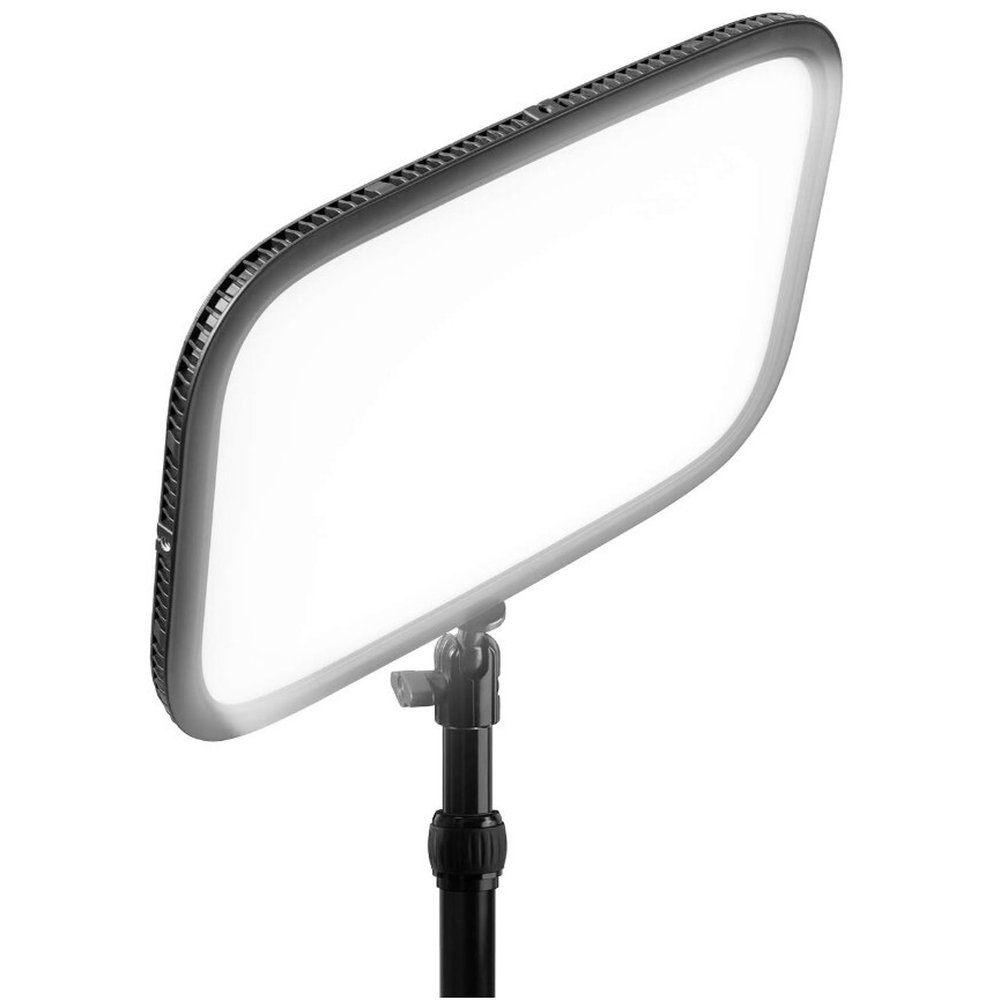
Elgato Key Light
Best OverallBuy if: you want the brightest desk panel here, with app and Stream Deck control and a set-it-and-forget-it setup
Don't buy if: you stream from a small desk or a laptop — the GL25B gives you nearly the same light for $80 less
The Key Light is the light the whole category is judged against, and it is still the brightest panel in this guide: 2,800 lumens from an edge-lit opal-glass panel, adjustable from 2,900K to 7,000K, on a desk-pole mount that clamps to the back of the desk and stays out of the shot. It is the default pick across the top 10 guides for a reason — it is the one light that works in a bright room, at arm's length, without a second light to help it.
What earns it the top spot is the control. Wi-Fi app control from your PC or phone, Stream Deck integration so brightness and warmth live on a button, and a power supply that always delivers the full 2,800 lumens — no power-source games, unlike the smaller USB-powered Elgatos in this guide. Its colour accuracy is better than the old guides claim: independent comparisons put its CRI above 92, not the 80 that still circulates in stale roundups.
The honest costs: this is the priciest panel here at $179.99 list, and it is app-first — if your 2.4GHz Wi-Fi drops mid-session in a congested apartment, you are reaching for the light itself, because there are no on-panel buttons. It is also the biggest panel here, so measure the desk before you buy. Amazon currently has it at $154.99, which narrows the gap to the Neewer picks considerably.
Pros
- Brightest panel here — 2,800 lumens that hold up in a bright room
- App + Stream Deck control is the most convenient in this guide
- CRI above 92 — better skin tones than the stale "CRI 80" claims suggest
- AC-powered, so full brightness always — no power-source trap
Cons
- $179.99 list is the highest panel price here
- App-only control — no on-panel buttons if the Wi-Fi drops
- Largest panel here — needs real desk depth behind the monitor
- No battery — it stays on the desk
List price $179.99 — $154.99 on Amazon on 16 November 2026. Check the price before buying, as prices change.
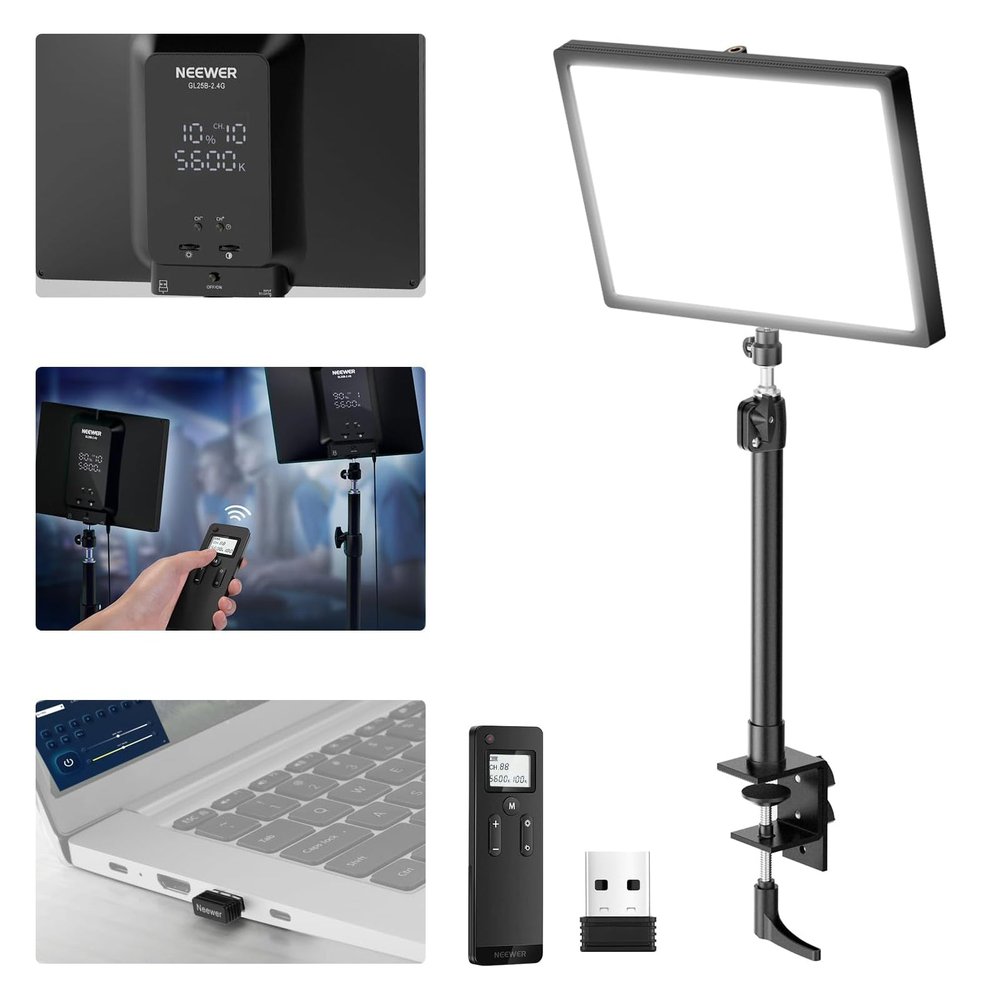
Neewer GL25B
Best ValueBuy if: you want the best light per dollar here — a big, colour-accurate panel with a remote, for half the Elgato's price
Don't buy if: you need Stream Deck control or the brightest possible panel for a sunlit room
The GL25B is the value pick that the strongest rival guides now rank first — one independent guide tested 12 lights over eight months and put it at the top — and it is easy to see why. A 12.9-inch edge-lit panel, 25W, 2,300 lux at 0.5 metres, 2,900–7,000K, and a CRI of 98+, which is the highest colour-accuracy figure in this guide. It ships with a desk clamp and pole, a 2.4G remote, and app control, and it is fanless, so there is no fan hum in the mic.
The honest comparison: it is not as bright as the full Elgato Key Light, and it has no Stream Deck integration — the remote and the on-panel controls are how you adjust it. But at $99.99 it costs $80 less than the Elgato while beating it on CRI, and for a single person at a desk, 2,300 lux at half a metre is more than enough light. This is the pick for most streamers.
One naming note: the GL25B is not the GL25C. The GL25C is the RGB sibling with a slightly different spec — buy the GL25B for a clean key light, and do not pay the GL25C's price by mistake.
Pros
- CRI 98+ — the best colour accuracy in this guide, for $99.99
- 2,300 lux at 0.5m is plenty for a single person at a desk
- Remote + on-panel + app control — no app-only trap
- Fanless, and the desk clamp and pole are in the box
Cons
- Not as bright as the full Elgato Key Light in a sunlit room
- No Stream Deck integration
- Smaller panel than the GL1 Pro — softer light needs the bigger panel
- Do not confuse it with the RGB GL25C sibling
List price $99.99. Check the price before buying, as prices change.
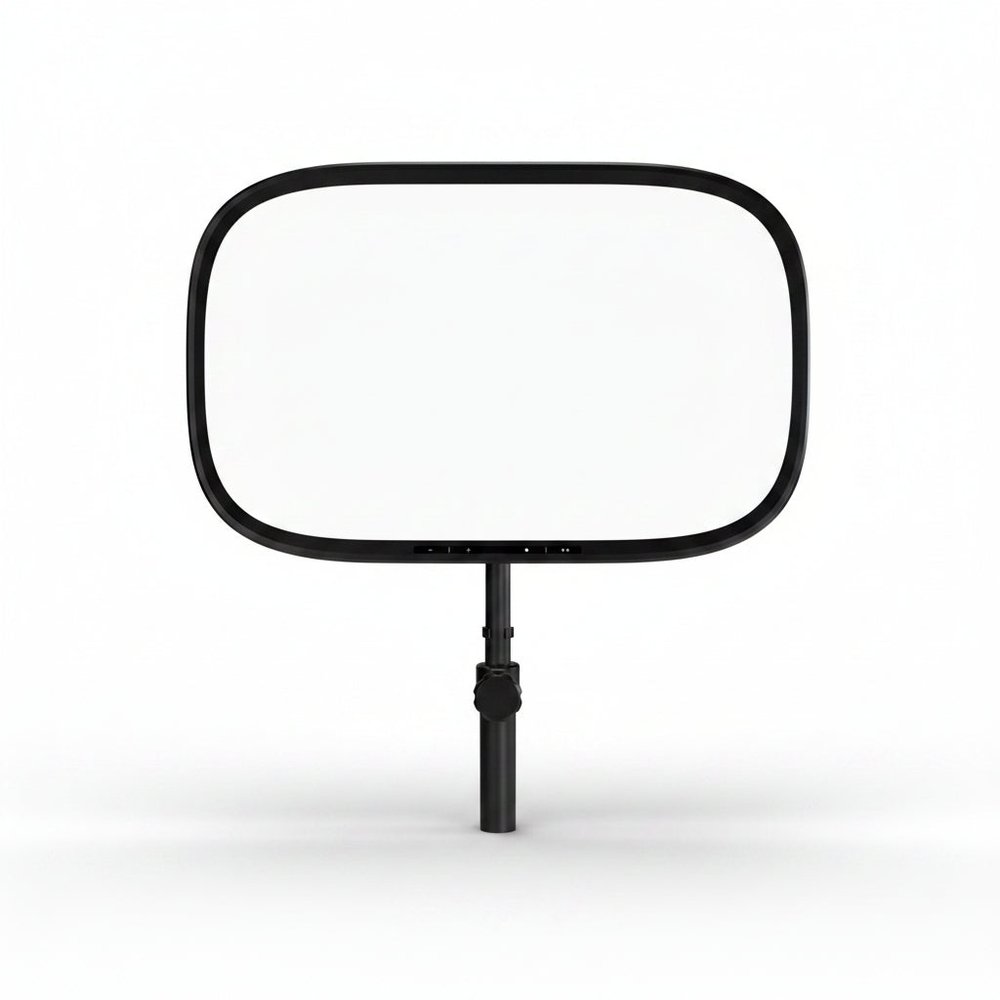
Elgato Key Light Air MK.2
Best Mid-Size ElgatoBuy if: you want an Elgato panel for a single-person desk, with on-panel touch controls and USB-C power you can travel with
Don't buy if: you need the full Key Light's brightness for a bright room, or you will only ever power it from a laptop port
The Air MK.2 is the current Air — and the generation split is the whole point of this card. Elgato rebuilt the Air in July 2026: a 15-inch edge-lit panel pushing up to 2,100 lumens, 2,900–7,000K, CRI above 94, with onboard touch controls, USB-C power and a MagSafe ring. The original Air it replaces (1,400 lumens, CRI 80) is no longer manufactured, yet most rival guides still print it as the current model. Do not buy a listing that shows the old 1,400-lumen spec.
The trap to state plainly: the 2,100-lumen figure needs a roughly 30W USB-C PD source. Plug it into a standard laptop port and you get closer to 400 lumens — fine for a video call, not enough to fight a bright window. Budget for the wall brick, and check the listing is the MK.2: the touch strip along the bottom edge is the tell.
Against the full Key Light, the Air MK.2 trades brightness and the desk-pole mount for size, USB-C power and the touch controls. Against the GL25B at $40 less, it trades CRI and the remote for the Elgato app and Stream Deck ecosystem. If you already own a Stream Deck, that trade is worth it; if you do not, the GL25B is the better buy.
Pros
- CRI above 94 — genuinely flattering on skin, a big jump over the old Air's 80
- Onboard touch controls — no app needed if the Wi-Fi drops
- USB-C PD power and a MagSafe ring — the most portable panel here
- App + Stream Deck control like the full Key Light
Cons
- Full 2,100 lumens needs a ~30W PD brick — only ~400 lumens off a laptop port
- $139.99 is $40 more than the GL25B, which beats it on CRI
- Not as bright as the full Key Light in a sunlit room
- Old Air listings still circulate — verify the MK.2 before buying
List price $139.99 ($119.99 light-only). Check the price before buying, as prices change.
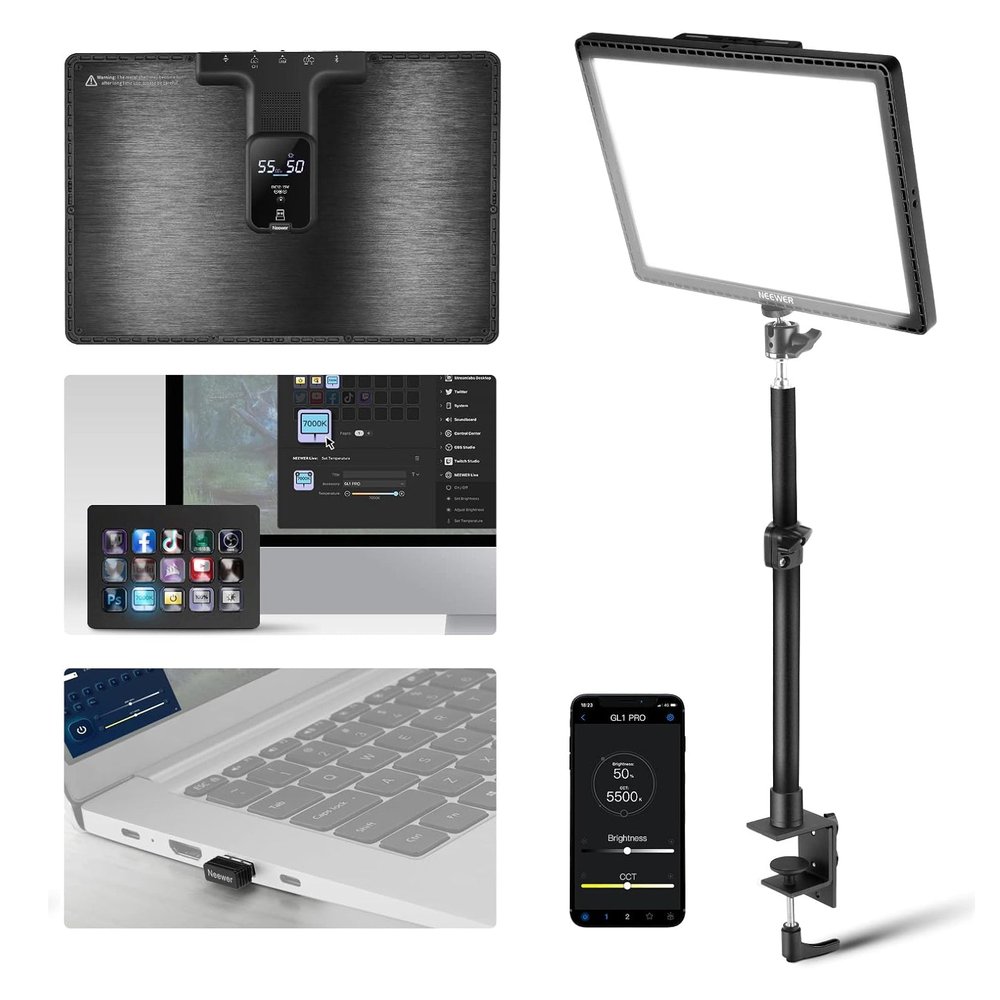
Neewer GL1 Pro
Best Big PanelBuy if: you want the biggest, softest light in this guide — a 15.5-inch panel with the best colour accuracy of any large panel here
Don't buy if: your desk is small, or you want the cheapest good light — the GL25B is smaller and $40 less
The GL1 Pro is what you buy when you want a big, soft, colour-accurate light source and refuse to pay Elgato prices for it. A 15.5-inch panel — the largest in this guide — with CRI 97+ and TLCI 98+, 3,700 lux at 0.5 metres, 2,900–7,000K, a desk clamp, and three ways to control it: a 2.4G dongle, Wi-Fi and Bluetooth, plus a Stream Deck plugin through the NEEWER Live app. It is fanless, up to 45W, and the panel is big enough that the light wraps instead of glaring.
Two numbers need care. First, the lux: Neewer's retail listings quote up to 4,300 lux at 0.5 metres, but the twice-corroborated figure is 3,700 — this guide prints the conservative number. Second, the lumens: retail listings quote 2,800 lumens, but Neewer omits a lumen figure from its own spec page, so judge it by the lux at working distance, not the headline. Either way, it is the softest light here, and softness is what flatters a face on camera.
Against the Elgato Key Light at the same $139.99, the GL1 Pro is bigger, softer and more colour-accurate — but it has no Wi-Fi app as polished as Elgato's, and its Stream Deck control runs through Neewer's own plugin rather than natively. If you do not own a Stream Deck, the GL1 Pro is the better $139.99; if you do, the Air MK.2 is the Elgato-shaped answer at the same price.
Pros
- Biggest panel here at 15.5 inches — the softest, most flattering light
- CRI 97+ / TLCI 98+ — excellent colour accuracy for skin tones
- Three control paths (2.4G dongle, Wi-Fi, Bluetooth) plus a Stream Deck plugin
- Fanless, and the desk clamp is in the box
Cons
- Lux figure varies by listing (3,700 vs 4,300 at 0.5m) — this guide uses the conservative 3,700
- Neewer publishes no lumen figure on its own spec page — judge by lux, not lumens
- Big panel needs desk space the GL25B does not
- Stream Deck control runs through Neewer's plugin, not natively
List price $139.99. Check the price before buying, as prices change.
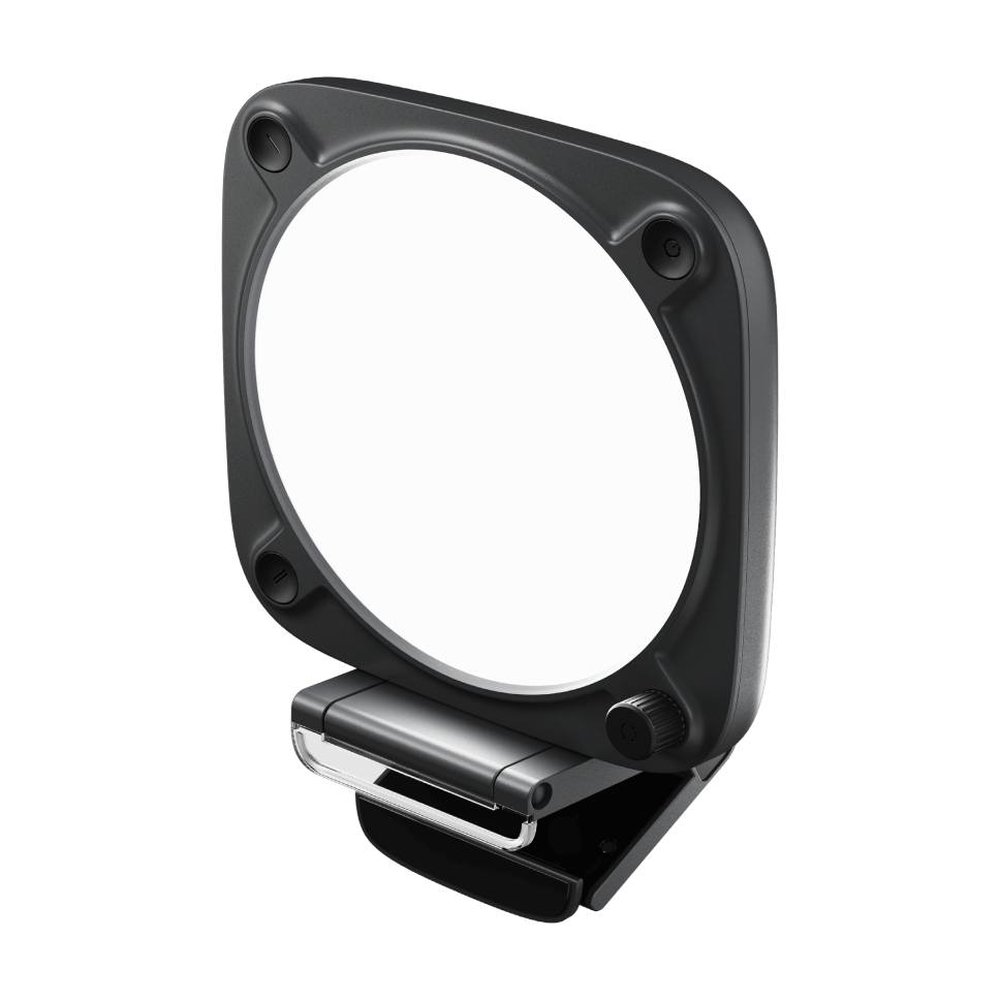
Elgato Key Light Neo
Best Budget ElgatoBuy if: you want into the Elgato ecosystem for under $100 — a compact panel that clips to your monitor and just works
Don't buy if: you need to light a whole scene or fight a bright window — this is a one-face light, not a room light
The Neo is Elgato's answer to "I want the Stream Deck ecosystem without the flagship price." A compact 2,900–7,000K panel with CRI above 94, a monitor mount in the box, onboard controls, and Wi-Fi plus Stream Deck control — for $89.99. It is the cheapest way into Elgato's lighting, and for a single face at desk distance it is genuinely enough light.
The trap is the power, and it is the same trap as the Air MK.2: the brightness depends on what you plug it into. A laptop USB-A port gives you roughly 400 lumens, a USB-C port about 700, and a 3-amp external USB-C brick unlocks the full ~1,000 lumens. If you buy the Neo, budget for the brick — otherwise you are buying a 400-lumen light and wondering why it looks dim.
Against the GL25B at $10 more, the Neo is smaller, dimmer and less colour-accurate — but it is an Elgato, with the app and Stream Deck control, and it clips to the monitor instead of needing a desk clamp. If the Stream Deck matters to you, the Neo is the budget Elgato; if it does not, the GL25B is the better light for the money.
Pros
- Cheapest Elgato here at $89.99 — with app and Stream Deck control
- CRI above 94 — far better skin tones than its price suggests
- Monitor mount in the box — no desk space needed at all
- Onboard controls — it still works if the Wi-Fi drops
Cons
- Brightness is power-dependent: ~400 lm off USB-A, ~700 off USB-C, ~1,000 only on a 3A brick
- Too dim for a bright room or a wide shot — one face at desk distance only
- Small panel — harsher light than the bigger panels here
- No desk clamp — monitor mount only, unless you buy the stand separately
List price $89.99. Check the price before buying, as prices change.
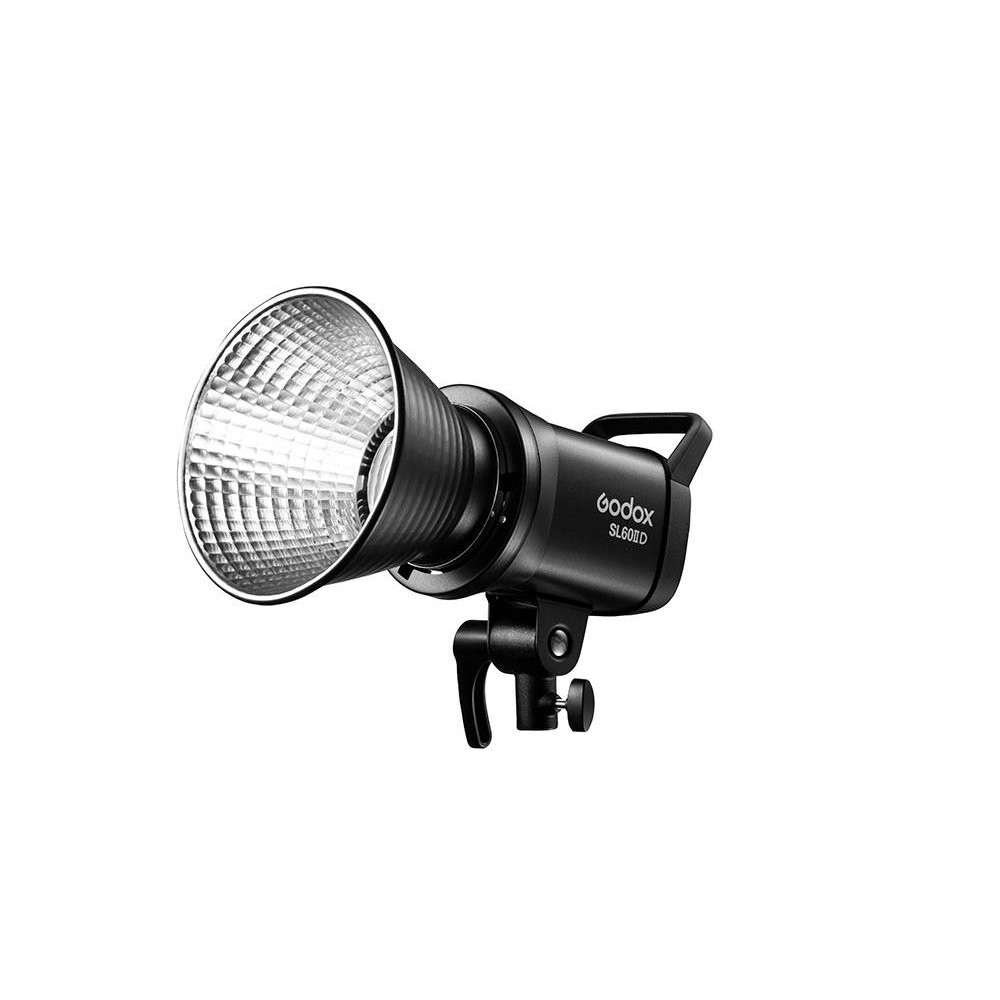
Godox SL60IID
Best Studio / COB RouteBuy if: you want a studio light you can shape — softboxes, grids and gels on a Bowens mount — and you are building a proper set, not a desk
Don't buy if: you want a plug-and-play desk light — this ships with no stand or softbox, and it is daylight-only
The SL60IID is a different discipline from the other five picks, and that is why it is here. A 70W COB monolight — a single powerful point source — with a Bowens mount, 18,600 lux at 1 metre, CRI 96 and TLCI 97, Bluetooth app control, a silent mode, and dimming from 0 to 100%. Put a softbox on it and you get the softest, most professional light in this guide; put a grid on it and you get directional control no panel can match. It is the only pick here that grows with you into a real studio.
The honest costs, stated up front because no other guide states them: the box contains the light and a reflector, and nothing else. No stand, no softbox. Add roughly $40–80 for a stand and $25–60 for a softbox before this light does anything useful, so the real cost is closer to $185–260, not $119. And it is daylight-only — fixed 5,600K, no warm/cool adjustment — so it is the wrong pick for warm skin tones unless you white-balance for it or gel it.
Do not buy the SL60W instead. The older model is outgoing — its page is gone from Godox's own site, it sells around $109 on clearance, and it only dims to 10% where the SL60IID dims to zero. The SL60IIBi is the bi-colour sibling (2,800–6,500K) if you need adjustable warmth — a different model, a different price, and not this card.
Pros
- Bowens mount — softboxes, grids and gels turn it into a real studio light
- 18,600 lux at 1m — the brightest output here by a wide margin
- CRI 96 / TLCI 97 with a silent mode for recording
- Dims from 0 to 100% — the old SL60W stopped at 10%
Cons
- No stand or softbox in the box — add $40–80 + $25–60 to the real cost
- Daylight-only 5,600K — no warm/cool adjustment without gels
- Fan noise in normal mode — silent mode costs you output
- A point source without a modifier is harsh — it needs the softbox
List price $119 (stand and softbox not included). Check the price before buying, as prices change.
How Many Lumens Do I Need for a Key Light?
It depends on the distance and the room, and the honest answer is a range, not a number. At about 2 feet from your face — the usual desk setup — 250 to 500 lumens is enough in a dark room. At 5 to 6 feet, you need 1,500 to 2,800 lumens for the same effect. To fight daylight from a window, budget 2,000 to 3,000 lumens. In a dim office, close up, around 1,400 lumens is plenty.
The rule behind those numbers is the inverse square law: double the distance and the light quarters. That is why distance matters more than the headline number — a 1,400-lumen panel at 2 feet beats a 2,800-lumen panel at 6 feet. Put the light close, just outside the frame, and you need far less power than the box suggests.
And do not compare lumens across light types. A panel's lumens, a COB monolight's lumens and a ring light's lumens are measured differently, and the numbers do not line up. Judge a panel by its lux at your working distance and its CRI — that is what decides how you actually look on camera.
Do I Need One Key Light or Two?
One is enough for a talking-head stream. A single key light at 45 degrees, slightly above eye level, is the whole setup for most streamers — it lights your face, shapes it with a soft shadow on one side, and leaves the background to fall off naturally.
Add a second light when you have a second job for it: separating yourself from the background, lighting a second person, or filling the shadow side of your face so the contrast drops. Two lights also beat one expensive light for learners — a pair of budget panels, one as the key and one as the fill, teaches you more about lighting than any single flagship will. If you go that route, the classic Neewer 660 two-light kit (name the exact kit — the classic bi-colour kit runs about $160–200, not the $239.99 PRO II RGB kit) is the budget way in, with stands included.
Do not buy two lights because you think one is not bright enough. If one light is not bright enough, it is too far away or too dim for the room — move it closer first, then buy brighter, not more.
Where Should I Place My Key Light?
At 45 degrees to one side, slightly above eye level, angled down toward your face, about 2 feet away. That is the setup every lighting guide agrees on, and it works because it does two things at once: the angle gives your face shape instead of flattening it, and the height puts the catchlight in the upper part of your eyes instead of dead centre.
Directly in front, behind the camera, is the most common mistake — it flattens your face, kills the shadows that give it depth, and shines straight into your glasses if you wear them. Too low is the second mistake: a light below eye level is horror-film lighting, shadows pointing up. Raise it, angle it down, and move it off to the side until one side of your face is slightly brighter than the other. That difference is what makes you look three-dimensional on camera.
One more practical rule: keep the light just outside the frame. If you can see it in the shot, it is too close to the camera axis — push it wider, not further back, because further back costs you brightness four times as fast.
How Do I Stop My Key Light Glaring in My Glasses?
Raise the light, angle it down 15 to 20 degrees, and move it further off-axis. That order matters: height first, angle second, position third. A light above your eyeline reflects downward, away from the camera; a light at eye level reflects straight back into the lens, and you get the bright square in your glasses that every glasses-wearing streamer knows.
If the square is still there, move the light further to the side — the reflection follows the angle of incidence, so a light 45 degrees off-axis reflects 45 degrees away from the camera. Moving it further away helps too, because the reflection gets smaller as the light gets smaller in your glasses. What does not help is turning the light down: a dim square is still a square.
The panel matters as well. A big, diffused panel like the GL1 Pro reflects as a soft, wide patch that is far less distracting than the hard square of a small, bare source. If you wear glasses and stream, buy the biggest panel you can afford and place it high — it is the one case where panel size is not just about softness.
Is a Ring Light Good for Streaming, or Is a Key Light Better?
A key light is better for streaming. A ring light is built for close-up beauty work — a phone on a tripod, a face inches from the lens — and it does that job well. But as a key light it gives you flat, shadowless light, circular catchlights in your eyes that look odd on a stream, and the worst glasses glare of any light in this guide, because the ring sits directly in front of your face.
A panel is directional: you place it at 45 degrees, it shapes your face with real depth, and you can move it, angle it and dim it to suit the room. A ring light has one position — in front of you — and one look. For a desk stream, that look is the wrong one.
The one place a ring light earns its keep is as a fill or a beauty light on top of a panel setup, or for a creator who films close-up makeup or product work. As the only light, for streaming, buy a panel.
Elgato Key Light vs Key Light Air — Which Should I Buy?
Buy the full Key Light if you stream in a bright room or light a wide area — 2,800 lumens against the Air MK.2's 2,100, and an AC supply that always delivers it. Buy the Air MK.2 if you light one person at a desk — 2,100 lumens is more than enough at 2 feet, it is smaller, it has touch controls the full Key Light lacks, and it runs on USB-C power you can travel with.
The price gap is $40: $179.99 for the full Key Light against $139.99 for the Air MK.2. The Stream Deck question decides it more than the brightness does — both have app and Stream Deck control, so if you already own a Stream Deck, either fits your workflow, and the Air MK.2 is the better value. If you do not own one, the GL25B at $99.99 is the better buy than either Elgato, because it beats both on CRI.
And do not buy the original Air. It is no longer manufactured, its 1,400 lumens and CRI 80 are a generation behind the MK.2, and the listings still showing it are clearance stock. If the listing does not say MK.2, it is the old one.
The Exact-Model Trap Decoder
Five names in this market each hide two or three different lights. Check the model, the generation, and the power source on the listing — the name alone will not save you.
The generation traps
| Name on the Box | What It Actually Is |
|---|---|
| Elgato Key Light Air / Air MK.2 | The original Air (1,400 lumens, CRI 80) is no longer manufactured — clearance listings only. The current Air is the MK.2 (July 2026, 2,100 lumens, CRI >94, $139.99). The touch strip on the bottom edge is the tell. |
| Elgato Key Light Mini | Discontinued on Elgato's own site. Street price is now about $80–90, not $99.99, and the "4-hour battery" is at 50% brightness, not full. Its CRI is disputed (80 vs 93/94) — do not buy one new at list price. |
| Godox SL60W / SL60IID | The SL60W is outgoing — about $109 on clearance, its page is gone from Godox's site, and it only dims to 10%. The SL60IID ($119) is the current model: 70W, silent mode, dims to zero. The SL60IIBi is the bi-colour sibling, a different model. |
| Neewer 660 kit | "Neewer 660" covers three kits: the classic bi-colour 2-pack (about $160–200), the 660 PRO II RGB 2-pack ($239.99) and the NL660 ($279.99). Name the exact kit and price together, or you will compare the wrong one. |
| Amaran 100x S | Superseded — amaran moved the line to the Halo series. Do not buy the 100x S as a current pick. |
Power-dependent brightness: what each light really puts out
| Light | Headline Figure | What You Actually Get |
|---|---|---|
| Elgato Key Light | 2,800 lumens | Full 2,800 lumens always — AC-powered, no trap |
| Neewer GL25B / GL1 Pro | 2,300 / 3,700 lux at 0.5m | Full output always — AC-powered, no trap |
| Elgato Key Light Air MK.2 | 2,100 lumens | ~400 lumens off a laptop port; full 2,100 only on a ~30W PD brick |
| Elgato Key Light Neo | ~1,000 lumens | ~400 lumens off USB-A, ~700 off USB-C, ~1,000 only on a 3A brick |
| Godox SL60IID | 18,600 lux at 1m | Full output always — AC-powered, no trap (silent mode costs output) |
Buying Guide: What Actually Matters
Judge by lux at your working distance, not lumens. Lumens measure total light out; lux measures light on your face. A 1,400-lumen panel at 2 feet beats a 2,800-lumen panel at 6 feet, because doubling the distance quarters the brightness. Ask for the lux at 0.5 or 1 metre, and compare that.
CRI 90 or higher, 95 or higher if you care about skin. CRI is colour accuracy — how faithfully the light renders skin tones. Below 90, skin looks sallow or washed out on camera. The GL25B's 98+ is the best in this guide; the old Air's 80 is why it looks clinical. Never buy a key light that does not state its CRI.
Bigger panel, softer light. A large panel wraps light around your face; a small one is a hard point that throws sharp shadows and glares in glasses. The GL1 Pro's 15.5 inches is the softest here; the Neo's compact panel is the harshest. If you wear glasses, buy the biggest panel you can afford.
Check the control fallback. The full Key Light is app-only — if the Wi-Fi drops, you walk to the light. The Air MK.2, Neo, GL25B and GL1 Pro all have on-panel controls, a remote, or both. In a congested apartment, the fallback is not a nice-to-have.
Budget for the power brick. The two USB-powered Elgatos only hit their headline brightness on a proper PD brick — roughly 30W for the Air MK.2, 3A for the Neo. If the brick is not in the box, it is not in the price.
Count the real cost of a COB light. The SL60IID is $119, but it needs a stand ($40–80) and a softbox ($25–60) before it does anything a panel does out of the box. Price the kit, not the head.
Budget mentions worth knowing. The Logitech Litra Glow at about $50–60 is the smallest, cheapest real key light — 250 lumens, TrueSoft diffusion, a monitor mount, and just enough light for one face at desk distance. It is the pick for a laptop on a small desk, not for a streaming scene. And if you want two lights instead of one, the classic Neewer 660 bi-colour kit (about $160–200, stands included) is the learner's route — two lights beat one expensive light for learning.
What to Skip
A ring light as your only light. Flat light, circular catchlights, the worst glasses glare in the category. It is a beauty light, not a key light.
Original Key Light Air listings. No longer manufactured, 1,400 lumens and CRI 80 against the MK.2's 2,100 and 94+. If the listing does not say MK.2, walk away.
A new Key Light Mini at $99.99. Discontinued, street price about $80–90, and its 4-hour battery is at half brightness. Clearance only, never at list.
A new Godox SL60W at the old $149. Outgoing, about $109 on clearance, and the SL60IID is $119 with a silent mode and full dimming. Paying $149 for the old one is paying more for less.
Cheap no-name panels with inflated lumen claims. If a $25 panel claims 3,000 lumens and states no CRI, the number is fiction and the skin tones will prove it. Buy a light that publishes its CRI.
Frequently Asked Questions
What is the best key light for streaming?
The Elgato Key Light is the best key light for most streamers — 2,800 lumens, app and Stream Deck control, and the brightest panel in this guide at $179.99 list ($154.99 on Amazon). If you want the best value instead, the Neewer GL25B at $99.99 is the pick: higher CRI than the Elgato, a remote in the box, and plenty of light for one person at a desk.
Is the Elgato Key Light worth it?
Yes, if you want the most convenient, repeatable lighting — set the brightness and warmth once in the app or on a Stream Deck button and never touch the light again. It is also the brightest panel here, which matters in a sunlit room. If you do not own a Stream Deck and stream in a dim room, the Neewer GL25B at $99.99 or the GL1 Pro at $139.99 give you nearly the same result for less.
Do I need one key light or two?
One is enough for a talking-head stream — a single key light at 45 degrees, slightly above eye level, is the whole setup for most streamers. Add a second light when you have a second job for it: separating yourself from the background, lighting a second person, or filling the shadow side of your face. Two budget panels also beat one expensive light for learners.
How many lumens do I need for a key light?
At about 2 feet from your face, 250 to 500 lumens is enough in a dark room. At 5 to 6 feet, you need 1,500 to 2,800 lumens for the same effect, and 2,000 to 3,000 lumens to fight daylight from a window. In a dim office, close up, around 1,400 lumens is plenty. Remember that doubling the distance quarters the brightness, so put the light close and just outside the frame.
How far should the key light be from my face?
Start at about 2 feet, just outside the frame, at 45 degrees to one side and slightly above eye level. Doubling the distance quarters the brightness, so a light that is too far away is the usual reason a stream looks dim — move it closer before you buy a brighter one.
Why does my key light show up as a bright square in my glasses?
Because the light is at eye level, directly in front of you, so it reflects straight back into the camera. Fix it in this order: raise the light above your eyeline, angle it down 15 to 20 degrees, then move it further off-axis to the side. A bigger, diffused panel also helps — it reflects as a soft patch instead of a hard square.
What is CRI and does it matter for a key light?
CRI is the Colour Rendering Index — how faithfully a light renders colours, especially skin tones, on a scale to 100. It matters a lot: below CRI 90, skin looks sallow or washed out on camera. Look for CRI 90 or higher, and 95 or higher if you care about accurate skin tones — the Neewer GL25B's CRI 98+ is the best in this guide. Never buy a key light that does not state its CRI.