Best Gaming Projectors in 2026: 6 Picks That Stay Fast

You bought a projector with a big "4ms" badge. Then your PS5 felt slow at 4K. The badge was real — it just came from a 1080p mode you never use. Add a small room, a bright window and a screen you still need to buy, and the big picture stops feeling simple. This guide fixes that order: lag by mode first, room fit second, price last.
Best gaming projectors refers to projectors built for games first: low input lag in the modes consoles use, a bright 4K or 1080p picture, and a throw distance that fits your room. Film-only models look great but feel slow.
Below: the 6 best gaming projectors you can buy in 2026 — from a $499 budget pick to a $1,899 true 4K/120Hz model. Prices were checked 28 Nov 2026, with sale and list prices shown apart. They will move. Read the lag check first if aiming feels sticky. Start there.
Is a Projector Good for Gaming on PS5 and Xbox?
Yes — if you buy a gaming model. A gaming projector with lag under 20ms in console modes feels responsive on a 100-inch screen. A film projector with 50ms of delay feels broken in shooters. The badge on the box decides less than the mode you play in.
A projector is good for gaming when it keeps lag low in the modes a console sends. According to BenQ, its X Series runs 16.7ms at 4K/60Hz and 8.3ms at 120Hz. That feels responsive for story games, racers and most shooters on a 100-inch screen.
Consoles send two main signals. Quality modes send 4K at 60Hz. Performance modes send 1080p or 1440p at 120Hz. Judge every projector on those two figures. A 240Hz figure helps PC players. It tells a PS5 owner almost nothing.
Here's the thing: size is the reward, light is the tax. A projector wins in a dark room with a real screen. It loses in a bright living room at noon. Our gaming TV guide covers the bright-room case, and the 1440p vs 4K guide covers the resolution trade.
Why Does 4K Feel Laggy on My Projector?
Because the fast figure came from a lower resolution. Input lag rises as resolution rises on most gaming projectors. A "4ms" claim is almost never a 4K figure. Always ask: lag at which resolution, at which refresh rate?
Projector lag feels worse at 4K because the headline figure usually comes from a faster 1080p mode. According to Projector Central, the Hisense C2 Ultra measured 33ms at 4K/60Hz in its fastest mode. The same projector measured 9ms at 1080p/240Hz, so mode choice changes everything.
A gaming projector needs HDMI 2.1 only when you want 4K at 120Hz from a console or PC. HDMI 2.0 still covers 4K at 60Hz plus 1080p at 120Hz or 240Hz. Most PS5 and Xbox games use those two modes, so the cheaper port often fits real play.
BenQ X3100i vs XGIMI Horizon 30 Pro: the X3100i is better suited for most console players because its lag figures are published mode by mode. The Horizon 30 Pro works better when you must have 4K at 120Hz. The key difference is proof versus promise.
I've seen conflicting data on the Hisense C2 Ultra — some reviews claim about 15ms at 4K/60Hz, while Projector Central measured 33ms in its fastest mode and What Hi-Fi measured 34.4ms at 60Hz. My read is to trust the measured figures and treat the C2 Ultra as a casual-gaming pick, not a fast one.
Look — if you're in the situation where shots land late and menus feel heavy, here's what actually works: turn on Game Mode, set the console to 120Hz output, and play in the 1080p or 1440p performance mode. Every pick below gets faster in that mode.
Do You Need 4K at 120Hz?
Most players do not. My pushback view: 4K at 120Hz is overrated for console gaming, because few console games render at native 4K and 120 frames at once. A sharp 4K/60Hz picture plus a fast 1080p/120Hz mode covers real play for less money.
Buy 4K/120Hz for two reasons. First, you play PC games at 4K with a strong graphics card. Second, you want one display for films, sport and games with no mode switching. Both are fair reasons. Neither needs a $6,000 theatre projector any more — the Horizon 30 Pro below does it at $1,899 on sale.
One more trap: "4K" here means pixel-shifted 4K on every pick in this guide. A smaller chip shifts pixels to build a 3840×2160 picture. It looks sharp at normal seating distance. Native 4K costs far more — the Sony Bravia Projector 7 in Worth a Look is the native option.
The 6 Best Gaming Projectors in 2026
Our Top Pick
BenQ X3100i
Best for Most Players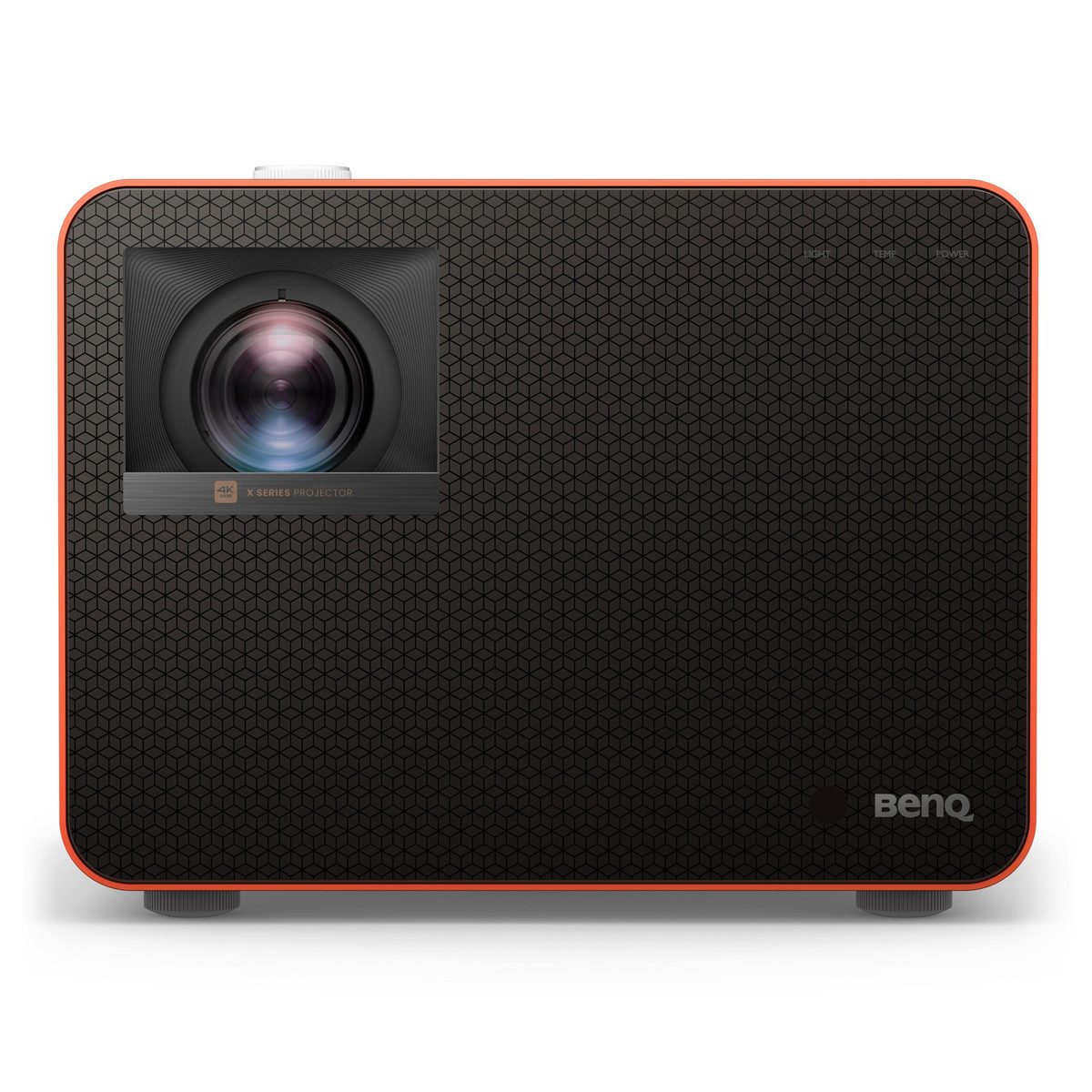
Published lag at every step — 16.7ms at 4K/60Hz, 8.3ms at 120Hz, 4.2ms at 1080p/240Hz — plus a bright 4LED picture and lens shift for easy placement. At $1,799 checked 28 Nov 2026, it is the safest fast buy here.
Check Price on AmazonQuick Comparison
| Product | Key Specs | ||
|---|---|---|---|
| #1 | BenQ X3100iBest for Most Players | 4K pixel-shift · 16.7ms at 4K/60 · $1,799 | Check Price |
| #2 | XGIMI Horizon 30 ProBest True 4K/120Hz | 4K/120 · claimed 1.9ms · $1,899 sale | Check Price |
| #3 | Hisense C2 UltraBest Picture, Casual Gaming | Triple laser · 33ms measured · $1,499.99 sale | Check Price |
| #4 | BenQ X500iBest for Small Rooms | Short throw · 16ms at 4K/60 · $1,499 | Check Price |
| #5 | ViewSonic PX749-4KBest Bright Value | 4,000 ANSI · lamp · $1,199.99 | Check Price |
| #6 | BenQ TH575iBest Budget 1080p | 1080p · 16.7ms at 60Hz · $499 | Check Price |
Best Gaming Projector by Use
- Most console players: BenQ X3100i — fast modes with published figures.
- True 4K at 120Hz: XGIMI Horizon 30 Pro — if you accept a maker claim.
- Films plus casual games: Hisense C2 Ultra — best picture, slower 4K lag.
- Small room: BenQ X500i — big picture from a short distance.
- Bright room value: ViewSonic PX749-4K — bright, but the lamp wears out.
- Budget big screen: BenQ TH575i — honest 1080p at $499.
BenQ X3100i
Best for Most PlayersBuy if: you play on PS5, Xbox or PC and want fast modes you can trust
Don't buy if: you must have 4K at 120Hz — this model stops at 4K/60Hz
The X3100i earns the top spot on honesty. BenQ publishes lag for each mode: 16.7ms at 4K/60Hz, 8.3ms at 1080p and 1440p/120Hz, and 4.2ms at 1080p/240Hz. Reviewers keep naming it the default console pick. The 4LED light source needs no lamp swaps, and lens shift makes shelf or ceiling placement easier.
Price needs care. Best Buy and Adorama listed $1,799 on 28 Nov 2026, while Amazon listings ran higher at about $2,198. Check the seller before you pay. Either way, budget for a screen and a mount. The projector alone is not the full cost.
Pros
- Published lag ladder: 16.7ms at 4K/60Hz down to 4.2ms at 1080p/240Hz
- 3,300 ANSI lumens from a 4LED source — no lamp to replace
- 1.3x zoom and vertical lens shift for easier placement
- $1,799 at Best Buy and Adorama, checked 28 Nov 2026
Cons
- No 4K/120Hz input — HDMI 2.0 caps 4K at 60Hz
- Amazon prices ran higher at about $2,198 — check the seller
- DLP rainbow flashes can bother a small share of viewers
Full specifications
- 4K UHD pixel-shift DLP, 3,300 ANSI lumens, 4LED
- Input lag: 16.7ms at 4K/60Hz, 8.3ms at 120Hz, 4.2ms at 1080p/240Hz
- HDMI 2.0 inputs; Android TV built in
- Standard throw with 1.3x zoom and vertical lens shift
Prices change frequently — click through to see today's price. $1,799 at Best Buy/Adorama, about $2,198 on Amazon (checked 28 Nov 2026).
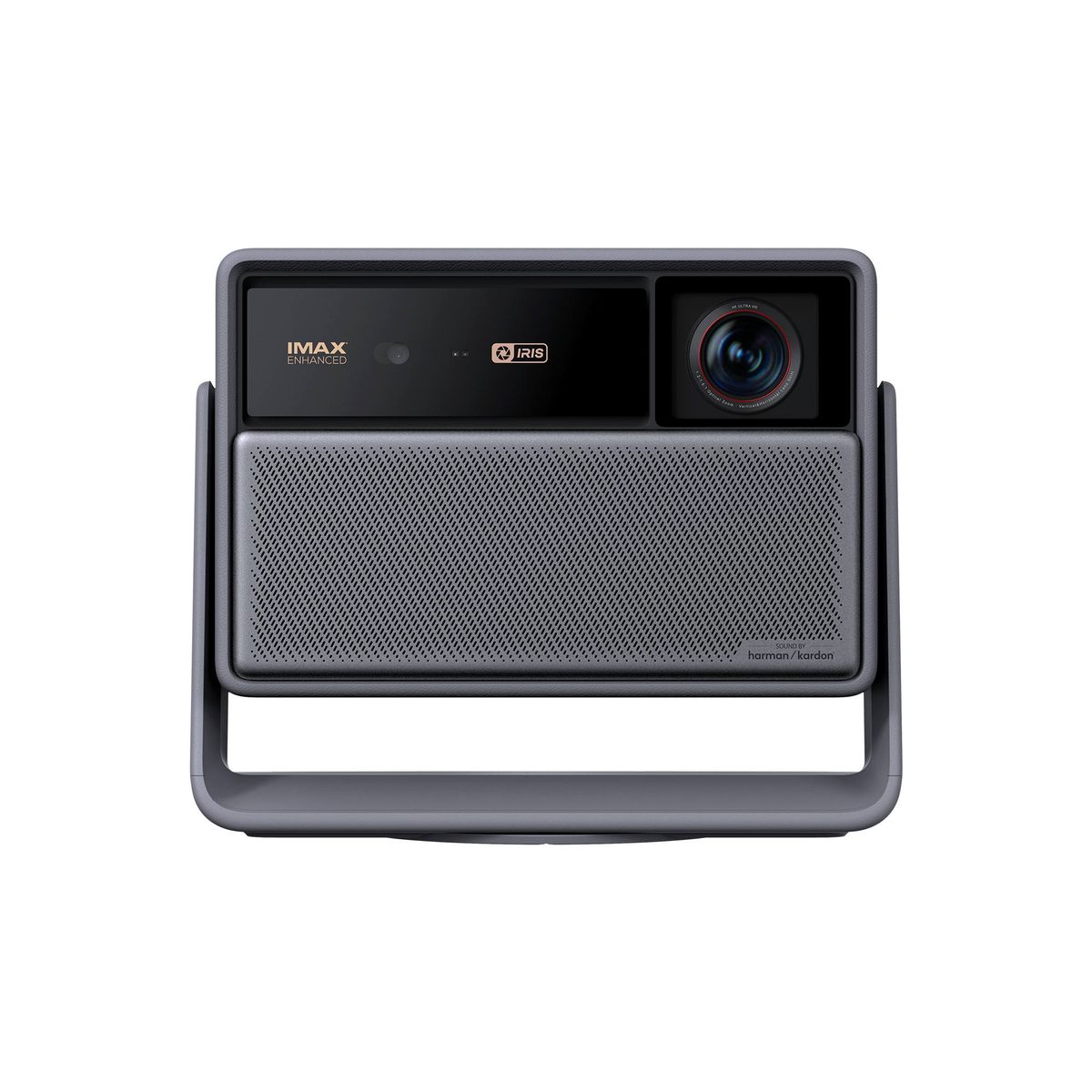
XGIMI Horizon 30 Pro
Best True 4K/120HzBuy if: you want 4K at 120Hz with VRR for console and PC play
Don't buy if: you need measured lag proof before you spend
The Horizon 30 Pro is the 4K/120Hz pick. Both HDMI ports accept 4K at 120Hz, with VRR, ALLM and FreeSync support. XGIMI rates lag at 1.9ms at 4K/120Hz and 1ms at 1080p/240Hz. Treat those as maker claims. We found no independent measurement to confirm them.
Or maybe I should say it this way: the ports are real, the lag figure is a promise. The sale price helps — $1,899 against a $2,499 list price, with the Black Friday deal running to 30 Nov 2026. Brightness is rated in ISO lumens, so do not rank it against ANSI figures by number alone.
Pros
- True 4K/120Hz input on both HDMI ports, with VRR and ALLM
- RGB triple laser with Dolby Vision and HDR10+ support
- Lens shift and optical zoom suit more room layouts
- $1,899 sale price, list $2,499 (checked 28 Nov 2026, deal to 30 Nov)
Cons
- 1.9ms lag is a maker claim with no independent measure found
- 4,800 ISO lumens cannot be ranked against ANSI figures directly
- Pixel-shifted 4K, not a native 4K chip
Full specifications
- 4K UHD pixel-shift DLP, RGB triple laser, 4,800 ISO lumens
- Claimed lag: 1.9ms at 4K/120Hz, 1ms at 1080p/240Hz (maker claim)
- Two HDMI 2.1 ports with 4K/120Hz, VRR, ALLM, FreeSync
- Google TV built in; list $2,499
Prices change frequently — click through to see today's price. Sale $1,899, list $2,499 (checked 28 Nov 2026).
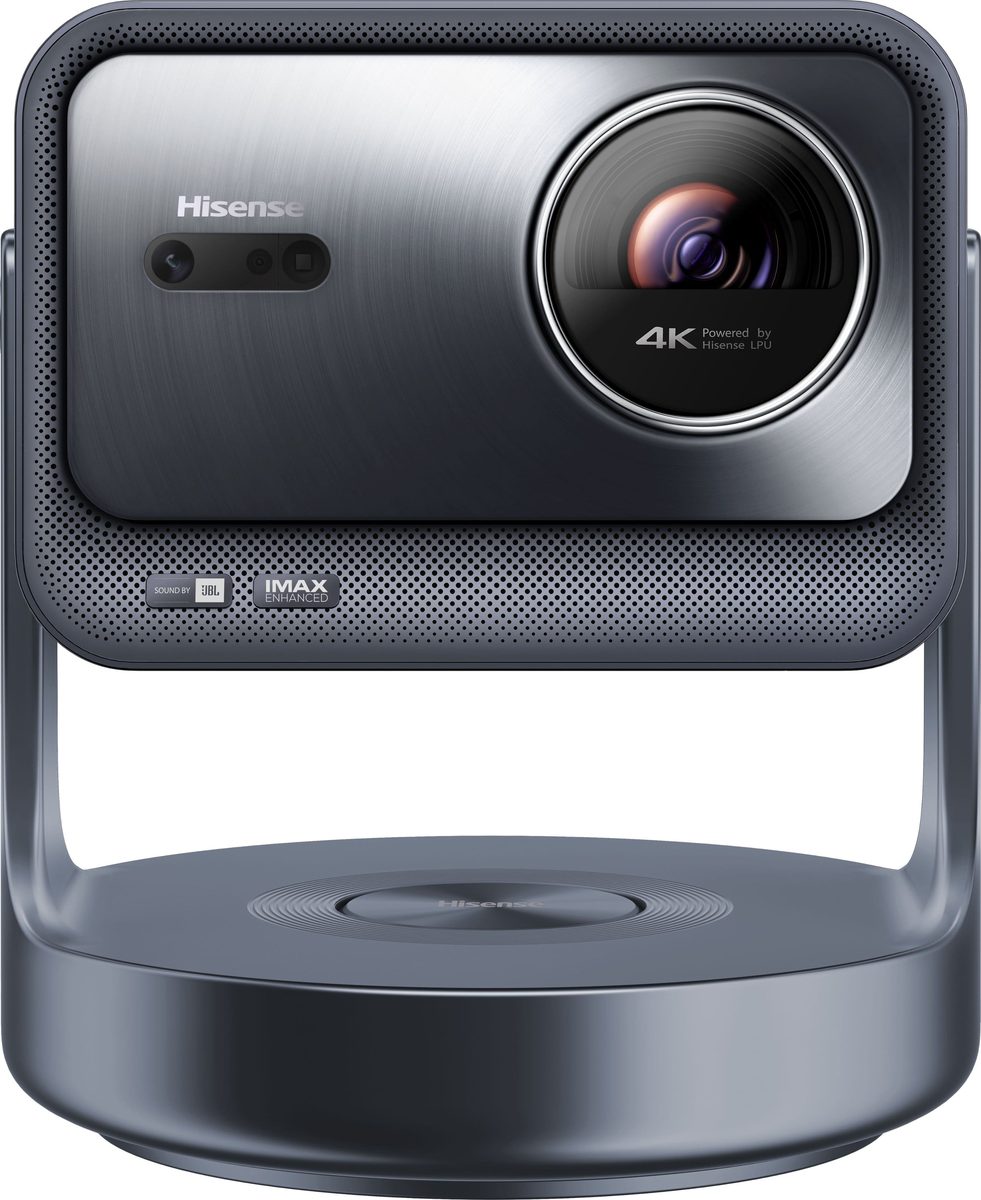
Hisense C2 Ultra
Best Picture, Casual GamingBuy if: films and story games matter most and you want the best picture here
Don't buy if: you play ranked shooters at 4K — measured lag is too high
The C2 Ultra wins on picture. Its RGB triple laser, Dolby Vision support and strong built-in sound make films and slow games look superb. Reviewers praise the image and the flexible gimbal stand. For movie night, nothing else here touches it.
Gaming needs honesty. Projector Central measured 33ms at 4K/60Hz in the fastest mode and 21ms at 4K/120Hz, with 9ms at 1080p/240Hz. That suits casual play. Ranked shooters at 4K will feel late. The $1,499.99 Best Buy price was a Black Friday deal ending 28 Nov 2026, against a $2,499.99 list price.
Pros
- RGB triple laser picture with Dolby Vision and IMAX Enhanced
- Optical zoom and gimbal stand fit many rooms
- Strong built-in JBL sound — no soundbar needed on day one
- $1,499.99 at Best Buy on sale (checked 28 Nov 2026)
Cons
- Measured 33ms at 4K/60Hz — casual gaming only at 4K
- Fast 9ms figure needs 1080p/240Hz, which consoles cannot send
- Sale price ends 28 Nov 2026; list price is $2,499.99
Full specifications
- 4K UHD pixel-shift DLP, RGB triple laser, maker-rated 3,000 lumens
- Measured lag: 33ms at 4K/60Hz, 21ms at 4K/120Hz, 9ms at 1080p/240Hz
- HDMI 2.1 with ALLM; Designed for Xbox badge
- List $2,499.99 — sale prices vary by retailer
Prices change frequently — click through to see today's price. Sale $1,499.99 at Best Buy, list $2,499.99 (checked 28 Nov 2026).
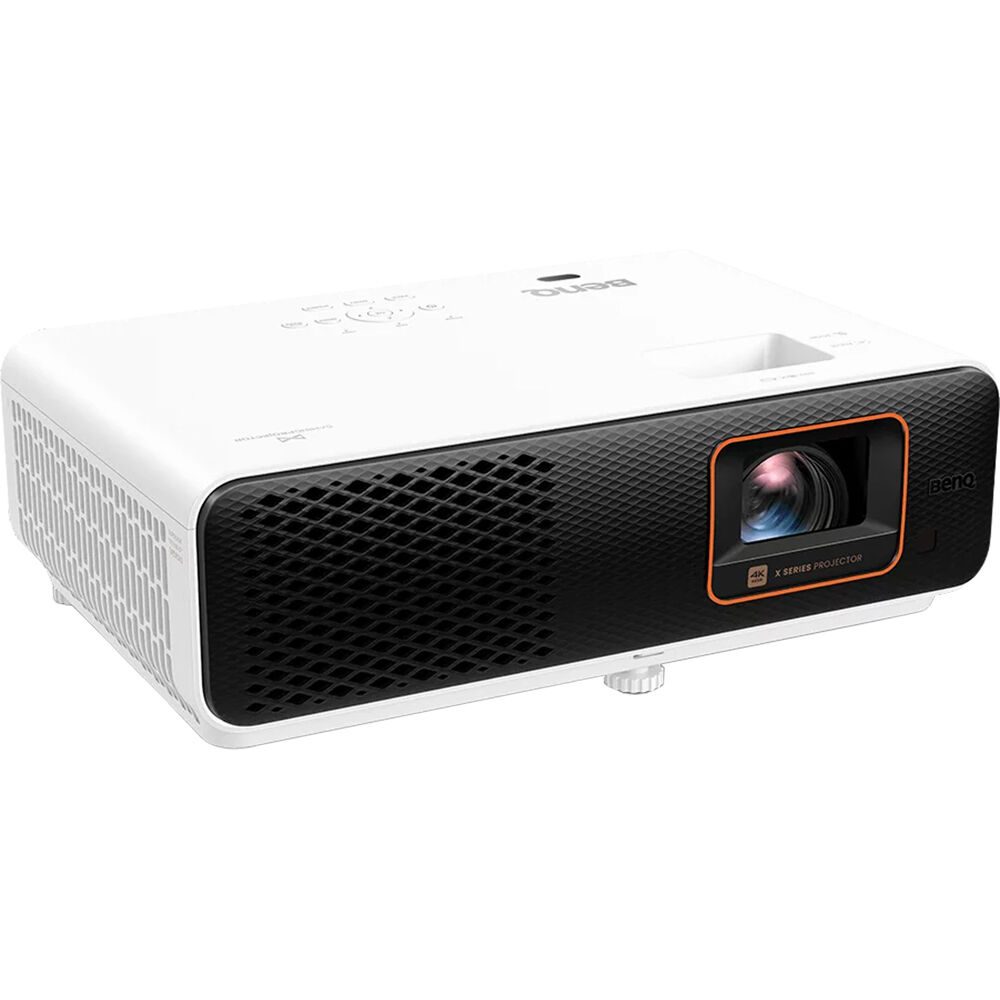
BenQ X500i
Best for Small RoomsBuy if: your room is small and the projector must sit close to the screen
Don't buy if: your room is bright — 2,200 lumens needs light control
The X500i solves the distance problem. Its short-throw lens fills about 100 inches from roughly 5 to 6.5 feet. The lag ladder matches its bigger sibling: about 16ms at 4K/60Hz and 8ms at 1440p/120Hz. Reviewers found no noticeable lag on PS5.
Brightness is the trade. At 2,200 ANSI lumens it needs a darker room than the X3100i. Quick note: measure your lens-to-screen distance before you order. Short throw helps small rooms and hurts nothing else.
Pros
- Short throw fills 100 inches from about 5–6.5 feet
- Fast modes: about 16ms at 4K/60Hz, 8ms at 1440p/120Hz
- 4LED source with Android TV — no lamp swaps
- $1,499 at B&H and Best Buy (checked 28 Nov 2026)
Cons
- 2,200 ANSI lumens — needs a darker room
- No 4K/120Hz input, same HDMI 2.0 limit as the X3100i
- Costs the same as the brighter C2 Ultra on sale
Full specifications
- 4K UHD pixel-shift DLP, 2,200 ANSI lumens, 4LED
- Input lag: about 16ms at 4K/60Hz, 8ms at 1440p/120Hz, 4ms at 1080p/240Hz
- Short-throw lens, about 0.69–0.83 throw ratio
- HDMI 2.0 inputs; Android TV built in
Prices change frequently — click through to see today's price. $1,499 (checked 28 Nov 2026).
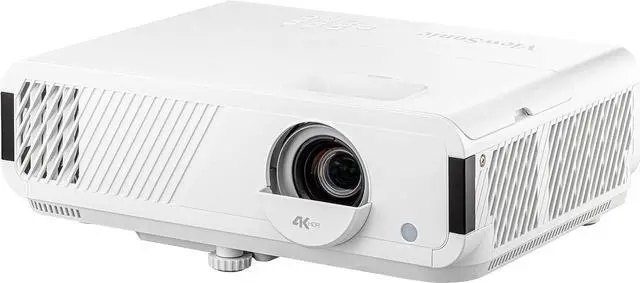
ViewSonic PX749-4K
Best Bright ValueBuy if: your room has some light and you game on Xbox
Don't buy if: you hate running costs — the lamp needs replacing
The PX749-4K is the bright value pick. ViewSonic rates it at 4,000 ANSI lumens, the highest ANSI figure here. Its Designed for Xbox badge brings 1440p at 120Hz support and an auto game mode. For Xbox owners in a lit room, that mix is hard to beat at this price.
Two caveats. The 4.2ms figure is a low-latency mode figure, not a promise at every resolution — judge it on its 1440p/120Hz Xbox mode. And the lamp is rated at about 4,000 hours, so budget for a replacement lamp later. Best Buy listed $1,199.99 on 28 Nov 2026.
Pros
- 4,000 ANSI lumens — best for rooms with some light
- Designed for Xbox: 1440p/120Hz support and auto game mode
- 1.3x optical zoom and keystone tools ease setup
- $1,199.99 at Best Buy (checked 28 Nov 2026)
Cons
- Lamp light source rated at about 4,000 hours — replacements cost money
- 4.2ms lag claim applies to a fast mode, not every resolution
- No 4K/120Hz input
Full specifications
- 4K UHD pixel-shift DLP, 4,000 ANSI lumens, lamp
- Xbox mode: 1440p at 120Hz; maker lists 4.2ms in fast mode
- Dual HDMI plus USB-C; 1.3x optical zoom
- Standard throw; screens up to 300 inches
Prices change frequently — click through to see today's price. $1,199.99 at Best Buy (checked 28 Nov 2026).
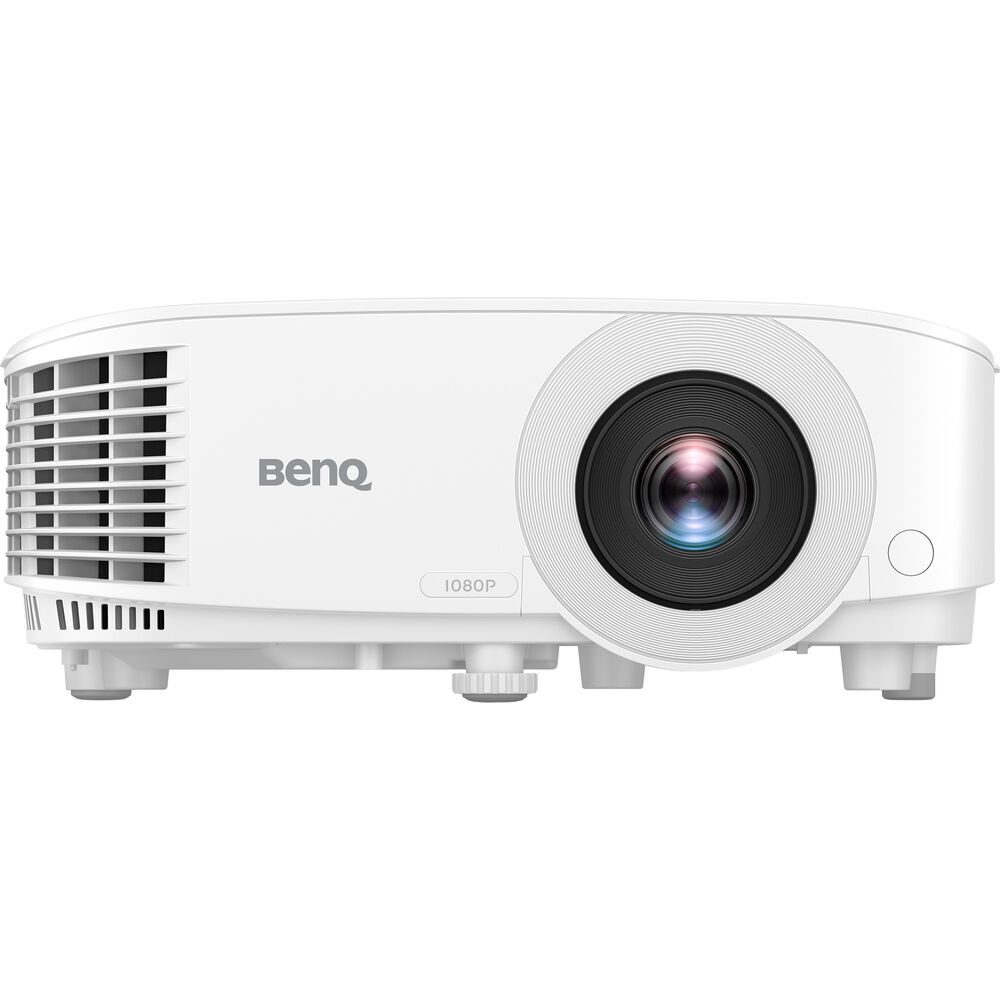
BenQ TH575i
Best Budget 1080pBuy if: you want the cheapest credible big screen for casual gaming
Don't buy if: you want 4K or 120Hz — this model does neither
The TH575i is the honest budget pick. It is a 1080p projector with 16.7ms lag at 1080p/60Hz and a bright 3,800-lumen rating. Story games, racers and couch co-op feel fine. The "i" model adds a Google TV dongle — check the letter before you pay, because the plain TH575 costs more and does less.
Know the limits. There is no 4K input and no 120Hz mode, so a PS5 runs at 1080p/60Hz. HDR looks washed out in reviews. At $499 from B&H, down from $649, those limits are fair. At full price, save longer.
Pros
- $499 at B&H, down from $649 (checked 28 Nov 2026)
- 16.7ms lag at 1080p/60Hz — fine for casual gaming
- Bright 3,800-lumen rating suits rooms with some light
- Google TV dongle included on the TH575i
Cons
- 1080p only — no 4K input, no 120Hz mode
- Lamp light source needs replacing over time
- TH575 and TH575i are different buys — check the letter
Full specifications
- Native 1080p DLP, 3,800 lumens, lamp
- Input lag: 16.7ms at 1080p/60Hz
- Google TV dongle included (TH575i model)
- List $649 — sale prices vary by retailer
Prices change frequently — click through to see today's price. Sale $499 at B&H, list $649 (checked 28 Nov 2026).
Worth a Look, Not a Pick
Three more projectors came up in research. Each earns one line — and one caveat:
- Epson Pro Cinema LS12000 — true 4K/120Hz over HDMI 2.1 with lag under 20ms, at $5,999 checked 28 Nov 2026. Not a pick because the Horizon 30 Pro covers 4K/120Hz for a third of the price, even with its unproven lag claim.
- Sony Bravia Projector 7 — the native 4K option here, with 4K/120Hz support. Not a pick because it costs about $9,999. Buy it for a dedicated theatre room, not a gaming setup.
- Ultra-short-throw models — projectors that sit inches from the wall. Not picks because the good gaming ones cost more and need a special screen. Measure first, then decide.
How Big a Screen Can Your Room Fit?
Measure before you buy. Throw ratio decides screen size: distance divided by image width. A standard-throw projector needs about 10 to 14 feet for a 100-inch picture. The short-throw X500i needs about half that. Ceiling height and seating distance matter as much as the projector.
Budget the full setup. A screen, a mount and a long HDMI cable add real cost. A plain wall works for a first month, then texture and paint colour start to show. Dark rooms reward every pick here. Bright rooms punish all of them — in a sunny living room, our gaming TV picks and 4K gaming monitors hold up better.
Lumens need care too. ANSI, ISO and maker ratings use different tests. A bigger number in one system does not beat a smaller number in another. Use lumens as a rough guide inside one brand. Judge the room first: curtains closed, lights off, screen flat.
How to Set Up a Gaming Projector
Most "my projector feels laggy" complaints are one wrong setting. Game Mode must be on, and the console must send its fast signal. Five minutes, once.
To set up a gaming projector, follow these steps: 1. Measure lens to screen. 2. Place the projector level. 3. Turn on Game Mode. 4. Set the console to 120Hz output. 5. Focus, then check lag in a fast game.
- Measure from the lens to the screen and check the throw ratio for your screen size.
- Place the projector level with the screen centre — use lens shift before keystone.
- Turn on Game Mode on the HDMI input you use for the console.
- Set the PS5 or Xbox to 120Hz output so performance modes can engage.
- Focus the lens, then test a fast game and confirm aiming feels direct.
Still heavy? Try the 1080p performance mode and compare. That one switch fixes most lag complaints. Our 1440p gaming monitor guide covers the desk alternative if the room never gets dark.
Frequently Asked Questions
What's the best gaming projector right now?
The BenQ X3100i. Fast published lag modes, a bright 4LED picture and $1,799 checked 28 Nov 2026.
Should I buy a projector or a TV for gaming?
Buy a projector for a dark room and a 100-inch picture. Buy a TV for bright rooms and daily use.
How much input lag is good for gaming?
Under 20ms feels responsive for most games. Under 10ms suits competitive shooters. Always check the mode.
Can I play PS5 games at 4K and 120Hz on a projector?
Only on HDMI 2.1 models like the Horizon 30 Pro. Most gaming projectors cap 4K at 60Hz.
What's the best budget gaming projector?
The BenQ TH575i at $499. Honest 1080p, 16.7ms lag and a Google TV dongle included.
How far should a projector sit from the screen?
About 10 to 14 feet for 100 inches with standard throw. Short-throw models need about half that.
Why does my projector feel laggy at 4K?
The fast lag figure came from a 1080p mode. Turn on Game Mode and try 120Hz output.
The Bottom Line
The BenQ X3100i is our top pick because its lag figures are published mode by mode and its $1,799 price buys a bright, lamp-free picture. The XGIMI Horizon 30 Pro is the buy for true 4K/120Hz, and the BenQ TH575i is the best budget gaming projector at $499. That's the short version.
Check lag by mode before you buy — it is the one spec you cannot fix later. Prices here were checked 28 Nov 2026 and will move with the sales. If your room stays bright, our gaming TV guide and 4K gaming monitor guide cover the safer buys.