Best Gaming Controllers 2026: 6 Picks for PC & Consoles

There is no single best gaming controller, because the right one depends on your platform. But there is a wrong way to buy one — and the top 10 results for "best gaming controllers" are full of it. Several of them print 8,000Hz polling against the GameSir G7 Pro, which polls at 1,000Hz; one lists the G7 Pro 8K as working on Xbox, which it does not; another credits the Xbox Elite Series 2 Core with four back paddles, which Microsoft's own listing says it does not ship with. None of them covers the Razer Wolverine V4, launched 6 October 2026. None of them compares battery life across the picks. And the most price-transparent page in the field has an FAQ section with nothing under it.
So this guide is built on the corrections: current-generation naming throughout, every edition named with its price, the Xbox 250Hz polling cap stated plainly, and a battery table that shows the nearly sevenfold gap between the best and worst pads here. If you want the platform-specific deep dives, our PS5 controller guide and Xbox controller guide rank those ecosystems on their own.
Prices below are the makers' list prices, not deals — street prices move by colour and retailer, so check the live price before buying.
Quick Comparison
| Product | Key Specs | ||
|---|---|---|---|
| #1 | GameSir G7 ProBest Overall | TMR sticks, Hall triggers, 1,000Hz PC · $79.99 list | Check Price |
| #2 | Sony DualSense Wireless ControllerBest for PS5 | Adaptive triggers + haptics, 6–8h · $74.99 list | Check Price |
| #3 | Xbox Wireless ControllerBest Default for Xbox & PC | XInput, 40h on AAs · $64.99 list | Check Price |
| #4 | 8BitDo Ultimate 2CBest Budget Pick | Hall sticks + triggers, 1,000Hz · $29.99 list | Check Price |
| #5 | Sony DualSense EdgeBest Pro Controller for PS5 | Replaceable sticks, ~6h · $199.99 list | Check Price |
| #6 | Razer Wolverine V4 ProBest Competitive for Xbox/PC | Capacitive sticks, 8,000Hz PC · $199.99 list | Check Price |
All six are current-generation models with the edition named on the card — no discontinued pads, no previous-generation flagships at full price. List prices are the makers' own figures; the DualSense Edge and Wolverine V4 Pro are both $199.99, and the G7 Pro is less than half that.
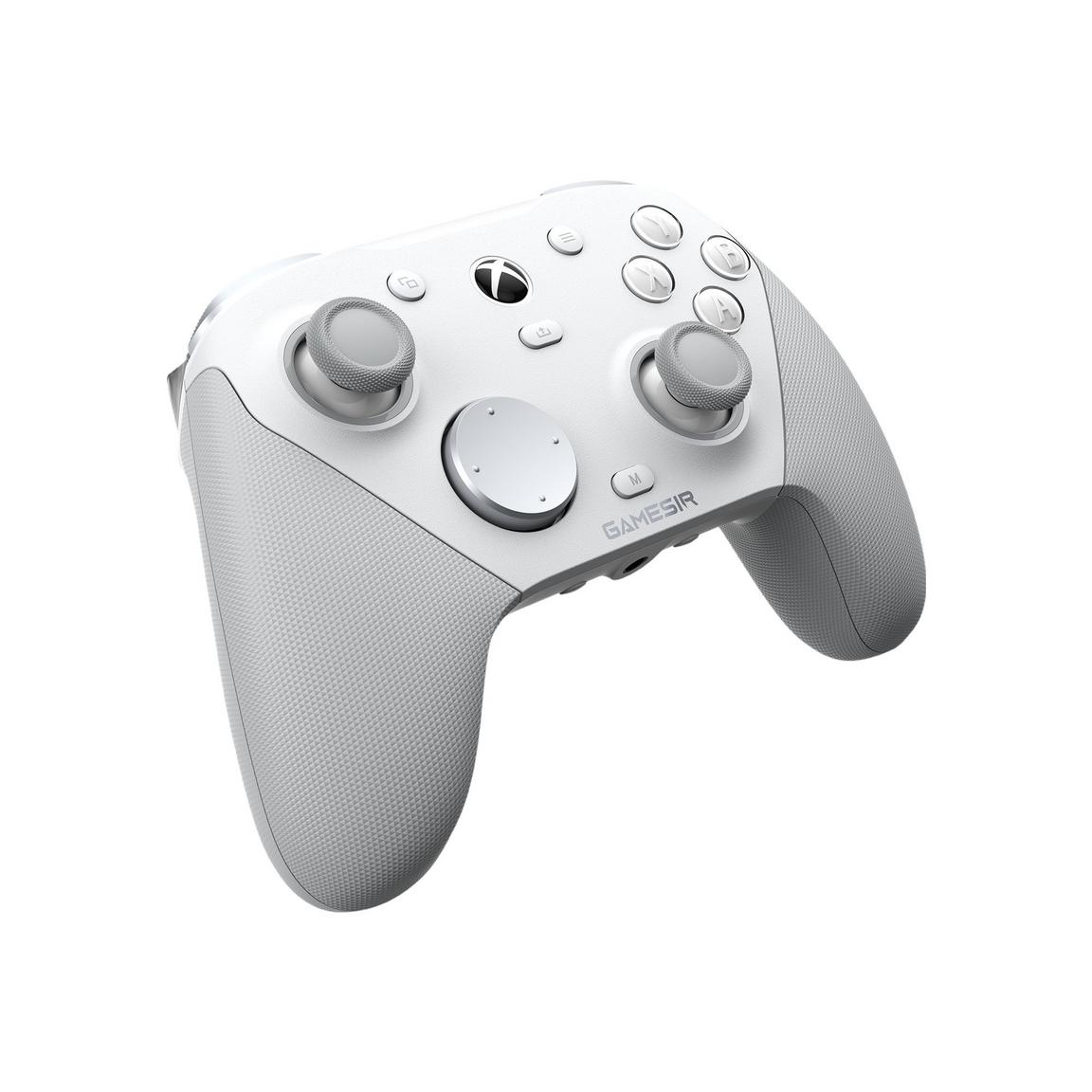
GameSir G7 Pro
Best OverallBuy if: you want the best controller for the money in 2026 — drift-proof sticks and pro features for $79.99
Don't buy if: you play on PlayStation, or you need wireless on Xbox — this model is wired on console
The G7 Pro is the consensus value king of 2026 — PC Gamer's best PC controller and Tom's Guide's value pick — because it puts the two technologies that matter most into a $79.99 pad: TMR Mag-Res thumbsticks, which read position magnetically and cannot drift, and Hall-effect triggers with adjustable stops. Around them: 1,000Hz polling on PC, four remappable buttons, and a charging dock in the box for PC wireless play. It is officially licensed for Xbox, so it works out of the box on console and PC.
The trap is the connection. The standard G7 Pro is wired on Xbox — its 2.4GHz and Bluetooth modes are for PC and Android only. Wireless on Xbox exists only as two named special editions: the Wuchang: Fallen Feathers Edition ($99.99) and the Zenless Zone Zero Edition ($129.99). And the 8,000Hz figure some roundups print against this pad belongs to the G7 Pro 8K ($89.99), a PC-only model with no Xbox support at all. If $30 matters more than the Pro's triggers and dock, the GameSir G7 HE ($49.99) is the cheaper wired sibling — Hall-effect sticks and micro-switch face buttons, wired-only.
Pros
- TMR sticks + Hall-effect triggers — no contact wear, no drift
- 1,000Hz polling on PC with trigger stops and 4 remappable buttons
- Charging dock included for PC wireless play (~10h battery)
- Officially licensed for Xbox — works out of the box
Cons
- Wired only on Xbox — the cable is the trade for the price
- No PlayStation support at all
- ~10h battery is short next to the Xbox pad's 40h
- No haptics or adaptive triggers
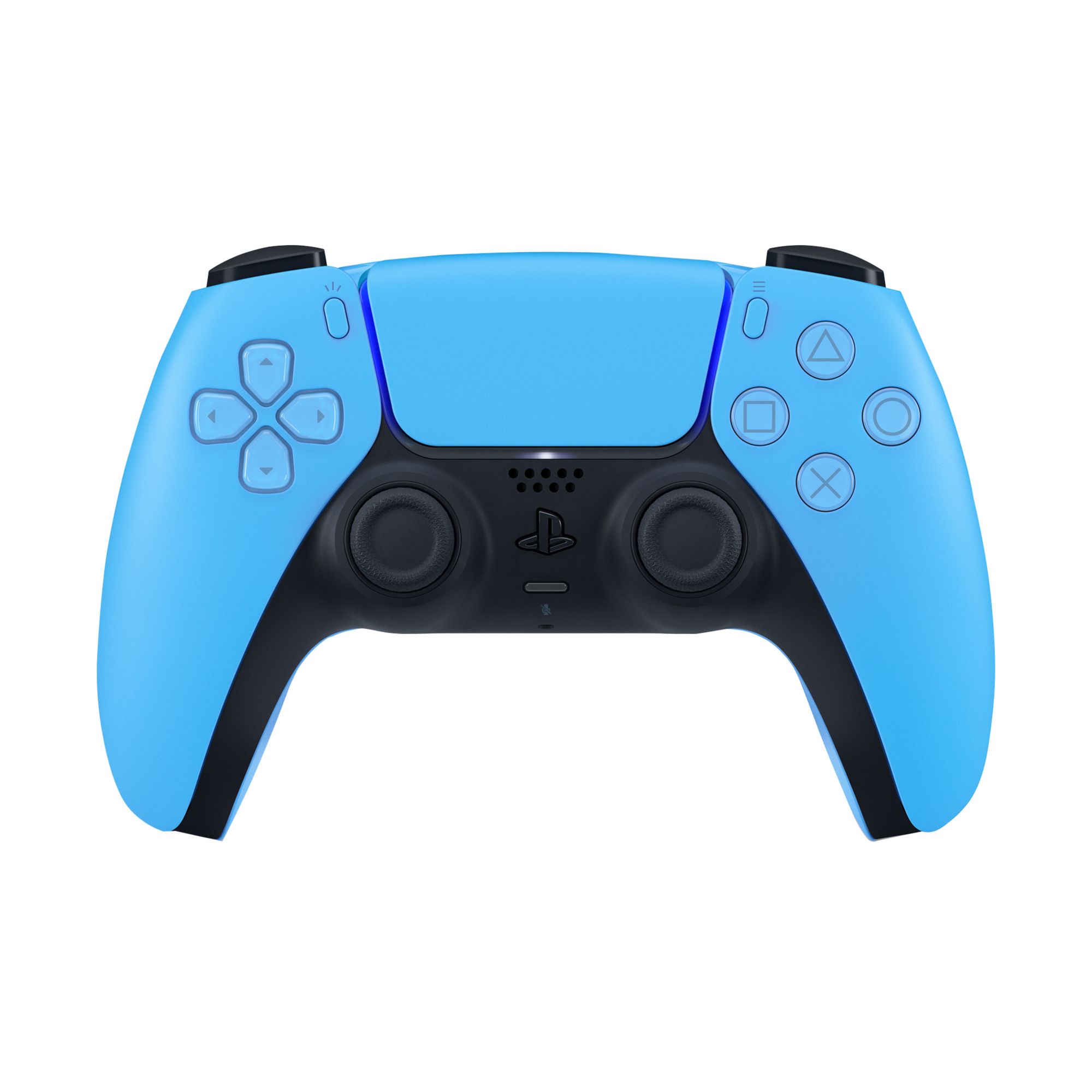
Sony DualSense Wireless Controller
Best for PS5Buy if: you play on PS5 and want the best-feeling controller made — adaptive triggers and full haptics
Don't buy if: you have already killed two DualSense sticks with drift and want out of the potentiometer cycle
The DualSense is the best-feeling controller made. The adaptive triggers are not a gimmick: in games built for them, the trigger resistance changing as a bowstring draws or a gun jams is genuinely different from anything a rumble motor does. The haptics, the ergonomics and the build quality are all best-in-class, and it doubles as a strong PC pad through Steam. Our PS5 controller guide ranks it against every PlayStation alternative.
The honest costs are the sticks and the battery. The DualSense uses potentiometer sticks — the design that eventually drifts — and its 6–8 hour battery is the shortest of any first-party pad here. Colours are priced separately and some listings sit with marketplace sellers, so check the seller before you buy. On PC, the haptics need a USB connection and a game that specifically supports them; Steam handles the pad far better than anything else does.
Pros
- Adaptive triggers + haptics — genuinely different, not a gimmick
- Best ergonomics and build quality here
- Rechargeable battery and USB-C built in
- Works on PS5, PC and Mac
Cons
- Potentiometer sticks — drift is a question of when, not if
- 6–8h battery — the shortest first-party battery here
- Colour prices vary and some listings are marketplace sellers
- Haptics on PC need Steam, USB and game support
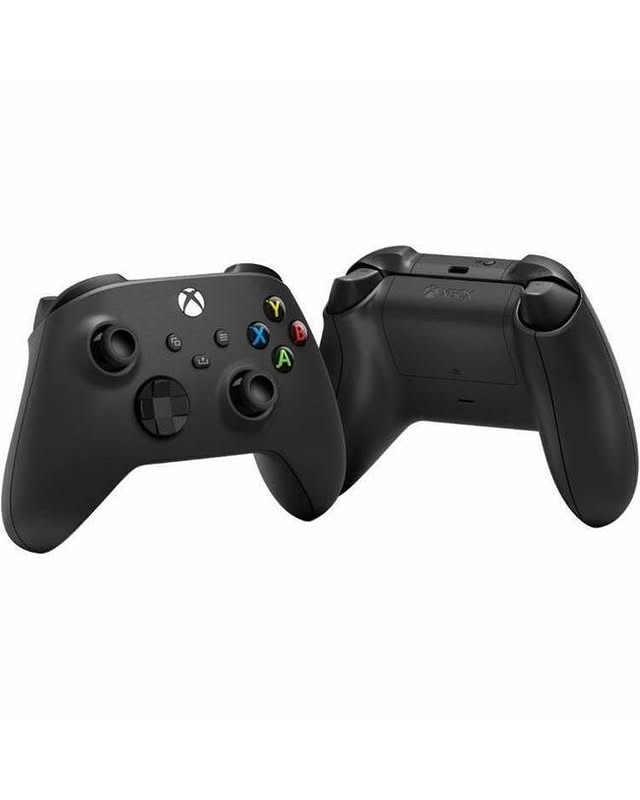
Xbox Wireless Controller
Best Default for Xbox & PCBuy if: you want a controller that just works everywhere Microsoft — zero configuration, 40 hours on AAs
Don't buy if: you need back buttons, or you have already replaced a pad for drift and want magnetic sticks
The Xbox pad is the safe buy. Windows was built around it, every game recognises it, and the on-screen button prompts match the buttons under your thumbs. It connects three ways — Xbox Wireless to a console, Bluetooth to a PC or phone, or a cable — and the AA batteries sound dated until you are mid-match and can swap them in ten seconds. Our Xbox controller guide covers the full range, including the Elite models.
Two honest notes. It uses potentiometer sticks, like every first-party pad here — the drift design. And the price you pay depends heavily on which colour you click: the same controller sells from $51.57 to $82.99 depending on the colourway, so check the other colours before you buy. The new Xbox Nano Controller ($49.99, on sale 4 November 2026) is smaller and cheaper, but it drops rumble and ships without a cable in the box — it is not a replacement for this pad.
Pros
- Zero configuration on Windows, correct button prompts in every game
- Up to 40h on AAs — swap them in seconds mid-match
- Three connection methods including plain Bluetooth
- Cheapest first-party pad at $64.99 list
Cons
- Potentiometer sticks — drift exposure like every first-party pad
- No rechargeable pack in the box
- Price swings by colour for identical hardware
- No back buttons or trigger stops
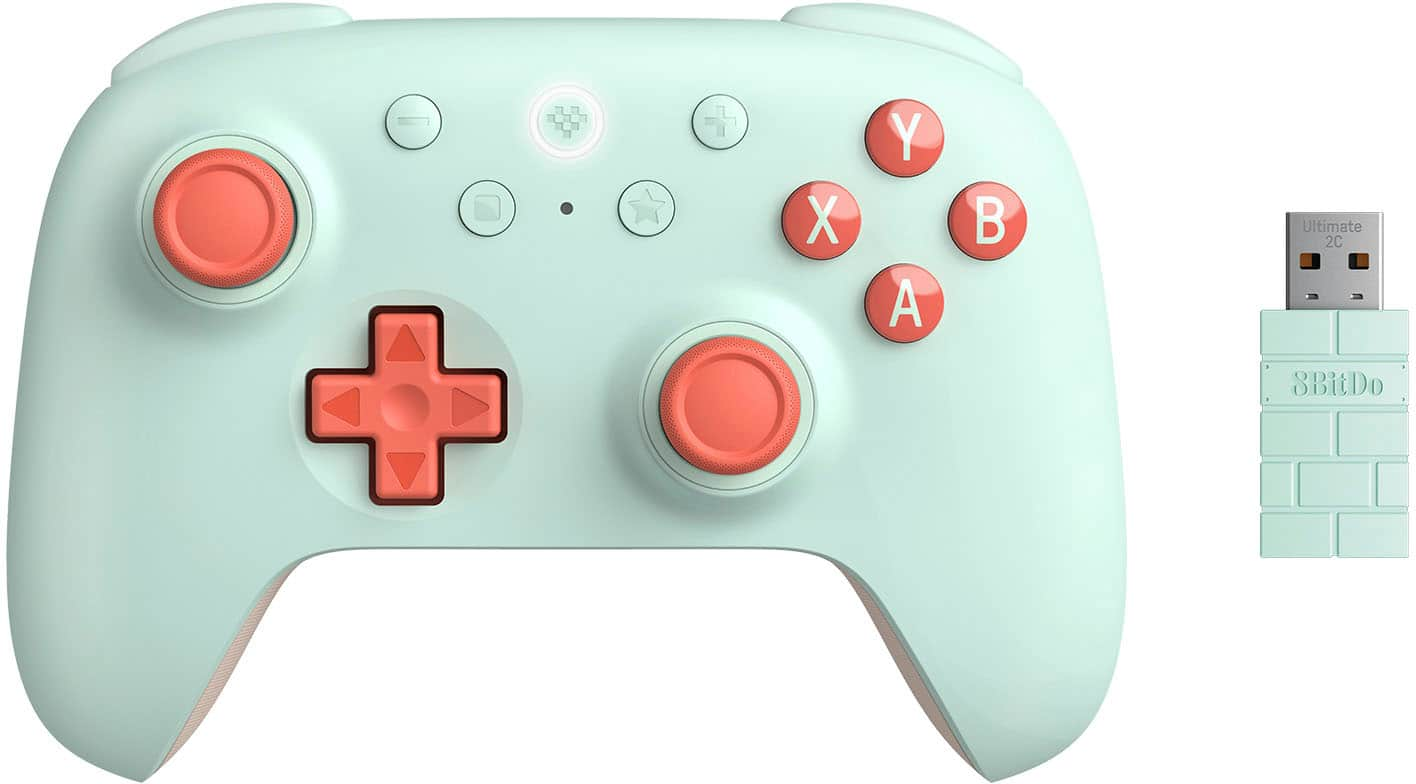
8BitDo Ultimate 2C
Best Budget PickBuy if: you want drift-proof sticks for under $30 — the cheapest way into magnetic stick technology
Don't buy if: you play on a console — the Wireless edition is PC and Android only
The Ultimate 2C is the drift-proof floor of the whole roundup: Hall-effect sticks and triggers, 1,000Hz polling over 2.4GHz and wired, L4/R4 bumpers, and a dongle in the box — for $29.99. That is the cheapest way into magnetic sticks by a wide margin, and the battery is honest too: 19 hours on 2.4GHz, 32 hours on Bluetooth. No first-party pad at twice the price offers drift-proof sticks.
Name the edition with every claim, because the 2C is three products. The Wireless edition (this pick) works on Windows PC and Android — no Windows Bluetooth, no console support. The Bluetooth edition is the Switch and Switch 2 one; the Wired edition is $19.99 and the cheapest of all. The $59.99 "2C" listings some sites show are the Ultimate 2 Wireless — a different, dearer pad with TMR sticks and a charging dock. No iPhone compatibility is established for the 2C.
Pros
- Hall-effect sticks and triggers for $29.99 — drift-proof at a budget price
- 1,000Hz polling with 19h battery on 2.4GHz
- L4/R4 bumpers and a 2.4GHz dongle in the box
- Light, comfortable shell that suits most hands
Cons
- Wireless edition is PC/Android only — no Switch, no console, no Windows Bluetooth
- No haptics or adaptive triggers
- No charging dock (the dearer Ultimate 2 has one)
- Plastic build feels cheaper than the first-party pads
Sony DualSense Edge
Best Pro Controller for PS5Buy if: you live on PS5, play competitively, and have already replaced a controller once
Don't buy if: you play casually — the premium buys features you will rarely touch, and the battery gets worse, not better
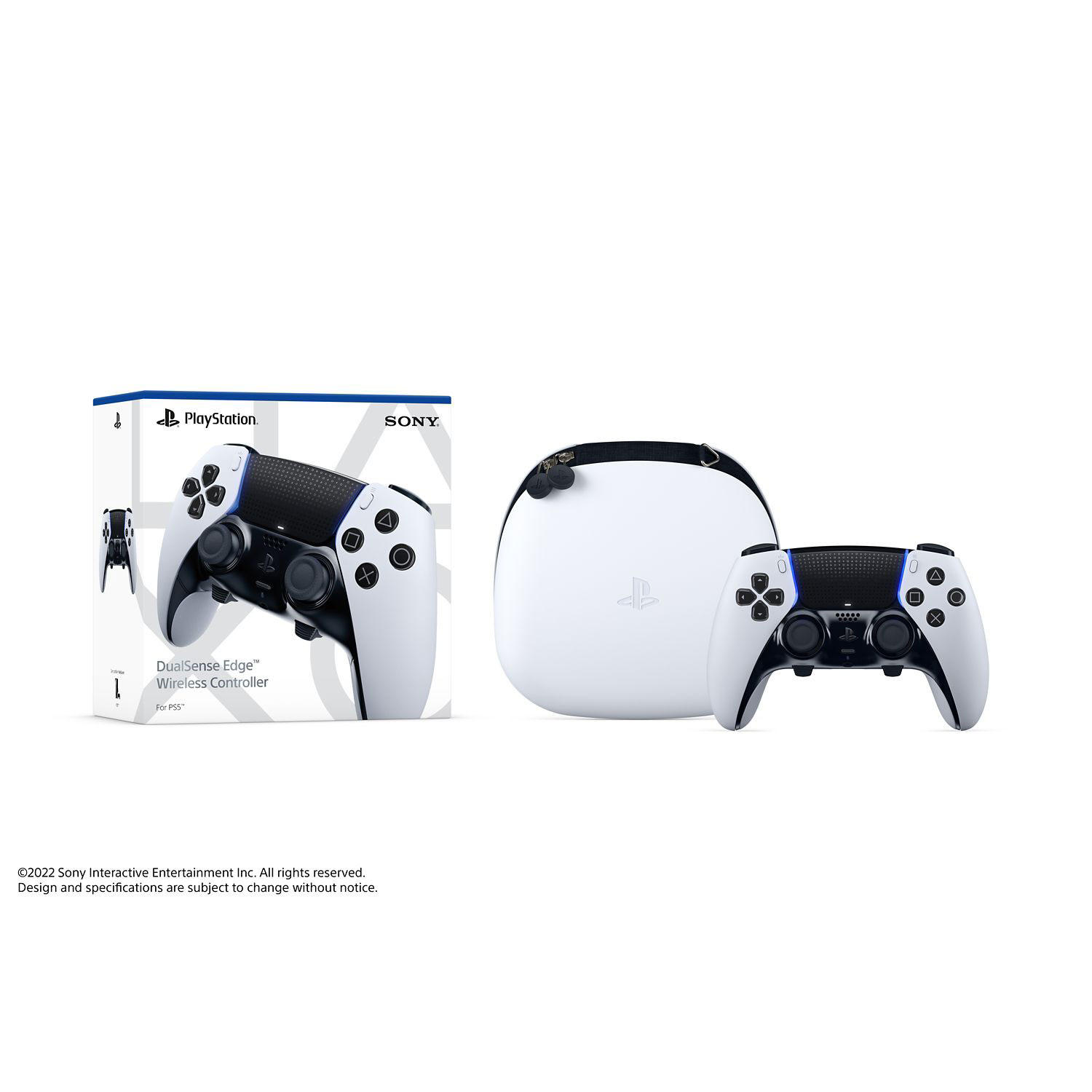
The Edge is the only pro pad that answers drift with repair instead of prevention: its sticks are $19.99 modules you pull out and swap yourself, instead of a new $74.99 controller. It keeps the DualSense haptics and adaptive triggers, and adds two swappable back buttons, adjustable trigger lengths, swappable stick caps and on-board profiles. For a heavy PS5 player, that is a coherent premium product rather than a badge.
The honest costs are the battery and the price. At around 6 hours it has the worst battery life in this roundup — worse than the standard DualSense — and $199.99 buys potentiometer sticks that still wear; you just fix them. Replacement modules are an ongoing cost on top. Worth it only if you live on PS5 and play competitively; for most PS5 players, the standard DualSense is the better buy.
Pros
- User-replaceable stick modules — unique here
- Keeps DualSense haptics and adaptive triggers
- Swappable back buttons and on-board profiles
- Adjustable trigger lengths and swappable stick caps
Cons
- ~6h battery — the worst in this roundup
- $199.99 for sticks that still wear — you just fix them
- Replacement modules cost more on top
- Casual players will rarely touch the pro features
Razer Wolverine V4 Pro
Best Competitive for Xbox/PCBuy if: you play competitive shooters on Xbox or PC and want the fastest-feeling pad you can buy
Don't buy if: you play on PlayStation, or you want 8,000Hz on Xbox — no controller delivers that on console
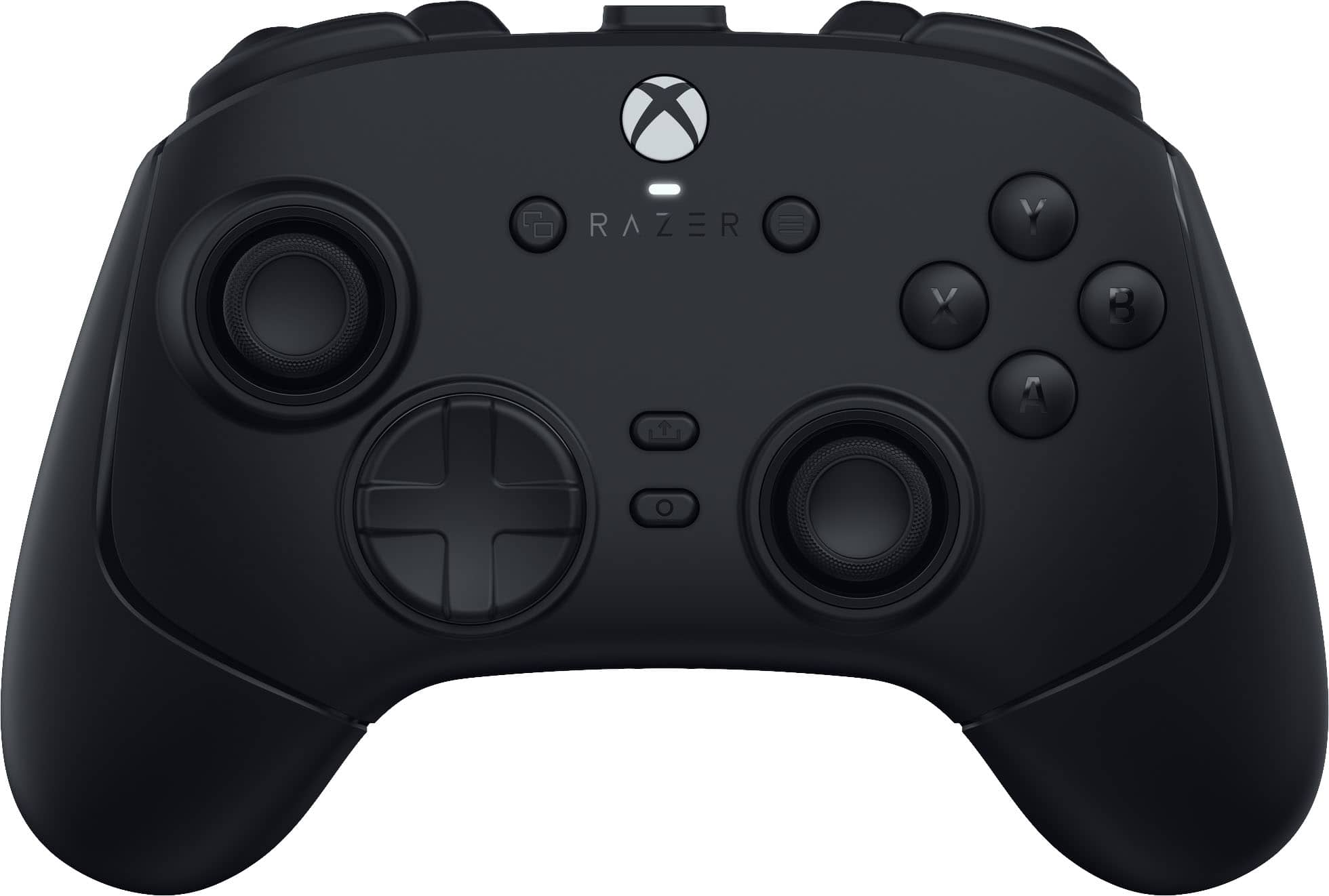
Razer's new flagship, launched 6 October 2026 at the same $199.99 as the V3 Pro it replaces. Its headline is a third stick technology: capacitive thumbstick sensors — neither Hall nor TMR — reading position with 16-bit precision, paired with 8,000Hz polling on PC, four magnetic swappable back buttons, a removable faceplate and up to 27 hours of battery. PC Gamer scored it 93/100, the highest-scored pad here.
Read the fine print before the spec sheet impresses you. The 8,000Hz polling is PC-only: on Xbox every controller is capped at 250Hz, including this one. The V3 Pro it replaces is now a deal hunt, not a full-price buy — it hit $94.99 on Amazon in October 2026. And one early hands-on reported drift-like behaviour despite the anti-drift marketing: a single unverified report, worth watching, not a verdict.
Pros
- Capacitive sticks + 8,000Hz on PC — the fastest-feeling pad here
- Up to 27h battery with 4 magnetic back buttons
- Removable faceplate and swappable stick caps
- PC Gamer 93/100 — the highest-scored pad here
Cons
- 8,000Hz is PC-only — Xbox caps every pad at 250Hz
- $199.99 is flagship money
- No PlayStation support
- One early hands-on reported drift-like behaviour — single unverified report
What Is Stick Drift — and Which Sticks Actually Fix It?
Stick drift is a worn thumbstick sensor reading movement when you are not touching the stick — and the only sticks that cannot drift are the ones with no contact surface to wear out. Almost every controller ever made uses potentiometer sticks: a physical wiper drags across a resistive track, the track wears down, and the controller reads movement that is not happening. Your character walks slowly left while you touch nothing. That is drift, and it is the reason most controllers get replaced.
| Stick type | How it works | Used by | Drift-proof? |
|---|---|---|---|
| Potentiometer | Wiper drags across a resistive track | DualSense, Edge, Xbox pad, Elite | No — the track wears out |
| Hall effect | Magnet + sensor, no contact | G7 HE, Nacon 5 Pro, Ultimate 2C | Yes |
| TMR | Magnetoresistive, no contact | G7 Pro, G7 Pro 8K, Ultimate 2 | Yes |
| Capacitive | Electric field, no contact | Wolverine V4 Pro | Yes — new in 2026 |
The first-party answer is the uncomfortable part: Sony and Microsoft still ship potentiometer sticks in every pad, including the $199.99 Edge and Elite. The Edge answers the problem differently, with $19.99 replaceable modules; the Elite does not answer it at all. If you have replaced a controller for drift before, buy magnetic. If you have not, understand that you are buying a consumable. If yours is already drifting, our PS5 stick-drift fix guide and Xbox stick-drift fix guide cover what actually helps — and what does not.
Xbox or PlayStation Controller for PC?
For most PC players, the Xbox Wireless Controller — Windows was built around it, every game recognises it, and the on-screen button prompts match the buttons under your thumbs. The DualSense feels better and its haptics are superb, but on PC they only come alive in games that specifically support them, and Steam handles the pad far better than anything else does.
Over USB the DualSense works immediately; over Bluetooth it usually works. The G7 Pro and Ultimate 2C are the third-party PC answers — both wired-first on PC with 1,000Hz polling, and both cheaper than either first-party pad. If your PC is the main machine and you want to stop thinking about it, buy Xbox. If you also own a PS5, buy the DualSense and use it on both — either pairs with the machine in our gaming PC guide without any additional hardware.
Is Wired or Wireless Better for Gaming?
For most players, wireless is fine — a good 2.4GHz connection matches wired latency to within a fraction of a millisecond. Bluetooth is the exception: it adds roughly 4–8ms and drops polling, which is why competitive players avoid it. A wired connection removes battery management and latency questions entirely, at the cost of a cable across the room.
One limit applies to every controller on Xbox: the console caps polling at 250Hz, so an 8,000Hz pad gains nothing there — the V4 Pro and G7 Pro 8K marketing numbers are PC-only figures. Buy wired if you sit far from the console and hate charging; buy wireless for everything else. And if your controller still stutters on wireless, plug the receiver into a front USB port — a receiver behind a metal PC case is the usual cause, and our PS5 input-lag guide covers the same fix on console.
How Long Do Controller Batteries Really Last?
Expect less than the headline claim in real play — and the gap between the best and worst pads here is nearly sevenfold. Headline figures are measured in ideal conditions; haptics, vibration and wireless polling all eat into them. This is the table no competitor page prints.
| Controller | Claimed battery | What it means |
|---|---|---|
| Xbox Wireless Controller | Up to 40h (AA) | Swap AAs in seconds — no charging, ever |
| Razer Wolverine V4 Pro | Up to 27h | Best rechargeable battery here |
| 8BitDo Ultimate 2C | 19h (2.4GHz) / 32h (Bluetooth) | Bluetooth lasts longer than 2.4GHz |
| GameSir G7 Pro | ~10h | Short — the included dock helps |
| Sony DualSense | 6–8h (independent testing) | Sony publishes no figure |
| Sony DualSense Edge | ~6h | The worst battery in this roundup |
The DualSense battery is the most complained-about number in this category — and it is the reason the Edge's $19.99 stick modules matter less than they look: a pad that dies mid-session is a pad you charge mid-session. If long sessions matter, the Xbox pad's AAs are the honest answer. If you want rechargeable, the V4 Pro's 27 hours is the best figure here, and the 2C's 19 hours on 2.4GHz is the best value.
Are Back Buttons and Paddles Worth It?
Yes — if you play competitive shooters, back buttons are the single biggest upgrade after the sticks themselves. They let you jump, reload and crouch without taking your thumb off the right stick, and once you play with them, going back feels like losing a finger.
The trap is the Xbox Elite Series 2 Core. Microsoft's own listing says the Core ships with the controller, a thumbstick adjustment tool and a USB-C cable only — no paddles, no dock, no case. Several roundups print "4 paddles" against the Core; that is the full $199.99 bundle, not the $149.99 Core. The V4 Pro's four back buttons are magnetic and swappable, the Edge's two are swappable sets, and the Nacon Revolution 5 Pro has four. The G7 Pro covers the same ground for $79.99 with two rear paddles plus two extra shoulder buttons — the cheapest way to try back buttons properly.
Which Controller Should I Buy for My Platform?
Buy for your platform first and your spec sheet second — a controller that cannot connect to your console is a paperweight, however good its sticks are. Use this chooser:
| Your platform | Buy first | Why |
|---|---|---|
| PS5 | Sony DualSense | The only pad with adaptive triggers + haptics; Edge if you play competitively and accept ~6h |
| Xbox | Xbox Wireless Controller | Zero config, 40h on AAs; G7 Pro if you want drift-proof sticks and don't mind a cable |
| PC | GameSir G7 Pro | TMR sticks + 1,000Hz for $79.99; Xbox pad if you want zero config |
| PC on a budget | 8BitDo Ultimate 2C | Hall-effect everything for $29.99 |
| Competitive FPS | Razer Wolverine V4 Pro | 8,000Hz on PC, 4 back buttons, 27h battery |
| Switch 2 | Switch 2 Pro Controller | The only first-party option (prices conflict, ~$85–$90 — verify); 2C Bluetooth edition as the budget alternative |
| Fighting games | Victrix Pro BFG Reloaded | Fight-pad module with 3 layouts — covered below |
One more rule: no controller crosses the console divide. A DualSense cannot connect to an Xbox and an Xbox pad cannot connect to a PS5 — the only route is a third-party adapter such as the Brook Wingman XB, with features lost along the way. If you play on both consoles, buy one controller per platform rather than fighting adapters.
Buying Guide: What Actually Matters
After platform, the four things worth your attention are stick technology, battery, back buttons, and connection — in that order. Stick technology decides how long the pad lives: magnetic sticks (Hall, TMR, capacitive) cannot drift; potentiometer sticks will, eventually. Battery decides whether the pad dies mid-session: AAs beat built-in on longevity, and the DualSense's 6–8 hours is the number to plan around. Back buttons decide competitive play. Connection decides latency: 2.4GHz or wired for competitive, Bluetooth for casual.
Three things not to overpay for: polling above 1,000Hz on Xbox (capped at 250Hz), RGB lighting on a controller (you never see it in play), and "pro" branding on a pad with potentiometer sticks and no repair path. Check the return policy before the spec sheet: shape is personal, and a week of real play is the only review that counts. And check the edition before you buy — the G7 Pro, Wolverine V3 and V4, Ultimate 2C and Victrix Reloaded all sell in editions that look identical and are not.
Three More Controllers Worth Knowing
Xbox Elite Series 2 Core — the premium pad with a catch. $149.99 MSRP for the most customisable first-party shell — adjustable stick tension, superb build — but potentiometer sticks and, per Microsoft's own listing, no paddles, dock or case in the box. Buy the full $199.99 bundle or the 8BitDo Ultimate 3E ($149.99, TMR sticks, dock included) instead. Check the Elite Series 2 Core on Amazon.
Nacon Revolution 5 Pro — the drift-proof PS5 alternative. $199.99 list (street roughly $118–$180), Hall-effect sticks and triggers, four back paddles — but no haptics, no vibration and no adaptive triggers in PS5 games. Only if you can live without them. Check the Nacon Revolution 5 Pro on Amazon.
Victrix Pro BFG Reloaded — the most modular pad ever made. $209.99 for the console editions ($189.99 for the PC-only edition, which does not include the fight-pad module), three swappable modules, 11 interchangeable parts, a six-button fight-pad layout. For fighting-game players and tinkerers only — 125Hz polling and no PS5 feedback features limit it elsewhere. Check the Victrix Pro BFG Reloaded on Amazon.
PowerA Wired Controller — the cheapest licensed Xbox pad. $23.99–$29.99 depending on colour, officially licensed, two remappable back buttons, a 10ft cable. Wired only, plastic build, no Hall effect — but for a second pad for couch co-op it is the sensible buy. Check the PowerA Wired Controller on Amazon.
Valve Steam Controller (2026) — excellent, but not for everyone. $99, TMR sticks, dual haptic trackpads, 35+ hours — Tom's Guide's #1 PC controller. But it is Steam-only by design (no XInput mode, Steam must be running), sold out on a reservation queue, and sold only via Steam — there is no Amazon link, so there is no card here.
One to skip: the Razer Wolverine V3 Pro at full price. Superseded by the V4 Pro at the same $199.99 — same price, newer capacitive sticks, better battery. The V3 Pro is now a deal hunt only: it hit $94.99 on Amazon in October 2026, and at that price it is a bargain. At $199.99, buy the V4. Check the Razer Wolverine V3 Pro on Amazon.
Frequently Asked Questions
What is the best gaming controller in 2026?
The GameSir G7 Pro is the best gaming controller for most players in 2026 — TMR sticks that cannot drift, Hall-effect triggers, 1,000Hz polling on PC, and a $79.99 list price, all for less than half the cost of the first-party pro pads. If you play on PlayStation, buy the DualSense instead — it is the only pad with adaptive triggers and full haptics.
What is stick drift, and can it be fixed?
Stick drift is a worn thumbstick sensor reading movement when you are not touching the stick — your character walks left on its own. It happens because most controllers use potentiometer sticks, where a physical wiper drags across a resistive track and wears it down. You cannot fix worn potentiometers permanently — cleaning and recalibrating sometimes help for a while — but Hall-effect and TMR sticks read position with magnets, so there is no contact surface to wear out and no drift to develop.
Which controller is best for PC — Xbox or PS5?
For most PC players, the Xbox Wireless Controller — Windows was built around it, every game recognises it, and the on-screen button prompts match the buttons under your thumbs. The DualSense feels better and its haptics are superb, but on PC they only come alive in games that specifically support them, and Steam handles the pad far better than anything else does. Buy Xbox for zero configuration; buy DualSense if you also own a PS5.
Can you use a PS5 controller on Xbox?
No — not directly. A PS5 DualSense cannot connect to an Xbox console, and an Xbox controller cannot connect to a PS5. The only route is a third-party adapter such as the Brook Wingman XB, which lets a DualSense work on Xbox with features lost along the way. If you play on both consoles, buy one controller per platform — a DualSense for PS5 and an Xbox pad for Xbox — rather than fighting adapters.
Is wired or wireless better for gaming controllers?
For most players, wireless is fine — a good 2.4GHz connection matches wired latency to within a fraction of a millisecond, and Bluetooth adds roughly 4–8ms, which is why competitive players avoid it. One limit applies to every controller on Xbox: the console caps polling at 250Hz, so an 8,000Hz pad gains nothing there. Buy wired if you play on a sofa far from the console and hate charging; buy wireless for everything else.
How long does the DualSense battery last?
Typically 6–8 hours in independent testing — Sony publishes no official figure. That is the shortest battery life of any first-party pad here: the Xbox controller runs up to 40 hours on a pair of AA batteries, and the DualSense Edge is worse still at around 6 hours. If long sessions matter, the Xbox pad or the 8BitDo Ultimate 2C (19 hours on 2.4GHz) are the better buys.
Is the DualSense Edge worth it?
Only if you live on PS5 and play competitively. The Edge keeps the DualSense haptics and adaptive triggers, adds back buttons and on-board profiles, and — the real reason to buy it — its sticks are $19.99 modules you swap yourself instead of a new $74.99 controller. But the battery is worse than the standard DualSense at around 6 hours, and casual players will rarely touch the pro features. For most PS5 players, the standard DualSense is the better buy.