6 Best Laptops Under $800 for Everyday Use (2026)
Spending less than $800 on a laptop no longer means settling for a bargain-bin machine. At $650 to $800, buyers can choose among premium ultraportables, OLED displays, 16GB of memory, long battery life, and generous storage — for work, school, and travel, with no gaming hardware in sight. The trap in 2026 is memory: a shortage has pushed manufacturers to ship 8GB of soldered RAM in machines that used to come with 16GB, so the configuration you buy is the configuration you keep. Based on specifications, professional reviews, and buyer feedback, here are the best laptops under $800 for everyday use in 2026.
Our Top Laptop Picks
- Apple MacBook Neo — Best overall
- Acer Aspire 14 AI — Best overall Windows
- Lenovo IdeaPad Slim 5 16 — Best for students
- ASUS Zenbook 14 — Best display
- Acer Swift Air 14 — Best everyday Windows value
- HP Pavilion 15 — Best budget pick
Best Laptops Under $800 for Everyday Use: Full Reviews
Our Top Pick
Apple MacBook Neo
Best Overall
The MacBook Neo is the first affordable MacBook, and the strongest all-round laptop under $800: the A18 Pro chip, a bright 13-inch display, silent operation, and the longest battery life in this guide — all in a 1.2 kg aluminium body. For students, writers, frequent travellers, and anyone already comfortable with macOS, it is the most balanced buy here.
Check Price on AmazonQuick Comparison
| Product | Key Specs | ||
|---|---|---|---|
| #1 | Apple MacBook NeoBest Overall | Apple A18 Pro chip · 13-inch display · 8GB memory; 256GB SSD · Longest battery life and best build in this guide | Check Price |
| #2 | Acer Aspire 14 AIBest Overall Windows | Intel Core Ultra 7 256V (Lunar Lake) · 16GB LPDDR5X memory; 1TB SSD · 14-inch 1920×1200 IPS display · Copilot+ PC | Check Price |
| #3 | Lenovo IdeaPad Slim 5 16Best for Students | Intel Core Ultra 5 322 (2026) · 16GB RAM; 512GB SSD · 16-inch 1920×1200 IPS display · Around 14 hours battery in mixed use | Check Price |
| #4 | ASUS Zenbook 14Best Display | Qualcomm Snapdragon X · 14-inch OLED display · 8GB memory; 256GB SSD · Windows on Arm; Copilot+ PC | Check Price |
| #5 | Acer Swift Air 14Best Everyday Windows Value | Intel Core 5 320 · 8GB memory; 512GB SSD · 14-inch 120Hz display · Lightweight aluminium design with useful ports | Check Price |
| #6 | HP Pavilion 15Best Budget Pick | AMD Ryzen 7 5000 series · 8GB memory; 512GB SSD · 15.6-inch FHD IPS display · Around 8–9 hours battery in mixed use | Check Price |
Best Laptop Under $800 by Buyer
Pick by how you will use it, not by the overall ranking:
- Want the best, and you are fine with macOS: MacBook Neo — the longest battery life, the best build, and silent operation.
- Best Windows laptop for most people: Acer Aspire 14 AI — 16GB of RAM and a 1TB SSD, the only pick here with both.
- Best for students: Lenovo IdeaPad Slim 5 16 — a big 16-inch screen, 16GB of RAM, and around 14 hours of battery for a full day of classes.
- Best screen: ASUS Zenbook 14 — the OLED display is the strongest screen in this group by a clear margin.
- Best everyday Windows value: Acer Swift Air 14 — 512GB of storage, a 120Hz display, and useful ports for $699.99.
- Best budget pick: HP Pavilion 15 — reliable everyday performance with a big screen for the lowest price here.
Apple MacBook Neo
Best OverallBuy if: you want the best battery life and build quality under $800 and you are comfortable with macOS
Don't buy if: you need Windows software or more than 8GB of RAM and 256GB of storage
The MacBook Neo is the first affordable MacBook, and the strongest all-round laptop under $800. The A18 Pro chip handles everyday work with ease, the 13-inch display is bright and sharp, and the machine runs silent with the longest battery life in this guide — all in a 1.2 kg aluminium body that feels like a much more expensive laptop. For students, writers, frequent travellers, and buyers already comfortable with macOS, it is the most balanced buy here.
Based on specifications and professional reviews, if you want the best laptop under $800 and macOS works for you, this is it.
Pros
- Best battery life in this guide
- premium build quality
- silent operation
- strongest all-round choice.
Cons
- Only 8GB of RAM, soldered
- 256GB storage at the base price
- macOS only.
Full specifications
- Apple A18 Pro chip (6-core CPU, 5-core GPU)
- 13-inch display; 8GB memory; 256GB SSD
- Fanless, silent design; 1.2 kg aluminium body
- Longest battery life in this guide
- macOS; backlit keyboard; Touch ID
Prices change frequently — click through to see today's price.
Acer Aspire 14 AI
Best Overall WindowsBuy if: you want one Windows laptop for work, study, and daily life that still feels quick in three years
Don't buy if: you want a premium metal build or loud, full speakers
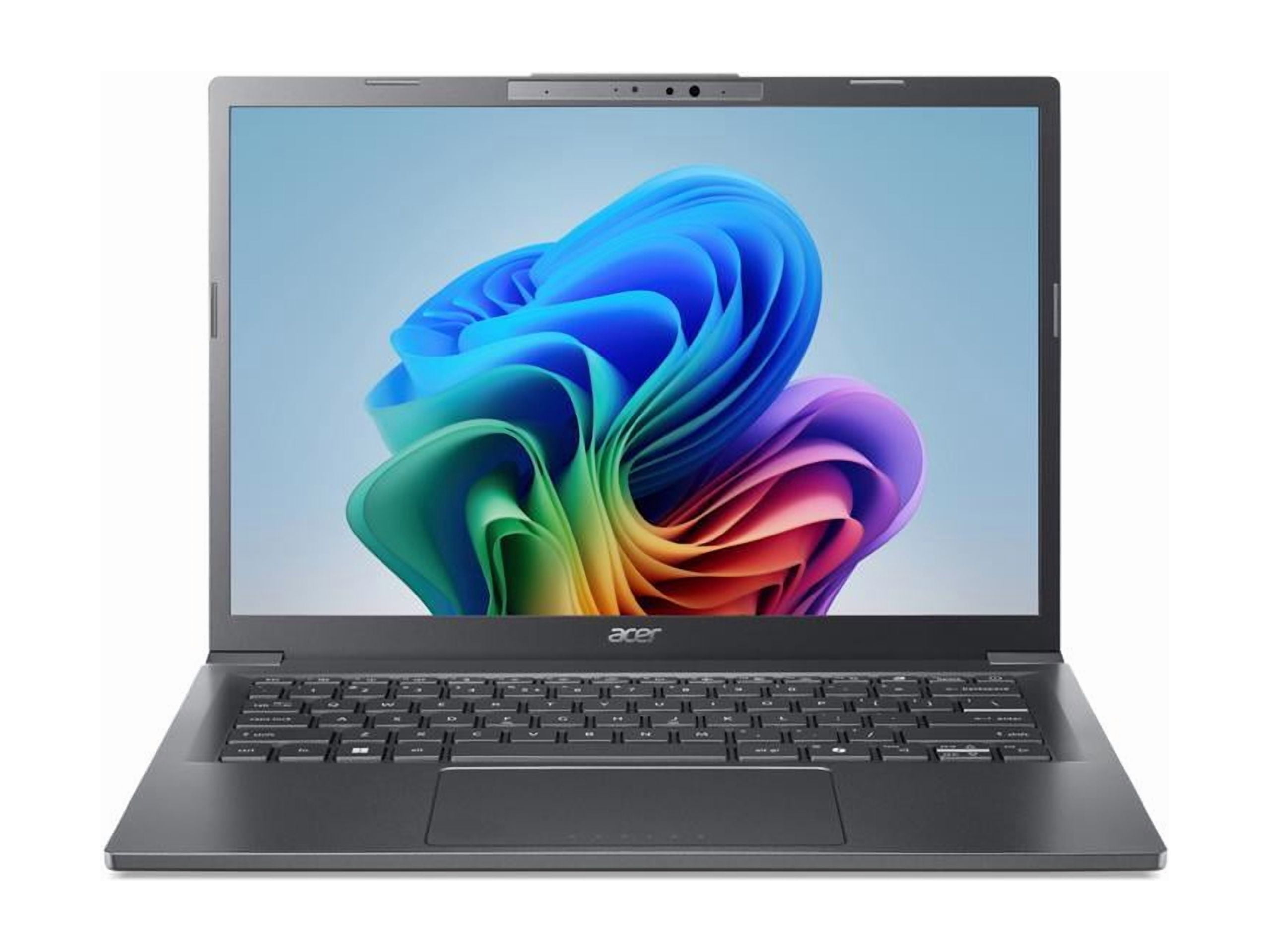
The Aspire 14 AI is the safest buy for most Windows users: a current Intel Core Ultra 7 chip from the Lunar Lake family, 16GB of LPDDR5X memory, and a 1TB SSD in a 14-inch body that stays quiet during ordinary work. No other machine in this guide gives you 16GB and a terabyte of storage at this price — and both matter more than the chip for everyday speed. It qualifies as a Copilot+ PC, with a 40 TOPS NPU for on-device AI features.
Based on specifications and professional reviews, this is the best Windows laptop under $800 for most people.
Pros
- 16GB RAM and 1TB SSD — unmatched here
- current Lunar Lake chip
- quiet during normal work
- Copilot+ PC.
Cons
- Plain plastic build
- thin speakers
- memory is soldered.
Full specifications
- Intel Core Ultra 7 256V (Lunar Lake) with Intel Arc 140V graphics; 40 TOPS NPU
- 16GB LPDDR5X memory (soldered); 1TB SSD
- 14-inch 1920×1200 IPS display
- Up to 22 hours claimed battery life (best-case figure)
- Windows 11 Home; Copilot+ PC
Prices change frequently — click through to see today's price.
Lenovo IdeaPad Slim 5 16
Best for StudentsBuy if: you want a big screen, 16GB of RAM, and all-day battery for classes and coursework
Don't buy if: you need the lightest laptop possible or a dedicated graphics card
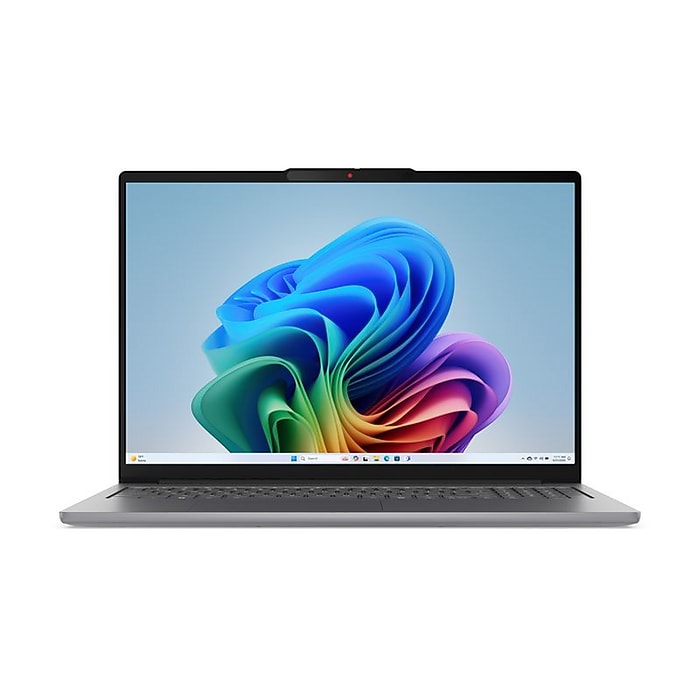
The IdeaPad Slim 5 16 is the laptop we would recommend to most college students. For around $650 you get a current Intel Core Ultra 5 chip, 16GB of DDR5 memory, a 512GB SSD, and a 16-inch 1920×1200 IPS display — big enough to see a full Word document or run research and notes side by side. Battery life hits around 14 hours in real-world use, which covers most school days without a charger.
Based on specifications and professional reviews, this is the best laptop under $800 for students.
Pros
- Big 16-inch screen
- 16GB of RAM
- around 14 hours battery
- great value.
Cons
- Heavier than 14-inch ultraportables
- no dedicated graphics
- memory is soldered.
Full specifications
- Intel Core Ultra 5 322 (2026); 16GB DDR5 memory; 512GB SSD
- 16-inch 1920×1200 IPS display
- Around 14 hours battery in mixed use
- Copilot+ PC; backlit keyboard
- Windows 11 Home
Prices change frequently — click through to see today's price.
ASUS Zenbook 14
Best DisplayBuy if: you want the best screen under $800 and your apps run on Windows on Arm
Don't buy if: you need 16GB of RAM or Windows apps that do not run well under emulation
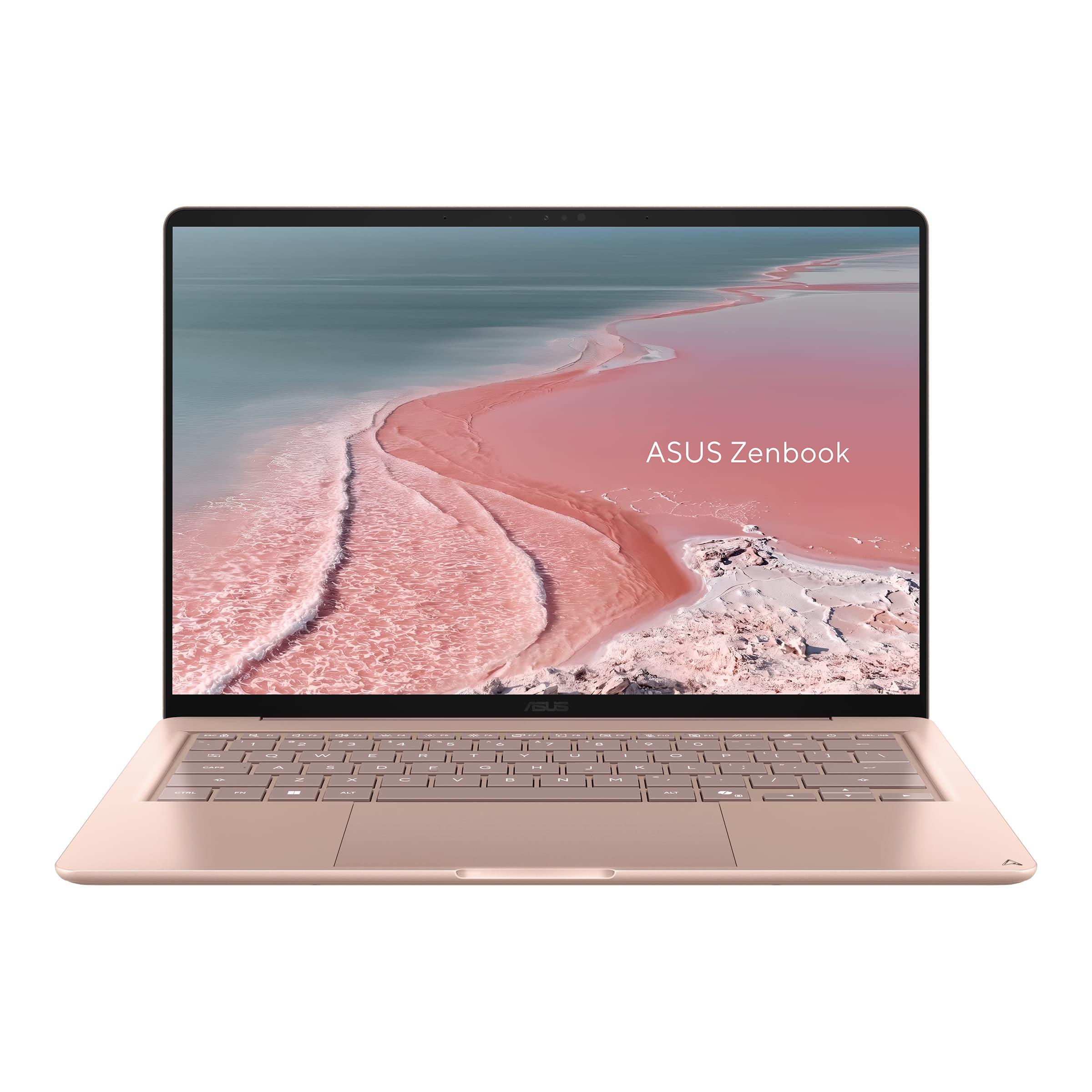
ASUS puts the Zenbook 14's $799 starting price toward one of the strongest screens in this group: a 14-inch OLED display with deep blacks and vivid colour that makes every other laptop here look washed out. The Snapdragon X chip runs quiet and cool with strong battery life, and it qualifies as a Copilot+ PC. The trade-off is the base configuration: 8GB of memory and 256GB of storage, and Windows on Arm means some older apps run through emulation.
Based on specifications and professional reviews, this is the best display you can get under $800.
Pros
- Best screen in this guide (OLED)
- quiet and cool running
- strong battery life
- premium build.
Cons
- Only 8GB of RAM at the starting price
- 256GB storage
- Windows on Arm compatibility limits.
Full specifications
- Qualcomm Snapdragon X; Copilot+ PC
- 14-inch OLED display
- 8GB memory; 256GB SSD
- Windows 11 Home on Arm
- Thin and light aluminium design
Prices change frequently — click through to see today's price.
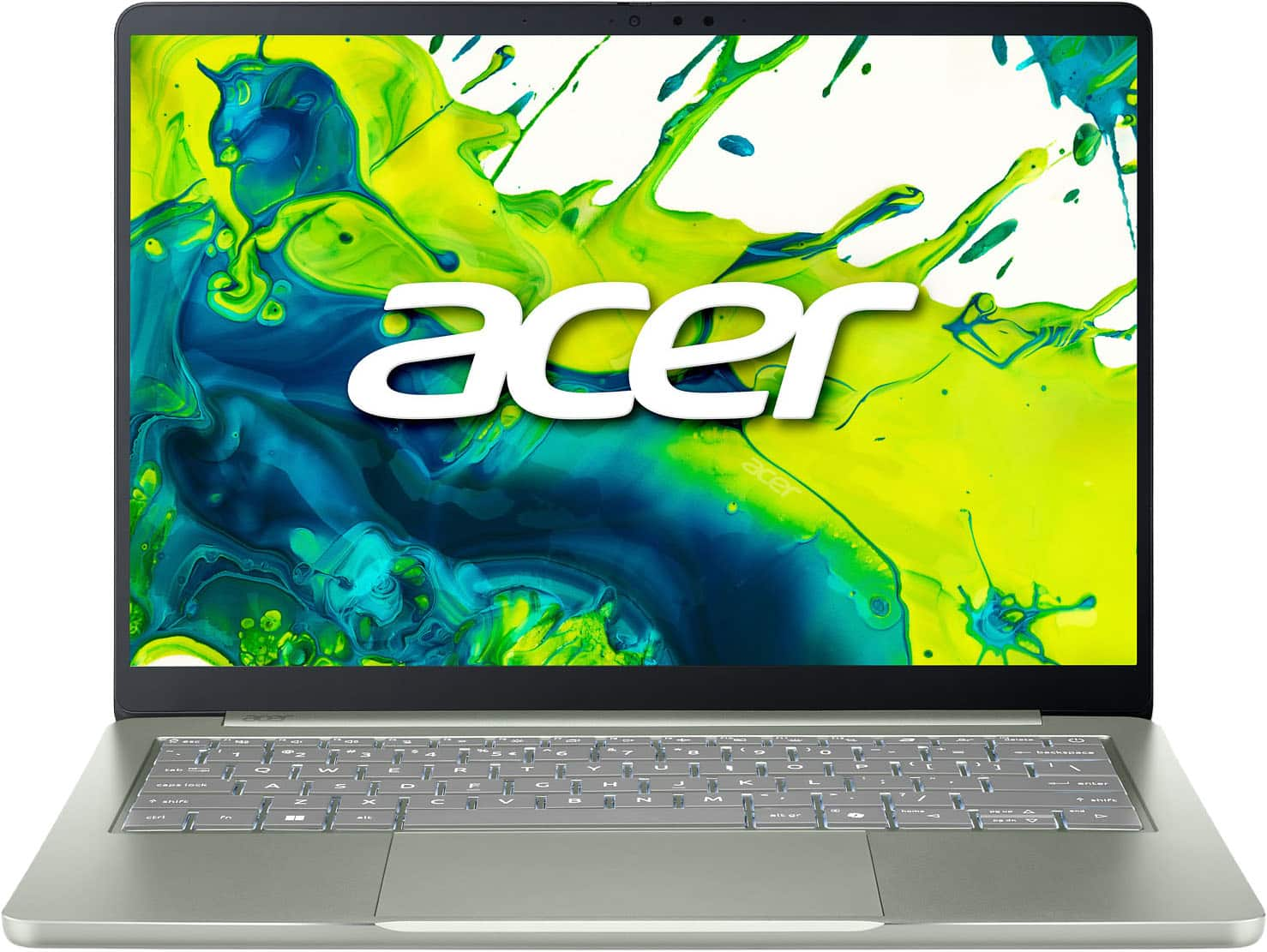
Acer Swift Air 14
Best Everyday Windows ValueBuy if: you want 512GB of storage, a 120Hz display, and useful ports for everyday work and travel
Don't buy if: you need 16GB of RAM or the sharpest display in this guide
For general office work, classes, browser-based workloads, and travel, the Swift Air 14 combines 512GB of storage, useful ports, a 120Hz display, and a lightweight aluminium design for $699.99. It is the best everyday Windows value here: everything you need for documents, video calls, and browsing, with twice the storage of the 256GB machines at the same price.
Based on specifications and professional reviews, this is the best-value Windows laptop under $800 for everyday use.
Pros
- 512GB SSD at this price
- 120Hz display
- lightweight aluminium design
- useful ports.
Cons
- Only 8GB of RAM, soldered
- display resolution is modest
- no 16GB option at this price.
Full specifications
- Intel Core 5 320; 8GB memory; 512GB SSD
- 14-inch 120Hz display
- Lightweight aluminium design
- Full-size ports for everyday use
- Windows 11 Home
Prices change frequently — click through to see today's price.
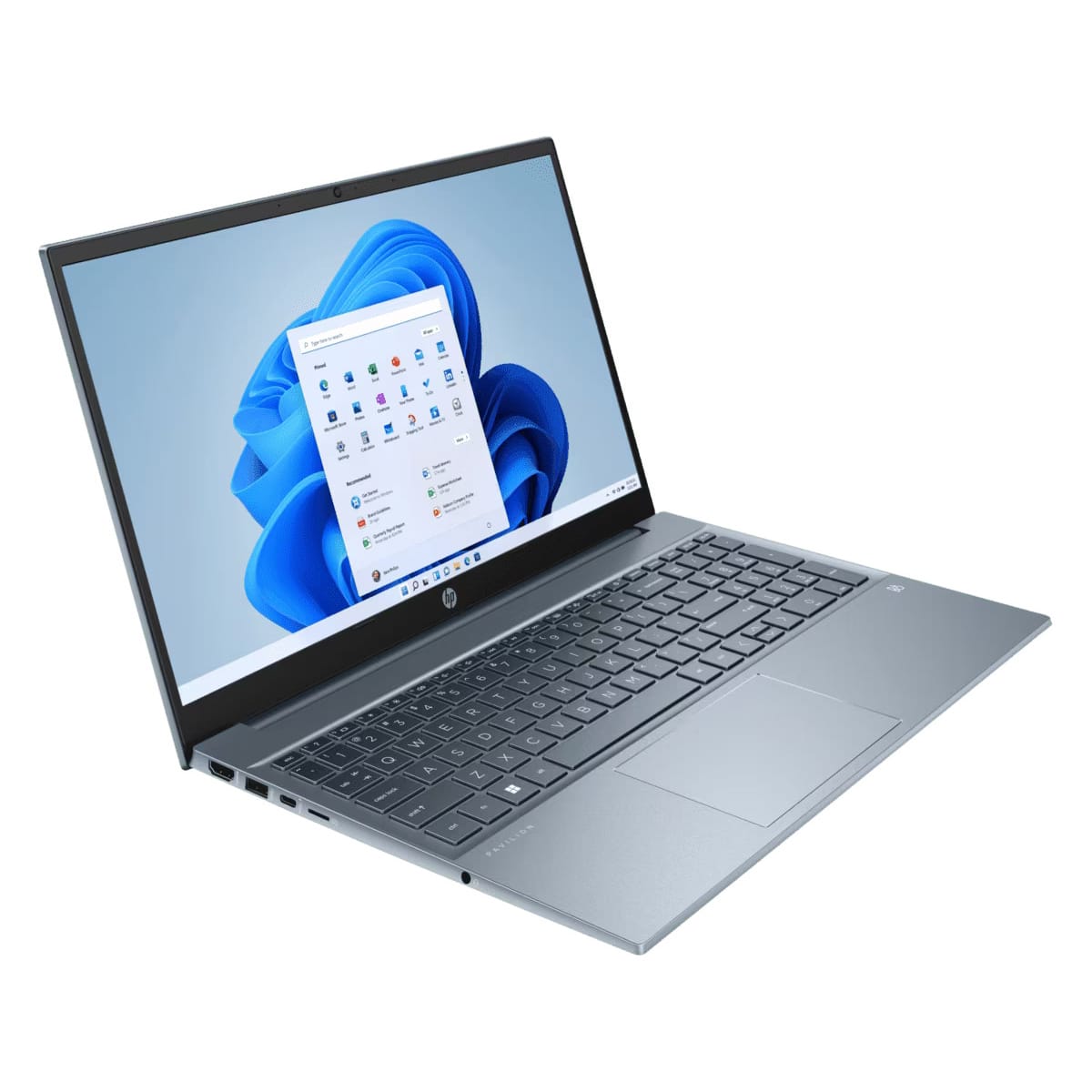
HP Pavilion 15
Best Budget PickBuy if: you want a reliable big-screen laptop for everyday work at the lowest price in this guide
Don't buy if: you need 16GB of RAM or a current-generation chip
The HP Pavilion 15 is the reliable mid-tier choice — not the fastest, not the flashiest, but a consistent performer for note-taking, writing, Zoom, and web research. The AMD Ryzen 7 processor with 8GB of RAM handles everyday school and office workloads smoothly, and the 512GB SSD gives you room for coursework without pruning downloads weekly. The 15.6-inch 1080p IPS display is sharp and colourful enough for movies and reading PDFs, and battery life is around 8–9 hours in mixed use.
Based on specifications and professional reviews, this is the best budget laptop under $800 for everyday work.
Pros
- Lowest price here
- big 15.6-inch screen
- 512GB SSD
- reliable everyday performance.
Cons
- Only 8GB of RAM
- older Ryzen 5000-series chip
- heavier 15.6-inch body.
Full specifications
- AMD Ryzen 7 5000 series; 8GB memory; 512GB SSD
- 15.6-inch FHD IPS display
- Around 8–9 hours battery in mixed use
- Full-size keyboard with numeric keypad
- Windows 11 Home
Prices change frequently — click through to see today's price.
Buying Guide: Choosing a Laptop Under $800
Every laptop in this guide is built for general work, school, and everyday travel — none of them is designed for serious gaming. The five questions below decide which one is right for you.
How much RAM do I need in 2026?
16GB is the number to aim for. Windows 11, a browser full of tabs, and a video call will eat 8GB before lunch, and once the machine starts swapping to its SSD everything slows down. Most 8GB machines in this price band have soldered memory, which means the configuration you buy is the configuration you keep. Four of the six picks here ship with 8GB at their qualifying price — the MacBook Neo copes best, because macOS manages unified memory well, but for Windows the 16GB picks (Acer Aspire 14 AI and Lenovo IdeaPad Slim 5 16) are the safe buys. A memory shortage has pushed DRAM prices up sharply through 2026, and manufacturers have responded by shipping 8GB in machines that used to come with 16GB — so check the spec sheet, not just the model name.
Should I buy a MacBook or a Windows laptop under $800?
Buy the MacBook Neo if you want the best battery life and build quality and your software runs on macOS — students, writers, and frequent travellers will notice the difference every day. Buy Windows if you need specific Windows software, more ports, a touchscreen, or a bigger screen for less money. Windows also gives you far more choice at this price: five of the six picks here run Windows 11. Either way, the right question is not Mac versus Windows — it is whether the configuration has 16GB of RAM.
Should I just buy a Chromebook instead?
If your work lives entirely in a browser — Google Docs, Gmail, video calls, streaming — a Chromebook Plus is fast, cheap, and honest about what it is. But if you need desktop Office, specific Windows or macOS apps, photo editing, or offline work, a full laptop is the safer buy. Chromebooks are a good second machine or a student machine for browser-only coursework; they are not a replacement for a general-purpose laptop.
What specs matter most under $800?
Memory comes first: 16GB if you can get it. Storage comes second: 512GB is the number to aim for, because 256GB fills fast once Windows, apps, and files pile up — and the 256GB machines here (MacBook Neo, Zenbook 14) are the ones you will feel it on first. Display quality comes third: the Zenbook 14's OLED is the standout, and a 120Hz panel (Swift Air 14) makes scrolling noticeably smoother. The chip generation matters least for everyday work — a current Core Ultra, Snapdragon X, or A18 Pro all handle documents, calls, and browsing with ease.
Can I game on a laptop under $800?
Not properly. A real gaming laptop under $800 barely exists at the moment, because graphics hardware needs fast memory too — and these picks all use integrated graphics, which handle light or older games only. The HP Victus 15 is the only real gaming option in this price band, and only when it is actually on sale under $800. If gaming matters, see our gaming laptops under $800 guide instead — and expect to pay close to the $800 limit for a machine with a dedicated graphics card.
Frequently Asked Questions
What is the best laptop under $800?
The best laptop under $800 is the Apple MacBook Neo — the strongest all-round choice, with the best battery life and build quality in this guide. For Windows, the Acer Aspire 14 AI is the best pick: a current Lunar Lake chip, 16GB of RAM, and a 1TB SSD for less than a flagship phone.
What is the best laptop under $800 for students?
The Lenovo IdeaPad Slim 5 16 is the best laptop under $800 for students: a big 16-inch screen for documents and side-by-side work, 16GB of RAM, a 512GB SSD, and around 14 hours of battery for a full day of classes. The Acer Aspire 14 AI is the best 14-inch alternative.
Is 8GB of RAM enough in 2026?
For light use — browsing, documents, and video calls — yes, especially on macOS, where the MacBook Neo manages 8GB well. For multitasking with many tabs and a video call running, 16GB is the safe buy — and most 8GB machines in this price band have soldered memory, so you cannot upgrade later. If you plan to keep the laptop for three years, buy 16GB.
Can you get a good laptop for under $800?
Yes. Spending less than $800 no longer means settling for a bargain-bin machine: the picks in this guide have current-generation chips, 16GB options, OLED and 120Hz displays, and all-day battery life. The traps are 8GB of soldered RAM and 256GB of storage — check the configuration, not just the model name, before you buy.
How long will a budget laptop last?
A well-chosen budget laptop lasts three to four years for everyday use. The deciding factor is memory: a 16GB machine (Acer Aspire 14 AI, Lenovo IdeaPad Slim 5 16) will still feel quick in three years, while an 8GB machine will start swapping to disk as web apps grow heavier. Buy 16GB if you can, keep the SSD above 256GB, and the laptop will outlast its warranty by years.
Are cheap laptops under $800 good for work?
Yes, for office work, documents, spreadsheets, video calls, and browsing — every laptop in this guide handles all of it comfortably. They struggle only with heavy video editing, 3D work, large local AI models, or modern gaming, which need a dedicated graphics card and more memory. For everyday work and school, a $650–$800 laptop is all most people need.
Conclusion
The Apple MacBook Neo is the best laptop under $800 for most buyers — the strongest all-round choice, with the best battery life and build. The Acer Aspire 14 AI is the best Windows pick, with 16GB of RAM and a 1TB SSD no other machine here matches. The Lenovo IdeaPad Slim 5 16 is the student pick, the ASUS Zenbook 14 has the best display, and the HP Pavilion 15 is the best budget buy. Whichever you choose, check the configuration before you pay — 16GB of RAM and 512GB of storage are what separate a laptop that lasts from one that slows down in a year.