Best Gaming Monitor Deals for Black Friday 2026

Black Friday 2026 is November 27, but the honest truth about gaming monitor deals is that most "Black Friday" roundups you will read this week are not deals at all. They recycle last year's prices, repeat stale deal posts, and call a monitor "discounted" because its list price looks high. We checked: one widely repeated $899.99 "deal" on a flagship ASUS OLED is a December 2025 price wearing a refreshed "updated" date — trackers put the same monitor at around $1,181 in late October.
This guide does the opposite. Below are 12 monitors worth watching — every one with an exact Amazon link — plus the live October deals we could actually corroborate, with dates and sources, and a clear plan for what to buy now versus what to wait for until the sales start around November 20. Prices change fast in deal season: every price below is a dated third-party report, and every button takes you to the live price. Check it before you buy.
Which Deal Tier Fits You?
Buy now if: a monitor below is already at a genuine record or near-record low and its return window covers Black Friday — you can rebuy or price-match if it drops further.
Wait until around Nov 20 if: your pick is not discounted yet. The big retailer sales typically start a week before Black Friday, and undiscounted flagships are the most likely to move then.
Don't buy on headline percentage alone: a "40% off" tag means nothing if the "was" price was never the real street price. Compare against the tracker's street price, not the list price — see how to spot a fake deal.
The 12 Monitors Worth Watching
Our Top Pick
LG UltraGear 32GS95UE-B
Best Overall to Watch
One monitor that genuinely replaces two: crisp 4K at 240Hz for story-driven games, then a flip to 1080p at 480Hz for competitive shooters. Reviewers keep ranking it at the top of 2026 OLED roundups, and it is the pick most likely to reward a Black Friday watch — flagship 32-inch OLEDs are exactly the class that moves when the sales start.
Check Price on AmazonQuick Comparison
| Product | Key Specs | ||
|---|---|---|---|
| #1 | LG UltraGear 32GS95UE-BBest Overall to Watch | 32" 4K WOLED · Dual Mode 240Hz/480Hz · 0.03ms | Check Price |
| #2 | ASUS ROG Swift OLED PG32UCDMBest 4K QD-OLED | 32" 4K QD-OLED · 240Hz · 0.03ms · Dolby Vision | Check Price |
| #3 | Alienware AW3425DWBest Ultrawide Value | 34" 3440×1440 QD-OLED · 240Hz · 0.03ms | Check Price |
| #4 | MSI MPG 271QRX QD-OLEDBest 1440p Competitive | 27" QHD QD-OLED · 360Hz · 0.03ms | Check Price |
| #5 | ASUS ROG Swift OLED PG27AQDPFastest 1440p OLED | 27" QHD WOLED · 480Hz · 0.03ms | Check Price |
| #6 | Samsung Odyssey OLED G9 (G95SC)Best Super Ultrawide | 49" 5120×1440 QD-OLED · 240Hz · 0.03ms | Check Price |
| #7 | AOC AGON Q27G4ZDBest Budget OLED | 27" QHD QD-OLED · 240Hz · 0.03ms | Check Price |
| #8 | ASUS ROG Swift OLED PG27AQWP-WFastest Overall | 27" 1440p tandem WOLED · 540Hz (720Hz at 720p) · 0.03ms | Check Price |
| #9 | BenQ Zowie XL2586XBest Esports Pick | 24.1" 1080p Fast TN · 540Hz · DyAc 2 | Check Price |
| #10 | ASUS ROG Swift Pro PG248QPFastest TN Response | 24.1" 1080p TN · 540Hz · 0.2ms · ELMB Sync | Check Price |
| #11 | LG UltraGear 27GX790BBest Dual-Mode OLED | 27" 1440p W-OLED · 540Hz (720Hz at 720p) · 99% DCI-P3 | Check Price |
| #12 | Sony Inzone M10S IIBest Tournament Design | 27" 1440p tandem OLED · 540Hz (720Hz at 720p) · 0.02ms | Check Price |
Live Deals Worth Acting On Now
These are the October deals we could corroborate from more than one source or from a same-day price check. Every figure is a dated report, not a live price — click through to confirm before buying, and note that retailer (not just Amazon) prices are flagged where they apply. Our outbound links stay Amazon-only by policy, so retailer-only deals below link to the matching Amazon search.
ASUS ROG Strix 27-inch OLED (280Hz WOLED) — reported $499–$549 in October
Two October reports disagree on the exact figure — a Best Buy roundup from October 14 lists it at $499.99 (down from $649.99), while a deals report from October 20 calls $549 its lowest-ever Amazon price. Either way, this is a genuine October discount on a 27-inch 280Hz WOLED, not a recycled list price. Check the live price before judging which report is current.
Samsung Odyssey Neo G9 57-inch — reported around $1,450–$1,500
The dual-4K 57-inch Mini-LED flagship was reported at $1,499.99 on October 22 (down from its $2,499.99 launch price, its second-best discount per price trackers), with other trackers listing $1,449.99 in the same week. It needs DisplayPort 2.1 to reach 240Hz and a powerful GPU to drive dual 4K — this is an enthusiast-only buy, but at this level it is the deepest flagship cut we found.
ASUS 27-inch ROG OLED (WOLED) — reported $384, a record low
Multiple outlets reported a 27-inch ASUS ROG OLED at $384 in mid-October — roughly 36% off and described as a lowest-ever price. If the live price is anywhere near that, it is the cheapest entry into OLED gaming we have seen this year. Confirm the exact model on the listing before buying, as ASUS sells several 27-inch OLED variants.
ASUS TUF Gaming VG34WQL5A 34-inch ultrawide — $269, price-checked October 24
The freshest check in this guide: a deals tracker price-checked this 34-inch 3440×1440 curved ultrawide (200Hz, 1500R curve) at $269.00 on October 24 at 8:07 AM ET, down from $314.53 and its lowest price this year. Note the 400Hz mode drops resolution, so full WQHD tops out at 200Hz — still a strong ultrawide value at this price.
ARZOPA 16.1-inch portable 144Hz — reported $97
For a second screen or a travel setup, this 16.1-inch portable 144Hz IPS panel was reported at $97 on Amazon on October 23, its lowest price. It is not a flagship, but as a portable companion it is the cheapest genuine deal in this guide.
Alienware AW2723DF 27-inch QHD — $229.99 at Woot, ends October 26
A Woot-only deal, flagged as such: this 27-inch QHD panel was listed at $229.99 (34% off $349.99) in an October 20 roundup, with the sale ending October 26 — so it is still live at this article's publication but expires fast. Because it is not an Amazon listing, the button below goes to the Amazon search for the same model.
LG UltraGear 32GS95UE-B
Best Overall to WatchBuy if: you want one monitor for everything — 4K cinematic games and competitive shooters — and you will watch for a Black Friday cut
Don't buy if: DisplayPort 1.4 instead of 2.1a bothers you, or you only play single-player games and would be happy with a cheaper 4K 240Hz panel
Pros
- Dual Mode: 4K at 240Hz or 1080p at 480Hz on one panel
- 32-inch 4K WOLED with 0.03ms response time
- HDMI 2.1 ×2 for 4K 120Hz console gaming
Cons
- DisplayPort 1.4 instead of 2.1a, less headroom for future GPUs
- USB hub only, no USB-C video or power delivery
Full specifications
- 32-inch 4K (3840×2160) WOLED panel
- Dual Mode: 4K at 240Hz or 1080p at 480Hz
- 0.03ms (GtG) response time
- DisplayHDR True Black 400, 98.5% DCI-P3
- HDMI 2.1 ×2, DisplayPort 1.4, USB hub
- G-SYNC Compatible, FreeSync Premium Pro
Prices change frequently — click through to see today's price.

ASUS ROG Swift OLED PG32UCDM
Best 4K QD-OLEDBuy if: you want the richest-looking 4K OLED picture and plan to keep the monitor through multiple GPU upgrades
Don't buy if: you believe the recycled $899.99 "deal" — trackers put it around $1,181 in late October 2026, so judge it at street price, not at the stale figure
Pros
- 32-inch 4K QD-OLED with vivid, saturated color at 240Hz and 0.03ms
- Dolby Vision HDR support for richer HDR content
- USB-C with 90W power delivery doubles as a laptop dock
Cons
- Fixed 4K 240Hz panel — no 480Hz mode for esports specialists
- DisplayHDR True Black 400 only, lower peak HDR than brighter rivals
- Premium price tier over WOLED 32-inch alternatives
Full specifications
- 32-inch 4K (3840×2160) QD-OLED panel
- 240Hz refresh rate, 0.03ms (GtG) response
- 99% DCI-P3, Dolby Vision HDR support
- DisplayPort 2.1a, HDMI 2.1 ×2, USB-C (90W PD)
- OLED Care+ burn-in protection suite
- 3-year warranty with burn-in coverage
Prices change frequently — click through to see today's price.

Alienware AW3425DW
Best Ultrawide ValueBuy if: you want ultrawide immersion — racing, sims, open worlds — with OLED contrast at a friendlier price than the flagships
Don't buy if: you need USB-C laptop charging (limited to 15W) or you play mostly competitive shooters, where 16:9 high-refresh wins
Pros
- 34-inch 3440×1440 QD-OLED ultrawide with 1800R curve at 240Hz and 0.03ms
- 1000-nit HDR peak brightness, unusually strong for an OLED
- 3-year premium warranty including burn-in coverage
Cons
- USB-C limited to 15W, won't charge laptops
- Panel prefers a dimmer room for its best HDR
- DisplayPort 1.4 rather than 2.1a
Full specifications
- 34-inch 3440×1440 (21:9) QD-OLED, 1800R curve
- 240Hz refresh rate, 0.03ms (GtG) response
- 99.3% DCI-P3, 1000-nit HDR peak brightness
- DisplayHDR True Black 400
- DisplayPort 1.4, HDMI 2.1 ×2, USB-C (15W)
- 3-year premium warranty including burn-in coverage
Prices change frequently — click through to see today's price.

MSI MPG 271QRX QD-OLED
Best 1440p CompetitiveBuy if: your main games are Valorant, Counter-Strike 2, or Apex Legends and you want esports speed with OLED image quality
Don't buy if: you need a 4K option for cinematic games — this is 1440p only
Pros
- 360Hz QD-OLED with 0.03ms — esports speed with OLED image quality
- USB-C with 90W power delivery for one-cable laptop setups
- MSI OLED Care 2.0 and 3-year warranty including burn-in coverage
Cons
- 1440p resolution only, no 4K option for cinematic games
- DisplayPort 1.4a, not 2.1a
- DisplayHDR True Black 400, modest peak HDR brightness
Full specifications
- 27-inch QHD (2560×1440) QD-OLED panel
- 360Hz refresh rate, 0.03ms (GtG) response
- DisplayHDR True Black 400
- HDMI 2.1 ×2, DisplayPort 1.4a, USB-C (90W PD)
- MSI OLED Care 2.0 protection suite
- 3-year warranty including burn-in coverage
Prices change frequently — click through to see today's price.

ASUS ROG Swift OLED PG27AQDP
Fastest 1440p OLEDBuy if: you need 480Hz at native 1440p — the fastest 1440p OLED in this guide, esports-grade motion
Don't buy if: you won't accept that the gap between 360Hz and 480Hz is subtle outside esports — most players are equally happy with a cheaper 360Hz model
Pros
- 480Hz at native 1440p — the fastest 1440p OLED in this guide
- Factory calibrated to Delta E under 2 with 99% DCI-P3
- True 10-bit color and DisplayHDR 400 True Black
Cons
- Gap between 360Hz and 480Hz is subtle outside esports
- No USB-C input, laptops need a dock or adapter
- 1440p only, no 4K resolution
Full specifications
- 27-inch QHD (2560×1440) WOLED panel
- 480Hz refresh rate, 0.03ms (GtG) response
- 99% DCI-P3, Delta E < 2 factory calibration
- DisplayHDR 400 True Black, true 10-bit color
- HDMI 2.1 ×2, DisplayPort 1.4, USB hub
- OLED Care+ features, 3-year warranty with burn-in coverage
Prices change frequently — click through to see today's price.

Samsung Odyssey OLED G9 (G95SC)
Best Super UltrawideBuy if: you want two 27-inch 1440p screens' worth of space with no bezel — racing, flight sims, multitasking
Don't buy if: your favorite games don't support 32:9 — check first — or your desk can't fit a 49-inch panel
Pros
- 49-inch 32:9 QD-OLED equals two 27-inch 1440p screens with no bezel
- Samsung Gaming Hub streams apps without a PC attached
- Built-in speakers
Cons
- Not all games support 32:9 — check your favorites first
- Enormous footprint, measure the desk before ordering
- Single HDMI 2.1 port and DisplayPort 1.4
Full specifications
- 49-inch 5120×1440 (32:9) QD-OLED, 1800R curve
- 240Hz refresh rate, 0.03ms (GtG) response
- DisplayHDR True Black 400
- HDMI 2.1, DisplayPort 1.4, USB-C, built-in speakers
- Samsung Gaming Hub and smart TV apps built in
- FreeSync Premium Pro, G-SYNC Compatible
Prices change frequently — click through to see today's price.

AOC AGON Q27G4ZD
Best Budget OLEDBuy if: you want entry-point QD-OLED pricing that competes with high-end LCDs
Don't buy if: 240Hz only is a dealbreaker — slower than the 360/480Hz competitive options here
Pros
- Entry-point QD-OLED pricing that competes with high-end LCDs
- 27-inch QHD panel at 240Hz with 0.03ms — core OLED experience intact
- 3-year warranty including burn-in coverage
Cons
- 240Hz only — slower than 360/480Hz competitive options
- DisplayHDR True Black 400, modest HDR peak brightness
- No USB-C video or power delivery
Full specifications
- 27-inch QHD (2560×1440) QD-OLED panel
- 240Hz refresh rate, 0.03ms (GtG) response
- DisplayHDR True Black 400
- HDMI 2.1 ×2, DisplayPort 1.4, USB hub
- 3-year warranty including burn-in coverage
Prices change frequently — click through to see today's price.
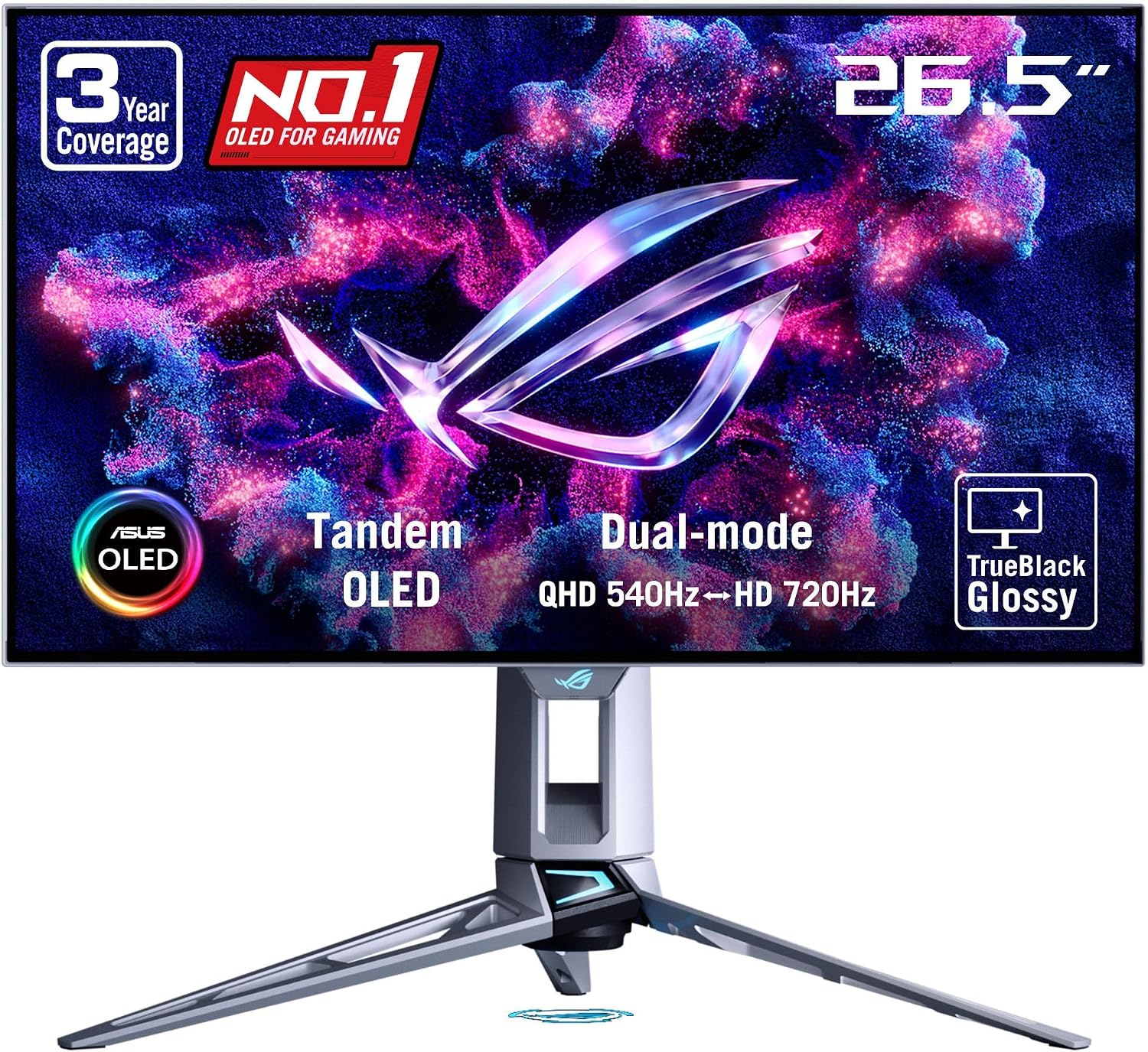
ASUS ROG Swift OLED PG27AQWP-W
Fastest OverallBuy if: you want the fastest refresh rate and the best picture in one monitor — competitive speed plus genuine OLED image quality
Don't buy if: the premium over a 280Hz WOLED is too steep, or you need USB-C, KVM, speakers, or PiP/PbP — all missing here
Pros
- 540Hz at native 1440p with 720Hz dual mode at 720p
- TrueBlack glossy coating and excellent WOLED picture (TFT Central)
- Excels at both single-player HDR and competitive gaming (TechSpot)
Cons
- Price premium over a 280Hz WOLED for a very similar panel (TechSpot)
- No USB-C, KVM switch, speakers, or PiP/PbP (TFT Central)
- 720Hz mode only works at a low 720p resolution
Full specifications
- 27-inch QHD (2560×1440) tandem WOLED panel
- 540Hz refresh rate; dual mode: 720Hz at 720p
- 0.03ms response time, TrueBlack glossy coating
- DisplayPort 1.4 with DSC, HDMI 2.1 ×2
- G-SYNC Compatible, FreeSync Premium Pro
Prices change frequently — click through to see today's price.
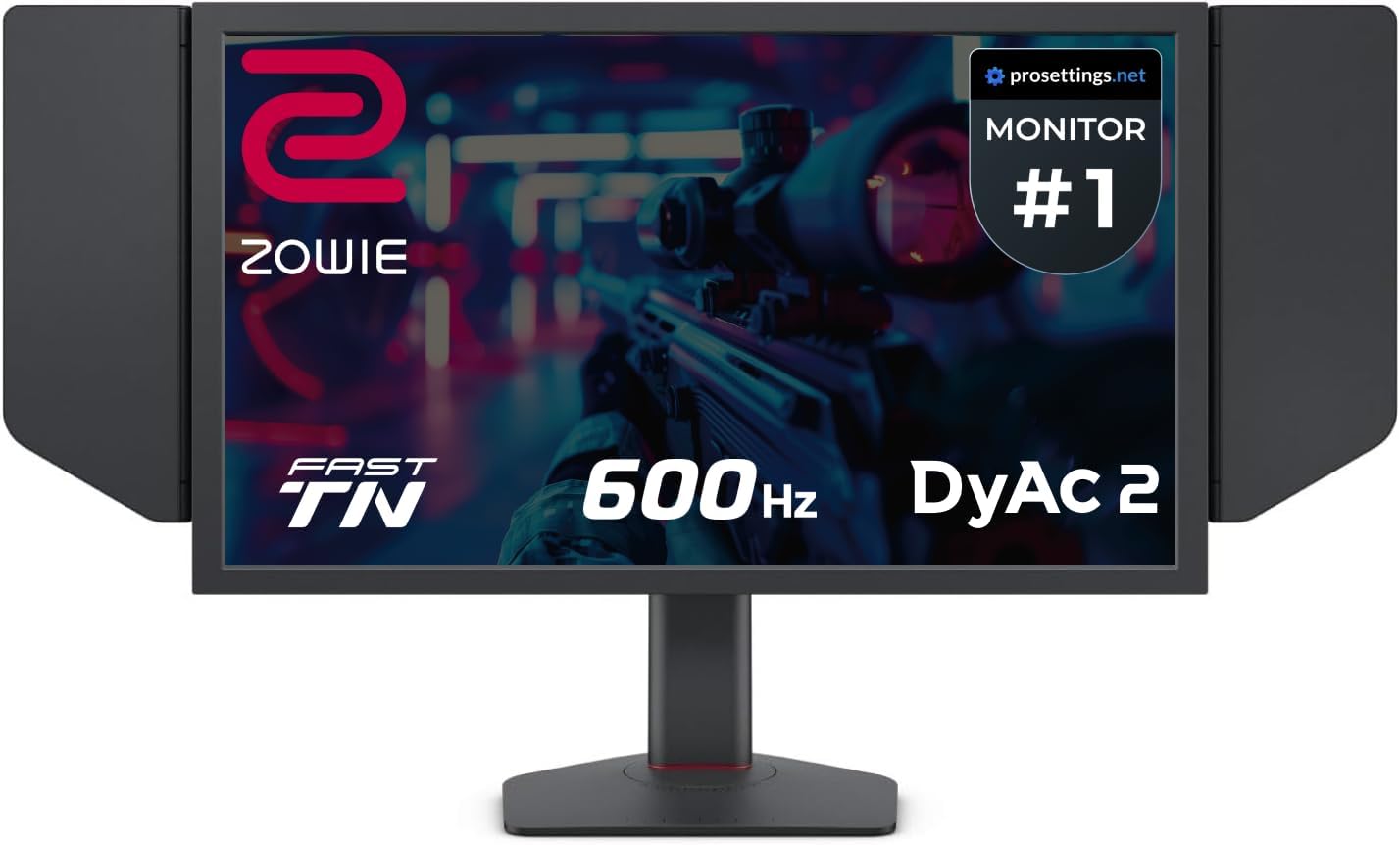
BenQ Zowie XL2586X
Best Esports PickBuy if: you compete in CS2 or Valorant and want the tournament-standard panel — DyAc 2 clarity is among the best backlight strobing available
Don't buy if: you need the monitor to look good outside games — 1080p TN means weaker colors and narrow viewing angles
Pros
- 540Hz with DyAc 2 — among the cleanest motion clarity available
- Tournament-standard Zowie esports features (Black eQualizer, S-Switch)
- Frames delivered every 1.85ms — the bleeding edge of competitive displays
Cons
- 1080p TN panel — weaker colors and narrow viewing angles
- Premium esports pricing for a single-purpose panel
- Diminishing returns versus 360Hz outside serious competition
Full specifications
- 24.1-inch Full HD (1920×1080) Fast TN panel
- 540Hz refresh rate, DyAc 2 backlight strobing
- Black eQualizer, Color Vibrance, S-Switch remote
- DisplayPort 1.4, HDMI 2.1, USB hub
- FreeSync support
Prices change frequently — click through to see today's price.
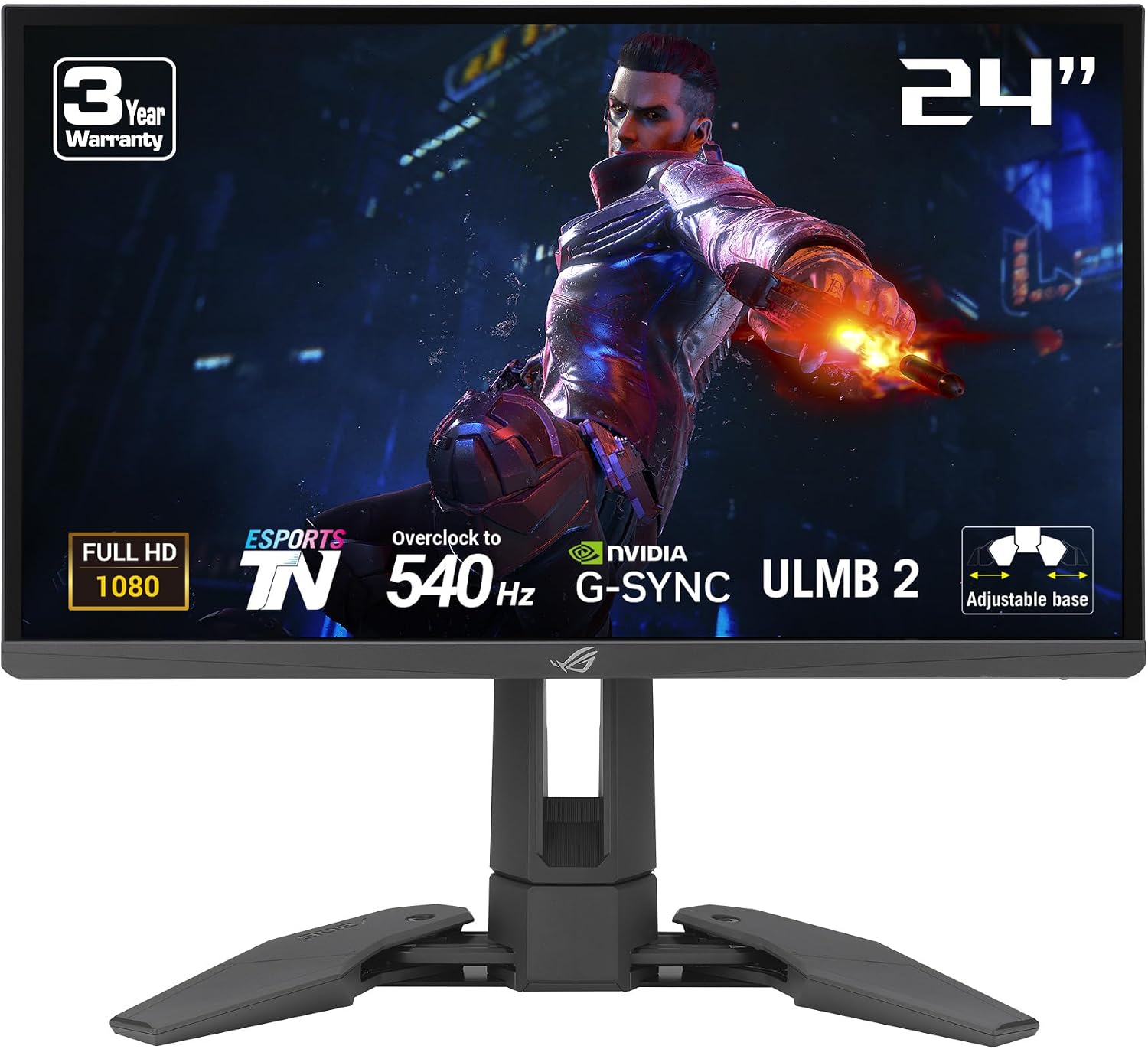
ASUS ROG Swift Pro PG248QP
Fastest TN ResponseBuy if: you want the lowest measured latency in a TN panel — 0.2ms response and sub-1ms input lag with ELMB Sync motion clarity
Don't buy if: you can't accept a 1080p-only panel with TN color and viewing-angle limits
Pros
- 0.2ms response time eliminates ghosting at max refresh
- Under 1ms input lag in the fastest mode
- ELMB Sync for exceptional motion clarity at extreme refresh rates
Cons
- TN panel — noticeably weaker colors and narrow viewing angles
- 1080p only; no 1440p option for sharper image
- Premium esports pricing for a single-purpose panel
Full specifications
- 24.1-inch Full HD (1920×1080) TN panel
- 540Hz refresh rate, 0.2ms response time
- ELMB Sync motion blur reduction
- NVIDIA G-SYNC and Reflex Analyzer support
- DisplayPort 1.4, HDMI 2.1
Prices change frequently — click through to see today's price.
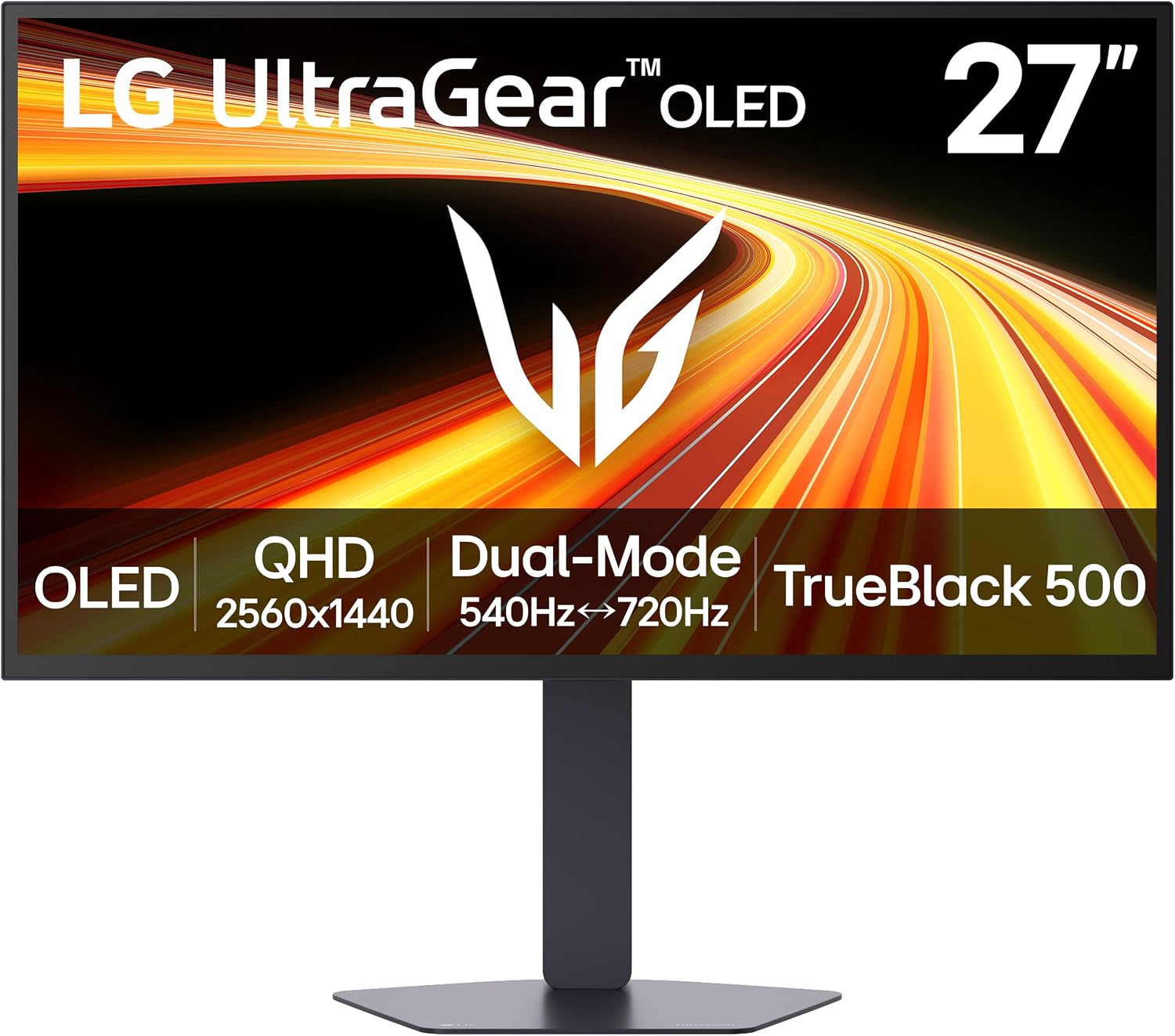
LG UltraGear 27GX790B
Best Dual-Mode OLEDBuy if: you want a 540Hz OLED with excellent color (99% DCI-P3), dual-mode flexibility, and a fully ergonomic stand
Don't buy if: burn-in risk worries you — run pixel refresh cycles and vary content like every OLED here
Pros
- 99% DCI-P3 color gamut with infinite contrast (DisplayNinja)
- 540Hz with VRR up to 540Hz plus 720p 720Hz dual mode
- Instantaneous response time and low input lag
Cons
- Burn-in risk from static HUDs — run pixel refresh, vary content
- 720Hz dual mode requires a low 720p resolution
- Flagship pricing like the other 540Hz OLEDs
Full specifications
- 27-inch QHD (2560×1440) W-OLED panel
- 540Hz refresh rate; dual mode: 720Hz at 720p
- Instantaneous OLED response, 99% DCI-P3
- VRR up to 540Hz
- DisplayPort 1.4 with DSC, HDMI 2.1 ×2
- G-SYNC Compatible, FreeSync Premium Pro
Prices change frequently — click through to see today's price.
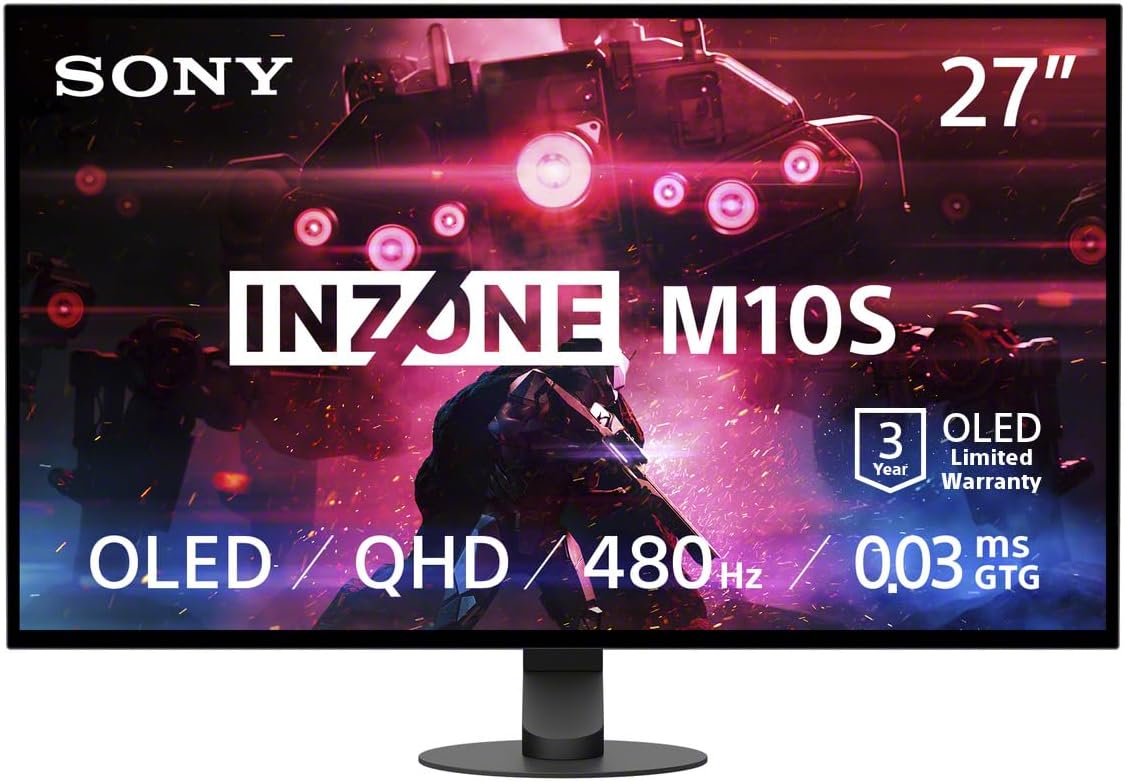
Sony Inzone M10S II
Best Tournament DesignBuy if: you want a pro-tournament workflow — Fnatic co-developed design, 24.5-inch tournament mode, and anti-glare coating for bright LAN environments
Don't buy if: $1,100 is too much for you — the ASUS OLED above offers the same speed class for less
Pros
- 540Hz at 1440p with 720Hz dual mode at 720p
- Fnatic co-developed: 24.5-inch tournament mode for competitive aim
- Super Anti-Glare film for bright rooms and LAN stages
- 3-year OLED warranty with custom heatsink
Cons
- $1,100 launch price is out of reach for most gamers
- 720Hz mode requires a low 720p resolution
- Motion Blur Reduction halves the active refresh rate
- No USB-C video input
Full specifications
- 26.5-inch QHD (2560×1440) tandem OLED panel
- 540Hz refresh rate; dual mode: 720Hz at 720p
- 0.02ms OLED response time
- Tournament mode: 24.5-inch 1080p/1332p display area
- Super Anti-Glare film, Motion Blur Reduction (BFI)
- DisplayPort, HDMI 2.1 ×2, USB hub; 3-year OLED warranty
Prices change frequently — click through to see today's price.
What to Wait For: The Black Friday Calendar
Black Friday 2026 is November 27 and Cyber Monday is November 30. Amazon and Best Buy historically start their Black Friday sales around November 20 — about a week early — and Walmart runs an early event in mid-November. Amazon also regularly kicks off deals in late October, which is why a handful of genuine October deals already exist above. October Prime Day (Prime Big Deal Days) already ran and ended October 7, so do not expect those prices to return.
Two forces cut in opposite directions this year. GTA 6 launches November 19, eight days before Black Friday, and will drive monitor demand hard. At the same time, memory costs have pushed some 2026 prices 15–35% above last year's Black Friday lows, so this year's sales may be thinner than 2025's. The practical plan: shortlist from the 12 above now, set a price alert on your pick, and buy when it hits a genuine low — whether that happens on November 20, Black Friday itself, or Cyber Monday.
How to Spot a Fake Deal
1. Check the original publish date, not the "updated" date. The PG32UCDM $899.99 "deal" was published in December 2025; only its updated timestamp was refreshed in October 2026. A refreshed date is not a fresh price.
2. Compare against street price, not list price. A monitor "reduced from $1,299" may have sold at $1,181 for months. Price trackers show the street price — that is the number a discount must beat.
3. Distrust roundups that repeat the same price everywhere. When several thin roundups quote the identical figure with no date, they are usually copying one stale post, not checking the price. Prefer sources that date their price checks — the October 24 check behind the TUF ultrawide above is the standard to look for.
4. Beware the pre-Black Friday markup. Some sellers raise prices in early November so the Black Friday "cut" looks bigger. If your pick's price jumped in the last two weeks, its Black Friday discount is probably theatre.
5. Use the return window. Buying a genuine low now with a return window that covers Black Friday costs nothing if the price falls further — you rebuy or price-match. Buying a fake deal now costs you the difference.
Frequently Asked Questions
When do Black Friday gaming monitor deals actually start?
Black Friday 2026 is November 27 and Cyber Monday is November 30, but the big retailer sales typically start around November 20, about a week early, with Walmart running an early event in mid-November. Shortlist your monitor now, watch its price, and buy when it hits a genuine low — not necessarily on the day itself.
Is the $899.99 ASUS ROG Swift OLED PG32UCDM deal real?
No — not as a current deal. That $899.99 figure comes from a deal post originally published in December 2025 whose "updated" date was refreshed in October 2026. Price trackers put the PG32UCDM at around $1,181 in late October 2026, so treat it at street price and check the live price before buying.
Should I buy a gaming monitor now or wait for Black Friday?
Buy now only if the deal is a genuine record or near-record low and the return window covers Black Friday — if the price drops further, you can usually rebuy or price-match. Otherwise wait: the main sales start around November 20, and monitors that are not discounted now are the ones most likely to move then.
Are OLED gaming monitors safe to buy on sale, given burn-in?
Yes, with normal care. Every monitor in this guide runs automatic pixel refresh, pixel shifting and static-element dimming, and most carry a 3-year warranty that includes burn-in coverage. Vary your content, let maintenance cycles run, and keep the warranty in mind — burn-in is a managed issue in 2026, not a reason to avoid OLED.
Will gaming monitor prices drop further after Black Friday?
Sometimes, but not reliably. Cyber Monday (November 30) can beat Black Friday on specific models, and post-holiday clearance can undercut both — but stock is thinner and the best models sell out. Memory-cost pressure has also pushed some 2026 prices above last year's Black Friday lows, so a genuine low in November is worth taking rather than gambling on December.
Conclusion
Deal season rewards the shopper who checks prices, not the one who trusts headlines. The LG UltraGear 32GS95UE-B is our top pick to watch because its dual-mode design covers every kind of gaming, while the AOC AGON Q27G4ZD is the cheapest honest route into OLED and the Alienware AW3425DW is the ultrawide value pick. Among the live October deals, the ASUS ROG Strix OLED, the Samsung Neo G9, and the price-checked ASUS TUF ultrawide are the ones worth acting on — everything else on this list is a watch-and-wait pick for the November 20 sales.
Bookmark this guide and check back: the 12 exact Amazon links above are the fastest way to see whether your pick has actually moved. And if a deal looks too good to be true — a flagship OLED at a price nobody else can corroborate — check its publish date before you check out.