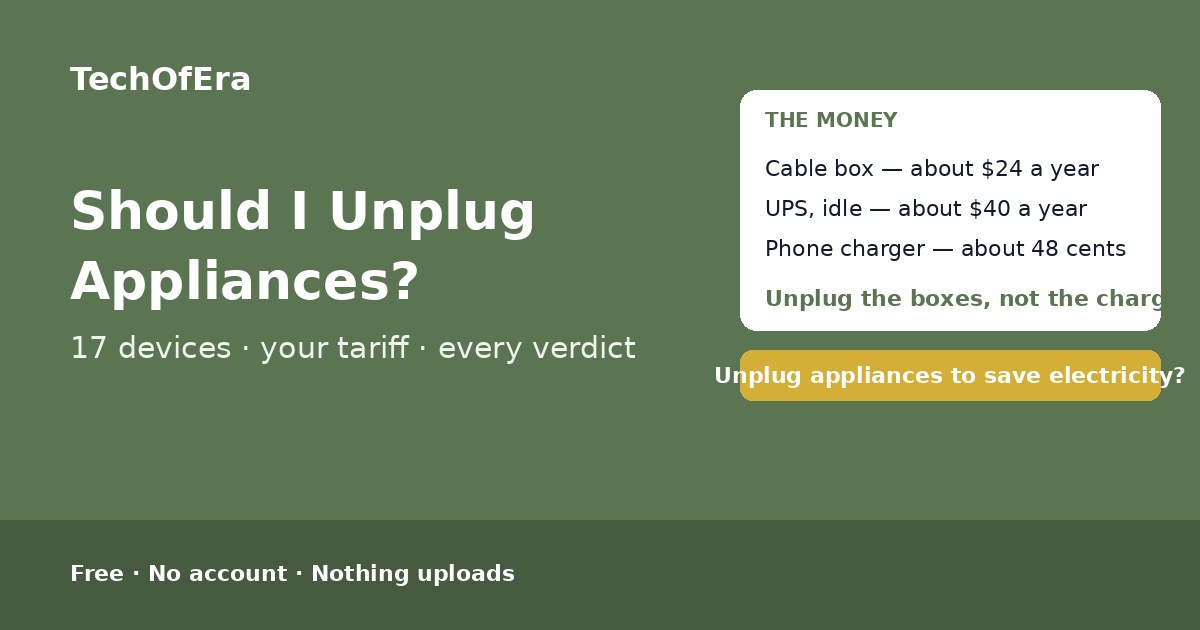
Should you unplug appliances to save electricity?

Every guide says the same thing — some of them, yes — but which ones depends on your home. A cable box costs about $24 a year just sitting there, a UPS with nothing plugged in about $40, and a phone charger about 48 cents. List the devices that stay plugged in, add your price per kWh, and this checker prices every one of them, names the biggest waster, and tells you exactly what to unplug — and what to leave alone. Free, in your browser, nothing uploads.

  • Cable box: about $24 a year in standby
  • Phone charger: about 48 cents a year
  • Never unplug the fridge or router
  • Free, no account, nothing uploads
Should I unplug appliances to save electricity? Check your standby waste in seconds.

Check whether unplugging your appliances saves electricity

Try a preset:

Your devices

Pick each device, then edit its standby watts and the hours a day it sits plugged in but not in use. Standby watts are typical figures — check the label, the manual, or a plug-in watt meter.

0 devices listed (up to 8)

Your result

Answer the questions Your verdict appears here as you answer.
What you could save

Add your devices and your price per kWh and the saving will appear here.

Your unplug plan

    Safety — unplug for safety, not for money

    Worth unplugging

    Things to check

    Still to confirm

    What to do next

      Your result summary


      Add your devices above — the verdict updates live.

      Privacy you can verify, not just trust

      Checking what your appliances cost by uploading your home details to a website would be backwards — the check should never be the leak. This one can't: your answers are checked in your browser, and they never leave the device — the only third-party requests are the site's own analytics, which count page views. Don't take our word for it:

      New cross-origin requests during use: 0
      1. Press F12 to open developer tools, then the Network tab.
      2. Add a device above. Watch: apart from the site's analytics, nothing new is requested — no uploads, and no data ever leaves your device.
      3. Extra credit: disconnect your internet after this page loads — the checker still works.

      How the unplug-appliances check works

      Standby power — also called phantom load or vampire power — is the electricity a device draws whenever it is plugged in, even when it is turned off, not charging anything, or sitting in standby mode. The US Department of Energy puts it at 5 to 10 percent of home electricity use, about $100 to $200 a year for the average household. An NRDC smart-meter study of 70,000 homes measured an average always-on load of 164 watts, about $257 a year at the US average 18.2 cents per kWh. But the average hides the real story: one cable box at 15 watts costs about $24 a year, a UPS with nothing plugged into it about $40, and a phone charger about 48 cents. The maths is simple — kWh per year equals watts times hours per day times 365 divided by 1,000, and the cost is that times your price per kWh — but nobody does it for every device in the house. This checker does: list the devices that stay plugged in, add your price per kWh, and it prices every one of them, names the biggest waster, and tells you exactly what to unplug — and what to leave alone.

      To use it:

      1. Say what currency your bill is in, and what your price per kWh is. Changing the currency sets the tariff to a typical rate — the US average is 18.2¢/kWh (EIA, August 2026), the UK is typically about 24p/kWh — but the number on your bill is the one that matters, so edit it to match.
      2. Add the devices that stay plugged in when nobody is using them. The TV setup, the chargers, the kitchen clocks, the printer, the console. Each one starts with a typical standby draw — Berkeley Lab medians where published — and you can edit the watts to match the label, the manual, or a plug-in watt meter.
      3. Say how many hours a day each device sits plugged in but not in use. 24 if it is never unplugged. A device unplugged for 8 hours a day wastes a third less than one plugged in around the clock.
      4. Read the verdict — and the plan. The verdict tells you whether unplugging is worth chasing at all, and the plan lists the devices in order, biggest waster first, so you can walk around the house and do them one by one.

      Typical standby draws

      The table below is the published figures the checker starts from — Berkeley Lab medians where published, guide ranges otherwise. Your device may draw more or less: measure it with a plug-in watt meter for the exact number.

      DeviceStandby drawVerdictWhy

      What makes this checker different

      The pages that rank for this search are how-to guides — a home-services site, a DIY blog, an energy supplier. Every one of them gives you the same answer — yes, unplug them — and a table of typical watts, and leaves you to do the maths for your own house. The calculators that do exist price one device at a time, or price a whole home from a generic appliance list on a desktop-only page. None of them lets you list your own devices, price each one at your own tariff, and tell you which one to unplug first — and none of them tells you what to leave alone. This page is that answer: your devices, your tariff, a verdict for every device, the biggest waster named, and a plan in order. It is a self-assessment, so it says plainly what it cannot know: it cannot measure your devices, and where the watts are typical figures it says so instead of pretending they are exact.

      When is this the right check?

      When the electricity bill feels too high and you are wondering whether the boxes under the TV are part of it — because one cable box is $24 a year and a whole living room is $41. When you are about to buy a smart plug or a switched strip and want to know whether it pays for itself — because a strip costs less than the $10 a year it saves in a typical living room. When the house is full of chargers and clocks and you want to know whether any of it matters — because the answer is no, and knowing that is worth as much as knowing what does. And when you are leaving the house for the night and wondering about the kettle — because that one is about safety, not money.

      Honest limitations

      A self-assessment, not a measurement

      This checker cannot measure your devices. The standby watts in the presets are typical figures — Berkeley Lab medians where published — and your device may draw more or less. For exact numbers, measure the device with a plug-in watt meter, which costs about $15 to $25 and shows the real draw in seconds.

      The saving is small for most devices — say so plainly

      A phone charger is about 48 cents a year, a TV about $1.60, a microwave clock about $3.19. The money lives in a few big boxes: the cable box, the UPS, the console in rest mode. If your total is under $1 a year, the checker says so — leave them plugged in and spend the effort on heating, cooling and hot water instead.

      Some devices must stay on

      A fridge or freezer must run. A Wi-Fi router has to stay on — it is the house internet. A security camera is doing a job. The checker marks those as leave it plugged in, and their cost never counts toward what you could save — unplugging them is not a saving, it is a breakage.

      Heating elements are about safety, not money

      A kettle or toaster draws almost nothing in standby, so the money is pennies — but a heating element with a fault can overheat while nobody is watching. Unplug kettles, toasters and coffee makers after every use and always before bed or before leaving the house. The checker flags them as unplug for safety whatever they cost.

      Your tariff is the number that matters

      The defaults are typical rates — the US average is 18.2¢/kWh (EIA, August 2026) — but your bill may be very different, especially in California, New York or Hawaii, where the price is far higher. Check the per-kWh price on your latest bill and edit it above. A fixed monthly charge stays whatever you unplug.

      Figures from the published guidance, dated November 2026

      The rules here are the published figures as they read in November 2026: the US Department of Energy on the 5 to 10 percent share and the $100 to $200 a year, Berkeley Lab on the median standby draws, the NRDC smart-meter study of 70,000 homes on the 164-watt always-on load, and the EIA on the US average 18.2 cents per kWh. Tariffs change: recheck your bill if anything about your rates changes.

      Frequently asked questions

      Should I unplug appliances to save electricity?

      Some of them, yes — the ones that draw real standby power. A cable box at 15 watts costs about $24 a year just sitting there, and a UPS with nothing plugged into it costs about $40 a year. A phone charger at 0.3 watts costs about 48 cents a year, so unplugging it saves nothing worth the reach. The rule is simple: unplug the boxes that idle at several watts or more, leave the chargers and clocks alone, and never unplug the fridge, the router or the security camera. This checker prices each of your devices and gives every one its own verdict.

      How much money does unplugging appliances save?

      The US Department of Energy puts standby power at 5 to 10 percent of home electricity use, about $100 to $200 a year for the average household. An NRDC smart-meter study of 70,000 homes measured an average always-on load of 164 watts, about $257 a year at the US average 18.2 cents per kWh. Your own number depends on your devices and your tariff: a living room with a TV, a cable box, a console and a streamer wastes about $41 a year, while a pair of idle chargers wastes under $1. List your devices above and the checker works out your exact figure.

      What uses the most standby power?

      Cable and satellite boxes are the worst standby offender in most homes at 15 to 30 watts, day and night. A UPS with nothing plugged into it draws about 25 watts — the single biggest standby draw Berkeley Lab measured. Set-top boxes and streamers sit at about 8 watts, desktop computers at about 2.7 watts in sleep, and games consoles at about 1.7 watts in standby, up to 24.5 watts in rest mode. TVs, chargers and clocks are all under a watt or two. The checker ranks your own devices so you can see which one to unplug first.

      Should I unplug my phone charger?

      It does not matter much either way. A phone charger with no phone connected draws about 0.26 watts, which is about 41 cents a year at the US average 18.2 cents per kWh. A laptop charger idling at 0.3 watts is the same story. Pull them when you remember, but do not chase the money — one cable box wastes about sixty times more. The saving lives in the boxes that idle at several watts or more: cable boxes, UPS units, consoles and printers.

      Is it safe to leave appliances plugged in overnight?

      For most electronics it is safe, just wasteful — a TV or a charger left plugged in overnight costs pennies and poses no real risk. The exception is small heating-element appliances: kettles, toasters and coffee makers left plugged in are a fire risk, because a fault can overheat the element while nobody is watching. Unplug those after every use and always before bed or before leaving the house. The checker flags every heating-element device you list as unplug for safety, whatever it costs.

      Does a power strip stop standby power?

      Yes — a switched power strip cuts the power to everything on it in one flick, which stops standby draw completely for those devices. It is the practical answer for the TV stand, where the TV, the cable box, the console, the streamer and the soundbar all sit together and none of them is easy to reach. One strip under the TV stand can save about $40 a year in a typical living room. Do not put the router or anything that must stay on on the same strip.

      Should I unplug my router or fridge?

      No. A fridge or freezer must run — there is no standby saving to chase, it is doing its job. A Wi-Fi router draws 2 to 20 watts, but it has to stay on too: it is the house internet, and switching it off breaks every connected device in the house. The same goes for a security camera and any medical equipment. The checker marks those devices as leave it plugged in, and their cost never counts toward what you could save.

      Does this checker measure my devices?

      No. This checker is a self-assessment: it runs your answers against the published standby figures as they read in November 2026, entirely in your browser, and nothing you enter leaves your device. The standby watts in the presets are typical figures — Berkeley Lab medians where published — and your device may draw more or less. For exact numbers, measure the device with a plug-in watt meter, which costs about $15 to $25 and shows the real draw in seconds.