How the overnight charging check works
Charging a phone overnight used to be a real worry: old batteries overcharged, and a phone left plugged in all night could swell or fail. Modern phones do not work that way. Power-management chips stop the charging current at 100% and top the battery up in short bursts, so the phone cannot overcharge. What still wears a lithium-ion battery is heat, and long stretches at a full charge — the industry consensus is that lithium-ion batteries last longest kept between about 20% and 80% charge. So the question is no longer "is overnight charging safe?" but "does this phone, on this charger, spend the night hot and at 100%?" This checker weighs all of it — the phone, its age, the battery health, the charger, how long it stays plugged in, whether the case stays on, whether it gets hot, whether the battery is swelling, how often it charges overnight, and whether optimised charging is on — and gives you a verdict: safe to charge overnight, use optimised charging, charge before bed instead, or stop and get the battery checked.
To use it:
- Say what phone it is. iPhone, Samsung Galaxy, Google Pixel or another Android — the optimised-charging setting lives in a different place on each, and the checker names the one for your phone.
- Say how old the phone is. Under 1 year is a new phone; 5 years or older is an old one — and older phones have fewer battery protections and a more tired battery.
- Say what the battery health is. On an iPhone, check Settings > Battery > Battery Health. Under 80% means the battery is worn — Apple treats under 80% as the line where a battery needs replacing.
- Say what charger you use at night. An original or certified charger is fine; a cheap no-name charger is a reason to charge before bed instead. A slow 5–10 W charger is the gentlest way to charge overnight; fast and wireless chargers make more heat.
- Say how long it stays plugged in overnight. Under 6 hours is a short night; over 8 hours is a long one at 100% — the longest stretch at a full charge, and the one that wears a battery most.
- Say whether the case stays on while it charges. A thick case traps the heat the battery makes while charging. Take it off at night — especially with fast or wireless charging, where the heat is greatest.
- Say whether the phone gets hot while charging. Heat is the main thing that wears a battery. A phone that often gets very hot while charging is being damaged — and if the battery is also worn, or the charger is a cheap one, the answer is to stop and get it checked.
- Say whether the battery is swelling. A bulging back or a lifting screen means stop charging it and get the battery checked — do not charge it overnight. This answer alone can change the verdict.
- Say how often it charges overnight. Every night means the wear adds up fast; rarely means it hardly matters. That is exactly what optimised charging is for — it cuts the time at 100% on every single night, without changing your routine.
- Say whether optimised charging is switched on. It is the single most useful setting for overnight charging: iPhone Optimised Battery Charging holds the phone at 80% until close to when you unplug it, Samsung Battery protection can cap the charge, and Google Pixel has Adaptive Charging and a Limit to 80% option.
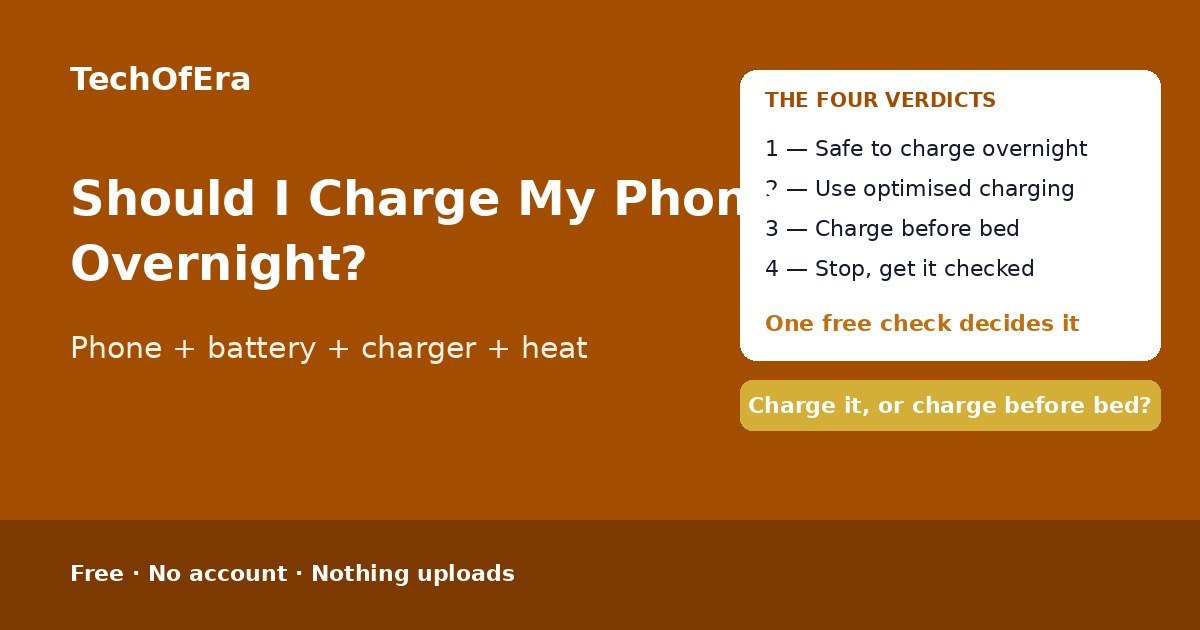
The four verdicts, and what each one means
Safe to charge overnight
A modern phone, a healthy battery, a decent charger and optimised charging on — or a slow charger and a short night. The phone finishes charging and then sips power in short top-ups, and optimised charging keeps it off 100% for most of the night.
Use optimised charging
Overnight charging is fine for this phone — but without optimised charging it would sit at 100% for most of the night, and that is the wear that adds up. Switch the setting on, then charge overnight as normal.
Charge before bed instead
The phone, the battery or the charger makes overnight charging a bad habit: an old phone, a battery under 80%, a cheap charger, or a phone that gets hot. Plug it in an hour or two before bed, take it to about 80%, take the case off, and unplug it when you go to sleep.
Stop — get the battery checked
Something is wrong with this battery: it is swelling, or it gets very hot while charging on a worn battery or a cheap charger. Stop using and charging the phone and get the battery checked before charging overnight again.
What makes this checker different
The pages that rank for this search are guides — Android Authority, MakeUseOf, uBreakiFix by Asurion and Gadget Hacks all explain the same thing in prose: modern phones do not overcharge, heat and time at 100% are what wear a battery, and optimised charging is the fix. All of them say the same thing, and none of them asks what your phone is, how old it is, what its battery health is, what charger you use, whether it gets hot, or whether the battery is swelling — and none of them gives you a verdict for your phone. There is no free, standalone checker that takes your phone, age, battery health, charger, overnight hours, case, heat, swelling, habit and optimised-charging setting and turns them into a verdict with a safer-charging plan. This page is that answer: ten questions, an instant verdict, the blockers named, and the next steps. It is a self-assessment, so it says plainly what it cannot know: it cannot feel how hot a phone gets, read the battery health, or see inside the phone.
When is this the right check?
When you plug your phone in every night and wonder whether you are quietly wearing the battery out — because a new phone on a slow charger with optimised charging on is fine, and the checker says so. When the phone feels warm every morning — because heat plus a worn battery is the combination that damages batteries, and the checker names it. When you have switched to a wireless pad or a cheap charger — because the charger is the one thing most guides mention and nobody checks. And when the battery health has dropped under 80%, or the back of the phone is starting to bulge — because the question then is not whether to charge overnight, but whether to charge it at all.
Honest limitations
A self-assessment, not a repair diagnosis
This checker cannot feel how hot a phone gets, read the battery health, or see inside the phone. It cannot tell whether a battery is worn out or a charger is faulty. If a phone swells, smells, or gets very hot while charging, stop using it and talk to the manufacturer or a repair shop.
Without the battery health, the verdict is weaker
Battery health is the one number that says how worn the battery is — and Samsung does not show it the way iPhones do. The checker still works without it, but it says so: the verdict drops to low confidence and the first step is to check the battery health or the phone's age.
The time at 100% is the checker's own estimate
The plan estimates how long the phone sits at 100% overnight from your answers — it assumes a typical phone takes about 2 hours to charge from 20% on a slow charger and about 1 hour on a fast charger. A fuller battery finishes sooner and a flatter one later, so treat the figure as a guide, not a measurement. It is the checker’s own estimate, and the plan says so.
Optimised charging needs a routine to learn
Optimised Battery Charging needs about two weeks to learn your routine, and it only works when your nights are regular. If your bedtime changes every night, the phone may finish charging early anyway — and charging before bed to about 80% is the safer habit.
A cheap charger can fail in ways the checker cannot see
A no-name charger can have poor insulation, a fake wattage rating, or no thermal protection at all — and none of that shows up in ten questions. The checker treats any cheap charger as a reason to charge before bed, but the only real fix is a charger from the maker or a certified brand.
Rules from official sources, dated November 2026
The rules here are the Apple, Samsung and Google battery guidance — Optimised Battery Charging, Battery protection and Adaptive Charging, the 20–80% guidance and the swelling rule — as they read in November 2026. Guidance changes: recheck the manual for your exact model if anything about the phone changes.